Blog

Microsoft’s Query Tuning Announcements from #PASSsummit

Execution Plans
3 Comments

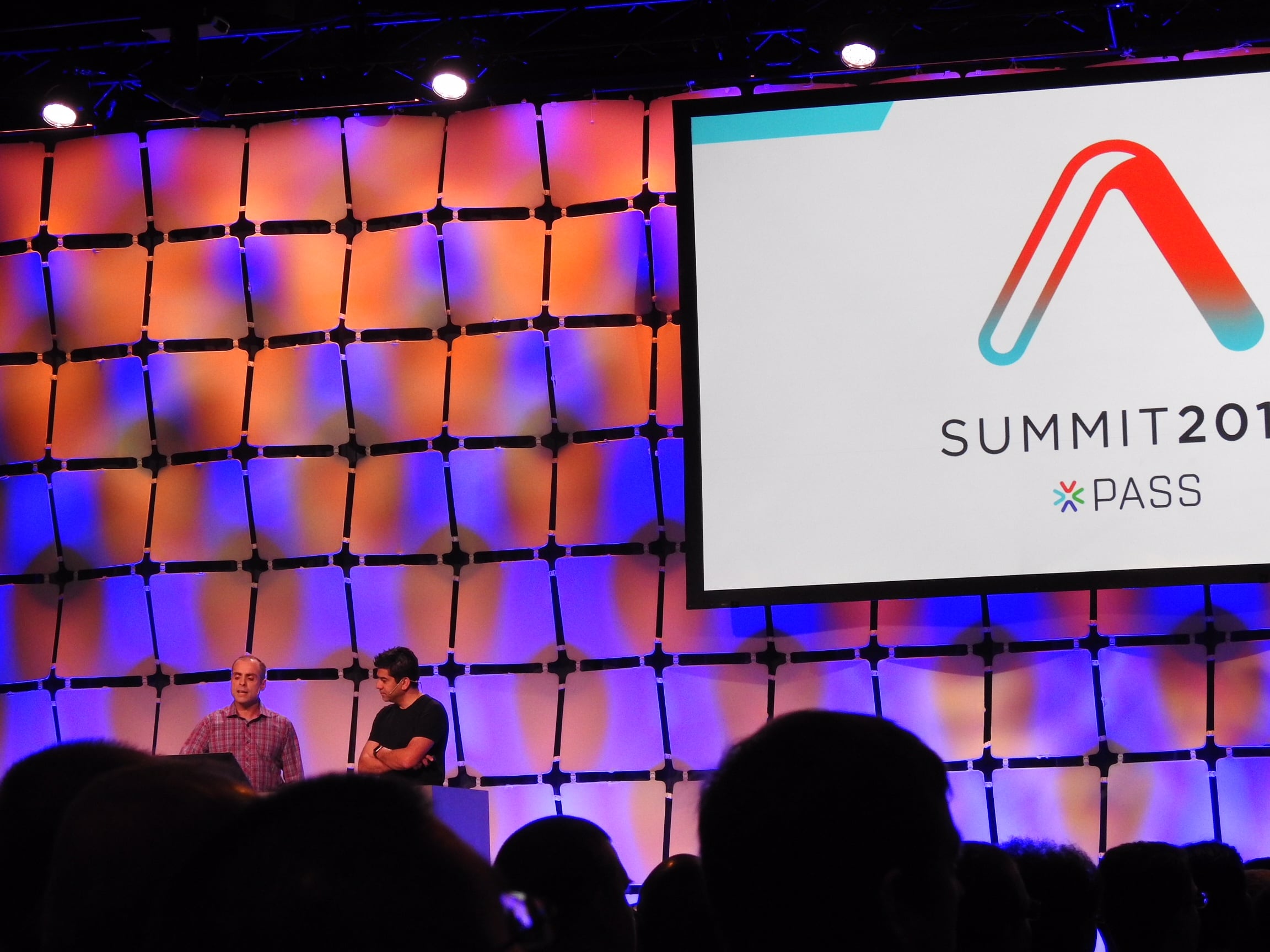
Microsoft’s Joe Sack & Pedro Lopes held a forward-looking session for performance tuners at the PASS Summit and dropped some awesome bombshells.

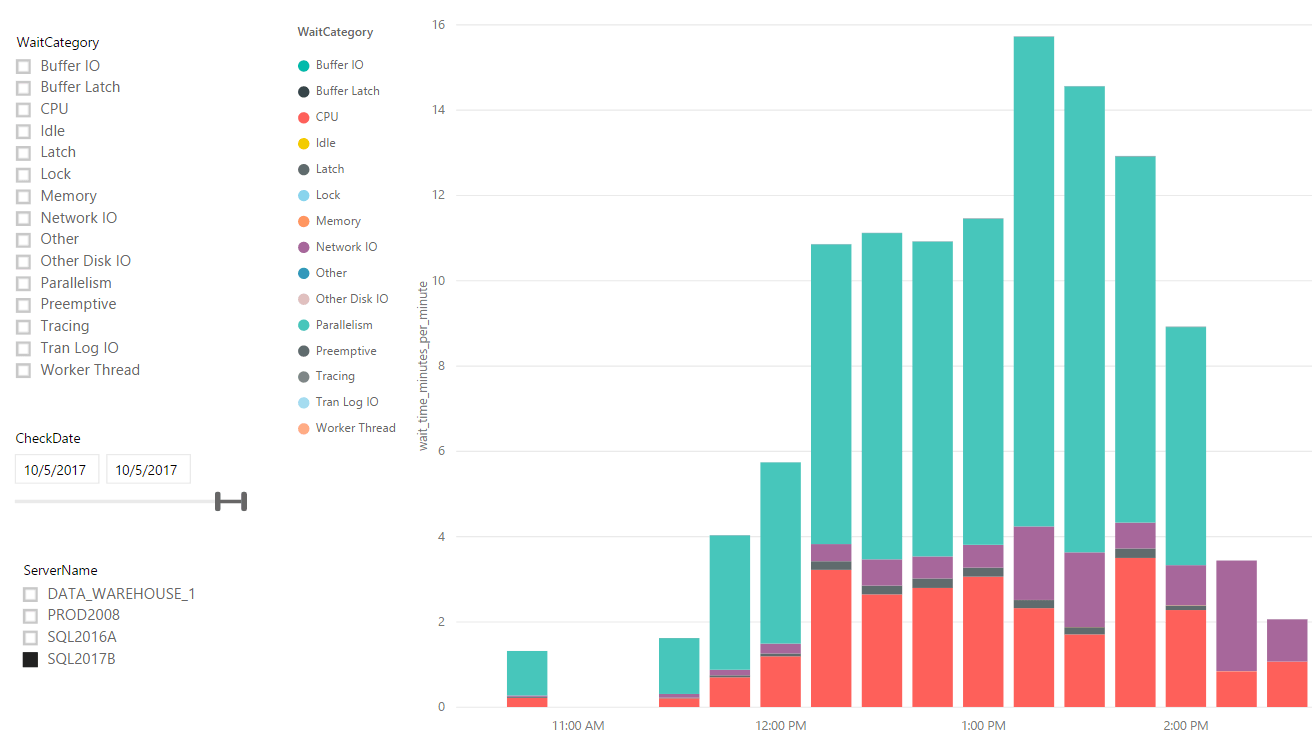
Pedro’s Big Deal: there’s a new CXPACKET wait in town: CXCONSUMER. In the past, when queries went parallel, we couldn’t differentiate harmless waits incurred by the consumer thread (coordinator, or teacher from my CXPACKET video) from painful waits incurred by the producers. Starting with SQL Server 2016 SP2 and 2017 CU3, we’ll have a new CXCONSUMER wait type to track the harmless ones. That means CXPACKET will really finally mean something.
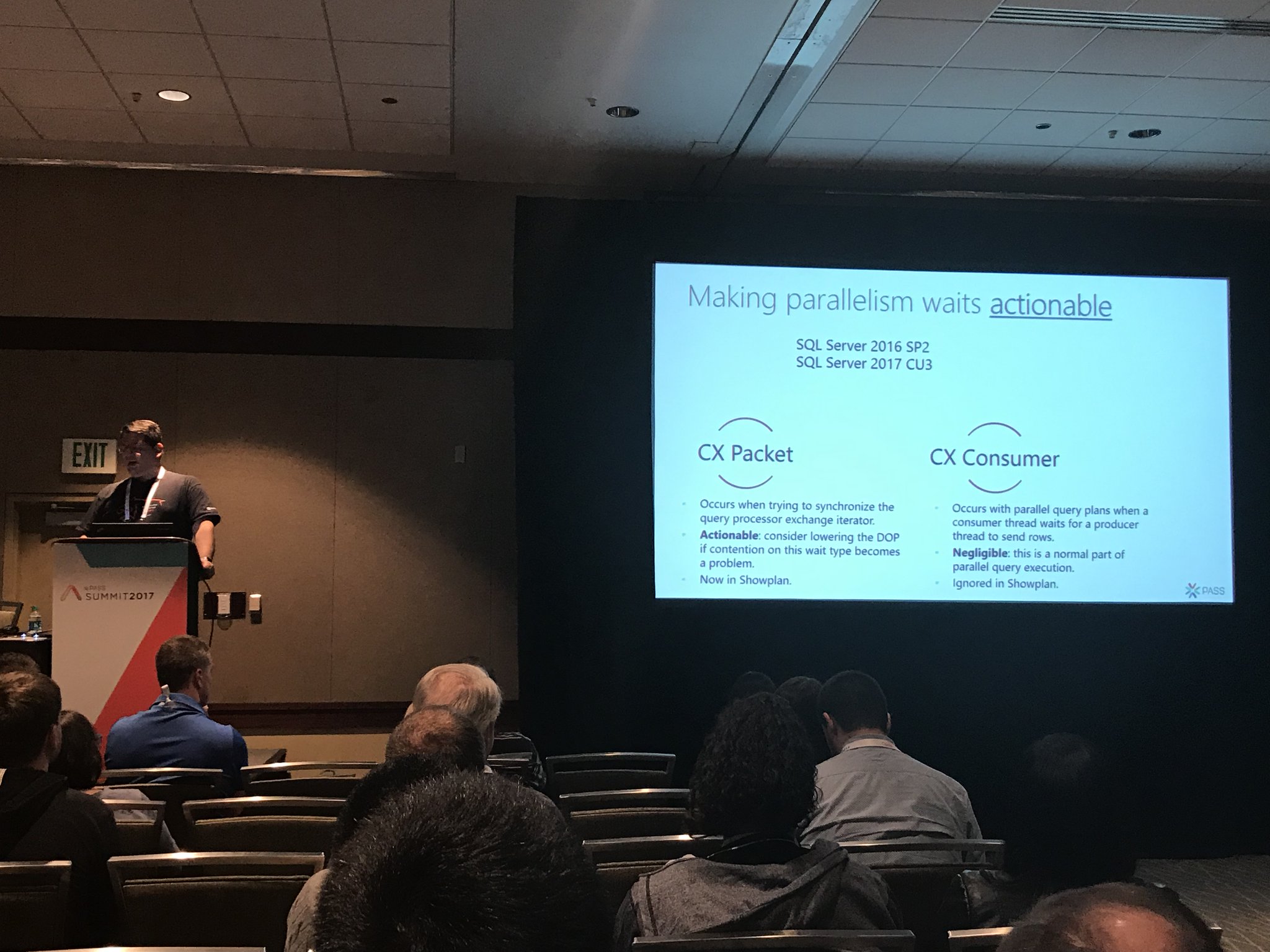
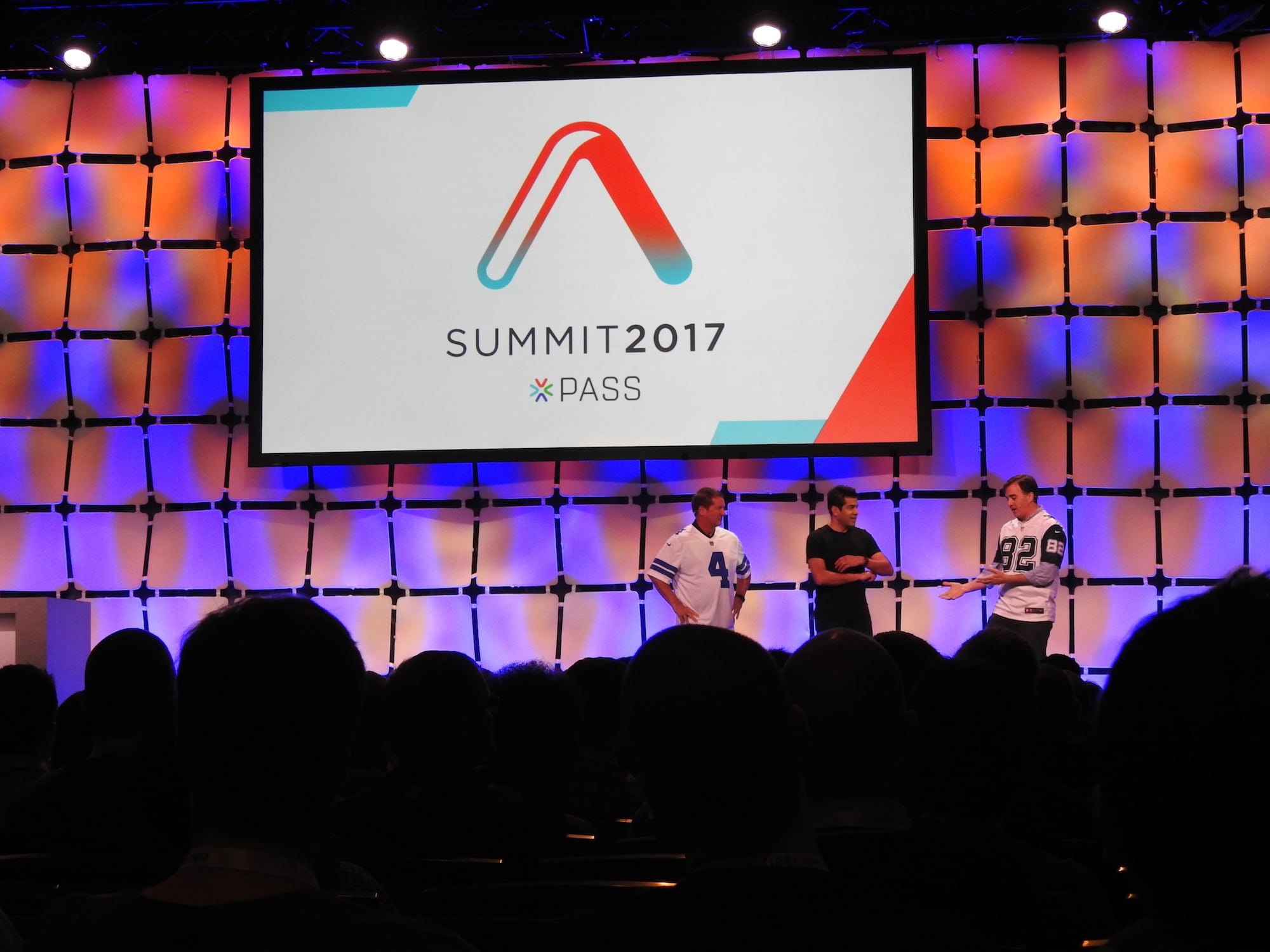
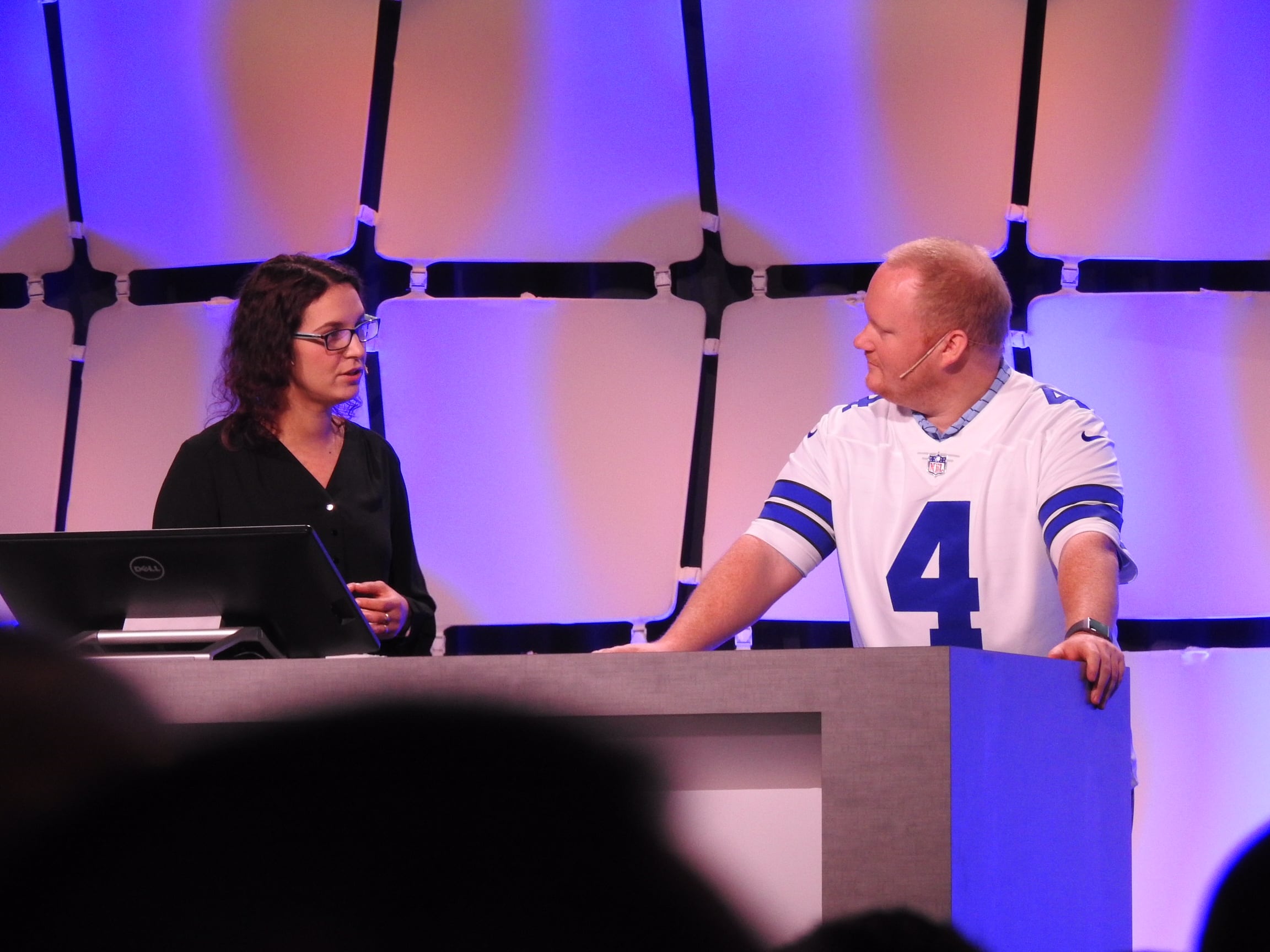
Pedro Lopes explaining CXCONSUMER

Joe’s Big Deal: the vNext query processor gets even better. Joe, Kevin Farlee, and friends are working on the following improvements:

  • Table variable deferred compilation – so instead of getting crappy row estimates, they’ll get updated row estimates much like 2017’s interleaved execution of MSTVFs.
  • Batch mode for row store – in 2017, to get batch mode execution, you have to play tricks like joining an empty columnstore table to your query. vNext will consider batch mode even if there’s no columnstore indexes involved.
  • Scalar UDF inlining – so they’ll perform like inline table-valued functions, and won’t cause the calling queries to go single-threaded.
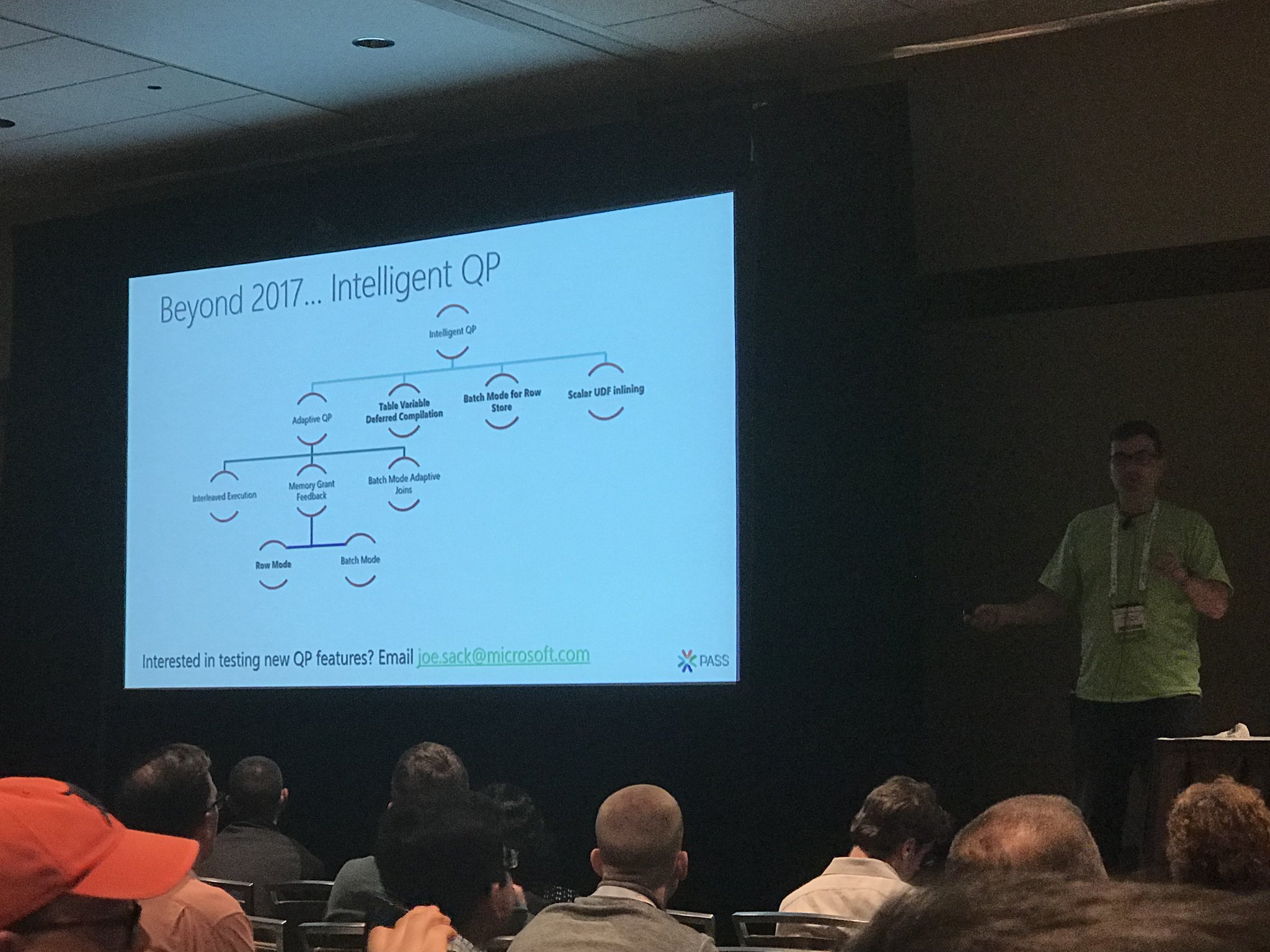
Joe Sack peers into the hazy crystal ball

These are all fantastic news. If you’re in Seattle and you wanna learn more, Kevin Farlee will be doing a 20-minute demo at 1PM in the Microsoft Theater in the exhibit hall. See you there!


#PASSsummit Day 2 Keynote: Dr. Rimma Nehme on Azure Cosmos DB

#SQLPass, Microsoft Azure
0
Dr. Rimma Nehme

Summit day 2 keynotes have become special.

Over the last few years, Microsoft has dedicated the day 2 keynote to a technical dive into an advanced, future-looking topic. Past examples have included future-looking guidance on Hekaton, columnstore indexes, and how Azure SQL DB protects data.

I love Microsoft for doing this. It costs them a lot of money to basically buy the stage for the morning, and they’re kinda donating that money to you, dear reader, by letting you learn about something you might not be putting into practice anytime soon. They teach you where they’re going, and you get the chance to think about whether it makes sense to focus your own training on these topics.

As a presenter, I can tell you that building a session like that is incredibly hard. The attendees have a wide range of job duties and experience levels. How can they teach something advanced when it’s so hard to get everyone onto the same starting page?

When Microsoft’s Dr. @RimmaNehme takes the stage this morning, after the fun music and community news, I bet you’re going to be impressed. She has a solid track record of delivering interesting, informative keynotes where everybody in the room learns something. Hell, a lot of things.

She’s going to be introducing you to Azure Cosmos DB, a cloud-first globally distributed database system. It’s the artist formerly known as DocumentDB, and it’s like Google Cloud Spanner. You, dear reader, probably aren’t going to use Cosmos DB this year, and probably not even next year. However, developers who are sick and tired of struggling with database problems are very interested in Cosmos DB’s simpler approach. It solves a lot of development problems. It would do you some good to learn about why and how Microsoft built it so that you can have better conversations with your developers.

Do I think you need to drop everything and learn how to manage it? No, because that’s Microsoft’s job. However, your role is to understand where Cosmos DB makes sense, and when your developers wanna build something that’s a good fit, point them towards it to go take a look at it. (In the stuff we build here at the company for our own use, we default to cloud databases like this first, too.)

To follow along with my notes:


#PASSsummit Day 1 Keynote Live Blog

#SQLPass
4 Comments

Good morning, folks, and welcome to our annual live blog of the PASS Summit Day 1 keynote.

Open the free live video stream at PASSsummit.com in one browser tab, and then refresh this page every couple/few minutes. I’ll be adding my thoughts at the end of the page, in chronological order, for easier reading later.

Today’s keynote will be presented by Rohan Kumar (@RohanKSQL), GM of Database Systems Engineering.

What I’m Expecting

Microsoft marketing team will probably require Rohan’s team to spend some time shilling SQL Server 2017 even though it’s already shipped. (We’ve even got Cumulative Update 1, complete with some wild bugs.) This means a chunk of the time will be spent showing things that you, dear reader, already knew about because you’re the kind of person who stays very current on blogs and announcements. However, many PASS attendees don’t have that luxury, and they expect Microsoft to catch ’em up to speed in Day 1’s keynote. Plus, this is Microsoft’s chance to trot out customers who’ve already adopted SQL Server 2017 and seen benefits.

However, Microsoft’s showing a willingness to ship features in Cumulative Updates, not just new versions – especially DBA-friendly features that make troubleshooting and tuning easier. We’ve already discovered hidden features in SQL 2017 that aren’t enabled yet – so this would be a great time for them to surprise and delight their fan base. I bet we’ll have at least a couple of feature releases in this keynote that will involve shipping dates before the end of the year.

Let’s see what happens!

Live Keynote Blog

Setting up for the keynote

8:21AM – PASS President Adam Jorgensen welcoming everybody and preparing them for “the Rolling Stones of SQL Server” – that’s a great way of saying it. The Microsoft talent here is crazy.

PASS President Adam Jorgensen

8:26AM – Adam: “PASS is run by the community, for the community.” Talking about how local volunteers make everything possible. I have so much respect for these folks – they do an absolutely heroic amount of work, most of it unseen and unthanked. This is your week to see people speaking, guiding folks around, answering questions in the Community Zone, and take a few moments to say thank you.

8:29 – Adam’s recognizing Tom LaRock for 10 years of volunteer service in the Board of Directors, and Denise McInerney for 6 years of service. (Seriously, that’s a long time, and a lot of meetings. God bless those BoD members – they put up with a lot of flack.)

8:31 – Rohan Kumar from Microsoft takes the stage. He’s talking about how data, cloud, and AI are changing the work we do, and talking about how Microsoft has been investing in AI for a long time. I have one word for you: Clippy. Yes, he sucked, but I can see how Microsoft can say they’ve been investing for a while and trying to bring AI to consumers.

Rohan Kumar

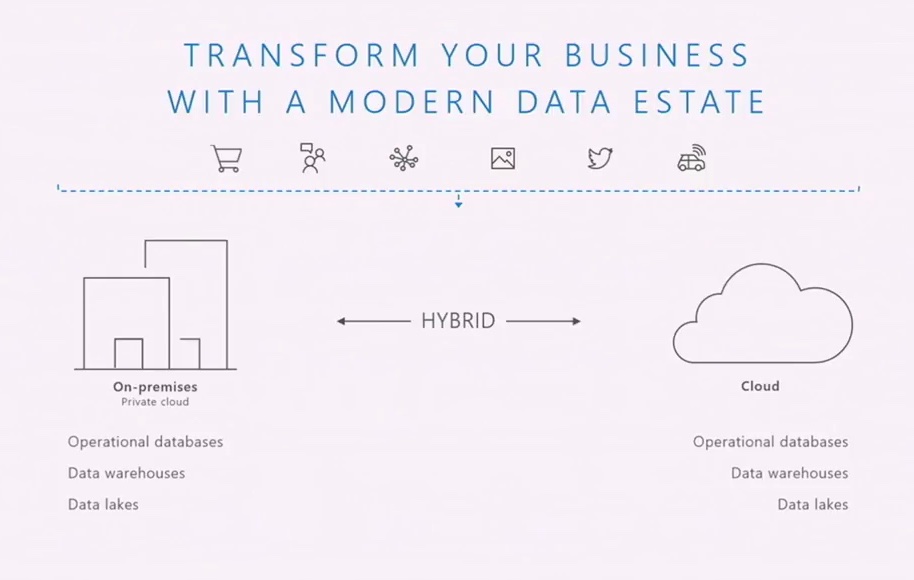
8:36 – The modern data estate allows data to be accepted from any source – structured or unstructured – and it functions across both on-premises and the cloud. “It essentially hides all the differences from the application and the infrastructure management.” That’s a great vision, but we don’t have anything remotely resembling that today. Try a cross-database query or scheduling a job, for example.

Modern Data Estate

8:38 – Rohan: “Will a developer have to care whether we deploy to the cloud or on-prem? If the answer is yes, we’re not shipping that feature.” 

Wait – we need to be specific, dear reader.

He’s right, but there’s one very, very critical word there: “developer.” If you build a new app from the ground up today, in 2017, and if you’re disciplined about what features you use (and don’t use), then you can do what Rohan’s describing. But for existing applications, using tons of legacy features, you cannot do this awesome trick. Try looking at the unsupported features in SQL Server on Linux, or the features not supported in Azure SQL DB.

The Modern Data Platform is absolutely amazing for ground-up new builds, but for existing apps, it’s a shimmering oasis on the horizon, unreachable without a long trek through the desert of code rewrites. Applications built before 2017/2018 are legacy in an entirely new way that really is bad. (Serverless is a similar sea-change in development.)

8:40 Talking about how containers drove a lot of adoption. I think containers was only half of it: Developer Edition is now free. If you would have had to pay to license that easily-downloaded container, adoption rates would be a different story. I bet it took a lot of hard work behind the scenes to convince the bean counters to make Dev Edition free, and it’s starting to pay off here in terms of market share on new platforms. Microsoft’s done a great job here.

8:42 – Bob Ward and Conor Cunningham talking about persistent memory storage, doing a very, very fast series of demos. Not talking about the benchmark speed – these guys are just seriously caffeinated.

Bob Ward & Conor Cunningham demoing SQL Server on Linux

8:46 – Maybe a ten second demo of automatic plan correction. Those poor guys had to have been under threat of death if they took more than 5 minutes onstage or something. It’s kinda cool that a day 1 demo goes technical, but…holy cow that was fast. It was like ShamWow but for SQL Server. It’s hard for me to let those guys go offstage once they start talking. COME BACK!

8:49 – “Basically, SQL Server is the fastest database on the planet, period.” I have no idea if that’s true, and I don’t care. I yelled, “WOOHOO!”

At both Ignite and PASS, nobody cheered when he mentioned that it’s a tenth of the price of Oracle. I bet if you surveyed the attendees to ask them what their per-core licensing cost was, and then if you double-checked with their accounting teams, less than ten percent would be within, say, 50% of the number. To database people, either they think it’s expensive (SQL Server, Oracle, DB2), or it’s free (MySQL, PostgreSQL, MongoDB), and there’s not a lot of distinguishing room in there.

8:50 – New features in SQL 2017 include graph data, machine learning with R & Python, native T-SQL scoring, adaptive query processing, and automatic plan correction.

8:53 – Paraphrasing: as data grows, hardware changes, and database features come in, it’s going to be more important for SQL Server’s query optimizer to change its behavior as it learns about the performance of the queries it executes. Given the marketing fluff in some keynotes, you’d be forgiven for thinking that this might just be hype to get people excited, but I bet this is true. Since Microsoft now hosts databases in Azure SQL DB, it’s in their own best interest to fix query plans as quickly as possible in order to reduce their own hosting costs, maximize profit, and make their database look faster than anybody else’s. This reason alone makes me adore Azure SQL DB: it drives improvements in the boxed product, too.

8:55 – Tobias Ternstrom & Mihaela Blendea doing a containers demo. A customer story of this is in Microsoft’s e-book about Linux. dv01’s developers use Docker on their local workstation, then migrate to production with continuous integration. Tobias & Mihaela is showing the new way of doing fast dev environment deployments. In the old world of SQL Server on Windows, Microsoft wouldn’t have been able to get dv01’s business because it’d just have been way too hard to integrate into dv01’s processes of CI/CD. Containers make this possible.

Tobias “Fancypants” Ternstrom demoing Carbon, new SSMS for Linux/Mac/Windows

9:01 – Tobias very briefly shows Carbon, the new free SSMS for Linux/Mac/Windows, rendering an execution plan.

9:01 – Rohan announcing SQL Operations Studio, the new “free lightweight modern data operations tool for SQL everywhere.” No release date mentioned, and it’s not on the SQL Server downloads page yet. (Saved you a click.)

Azure SQL DB Announcements

9:04 – “SQL Server and Azure SQL DB…share exactly the same codebase. So all the innovation that you’re seeing released in SQL Server 2017 has been available in Azure SQL DB for several months – in some cases, more than a year now.”

While yes, the code base is shared, the “all the innovation…has been available” line is nowhere near accurate. Go down Microsoft’s list of what’s new in SQL 2017, and lots of this stuff isn’t available in Azure SQL DB. Even if you restrict it to just engine stuff, you’ll notice that docs pages like Using R in Azure SQL Database show limitations up in Azure that you don’t get on premises.

I get twitchy about these claims that they’re exactly the same because it hints to customers that Azure SQL DB is fully testing out everything before it ships in the boxed product. There are whole areas of the engine that just aren’t in use up in the cloud. (And that’s totally okay! I just wish marketing didn’t imply they’re identically used.)

Migration improvements for Azure SQL DB

9:07 – Streamlining your journey to the cloud – specifically, PaaS. Managed Instances are coming, lift and shift migration without code changes, and Azure SQL DB cost cuts for Software Assurance owners. I LOVE MANAGED INSTANCES. These changes are so important because they bring Azure SQL DB not just to an equivalent of Amazon RDS for SQL Server, but in most ways, beyond. Amazon RDS has always let you do bigger databases than Azure SQL DB, easier lift-and-shift migrations, and let you reuse your on-premises licensing. However, now Azure SQL DB Managed Instances give you bigger database sizes and readable replicas. There’s just two things left to learn: the exact pricing and the release dates.

9:09 – “We collect 700TB of telemetry data per day.” Yes, and you don’t let developers opt out of that. That’s a time bomb for the Linux/open-source communities – I still think the pushback on that is going to hit hard at some point, and we’re gonna have to let users opt out of SQL Server phoning home.

9:11 – Danielle Dean doing an ML demo with predictions for healthcare, figuring out how long a patient is going to stay. Inserting ~1.4M rows per second, then switching over to a Jupyter notebook, taking that logic and putting the ML model into Azure SQL DB. “Demo” is the wrong word for this pace – it’s just clicking between screens. Nobody’s really learning anything here, and this audience is way beyond the point where they buy “all you do is click and the machine learned everything.” We’re data and developer people, and we know this stuff is hard work. Try cleansing data for 1.4M rows/sec.

9:15 – The demos really feel like somebody loaded up the buzzword shotgun, fired at the screen, and took whatever combo came out. There’s no storytelling here. They’re under too much pressure to sling too many buzzwords in too little time, and it’s going to just wash over the audience. At bare minimum, I would want each demo to end with, “To see the full story on this technology, go to session X at YAM.”

9:17 – The new Azure Data Factory (preview) lets you migrate your SSIS packages as-is up to the cloud. If there’s ever been a bursty load that should be available on demand, priced by the second of consumption, it’s ETL loads. 30+ connectors. I like how they didn’t try to brand it as Flow Enterprise or something like that. Plus, SSIS in Azure, managed environment for SSIS execution. You pick the number of nodes and node size, hourly pricing, licensing costs are bundled in.

That’s pretty awesome for BI consultants who want to take their existing SSIS skills, jump into a new client that doesn’t own any hardware,

9:20 – Scott Currie (CEO of Varigence, the team behind Biml) onstage to do an Azure Data Factory with Biml, pushing from on-premises up to Azure Data Lake, do some data scrubbing, deploy with PowerShell. Announcing general availability today that Biml will have first-class support for creating Azure Data Factory objects. Just change your deployment target, and instead of deploying locally, you’re deploying to ADF.

9:22 – Paraphrasing Rohan: “Azure SQL Data Warehouse is our flagship data warehouse product.” Man, just like ETL work, data warehouses are so totally perfect for the cloud. Outside of compliance requirements (which are usually misinterpreted anyway), I don’t know why you’d wanna deploy a new on-premises data warehouse today if you could avoid it. (I don’t want you to think that OLTP is somehow different, either – if you’re building a ground-up new build OLTP app today, you should try PaaS first.)

9:25 – Julie Strauss doing petabyte data warehouse demo.

Julie Strauss doing 100TB scan demo

Business Intelligence Hybrid Architecture

9:31 – Christian Wade onstage to announce scale-out Azure Analysis Services. It’s another demo of mentioning five keywords, clicking on three places, and pretending like entire projects are done. This makes TV chefs look like project managers. “I just click here and switch windows because I’ve already done a bunch of other stuff.” COME ON, this is not a demo.

Christian Wade doing Pwoer BI and Visual Studio demos

9:36 – Announcing scale-out Azure Analysis Services to support hundreds or thousands of concurrent users. Up to 7 read-only replicas.

Okay, I just lost it.

9:37 – Riccardo Muti demoing Power BI Premium connecting to any back end that on-premises Power BI Desktop can connect to, and how mobile reports look. This is actually a good demo, showing reporting UI. That’s a good feature set to cover in a fast demo.

9:44 – Rohan back on stage to wrap it up and explain how you are the key to making all this happen. (Also gave a really nice shout-out to Denny Cherry, who had to miss the Summit due to a medical emergency.) Now, go learn how to do it at Summit! See you around this week.


How to Get Live Query Plans with sp_BlitzWho

sp_BlitzWho is our open source replacement for sp_who and sp_who2. It has all kinds of really neat-o outputs like how many degrees of parallelism the query is using, how much memory it’s been granted, how long it’s been waiting for memory grants, and much more.

If you’re on SQL Server 2016 SP1 or newer, it can show you a query’s live execution plan from sys.dm_exec_query_statistics_xml.

Actual plan properties

Live plans add all kinds of cool stuff:

  • Which query in the batch is currently executing
  • Actual properties for each operator – with details like how many reads have been done so far, how much time has elapsed on that operator, and how many rows have returned
  • Actual properties for each arrow in the plan, very helpful for estimated vs actual row counts
Actual properties on an arrow

Now, these plans aren’t quite as cool as the ultra-cool animated plans showing continuous movement and completion percentages, but rather they’re just a point-in-time snapshot of the live plan’s actual-vs-estimated rows (as of the moment you query that DMF.) This means you may want to run sp_BlitzWho a few times, clicking on the query’s live_query_plan field each time, and comparing the differences between passes to get a rough idea of what kind of progress it’s making. (And yes, this sounds like a great opportunity for someone to build something to show query plans as they’re moving through the engine.)

To enable live query plans, you need:

Plus either one of these two turned on:

  • Slow, painful, set at session level: SET STATISTICS XML ON or SET STATISTICS PROFILE ON, both of which have to be enabled before the query starts. That’s cool if you’re doing tuning on a particular query, but not-so-good if you’re in the middle of a troubleshooting emergency. Plus, this adds a pretty big overhead to that query.
  • Fast, easy, set globally: Trace flag 7412. This uses the new lightweight stats infrastructure, which Microsoft says only adds a 1-2% overhead to your queries overall. This doesn’t capture CPU metrics, but that’s usually okay for me – I’d rather just have the operator numbers to get me started. To learn more about this, watch Pedro Lopes’ GroupBy session on 2016 SP1’s enhancements.

Examples of how to use it:

This improvement is such a great example of why Erik and I are teaching our Expert Performance Tuning for 2016 & 2017 class (and I’m demoing this very feature onstage this afternoon). So many things have improved lately, and if you haven’t been to a performance tuning class in the last year or two, you’re gonna be stunned at how many more tools you’ve got at your disposal these days.


What Is Estimated Subtree Cost? Query Bucks. No, Really.

Execution Plans
21 Comments

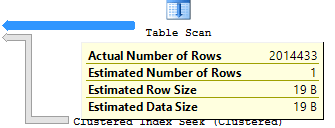
When you look at a query plan, SQL Server shows a tooltip with an Estimated Subtree Cost:

Estimated Subtree Cost
Now I can run all the bad queries I want!

A long time ago in a galaxy far, far away, it meant the number of seconds it would take to run on one guy’s Dell desktop. These days, it’s just a set of hard-coded cost estimates around CPU & IO work requirements – it isn’t really tied to time at all.

One day when @Kendra_Little needed to explain the unit of measurement, she coined the term Query Bucks. That’s a great example of how she really brings SQL Server concepts to life in fun ways. (You should check out her training. Her classes are completely free right now, and I absolutely guarantee you’ll learn something from them. She’s one of the smartest people I’ve ever met.)

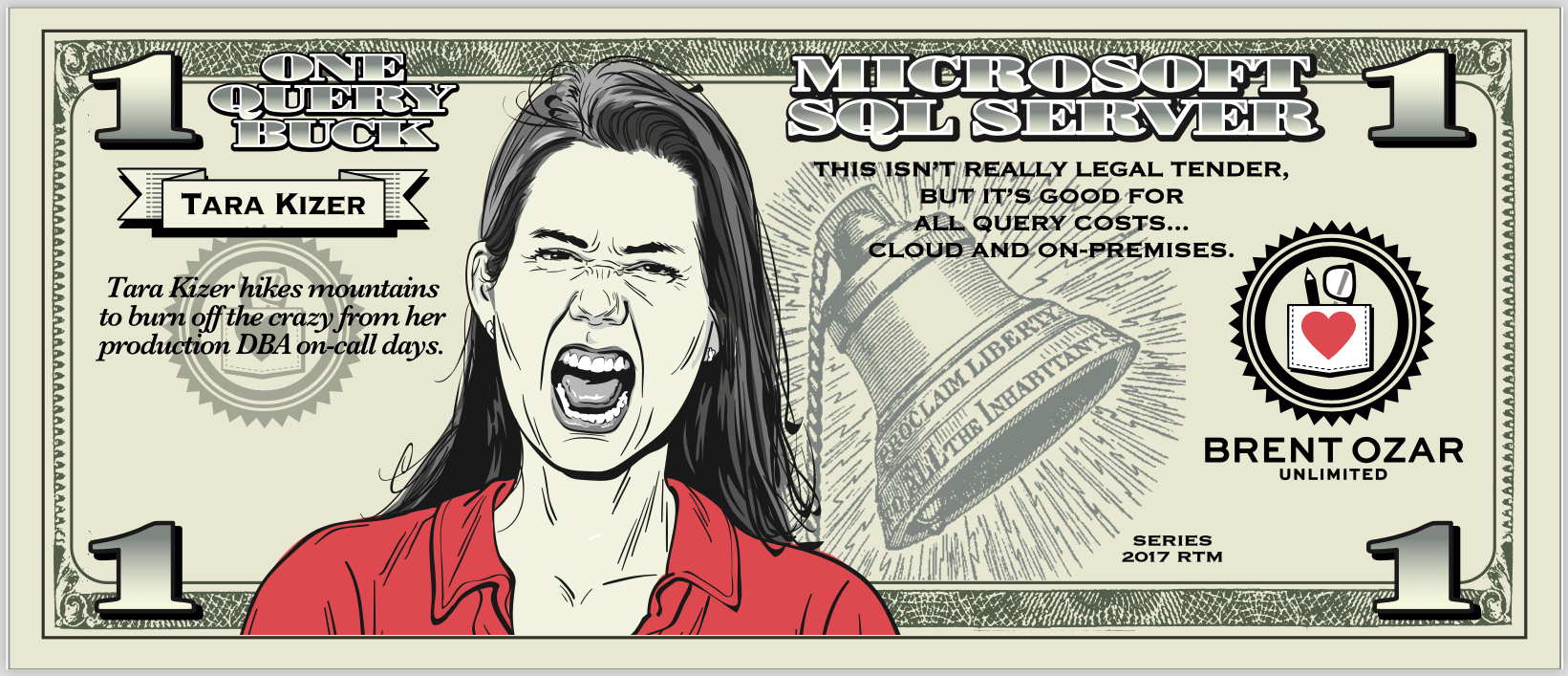
So this year for our PASS Summit pre-con on performance tuning, we thought it’d be fun to make Query Bucks a real, physical thing. Eric Larsen brought them to life – he’s the amazing illustrator who does all of our portraits, the operators at PasteThePlan, our Christmas cards, you name it. He’s super talented and really delivered:

Kendra’s $5 Query Buck

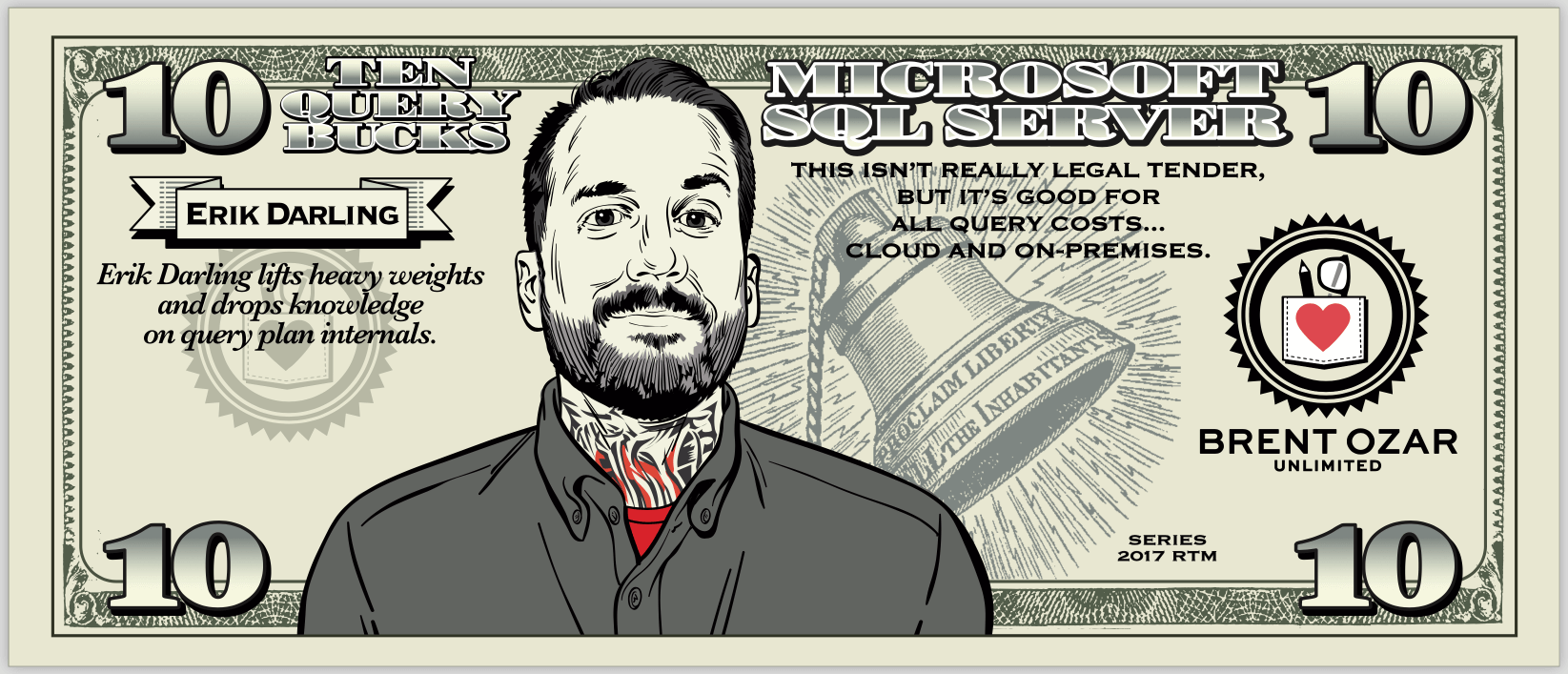
We immortalized Kendra on her own query buck, plus one for each member of our team, then picked a couple of folks that have influenced our own query tuning careers: Paul White (@SQL_Kiwi) and Joe Sack (MrJoeSack). I am totally going to make the phrase “a stack of Paul Whites” a thing.

Joe Sack’s Query Buck
I am totally going to make the phrase “a stack of Paul Whites” a thing
Tara Kizer
Erik Darling
Richie Rump
Me (because either a $2 or $3 bill makes sense for my goofiness)

For the back, the person on the front picked their favorite query plan operator:

In Codd We Trust

I’m tickled pink with how these turned out. This might be my favorite tangible thing that we’ve ever given away – and of course, attendees of our PASS Summit pre-con today all get a handful of Query Bucks. When they get back to the office, I fully expect them to be tipping their fellow DBAs and developers for jobs well done.

Print your own with the Query Bucks PDF. Enjoy!


Announcing my new Mastering class series – and registration opens Wednesday.

Company News
0

We’ve talked about why traditional training suckshow our all-new series is different, and what our early-access students said.

Now it’s time to unveil the new lineup:

The new Mastering Series with Brent:

Registrations open Wednesday at Black Friday prices.

At 9AM Eastern, a limited number of seats in each class/date will be 50% off. That’s as low as it goes: we won’t be offering anything lower on Black Friday on these live courses. (Black Friday itself will be all about the Everything Bundle.)

First come, first serve, no coupon required. When they’re gone, they’re gone. Save thousands of dollars – but you gotta move fast.

Talk to your manager. Get those credit cards ready (no checks or POs during Black Friday), and I can’t wait to share the learning and games with you!


[Video] Office Hours 2017/10/25 (With Transcriptions)

This week, Brent, Erik, and Richie discuss database corruption, multi-instance clusters, career advice, whether you should transition from contract work to full time, VMware vMotion, reducing failover time with AGs, query tuning, and more.

Here’s the video on YouTube:

You can register to attend next week’s Office Hours, or subscribe to our podcast to listen on the go.

Enjoy the Podcast?

Don’t miss an episode, subscribe via iTunes, Stitcher or RSS.
Leave us a review in iTunes

Office Hours – 10-25-17


Should we use 64K NTFS allocation units?

Brent Ozar: We might as well get started. We’ve got a few technical questions coming in here. “Should we still allocate disks for 64K NTFS allocation units when SQL Server data and log files when using VMware and EMC XtremIO?”

Erik Darling: Gosh, I just don’t care.

Brent Ozar: So every … their own best practices documentation, and EMC XtremIO has their own. I want to say, but don’t quote me, that it still says 64K, but it may also say things like 4K because different SAN vendors do things at a different size internally; as opposed to your old school hard drives that used to do everything in certain sector sizes.

Erik Darling: Most SAN vendors want you to use the smallest block size possible so they get the higher IOPS ratings – they can cheat on the test. Like, “Look how many IOPS we do…”

Brent Ozar: Wes Crocket laughs out loud when he says, “Technical webcast.”

Erik Darling: Screw you, man. How’s that new job going because of all the questions we answered, Wes?

Brent Ozar: That’s right.


How do I change SSAS startup parameters?

Brent Ozar: Wes says, “Actual question – SSAS has a startup parameter pointing to G:, how can I change that startup parameter? G no longer exists.” Okay, a quick show of hands for everyone in the room, how many of us manage SQL Server Analysis Services? There’s a lot of you. Do any of you know the answer to that question?

Erik Darling: There’s an XML file, probably…

Brent Ozar: We got nothing? … In SSAS, you can go right click on the properties – I should make Victoria come around to this side. Victoria says, “You can right click on SSAS, go into properties and you can set it there.” Plus, it’s a Microsoft product, so isn’t that always the safe answer for anything? She’s getting ready to open up her laptop and she’s going to see…

Erik Darling: Just right click on everything.

Brent Ozar: Oh, Wes says, “analysis services won’t start at all unless I remap a G drive and move the config file to it.” Well that’s a onetime thing. You can use the SUBST command, fake a G drive, like point it to another drive letter; that will at least get you started. Then you could – and I’m totally going off of what this nice lady said on the other side of the screen here – then you can right click…

Erik Darling: As soon as she nods, we just keep talking.

Brent Ozar: I see a menu here, so she right clicked and went into properties and it looks like that’s where it comes from. [inaudible]… This is the way she’s always accessed it.

Erik Darling: You know what I would do? I would check maybe under configuration manager; I would see if there’s a startup option in there. I assume SSAS and configuration manager has an entry, because I’ve seen it in there. So I would right click on that and see if you could change it in configuration manager. That way, you don’t have to start it up.


I have corruption in MSDB. What now?

Brent Ozar: Lee says, “I have corruption in my MSDB database and my last best backup was five days ago. What do you think about fixing it?”

Erik Darling: No. As soon as corruption starts showing up in system databases, I want to run screaming. What I would do first is see if you can rescue it. Because sometimes what happens, and I’ve seen this a with temp tables where sometimes people get screwed up because of those – so what I would do is check the corrupt pages DMV, and I would see how many errors you have and when the last one was. Because if it’s an older error and you don’t see the errors piling up, you don’t see them keeping happening, it might be just a temp table or something that disappeared, and you can not care about it anymore. But if it’s like a real deal system view or something that’s continuously giving problems, I’d be a little dicey about staying on that server. I’d probably want to start looking towards something new, because generally, corruption doesn’t just stick around in one database.

Brent Ozar: Whatever drive that database is on, other databases can start becoming corrupt. It’s almost like – Eddie Murphy joked (NSFW) about back in his comedy videos like, whenever someone hears, in a horror movie, a voice saying, “Get out,” the smart people just go running right out of the house. It’s the dumb people that get the flashlight and go, “I better go look.” No, get out.

Erik Darling: Where did that come from? The basement? Alright…

Richie Rump: Brent, what have you done for me lately?

Brent Ozar: Ice cream…


Can I have an active/passive 3 node cluster…

Brent Ozar: Peter says, “Hi, I’m a first-time questioner, long time listener…” Welcome to the show. “Here’s my question about 2008 R2 on Windows Server 2008. Can I have an active passive three node cluster that uses shared storage for a database held on two instances?” Alright, so if I don’t say this, Allan Hirt is going to kill me; Technically that’s a multi-instance cluster. So technically it means you have a two instance three node cluster. I totally understand what you’re saying, it’s right, it’s just that people get freaky about that language.

Erik Darling: It’s like AOAG, everyone just throws stuff at you.

Brent Ozar: Or just Always On. My Always On is broken…

Erik Darling: Always On.

Brent Ozar: So yeah, you can totally do that. The gotcha is that it requires Enterprise Edition if you want any instance to be able to failover to any one of three nodes. If you kind of duct tape it together and any one instance is only on two of the nodes – so like one instance is on node A and B, the other instance is on node B and C – you can do that with SQL Server Standard Edition. Just you don’t usually want to do that; once you start getting fancy, you go Enterprise. Peter says, “I understand the active active passive only needs two SQL licenses.” Yes, that is true, as long as you’re covered under software assurance.


Should I learn data science?

Brent Ozar: Grahame says, “There seems to be an explosion… That’s true with pretty much anywhere where we’re at. “In data engineer and data science jobs, so I’ve begun focusing on learning SSAS and R, those are interesting to me. What are your thoughts on the evolving nature of the data profession?” So it sounds like you’re saying that your job is doomed, what are you going to do about that?

Erik Darling: Nothing, I’m going to hang out and wait until that actually comes to pass, because like every year that I’ve been a DBA or I’ve worked with SQL Server, I’ve heard that my job is over and shortly going to be extinct or a fossil and I’m going to be holed up in a data center somewhere freezing my butt off and waiting for a server to go down. [crosstalk] So far that hasn’t happened. So you know – you said about the weekly links…

Brent Ozar: Yes.

Erik Darling: Yes, Microsoft has been proclaiming the death of the DBA since, what, SQL Server 7? Before it even had a year; In fact, it was still just a sad number.

Brent Ozar: If you subscribe to our Monday links – so this week I had a kind of funny batch group of links, including the performance tuning guide for SQL Server 7 and the manual for SQL Server 7, where it says, and I quote, “The database has become largely self-tuning.” It gives you all kinds of advice on how you don’t have to worry about performance tuning anymore. It also says that the index tuning wizard, the thing that’s dead now, “Does a better job of indexing than humans do.” Yeah, if we outlasted the index tuning wizard, we are going to outlast the next self-help thing.

The other thing I would say about that is, if someone’s telling you that the DBA role is dead and you should go do something else, maybe watch what they’re doing in case the person that you mentioned, they’re actually talking about DBA topics at PASS, not about data science. So that’s kind of funny how that works out.

Erik Darling: But, you know, if that’s what interests you then go for it. I mean, don’t stick around being a DBA if you don’t want to do it anymore. If you’re into SS whatever S and R then go crazy.

Brent Ozar: And there’s money in it.

Erik Darling: Yeah, totally. Just, you know, get your Ph.D., and a few years from now you’ll be a massively successful data scientist.

Brent Ozar: You’re competing with everyone who comes fresh out of college who has this Ph.D. in math, Ph.D. in computer science, and they make $20 an hour because they’re desperate for ramen to pay the rent. That’s how we got Richie, for example.

Richie Rump: Yeah, well it wasn’t just that. Well, there was a ramen without the flavor packets, so…

Erik Darling: I snorted all the flavor packets, so…

Richie Rump: Well the real question that I have is what constitutes and explosion? Obviously, there wasn’t a lot of data scientist jobs, not all of a sudden there’s an explosion, what does that mean? And how many data scientists do you really need for a company? And how do they integrate with one another? And frankly, the big problem with data isn’t the data scientists, it’s the data itself and morphing all that data so that it can be actually processed by a data scientist. So is there going to be a new job now where that’s going to actually transform all this data into a readable format for the data scientist because they don’t want to pay all these data scientists this huge amount of money so they can actually do their data science type stuff?

I mean, I don’t know, but it’s still so young and it’s so early right now. If that floats your boat then go off and do it and have fun at it, but if you’re just trying to chase a dollar sign, that typically doesn’t work out well for anyone. Just ask the Silverlight guys and see how that turned out.

Erik Darling: Ouch.

Bren Ozar: Grahame follows up with, “That was supposed to be a softball question, my bad.” Well no, it’s just that we love that particular softball because it comes up a lot. There’s a lot of people who are like, “The database is dead, there’s not going to be any careers left.” I’m like, “They said the same thing when XML came out.” “No one needs databases, we’ll put it all in flat files.” “Okay, get back to me on that.”

Erik Darling: We did a sold-out pre-con on the database administrator not being dead.

Brent Ozar: How many seats did we sell?

Erik Darling: 360… No, 361, it was me. I had to pay to get in there.


Heard anything about DDBoost?

Brent Ozar: Let’s see, Daniel says, “My vice president…” I assume he means Mister Pence… “Wants us to do another proof of concept with DD Boost…”  I want to say that’s data domains. “Have you ever seen it and do you have any horror stories?” Have you ever seen anybody use it?

Erik Darling: I’ve heard SAN guys talk a lot about it, and SAN guys seem to love it. I’ve never actually heard a DBA talk about it and love it.

Brent Ozar: If you go to the bottom of our blog post about it, there was a comment from somebody who was like, “I’m going to go in and run reports against it to see how it goes.” I’m like, “God bless you; you’re wonderful.” And he actually came back and he’s like, “Restore speed tends to suck.” Like okay, I wish they would come out with some numbers showing whether it’s better or worse, and when they don’t come out with numbers, hat usually means it’s worse.


Can you do an FCI in an AG?

Brent Ozar: Robert says, “Hi all, have you seen a hybrid environment…”  I think he means like Commodore 64 and Amigas. “Where there are failover clustered instances with shared storage and Always On availability groups with locally attached storage?”

Erik Darling Hell yeah, yeah there’s been like 24 people managing those. There’s like numbered team jerseys, you’ve got to…

Brent Ozar: It’s complex.

Erik Darling: You have to be one heck of an engineer to intermingle and interoperate all of those technologies.

Brent Ozar: When I used to talk about AGs a few years ago in 2012 when this stuff first came out, allrecipes.com had a public example of that and Discover Channel had a public example of that as well. So that was way back in 2012 when they first came out, but all those people had like three, four, five people in their DBA teams, and that was their only cluster.


The B-side of Brent Ozar Unlimited

Brent Ozar: Peter says, “Richie looks like a bee.” Yeah, he’s our B team…

Richie Rump: Watch out for my stinger, boiii…

Erik Darling: Our little B-side.

Brent Ozar: That’s human resources, paging human resources…

Richie Rump: Again?

Erik Darling: She’s out getting tacos with my wife right now.

Brent Ozar: Human Resources is Erika She has the worst mouth of any of us. She swears, curses me under the table…


Is vMotion okay for database servers?

Brent Ozar: Amdal says, “Hello, what are your thoughts on VMware VMotion in database servers? What are your recommendations for this? I recommended the team to set resources and change them from shared to dedicated; do you like VMotion?” Do we have anything against VMotion?

Erik Darling: I have nothing against VMotion. I guess my only hang up about VMotion in general is that if you have a SQL Server – which I assume is why you’re here – on a virtual machine, VMotion actually won’t be aware if the SQL Server fails. So if the SQL Server goes down, VMotion won’t make a peep about it. VMotion won’t protect you from SQL Server going down. The other thing that sucks is, if you VMotion a VM with a downed SQL Server, it will come up on wherever you VMotion it to still down. It doesn’t actually restart anything, it transfers the VM over in the exact same state that it was in when VMotion started. So it doesn’t protect you from downed SQL Servers; other than that, pretty cool, when you pay for VMware double enterprise full set of teeth licenses.

Brent Ozar: And be aware too that if you VMotion like a running database mirror or an availability group, if it’s down for too long during the VMotion, you can cause a mirroring failover or an availability group failover.

Erik Darling: And if it’s less than graceful, you might even cause yourself some corruption.

Brent Ozar: So weird that I forget about that.


Followup on the Analysis Services config file

Brent Ozar: Nesta says, “For your analysis services question, the config file for SQL Server 2012 is located in C program files…” Well, it’s probably going to be wherever you installed it. “Microsoft SQL Server lack MSSS…” You know what, I’m just going to paste that into the questions window and say here you go, rather than looking like an idiot trying to read that out loud. So if you’re looking for that location, it’s in the answers window. It’s also in the config file…

Erik Darling: Well the configuration manager.

Brent Ozar: Oh configuration manager, no kidding.

Erik Darling: You can just right click your butt off.

Brent Ozar: Now I know how analysis services work.

Erik Darling: Now you’re a data scientist.

Brent Ozar: I’m a data scientist, I can dump this crappy job.

Brent Ozar: Oh my god, Daniel says, “The data scientists at my company have databases named C:usersuserdesktopthelastfinalcopy.MDF.

Richie Rump: Yep, and you guys think I’m lying about this but I’ve seen it. I’ve seen these data scientists work. They’re amazing, but how they get their data is crazy insane; it’s insane.

Brent Ozar: And there’s like no chain of custody throughout half the time. Where’s this field come from? “Yes.”

Erik Darling: It was in a flat file somewhere.

Brent Ozar: Daniel says, “I can provide screenshots.” If you’re willing to show they publically, like if your company’s okay showing them publically, it would be really hilarious to send them into us, but just make sure first that your company is okay with that because we wouldn’t want to get you fired. You seem like a nice guy, but not that nice; you’re here on the webcast.


How can I reduce failover time with AGs?

Brent Ozar: Leah says, “I would like to failover in production for patching using synchronous AGs. In my testing, I see five seconds on failing over and our application fails to connect. How do I reduce failover time with AGs?”

Erik Darling: That’s a good one. I can think of a few places off the top of my head. My first question is how many databases are you failing over? Because on failover, those databases do have to start up on the other end, so that would be a question there. [crosstalk]…

Brent Ozar: So if you have a large number of virtual log files, it takes a long time for crash recovery or whatever recovery to happen on startup.

Erik Darling: Or if you have really big VLFs, then SQL – so it’s like you don’t want to have too many and they can’t be too big, it’s very Goldie Locks in the zone where VLFs are happy. So I would check, you know, number of databases failing over and number of VLFs in there, which I do believe … So run sp_Blitz and see how your VLFs are doing.

Brent Ozar: There’s also, you can work on tuning network failover time, like the DNS IP config, release and renew.


Should I be an employee or a contractor?

Brent Ozar: Peter says, “I am the single DBA in my company…” Alright, if you’re asking how to like find a date or whatever, Match.com, PlentyOfFish.com? I got a laugh from Richie. … I like that. And then if you’re willing to go overseas it’s GetUTCDate.

Richie Rump: Well, I mean if FarmersOnly.com is a thing, I guess DBA Get Dates could be a thing too.

Brent Ozar: Someone who understands that you’re going to be on call pretty much every night, you’ll be foul and uncompassionate and smell like a data center. He says, “I’m the single DBA in my company. When transactions in the app fail, everything comes to me. What I’ve got there is a contractor, they never had a DBA with their platform. I’ve tuned the crap out of it and boosted it so much, they’ve now asked me to go fulltime.” Okay, what’s your question? Oh, should you go fulltime? Do you want health insurance is the big one; health insurance is usually expensive and hard to get. Vacation time? Like to have someone else take care of your vacation. Richie, you’ve been both sides, you’ve done contracting and fulltime. What are the things that would make you decide one over the other?

Richie Rump: Stability is really the big thing from a family perspective. So at any given time, when your contract runs out, they can kind of say see you later, and if you don’t have enough money in the emergency fund or you’re actively looking for that next gig, you’re going to be on the bench for a little bit while you look for it. So if you’re cool with that and you’ve got money in the bank and you’ve got enough for three months or whatever, go for it. But I didn’t like going out looking for the next gig; that was the worst for me. So at that point, my wife said, “You know, you’re not even looking at this, it’s been two months, you’re not even looking. Go get a real job so that you can actually pay for this house, you fool.”

That was the actual conversation, I’m like, “Yeah you’re probably right, maybe I should be looking for a fulltime job seeing as I don’t like going out there looking for work.”

Brent Ozar: I would also say too, if you turn down – if they ask you to go fulltime and you turn it down, be aware that they may start looking for somebody else that they’re going to bring in as fulltime and terminate your contract because you might be more expensive on a contract basis. On the flip side, if you’re doing an amazing job and you’ve built up a really good rapport, they way I would spin it with them is I would say, “Look, you don’t really want to do full time with me because I’ll be bored half the time. How about we just start tailing off some of these contracting hours so that it’s not so expensive for you?” Then that way, you can go off and start getting your next client, if you’re insistent that you want to go contracting. Richie, you should talk a little bit more about the emergency fund thing because we’ve talked about that several times recently. So what’s the concept of an emergency fund and what’s realistic that a contractor consultant should have for a parachute?

Richie Rump: Right, so the way I figured it out, our emergency fund is what can we live on bare minimum, just meeting all the bills and enough that we could live on, what is that number? So we came up with that monthly number, whatever that was, and then we just multiplied it by six because – I would have been fine with three months of a padding, but my wife said, “No, no, no, no, no, no I don’t feel good with three months, I want six months.” So we saved up and we lived essentially off that base number and then just pocketed everything else, put it into the savings account until we got to that six months number of where she started feeling really good about me being on my own and going out and doing all that fun stuff.

What happened with me, how I actually went independent was I got laid off but I got five months’ severance. So that actually helped out a lot, that actually helped me get the next gig; it gave me a buffer to find my first contract and actually to put off a bunch for the emergency fund so that she kind of felt good about me being on my own. I didn’t do it for six months, I did it for almost four years. And it’s one of those things, if you have a frank conversation with your spouse, they’ll get it. It’s like, “Well what number would make you feel comfortable? How much do we actually need to that if I’m without work for X amount of time, you know you’re going to be okay?” If you’re single, just have a talk to yourself, you know, sit in front of the mirror and say, “Hey, how you doing, you’re good-looking, you doing alright? Yeah, I’m doing all right. What number are you comfortable with? How long’s good for you?”

Brent Ozar: Yeah, Peter follows up and he says, “My statement was about the death of the DBA role.” Yeah, I don’t know anybody who’s getting laid off as a DBA from companies going, “You know what, those databases just take care of themselves now. We hardly need any help at all. You move on up the road.” Even when they go to the cloud, even when they go to Azure SQLDB or Amazon RDS – we had one client who went into Amazon RDS and hired a DBA because they’re like we have so many needs now that are outside, above and beyond what the cloud provider does for us; because you still need index tuning, you still need query tuning. And when you’re paying by the hour for a server and for performance, suddenly it makes a DBA even more required because you can drop your bill right away by doing performance tuning.

Erik Darling: Or when you’re paying by whatever the heck DTU is. I’m still not sure on that one.


Listeners chime in

Brent Ozar: Let’s see, Dee BA, I still love their name, Dee BA says, “For the contractor, make sure you ask enough questions ahead of time as well. On salary they can often overwork you without the overtime pay.” That is so totally true. They may be going, “You’re a contractor, you’re too expensive, let’s hire you fulltime so we can work you 80 hours a week and not get in trouble for it.”

Brent Ozar: Michael says, “I also did stupid things like pay my mortgage into the future for six months. That helped a lot when I ended up working for nothing.” Sure, I made my fantasy football bets for like a year in advance, that way I knew… That’s totally not true.

Erik Darling: I just got life insurance, so if things ever get rocky for a while, I’ll just slip and fall somewhere. Everyone wins.

Richie Rump: Well you know you have to die for the money to get paid, you know that, right?

Erik Darling: Oh that’s the plan, don’t worry, I’m cool.

Richie Rump: It really should be called death insurance. I don’t know why they call it life insurance.

Erik Darling: Well because everyone else gets to live a good life.


Can sp_WhoIsActive prove that the database isn’t the problem?

Brent Ozar: Nestor says, “We have a third party app blaming the SQL database for slow performance. I see queries sp_whoisactive come and go in less than two seconds. Is this enough to prove that SQL Server is not the bottleneck? No.

Erik Darling: I’d want to look at overall wait stats, I think, on that server.

Brent Ozar: And how would you see wait stats?

Erik Darling:  I would use sp_BlitzFirst, available in our first responder kit for free.

Brent Ozar: sp_BlitzFirst, which we will be teaching the students here how to use tomorrow. That’s one of the things we show in this class.


I’m using SQL Server 2000…

Brent Ozar: Gordon says, “Given that some of my company’s clients still use 2008, 2005 and 2000, I don’t think the DBA is going to become irrelevant any time soon.”

Erik Darling: So let me ask you a question. What’s the timeline on you getting on a version of SQL Server made, say, in this decade?

Brent Ozar: And you know you have no support. Like if anything goes wrong, you are screwed. I know it’s not yours, I know you didn’t choose to run those versions. This is where I start to say things that are more my management, say, and you put this in writing, “Just so that everyone knows, if any of these servers die, I have no support capabilities with Microsoft.” And when they come to ask me to make a query go faster, I’ll flat out say, “Oh man, these are the tools I have on 2008 and forward, but I don’t have those tools on 2000, 2005.” “What can you do?” “Nothing…”

Erik Darling: Run DTA.

Brent Ozar: That’s right, I forgot; go back to 7 because it’s self-tuning.

Richie Rump: On a good note, some of those databases can legally drive now, so that’s good.

Brent Ozar: Unfortunately they’re intoxicated.

Erik Darling: Buy scratch tickets, get drunk, join the army, all sorts of fun things.


Is the Expert SSIS Training sold out?

Brent Ozar: Last question we’ll take, Wes says, “Is the expert SSIS training sold out?” All our training classes are on hold now until November the first. We’re going to announce everything back out on November the first, including our new lineup of classes for next year. So right now we’re building up anticipation via emails and talking about the kinds of stuff that we’ll release. So check back on November first at 9am Eastern time, we’ll open up all the sales again; and they’ll be open at Black Friday prices as well. So thanks everybody for hanging out with us this week at Office Hours and we will see you all next week. Adios everybody… Actually we won’t see you next week because we’ll be at PASS. We’re not running an Office Hours during PASS, so we’ll see you in two weeks, or we’ll see you at PASS…

Erik Darling: Unless Tara and Richie do it on their own?

Brent Ozar: No I gave them the week off. Adios, everybody.

Erik Darling: Slackers.


Here’s what our early-access students said about our new courses.

Company News
6 Comments

While developing my new SQL Server training experiment, I ran an early-access version, and here’s what the students wrote:

Doug Gideon: “Amazing! It brought me to a whole new level of understanding of performance tuning. Don’t change a thing. The class was fun and the material was presented in an interesting way. I have taken many classes where by day 2 I was hoping for a SQL meltdown to get me out of the class. but not this one. It was great from beginning to end.”

Lori Halsey: “One of the best classes I’ve ever taken, esp. for advanced level learning.”

“Brent does not look as good as his illustrated avatar.”

Gaurang Patel: “That was incredible, and lots of real-world scenarios were included. All were superb.”

Kate Osenbach: “The class was great! I learned a lot and it was perfectly paced so I didn’t feel overwhelmed. Brent was so engaging that I felt like I was there! The most valuable thing I learned is how to think through/tackle finding and addressing a performance bottleneck.”

David Hicks: “I enjoyed it.  The way the material was presented was most helpful because there were lots of opportunities to try and put what we were learning into practice.  It wasn’t just lecture.”

Zaki Faheem: “It was awesome. I have learned a lot of new stuff which is 100% related to our current problems, seems like this course is specially designed to address the actual database problems which can probably cause issues.”

Stephen Mutzel: “It was very good.  Touched on topics I don’t work with on a regular basis.  Learned a lot and made me think about my current environment and how I could improve it.”

Tony Dunsworth: “It was very eye-opening and enlightening and I am glad I attended. You were tough on me when you needed to be and you were very supportive and encouraging.”

These weren’t free classes, either: these students paid to attend, and they were glowing with feedback. Many of ’em even wrote about which classes they wanted to attend next in the lineup.

Check out the new classes that they’re raving about.


Let’s mix things up with a new way to learn.

Company News
11 Comments

Because learning SQL Server is painful, we’ve been experimenting with new topics, new guest instructors, new ways of talking to other students during class, and much more. In addition to our new live class lineup covering PowerShell, Linux, Always On Availability Groups, SSIS, and analytics, I’ve also got something wildly new.

I’ve got a new Mastering series:
hands-on, real-world.

I built new 3-day classes on index tuning, query tuning, and server-level tuning where:

  • Hour 1: I teach you a concept first with slides and demos
  • Hour 2: You work in a cloud VM on a challenging problem
  • Hour 3: I show you how I’d solve that exact problem
  • I finish by showing you how to tell if this problem is affecting your own SQL Server, and we discuss data from different students who are willing to share theirs

We keep repeating that process through the course of the 3 days – lectures, labs, and then looking at your own SQL Server to see how it relates to your apps.

The problems are just like real life. I started with Stack Overflow’s >100GB database, then built a series of workloads to simulate real world issues. You’ve got a lot of queries running simultaneously, and you don’t get any explanations. You have to figure out which indexes you need to fix, what queries need to be tuned, and then you’ve gotta roll up your sleeves and do the work. It’s a race against the clock – just like real life.

The problems build on each other. Through the course of each class, you gradually get more familiar with a workload. You start to learn what parts of it you can fix, and what parts of it stymie you, and what parts you may need to revisit a few months later when you’ve upped your game.

The problems are as hard as you are good. If you’re struggling with the basics, then you’ll need the full amount of time to tackle the problem’s

You can work on the problems at your pace. Everybody wants to pull you in a million directions, and you just can’t dedicate your whole day to a training class. We take extensive breaks through the day so you can pick when you want to work on the labs, when you need to catch up on work email, and when you wanna go do lunch. If you want to skip watching me work on the lab, you can – and just come back in when it’s time to get your next problem assignment. Heck, some of our early-access students even worked on their lab VMs overnight!

It’s like an arcade game for SQL Server.

Let’s have fun with your horrible queries!

When I went through the Microsoft Certified Master classes, the final lab exam was thrilling and challenging. I was exhausted, but the more that I talked to my fellow students, the more I wanted to play it again and again.

I built these labs with two things in mind:
pushing you, and letting you have fun.

This ain’t tiny-laptop-VMs, either: you get an 8-core, >60GB RAM VM with all solid state storage because I want you to be able to rapidly test different indexes and queries. We’ll be working with the Stack Overflow database, over 100GB of data so that slow queries really do go slowly.

You’ll be chatting in Slack with your fellow students as you go along, talking about your techniques, what you’re seeing in the lab, and helping each other try to set the best throughput scores. (Or maybe giving them false hints and hindering them. I never can tell with you people.)

You get my personal advice on your SQL Server, too.

Before class starts, you’ll run an app that collects data like sp_Blitz, sp_BlitzCache, sp_BlitzIndex, and more from a SQL Server that you’re worried about. It centralizes the data into an easy-to-share Excel spreadsheet.

I’ll personally review that data, and send you an email with advice on what parts of the training class you should focus on. I’ll talk about which queries or indexes need your attention, and as we walk through the exercises, I’ll tell you which parts are the most relevant to you.

Then, as you’ve got questions about how the class relates to your own server, I’ll be able to refer to your own server’s data. I’ll have all the information at my fingertips so that I can give you really, really, really thorough answers – not generic useless “it depends” fluff, but exact answers with real-world value.

It’s like a mix of training and consulting – you’ll learn exactly what I’d do in your shoes. (Because hey, when I look at your server, it’s like I get to play the arcade game too!)

This really is different.

There’s nothing like it in the industry today, and I bet you’re going to want to play the game – uh, I mean take the class – again and again.

To help your addiction, we’re offering a Live Class Season Pass: take all of the classes, over and over through 2018. Each time, you’ll learn more – but also keep improving your own SQL Servers, getting new custom advice each time.

Register now: seats are 50% off to celebrate the launch.


First Responder Kit Release: Precon Precogs

This release comes to you from a hotel room in Chicago: The land of fiscal insolvency and one shooting per hour.

It’s pretty nice, otherwise.

This release is to get the pre-precon important stuff in. As much as I’d like to push all the recent contributions through, between travel, speaking, and uh… what do the rock and roll stars call it? Exhaustion? We just don’t have the bandwidth to test everything this time around. I promise they’ll make it into the next release, when I have sleep and dual monitors and brain cells again.

You can download the updated FirstResponderKit.zip here.

sp_Blitz Improvements

Nothing this time. It took me 30 minutes to verify this, because it’s so weird.

sp_BlitzCache Improvements

  • #1099 We try to make things easy for you. That’s why we make tools like Paste The Plan, and well, sp_BlitzCache. It’s also why we answer questions for free on dba.stackexchange.com, along with a whole bunch of other smart folks. To make sure you’re aware of this stuff, I added a line to the rolled up warnings on how to get more help with a plan you’re stuck on.
  • #1140 A DEBUG MODE UNLIKE NO OTHER! Okay, just like every other. This’ll print out dynamic SQL, and run selects on all the temp table used in the proc. As part of this process, I moved (nearly) all the SELECT INTO code to INSERT SELECT, complete with drop/create statements on the temp tables.
  • #1141 For the first time, I think ever, we’ve removed something. A while back when I was merging stuff from our old private GitHub repo to our new public GitHub repo, I thought these looked like a good idea. They never once fired, and on servers with weird plan cache stuff going on, they sometimes ran for quite a while. Out they go.
  • #1146 We asked, and we listened. The query plan column is now moved way closer to the left in the result set. Now you don’t have to scroll 17 screens over to get there.
  • #1159 Refined the implicit conversion analysis queries. They now work much better. V1 of everything stinks.
  • #1195 On the line where we give you percentages of plans created in different time spans, we now give you a count of plans in the cache.
  • #1143#1166#1167 All team up to add some new functionality to our scripts as a whole. These changes make it possible for us to add sp_BlitzCache output tables to sp_BlitzFirst analysis,

sp_BlitzFirst Improvements

  • #1106 Those dang time zones, man. Just all the time with the time zones. Zones. Time. Time. Zones. Who can keep track? WE CAN! here’s proof.
  • #1154 Brent did this for Brenty reasons. He cares deeply about the Delta Views. When they’re more than four hours apart, data can look more like Southwestern Views: cheap, unenthusiastic, sober, domestic.
  • #1175 Okay, so two things got removed. I don’t know what world this is anymore. You can no longer ask a question. No, no, now you can log messages. It has something to do with PowerBI, which means I need to take a nap.
  • #1177 We really do try to make things understandable by human beings. Like, normal human beings. Normal human beings don’t understand Ring Buffers, but CPU percentages are easy. Hey, look, we can’t all be Jonathan Kehayias. If we could, we could keep talking about Ring Buffers.
  • #1200 AGAIN WITH THE TIME ZONES! And again, we prevail like mighty warriors… Okay, so more like a bunch of middle aged doughballs with God awful posture. But still. If you close your eyes, anything is possible. Especially naps. God I want a nap.
  • #1144#1169 These are part of the BlitzCache stuff that make the PowerBI stuff work.

sp_BlitzIndex Improvements

  • #1132 When you have a lot of partitions, sometimes things run dog slow. Sometimes you don’t know that. Sometimes you don’t care. If you have > 100 partitions in the database, we skip partition level details. If you want to get them, you need to use the @BringThePain parameter.
  • #1160 Remember those AG things? We do too. Especially when they make sp_BlitzIndex fail. We skip those databases that aren’t in a readable state.

sp_BlitzWho Improvements

Ain’t not nothin’. Next time around, we’re going to be pruning the default list of columns that it returns, and adding an @ExpertMode that returns all of them. If you have opinions, now’s the time to let us know.

sp_DatabaseRestore Improvements

  • #1135 @James-DBA-Anderson (seriously that’s his middle name) added a check for permission denied messages from directory listings. Hurrah.
    Next time around, the Most Famous Mullet On The Internet® is going to have a whole bunch of cool new tricks added. I’m more excited about these than I am about the stint in rehab I’m going to need after this trip.

sp_BlitzBackups Improvements

Nothing this time.

sp_BlitzQueryStore Improvements

  • #1178 The result sorting was stupid. I don’t know why I picked Query Cost. Probably that darned exhaustion, again. Now we order by the last execution time. We do this especially because when you’re troubleshooting parameter sniffing issues, it helps to know which version of a query executed most recently.
  • #1182 We’re now way more 2017 compatible. A couple of the new and interesting metrics added to Query Store (tempdb used, log bytes used) are now fully supported in the metrics gathering. Before they were only mildly supported. Like used hosiery.

sp_AllNightLog and sp_AllNightLog_Setup Improvements

Ain’t not nothin’!

sp_foreachdb Improvements

Ain’t not nothin’!

For Support

When you have questions about how the tools work, talk with the community in the #FirstResponderKit Slack channel. If you need a free invite, hit SQLslack.com. Be patient – it’s staffed with volunteers who have day jobs, heh.
When you find a bug or want something changed, read the contributing.md file.

When you have a question about what the scripts found, first make sure you read the “More Details” URL for any warning you find. We put a lot of work into documentation, and we wouldn’t want someone to yell at you to go read the fine manual. After that, when you’ve still got questions about how something works in SQL Server, post a question at DBA.StackExchange.com and the community (that includes us!) will help. Include exact errors and any applicable screenshots, your SQL Server version number (including the build #), and the version of the tool you’re working with.

You can download the updated FirstResponderKit.zip here.


Learning SQL Server is painful.

Company News
45 Comments

Blogs are free, but they’re bite-sized. They’re great when you’ve only got a few minutes, and you wanna learn a single small thing. But they’re not organized in any kind of flow at all – you’re jumping around all over the place, learning random small things. You’re not really mastering a topic start to finish.

“Wait – there’s no pictures in this book.”

Books get outdated, fast. With SQL Server’s frantic release schedule, and the rapid evolution of tools like the First Responder Kit, Query Store, PowerShell, and even features introduced in Cumulative Updates, books just don’t cut it anymore.

The information isn’t useful. Sure, it’s interesting to know internals or log file formats, but how can you make a real, meaningful difference in your SQL Server? Most training classes aren’t focused on the job you actually have to do every day – they’re about passing a meaningless certification that isn’t related to your day-to-day work.

Local classes aren’t taught by experts. They’re “certified instructors,” which means they just read someone else’s material out of a book. They’ve never actually done the job in real life. When you ask them a probing question about the material, they look around to the other students to see if anybody else knows the answer.

Out-of-town classes are really expensive. There’s airfare, hotels, and meals. Often, the locations aren’t even fun – they’re some airport hotel somewhere with bad beds.

The timing is terrible. You plan months in advance, but then production emergencies pop up during class. Or sometimes a student raises their hand, asks a lot of level-100 questions showing that they’re wildly unqualified for the course, and you lose patience with the slow pace. You step away, and next thing you know, you’re totally lost yourself! You want to be able to jump in & out of the class, plus revisit your material all year long.

It’s not even relevant to your own server. You can learn all kinds of topics, but how do you know what’s relevant to your own server’s indexes, queries, and wait stats? You really want a super-qualified instructor to look at your server’s data and give you personal advice.

Video training isn’t for everyone. Some people prefer to learn with hands-on labs, and even better, labs on their own servers, tying the concepts back to things that matter.

Let’s mix things up with a new way to learn SQL Server.


French makes everything sound so sexy.

Humor
16 Comments

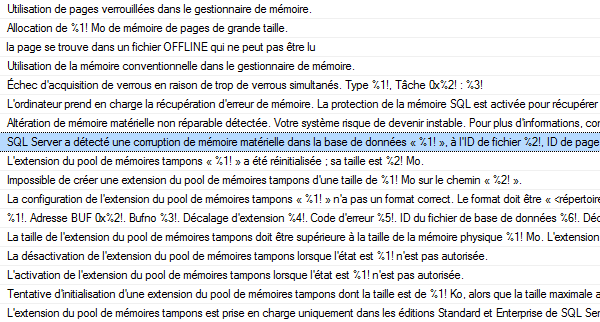
Even error messages:

Produces:

Talk dirty reads to me

These sound better than anything I would ever write in a romantic letter:

“SQL Server a détecté une corruption de mémoire matérielle dans la base de données « %1! », à l’ID de fichier %2!, ID de page %3!, adresse mémoire 0x%4!, et a correctement récupéré la page.”

“Le système d’exploitation a retourné l’erreur %1! à SQL Server. Il n’a pas réussi à créer d’événement pour une opération de %2! au niveau du décalage %3! dans le fichier « %4! ». Des messages supplémentaires dans les journaux d’erreurs de SQL Server et du système d’exploitation peuvent fournir plus d’informations.”

“Cette instruction a essayé d’accéder à des données dont l’accès est restreint par l’assembly.”

“Le thread WAITFOR a été supprimé.”

“Un dépassement de capacité de la pile s’est produit dans le serveur lors de la compilation de la requête. Simplifiez la requête.”

“Microsoft Azure SQL Database prend en charge un maximum de 128 règles de pare-feu.”

“Les mises à jour par curseur ne sont pas autorisées dans les tables ouvertes avec l’option NOLOCK.”

“DBCC SHRINKFILE pour %1! est abandonné. Les fichiers plats SBS ne sont pas pris en charge”

“Erreur interne. Impossible d’accéder à la table d’objets tombstone.”


SQL Server Workarounds

Development, SQL Server, T-SQL
14 Comments

360 Questions

We’ve been asking you folks a lot about what you’d add to SQL Server, and we’ve gotten some great answers. There are even some that have been answered in the last couple versions of SQL Server.

For instance, 2016 brought us STRING_SPLIT!

SQL Server 2017 has a whole bunch of neat stuff:

And while I’m thrilled with the new functionality (haw haw haw), there’s still a lot of stuff other platforms can do that we need weird workarounds for. I started thinking about this while answering a question on Stack Exchange about how SQL Server users mimic the greatest and least functionality available in other products.

Generally

As SQL Server developers, what weird workarounds do you have to implement due to missing functionality?

Here’s the thing: I don’t want you to leave a bunch of gripes and code in the comments. Comments like that are hard to read and search and typically don’t help other people out.

Rather than do that, I want you to do something more beneficial for everyone (yourself included)

After you do that, head back here and post a link to wherever you chose to do your business. I’ll do a roundup of all the best ones and add them to the post.

Thanks for reading!


Paste The Plan…Now With Comments

PasteThePlan.com
8 Comments
PasteThePlan.com

You didn’t ask but we listened: we have added comments to Paste The Plan.

We’re always looking for way we can improve the tools that we provide to the community. One of the things we always thought that would be nifty was to add comments to the plans. So while we were finishing up the the latest updates to Paste The Plan, Brent mentioned to me “Paste The Plan would be cool with comments.” Yes, yes it would Brent. So I took a look at different commenting systems and the easiest one to implement was Disqus. A few lines of JavaScript later comments were born.

You can leave a comment anonymously (you have to dig a little, but it’s there) or you can login with Facebook, Twitter, Google, or Disqus. Once logged in, feel free to comment on plans and let’s help each other improve our queries.

So, do you like the addition of comments in Paste The Plan, or do you have a suggestion for a new feature or enhancement? Let us know down in the comments.


Do Variables Exist?

Humor, SQL Server
13 Comments

I know, I know

I swore I’d never talk about variables again. Then I ran into some funny business. Maybe it was quite as funny as the Temp Table Ghosts, but hey.

What’s as funny as temp tables?

It’s in your heaaaaaaaad

If I run this, what do you think will come back?

Will the variable assignment throw an error? Will the select throw an error?

Will it return 1?

How about this?

Will the variable assignment fail, because there’s no way the BIGINT max can possibly fit into a TINYINT?

Will the select fail because of an arithmetic overflow?

Does 2+2 really equal 5?

And what about this?

Will this divide by zero? Will it throw an error?

Chatterbox

When I asked this stuff in the company chat, Brent chimed in with some queries that he thinks are funny, too.

It’s all very freaky. What’s going on back there?

And furthermore

What’s going on here?

Eyes Without A Face

Thanks for reading!


Applications are Open for our 2018 Scholarship Program

Company News
2 Comments

At this time of year, with the PASS Summit and SQL Intersections and Black Friday rapidly approaching, it’s so easy to get caught up in the rush of all the fun. Many of us are lucky enough to work at for-profit companies that pay well, send their employees to training classes, and buy them tools to do their job better.

Pocket Square
Time for the heart.

This post is not for those lucky folks.

This post is for you, the data professionals at charities and non-profits like some of our past scholarship winners from 2016 and 2017:

If you’re a data professional at an organization like that, we want to help you. (We also want to high-five you, hug you, and put a post-it note on your monitor that says, “Please keep up the good work because the world needs you, but also please take care of yourself because we want you to be around as long as possible.” (It would be a big post-it note.))

Our scholarship program is pretty simple: you get access to all the training we offer next year, live and recorded.

The fine print:

  • You must already have a job working with SQL Server.
  • You must work for a foundation, non-profit, charity, or similar company that’s doing good work. It can totally be a for-profit company, just as long as they’re making a difference. (If you work for Ginormous Profitable Global Corporation, forget it.)
  • Your company or government rules must allow you to receive free training. (Some companies prohibit their employees from accepting gifts.)

Update: Applications are closed.


[Video] Office Hours 2017/10/11 (With Transcriptions)

Videos
0

This week, Brent, Erik, and Richie discuss the new Extended Events Profiler, using SQL audit vs a trigger to log what people do, log shipping, migrating from on-prem to cloud, best practice for a database owner, SQL Server performance improvement, the difference between simple, bulk-logged, and full recovery models and when to use them, tools for transferring databases from one server to another, VSS Snapshot backups, encryption and more.

No headlines this week – sorry about that! We’re hustlin’ to build you some new cool stuff for our Summit pre-con. We think you’re gonna like this a lot!

Here’s the video on YouTube:

You can register to attend next week’s Office Hours, or subscribe to our podcast to listen on the go.

Enjoy the Podcast?

Don’t miss an episode, subscribe via iTunes, Stitcher or RSS.
Leave us a review in iTunes


Office Hours – 10-11-17


Brent Ozar: Grahame says, “Does management studio 17.3’s new extended events profiler – does it cause the same performance issues as the old profiler?”

Erik Darling: I just installed it this morning and I haven’t tried it yet, so I don’t know.

Brent Ozar: Yeah, looks – and it’s based off of extended events now, so it should have a lower overhead…

Erik Darling: Should.

Brent Ozar: Just know that when you use extended events, there are fields that you can grab, just like you could with profiler, that will have a huge overhead. The more of those that you pick – things like execution plans – the more overhead you can have.

Erik Darling: Or even SQL text is another one that can cause a bunch of overhead; from just sort of messing around with it too. So for some things, there’s the integer field and then the text equivalent of the field, like say for database ID versus database name. And there’s even probably less overhead for just filtering on the database ID than filtering on the database name, because database name isn’t part of every single action or event, so you have to like add it sometimes and then filter on it, so it gets weird. I’m actually poking at it now… what are you doing?

Brent Ozar: And I’d heard, somebody on Twitter said, if you just close SSMS like you close the profiler piece of it, that the trace keeps running and it was rowing a file on his drive. So I don’t know if that makes a difference on how you stop the trace or what’s up with that.

Erik Darling: When you right click on it, you can stop or launch the session. So if you just close the window, I imagine the session keeps running until you right click and hit stop. Just like with a regular extended event, you have to stop it for it to stop.

Brent Ozar: Makes sense… [crosstalk]


Brent Ozar: Let’s see, Emily says – which is my sister’s name – “Apologies I’m late…” That’s alright, we were late getting to your question too. “What are the pros and cons of using a SQL audit, so the built-in audit functionality, versus a trigger, in order to log what people do?” Richie, have you ever had to build anything that logs everything that people do in a database?

Richie Rump: No, because that’s usually really slow, so I’ve…

Brent Ozar: But isn’t everything you build really slow though?

Richie Rump: Yes, that’s only because you touch it and magic happens…

Brent Ozar: What happens if I do this right here, Richie?

Richie Rump: Don’t touch that.

Erik Darling: It’s always the end user that’s the problem. Everything Richie builds is fine until someone has to use it, and then…

Richie Rump: That’s correct. [crosstalk]

Brent Ozar: I can testify to that. It’s mostly operator error. Erik, have you ever had to do this?

Erik Darling: Build it, no. Support it, yes. And, you know, relativity, the audit table, they were just massive triggers that every time something happened, everything would go and get logged, and there were some really bad column choices in there. There’s like an XML column, and then like an nverchar max version of the XML column. There’s some really goofy stuff in there. So I’ve had to support it and like deal with queries that hit it that were just unfortunate, but as far as actually design it, no, thankfully.

Brent Ozar: Yeah, the thing with SQL Server’s built-in auditing is that it’s kind of like a construction kit. Really, just like a trigger, you can go build things with a construction kit, but it’s up to you to build things like reporting. What I usually end up saying is, is it just because we want to do it, or is this something that legally we’re required to do? Like the auditors are standing out there with a gun to our heads going, “You better capture everything that anyone sees.” In that case, the third party appliances are a much better answer.


Brent Ozar: Let’s see, Wes says, “Let’s isolate that quote out of context, Richie said to Brent, only because you touch it; magic happens when you touch it.” That should go down in fame. Two years ago, three years ago, I was teaching a PASS Summit pre-con, and we started at the beginning of the day and I’m like, “Look, just so you know, I understand if you’re sitting in those hard seats all day, you know, and you’re sitting there for six hours your butt gets hard.” You know, something about hard things in your butt and after six hours. And as the words are coming out of my math, everyone is turning to me and it’s like, I’m just going to stop talking now.


Brent Ozar: Wes says, “I remember but probably not, I was at a place where…” Oh, he said at his last job he was at a place where he had to learn ProgressDB and he was like, nope, I’m out. That’s funny, because we had a question on Twitter from somebody this week who was asking me and Richie how much work is it to learn a NoSQL database.

Richie Rump: Hold on to your butts, big guy.

Brent Ozar: I can kind of feel you, because I was a SQL Server DBA for the longest time and I had the opportunity to learn Oracle, if I wanted to learn it; like there were a couple of Oracle DBAs in the same shop. And I liked them, they were really cool guys, but I was like, “Nah, you know what, I’m really kind of good right here. I kind of know what I know here and I’m kind of fine.” It’s not that I don’t like to love – like to learn, I just didn’t want to learn Oracle at that time.

Richie Rump: He also doesn’t like to love.

Brent Ozar: I don’t like to love. I love to hate.

Erik Darling: Learning and loving, off the map.

Brent Ozar: And I’m not learning to love, and I’m not loving to learn. That’s totally not true; I adore learning and I’m going to be all over Postgres here shortly. Not because I think it’s a better database than SQL Server, we’re just using it for some of the projects that we have in-house.

Richie Rump: But he’s …

Erik Darling: do you have any hobbyhorse prod things that you’re learning, or are you all just work focused on learning?

Brent Ozar: Oh, so I love learning about what dotcoms are doing, just architecturally what other platforms are out there? Where are people storing their data? Why do they make those choices? What are the pros and cons of those architectures? Like I could learn about a new database every day for a year, and I would just love doing that. Managing it from day to day and being on call for it? No, I’m not really interested in that. But learning about them, I’m like yeah this is really cool. The compromise is that they make – so you’re starting to learn C, right? Or you were dabbling in it? Yeah, C++…

Erik Darling: You can see from the bookmark that I even made a little bit of progress.

Brent Ozar: That’s awesome. Not progress in the database but just progress. See that actually calls to me, only because I would love to learn to read MySQL, Postgres, like the source code behind those databases. That, to me, is a good time.

Erik Darling: Nope, it’s all C in and C out; that’s all it is. [crosstalk]

Richie Rump: The only C I want to see is this C right here, that’s it. No language of C…

Brent Ozar: But you want to see a W next to that.

Richie Rump: The W is right here.


Brent Ozar: Joseph says, “101010,” in the questions.


Brent Ozar: Thomas says, “If I log ship to another SQL Server to test before migrating, can I use those databases on the secondary to set up an availability group before dropping the log shipping; like ship from one place to one place to the other?” The thing with log shipping is, whenever you start restoring on the other end, if you want to do something with those databases, like test them, you’re generally going to break out of log shipping, because you’re going to want to write to those. You’re going to want to do inserts, updates, and deletes. So generally, log shipping isn’t as useful for migration testing. It’s great for migration; just not as great for the testing part.

Erik Darling: You can put them in standby and just let some queries fly at them, but they won’t be writable.


Brent Ozar: Khalid says, “I have one more question, please…” Absolutely, just in the side of your monitor, you’re going to see a slot for $20 bills, just slide it right inside – oh, your monitor may not have that. Well if your monitor doesn’t have that, you can ask questions for free; just keep asking them over in the questions tab.


Brent Ozar: J.H. says, “Our app team is looking to migrate their app servers up into the Amazon web services cloud, and they want to continue…” They want their apps up in Amazon and they want their SQL Server on premises. “Is there anything that I should do on the database administrator side?” Run for your life. So what would be the problems you guys would expect to see with the apps in the cloud and the SQL Server on premises?

Erik Darling: Richie’s favorite cloud word, permissions, and security, would be the first – those would be the first two things that come to mind.

Richie Rump: Yeah, connections. So the app may not be ready to handle drop connections. So talking to the cloud, if you don’t have automatic retries in your code, you’re going to need that, especially when you talking to a database, and maybe wrapping transactions around things, because the connection could drop at any time. –

Brent Ozar: Latency is going to suck pretty bad too. If you have an app that does one-row insert and then waits to get it back, another row insert, waits to get it back, that is a recipe for slow latency.

Richie rump: Yeah, and where’s the app living if the app is leaving in your own kind of collocation facility, now that has got to jump, go through the internet, go through all the hoops to get into the cloud, and then the own network in the cloud, and then it’s got to go all the way back. So that’s why you have a lot of cloud apps there in the cloud. They don’t have this separation between my network and your network and oh we’re going to have it in the cloud, because that whole latency thing is…

Brent Ozar: I’d be curious to hear more about why you’re putting the app up there and keeping the SQL Server database down on premises too, just out of curiosity.

Erik Darling: That might even be temporary. Get the app up there and then move the database up during another window?

Brent Ozar: In which case, stuff like log shipping and availability groups may make it easier for you to get that up their faster. I would move [crosstalk]…

Erik Darling: That’s not replication.


Brent Ozar: Khalid says, “What’s the best practice on who should be the owner of the database?” He says, “It defaults to the person who created it, but what’s like a best practice for the database owner?”

Erik Darling: Usually SA. I’ve never seen anything terrible happen to a database from a user owning it. They will have, you know, elevated permissions or privileges on it, but it’s not like with an agent job or something, where if the Windows account gets disabled then the database will shut down.

Brent Ozar: We alert you for it in sp_Blitz too, like that a database is owned by an end user. And we’ve got more details on that link. If any of you haven’t run it before, sp_Blitz is our totally free health check utility that goes and gives you a quick report, like an Excel spreadsheet type analysis of the problems with your SQL Server.


Brent Ozar: DB… Oh, DBA – funny how they spelled their name there – says, “In my first DBA job I inherited servers set up by a non-DBA.” I think that’s kind of how it always happens too. “We have a mess of over permissions and nonspecific accounts. Can you talk a little bit about the accounts that are used for proxy accounts versus credential accounts? How many proxies do normal shops use? Is the command shell proxy credential normally ever needed?” No…

Erik Darling: You should have read that one first.

Brent Ozar: No… We don’t deal much with security, but I don’t touch proxy accounts at all; like I’ve never used a proxy account. What I would do is – so here’s the problem. If you want to tighten down security permissions, if you want to start taking things away from people, you need to expect that apps are going to break. Things that are currently working today are going to start breaking. So what I would do, instead of tightening down on servers that already exist, is go build yourself – this is going to sound like a consultant answer – go build yourself the next SQL Server. Go build the SQL 2016 or 2017 that you want to move towards, with only the permissions needed inside there. And as people start to migrate their applications and test on the new box, it can be really tightened down. And when people say, I want SA permissions on this or I want to use a different proxy account or I need passwords to some proxy account, you can start asking why, and that’s where the documentation comes from. Until then, you just say no, you can’t have that. That’s why they joke that DBA stands for don’t bother asking.


Brent Ozar: Aaron says, “We’re upgrading our SQL Server from 2008 R2 to 2017…” Leaps and bounds there. “We currently run our ERP app on the same box as SQL Server. If we were to separate those two boxes, can we expect to see a noticeable performance improvement? We typically have 20 concurrent users in the system?”

Erik Darling: That’s a very broad question.

Brent Ozar: If someone says, I want to find a performance improvement in the server, where do you start?

Erik Darling: Memory, always memory. Memory is like my first thing.

Brent Ozar: What did you say, I forgot?

Richie Rump: Jeez.

Erik Darling: Even Richie cringed on that one, man, that’s rough. That’s a bad reception if Richie…

Brent Ozar: If you had a limited amount of RAM in the VM or whatever before and it was all on this same box and now you’re splitting it out, maybe now the app gets more memory. But maybe you’re changing the box too, maybe you’re changing how much horsepower is in the box. I would look at what are your primary wait stats today, like what wait types are your biggest ones? And it just so happens, watch our blog for this week, we have a post on how to do a performance check.

Erik Darling: Another thing that I see sometimes when people say that they have an app- running alongside it is it’s not just an app running. People are like terminaling in to use the app on the server, so there’s like the overhead or RDP or however else they get in on there to do it. Sometimes the app is like your browser interface, so when you have like 15 people in with IE open just clanking away on stuff, you’re like, stop.

Richie Rump: Yeah, I’d like to ask a question, and the question is, what’s your performance problem on the machine right now? So if you know what your performance issues are, then you could probably say having two different boxes will improve performance.

Erik Darling: Or you can say we’re going to move this to such a gigantic box that no one will trample on each other and everything will be fine.

Richie Rump: Or maybe you don’t have any performance issues and it’s already super fats and moving over to another box with a lot of hardware is not going to do anything?

Erik Darling: A lot of ifs in there.

Brent Ozar: There’s also licensing too. Since SQL Server is licensed by the CPU core, sometimes you can get bang for the buck just by peeling out to lots more cores, taking the apps and putting it somewhere else, and then SQL Server gets its own cores. That may not even affect performance altogether. You might be able to shrink the amount of CPU cores that you have licensed for SQL Server. Aaron follows up with, “The app is the normal bottleneck, and it tends to be CPU limited.” Perfect, in that case, set yourself up other VMs for the app server, give them as much CPU power as you want because you don’t have to pay SQL Server licensing for those cores. That will be good.

Erik Darling: When I was dealing with relativity stuff, it’s very carefully spelled out that you have your SQL Servers over here doing stuff, you have your app servers over here, you have worker servers over here that do things; everything is very separated out.  Like some VMs will pull double duty, like with what they do, but they have just one application on them doing it, you know, whether if it’s DTI indexing or doing whatever agent-y stuff has to be done in the background to make sure files are in the right places. But really, it’s a good way to look at architecture for an app, because it gives you some precedence to say no, we need to separate these things out into different places.

Brent Ozar: Perfect.


Brent Ozar: Chris asks, “What’s the difference between simple recovery model, bulk-logged and full recovery model, and when would I use each one?”

Erik Darling: Wow, you just want to like start up here and travel down…

Brent Ozar: In the beginning, there was a database…

Erik Darling: So, the thing that’s not the difference, aside from some circumstances, is what gets logged. A lot of people think that is they use simple recovery, it logs less. Or if I use bulk recover, it logs less. Really, only when you get minimal logging on insert is that true, and for certain other things like index rebuilds can that be true. But for every other regular transaction, so like every other update, delete, all that other stuff, inserts that aren’t minimally logged, the same amount of stuff gets logged. What changes is who’s responsible for transaction log backups and also what HADR text can run on different recovery models. So in simple, its SQL Server will truncate the log and do stuff that it needs to; in bulk and full that’s on you. And bulk you can log ship, full you can log ship, full you can do mirroring, AGs, failover clusters, it doesn’t matter a lick. I don’t know, what are some other good ones?

Brent Ozar: Usually it all comes down to how much data you’re willing to lose; that’s the big thing I start with.

Erik Darling: When would you use them? RPO and RTO – that’s business though.

Brent Ozar: Yeah, long-running transactions would be the other thing that scares me. If some yo-yo does a BEGINTRAN and locks his workstation, goes home for the week after inserting one record… Hello, full hard drive.

Richie Rump: Why are you looking at me when you say that, Brent?

Brent Ozar: My own webcams are right there, so I’m also looking at myself…

Richie Rump: Oh sure, uh-huh.


Brent Ozar: Carlos asks, “Any tools or suggestions to transfer a bunch of databases from one SQL Server to another? No migration, just transfer them.” Oh, just like copying – sp_DatabaseRestore. So if you download our first responder kit, Tara wrote this cool stored procedure that just restores all of the database backups in a folder. It just pulls the most recent full, the most recent diff and all the logs since. So in our first responder kit, look for sp_DatabaseRestore, it works beautifully with Ola Hallengren’s maintenance scripts as well.


Brent Ozar: Grahame says, “Do you always recommend running…” I don’t always recommend, but when I do, it usually involves Dos Equis. “Do you recommend always running update statistics after someone drops and creates a temp table? I’ve noticed performance improvements, but should I always do this?

Erik Darling: Well, if you want to know more – I don’t think we’ll go into the full thing here, but a fellow named Paul White, who if you don’t know the name by now, you should jump off a cliff, has a couple of cool articles. One is called, Temp Tables and Stored Procedures, or Temporary Tables and Stored Procedures – Paul is a gentleman, so he spells the whole thing out. He’s not a lazybones like me. And then there’s another one called Temporary Table Caching Explained, and those two can give you a thorough and rigorous mound of information about how temp tables and stored procedures, and often real life, work too. You should ignore my bonehead posts about ghosts of temp tables where I create them and then stored procedures fail because of them.

Richie Rump: Before you read it, just get a cup of coffee. Now make sure you have a quiet place for a couple of hours…

Erik Darling: Yeah, get a cup of coffee, get a divorce, get a cabin in the woods, print the stuff out, go up there, you know.

Brent Ozar: It’s true.


Brent Ozar: Khalid says, “I’m migrating some old databases from 2008 to 2016. In my databases in 2008 there’s some text in text and image fields. I heard these aren’t supported in newer versions. Can I just set the compatibility mode back?” I think text in text and image are still in 2017, aren’t they?

Erik Darling: They are deprecated, but they are still in there. So you don’t even have to set compatibility back, you just have to deal with crappy old data typed.


Brent Ozar: Let’s see, next up Michael says, “I worked with an ERP app where the vendor recommended installing their app on the SQL Server. I refuse to do it.” [crosstalk] I hate it when vendors do that. No one’s around to give you the little gold star for being a good database administrator.


Brent Ozar: Ben says, “Do you have an opinion…” Odds are yes; probably not valid but we have an opinion.”Do you have an opinion on VSS snapshot backups being used for SQL database daily backups? We have app owners and management only wanting to do daily backups.” As long as they’re okay with losing a day’s worth of data, they’re actually magical; they’re fantastic. Just make sure that you’re getting a product that actually integrates with SQL Server, you should see it as a real backup in your backup history. If you don’t then it’s doing a dirty crash consistent snapshot, and your database backups may come back corrupt.

Erik Darling: So the way Brent said, as long as everyone’s cool with the fact that you can lose a day’s worth of data, going back to when that VSS snap is, then proceed. One thing you’re going to want to keep a really close eye on though is your error log. Because when legitimate snaps get taken, you’re going to see two messages happen for each database, one where I/O is frozen – because it quiesces drive activity serially each data file at a time. And as it quiesces them, it starts taking the snapshot, and then when it’s done, it thaws. So you need to be really careful that there’s not a big chunk of time between the freeze and the thaw, because that means that your drive is essentially frozen in time for the entire duration of that. and there have been so many times, you know, me, Tara, even Brent has worked with clients and seen this in the error log where data gets frozen for 30 seconds a minute every time these VSS snaps get takes, either because it takes so long to quiesce dive activity or because it takes so long to copy the snapshot somewhere. It can have a real impact on performance. For you, taking it once a day, there’s a pretty good chance that even if it does that, it will be during some maintenance window; it will be at like midnight when nothing else is going on. But we’ve seen people who are taking like 15 minutes to have some of this stuff for like five, ten, 20 seconds. You’re like, well you just added like 20 seconds onto every query, no wonder it’s slow.

Brent Ozar: Looks like a big long blocking chain when you’re looking in sp_whoisactive.

Richie Rump: So this is how long I’ve been around and how scarred I’ve become. Every time I hear VSS is visual workload store safe, and I’m like no, don’t put it in there, it won’t come out; it’s corrupted.

Brent Ozar: That was my first experience with source control, both as a developer and then as a DBA. I built these VB script things to continuously, like every hour, patrol my databases and check them into visual store safe. And I was so proud of myself until I started losing data in corruption, and then I was not quite as proud of myself.

Richie Rump: Yeah, that wasn’t my first introduction, but when – it was like, we’ve got to backup like all the damn time, because it’s going to get corrupted, that’s what it is.


Brent Ozar: I love how one person, let’s see here, the question is from Grahame. He says, “Looking at premium assurance SQL 2008 R2, I see all the licenses need to have PA purchased.” And as he’s asking the question, as I’m reading the question from him in GoToWebinar, he goes on to Stack Exchange and asks the exact same question. So Grahame, now I know what you’re account is, Grahame, you’re apparently ThunderCougarFalcon. That’s an awesome, ThunderCougarFalcon, how cool is that? That’s fantastic.

Erik Darling: It’s like one of those password generators where it’s like three random words and then some numbers.

Brent Ozar: Correctcoursebatteriestable.

Erik Darling: I bet that’s his password too, we should all try it.


Brent Ozar: Next question in here, let’s see, Joe asks, “Are you aware of a way to create something like a virtual SQL Server for developers? My developers want to develop against SQL Server, but I don’t want to give them a whole full blown SQL Server. What should I use? Like a preconfigured VM?”

Erik Darling: Oh, that’s a good question.

Brent Ozar: Richie’s looking like he swallowed a cat.

Richie Rump: I just install the developer edition in my machine. That’s like – when I get a machine, the first thing I do is install developer edition. But I’m probably a little bit different than most of your developers because I hang in the middle of development and database land. So I’m like this weird oddball guy. There are ways that you can actually get a VM of that and if somebody else talks for a minute then I’ll look it up.

Brent Ozar: I would say also, this is what – so developer edition, first off, is free. There are no strings around it, totally free, you can install it on their machine. If you don’t want to patch it, this is one of the cool things that Microsoft came up with in 2017, Docker support. So you could spin up a Docker VM as often as you wanted. I actually think it’s easier for most Windows shops to just install SQL Server developer edition on the developer’s machine. But if you’re a Linux friendly shop or a Mac-friendly shop, that’s where spinning up a Docker VM can make a difference. [crosstalk]

Richie Rump: You could even go to the Docker store or package manager or whatever and download MS SQL and it will just be there. So Docker was the thing that I was thinking of, but I haven’t jumped into the Docker pool yet, I’m still old school; I run 46s with VX2. [crosstalk]

Erik Darling: If you’re on any sort of modern-ish version of SQL too, it actually just came to 2012 SP4, and you don’t want to have a full-blown database on every developer machine, you can use DBCC CLONEDATABASE to have a statistics only copy of your database available for people to do development against. Just don’t rebuild indexes or update stats, because everything will go… But, as long as they don’t do anything goofy like that, the DBCC CLONEDATABASE is a pretty cool command. It’s just a stats only copy of your database. You can do that on 2012 SP4, 2014 SP1, that was where it dropped, 2016 and 2017. So all the good places that you would hopefully be doing your development against, that’s available.

Brent Ozar: And kind of following up, related, Thomas says, “What’s the best way to give devs a comparable database to prod without giving them prod data?” This is a really easy way to do it, just keep in mind it has no data. And if you want any config tables, for example, you may have to script those and include those as well.

Richie Rump: That’s like one of the hardest problems we have as developers, to create a good test data set so that we could actually do things that prod is eventually going to do. And we don’t want prod data, there’s no way that I think any sane developer would ever want prod data. And if they do want prod data, it’s because they want to make sure that it’s running at the same size, breadth, and speed that prod would get into it. So that’s why getting a stats only copy would be good, but if I’m actually writing T-SQL and testing it and doing all that, it doesn’t help me much because there’s no data here.


Brent Ozar: One quick one, Chris says, “I get the following error when running sp_Blitz on a 2008 R2 box. I have an arithmetic overflow error.” Make sure, first off, that you’re on the latest version of sp_Blitz because it’s possible that that’s an older one. We’ve fixed several of those bugs. It may also be that the thing has been up for, say, two or three years and wait stats have gotten really high. I thought we’d fixed that bug, but just in case, I would go look in the wait stats question. Or just try – this is going to be awful to say – I bet Erik has a better answer than me.

Erik Darling: I know I do.

Brent Ozar: Go ahead.

Erik Darling: So just – if you want to try running it with debug equals one, you can figure out which step that happens on. Then, if you want – you can figure out if it’s the query that’s doing it or if we’re doing something wrong. And if we’re doing something wrong, you can tell us about it on GitHub. Just make sure you have whatever check ID is running when the arithmetic overflow happens, and we can do a better job investigating.

Richie Rump: What if you put debug equals 42?

Erik Darling: I think it’s a bit, so you’ll probably get an arithmetic overflow error there. Actually no, it’s a tiny int, because you can do debug equals two if you want to print out the dynamic SQL that runs as well as the check IDs.


Brent Ozar: Then J.H. asks, “When we’re trying to encrypt all out network connections, what should I look out for?” Go his this post by Aaron Bertrand, SQL Server Support for TLS 1.2. There are about another dozen questions that we didn’t get a chance to get to. Don’t hang around waiting for us for another week, head on over to DBA.StackExchange.com, and you can post questions about SQL Server. We answer all the time. It happens to be a different VM than I work in. I work in this one but if I had my real one up, it would show my reputation and all that kind of thing. But Erik and I sit around all day answering questions on Stack, not in here webcast.

Richie Rump: That’s right, they do.

Brent Ozar: So thanks everybody for hanging out with us this week, and we will see you all next week on Office Hours. Adios.


How to Log Wait Stats to Table with sp_BlitzFirst

When you’re analyzing SQL Server performance, one of the best places to start is wait stats. What’s your SQL Server waiting on?

sp_BlitzFirst makes it really easy to trend this data over time for free with all currently supported versions of SQL Server (2008+). Just set up an Agent job to run this every 15 minutes:

sp_BlitzFirst logging tables

sp_BlitzFirst will create those tables if they don’t already exist. (The database & schema have to already exist, though.) It logs cumulative data in those tables just like the DMVs they’re sourced from:

  • sys.dm_os_wait_stats
  • sys.dm_os_performance_counters
  • sys.dm_io_virtual_file_stats

The tables are designed to be combined centrally from all of your servers, too – they include columns for ServerName and CheckDate (which is stored in datetimeoffset format, so you can report on data from servers in different time zones.)

But since that data is cumulative, it can be a little painful to query – so sp_BlitzFirst also creates a set of delta views for you. They’re named exactly the same as the table names you picked, but with _Deltas added at the end, like BlitzFirst_WaitStats_Deltas. These join the current sample with the prior sample to figure out how much time elapsed between samples, and how much wait time you had per minute during that sample.

Throw that into Microsoft’s free Power BI tool, and presto:

sp_BlitzFirst data in Power BI

From here, you can drill down into the other tables to see why the SQL Server was slow during that time range. Heck, armed with the other First Responder Kit scripts and their abilities to log data to table, you can even find out what queries were causing your high wait stats.

And it’s all totally free.

Wanna learn how? We’ll teach you in the very first module of our Expert Performance Tuning for 2016 & 2017 class (and yes, that includes those of you in our PASS Summit pre-con!)


How to Do a SQL Server Architecture Review

We’ve talked about how to do a free SQL Server health check, and then how to drill deeper with performance check.

After these two, management usually steps back and asks, “Wait a minute – how’d we get into this mess? And long term, strategically, what should we do next?”

And usually, we’re in a hot mess because we’ve underprovisioned hardware capabilities relative to our query performance goals, not to mention our backup/recovery goals. Our databases grew larger and our maintenance window got smaller, and now if we get into trouble, we can’t restore our databases fast enough.

Step 1: Fill out the HA/DR RPO/RTO worksheet.

In our free First Responder Kit, open up the file “Worksheet – High Availability and Disaster Recovery Planning.pdf.”

HA/DR RPO/RTO worksheet

Fill out the “Current State” columns based on your HA/DR setup, your backup schedules, and your restore speeds. If you haven’t tested restores or failovers in the last 6-12 months, put “UNKNOWN” across the appropriate areas.

Make sure to read the details carefully (c’mon, it’s a short page) to understand each of the failure modes. For example, folks often tell me, “We have high availability built in because we use VMware or Hyper-V.” No, those are not high availability – they’re just availability. Read those failure modes, and you’ll notice that if some of them occur, it doesn’t matter which host your VM boots up on – it’s still down for the count.

This stuff really does happen. For real-life examples, check out the post 9 Ways to Lose Data.

Step 2: Hand it to your stakeholders & management.

Say, “Here’s our current RPO/RTO. If you want to improve these numbers – and our query performance – tell me what your new goals and budget are.” That’s where the second page of the RPO/RTO worksheet come in – I don’t wanna spoil that one for you, but suffice it to say that I usually print page 1 & page 2 back-to-back on the same sheet of paper.

Yes, the business does default to wanting zero data loss and zero downtime, but they change their minds as soon as they see page 2.

If you stay in the room while they discuss their new goals, they’ll usually ask, “Can you give us more specific costs for these?” Unfortunately, no – that requires building out a project plan, hardware, licensing estimates, etc – and it’s a ton of work. Management picks the box first (which estimates a cost range), and then us geeks get started building a more accurate cost estimate based on the right technical fit for the database, team, and RPO/RTO goals.

Management will also often ask, “What about 15 minutes? Can we do 6 hours? How’s about 12 parsecs?” We can – but let’s keep things simple at first with 0, 1 minute, 1 hour, or 1 day because that’s roughly what SQL Server’s capabilities line up with.

  • At zero RTO, we need automatic, always-running solutions. SQL Server doesn’t have anything built in that allows for automatic failover in zero time, preserving transactions in flight, so this is a super-expensive category.
  • At one minute RTO, we need automatic solutions, but we have a few native choices that will fail over automatically when everything’s working properly. (Of course it’s not working properly, and that’s why you’re failing over, but I digress.)
  • At one hour, we start to get enough time for a meatbag to get the phone call, get to a computer, log in, do some very fast troubleshooting, and perform a well-rehearsed (and documented) process.
  • At one day, we’ve bought ourselves enough time for that meatbag to sober up, do in-depth troubleshooting, try to bring a server back from the dead, and when it fails, restore databases from scratch.

If they want something in between those times, that’s cool – but we need to think big picture first.

Step 3: With their RPO/RTO goals, sketch out an architecture.

The RPO/RTO goals and rough cost estimates drive the shape of your architecture diagram: the number of boxes, the arrows that connect the boxes together.

Your performance goals drive the size of the boxes.

In the previous posts in this series, I’ve given you sample schedules on what you can do in one hour or one day. Architecture reviews are a lot more ambitious – plus, they usually assume you’ve already done the health check and performance check. (You need to know the workloads before you sketch out the sizes of the boxes.) So for this one, I don’t have an easy button – but to see an example of a deliverable, check out Patient C’s sample findings for our SQL Critical Care®.

Now that you’ve seen all three parts of this series, you have a better feel for what free tools are out there to help – and what you can realistically expect to accomplish given the time that you have. (Toss in lots of servers, and the problem becomes a lot harder to solve today at scale.)


How to Do a Free SQL Server Performance Check

Your client or boss just said, “Find out why this SQL Server is slow.” You’ve already done a free SQL Server health check, and now you wanna investigate deeper.

Step 1: Download & run sp_BlitzFirst.

Start with wait stats, which tell you what the SQL Server has been waiting on since the service was last started, or since someone cleared wait stats with DBCC SQLPERF, whichever is more recent.

Go to our download page and get our First Responder Kit. There’s a bunch of scripts and white papers in there, but the one to start with is sp_BlitzFirst.sql. Open that in SSMS, run the script, and it will install sp_BlitzFirst in whatever database you’re in. (I usually put it in the master database, but you don’t have to – it works anywhere.)

Then, run sp_BlitzFirst with these options:

Here’s the first set of results:

sp_BlitzFirst @SinceStartup = 1

We’re going to focus only on this first result set. It returns a lot of other stuff – for info on that, hit the documentation page.

This is a prioritized list of what your SQL Server queries have been waiting on – but it is indeed all queries since startup, which includes jobs like backups, index rebuilds, CHECKDB, etc. In a perfect world, you’d want to log it to a table, and trend it over time. There’s more info on how to do that on the documentation page, but for a quick performance check, we’re just going to start here.

Step 2: Review what your top wait type means.

Start with your top wait type, and work your way down. Here’s some common wait types and how to get more information about ’em:

  • CXPACKET – parallelism, which isn’t necessarily bad
  • PAGEIOLATCH% – waiting to read data pages from data files on disk (we didn’t have enough memory to cache them, or we have bad indexes, or bad queries, or slow storage, or all of the above)
  • SOS_SCHEDULER_YIELD – queries need more CPU time (but doesn’t necessarily mean that the entire server is running 100% CPU, which makes things kinda tricky)
  • WRITELOG – which is, uh, exactly what it sounds like

There are hundreds of wait types – way beyond what I can do justice to here – but usually you can Google your way through a lot of pages explaining what each wait type means.

Heads up, though: when you’re reading about a wait type, be aware that the page’s author may have an agenda. For example, if you read a page about PAGEIOLATCH written by a storage vendor, their primary goal may be telling you your storage is too slow, and you should invest in faster storage. They might be right – but try to find the queries causing the wait first, and see if you can tune those for free. (Your time, after all, is free. At least that’s what your boss told me.)

Step 3: Find the queries causing that wait type.

Run sp_BlitzCache, another script from our First Responder Kit that analyzes your plan cache to find your most resource-intensive queries. Here’s how:

In that example, I’m sorting the plan cache to find the most CPU-intensive queries. You’ll want to use a sort order that matches up with your primary wait type – for example, if you’re waiting on PAGEIOLATCH (reading data pages from the data file), you’ll want to use @SortOrder = ‘reads’.

To get the full list of sort order options, plus all kinds of other stuff like explanations for what each column means, run:

Here’s what the default sp_BlitzCache output looks like:

sp_BlitzTango’s partner

In the Query Type column, check out lines 1 & 2.

Line 1 is “Procedure or Function: GetCommentsDetails” – which means that this stored procedure overall is the top CPU-using query.

Line 2 is “Statement (parent: [dbo].[GetCommentsDetails]) – which means it’s a line inside GetCommentsDetails. This one line is our biggest CPU-using statement overall. If you were going to tune GetCommentsDetails, this is the line in the proc that you want to focus on.

Then, check out the Warnings column. sp_BlitzCache does all kinds of checks in the query plan’s XML to spot common issues like unparameterized queries, missing indexes, joining to user-defined-functions, low-cost-but-high-CPU plans, and much more. They’re not a final verdict – they’re just giving you tips on where to start with your investigation.

Step 4: Write up your analysis.

If you only have an hour, play mad libs:

Our SQL Server’s primary wait type is _____, which means we’re waiting on _____. To fix it, I recommend that we try to tune these 5 queries and the indexes they use:

  1. _____

  2. _____

  3. _____

  4. _____

  5. _____

If you have a day, start doing preliminary investigations into those queries. Are they reasonable queries, things that the SQL Server’s hardware should be able to accomplish in a timely basis? Are they being called an appropriate number of times, or are they victims of an N+1 bug in the app code? Could they be fixed quickly with judicious indexing? Your goal in a day isn’t to fix them, but just to estimate time requirements. (Sometimes you actually can fix ’em – but set expectations, because query result sets need to be tested too.)

If you have a few days, and if you’re not allowed to change the code or indexes or server right away, then write up a more detailed overview. Tie the server’s health together by correlating the hardware performance levels, SQL Server’s top wait types, and the queries causing those waits. While you might be biased that there’s a single root cause – say, the application is garbage or the server is a Speak-n-Spell – there may still be multiple ways to fix it. For examples of that storytelling, check out the sample findings from our SQL Critical Care® process.

Next, learn how to do a SQL Server architecture review.