Blog

What I Love About the Stack Overflow Database

Development
8 Comments

I’ve been using the Stack Overflow public database for my performance tuning demos for a few years now, and I just keep finding more reasons to love it.

It’s got a few simple tables with a lot of data. The main ones are Users, Posts (questions & answers), Comments, Votes, and Badges, ranging from 1GB to 90GB (as of 2017/06). The database is small enough that you can work with it on a modern laptop, yet large enough that even simple queries can turn into performance problems. (I hate seeing AdventureWorks demos of “bad queries” that run in less than a second. That simply isn’t what you do for a living, so it’s useless for training.)

The data means something to data professionals and developers. After all, you’ve been using StackOverflow.com for years. It’s kinda fun to query for your own data while we’re doing demos.

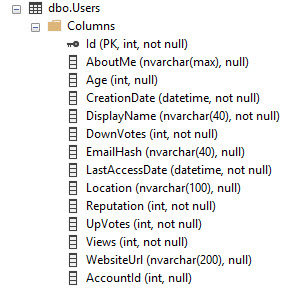
The data has real-world data distribution for lots of data types. Take the Users table, for example. There’s datetimes, integers, short strings (DisplayName and Location), and long strings (AboutMe), all with real-world representative data. There’s even gotchas with Unicode, nulls, and data you can’t trust (like Age has some surprises.)
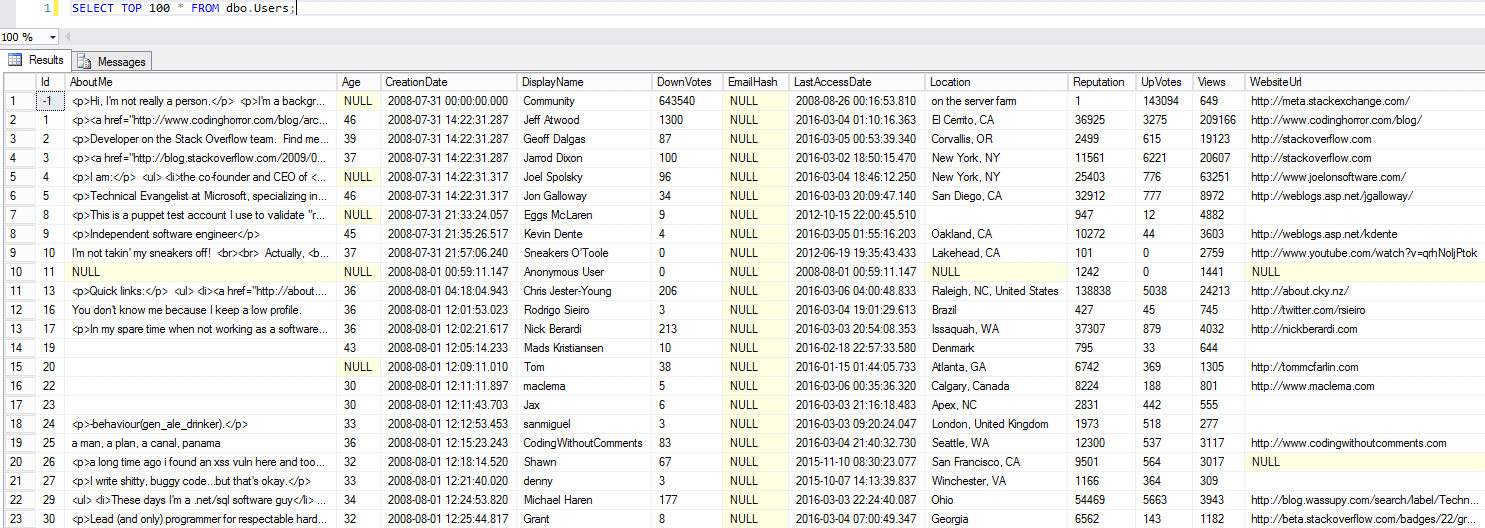
The Users table (click to zoom)

This is so much better than expanding small databases artificially, like scripts that try to expand AdventureWorks to a much larger size. This is real data with real data distributions – with plenty of opportunities for parameter sniffing examples.

The tables have easy-to-understand relationships. Every table has an identity Id key, and other tables can point to it. For example, in the Comments table:

  • PostId links to Posts.Id, which is either a question or an answer
  • UserId links to Users.Id, the person who posted the comment

The relationships even give you some fun for complexity: in the Posts table, the ParentId field links back to Posts.Id. See, both questions and answers are stored in the Posts table, so for answers, their ParentId links back to the question’s Posts.Id.

There’s a web front end. When I want to explain how the Users and Badges tables are related to each other, I can simply open my badges page on Stack, talk about how a user can earn badges, and earn them multiple times. I can walk the students through writing the exact query in SQL Server that will produce the results shown on the web page.

There’s a repository of sample queries. At Data.StackExchange.com, people have written thousands of queries against a recently restored copy of Stack Overflow’s databases. They’re real queries written by real people, which means they have real-world performance anti-patterns that are fun to unearth and tune.

It’s licensed under Creative Commons Attribution-ShareAlike. This means you’re allowed to share, copy, redistribute, remix, transform, and build upon the material for any purpose, even commercially as long as you give appropriate credit and share your work under the same license.

This means we can use it in our community training events – like our upcoming 24 Hours of PASS session, Last Season’s Performance Tuning Techniques. Register for it, go get the Stack Overflow database, and you’ll be able to follow along during our demos. We’ll be posting the scripts as a blog post here right at the start of the session. Let’s have some fun!


New Online Course: The Fundamentals of Database Administration

Remember that very first day when you officially became a Database Administrator? Remember how the Senior DBA sat you down and gave you clear, specific instructions on how to handle SQL Server?

No?

You don’t remember that?

That’s because it rarely happens. You just happened to be the one standing closest to the database server when it broke, so you eventually became The Accidental DBA. You didn’t get sent to a training class, and even if you did, it was one of those ones where the instructor just reads out of a book – but they’ve never actually been a DBA.

In this class, we’re gathering some of our favorite fundamental material – things we wished we’d have been taught when we first started monkeying around with SQL Server. DBA subscribers can get started now, and we’ve got more videos on the way in this class too.


New 2-day Class: Performance Tuning By Example

One of my most popular sessions is Watch Brent Tune Queries. I’ve updated it every year, tuning different queries, showing new tools like SentryOne’s Plan Explorer, StatisticsParser.com, SSMS’s plan comparison, and SSMS 2017’s new scenario evaluation tool. One hour is never enough – there’s so many tricks and tips I want to show in action, walking people through how I use them in a tuning scenario.

“Wait a minute, I have to actually do the work? What kind of class is this?”

So I’ve got a new online class: Performance Tuning By Example. The 2-day class consists of four lab scenarios:

  1. Finding the SQL Server’s bottleneck, and the queries causing it
  2. Fixing a slow SQL Server only using indexes
  3. Fixing a slow SQL Server only by tuning queries, not touching indexes
  4. Fixing both queries and indexes at once

During each scenario, we’ll:

  • Start with a 30-minute lecture explaining the tools and techniques you’ll use in this scenario.
  • You spend one hour working through the lab, figuring out the problem and implementing your solutions. (You get your own cloud VM with the Stack Overflow database, running the scenario workload.
  • Then I share my screen for an hour, working through the exact same problem, explaining what I’m seeing, what I think about it, and what actions I’m taking to fix it.
  • Finally, 30-minute Q&A where you can share your ideas on how you might fix it, and I may take over your desktop to check your work.
  • Then, on to the next lab!

This is not an introductory course. You should already have spent time going through our online performance training videos covering wait stats, index design, statistics, query plan analysis, and tuning, or been to my 4-day Performance Tuning class.

Learn more and register now.


[Video] Office Hours 2017/07/05 (With Transcriptions)

This week, Brent and Tara discuss separating data and logs on separate drives, statistics time, scalar UDFs, licensing, encryption, gathering SQL error logs and agent job history, replication, upcoming training courses from Brent Ozar Unlimited, and what DBA topics they struggle with the most.

Here’s the video on YouTube:

You can register to attend next week’s Office Hours, or subscribe to our podcast to listen on the go.

Enjoy the Podcast?

Don’t miss an episode, subscribe via iTunes, Stitcher or RSS.
Leave us a review in iTunes

Office Hours Webcast – 2017-7-5


Should data and logs be separated?

Brent Ozar: Jake says, “Hello, my name is Jake. With solid state disks, should the data and logs be separated on different drives?” Oh boy, this is a fun, passionate religion type of thing. I’ll tackle this one, just because I had a blog post about it. There are two different reasons – Tara’s going to start making the popcorn. There are two different reasons why you would do this: one is for reliability and one is for performance. Now, in terms of reliability, the general logic goes, that if you lose that data array, you can still do a tail of the log backup. So the gotcha there is, this is only true if these are both fairly reliable drives that don’t ever fail. But of course, any array is going to fail sooner or later, it’s just a matter of time, and since each of these is a single point of failure, even if you put in a RAID array, the entire array will fail from time to time.

If you have two single points of failure, either of which can bring the entire SQL Server down, you want to start doing some basic math on how often these things will actually fail and whether you’re making the system more reliable or less reliable.

The ironic thing is, because they’re both single points of failure and say that each one fails once a year, just to make the math simple, by using two sets of arrays or two volumes instead of one, now you’re at two annual failures instead of one. Then, when the data volume fails by itself, people go, well look, because of this extra reliability, now I can do a tail of a log backup. That’s only true if the log array is still up. And if you’d have put your data files on that array, guess what? Your whole server would still be up. You injected this less reliable thing by yourself, so just make sure that you’re actually making the system more reliable instead of less reliable.

The second part is, in terms of performance; I’m going to assume, Jake, that you have a limited number of SSDs. Let’s say that you’ve got eight of them, just to make the finger math easy. If you have eight drives, how many drives are you going to use for the log file and how many are you going to use for the data file? You need to know how to carve those up, and it’s hard to guess when you’re dealing with a brand new SQL Server that you’ve never worked with before, and you are robbing performance from one of those.

Say that, just to keep the math simple again, you take six of the drives for the data array and two of the drives for the log array, is that going to be enough? When you do inserts, updates, and deletes, SQL Server has to harden that to the transaction log file immediately. It writes the data pages later asynchronously in the background. Instead of having eight drives to shove transaction log data down onto, now you’ve only got two. Are you sure that that’s better? And, are you sure you’re even facing transaction log bottlenecks? Is write log even a problem for your SQL Server?

The problem is that sketching all of this out is very hard and takes some time and is very easy to get wrong. I’ve seen people go in and say, well I need six drives for the data files and two drives for the log files, and then not have enough performance for, say, the log files. Once you’ve baked this thing, in order to get it right, you have to dump it and start again, say dump your arrays and redo them as, say, four and four or five and three. So if you’re just talking about general purpose stuff and you have a fixed number of drives, it’s a lot harder than it looks. What I’d back up and say, what’s the problem you’re trying to solve? Like, what’s the server’s primary wait type, and then go from there.


How long can I leave AG replicas suspended?

Brent Ozar: Gordon says, “Is there a limit on how long I can leave databases in an AG secondary replica suspended after which they won’t be able to re-sync?” Oh, that’s a great question.

Tara Kizer: That’s dependent upon your transaction log. All that stuff is being saved on the primary replica’s transaction log and it’s waiting for that other secondary replica to become available so it can send it over. So, if you have unlimited space on the drive where this transaction log is, then it could be indefinite, but no one has unlimited space. So it just depends on your volume of records going into the transaction log and how big is that transaction log file, how often are you doing transaction log backups – well that won’t even matter for this, since you can’t clear the stuff out – and then how much space you have on the driver mount point where the transaction log exists, if you have auto growth in place.

I’ve had systems where we’ve had planned maintenance at, say, the disaster recovery site, and the site was supposed to be down for four hours. I knew most of my systems would be okay, I knew one system wouldn’t. and sometimes they would, say, be down for like a day or two because they would do major maintenance out of the DR side, because, you know, it’s DR and it’s not production, and I would have to kill – it would be mirroring at the time, but same thing; it’s the same technology basically for this aspect of it. It just depends, it just depends on your system.

Brent Ozar: And it’s not just the primary’s log file either, it’s all the replica’s log files. So if you have several replicas in your data center, they are all growing because SQL Server doesn’t know which one’s going to be the primary at the time that that replica comes back up.

Tara Kizer: True.

Brent Ozar: I actually say – in the Senior DBA Class, I say whenever you lose a replica, set an alarm, like a timer for every 30 minutes, and go back and look at your log files to see how much space you have left.


How should I gather error log & Agent job history?

Brent Ozar: Richard says, “If the database administrators are not allowed to create databases or jobs on the server because the vendor doesn’t allow it, what’s the best way to gather SQL error log and agent job history?” That’s interesting…

Tara Kizer: Well, I mean, can’t create jobs, but do you have access to task scheduler on the box, maybe not? Any server that you actually have control over has a Windows scheduler, task scheduler you could use, and you could reach out to that SQL Server via a linked server to gather this data.

Brent Ozar: Yeah, I like that. Think of it the same way a monitoring server would; like monitoring servers are c# apps, Java, whatever. They’re just connecting to SQL Server and running queries.

Tara Kizer: Yeah, there’s probably some PowerShell command let that you could use to collect this data already.

Brent Ozar: Oh there probably is. Probably – DBAtools.io probably has a script to go grab that stuff, that’s a good point. And the same techniques that monitoring vendors use too like SentryOne. I remember when I first looked at them, they didn’t even create a database or any stored procs or anything. They did everything in tempdb just so that they could go query stuff. I should – I have so many bad ideas. I’m like, then another thing… Because there’s not a lot of questions in the queue, so I’m like alright, here’s another thing that you could do is you could create – just open a session in tempdb and just WHILE one equals one, wait for 30 seconds, go get stuff and then send an email or an alert whenever something happens. That’s so duct taped; don’t ever tell your friends that I said that.


Are there new training videos coming?

Brent Ozar: So James asks, “Are there new training videos coming on BrentOzar.com? If so, when? I love the training courses.” As a matter of fact, yes. Erik just recorded a bunch of DBA fundamentals classes. So the DBA subscribers have new ones coming on CPU settings, which is like cost threshold, MAXDOP, priority boost, tempdb, CHECKDB, how you do CHECKDB if you have a database administrator, don’t have a database administrator and like a dozen more all together. So the first set will drop next Tuesday, and those are for people who are either on the enterprise plan or the DBA subscriptions plan.

On the performance side, I’m working on a set on how you run our scripts, sp_Blitzindex, BlitzCache, et cetera. Those should be out in August. Also, a brand new two-day class coming, Performance Tuning by Example, were you get a cloud VM and then I walk through a lecture for 30 minutes. Here’s the problem that you’re going to be facing or here’s a symptom that users are complaining about, you go jump into your cloud VM, you troubleshoot what the problem is, write the fix – you have one hour to do that, and then you jump back together with me for an hour and you watch me solve the exact same problem. Then we get to do Q&A about how our solutions worked. So that’s a new two-day class, and I’m doing that in August and September.


What does SET STATISTICS TIME include?

Brent Ozar: Forest says he’s “Looking at set statistics time. Is CPU time only the amount of time that threads were in a running state, or does it ever include any sorts of waits?” Oh, Tara, do you ever use statistics time?

Tara Kizer: Yeah, all the time. Anytime I’m looking to get set stats I/O on, I always have a comma time-wise. It’s just my habit for typing. I don’t usually need the time information, but that’s just what I type, and so I end up getting both.

Brent Ozar: Yeah, it is only going to be the time that is spent actually doing work. The easy way to test this is to just do a wait for, you know, run wait for 30 seconds and then at the end of it, of statistics time, you’ll see a relatively low amount of CPU time, even though there were wait for waits. He says, “How does virtualization affect this?” It doesn’t affect waits versus CPU burn, but virtualization can affect, if the VM is ready to consume cores or ready to consume CPU time, that the hypervisor isn’t ready to provide that CPU load, either because another guest is burning it or because the clocks have gotten far enough out of sync.


What DBA topic do you struggle with?

Brent Ozar: John says, “What DBA topic do you struggle with the most?” Tara, how about you?

Tara Kizer: I don’t know, staying court I guess, you know, keeping up to date with newer versions when you’re at a company that’s not willing to upgrade or, you know, upgrades may be next year. Especially being consultants, we’re dependent upon our own learning and then what version our clients are running. I’ve only had a couple of clients that have had SQL 2016, I don’t know how – 2017 obviously isn’t out yet, but I would imagine the adoption rate is even slower than 2016.

Brent Ozar: Man, for me it was deadlocks, oh my – I’m really good at solving deadlocks once I get the graph, but having to hassle with Extended Events to get a, you know, block process monitor stuff for deadlock or whatever. So I’m like – I had to slay that dragon this last week, so I’m like okay, it’s really not that bad, extended events isn’t terrible once you get in there, but XML sucks. God, I hate XML.


Can I denormalize replication subscribers?

Brent Ozar: John says, “If I set up replication for reporting, can I thin add de-normalize tables to my reporting database without affecting replication?”

Tara Kizer: I guess this would be for me.

Brent Ozar: I know the answer too…

Tara Kizer: So if you’re de-normalizing the tables that you’re replicating to, you’re going to have to update the replication stored procedures; like sp_MS, INS, UPD, you know, the actual stored procedures that are used for the inserts, updates, and deletes. So if you’re changing the structure of the destination tables, you do have to modify the replication stored procedures. But you’re free to do whatever you want in that database outside of those objects that you replicate. You could have more indexes, more stored procedures, more tables. But the actual tables that you’re replicating to, SQL Server needs to know what to do with them, so you have to put those in the replication stored procedures.


Should I worry about LCK waits on a distributor?

Brent Ozar: Gordon says, “I’m seeing high LCK waits on a server acting purely as a replication distributor. Are these likely to be a problem on the distributor, publisher or subscriber?”

Tara Kizer: Well, if the locks are happening on the distributor then the issue is on the distributor; I mean, the locks aren’t coming from another server. It could be replication blocking some other process. I’ve experienced blocking on the distributor, and in that specific environment, it was due to Informatica. That was what was being used for the data warehouse and Informatica does not – there’s a publication but no subscription, and so it reads the replicated rows out of the distribution database directly rather than subscribing to it. So it would create blocking and we had to – I forget what the solution we had to do was. But other things that can cause blocking in the distributor is the distribution cleanup job. Oftentimes that job can get really far behind and manual cleanup is needed. I’ve spent too many hours manually cleaning up data in there; so that job can also cause issues. So you have to see who’s blocking who. Log sp_whoisactive to a table and you should be able to track it down.

Brent Ozar: yeah, and if you haven’t done that before, Tara’s got a great blog post on how to log sp_whoisactive to a table.


Are you presenting at Microsoft Ignite?

Brent Ozar: Michael says, “Are you presenting at the Ignite conference in the fall?” So here’s the deal with the Ignite conference; it’s a really big Microsoft conference. There’s like 30,000 people who attend, and they only have one or two SQL Server tracks. It’s not really big for a SQL Server – so I used to present at TechEd and then Ignite, when they first brought it out, but I’m like, I really want to see more SQL Server stuff, or if I see other tracks, I want to see completely different tracks.


Should I get more sockets, or more cores?

Brent Ozar: Next one, “For a data warehouse workload, should we go for more sockets and less cores, or less sockets and more cores?”

Tara Kizer: I don’t know, I mean I don’t know specifically about a data warehouse workload, but I’ve – that’s a question – when working with sysadmins on new hardware that we’re going to be purchasing, that’s something that we’ve struggled with, and I don’t have a good answer. I didn’t even support data warehouse workloads, it was all OLTP…

Brent Ozar: My first thought is just how much memory you can get. Typically servers with more sockets can handle more RAM. With Dell 730s, they can go up to 1.5TB of RAM, if I remember right, but only 1.5 in a two-socket box, and you may want more than that in a data warehouse type environment, especially if you have slow storage.


Why are scalar UDFs slower on one server?

Brent Ozar: Eric says – not our Erik but a different Eric. “A user has a query that is using scalar UDFs, and he’s complaining about how the execution time is slower on production versus tests on other databases. Is this unusual? I’ve tried to steer him away from UDFs.”

Tara Kizer: I mean the problem with scalar UDFs is that it’s row-by-row processing. So if he compares the execution time between production and tests, I would bet that test does not have a copy of the production data. I mean, he’s running the same query maybe, maybe the production database has more rows in it. I don’t know if running sp_recompile on a scalar UDF – if that would be helpful or not? But he needs to compare the execution plans of the two systems, just to see if there’s a different execution plan because then you could just recompile, say, the query or the stored procedure. But if we’re specifically talking about the scalar UDFs, I would bet it’s a production size issue versus test.

Brent Ozar: I love that answer because I wouldn’t have come up with that. When you’re looking at the execution plans, know that with a scalar UDF, it won’t show in the actual plan. It will show on the estimated plan, just not the actual plan. The other thing, since scalar UDFs go single threaded, or serial, any slight difference in CPU can make a huge difference in overall run time. So if production is, say, only 1.8g gigahertz CPUs and test is 3 gigahertz CPUs, you can see a dramatic difference there in terms of run time. Man, I hate saying this, but you could blow the plan cache and then run sp_BlitzCache, you know, immediately after the test query ran, and you’ll see the number of time that the function ran. So that will help give you evidence on Tara’s thing that says that production has so much more data than the test systems.


Could setting MAXDOP make things worse?

Brent Ozar: J.H. says, “We never set MAXDOP, but recently a specific user has been getting frequent CXPACKET waits. If I set MAXDOP to a value, it could slow down other running queries, what should I do?”

Tara Kizer: For CXPACKET, your first stop shopping is to make sure your MAXDOP is not set to the default and your cost threshold for parallelism is not set to the default. After that you’re talking about looking at your queries, seeing if you can re-factor the queries to make them more efficient, indexes, write indexes in place, maybe table design. But if you’ve never set MAXDOP, you’re not setting your servers to best practices. You do not want to leave it at the default unless you have two processors maybe, or maybe four? I’d say two processors or less, that’s the only time I’d leave it on default value. So you need to set MAXDOP and cost threshold for parallelism, both of those.

Brent Ozar: And is it theoretically possible that setting MAXDOP is going to make some queries go slower?

Tara Kizer: Yeah…

Brent Ozar: Yeah, anything you change can make queries go slower.


Any special concerns about SQL Server in AWS?

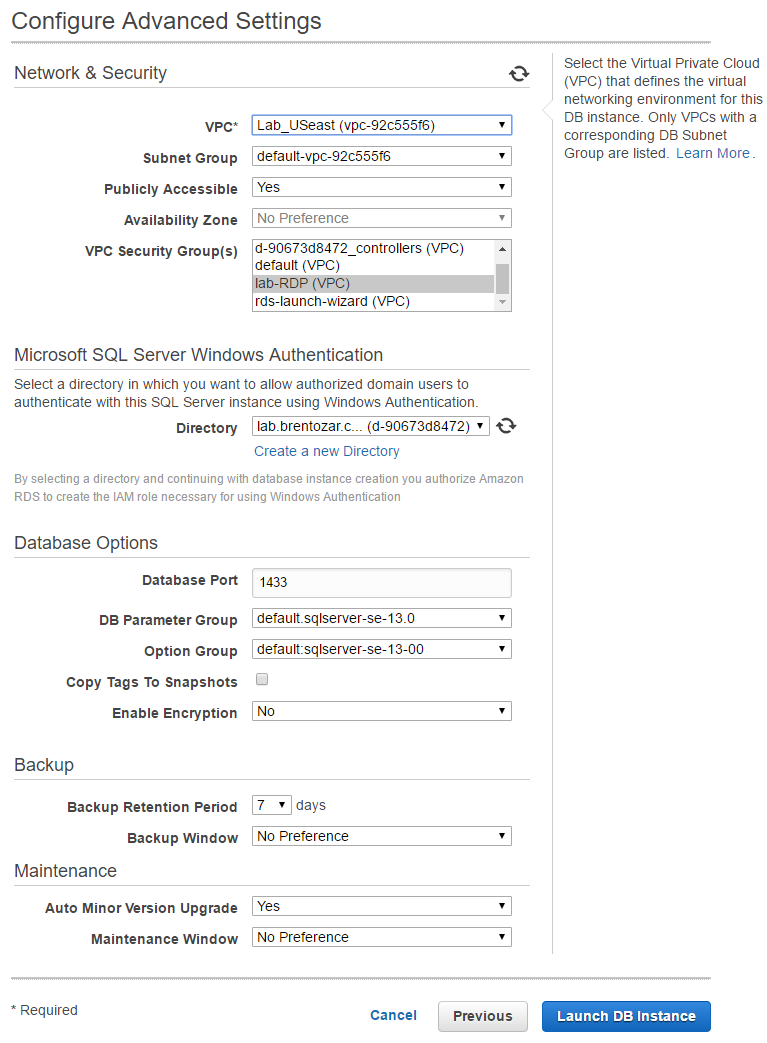
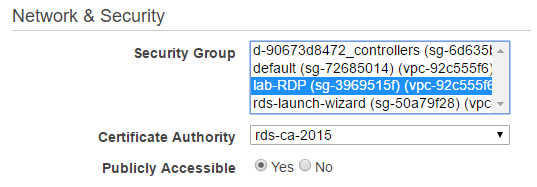
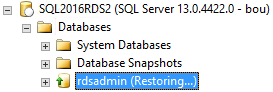
Brent Ozar: Let’s see, J.H. next asks, “What are things to consider, or how does AWS SQL Server handle jobs, linked servers or any other things when migrating to AWS’s cloud?” Well, there’s two kinds of servers in the cloud in AWS, and really in anybody’s platforms. One is infrastructure as a service, which is just VMs. It’s the same VMs that you know and love dearly. The other one is RDS, or Amazon’s Relational Database Services, where they manage things for you. They manage the backups, they manage the restores, they manage things like linked server configuration. That is entirely different, and you’ll want to hot AWS’s documentation. While you’re in there, if you’re moving to AWS RDS, do a search on our site, or go on our site and click Blog and then Clod Amazon, because Tara recently wrote a blog post about restoring databases on AWS RDS. How did that go? Explain how that experience went.

Tara Kizer: Well I mean, I’ve been a DBA for a very long time; about 20 years at this point, and I’m not used to having to click through a wizard that’s not a management studio or enterprise manager wizard, you know. It’s unusual being a DBA clicking through a website to do a system restore. I mean, it took forever, and this was a smallish VM, but it probably was due to the 200-gigabyte disk that I used. It took like an hour to do a restore and my database was saying – I think it was like 10GB, but I did have a 200GB disk, and so it restores the entire image, not just the database. So if you have multiple databases where you’re talking about all of those being restored – it was just different being a production DBA. I think as a sysadmin, it might be easier to do the cloud type stuff because they’re not used to doing SQL Server work anyway, so you might as well just use these tools.


Does SQL Server licensing come in 2s or 4s?

Brent Ozar: So let’s see here. Next up, Ben says, “Can you only license SQL Server in multiples of four, right?” No, it’s weird. The minimum core count that you can license a SQL Server with is four cores, you actually buy them in two-packs. So you need two – and I can’t say this with a straight face – two two-packs in order to license any SQL Server, but then you can go in two-packs from there, so four, six, eight, 10, 12, whatever.


Should I separate data & logs on a VM?

Brent Ozar: [Kaushek] says, “Is it still recommended to separate data and log and tempdb files to their own disk drive on a VM, or do you recommend keeping everything on a single drive?” We actually answered this earlier, it was the first question we took. If you want, go to BrentOzar.com and click Blog up top, we recently blogged about this too, in the last week or so.


Are SQL Server connections encrypted by default?

Brent Ozar: J.H. says, “Is it correct that since SQL Server 2005 all connections are encrypted by default, and even if SQL Server doesn’t have a real signed certificate, it’s going to use its own self-signed cert?” So this is tricky…

Tara Kizer: Do you actually know this answer?

Brent Ozar: I do know the answer, and the only reason I know the answer is because I sat in Andre Melancia’s GroupBy session on hacking SQL Server.

So I totally cheated. And he demoed this; you can go to GroupBy.org, this is my open source community conference where SQL Server people, or really any database people, can go to submit any topic. Everything’s free, you get to vote to pick who does sessions on what. So there’s one called Hacking SQL Server by Andre Melancia, and he actually steps through this. The connection is encrypted for your username and password authentication, but as soon as that’s done, the rest of your packets go through unencrypted. So your results go across the wire unencrypted. Andre actually shows a man in the middle attack where he changes data coming back from a SELECT statement. So you SELECT out one thing but the data you see is entirely different because it’s not encrypted by default.


I get thousands of deadlocks per day…

Brent Ozar: And the last question we’ll take is from Samantha. Samantha says, “Speaking of deadlocks, I have an application which I’ve been able to chart between 300 and 6000 deadlocks per day…” Great. “It’s always on the same delete statement supplied by multiple polars.” She’s got a database doing about 2000 transactions per second. “I’ve tried to ask them to pull less, but since the end user isn’t noticing any lost data, they don’t see the problem. What should I do?”

Tara Kizer: Are the deadlocks a problem? I mean she just said the users aren’t noticing it, you know. Is there any problem? When I’ve had deadlocks at my last job where users were not noticing a problem because it was all back-end processes that were deadlocking, it was more a performance issue of getting all this work done. And then just nuisance from the DBA team, you know, open up the error logs, as we always did have the deadlock trace flag to post the data to the error log. So that’s not causing any issue, then so what that it’s happening so frequently. Samantha, you said it’s always on the same delete statement. I wonder, is it two delete statements? Is it always the exact same delete statement and its two different polars are sending the exact delete, and are they deleting the same row or maybe it’s locking the page? I would want to know what the other process is doing.

Brent Ozar: yeah, and if the developers have retry logic built into their app, you know, when they get a deadlock they just retry it again, that’s not terrible, it’s not so bad. If it was a 1000-line-long stored procedure where they were doing all kinds of work and right at the end it was the deadlock victim, yeah, the rollbacks would probably suck. But if it’s just one-line deletes, it’s not necessarily so bad. Alright, well thanks everybody for hanging out with us today and we’ll see you guys next week on Office Hours. Adios…


I’m on the new SQLPlayer Podcast

Company News
2 Comments
Me, Damian Widera, and Kamil Nowinski in Wroclaw

On my Poland trip, I sat down with Kamil Nowinski and Damian Widera to talk about how I got started with presenting, why I don’t use PowerShell (but you should), how sp_Blitz ended up on Github, my work/life balance, the Microsoft Certified Master exam, and a lot more.

The whole thing is fully transcribed, so you can either read it or listen to it, whichever you prefer.

Head on over, and if you get the chance, I highly recommend both speaking & attending at SQLday in Poland. It was a ton of fun, and really well-organized. (Also, it turns out I love Polish food!)


sp_AllNightLog: ¿Por que los queues?

Building stuff

I sometimes really hate coming up with ideas, and much prefer someone to just say “I want this” so I can go out into the world and figure out how to do that. Occasionally though, I realize that I’m not going to get all that much direction. That’s what happened with sp_BlitzQueryStore.

It also happened with some of the internals of sp_AllNightLog. Now, this is mostly a wrapper for two already-brilliant stored procedures: sp_DatabaseRestore, and dbo.DatabaseBackup. It has a few different bits of functionality that I’ll write more about, but two bits in particular both work off a queue table: backups and restores. I’m going to explain a little bit how the backup portion works, and why we chose to do things this way.

Prior to this, I’d never used a queue table, or written any code that used queues. I’d always been told (and I think rightly) that queues don’t belong in the database. I joked with Brent about using Service Broker.

He didn’t laugh.

Now that I’m out of the hospital

Here’s why a queue made sense in this scenario

We do:

  • Need backups and restores to happen as soon as possible
  • Add databases frequently
  • Want a mostly static number of Agent jobs

We don’t:

  • Want to rebalance Agent jobs to make sure they all finish within RPO
  • Add Agent jobs if we can’t rebalance
  • Have a job per database

Given the set of needs, a queue was the only thing that makes sense.

The pseudo code looks something like this:

We have 10 ‘workers’ (Agent jobs)
Each job runs in a loop with a WAITFOR to throttle it
When it activates, it checks the queue table for either a database that hasn’t had a log backup in the last 30 seconds (this is configurable), or a database that has never had a log backup

When it finds one, it locks the record (there’s a begin tran, and some locking hints), updates a couple fields: one that will allow other workers to skip over it: is_started, and a date started.
Takes the log backup (this is what calls Ola’s proc)
Marks the backup as completed, mark the backup as not started (sets is_started back to 0), and marks a completion time

There’s some other mesh and lace in there to handle errors and failures. Each job also has a 10 second run schedule behind it, so that if it fails miserably, it will try to restart again pretty quickly.

Now, I know what you’re thinking. Because I said “queue table”, you’re picturing some awful deadlock-ridden hotspot, inserting a row every time something needs to be done.

Non, non, non! We are not the dummies!

cheek2cheek

Every database gets 1 row, and only 1 row. We use Locking Magick® to serialize row access, and a pretty simple query for workers to figure out which database needs a backing up. It’s nifty, I promise. It’s not like those other queue tables that have given you the runaround and broken your heart before. When you create a database, a polling job adds it to the worker table, and it gets picked up the next time a worker activates.

Four queue

There’s a really cool feature in Ola’s procs — @ChangeBackupType. What this will do, is if a backup job comes along to do a diff or log, and it finds that it can’t because there’s never been a full backup, it will change the backup type to a full. It was really important to us that any job where this happened didn’t impede other backups finishing.

That means that if we kept trying to have a set number of jobs, and trying to rebalance them, some number of databases could get held up if we added a large database to the server that had never had a full backup here.

Picture an Agent job responsible for backing up 199 databases. We add another to it, Database200, and it needs a full. If that full takes 5-10 minutes, the other 199 databases don’t have a log backup start until that’s done. That breaks RPO.

Since each worker is only responsible for one backup, and one database at a time, the other 9 workers can still work on other log backups. This gives us a higher degree of safety, and gives us a better shot at staying with RPO.

I hope this clarifies a bit why we chose to use a queue in this scenario.

Thanks for reading!


New Stack Overflow Public Database Available (2017-06)

Stack Overflow
5 Comments

Nick Craver and the kind folks at Stack Overflow publish their data export periodically with your questions, answers, comments, user info, and more. It’s available as an XML data dump, which I then take and import into SQL Server for teaching performance tuning.

You can download the 16GB torrent (magnet), which gives you a series of 7Zip files that you can extract to produce a 118GB SQL Server 2008 database. You can then attach it to any 2008-2017 SQL Server.

Stack Overflow
The place that saves your job

The data goes up to 2017/06/11 and includes:

  • Badges – 23M rows, 1.1GB data
  • Comments – 58.2M rows, 18.5GB data
  • Posts – 36.1M rows, 90GB data, 15.5GB off which is off-row text data. This table holds questions & answers, so the Body NVARCHAR(MAX) field can get pretty big.
  • PostLinks – 4.2M rows, 0.1GB
  • Users – 7.3M rows, 1GB
  • Votes – 128.4M rows, 4.5GB

To learn more:

  • BrentOzar.com/go/querystack – my page about the SQL Server export with more info about how I produce the database.
  • Data.StackExchange.com – a web-based SSMS where you can run your own queries against a recently restored copy of the Stack databases, or run other folks’ queries.
  • Watch Brent Tune Queries – free sessions where I take different queries from Data.StackExchange.com and tune it live.
  • How to Think Like the Engine – free videos where I show the Users table to explain clustered indexes, nonclustered indexes, statistics, sargability, and more.

A Better Way To Select Star

Mindless Self Promotion

I liked writing this blog post so much that I wrote an entire presentation on it. If you’d like to see it at GroupBy, click the link and vote.

Update: You can watch the video for this session here.

Much has been written about this

It’s probably one of the lowest hanging items a performance tuner can deal with.

Don’t need all those columns?

Don’t select them.

But what if you do need them?

You’re left with pretty grim choices.

  1. Make a really wide nonclustered index: (some key columns) include (every other column)
  2. Rearrange your existing clustered index — maybe the wrong key column was chosen to begin with
  3. Create a narrow nonclustered index on just the (some key columns) and then hope that by some stroke of luck, no one ever conjures up a WHERE clause that pushes the optimzer past the Key Lookup tipping point and into the clustered index scan zone

Assuming that you don’t find any of those palatable: I’m 100% with you.

What if there’s another way?

Query Godmother

Using the Stack Overflow database (duh) as an example, let’s check out the Users table.

Not the worst, but…

There are some columns in there I’d be unhappy to index even as includes, especially AboutMe which is a MAX.

Right now, we have this query, and it has a cost of 156.8 Query Buckaroos.

Here’s the CPU and I/O profile from SET STATISTICS TIME, IO ON — I’ve abridged all the I/O output in the post so you don’t have to read that a bunch of things did 0 reads. If it looks a little funny to you, that’s why.

Table 'Posts'. Scan count 7, logical reads 25187
Table 'Users'. Scan count 7, logical reads 80834
Table 'Worktable'. Scan count 0, logical reads 0


SQL Server Execution Times:
CPU time = 4297 ms, elapsed time = 2324 ms.

The thing of it is, we created this nonclustered index

But it gets no use, sort of like my willpower.

Resist temptation!

Let’s pretend we care

This query only returns a couple thousand rows, so you’d think the optimizer would choose a key lookup plan.

A quick check forcing our index leaves us scratching our collective heads — this query has a ‘much’ higher cost, at 275.6 Query Bucks, but finishes much faster.

Here’s the stats output:

Table 'Users'. Scan count 7, logical reads 5479
Table 'Posts'. Scan count 7, logical reads 25279
Table 'Worktable'. Scan count 0, logical reads 0

SQL Server Execution Times:
CPU time = 532 ms, elapsed time = 109 ms.

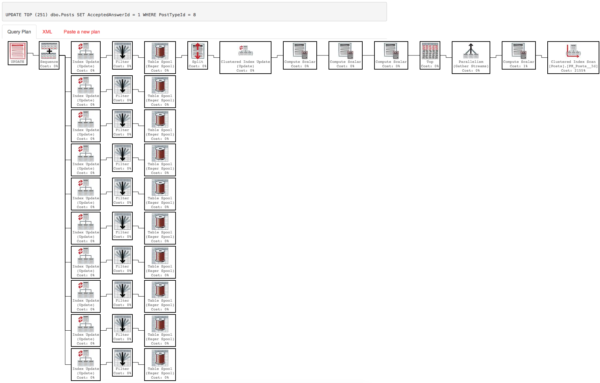
Here’s the query plan:

Doodles.

Recap so far: When we force our thoughtful nonclustered index, we get a more expensive plan that runs in 100 milliseconds vs 2.3 seconds.

But we hate hints

That key lookup plan might not always be awesome. Like I mentioned, this query only returns a couple thousand rows. If we expand our search, we may not want to do that key lookup a whole bunch of times. If we keep forcing the index, queries that return more rows will necessitate more key lookups, and that can really slow things down.

Study your math, kids

Organics

So how on earth do we get the optimizer to choose our nonclustered index, have it make sense to do so, and not do row-by-row Key Lookups when it shouldn’t?

One option is to use a CTE, or common table expression for those of you who have word quotas to fill.

How do we do? Here are the stats output results:

Table 'Users'. Scan count 7, logical reads 8340
Table 'Posts'. Scan count 7, logical reads 25279
Table 'Workfile'. Scan count 0, logical reads 0
Table 'Worktable'. Scan count 0, logical reads 0

SQL Server Execution Times:
CPU time = 577 ms, elapsed time = 109 ms.

We have very similar metrics to when we force the index with a hint. How does the plan look?

SOME

This could use some explanation, here! Why is this better?

We use two narrow nonclustered indexes to do our early joins and predicate filtering. Even though in the plan for the original query, the predicates on CreationDate and Reputation are easily pushed to the clustered index scan, they aren’t key columns there. That means we read every row in the CX and filter along the way. Using the narrow nonclustered index, read far fewer pages (5.2 million rows vs 283k rows).

The results of this join are passed on and finally joined back to the clustered index on Users. This gives us our display level columns, but only for the rows we need to show you.

We’re not dragging them around all throughout the query. This is a far more efficient use of, well everything.

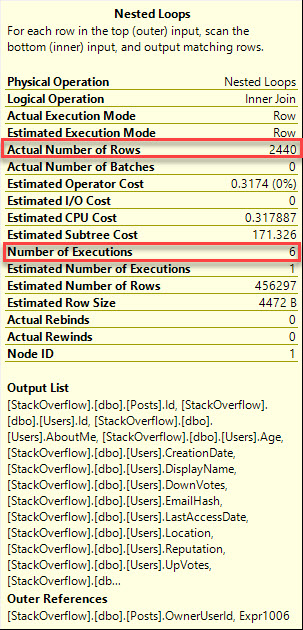
I know what you’re thinking, though. Didn’t you just replace a Key Lookup with a Nested Loops Join?

YEAH I DID!

But check it out, the Nested Loops Join is a smarty pants, executes 6 times, and grabs about 407 rows per iteration. Remember our Key Lookup executed 1506 times to get 1506 rows. That’s, like… One. One at a time.

Bully for you

This can also be extended to Cross Apply, because of course it can.

This results in the same plan and the same stats output. No need to rehash it all.

Different, but valid

If the logical needs of your query change, it may be simpler to express things with EXISTS, but the same basic idea works.

The stats output is close enough to the CTE and Cross Apply plans. The query plan is a touch different, though. A Hash Match Aggregate on the Id column is inserted after the initial join.

BODY ONCE TOLD ME

Shut up already

While I’m not a fan of SELECT * queries, I realize that they may be necessary sometimes. I mean, why have all those columns if you’re not gonna show’em to anyone?

If you can, try to cut out unnecessary columns from queries. Richie has a good post about doing that with EF over here.

If you can’t, you can always defer the pain of scanning the clustered index until you’ve cut results down to a more reasonable bunch of rows, and you can do it in a way where you don’t have to rely on the optimizer choosing a Key Lookup plan, or forever forcing one where it might not be helpful.

Thanks for reading!


[Video] Office Hours 2017/06/28 (With Transcriptions)

This week, Erik, Tara, and Richie discuss performance and load testing tools, sysadmin update SQL server restart, defragmenting column store indexes, Amazon Redshift, installing Microsoft updates, Always On Availability Groups, Redgate SQL Clone, as well as their thoughts on the current DBA job market.

Here’s the video on YouTube:

You can register to attend next week’s Office Hours, or subscribe to our podcast to listen on the go.

Enjoy the Podcast?

Don’t miss an episode, subscribe via iTunes, Stitcher or RSS.
Leave us a review in iTunes

Office Hours Webcast – 2017-6-28


Can you recommend a load testing tool?

Erik Darling: Gordon asks, “can you recommend a performance or load testing tool?” Can I ask a follow-up question? I that free or how much money are you willing to spend on that? Tara, you have some load testing – you don’t have load testing, you used to crack the whip on a whole team of people who did load testing; tell us about that…

Tara Kizer: Yeah, see the last three jobs, I’ve worked for companies that have a dedicated load testing team. So yeah, we spent money on the tools, we used Enterprise level tools. I don’t remember all of the tool names, but one of them was LoadRunner. I have used some free tools on the side when I couldn’t get testing time in the performance environment – Adam Machanic’s SQLQueryStress tools. You know, an easy one for a DBA to generate some load on the system because these tools are complicated. So it’s not like I could just jump in and run a test, I had to wait for the performance team. One of the tools that my last job used was Visual Studio. I’m not exactly sure what they did in there, but definitely one of the applications used Visual Studio for the load testing tool.

Erik Darling: Dell Benchmark Factory is another cool one, but these tools are expensive because that stuff is complicated and you’ve got to set up, you know, reads and writes and all sorts of other stuff going on. You’ve got to turn a whole bunch of weird knobs and – actually, that’s one of those jobs, I think that would be too hard for me.

Tara Kizer: It seems interesting…

Erik Darling: Oh yeah, it seems interesting but I think that I would just get lost in the minutiae of it. Like, it would … have this many users doing this, and this many users doing that; there are too many options there for me. I would need someone to keep me in line, I wouldn’t be able to just do that on my own.


What’s a good book for learning OLAP?

Erik Darling: Let’s move on then. Bill asks, “what is a good book or resource for learning OLAP and OLAP cubes?” I have no idea, I’ve never done any such thing. We tend to stick to mostly core SQL engine stuff here. We don’t really do a whole lot with OLAP or analysis services or any of that crazy stuff. So I actually don’t have a good answer there…

Richie Rump: I’ve spent my career avoiding OLAP, so yeah.

Tara Kizer: I once installed analysis services, but that’s about it.

Erik Darling: I’ve never even heard anyone say, oh I read this great book on OLAP cubes recently.

Tara Kizer: There probably are some great resources out there, we’re just not the right people to ask. Maybe post a question on Twitter, use the SQL help hashtag and I’m sure someone could give you an answer there.


How do you stop Windows updates from restarting SQL Server?

Erik Darling: Alright Tara, here’s one that’s right up your alley. So Brent gets this right, now it’s my turn to screw it up – Michaela asks, “how do you stop sysadmin windows updates from restarting SQL Server?”

Tara Kizer: Why do I get to answer this, just because my company has had monthly patches?

Erik Darling: [crosstalk] DBA since you were 12, you could answer…

Tara Kizer: No, I did graduate from college before – and I did not go to college early. I did see that, I look – I am older than you, Erik. I’ve worked for companies that had a sysadmin team and we used the System Center SCCM tool to manage all that stuff, and you just uncheck the box if you don’t want it to reboot. Or maybe we would just have it download the updates to the server, and then we would manually install them and reboot them. So it just depended upon the environment; there were some environments that we would have it installed, reboot the whole thing. Some environments, we needed more control of it. Other environments we needed to, you know, make sure the failovers were done correctly because we were using multiple instances on some clusters. I don’t know, as far as – if you’re just using Windows updates and scheduling that way, I’m not sure. SCCM is very, very powerful tool, and expensive again, Enterprise level product.

Erik Darling: Yeah, you might even be able to set something in group policy that would prevent that from happening, but I am not nearly anywhere near as good at group policy as I should be to tell you exactly how to do that.


What’s the best practice for maintaining columnstore indexes?

Erik Darling: Let’s see here, Dorian asks, “what are some best practices for defrag and update stats for columnstore indexes?” You know, it’s so new, I don’t think there are best practices yet.

Tara Kizer: I have no idea…

Erik Darling: I do know that if you have [crosstalk]…

Tara Kizer: Do you really need to do a defrag on columnstore indexes?

Erik Darling: Well sometimes, if you have uncompressed row groups or, I believe, if you have deleted records that haven’t been removed from row groups yet, you might need to rebuild them, but I think generally I would tend to treat them like regular indexes and just kind of leave them alone. You know, update stats maybe, if you do a data load, but I think with columnstore the amount of data you’re loading is usually significant enough to, you know, trigger an update stats the next time the query runs.

Dorian, what I would do is I would head over to NikoPort – let me grab that URL for you. Oh look, it’s the first thing that popped up when I typed in Nik…

Tara Kizer: You know you’ve gone to is a few times.

Erik Darling: I go to it once a week when I send people. So Niko Neugebauer is a really smart guy who blogs a ton about columnstore. I’m sure that if you dig through his, now 107 part blog series on columnstore indexes, you will find something about defragmenting.

Tara Kizer: He’s the one that presents that Office Hours? Sorry, not Office Hours, GroupBy?

Erik Darling: Yeah, he did GroupBy, he does PASS and everything else. I mean he is a hit on columnstore.


How good is SQL Server’s audit functionality?

Erik Darling: Alright, let’s move that on and see here. Jeez, I’m going to say this is a no, but Wes asks, “have you used audit tracking functionality in SQL Server, what are your views on it?

Tara Kizer: I have not. Anytime I start thinking about auditing, I’m wondering about performance at that point. I mean, yeah people want to audit things, but at the cost of performance?

Erik Darling: yeah, that’s one of those things that I go right to third party vendors for, because they’re usually much more cognizant of hurting performance than Microsoft is sometimes.


What’s a good resource to learn COALESCE?

Erik Darling: Robert asks, “do you know a good resource to learn more about the COALESCE function?” Well, I’m curious what your confusion…

Richie Rump: Books Online works pretty well.

Tara Kizer: That’s everything you need to know.

Erik Darling: Yeah, that’s sort of everything you need to know. I wonder what in particular, to you, what’s unclear about the COALESCE function. Is it the difference between that and IS NULL? What is your question about COALESCE? What did you see that led you down this strange road?


Can I add another node to a cluster with different storage?

Erik Darling: Let’s see here, Gordon asks, “is it possible to add another node to a cluster but specify different storage?”

Tara Kizer: Well I mean, it needs to be shared storage. You can point to multiple SANs in one cluster, but they both have to look at them.

Erik Darling: I’m going to go out on a limb and say that if you point to different storage, failover is going to be tricky. Can you imagine?

Tara Kizer: Yeah, I mean, in an Availability Group cluster, I mean, when people start talking about nodes and cluster, I’m assuming they’re talking about a failover cluster instance. Those terminologies still exist in availability groups, but I mean…

Erik Darling: Just no one talks about availability groups using that.

Tara Kizer: Exactly, yeah. They still are nodes in a cluster; people just don’t use those terms.

Erik Darling: Until Allan Hirt comes around and spanks them, then we know. Alright, so Gordon, you might want to clarify that a little bit.


Are there any new training videos coming soon?

Erik Darling: Let’s see here, James asks if, “there are any new training videos coming soon?” Yes… Shocking.

Tara Kizer: Maybe like one million from Erik. He did like 100 in a day or something.

Erik Darling: They were short. 17, 18 videos that are all sort of like more – not like performance, like DBA focused stuff. Like to-do list stuff, like setting up database mail and Remote DAC and how to use things and how to set up index and statistics maintenance with Ola Hallengren. So there’s lots of good stuff in there. But they are shorter videos, they’re not long videos like T-SQL Level Up Two.


How big is Brent Ozar Unlimited?

Erik Darling: There are, what, four people who work at Brent Ozar, Michaela asks. How many people working? Well, four plus Erika.

Tara Kizer: She’s part of the company though, right?

Erik Darling: She is, but she’s not as visible as the rest of us.

Tara Kizer: Not as visible, yeah. So five, four visible [crosstalk]

Erik Darling: Hand of the free market.

Tara Kizer: We don’t even get to see her in the company chat room hardly ever. Like I don’t know, twice a month…

Erik Darling: I know, like once in a while she’ll pop in on the Friday before a long weekend and tell everyone to go drink. This is why you’re popular.

Tara Kizer: I love when she does it because I’m three hours behind you guys, so I get off really early.

Erik Darling: I know, it’s like 7am for you. Lucky you, lucky, lucky, lucky you.


Should I shut down SQL Server before rebooting?

Erik Darling: Alright, let’s see here, “Deborah asks, “interested in your opinion of rebooting Windows server without first shutting down SQL Server.”

Tara Kizer: I have rebooted hundreds of servers, maybe thousands of server; I don’t ever shut down SQL Server first. This is a planned maintenance, I may talk to the web ops team or whoever it is we’re calling these days and tell them to shut down the applications. That way it can go through a graceful shutdown. But as far as SQL Server, SQL Server in Windows handles that; I’ve never had a problem.

Erik Darling: Yeah, me either. I’ve also just – like, I mean because it goes through the same shutdown process either way.

Tara Kizer: Exactly, the only thing that I would be worried about as far as SQL Server goes is if you have an index maintenance job currently running when you reboot, to make sure you have those jobs – especially I’m talking about the index rebuild job – make sure that occurs at an hour that you will not be rebooting servers manually, because I have, in a maintenance window – we had an index rebuild occurring for a 7TB database and I didn’t know it was running and I restarted SQL Server as part of our planned maintenance… Woo let me tell you, that was painful.

Erik Darling: Yeah, that’s rough. [crosstalk]

Tara Kizer: It was offline for a while. Yeah, I don’t remember exactly what the error log said, but we were watching it go through the different phases and the percentages. I think it was down for, I don’t know, [crosstalk] for like three or four hours or something like that. I mean, you know, there should have been like a two minute failover or whatever, because that would have been a clustered server.

Erik Darling: Should have been.

Tara Kizer: I rescheduled that job until a later time when I would not be awake to do planned restarts.


Can I connect to Redshift with SSIS?

Erik Darling: Alright, James asks, “do you guys know anything about Redshift AWS Data Warehouse? Does it connect via SSIS?” Richie, have you done anything with that? I know you’re not an SSIS man, but I know…

Richie Rump: I like Redshift a lot. I do not know if the SSIS connects directly to it. I’m assuming somebody’s working on something with that. Redshift is pretty cool, I dig it a lot, but as far as SSIS connecting to it, yeah, I’m kind of out of the SSIS game, thank god. I don’t want to deal with that anymore.

Erik Darling: Thank god indeed.

Tara Kizer: You mean you’re not going to be taking Andy Leonard’s new SSIS training with us?

Richie Rump: I did Andy Leonard’s training, I’ve done it. Yeah, he was doing SQL Saturday, Atlanta, did a pre-con. And I’m like, whatever – because I was on a contract where I needed to do SSIS, and I’m like whatever’s in that dude’s head needs to be in my head. So my plane landed a little bit late, so I walked in and it had already been going for an hour. And I walk across by Andy and he goes, hey Richie, how you doing? Have a seat.  And I’m like, he knows my name?

Erik Darling: That’s pretty funny. See I would do that training but it’s advanced SSIS training, and I am the least advanced SSIS user you could possibly find. You would have to like grab a fetus to find someone with less SSIS experience.


Have you ever seen an Availability Group with…

Erik Darling: Alright, let’s see here. Paul asks a bit of an odd question. “SQL Server 2016 Always On Availability Groups, can you provide a real-world example of a multiple AGs with multiple SQL instances using two or more nodes?”

Tara Kizer: Multiple AGs with multiple SQL… Yes, it wasn’t 2016, but it doesn’t matter. It was 2012 at my last job and we had a 14 node cluster that had, gosh, it would have been 14 SQL Server instances. It was virtual machines and we did one instance per server, and then the AGs spanned at most, back then it was 2012, at most five server, because you could only have four secondary replicas, and the AGs – it was to copy data to DR, it was to copy data to a failover server and it was to copy data to reporting systems. So we had AGs everywhere in this 14 node cluster. I think I’ve answered his question, I’m not quite clear.

Erik Darling: It sounded good to me.


Should I install cumulative updates right away?

Erik Darling: Kaushik, I hope I got that right, Kaushik? You got me on that one; my name’s probably tough for you. “Can I install cumulative updates in production as soon as Microsoft releases them, or wait a certain period?”

Tara Kizer: Yes, please do. That way, you can test it for the world, for us, because most of us are going to wait. Depending upon the bug fix, I don’t install the current one unless it’s been out for like a month or three months. I’m not talking – I’m talking the hotfix as a cumulative update. Now that’s my answer for SQL Server. Now for the Windows type stuff, the past three companies, they’ve all been installing those, you know, a few days after they get released, the security patches, the security updates at least. Those are really big in security, but SQL Server, I don’t install them as soon as they come up, that’s for sure, because there are bugs in them. There can be, I should say.

Richie Rump: Yeah, but there’s a difference between a hotfix and your cumulative updates.

Tara Kizer: No, I mean as far as SQL Server, they are the same. So you have your service packs and then you have your CUs, and another word for a CU is a hotfix.

Richie Rump: Okay, because it was my understanding that you had your hotfix and then the CUs bundled all the hotfixes together.

Tara Kizer: I mean, yeah I guess, but you don’t get the hotfixes separately, the hot fixes…

Erik Darling: Unless you’re real special. [crosstalk]

Tara Kizer: Maybe you get something special, yeah. I have done that.

Erik Darling: Yeah, I mean, so my advice there would be: don’t run out and install it immediately in production. This is something you want to roll in dev, proc, QA first, make sure everyone’s, you know – because not only can you run into bugs just from installing the service pack, but there can be bugs within the service pack that are specific to what you’re doing. So it’s something that you want to pretty thoroughly kick the tires on before you, you know, go rolling that up to prod. Another thing is that Microsoft has kind of changed the way stuff gets released, and cumulative updates now are going to be much more common and service packs are going to be much more rare. So you’re going to have to trust in the cumulative updates a little bit more than you used to in the past, but still make sure that you’re testing that, especially if you’re using AGs or anything else that’s an HADR component of SQL Server because stuff can go real wonky.


Should I change from FCIs to AGs?

Erik Darling: Let’s see what else is going on… So Tara, let’s talk more about AGs. “I hear you guys referring to Always On…”

Tara Kizer: What’s the name, real quick?

Erik Darling: Chris Adaline. Because the PITA, which we all know is an acronym [crosstalk]…

Richie Rump: Pita bread, that’s what it means…

Erik Darling: Yes, enjoy your humus, sir. “Is it worth looking at? We’re using clustering now but there’s no storage or site redundancy with it.”

Tara Kizer: I like availability groups, I love them, I’ve had great success with failover cluster instances. I was, at the time when we were looking at availability groups, we were using failover cluster instances for high availability, we were using asynchronous database mirroring for disaster recovery and log shipping to the pass as well, and we were also using transactional replication for reporting, the reporting system; so three different features for one system. Add in availability groups and you can get rid of those three features and it provided everything we needed for HADR and reporting.

So I really like them, but it does take clustering knowledge, it’s going to take a lot of your time, troubleshooting is hard. You need to understand what – if you’re going to be running reports on the readable secondary, you need to understand statistics and the indexes are from the, you know, main system. So there’s a lot of things that you need to know and you need to make sure that you have understanding of clustering and quorum and votes that you don’t cause unexpected outages. There are GUIs for availability groups, and so people have set them up and caused production outages because they did not understand them, whereas failover cluster instance, it’s very complex to do, and so you usually have a lot of knowledge when you’ve set up a failover cluster instance.

Erik Darling: Well, I’ve set them up so I don’t know… Maybe right, you may be wrong. I think it really depends on your level of experience and your comfort with SQL Server. If you are very comfortable with failover clusters and you’re not terribly comfortable with SQL Server or – so you haven’t used, like, mirroring or anything of that nature, I would stick with the basics. I would just go with log shipping or something simple that is easy to non-lifetime DBAs to wrap their heads around, Tara… so if you haven’t really done much with availability or stuff like that, I would say keep it simple with log shipping. Mirroring I’m a little bit meh on, just because, you know, it is deprecated, but it’s still pretty cool.

Tara Kizer: Yeah, I would want to know first, what problem are you having with clustering right now that you’re looking to replace? I wasn’t looking to replace failover cluster instance, I was looking to replace transactional replication and it just so happened that it also replaced HADR features for us. So that was my goal.

Erik Darling: So I think another topic worth covering on this, just because it is sort of in the same neighborhood as this, is geo-replicated clusters. Because you can extend a cluster to DR, but that’s…

Tara Kizer: Who the heck does that? I know people do, but who are these corporations that can afford that. When I worked at, you know, my LinkedIn profile’s public… When I worked at Qualcomm, every two years someone would ask if we could do this, and they also want to know about being able to write at both datacenters. Like okay, $2 million, send it over our way and we’ll get this set up.

Erik Darling: No problem, we’ll have it done this weekend.

Tara Kizer: SAN vendors were always extremely excited every time the discussion came up, ooh wow… We can retire early.


Have you used Red Gate SQL Clone?

Erik Darling: Oh man, that’s fun stuff. Dorian asks, “have you used Red Gate SQL Clone? What do you think about it in dev and QA environments?” I haven’t touched that one yet.

Tara Kizer: I was a big Redgate fan, they must not have had that when I used to use it.

Erik Darling: Yeah, it’s kind of on the newer side. I really like a whole bunch of Redgate tools but I haven’t used that one.

Tara Kizer: I would imagine it’s great, since everything else from Redgate, and the other companies, they’re great too – the big ones at least.

Richie Rump: Yeah, I was on the beta [crosstalk]; never opened it up.

Tara Kizer: there’s also the new DBCC CLONEDATABASE for SQL 2016 that comes with the product.

Erik Darling: That’s for 2014 now too, that came out in some service pack or CU… Or it may have come out there first actually, I forget. Either way, DBCC CLONEDATABASE is another sort of way to do that, which makes a statistics only copy of your database that you can stick on – I have a blog post up about that with some warnings about security and about not rebuilding indexes, because it will clear out all those stats that you just cloned. Hurray.


Is it true that UDFs are single-threaded?

Erik Darling: Alright, let’s see here. We still have so many hours left, oh my God. Paul asks, “is it totally true that UDFs are single threaded and if so, when using a stored procedure, is the whole stored procedure restricted to single thread?” Well yes, it is true – well actually it’s funny, because the UDF can go parallel, but the query that calls it is forced to run serially. That only causes the query that calls it to run serially, that doesn’t cause the entire, what do you call it, stored procedure to run serially, just whatever query it’s a part of. So that’s about that.


Who does the character drawings?

Erik Darling: Wes asks who does our character drawings? It’s a fella named Eric Larson, he has a website, Eric Larson artwork – he spells Erik wrong but Larson correctly. That’s who does them, and he’s wonderful. He just drew Tara’s new devil horns character…

Tara Kizer: Yes, I’m very excited about that one.

Erik Darling: I would be too, I need to get me a new character. I need to get some action shots, I’m all…

Tara Kizer: Yeah, you’ve been here long enough, you should have a few by now. I finally got my first. Richie’s always had his action shot since the very beginning, I think.

Erik Darling: yeah right, lucky Richie.


Have you used Rubrik?

Erik Darling: Let’s see here, “have you used a tool called Rubrik for SQL backups? If so, do you recommend it? What kind of testing do I need to do before I start using it?” I’ve never heard of that one, anyone?

Tara Kizer: I feel like that one came into our help account too, I think, and the answer was no, we haven’t used it, so didn’t answer it.

Richie Rump: I’ve used a tool called Rubik’s…

Erik Darling: Funny guy over here. So what I would say about that is, I would put it on the same level as any other SQL database backup tool. Make sure that you’re not taking dirty snaps, make sure that it quiesces drive activity, make sure that your testing restores. Also, keep an eye on the error log, because you want to make sure that it’s not – keep an eye on the error log, there will be I/O frozen and I/O thawing messages, and I would keep an eye on the error log to make sure that it’s not taking, you know, more than like a second or a couple of seconds when it goes to quiesce the drives. If you see big gaps in there where I/O is frozen for databases and then, like you know, 10, 20, 30 – I’ve seen up to two minutes later I/O gets thawed for a drive; you have a problem. You don’t know if it’s part of the VSS snapshotting process or if it’s part of the data copying process, but that’s what I would do.

Tara Kizer: I had a recent client, I forget what product they were using, but it was doing the – it was quiescing, freezing the I/O, unfreezing it. I think that only took, I say only, but let’s just say five seconds, but it would cause such a slowdown for the rest of the day because that system had such high write throughput that it just started gaining like a backlog. You could see the system performing fine, and then once it happened it would take, you know, an hour before the system was running well again. They were trying to do that process very frequently. I know Microsoft recommends not to do it any more frequent than every four hours.

Erik Darling: Oh yeah, because – was that the write log people or was that…

Tara Kizer: Something like that, maybe.

Erik Darling: Because I remember hearing about the write log things [crosstalk] that’s brutal. So I just got a notification code. [crosstalk]


Have you used 2016’s data masking?

Erik Darling: Alright, let’s see, what do we have next here? “What do you think about the new SQL Server 2016 data masking and Informatica dynamic data masking?” I’ve never touched…

Tara Kizer: They say Informatica, then I’m out. I’ve supported [crosstalk] Informatica for SQL Server and it was not fun.

Erik Darling: It’s funny, when I first started working here, a buddy of mine was working at Harvard doing a  whole bunch of ETL with Informatica tools, and he was like yeah, can you do any testing on that? I was like, no. [crosstalk]

Tara Kizer: And the way Informatica collects the data on SQL Server, it adds a transaction replication publication, no subscription. So Informatica connects directly to the distribution database and figures out what data it needs. So that took a while to get used to. It just caused all sorts of problems for us.


How’s the current DBA job market?

Erik Darling: Alright, let’s see here. Ben asks an interesting question; at least I think it’s interesting. “What are your thoughts on the current DBA job market? What are the best places to find opportunities? Is there a particular website you like or where do you g when you need to find a job?”

Tara Kizer: I don’t know, I don’t know what I would do these days, but I know from LinkedIn I get a lot of job opportunity emails. Not just recruiters, but LinkedIn automatically sending out messages, and at least for the San Diego market, it has slowed down as far as the number of database positions out there. I just look at the list real quick and these days it’s been sysadmin type stuff that’s coming through, whereas about a year ago, there were several database administrator jobs here as well as database engineer, database developer type. I don’t know what the markets are across the rest of the cities of the United States and stuff, but it definitely has changed here, and it was a booming market here about a year ago.

Erik Darling: Not so booming anymore?

Tara Kizer: I mean, just based upon LinkedIn notifications and then the less recruiters sending me emails. I get a kick out of those emails. I mean, I post them in the company chat room to get a kick out of them too. It’s interesting information.

Richie Rump: [crosstalk] Kind of developer stuff…

Tara Kizer: You are a developer…

Richie Rump: I know, but it just seems that developers – it just hasn’t stopped…

Tara Kizer: Always, gotcha. [crosstalk] there are more developers than there are DBAs at a company, usually. I mean, there’s usually – large companies, a heck of a lot more developers than there are DBAs.

Erik Darling: It’s like a wise man once said, the world needs ditch diggers too.

Richie Rump: Yes.

Erik Darling: And with that, we have reached our time limit and the end of the questions. Thank you so much for joining us, we will see you again next week. See you then.


Why Is Tracking Restores So Hard?

Phantom of the Nopera

Let’s say you have a server. Let’s go one step further and say SQL Server is running on it. Crazy, I know.

But hey, we specialize in crazy, here.

If you want to track CREATE, ALTER, or DROP DATABASE commands, that’s easy enough with DDL triggers.

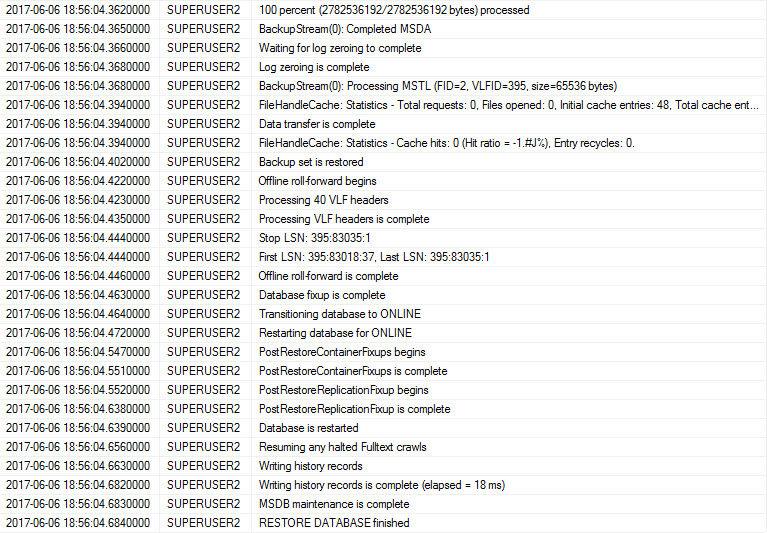
But guess what? None of those fire when you RESTORE a database. Weird, right?

Other triggers?

Astute SQL-ers may attempt to add a trigger to the restorehistory table over in msdb. It’s in the dbo schema, which might make you hopeful. We all know triggers in that pesky sys schema don’t do a darn thing.

You guessed it, restores get tracked there. So there’s, like, something inside SQL telling it when a restore happens.

Guess what, though? A trigger on that table won’t fire. Not FOR INSERT, not AFTER INSERT, and not nothin’ in between.

Extended Events

There’s even an event! The backup_restore_progress_trace tracks this stuff. There’s even some cool information in there.

Restoregasm Addict

Skip a few…

She’s always at it

Exciting stuff, right? But… that’s a lot of extra info. And, wait… How does this help us? How do we take that and fire a notification?

I’m here to assure you, dear readers, that is is possible.

The proof is in this THIRTY-FOUR PAGE PDF.

Nothing against pages, the number 34, PDFs, or Jason Strate, of course. But if you need a 34 page manual for something, the barrier to entry is, well, 34 pages high. I’m bailing on that with a quickness you only see on Maury when someone is not the father.

Polling

That leaves you with rather ugly options. You can write a query that checks in with sys.databases (or even that restore history DMV) to look for new stuff being added. But that means you’re likely firing up an Agent job, or adding application code to do that, and then start doing ~something~ with the new database.

That’s pretty lousy. If you agree (and of course you do, that’s why you’re here!), there’s a Connect Item filed by Aaron Bertrand, that was unfortunately closed almost as soon as it was opened, back in 2010.

Maybe if enough of you kind folks vote on it, it will be reopened.

Thanks for reading!

Brent says: if you read yesterday’s post about the new sp_AllNightLog, you can probably connect the dots. We needed to be able to track when new databases are created, and that was fairly easy, but tracking restores into new database names was much trickier.


Introducing sp_AllNightLog: Log Shipping at Scale, Open Source

In our Faux PaaS project, we need a backup plan – or rather, a restore plan.

On each SQL Server instance, clients can create as many databases as they want, anytime they want, with no human intervention. We need those databases covered by disaster recovery as quickly as practical.

SQL Server’s newer disaster recovery options – Always On Availability Groups and async database mirroring – have a few drawbacks. They require configuration for each new database, and they can hit worker thread exhaustion as you grow to hundreds or thousands of protected databases.

That’s where old-school log shipping comes in.

The basic concept: backing up and restoring databases

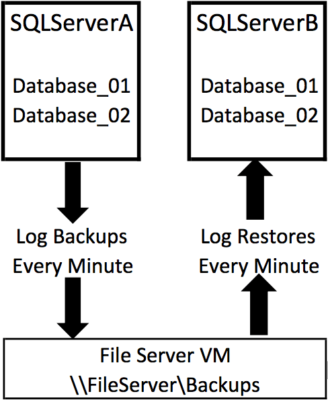
Log shipping (Books Online) isn’t just a built-in feature – it’s more of a technique that’s been around forever. In essence:

  • The primary takes a log backup every X minutes
  • The secondary watches that file share, and restores any new log backups that show up

SQL Server has their implementation of log shipping built right into the product, and it’s great – having stood the test of time for over a decade. (When’s the last time you saw a Cumulative Update that fixed a log shipping bug?) Normally, given the choice between reusing Microsoft’s code versus writing my own, I’ll take theirs every time.

Native log shipping isn’t perfect, though. We had a few ambitious requirements that SQL Server’s implementation didn’t quite meet:

  • Zero setup for newly added databases
  • Zero communication between the primary and secondary servers
  • High throughput to keep up with hundreds or thousands of databases, but without hundreds or thousands of jobs running simultaneously
  • Open source the whole thing so you can find our bugs

To make log shipping scale, we built sp_AllNightLog.

On the primary server, multiple Agent jobs take backups simultaneously across lots of databases using Ola Hallengren’s proven DatabaseBackup proc. You control the backup frequency and the number of Agent jobs to balance recoverability against performance overhead.

On the restoring server, same thing, but with sp_DatabaseRestore – multiple Agent jobs watch folders for incoming files, and restore ’em. Just like with regular log shipping, you can control the job schedules, so you can use the servers for read-only reporting workloads during the day, then catch ’em back up to current overnight.

You can install the restore side of it on multiple servers, in multiple locations, too. Here’s a sketch-out of a more advanced implementation similar to one we’re doing for the Faux PaaS project:

Disaster recovery using cloud file storage

To learn more:

I do expect to see lots of bugs in here for now – this hasn’t gone into production anywhere yet, only into our testing labs, so I’m sure we’re going to discover neat stuff over the next few weeks. If you choose to put it in production, I’d highly recommend watching the Github repo (click the Watch icon at the top right when you’re logged in) to get emails as people find bugs.

Erik Darling blogs kCura Relativity
Erik just likes them for the free coffee cups

We’d like to thank kCura for making this open source project possible, and thank Google Compute Engine for helping us lay the foundation with sp_DatabaseRestore. I’m a huge believer in partnering with clients to not just make their own projects happen, but help you, dear reader, by contributing this work back into the open source community.

Wanna work with us on fun projects like this? kCura is hiring a Senior DBA, and it’s a heck of a fun place to work.


First Responder Kit Release: Weather Is Here, Wish You Were Wonderful

ONE TWO THREE FOUR FIVE SIX SEVEN WHO DO WE APPRECIATE?

No one.

Appreciate doesn’t rhyme with seven.

Special thanks to @JohnKNess, @jsetliffe, @rabryst, @gdoddsy and @SOlsonFAC for various levels of contribution. I’ve made a $10,000 donation in each of your names to the Erik Darling Home For Little Wanderers. Very thoughtful of me.

You can download the updated FirstResponderKit.zip here.

sp_Blitz Improvements

  • #878 The Irascible Mr. @JohnKNess fixed some things so maintenance plans and jobs that shrink things and are enabled have a higher priority than jobs that are disabled, taking into account last runtime. Pretty cool! Now we can all point and laugh at your shrinkage.

sp_BlitzCache Improvements

  • #968 Adds detection and warning for Index Spools. Only the Eager kind. Why? Paul White said so. Fun fact: He was in a band called The Lazy Spools in high school. I had the XQuery written to add the check for Eagerness, but then my XML Dad Mikael Eriksson suggested an alternative. So I went with it just because. Special thanks to #SQLNEWBLOGGER Joe Obbish for suggesting reasonable thresholds, here.

sp_BlitzFirst Improvements

  • #928 PLE may go up, and it may go down. We were only looking for one of those directions. Now we’re looking in both of those directions. Thanks to @TaraKizer for pointing that out!

sp_BlitzIndex Improvements

  • #937 If you restarted your server a year ago and created a table a month ago, missing index requests for it may be terribly underrepresented. Like me at AA meetings. Now we take table creation date into account when determining missing index benefit.

sp_BlitzWho Improvements

  • #895 Adds session level wait stats for 2016+ using sys.dm_exec_session_wait_stats to grab the top 3 waits with >5ms time accumulated.
  • #942 Adds a @Debug option to print out dynamic SQL. Helpful if you’re me.
  • #926 Adds tempdb allocations! So you can see how horrible that is now, too.
  • #921 Adds Resource Governor information, for both of you crazy kids out there using Resource Governor. Thanks to @djlaney3 for the idea and code submission!

sp_DatabaseRestore Improvements

  • This underwent a bit of reconstructive surgery to bring it inline with our ‘coding standards’ (read: I had to look busy one day, so I rearranged a bunch of stuff and made sure all our strings were Unicode). No behavior was harmed during this change.

sp_BlitzBackups

  • #906 Fixes an issue with dynamic SQL around the encrypted backup check. Thanks to @jsetliffe
  • #909 Clarified language around backup compression and supported versions. Thanks to @rabryst for showing us the error of our loose-tongued ways.
  • #911 Corrects math to determine if Diffs are big or not. Thanks to @gdoddsy and @SOlsonFAC for teaching me math.

sp_BlitzQueryStore

  • #934 Fixes some weirdness when attempting to search for a specific stored procedure by name
  • #933 We are compatible with Azure! At least according to @dcurlewis. I don’t have Azure, so I can’t check. He seems trustworthy, though.
  • #968 Same as sp_BlitzCache

sp_AllNightLog and sp_AllNightLog_Setup

  • These are new! They’re part of our FauxPaaS project to do our own version of Log Shipping ~AT SCALE~. Since these are net-new, check out the documentation and other posts about them to learn more. I could go on for a month, here.

Install_Core_Blitz and Install-All-Procs

  • We’re trying something new! Because we hate opening multiple .sql files as much as you do (because why in the blue ox would SSMS decide to spawn a new window FOR EVERY SINGLE SCRIPT YOU OPEN??), we made it easy. Now you can just open one big script. We use a couple simple copycommands to do this: copy /b /y sp_Blitz*.sql Install_Core_Blitz.sql and copy /b /y *.sql Install-All-Procs.sql, which you can use and modify to create your own version, omitting whatever scripts you don’t want. Lucky you!

You can download the updated FirstResponderKit.zip here.

Thanks for reading!


There’s Something Funny About Variable Assignment

Humor, SQL Server
35 Comments

Guess who

I’m going to give you three queries, and you have to guess what the output will be before you run them.

Here they are:

Go ahead

Feel free to sub in the compatibility level that your databases are actually in before running these on your own server.

I promise, they won’t bite.

But let’s talk about your guesses first!

Will it return…
master
tempdb

Or

master
master
tempdb

You have to pick one before you run it.

Hardweirded

If you guessed two masters, congratulations! You’re smarter than I was a few days ago.

While working on a script, I ran across a weird bug in it. Whatever database was processed last would get processed over and over again until another database was ready.

Picture having 5 databases — on the first run, the loop would hit database 5 and process database 5 several times. On the second loop, it would happen with database 4, and so on, then repeat.

I couldn’t figure out why at first, but then it hit me — the variable wasn’t resetting when it hit a NULL value! It only reset when it hit an actual value. I had to hard code a reset to NULL in between runs.

SET vs. SELECT

I could have avoided some of this trouble by using SET instead. There are some basic differences between the two, but this is an important one.

If I replace my code with this, it correctly assigns the NULL and returns nothing.

Thanks for reading!


Announcing Expert SSIS Training with Andy Leonard

Company News
2 Comments

SQL Server Integration Services has changed a lot over the last decade, but one thing has remained the same: Andy Leonard has been the go-to name in the business. I’m excited to announce that we’ve partnered with Andy for online delivery of his master-level course, Expert SSIS Training.

Here’s the abstract:

Data integration is the foundation of data science, business intelligence, and enterprise data warehousing. This instructor-led training class is specifically designed for SQL Server Integration Services (SSIS) professionals responsible for developing, deploying, and managing data integration at enterprise-scale.

Expert SSIS Training by Andy Leonard

You will learn to improve data integration with SSIS by:

  1. Building faster data integration.
  2. Making data integration execution more manageable.
  3. Building data integration faster.

We surveyed thousands of subscribers, and based on your choices, here’s the topics Andy will teach:

  • SSIS Design Patterns for Performance – how to build SSIS packages that execute and load data faster by tuning SSIS data flows and implementing performance patterns.
  • SSIS Deployment, Configuration, Execution, and Monitoring – the “Ops” part of DevOps with SSIS using out-of-the-box tools and the latest utilities.
  • Automation – how to use Business Intelligence Markup Language (Biml) to improve SSIS quality and reduce development time.

It’s a live online course on September 11-12, Monday-Tuesday. It’s $1,995, but if you register in June with coupon code JoinOnline, you can save $1,000 off. Learn more and register now.


[Video] Office Hours 2017/06/21 (With Transcriptions)

This week, Brent, Erik, Tara, and Richie discuss cross-database transactions in AGs, agent job owners, column store indexes, linked servers, migrating SQL Server databases to AWS cloud, synchronous readable secondary, rebuilding indexes, backups using SANs, licensing, Always On Availability Groups on CDC, Azure Cosmo DB, compression, and encryption.

Here’s the video on YouTube:

You can register to attend next week’s Office Hours, or subscribe to our podcast to listen on the go.

Enjoy the Podcast?

Don’t miss an episode, subscribe via iTunes, Stitcher or RSS.
Leave us a review in iTunes

Office Hours Webcast – 2017-6-21


Cross-database transactions work in AGs – why aren’t they supported?

Brent Ozar: Brian asks, “In SQL Server 2016 and below, Microsoft says cross-database transactions aren’t supported with AGs, but I’m testing and it seems to be working, what’s the big deal? Why shouldn’t I do cross database transactions and AGs?”

Tara Kizer: It’s not that you can’t do them. What’s going to happen on the rollback, isn’t that where the issue – there could be an issue on the rollback, so as long as your servers are up and there’s no issue, it’s going to look like it’s working. I would test – do a BEGINTRAN in one of them and do a bit of changes and then restart one of the servers. Do this in a test environment, obviously. Or if it’s on the same server, crossing the same instance and just, you know, take the other database offline and see what happens on rollback.

Erik Darling: What’s the gotcha on distributed transactions, like when you actually use DTC and not just cross database?

Tara Kizer: [crosstalk] with AG 2016 – you know, I just did an AG client yesterday so I have this fresh in my memory, but you need Windows 2016, and our deck says that it’s somewhat supported. DTC support and Windows 2016, sort of…

Brent Ozar: It’s so bad. It’s only supported between two databases on different servers [crosstalk] database transaction, they can’t be in the same AG, they can’t be on the same server. So it’s – if you go to the Books Online page about AGA support for DTC, scroll all the way to the bottom, there’s a beautiful example just in plain English, like a thought experiment that shows you why you’ll lose data.

Erik Darling: I think they fixed that up a little bit for 2017, like it’s fully supported.

Brent Ozar: Yeah, it’s totally supported…

Erik Darling: On the same server and everything.

Brent Ozar: There’s a gotcha, when you set up the AG, you have to define where you want to lose data. If you have extra data in one database, do you want to discard it or how do you want to react to it?

Erik Darling: Oh that gave me the chills, I’m sorry.

Brent Ozar: But at least it’s supported, because how often does that really happen, you know, that you failover mid transaction? I say it sarcastically…

Richie Rump: On purpose?

Brent Ozar: Right, on purpose you would just do a plan failover and it would be pretty graceful, it wouldn’t be a very [crosstalk]…


Should I change my Agent job owners to SA?

Brent Ozar: J.H. says, “is it safe and best practices to switch all my agent job owners to SA?” He said, “I’m worried about someone leaving and having their login disabled.” What do you guys for agent job owners?

Erik Darling: That.

Tara Kizer: Yes, that’s the best practice. I had a client recently where it had created an sp_whoisactive job, so that it would start collecting some data for us, and they saw me adding SA as the job owner. They were like, oh wait a second, SA is disabled. It’s like, it doesn’t matter, still is going to work.


I’m trying to compare 60M rows over linked servers…

Brent Ozar: M.M. says, this is probably going to be good for Richie, M.M. says, “I’m trying to help a developer…” I already love this guy, or woman, who knows? M.M. I can’t tell. “I’m trying to help a developer and myself to improve performance. We have a query that every day it joins a table across network servers using linked servers or open query, and it’s trying to compare 60 million rows, 11 columns on both of them, one to one. What are my best options?”

Tara Kizer: Unsubscribe. You need to use SSIS for that type of thing. Don’t do this type of stuff in T-SQL. SSIS can handle this more efficiently than T-SQL can.

Brent Ozar: Richie, what’s your thoughts too?

Richie Rump: Yeah, my first thought was move everything to one server, but yeah, SSIS would be better, especially with that kind of load, you know, 60 million rows. Yeah, probably better.

Brent Ozar: And if it’s only once a day, if you wanted to move everything onto the same server, you just do a restore. Just backup – take your nightly backups and restore them over onto the other server, because it doesn’t have to be up to the exact moment in time.


Can you explain columnstore indexes?

Brent Ozar: Let’s see here, Michaela – see I remembered your name from last week. Michaela says, “can you guys explain column store indexes?” I’ve got to start reading these questions before I ask them.

Tara Kizer: Erik, that’s on you… And go.

Erik Darling: Well you see, there’s this dictionary… So column store indexes are neat. They are meant for big analytical or data warehouse type workloads. They have excellent compression, and assuming you have all your row groups and you’re not using any data types that disagree with column store indexes, like for example, strings, and you don’t care much about constraints, they’re great. But there are a lot of gotchas with them; probably too many for me to get into here. Also, they’re not good for OLTP type workloads because when you’re doing lots of little inserts, updates and or deletes, you end up with all sorts of bad things. Well, you end up with things that don’t get compressed correctly or fully and it’s just not really a good scene for that.


Is Microsoft getting rid of linked servers?

Brent Ozar: So let’s see, Dorian says, “does Microsoft have any plans to get rid of linked servers?”

Erik Darling: I don’t know how you would.

Tara Kizer: I don’t think you could.

Erik Darling: One could only hope.

Brent Ozar: And cursors and triggers and…

Erik Darling: Everything I don’t like.

Brent Ozar: And I would like a pony. No, yeah so probably not, because as long as anything’s being used out there in the wild, Microsoft’s all about adoption rate. Like they want to get more people using the product and taking stuff away is a sure fire way to get them to stop upgrading.

Erik Darling: And plus, if you take away linked servers, you take away a very easy path that people have to take data from another platform and put it into SQL Server and start paying Microsoft money for licensing.

Brent Ozar: That’s true.

Erik Darling: How else do you get off MySQL?

Brent Ozar: [Laughs] … Well, you make that face, you’re using Postgres right now, so at least better than MySQL [crosstalk].

Erik Darling: Different universes, man.


Will AWS help me migrate into their cloud?

Brent Ozar: J.H. says, “does AWS offer contractors to help us migrate SQL Server databases up into the AWS cloud?”

AWS Snowball

Erik Darling: They’re called Snowballs.

Brent Ozar: Oh that’s true, talk about what a Snowball is.

Erik Darling: They send you a cooler with a disk drive in it and you move all your data to it, and then you ship it back to Amazon and then Amazon puts it magically up into the cloud. So if you’re dealing with terabytes and terabytes of data, it’s awesome because it’s much safer and quicker to do that. Imagine the feeling of upload failed on like ten terabytes. So it’s a lot safer and easier way to do things. Probably they wipe the disk that they sent you before they give it to anyone else.

Brent Ozar: AWS Snowball, very cool. And do they have consultants? Yeah, sure, absolutely, and there are tons of people out there. That’s not something that we do, we don’t help you with the migration process, although we do help you sketch out should you go to AWS or not, and then should you do RDS or EC2.


What’s the best way to use SSRS with AGs?

Brent Ozar: Steven says, “Thank you so much for running these sessions…” You’re welcome. “I watch every week on Youtube and this is my first time watching live…” Oh, very cool. He says, “what’s the best way to use SSRS with AlwaysOn? We’re moving to AlwaysOn with a synchronous readable secondary. Okay, so let me stop there and ask, well what are your thoughts when you hear synchronous readable secondary?

Tara Kizer: I’m like, yes. I’ve supported, you know, extremely mission critical system that had high-performance requirements and, you know, an extremely busy system and you have to be careful on that synchronous readable secondary, because the load there can impact your writeable side. And we certainly had issues with that, but our reports had to be near real time, and an asynchronous readable secondary could have significant latency, depending upon your transactions.

We didn’t do index rebuilds on this system anymore because of the latency on the synchronous server, the blocking that it would cause there. But a lot of people are doing index rebuilds, and just imagine what the latency would be on the asynchronous readable secondary. So I’m okay with what he’s saying, it’s just that you have to make sure you have the hardware to support it, the indexes to support your queries and the right queries on that synchronous readable secondary. If you don’t, you’re going to cause problems on your primary replica.

Erik Darling: You know, and Tara’s talking about rebuilding indexes, which I totally agree with, that’s a pain in the butt with AGs, but even if you find that after you’ve put stuff over on the secondary and all of a sudden you have this additional reporting workload or a change in reporting workload and you need new indexes, even creating indexes over there, which has the same effect as rebuilding, can be difficult. So words of caution there as well.

Brent Ozar: He has a follow-up part, he says, “would it be best to install SSRS on that secondary node or have another VM with SSRS on it?” And that probably answers your question there. As little workload as you can get on that VM is probably a good idea.

Tara Kizer: Well that and the best practice is not to put SSRS on your SQL Servers anyway. This needs to go on a separate server…

Brent Ozar: And why?

Tara Kizer: Well I’m all about SQL Servers being dedicated to SQL Server. Yes, SSRS is a SQL Server product but it’s really a separate product, I’m talking about the database engine, only supporting software like maybe antivirus software or tape backup software should go on your server but everything else – SSRS can go on a smaller VM. It doesn’t need the capacity that we have for the database engine.

Erik Darling: That’s generally our recommendation for any of the, sort of, tertiary non-engine components, SSIS, SSRS, put them on a different server. You don’t want them competing with your SQL Server, just because those resources are precious and, you know, unless you have things really well defined with how much stuff actually needs. They’re going to walk on each other and it’s not going to be pretty.


If I have two SANs, where should I store my backups?

Brent Ozar: James says, “we have two SANs, we have one SAN just used for data and one SAN is for backups. To make life easier in the event of either SAN failure, where would I store my SQL Server backups? Should I store my SQL Server backups to the data SAN or to the backup SAN where my VM backups are kept?”

Erik Darling: Yes.

Brent Ozar: That’s kind of interesting, yeah…

Erik Darling: I would do both. I would have them in both places.

Brent Ozar: I kind of like where you’re going with that. Well yes, because you don’t want to lose point-in-time recoverability if you lose either SAN, that’s a good point. And your backups aren’t usually that big. I mean, you don’t have to keep 30 days of backups on both SANs.


Does SSRS need a license when run separately?

Brent Ozar: Ben says, “if SSRS is on a separate SQL Server, does that require a separate license?”

Tara Kizer: Sure does. Sorry, best practice.

Brent Ozar: It was cheap – you might be able to get by with Standard too, you may not need Enterprise Edition there.

Erik Darling: And it can be a much smaller VM, you know. Like on your regular one, you might have 16, 24 cores on the SSRS when you might be able to get away with 4, 6, 8.


Have you used 5 AG replicas with CDC?

Brent Ozar: Seybou asks, “do you guys have any experience of using Always On with five replicas with Change Data Capture (CDC) enabled? What are some of the issues that might happen?” Any Of you guys used CDC?

Tara Kizer: I have used CDC but it was not on an availability group server. I can’t really think of issues – well I can think of one issue, CDC uses the transaction log. That’s where everything gets logged, so you get CDC reading the transaction log and you’ve got availability groups reading the transaction log on what to send out to the other servers. So I know when you have replication and database mirroring, those could have contention because everything’s reading the transaction log, so there’s trace flags in place that can help you to have – I think it’s to have replication skip over the mirroring records and things like that. I wonder if there’s something for CDC that would allow it to – you know, so it doesn’t have to scan everything in the transaction log, because I’ve had issues with that in the past. I have had supported systems with five replicas, but not with CDC enabled.

Brent Ozar: Gotcha, Seybou, if you want more info in there too, you might want to let us know what you’re going to use those five replicas for, what you need all five for, and maybe what you’re using CDC for as well.


What is Microsoft CosmosDB?

Brent Ozar: Folks, we’re down to a couple of questions left in the queue. If you have questions, feel free to put them in over in the questions pane and GoToWebinar. Alexandre asks, “guys, what is Microsoft Cosmo DB?”

Erik Darling: It’s what Document DB used to be.

Brent Ozar: And go on about – so was it just a rename or?

Erik Darling: I’ve read nothing about it. I know that it used to be Document DB and it’s a NoSQL document store with lots of JSON involved and that’s where I bail out. That’s where I pull the parachute whether I’m jumping or not.

Richie Rump: Yeah, didn’t they add some other types to that, as opposed to Document, there’s key value pairs and stuff like that?

Brent Ozar: Yeah, they had Document DB for the longest time and it wasn’t catching on. And I looked at it, we looked at it I think, using it briefly for execution plans, but the maximum document size was like 400KB. So it was like a key value store originally, then they just kept layering more capabilities on top of it. And now with the new Cosmo DB, they renamed it. They clicked file save as in visual studio and they saved it under a different name. Now Cosmo DB has all kinds of other things it can store instead of just 400KB key value pairs, but in terms of, like, us knowing any more than that, no, because stuff – like all the NoSQL databases, you generally have to write your frontend app differently or your backend apps differently to access data in different ways. It’s not like they’re just capable accepting inserts, updates and deletes, you have some different work to do, so it’s not lightweight.


Can I compress backups of varbinary(max) data?

Brent Ozar: James says, “our beautiful and attractive developers store attachments in the database, so I have a lot of columns that are varbinary max. Is it possible to compress my backups?” Well so generally, if it’s binary files they’re probably not all that compressible to begin with, like if it’s Excel or Powerpoint.

Erik Darling: Yeah I’m just thinking about, like, the way that gobbledygook compresses when you use TDE, and I don’t think that does too well either. I wonder if even, like, page compression would work well on those at all?

Brent Ozar: If it’s off-row data you’re screwed. Yeah, as soon as it goes off-row, you’re out of luck. What I would do is, if you have anything like – I always blast dedupe appliances. I’m like dedupe appliances are horrible for SQL Server backups, but this is kind of what they’re designed for. They use additional CPU power in order to do like single instance storage. It might actually help you out there. But the other thing you could try is you could just try zipping or RAWRing your backups, just the files. See if they compress at all, if they don’t you’re screwed.

Erik Darling: Yeah, we have a 7zip script. What I would focus on, rather than that, is trying to talk my developers out of doing that. Just storing pointers to the files on the file system, getting rid of the blob files in the database and just, you know, pointing to wherever they live and letting SQL find them – or letting the application fins them that way, just doing the lookups through SQL.

Richie Rump: If the developers are beautiful, does that mean they took beauty over brawn… Brains.

Brent Ozar: He actually said they were stupid, but I didn’t want to say…

Tara Kizer: I was going to say. I read the question.

Richie Rump: Oh there it is, yes, stupid developers. Well I can’t argue with that one.

Brent Ozar: Man, … there’s my little soapbox is – you know, we always think – I say we, as database administrators, a lot of us have this inflated ego, like we know everything and those other people in the shop are stupid. And then we run sp_Blizt on your servers and I go, you don’t have any pants on, you know, just stop calling other people stupid, you don’t have backups set up.


What backups can I take on an AG replica?

Brent Ozar: Brain says, “For availability groups, can you take differentials and log backups on my read – which backups can I take, fulls, differentials or logs on my secondary replicas?”

Tara Kizer: No differentials and only full copy only, but you can take log backups there. I don’t recommend taking backups on secondaries, honestly, because they could be out of date. Even a synchronous commit replica can be out of date. SQL Server could drop it to an asynchronous replica silently because of some timeout issues with syncing the data over there. So I’ve only ran all my backups on the primary replica, and if you’re trying to offload that kind of task, I wonder if maybe you’ve got some I/O issues, you know. Why are you having to offload a backup task? Since when did backups cause issues?

Erik Darling: Tara, you said one thing in there very causally but it’s something that no one – it’s something that I forget a lot about AGs, is that behind the scenes, they could get dropped to async if SQL Server detects enough latency. And that’s something [crosstalk] insane.

Tara Kizer: I actually didn’t even know that, you know, until I saw the blog post from, I think it was Brent, you know. The quote from MSDN is like oh, I wonder if that actually ever happened to me. I’ve no idea because it’s doing it silently, you don’t know, and you know, I’ve never had an issue with failovers. Obviously a failover is not going to occur if it is an asynchronous replica. It’s going to say it can’t do it right now, or whatever it’s going to say. So I don’t even know if it’s every occurred on the systems I’ve supported.

Erik Darling: That is not a bolded bullet point in the Microsoft pamphlet about availability groups. That is not up front.

Brent Ozar: [crosstalk] I should totally do a blog post of my favorite little hidden nuggets in Books Online, just gems. Because the one like the async index DMVs, column order is not a part of our recommendations, we’re just giving you a CSV list of fields, and everybody assumes that when they see the missing index creation in an execution plan or in the DMVs, they’re like oh this must be the order, right, they’re comma delimited.

Tara Kizer: Did that issue exist for database mirroring, for synchronous database mirroring?

Brent Ozar: I don’t remember if it was in Books Online or not, because I hardly ever use synchronous database mirroring. It’s one of those, looked really cool but…


Is full text indexing a performance drain?

Brent Ozar: M.M. asks, “some of our servers have full text indexing turned on and other ones don’t. The architecture was set up by an accidental DBA; could this be affecting performance? How do I know if full text index is being used, or can I just turn it off?”

Tara Kizer: Turn it off and wait for the problems. I’ve had it installed on most of my servers, you know, on failover cluster instances where it might be hard to add later. It doesn’t cause any performance issues, you know. When I’ve had performance issues on a cluster, I’m looking to maybe stop some services and I have had issues where that service was failing, that cluster resource was failing. And I didn’t want to bother with trouble shooting, so I just deleted the resource, you know, because I didn’t need it. I’ve never had it cause performance issues where it wasn’t being used.

Erik Darling: Yeah, I’m trying to think of ways you can figure it out, like maybe if you looked at the last crawl date – like if you look at some of the DMVs for full text indexes, you could see the last crawl date and the last crawl completed date. You might want to look through your plan cache to see if there are any queries that have contains or contains table. And I’ll make a deal with you, if you can send me a query that has XML that uses full text, I’ll see if I can get something into BlitzCache that detects when full text indexes get used. I can’t guarantee it, because I don’t know if it’s going to be in the cache plan versus the actual plan, but I’ll see if I can do something with it.


Is there a future in SQL Server health checks?

Brent Ozar: Dorian says, “I saw an ad from somebody where companies can pay to have a DBA look at their databases. Do you see this as becoming the norm?” Well given that that’s what we do for a living, yes.

Erik Darling: No, we should be the only ones doing it [crosstalk] huge outlier.

Brent Ozar: We got in – it’s funny, several of us on here have been through – I originally got started with, it was Microsoft’s RAP, they have this – I think it’s called a risk assessment program, or risk assessment something or other.

Tara Kizer: Something, yes.

Brent Ozar: But it was – I went through that process and I was like, this is amazing, you learn so much. They give you like a 400 page PDF of everything about the database. And I was like, well I really just want the TLDR, I just want to too long didn’t read. Give me the five things I need to do or whatever, but it seems to be working out well; we get clients. Knock on wood, I should touch wood.


More about that 5-replica AG…

Brent Ozar: Seybou on his five node availability group, he clarifies back in, he says he’s, “got two nodes for high availability, two nodes for disaster recovery in another location, and then a third node for reporting that’s all set up in with the primary [crosstalk]

Tara Kizer: Same exact configuration I had when I first deployed availability groups. We actually had two synchronous replicas, secondary replicas on SQL 2012. One was for reporting, because it needed near real-time reporting, and the other one was the failover node, and then two asynchronous servers out in DR. We actually had three out there, because we needed exact hardware that we did at the primary site in case we had to do a failover to that environment, we had to run full power. But on 2012 you could only have four secondary replicas, so we had a cold standby. Microsoft wanted us to log ship to it, but I was like – once we did the manual failover, that’s when I’ll pull that one into the AG, yeah.


How can we encrypt data on Standard Edition?

Brent Ozar: Let’s see, Steven says, “if we don’t have transparent data encryption because we’re only on Standard Edition, what’s the best way to encrypt our data? Should I consider BitLocker?” It’s going to kill me – Netlib… So there’s a company called Netlib that offers a filter driver that sits in between SQL Server and the file storage, and they’ll encrypt the data. It’s way cheaper than Enterprise Edition. I’ve never used it. I did a webcast for them years ago and I was like looking at the product and I was like, this is kind of amazing. But I’ve heard good things about it since, I just haven’t used it myself. So Netlib…

Tara Kizer: That’s interesting that they picked that for their company name, because that’s the net library. That’s how you connect to the database drivers, I believe. Netlib was the GUI to them, I think.

Brent Ozar: It was an odd name [crosstalk]

Richie Rump: Nuclear option, have the app encrypt it.

Brent Ozar: And so talk about what the advantages of that are.

Richie Rump: So the advantages of that is, is that from the app and all the way to the database, the data will be encrypted. So that’s the big thing; and then if you don’t want anybody who has database access to be able to get to that data, it will be encrypted in the data. The problem is that if you want to do a SQL query on that, it’s kind of encrypted too.

Brent Ozar: Linked server queries, replication, etcetera…

Erik Darling: I would just avoid BitLocker, because that only encrypts the drive and if you move data off the drive, it’s not encrypted. And if you have BitLocker on other drives, like I have it on my laptop, and every time I boot my laptop up, I have to unlock the D drive. If you have a server go down and come back up, you have to have someone unlock that drive or it’s not really all that bit locked. If it’s just available when you start up, it’s not as useful.


Can you provide reference links?

Brent Ozar, Srijith says, “can you please provide a reference link for an AG secondary backup can cause an issue due to loss of connectivity?” I don’t know if we can do a reference link or whatever; I would just say kind of think through it. If the primary stops sending data to the secondary, for example, if the secondary restarts or gets behind, you can backup that thing every minute, but if it doesn’t have fresh data and your primary goes down, I hope that resume’s up to date.

Erik Darling: even just a network hiccup could put things behind a little bit.


Can my SAN encrypt my data?

Brent Ozar: Ben says – and I hear this about the cloud too. Ben says, “if you’re on a SAN, don’t most SANs have an option for encrypted storage?” oh man, so this is kind of tricky. So a lot of SANs have the opportunity – or, like Azure calls it SSE, self signed encryption stuff, where they go, scouts honor, promise, everything’s encrypted and we can’t access it. You don’t have to set up a key; we just do it for you automatically. And that’s true; right up until you do something like take a backup. You can take a backup of your database to another location, it doesn’t matter if it’s encrypted or rest, you’re still kind of screwed there. Same thing with querying the data, like Richie pointed out. If you’re worried about the DBA selling your data to the Russians, you’re still kind of out of luck there.

Richie Rump: [crosstalk] very much, yes.

Erik Darling: That was a full sentence.

Brent Ozar: There are a lot of Russians in South – I keep wanting to say North Cuba or South Miami, right. There’s a Russian contingency there.

Richie Rump: Yeah, they’re like a North Miami Beach, yeah, so…


Can high performance power mode cause problems?

Brent Ozar: M.M. asks, “somehow all our power plans reverted to balanced.” I’ve seen this with group policy, group policy’s done this. “Have you ever seen an instance where going from basic to high performance has caused a problem?” That’s a good question; I don’t think so. Not that I can think of. I’ve seen it going the other way, you know, going from high performance to basic has caused a problem.

Tara Kizer: He should be able to just do it live, don’t even have to reboot the server. The only comment, you need to look at your BIOS and if this is a VM environment, also look at the BIOS level setting.


Would you rather…

Brent Ozar: And then the last question we’ll take for today. Steven asks, “would you rather be chased by 1000 duck sized horses or one horse sized duck?” It’s a tongue twister even.

Erik Darling: I’ll take the one duck.

Richie Rump: yeah, I’ll take the one.

Brent Ozar: I don’t know, see I think I would die of laughter if I was being chased by 1000 duck sixed horses. I would – I’d just lay down and go see what happens, until they start peeing on me, that would probably…

Tara Kizer: If I was being chased by one horse sized duck, I would wonder if I’m in one of those movies from a few decades ago where it’s like these giant insects are coming through the city.

Brent Ozar: Honey I Shrunk The Kids…

Tara Kizer: I’d wonder if I was dreaming.

Erik Darling: You know what the problem with the little horses is? They’d be too cute. Remember there was that commercial? I forget what it was for, but the guy had a miniature pet giraffe, and at the end of the commercial – it was like a CGI pet giraffe and he would like give it a little kiss and giggle. I forget what that was, but I saw it and I was like holy cow, if you could genetically engineer me a miniature giraffe, that would be my pet. It would sit right here on my desk with a little pillow and hang out, I would be [crosstalk]. So when I think of miniature horses, I think about that giraffe, and I’m like, that would be adorable.

Richie Rump: Yeah, but think about it, horses are still going to be pretty fast, even if they’re miniature, right, but a duck, that’s going to be whiling around pretty slow. I could probably out-maneuver a horse sized duck as opposed to these thousand tiny horses, almost like fast moving zombies on me. Yeah, I’m not about that.

Brent Ozar: That’s true; I buy that. And with that, ladies and gentlemen, we will end this edition of Office Hours, thanks, everybody.


Does Separating Data and Log Files Make Your Server More Reliable?

Architecture
98 Comments

The old advice went something like this: “Put your data and log files on separate drives and your server will be more reliable. If you lose the data drive, you can still do a tail-of-the-log backup, and you won’t lose any data.”

It’s advice. But is it actually good advice?

Let’s think through it.

  • If SQL Server loses connection to shared storage, you’re still screwed. No surprise there.
  • If it loses connection to just one volume, and it happens to be the log file volume…you’re still screwed.
  • But if it happens to lose connection to just your data file volume, you’re safe! Well, you’re down, but you didn’t have any data loss (assuming you know how to do a tail of the log backup.)

At first, that sounds like you’ve cut your risks by 50% – but let’s dig deeper. This scenario correctly assumes that a single volume can fail. I’ve certainly had that happen:

  • A SAN admin accidentally remapped one of my volumes to a different server
  • A messed-up snapshot ran out of space (the SAN admin had accidentally taken a snapshot of one of my server’s volumes)
  • A raid array became corrupt

I can’t even begin to estimate how often these things happen, so just to pick a number, let’s say any given volume has a 1 year time between failures.

So it’s time for a quiz:

  1. If you put all of a SQL Server’s data files & logs on a single volume, how many failures will that server experience per year?
    • Bonus question: what kinds of data loss and downtime will each of those failure(s) have?
  2. If you split a SQL Server’s data files onto one volume, and log files onto another volume, how many failures will that server experience per year?
    • Bonus question: what kinds of data loss and downtime will each of those failures have?

Think carefully about the answers – or read the comments to see someone else’s homework, hahaha – before you move on.

“I disagree with your volume failure rate idea.”

I hear some of you saying, “Wait – I believe failure rates are not tied to volumes. It’s not that each volume can fail – it’s that a server will have a failure rate. I believe a server will lose a volume once a year.

OK, hotshot, let’s say that once a year (again, just picking a number), your server will lose one of its volumes. In that case, which design would give you the least data loss and downtime?

  1. Just 1 volume, with both your data & logs on it
  2. 2 volumes, 1 with data files and 1 with logs
  3. 10 volumes, 9 with data and 1 with logs
  4. 100 volumes, 98 of which are empty, then 1 with data and 1 with logs

If you’re arguing for answer #2, keep in mind that when your server has its annual volume failure, you stand a 100% chance of downtime and a 50% chance of data loss.

Now THESE are single points of success.

Whereas #4 has a 2% chance of downtime, a 1% chance of data loss. Brilliant! 1,000 empty volumes probably equals five 9s of uptime, woohoo!

Except now you stand a 100% chance of getting a bottle to the face from your storage admin. Ask for this configuration, and they’ll be happy to explain why adding more empty volumes to your server doesn’t magically protect any valuable volume.

If you still have a single point of failure in your log file volume, adding other volumes to do other things doesn’t help you. You’re just adding more single points of failure with their own failure rates.

On a related note, check out my 2009 post, Adding Reliability to Your Infrastructure.


Trainable SQL Servers

Funny thing

The human body is pretty good at adaptation. When you get sick or injured, your body responds and (most of the time) heals itself up. When you stress your body in a certain way, over time, your body will feel less stressed by the same level of that activity. If you do 10 push-ups every day, after a week you’ll barely notice you’re doing them.

One of my favorite sources for information about human body training is Mark Rippetoe. Perhaps it’s a bit of confirmation bias, because I like to eat, sleep, and not do cardio. I do like to lift something heavy a few times in a few different ways, then come back (after eating and sleeping and not doing cardio) and lift something a little heavier. That’s sensible training. To me, anyway. Again, confirmation bias.

Almond Butter and Creatine Sandwich

If I were a runner, I’d want to try run some distance faster, or be able to run a longer distance.

If I were into CrossFit, I’d try to juggle kettlebells while riding a unicycle on a balance ball and deadlifting a barbell I’m standing on so next time I can fight a truck tire and drag a fridge up a ramp while wearing a fire hydrant for a hat. Or something? Cool shorts, though.

But that’s enough about the human body. It’s all gross inside. Gross and smelly.

What if your SQL Server adapted?

Azure has something a little bit like that. It will monitor missing index recommendations, test the changes, and then decide whether to keep them or not based on some further analysis. But this is more like a doctor trying different medications on you until one works.

There’s also, somewhere in the future, a feature called Adaptive Query Processing coming to a vNext near you. But again, this isn’t training. This is more like you saying “doctor, it hurts when I do this” and the doctor saying “stop doing that”. Even a flatworm turns away from pain.

This also… is not training.

This doesn’t help your CPUs if your app takes on lots of new users, who start running more queries. This doesn’t help your disks as users start committing more transactions and reading more data. It doesn’t help memory when your data doubles or triples past your currently allotted RAM. It doesn’t help tempdb when the 50 GB drive you gave it is all of a sudden 150 GB too small.

Your server faithfully uses the same hardware, and level of hardware, with absolutely no adaptation.

Just sits there. Does not change. Despite the fact that you stressed it (workload), and fed it (data), and it got some rest (users went to bed), it did not change.

It had the entire feedback cycle necessary available to it, but it did nothing to react. That part is still up to you.

What would adaptation look like?

The first thing to figure out is where and how this is possible.

Physical servers are pretty much out, but it could work if you had a several node AG and some kickass ROBOTS that had access to shelves of compatible hardware. You’d also have to trust some internal process to failover, take a node offline, replace hardware, bring it online, and so on down the line. If you think this sounds ridiculous, you’re right. If you don’t, you might be one of those phone company employees who thought the internet getting popular meant everyone was going to need two phone lines.

Physically situated VMs are… okay. But if you underpowered your host(s), you’re stuck with the same kind of scenario as above. You can’t give a VM more RAM than exists in the host. Again, ROBOTS! And ridiculous.

The cloud is the only place this is really doable. There’s just gobs of hardware and redundancy already.

No offense to AWS or GCE, but Azure is sort of a natural fit. It’s Microsoft, and they can stick their fingers in the source code to add whatever additional feedback a server would need to adapt to workload changes. Granted, any of them could use wait stats and other DMVs, or even Extended Events, and probably do a really good job of automating self-tuning hardware. It would still be a process, but the sweet part is that you spin up a new VM with powered up parts where deficiencies are detected and fail right over to it. That part of the cloud is spectacular.

Of course, having read some Microsoft RAP reports, I’d be a little nervous about them just making any ol’ change to my prod server.

“What did we find?”
“Context switching!”
“By God, you know what to do.”
[Sets stats to update async for msdb]

And yet I digress! You probably wouldn’t want this to kick in for a momentary spike. You’d probably want some period of sustained load around 5-10 minutes before the ROBOTS started organizing to upgrade something. Much in the same way you don’t want to fail your entire AG over for a 10 second network blip. You’d want an “Is Waffle House Open?” strategy. You don’t want a reaction until something serious is happening.

Any monitoring tool, too, could feed these metrics out.

Unless you’re hitting THREADPOOL or some RESOURCE_SEMAPHORE* waits. Then nothin’ is feedin’ nothin’ nothin’.

Which just might be a good time to start thinking about the ROBOT stuff.

You also may want to set some thresholds for the ROBOTS to respond to. There are all sorts of business rules that could dictate automated hardware increases. Increases in user counts or data size, after a code release, or if you on-board a new client. The possibilities are… possible. Sorta. I think there’s some “machine learning” fad kicking around that could help with this kind of thing.

We all know how that ends though.

The future

Stuff like this is fun to speculate about. It’s like IT science fiction. Which I guess is regular science fiction. Trans-serverism? I don’t know.

It’s probably already in the works somewhere, maybe under a secret patent.

Sorry if I spoiled anyone’s big reveal by writing this.

Thanks for reading!


24 Hours of PASS: Last Season’s Performance Tuning Techniques

#SQLPass
6 Comments
Brent, last season (and I have so many good bad photos to share)

I’m excited to announce that Erik and I are presenting the opening session at this year’s free online 24 Hours of PASS webcasts! Here’s our session:

Last Season’s
Performance Tuning Techniques

You’re kinda-sorta comfortable doing performance tuning on SQL Server. You’ve read a few blogs, you monitor Page Life Expectancy, you rebuild your indexes, and you add an index here or there. However, you haven’t been to a day-long performance tuning class yet, and you’re wondering what you’re missing.

In SQL Server, performance tuning changes fast. One day Perfmon counters are in, and the next day they’re out. It’s totally okay if you’re still using SQL Server 2008 – that’s not the problem. You shouldn’t be wearing hammer pants, and you shouldn’t be looking at PLE, monitoring Disk Queue Length, or putting your data and log files on separate drives.

In this rapid-fire session, we’ll show you specific examples of why performance tuning tips and tricks have fallen out of fashion, and why they’re not too legit to quit.

Erik, last season (his parents made him cover up the tattoos during the holidays)

Come for the bad fashion.
Stay for the SQL training.

We have a dangerous combination: a box full of old family photos, and no sense of shame.

You’ll see bad hairdos, fashion choices, and SQL Server tuning techniques. You’ll probably recognize some of your own bad decisions in there.

We won’t be able to bring your skills entirely up to date within an hour, but at least we’ll be able to show you why we’re teaching a Summit pre-con, Expert Performance Tuning for SQL Server 2016 & 2017. We see so many DBAs with years of experience, but they haven’t bothered to update their skills – or their wardrobe. Let’s get you fixed up.

Register for the free 24 Hours of PASS, then talk to your boss about getting to the Summit. Let’s get you dressed for 2017.


Builder Day: Cloudbuilding Episode 1 – The Road to HANA

Staving off obsoletion

Brent has recently set aside “free” time to learn about stuff up in the cloud. I only put free in quotes because we do have to do something with a cloud theme, but we can pick whatever we want.

Naturally, I chose the hardest thing with the least practical use.

I chose to set up SAP’s in-memory HANA database, and load some data.

That seems to me like a natural way to learn about a database platform; after all, that’s the first thing I did with SQL Server.

What follows is a slow descent into madness, where I learned that ports need to be open, people still use PuTTy, and the German word for “damned”.

Fair warning: I already had a VPC and security set up for me, because we use AWS for a bunch of stuff. If you’re unsure about how to do that, join the club. You’ll need to figure that stuff out if you want to follow along at all.

Bright and early

My day started full of hope and optimism. It ended with this blog post.

Everything is going to be fine.

When you’re setting up your HANA instance for the first time, you need to put it in a VPC if you want to use certain instance types.

Why?

I don’t know.

Is there a point?

You’ll also need a Key Pair set up.

Why?

The reason for this is a bit more straightforward. You need this for your PuTTY session!

But, funny story — PuTTY can’t use the native .pem files that AWS gives you. You have to use PuTTYgen to convert them to a ppk.

So, with my freshly converted .ppk, I set off to SSH in to my brand new AWS HANA instance!

HANA shot first

No experience with SSH is easy. The first problem I had: Ports!

I had to go into my security group settings and open up the SSH port.

Being a DBA is cool.

Which means everything was cool, right?

Wrong.

Thanks, pal.

Question:

Q

Answer:

A

Language Lessons

Okay, look, I’m not a networking guy.

But still.

C’mon.

In search of

If you’re gonna tell me to go to a site, at least make the path clear.

NOT COOL

At that point, I went in search of a drink. Since it’s Monday, that means there’s nothing left in the house.

With an empty liver, I then went in search of the right word to describe my feelings, which usually leads me to the German section of Google Translate.

They’re emotional people. Like me.

Nothing more than feelings.

If I ruled the world

I’d open all the ports.

Okay, so not all of the ports.

But I’d open this one.

Sillypants

With that done, things finally started cooperating. Temporarily.

Man who thought he’d lost all hope loses last additional bit of hope he didn’t even know he still had.


Summagun
NO YOU HAVE FUN SSH HEAD

Where are we now?

Well, nowhere.

I still don’t have a running HANA instance, or data loaded. But I do have access.

Grumpy

This went on for a long time.

Staaaaaaaaaaahp

But as far as setup goes, things generally went okay. I had to generate a new Access Key ID, because I couldn’t remember what I did with the .csv export of the one I made when Jeremiah first made me create one in 2014. Those Secret Access Keys are not easy to remember.

Straight up jibberish, really.

But eventually, I had a working instance. Connecting was also straightforward. I just needed the IP address and the SYSTEM account password. You set that up in the web gui that appears after you okay the software agreement.

I got a license key error initially, but it was easy to fix using the instructions here.

One thing to keep in mind is that when you connect to your instance, you can mess with elastic IPs and host files if you want, but you’re most likely going to need to ’00’ in the Instance Number field. This had me stumped for a bit; I didn’t see it in any of the standard documentation, but then again my eyes tend to glaze over when I hit standard documentation.

Walkaway

And I still haven’t loaded any data

It’s been hours. I had like four birthdays. What the heck, cloud?

One last thing stood between me and having sample data to mess with.

SAP documentation.

This is one of the worst written pages on the internet, and it links to equally poorly written pages. Let me save you a ton of time and liver fat.

When the documentation page tells you to use the “Import Utility”, and the linked documentation pages all talk about the list of stuff in the SAP HANA Modeler, which looks like this:

Obviously

You don’t want that. You don’t want anything in there.

Do not click on any of this time wasting nonsense

You will spend a stupid amount of time clicking on things that don’t work.

You want the import option here:

FOREEEEVERRRRRR

You can pretty easily navigate the next couple screens, and then FINALLY

😀

AT LONG LAST

😀 😀

YOU WILL HAVE SAMPLE DATA

😀 😀 😀

And then you can be just as disappointed as I was when you find out the largest table (ORDERDETAILS) is just shy of 3000 rows.

But hey, we did it.

Now we can go to the gym.

Thanks for reading!

Brent says: I wanted to have him do a point-in-time restore, but as the day dragged on, I didn’t have the heart to tell him to finish that part. Maybe I should make them work with other databases so they appreciate just how good their job is. If one of our team members (myself included) ever comes running up to you, sobbing, and screams, “MY GOD I LOVE SQL SERVER,” then you’ll know it’s Builder Day at Brent Ozar Unlimited.

Erik says says: What Brent doesn’t know is that I did backup and restores, it was just really boring and easy with the HANA GUI, so the footage ended up on the cutting room floor.

She’s In GUIs

Builder Day: Doing a Point-in-Time Restore in Amazon RDS for SQL Server

Brent had an idea that we should set aside a day per month where we could build things in the cloud and blog about our experiences. I was tasked with Amazon RDS for SQL Server: create an instance, configure backups and test point-in-time restores.

After grabbing some coffee, I logged into the AWS console. We use AWS EC2 instances for our lab environment, so we already had much of the environment created, such as networking and security. With those out of the way, I figured my task would be easy and quick. I would soon learn that the motto of the day was HURRY UP AND WAIT.

Creating a New RDS Instance

In the RDS Dashboard, I clicked the option to launch a new database instance and selected SQL Server Standard Edition.

As one of our goals was to see what our clients go through, I selected the production option.

Next I was presented with a bunch of fields and dropdowns.

I selected my options in the dropdowns and filled out the fields.

I was presented with the advanced setting configuration page.

The only changes I made were to the VPC security group and the Windows Authentication directory.

It was now time to launch the instance.

It took about an hour before the instance was “available” and usable.

From a machine inside our AWS lab environment, I was able to connect to the RDS instance via SSMS.

RDS adds an rdsadmin database. You’ll notice that it’s in a “Principal, Synchronized” state. RDS uses Synchronous Database Mirroring if you kept the “Multi-AZ Deployment” option at the default. This option gives you a standby option in another Availability Zone which makes the databases highly available. One thing to note about this that could be significant for your application is that Synchronous Database Mirroring could cause dramatic performance degradation. Except for one system that was low volume, I’ve only used synchronous when the other server was in the same data center. When using the multi-az configuration, the two servers are in different Availability Zones, meaning different data centers not close to each other. Be sure to test if your application is okay with the performance degradation of Synchronous Database Mirroring.

I knew backups weren’t “normal” in RDS, but I wanted to see what kind of errors I’d get if I tried to create Ola’s database maintenance stored procedures. I was not disappointed.

No sysadmin for you.

You don’t get sysadmin in RDS. You get processadmin and setupadmin.

Creating a Database and Putting Data In It

I created a database and copied some data into it from an EC2 instance that we have in the lab. I was kind of surprised that moving data from EC2 into RDS was so easy. I was expecting errors using the Import/Export wizard.

After getting some data into the database, it was time to do a point-in-time restore.

Restoring an RDS Database to a Point in Time

I picked 11am since that was after the instance had been created and before I had imported the data. Note that you must select a new instance name. If your connection strings are referring to the RDS instance, then you’ll need to change them to the new instance name if you ever do a point-in-time restore. Or use a DNS alias.

It took about 45 minutes for the point-in-time restore to complete.

After sql2016rds2 was “available”, I tried connecting to it.

I am very familiar with that error, so I tried a few things before throwing in the towel. Brent noticed that the security group wasn’t correct and said I needed to change that. It wasn’t one of the options when I did the point-in-time restore, so apparently this is an extra step you have to do. I modified the instance to use the correct security group.

(Brent says: in fairness, Amazon’s point-in-time restore documentation does say you have to manually change the database’s security group after the restore, but, uh, none of us read that until the next day. So there you go. We don’t read the manual either, dear reader.)

After it was finished being modified, which took just a few minutes, I tried to connect again and received the same connection error as before.

I then did a comparison between the two instances and saw a discrepancy. sql2016rd2 was missing the Directory information in the “Security and Network” section. I modified the instance again and added our directory.

That change took almost 30 minutes. I was finally able to connect to the instance!

But the rdsadmin database was is in a restoring state, which prevented me from creating a database. Well shoot. I guess I had restored to a point that was too early.

Restoring, Take Two

I deleted sql2016rd2 and tried another restore, naming it sql2016rd2 again and this time selecting 11:45am for the restore time. The lab directory was already filled in, so I wondered what it looked like the first time I tried it. Unfortunately, I didn’t take a screenshot of it the first time around.
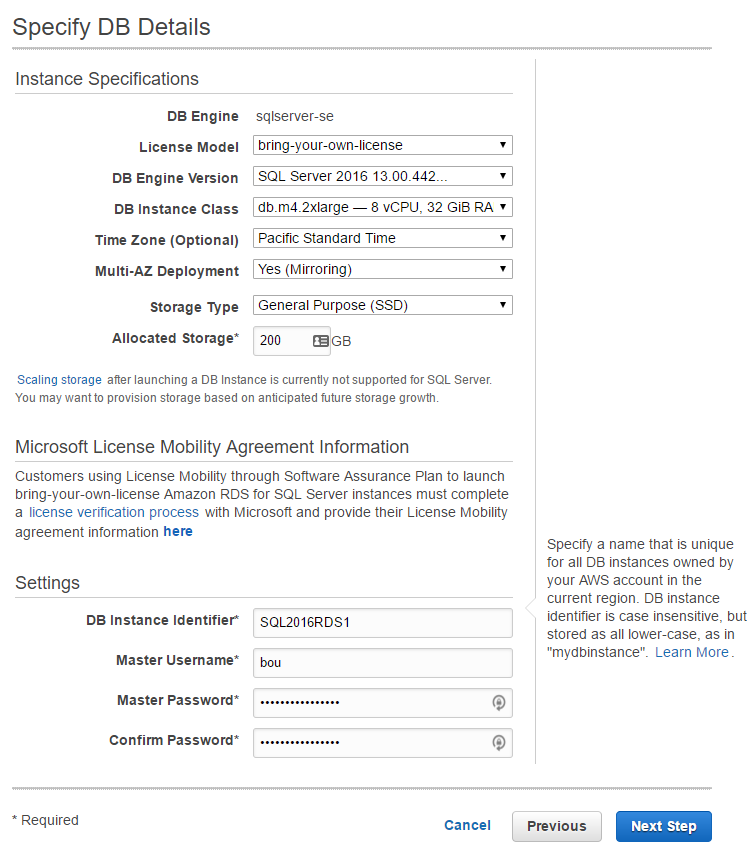
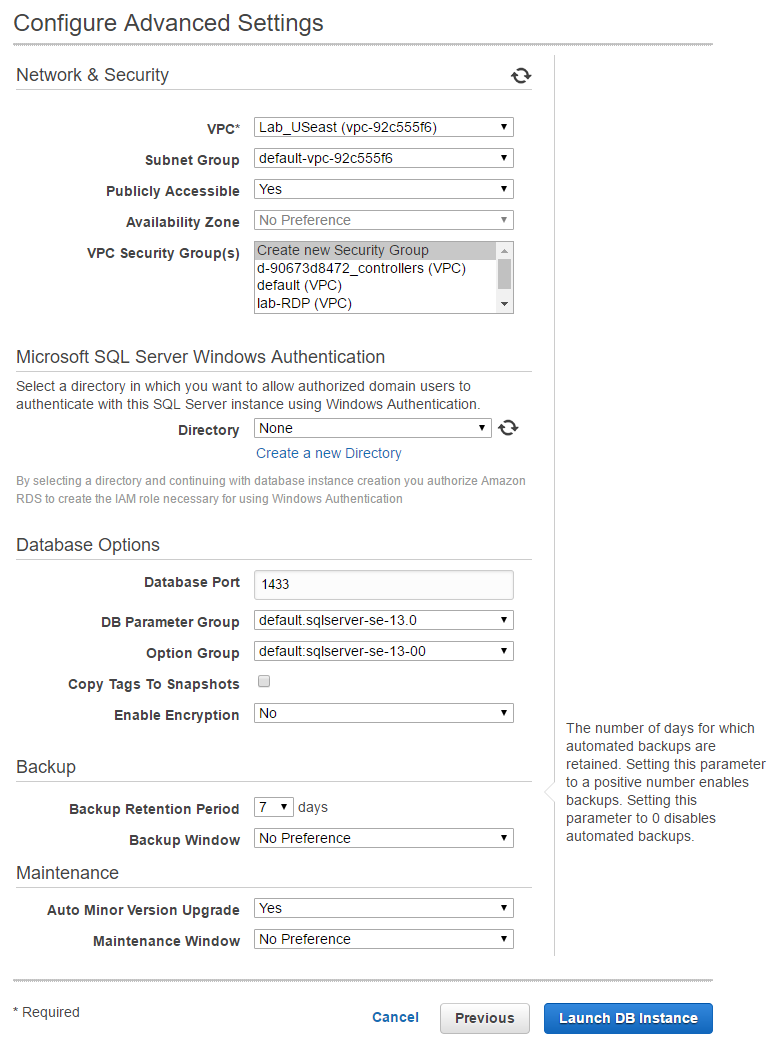
After the instance was created, I modified it to use our security group and then connected to the new instance. The two databases were in the proper state and ready for connections!

Summary

It has become quite clear to me that I am a tactile learner. I can’t just listen to someone present a topic, read a blog post or documentation. No matter how many times I’ve read about RDS, it just wasn’t sinking in. I’m no expert as a result of this experience, but at least I’ve touched RDS now, even if it was minimal work. Most of the time was spent waiting for things to become available. I now understand some of Richie’s frustrations with the cloud.

Brent says: In the cloud, your boss probably expects you to be able to do a point-in-time restore fairly quickly. Demos make it look like a simple wizard. Just try this kind of thing ahead of time so you can give realistic time estimates – I was totally surprised at the half hour it took for Amazon to modify a database’s security group, and we had nearly zero status messages along the way. During a business outage, that’d be a heck of a problem.