Azure SQL DB Frequently Asked Questions
20 Comments

Let’s get you some answers.
Is Azure SQL DB PaaS, IaaS, or SaaS?
Azure SQL DB is platform-as-a-service (PaaS). Microsoft manages most common database tasks for you, and they act as your DBA.
This also means that like a DBA, Microsoft will tell you “no” if you try to implement something that they don’t support. There’s no negotiations: the answer is just no.
Who is Azure SQL DB for?
Azure SQL DB is a good fit for new applications.
It’s a great fit for software-as-a-service companies and independent software vendors (ISVs) who want to put each client in their own database. Azure SQL DB gives you performance and cost controls because you can tune how much resources each database gets, or put them into pools of resources that are shared across lots of databases.
SaaS and ISV companies don’t usually have full time database administrators, so they like that Microsoft handles the basic care and feeding of Azure SQL DB. There’s no dealing with patching, clustering, backups, and recovery – Microsoft manages all that for you.
Who is Azure SQL DB NOT for?
It’s not a good fit for companies with existing applications that do cross-database queries. If your app is scattered across multiple databases, and you’re used to doing joins across them, you’re going to be frustrated with Azure SQL DB. It’s technically possible, but it’s a giant pain in the rear, especially for established databases with hundreds or thousands of tables in each database.
It’s also not a good fit for companies with a lot of SQL Servers that already talk to each other doing things like linked servers, replication, and Agent jobs that fire off tasks on different servers at different times.
If you fall into the above categories, that’s where Azure SQL DB Managed Instances come in.
Compare Azure SQL DB versus Managed Instances.
Azure SQL DB is for one standalone database, versus Managed Instances which are more like one standalone SQL Server with multiple databases on it.
If you’re used to managing SQL Server, you’ll probably prefer Managed Instances: they have things like cross-database queries and Agent jobs. Databases fail over together, too. It’s basically like IaaS Availability Groups in the cloud, managed by Microsoft for you. Make no mistake, though: they’re still PaaS, and they’re priced accordingly.
Compare Azure SQL DB versus Synapse Analytics.
Azure SQL DB is mostly for transactional systems like web sites. Synapse Analytics is for data warehouses.
In a transactional system, queries deal with a few rows at a time, and they complain when queries take more than a second or two to complete.
In a data warehouse, people queries deal with millions of rows at a time, and their complaints tend to start when reports take more than 10-30 seconds to finish. They’re used to taking a longer time because of the size of data they’re dealing with.
Could you run a data warehouse in Azure SQL DB? Sure, but…it’s going to be expensive due to Azure SQL DB’s throughput limitations. It’s much easier (and more cost effective) to load large amounts of data into Synapse Analytics. Just don’t expect Synapse Analytics to handle a thousand queries at a time each with millisecond-level response times: it’s not designed for that.
Is there a free tier for Azure SQL DB?
No. The cheapest Azure SQL DB is the Basic tier at $5 per month, but it only gets 5 database throughput units (DTUs). This is effectively useless as even the simplest queries will take seconds to complete.
This is frustrating for shops that are used to using the free SQL Server Developer Edition for their development work, and hosting that development server centrally for multiple developers to work on at the same time. That’s okay: the better approach is to have every developer use their own local development database, like in a Docker container, and –
What’s that you say? Your development laptops aren’t large enough to host your full database size? Well, no, of course not, but you’re not supposed to be developing with production data. You’re supposed to be using an empty database for your proof-of-concept work, and then testing with a manufactured set of similar-to-production data.
What’s that? I’m afraid you’re going to have to speak up – your monitor has a really crappy microphone. Oh, I hear you – you’re asking about your QA, load test, and user acceptance test environments, which use databases restored from production. Well, uh, I don’t have good answers there: there’s no free Developer Edition for Azure SQL DB, and you can’t restore your Azure SQL DB databases down to a regular SQL Server. There are some kludgy hacks around exporting all your data, but those are performance-intensive and slow. Let’s just ignore this business problem and move on for now.
What about Azure SQL DB Edge?
The Azure SQL Edge page says it simplifies application development, but that’s not really what it’s for. It’s an innovative new way for Microsoft to extract more licensing fees by getting you to host databases in more places.
Wait, I don’t think I said that quite right. I mean when you have important data that lives in remote places, like in sensors or frequently-disconnected devices, Azure SQL Edge lets you have all of the power and complexity of a database server there, without the ease of management or cost-effectiveness of a centralized…
Hold on, I don’t think that was quite it either. Lemme get back to you on that one.
Why is my Azure SQL DB slow?
Most of the time when I work with clients, it’s because they criminally under-sized the server.
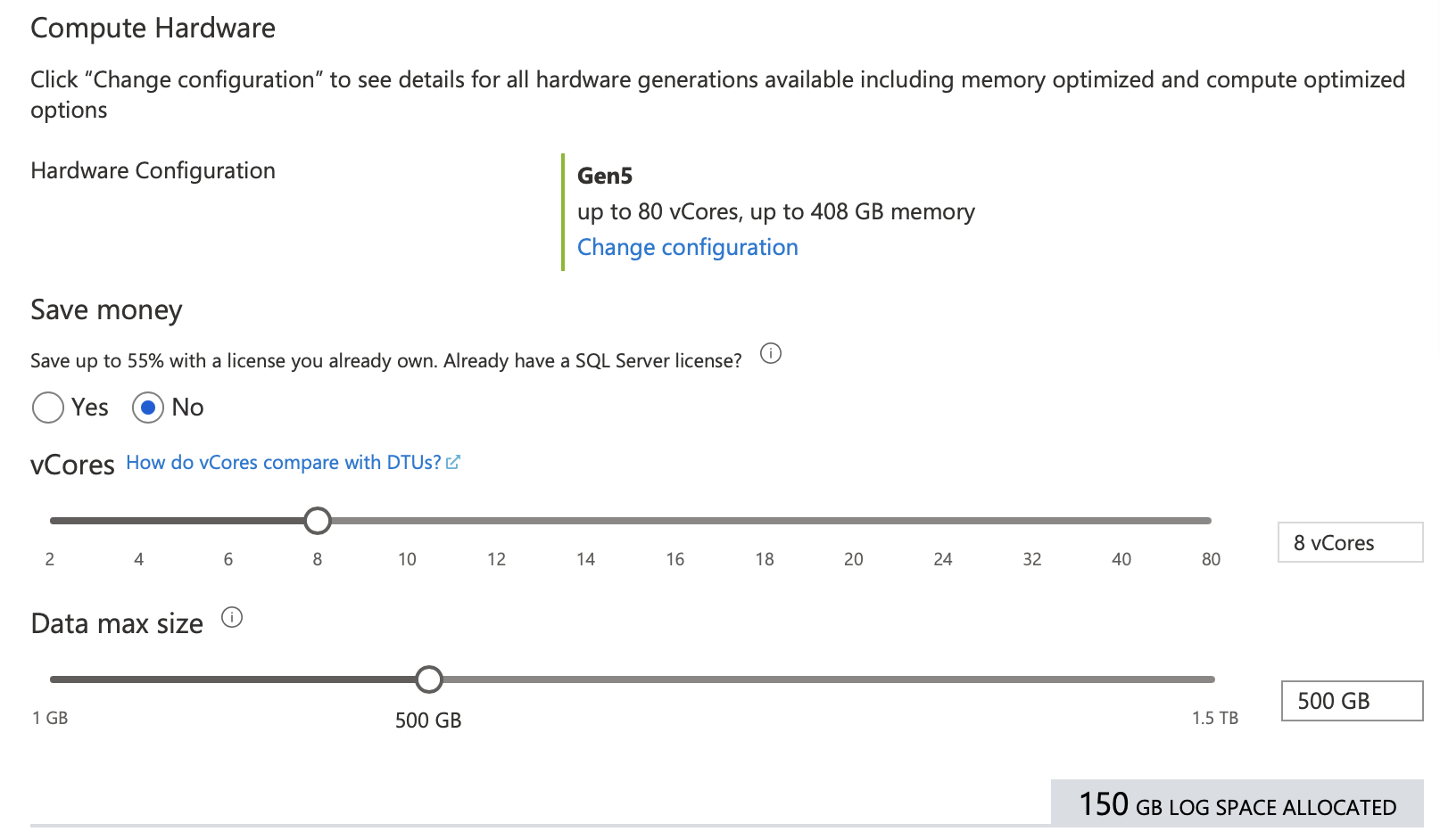
Azure SQL DB can be provisioned in very, very small hardware sizes for hobbyists or development purposes, and it’s very inexpensive. However, I find that folks provision it in those inexpensive tiers, and then they’re totally disappointed by the performance. You’re not hitting Azure SQL DB architectural limitations – you just provisioned it too small.
To find out if you’re hitting your account’s limitations, install and run sp_BlitzFirst from my free First Responder Kit. It’ll tell you if you’re hitting your Database Throughput Unit limits:
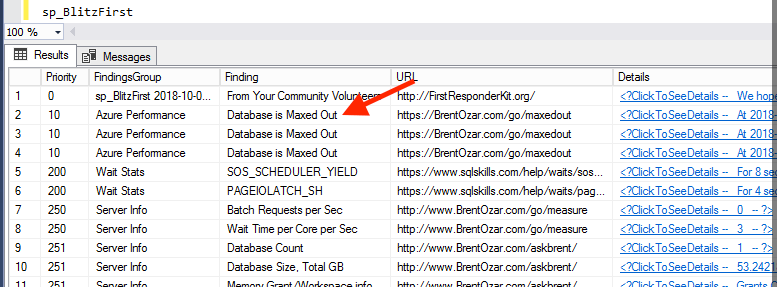
If you’re hitting your limitations on CPU, throughput, memory usage, etc, then you have two simple choices:
- Turn up your size to a higher number, or
- Tune your queries & indexes
If you’re spending less than $500 per month on Azure SQL DB, it probably just makes sense to turn the size up. If you’re spending more than that, it’s probably time to attend a performance training class or hire me for performance tuning help.
How can I learn about Azure SQL DB for free?
 If you prefer to learn via live online events, Microsoft’s running a free Azure SQL Digital Event on May 4.
If you like self-learning – reading through material and running demos yourself – check out Microsoft’s SQLWorkshops Github repo. Scroll down through the readme, and there’s a list of courses. Each course is very well thought-out with tons of resources and demos to run.
If you prefer books, get Azure SQL Revealed by Microsoft’s Bob Ward. It’s fairly new, so it’s still relevant – which can be tough to find in the constantly changing churn of the cloud.

 Your report queries are too slow.