Blog

PASS Summit 2013 Location: Charlotte, NC!

#SQLPass
9 Comments

This morning, the Professional Association for SQL Server announced that the annual Summit will be held in Charlotte, North Carolina.  For the last 5 years, it’s been held in Seattle, and PASS members have protested.  We wanted the Summit to move around from place to place to make it easier for other people to attend and to let us see some different scenery.  (I mean really, how many years can we try to talk our spouses into going to Seattle in the fall when it’s cold and rainy?)  This year, it’s moving!  I’m so happy to hear this.

You can read the announcement at SQLPass.org.


An Inside Look at Our PASS Summit Submissions

#SQLPass
1 Comment

The Professional Association for SQL Server (PASS) holds a summit every year where thousands of database professionals gather to learn about the latest developments from Microsoft, meet their fellow community members, and drink Jägermeister. This year, there’s a new way to help shape the PASS Summit – you can vote on the sessions you’d like to see.

ROOOOOXANNE...you don't have to put on your red light....
ROOOOOXANNE…you don’t have to put on your red light….

Here’s the sessions we’re submitting this year along with some personal notes about why we’d like to present ’em.

“And Then It Got Even Worse”… Great Mistakes to Learn From (Panel Discussion- Vote)

Brent says: Nobody calls me when things are going well. When my phone rings, the poop has already hit the fan. My favorite disaster was when we found out that the redundant air conditioners…weren’t. This wouldn’t be so bad except that it was in the middle of summer in South Florida. It was a Sunday, so it took us a while to drive into the office. We tried opening the datacenter doors to help cool things off, but then we realized that since it was Sunday, the office air conditioners were turned off too. Good times. In that story, I’ll talk about why RAID 5 still isn’t enough for serious data protection.

Tim says: I was one of those accidental DBAs everyone talks about 12 years ago. Then things got busy, really busy. Now I find myself going back and fixing all the poor decisions made by the DBA who was learning on the job: Me.

Jeremiah says: I’ve written my share of bad code, recovered downed servers on 2 hours of sleep, and had every SQL Server upgrade go horribly wrong. It’s good to learn from your own mistakes, but it’s even better to learn from someone else’s.

Kendra says: It’s funny, when everything goes terribly wrong, you’ve got to stay very calm but also think fast. More than once I’ve had a situation go south where I thought of a story someone told me– and it saved the day.

BLITZ! The SQL – More One Hour SQL Server Takeovers by Brent (Vote)

Brent says: “You’re the database guy, right? We’ve got this SQL Server that’s been under Johnny’s desk. Everybody’s using some app on here. It’s yours now. Kthxbai.” DAMMIT, that sucks. I hate those moments as a DBA. Suddenly I had a completely new – or rather, completely old and busted – server that I had to manage. No backups, no documentation, no security, all problems. I built my Blitz script to take over servers faster and easier, and last year at the 24 Hours of PASS, I shared it with you in an all-demo session. Today, I’m a consultant, and I have to rapidly assess SQL Servers several times a week. I’ve built a new version of the script that does it harder, better, faster, stronger, and if this session is picked, I’ll give it to you at the Summit.

Tim says: I’ve been using variations on this script for a couple years now. It continues to save my bacon and make me look like a superstar in the office.

Jeremiah says: I had a collection of scripts for years that did something almost like what the Blitz script can do. I can’t say enough great things about this session.

Kendra says: ZOMG, he’s giving this away?

I don't blame him
How It Looks for Us (yes, Robert Davis is hiding his face for shame because he’s in Brent’s session)

Consolidation is NOT a 4-Letter Word by Tim (Vote)

Tim says: I’ve been given a VM farm to fill with SQL Servers. So how do I decide what instances and databases I’m virtualizing and consolidating? I USE THE MATHS! Dynamic Management Objects, system objects, and the like are all tools I’m using in the process. I’m not going to talk about how to consolidate. This is about how to come up with the numbers to work your load balancing Mojo.

Brent says: I got a four-figure bonus from my boss’s boss after I showed how to consolidate a bunch of crappy old servers onto one brand new server. I saved over half a million dollars in licensing, made my own job easier, and paid off my Jeep. How cool is that?

Jeremiah says: When I was a production DBA, I frequently said “The less I have to manage the better.” Consolidation made my job much easier because I had to worry about less licenses, fewer servers, and less things that can break.

Kendra says: Consolidation is terrifying. What if it all goes horribly wrong in six months, which is when you can’t get more hardware? What you need is a method to figure things out.

How StackOverflow Scales with SQL Server by Brent and Kyle Brandt (Vote)

Brent says: I remember back in 2007 when I went to my first PASS: I loved the session on MySpace’s SQL Server infrastructure. I’ve been helping out with StackOverflow’s databases for a couple of years now, and one day I was just thinking to myself, “Wow, this stuff’s getting pretty big. Maybe we should talk about it at PASS?” I asked Kyle Brandt (BlogServerFault@KyleMBrandt) if he’d like to co-present a session with me about the magic behind the scenes.

Kendra says: This session is so full of win. I’ve worked with Brent and Kyle together and they’ve mastered a complex and dynamic environment. They’ve faced common challenges that happen to many companies, and they’ve managed to conquer the problems without breaking the bank.

No More Bad Dates: Best Practices for Working with Dates and Times by Kendra (Vote)

Brent says: I remember the first time my company grew into multiple time zones. Suddenly GETDATE() on one server didn’t match GETDATE() on another server, and all our reporting tables had to be reworked. Whoops. <sigh> Now what? Do I store it in UTC? Do I change all my server clocks to UTC, or do I use offsets? Why is this stuff so hard?

Jeremiah says: Temporal data has always been tricky to deal with. The new data types make life much easier for DBAs, developers, and end users alike.

Kendra says: After working with TSQL for many years I realized there are a lot of intricacies to dates and times that you don’t see until you’ve mucked things up a bit. It all seems easy from afar,  but once you get your hands dirty it’s a different story. Who knew language settings were a big deal for dates? Who knew computed columns with dates were picky? What do you mean, TIMESTAMP isn’t a stamp with a time? I pulled together all the wackiness, gotchas, and oh-look-at-that’s into this talk to save *you* some time.

Performance Through Isolation: How Experienced DBAs Manage Concurrency by Kendra (Vote)

Concurrent something-or-others

Brent says: WITH (NOLOCK) only gets you so far, buddy. Time to cowboy up.

Tim says: Is ANTI-SERIALIZABLE an isolation level?

Jeremiah says: I like it when I get the rows in wrong the order, or twice, or twice, because of isolation I like it when I get level tricks.

Kendra says: Each time I give this presentation I’m amazed at how important it is to manage transaction isolation properly in an active environment, and how easy it is to misunderstand how things work– I’ll give you steps to manage concurrency that will save you loads of trouble.

Rewrite Your T-SQL for Great Good by Jeremiah (Vote)

Jeremiah says: Rewriting T-SQL is not the most glamorous way to make your database faster, it’s not always the easiest way to make your database faster, but it’s frequently the most rewarding way to make your database faster. Over the course of my career I’ve written a lot of bad T-SQL. I’ve re-written even more bad T-SQL to make applications run faster. Sometimes I even had to rewrite the code in ways that didn’t make sense to me as a developer but it made perfect sense for the database. I learned a lot but I always felt like there should be more information about this topic.

This session focuses on real problems I’ve faced, real patterns I’ve uncovered, and real solutions I’ve used to make things faster.

Brent says: Just because your T-SQL runs doesn’t mean it runs fast. Most of the time, this is completely okay, but every now and then you need to rewrite a working query to make it fly. That’s where Jeremiah comes in: we do this constantly. Learn from people who make a living doing this.

Tim says: So recently when I ran across a trigger that included a WAITFOR DELAY in order to resolve a timing issue with a GUID Primary Key in a child table that may have been bad code? (And unfortunately I’m not making that up for the sake of humor. Sadly they had removed the GUID Primary Key over two years ago but left the unnecessary WAITFOR DELAY. Easily fixed with a couple hyphens. I’m sure Jeremiah will lift heavier in this session.

Kendra says: This isn’t about putting lipstick on a pig– it’s about making your pig glow with health. Jeremiah will teach you more than tricks or how to use flashy features. Instead, he’ll teach you how to systemically improve your application performance.

Rules, Rules, and Rules by Jeremiah (Vote)

Jeremiah says: I like digging into something and figuring out how it works. When I first started working with databases, I thought that this was a pretty easy way to store and retrieve data. The more I learned about databases, the more I became fascinated by the way they worked. As I started digging into databases, I discovered that the most fascinating part of a database wasn’t really the database itself, it was the underlying software. To keep learning and understanding more about how databases work, I dug into the computer science that makes them tick.

There’s a lot of theory out there, some of it’s only applicable when you’re writing a database, but a lot of it can be applied and can help you make your life as a database professional easier. If you’re half as interested in this as I am, you’ll get a kick out of this session.

Brent says: if you like Dr. DeWitt’s keynotes diving into the technology side of databases, but you’re not quite sure how to relate that back to your own job, this is the session for you. Jeremiah likes reading database source code in his spare time, and he can show you how things like drive rotational speeds influence your schema designs.

Kendra says: Jeremiah’s unusual because he’s been a full time developer, a full time DBA, and a full time consultant. This has given him a big-picture view of systems from the spindles to the compiler, but with a practical twist. This is a great talk, and it’ll set you up to engineer better applications.

SELECT Skeletons FROM DBA_Closet by Tim (Vote)

Brent says: Experience is a fancy word for someone who’s made a lot of mistakes. Tim’s experienced, and he’ll talk about his educational opportunities so you can be experienced too – but without all the burn marks.

Tim says: I was the King of Cursors and Prince of Linked Servers when I was learning by successful failing earlier in my career. This public trousering hopefully provides some redemption. If not then it wouldn’t be the first time I’ve made a fool out of myself in public.

Jeremiah says: I can’t wait to learn about all of the skeletons that Tim is going to bring into the open, mainly so I can laugh along with him at the mistakes we’ve both made.

Good coffee, great conversations, amazing friends.

Seven Strategic Discussions About Scale by Kendra (vote)

Brent says: Want to amp up your career? Like reading stories on HighScalability.com? Kendra’s got experience with huge systems and a talent for communicating. If you’re frustrated with a crappy app design, she can help you convince your fellow developers, DBAs, and the people holding the checkbook. It’s really, really hard to find good training on big, high-performance systems, and you can get it for free in this session.

Jeremiah says: The best way to learn about scaling is to do it wrong and then do it right. The next best thing is to learn from someone who’s worked on massive databases and who is willing and able to share that information with you.

Kendra says: After years of experimentation, I’ve figured out how to sell a good idea: honestly, but with great data and timing. For any given issue, there are concrete things you can do to be more persuasive. Here’s how to find the right change for your systems, and the data which will get your message through.

Storage Triage: Why Your Drives Are Slow by Brent (Half-Day Session – Vote)

Brent says: This year, PASS let us submit 4-hour sessions for the first time. I’m really excited about this because there’s some sessions I just can’t cover in an hour. Very often when I’m called into clients, the SAN administrator is getting thrown under the bus. I need to quickly figure out who’s really at fault – is storage slow, or is storage slow because we’ve got memory or query problems? In this session, I’ll explain my diagnosis decisions to help relieve storage pains, and I’ll give attendees a poster with my decision tree.

Jeremiah says: I wish I’d had a session like this when I started learning about storage. Heck, I still wish I could go to a session like this. Storage is a critical component of SQL Server performance – getting it right is key.

Kendra says: Trust me: you want to be friends with your SAN admin. This talk will set you up so you only bring your SAN administrators problems that they can solve, with data that makes sense. If you can do that regularly then you’ll have an ally on your side when things go wrong, and that can really save the day.

The Database is Dead, Long Live the Database by Jeremiah (Vote)

Jeremiah says: We’ve all supported application features that we knew shouldn’t be in a relational database. Sometimes, you just have to suck it up and do what you can to keep that SQL Server running, right? It turns out that there are a lot of other ways to get things done and some of them work a lot better than storing data in SQL Server. This is something that I learned the hard way while performance tuning different applications – you need to pick the right tool for the job. I’ve struggled with trying to make a solution fit into a relational database and perform well. Sometimes, it just doesn’t work out.

Peanut Gallery
Brent and Kendra at the keynote bloggers’ table (or as we call it, the peanut gallery)

You’re going to love learning about the mistakes I’ve made and how I’ve solved them, sometimes in novel ways.

Brent says: You’ve got that one app you keep swearing at because it performs horribly in SQL Server. It uses too much space, it tries shredding XML in every query, or it never gets queried period. Turns out it shouldn’t be in SQL Server to begin with, and Jeremiah can help you see the alternatives. They’re a lot easier (and cheaper) than you think.

The Other Side of the Fence: Lessons Learned from Leaving Home by Jeremiah (Half-Day Session – Vote)

Jeremiah says: I worked at Quest for a while as an Emerging Technology Expert. My job was to take a look at different databases and investigate how they could benefit businesses. I made some mistakes and had to re-learn a lot of things before I could start making sense of things. There’s more to it than learning new features and ways of doing things – by getting outside of my comfort zone, I had to make sure that I really understood how SQL Server operated in order to compare and contrast it to other databases.

Unlike The Database is Dead, Long Live the Database, this talk is all about different features in SQL Server, how they work, and why they got that way.

Brent says: Jeremiah likes to experiment. He’s a SQL Server guy who’s been playing doctor with several other database platforms. I love talking to him about how SQL Server does stuff because he can relate it in terms of how PostgreSQL or Hadoop do it. I don’t have the time to become an expert on those other platforms, but the things he teaches me about them help open my eyes about how I can do things differently in SQL Server.

Kendra says: Jeremiah and I talk about different database platforms often. Working with different platforms is like travel: you understand your home in a deeper way after you’ve been elsewhere.

The Periodic Table of Dynamic Management Objects by Tim (Vote)

Brent says: Tim’s poured a lot of work into making DMVs easier to understand. His introduction for this session says it all – “It’s time to have fun… WITH SCIENCE!” I love this session idea.

Tim says: I’m having a lot of fun with what started as a way for me to exercise my creative demons. We’ll go over the namesake poster and learn some interesting tricks using Dynamic Management Objects. We’ll also play some games to reinforce what you’ve learned. Like the abstract says: “It’s time to have fun… WITH SCIENCE!”

Jeremiah says: I was so excited when Tim swore me to secrecy and showed me an early draft of his poster. There a lot of DMVs and Tim figured out a great way to communicate meaningful information about them all.

Kendra says: You know how you thought Chemistry class was going to be all math, but then you got to light things on fire and blow some things up in the parking lot? You wanna be here for this one.

Top 10 Crimes Against Fault Tolerance by Kendra (Vote)

This raccoon was the secret to winning Quiz Bowl

Brent says: When I first talked to Kendra before SQLCruise 2010, I loved hearing about the scale and flexibility of the servers she was working with. Multi-terabyte databases behind load balancers for constant uptime? Your ideas are intriguing to me and I wish to subscribe to your newsletter. If she’s that serious about data warehouse uptime, I’d love to see her tricks for everyday databases!

Kendra says: This talk is all about the important things that are much easier to do at the beginning. When  you’re first designing an application or a service and you’re creating new databases, there are ways you can vastly reduce your recovery time down the road. As time passes, it’s much harder to make changes to add these things in. This is a list you can live by.

Virtualization and SAN Basics for DBAs by Brent (All-Day Pre-Con – Vote)

Brent says: I’ve given this all-day session at SQLbits in the UK and Connections in Orlando to rave reviews, and my clients frequently bring me in to give this same session to their DBAs, VMware admins, and SAN admins. I help get everyone on the same page so they don’t try to throw each other under the bus.

Tim says: Brent has presented on this topic on SQL Cruise and each time I walk away with more things to try back in the “Real World”.

Jeremiah says: Every time I talk to Brent about SAN or virtualization, I come away feeling smarter that I was before.

Kendra says: This session gives you the foundation you need to make it through every day comfortably– it’s like permanent clean underwear. We all need that, don’t we?

Sound Interesting? Vote For Us!

You can vote for the sessions you’d like to see here. Vote before midnight Pacific on May 20th.


Twitter #SQLHelp Hash Tag Dos and Don’ts

6 Comments

If you’d like to get quick SQL Server help, the #SQLHelp hash tag is a fun way to get it.  My original “How to Use the #SQLHelp Hash Tag” post hit a couple of years ago, and it’s time for a followup.  Read that post first, and then come back here for some basic guidelines.

Don’t use #SQLHelp to promote your blog. Congratulations on writing an informative post, and we’re sure it’s got some useful information in it, but the #SQLHelp hash tag is for people who are asking questions.  Unless your blog post was written to answer a question currently live on #SQLHelp, please refrain from tweeting about your blog.

Do answer a #SQLHelp question with a product if that’s the solution. Vendors build products to solve pain points, and sometimes those pain points surface as #SQLHelp questions.  If the answer is a product – whether it’s a free one or a paid one – then feel free to mention it and provide a link.  If you’ve got personal experience with the product, that’s even better.  If you’re a vendor, you might wanna disclose that in your tweet.

Don’t demo #SQLHelp at conferences by saying, “Say hello, #SQLHelp!” Immediately, dozens of users around the world will reply to you, and the #SQLHelp hash tag will become unusable for half an hour or more.  Rather than saying Hello World, ask the audience to give you a question, and then post that question on #SQLHelp.

Do suggest that long discussions move to a Q&A web site. Sometimes questions need a lot more detail than we can get in 140 characters.  If you notice a discussion turning into a long back-and-forth conversation, helpfully suggest that the questioner read my tips on writing a good question and then create a post on whatever site you prefer.

Don’t post jobs to #SQLHelp. Use the #SQLJobs hash tag instead.

Do thank people who give you #SQLHelp. This is a group of volunteers who love to lend a helping hand.  It’s like getting consulting help for free around the clock.  High five ’em if they helped you get through your day easier.


Seeks, Scans, and Statistics in the Grocery Store

Indexing, T-SQL
15 Comments

Building an execution plan is a lot like going shopping.  Before I leave the house, I need to think about a few things:

  • How many items do I need? I take a glance at my grocery list to see roughly how many things I’m shopping for.
  • What stores am I going to visit? I can’t get everything from the same store, so I make a list of where I’m going to source everything.
  • Am I in a big store or a small store? The bigger the store, the more likely I’m going to pick up more items that I might not have had on my list.  My guess of what I need might change if I see cool things I’d like to pick up.  The store also might not have everything that I’d like to find.

Armed with this background information, it’s time to make my plan of attack:

  • Which store should I visit first? The order is determined by what I’m shopping for.  I want to visit my butcher or fishmonger first to see what’s fresh and what’s on sale, and then those purchases determine what I get from the grocery store and wine store.
  • In each store, do I need a push cart, a basket, or just my hands? This is influenced by how many items I think I’m going to take to the checkout stand.
  • In each store, will I go to specific aisles for what’s on my list, or just hit all the aisles? If I only need a couple of things, I’ll go directly to those aisles, get ’em, and walk out.  (When I get rich, I’ll pay the minimart back.)  If I have a huge list, then it makes more sense to start at one side of the store and walk through every aisle, crossing items off my list as I pick ’em up.

Why, that’s just like SQL Server’s query processor!

How SQL Server Builds Execution Plans

The query processor looks at your query, reviews the table statistics, and tries to quickly choose an efficient execution plan – just like you choose which stores to visit in what order, and then what aisles to hit inside the store.  The first order of business is checking out what stores tables are involved, and what we need from each one.  Let’s take a simple AdventureWorks query joining two tables:

Well, it was good, but I dunno about amazing.
Found at Whole Foods

We’re joining between SalesOrderHeader and SalesOrderDetail, which have a parent/child relationship: rows in SalesOrderHeader can have multiple rows in SalesOrderDetail table.  We’re filtering on both tables – we’re checking for the header’s DueDate field and the details OrderQuantity field.  Which one should we check first?  We’ve got two options:

  1. Check SalesOrderHeader to look up all rows with DueDate >= 5/15/2011, and then look up their matching SalesOrderDetail records to examine their OrderQty, or
  2. Check SalesOrderDetail to look up all rows with OrderQty > 10, and then look up their matching SalesOrderHeader records to examine their DueDate

Let’s check to see what SQL Server chose in one situation.  When reading execution plans, we read from the top right to determine what happens first, and then go left.  While this may not seem intuitive at first, keep in mind that it’s designed to increase the job security of the database administrator.  You can thank Microsoft later.

Well, not totally simple.
Simple Execution Plan

In my sample data, it chose to check SalesOrderHeader first – that’s the top right operator in the execution plan.  SQL Server determined that this would be the most effective method because neither table had an index on the fields I needed.  Either SQL Server was going to have to scan the entire SalesOrderHeader table to check each record’s DueDate or it would need to scan the entire SalesOrderDetail table to check each line item’s OrderQty.  In this example, SalesOrderHeader was the smaller table, so it made more sense to scan that one.

Mo Tables, Mo Problems

I thought "Vegetarian Feast" meant what happens when we eat the vegetarians.
The Other Other White Meat

When I go to the fishmonger and discover crawfish is finally in season, I have to change the rest of my shopping plans.  I need to go to the wine store because I don’t keep the right wine pairing for mud bugs.  Me being a flexible guy, I can easily rework my entire shopping plan if crawfish happens to be in season, but SQL Server doesn’t have that kind of on-the-fly flexibility.  It has to build a query execution plan, and then rigidly adhere to that plan – no matter what it finds in at the fishmonger.

The more tables we add into our query, the more SQL Server has to make guesstimates.  When we daisy-chain lots of tables together, SQL Server estimates how many rows it’s going to match in each table, pick the right orders, and reserve memory to do its work.  One bad estimate early on in the query execution plan can turn the whole plan sour.

In performance tuning, sometimes I help SQL Server by breaking a ginormous shopping trip into two: I separate a large query into two separate queries.  I don’t mean nested SELECT statements in a maelstrom of parenthesis, either – I build a temp table, populate it with the first query’s results, and then join that temp table to another set of results in a second query.  Here’s an overly simplified example:

Sometimes by breaking up our shopping trip, SQL Server is able to build a better execution plan for the second query.  This is especially effective when I’m dealing with a very large number of tables, yet there’s just a couple of key tables in the query that determine whether we show any results or not.  I don’t use this technique proactively – I only try it when I’m consistently running into problems with execution plans that would be better suited separately.  Alternate techniques could include index hints or query plan guides.

How SQL Server Chooses An Aisle Seek or a Store Scan

How Erika wooed me
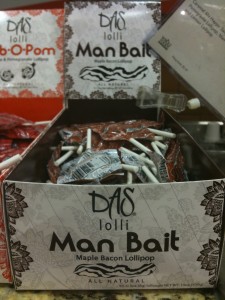
Man Bait – Bacon Lollipops

Once we’re inside a particular store (table), we’re faced with another choice: do we jump directly around to just a couple of aisles to find exactly what we want, or do we walk up and down every aisle of the store, picking things up as we go past?  SQL Server makes this decision based on statistics about the table (as well as other tables in the query).  If it believes it only has to pick up a few items, it’ll choose to do a seek (possibly combined with row lookups).  If the number of things we need is greater than the tipping point, then SQL Server does a scan instead.

While the word “seek” has a reputation for performance amongst database administrators, don’t get sidetracked trying to force every query execution plan to use all seeks.  Sometimes it’s just more efficient to do a scan – like when we need to pick up several things from every aisle, or every page in the table.  The better question is to ask whether we really need something from every aisle.  (Erika asks me this question every time I walk into Frys – my credit card can’t handle table scans in there.)

The decision to do a seek or a scan is influenced by our shopping list.  Sometimes I can’t exactly make sense of what’s on my list.  When Erika wrote down “Frantoia,” that didn’t make sense to me, so I was forced to go up and down the grocery store aisles looking for a product by that name.  If she would have said, “WHERE Brand = Frantoia AND ProductCategory = Olive Oil”, then I’d have been able to use my trusty index to seek directly to the olive oil, but I didn’t have that option.  Instead, I had to do a scan – there wasn’t enough information in the query for me to use an available index, and I was too lazy to ask for directions.

In addition to searching by fields that aren’t indexed, other things in our query can force SQL Server to do a scan instead of a seek:

Using functions in the WHERE clause – if Erika tells me to buy everything WHERE PriceToday <= (50% * RegularPrice), I’m going to have to walk through the entire store looking at every single price tag.  I can’t ask the store for a map of items that are half-off or more, because they simply won’t have a map like that.  Likewise, if my SQL Server query gets fancy with the functions, it won’t be sargable.

Bad or out-of-date statistics – SQL Server uses statistics to gauge the contents of the grocery store as a whole.  If it believes that the store is like a typical grocery store with only a small section of olive oils, then it’ll jump directly to the olive oil area if we say WHERE ProductCategory = Olive Oil.  However, if this store just came under new ownership, and the new owners decided to carry a stunning array of olive oil, SQL Server might be overwhelmed by the amount of data that comes back.

Why I Hate “ORDER BY”

We believe in division of labor in the Ozar house.  When I get home from shopping, I deliver the bags into the dining room table.  From there, it’s Erika’s job to put things away in the various cupboards and closets.  I know that I could make Erika’s job easier if I sorted items as I loaded them into the car, but that just doesn’t make sense.  It’s not efficient for me to stop what I’m doing in the middle of the shopping trip, move things around between bags, and get them in exactly the right order for efficient cabinet loading.  There’s plenty of space for efficient sorting when I get home.

Likewise, I don’t want my SQL Server sorting data.  The more processing that I can offload to web servers, application servers, and thick clients, the better.  SQL Server Enterprise Edition is $30k/CPU, but your web/app servers are likely a great deal cheaper, and you’ve probably got much better methods of scaling out your app server tier.  We just don’t have a good way of scaling out SQL Server queries until Denali AlwaysOn hits.

More Reading on SQL Server Seeks, Scans, and Statistics

To learn more about the topics in today’s post, check out:


New Community Event by Denny Cherry: SQL Excursions

7 Comments

The tech event community is growing again.  Years ago, GeekCruises (now named InSight Cruises) pioneered the traincation concept, and last year SQLCruise brought that theme to the SQL Server community.  The new Startup Workaway brings tech founders to Costa Rica for startup sprints – a mix of work and play.  Red Gate’s SQL in the City invites database geeks to Los Angeles and London for a day of sessions.  If you want to learn and play, there’s a lot of fun options.

Now Denny Cherry, a longtime SQL Server community member, MVP, and author, and his wife Kris have formed a new event: SQL Excursions.  The first event is in Napa, California in September.  I talked to Denny about launching the new event.

Brent: Congratulations on launching SQL Excursions!  What made you take the big step?

Denny: Thanks Brent we are thrilled to be getting SQL Excursions off the ground. Kris and I put SQL Excursions together for a couple of different  reasons.  I wanted to be able to do some more speaking and teaching which is something which I love to do, and we wanted to put something together which would give spouses / significant others a way to go on the trip and having something fun for everyone to do.  As you’ve probably noticed, Kris comes on a lot of my trips with me, and to  often she ends up going to the dinners and parties and doesn’t really have anyone to talk to that isn’t a SQL Server person, and apparently she doesn’t find talking about SQL Server all day exciting. We see these events as a way to get some great technology information to the technology folks, and get the significant others to see a small piece of what we do, while giving them some fun events to go to.

Brent: I can see why Kris would love this.  What kinds of events is she planning during the day while the SQL Server training happens, and what kind of training are you doing?

Tom LaRock and Denny Cherry at the PASS Summit 2010

Denny: On Thursday and Friday during the day the guests of the attendees will be off on a full day wine tour, which we haven’t set the price for yet (we need to know the interest level before we can set the price).  On Saturday there will be another full day wine tour for all the attendees and their guests which will also be an optional day.  Tom LaRock and I haven’t set the training schedule yet.  We will be putting up a survey with some topic options that we’d like to talk about so we can have the community vote on which of those topics will be covered.  The training will all be 300-400 level sessions.

Brent: How’d you pick Napa as the first location?

Denny: We picked Napa as the first location as lots of people love wine, and I’ve never heard of anyone not having a good time in Napa.  For people that decide to come to Napa a couple of days early or stay a couple of days after (like Kris and I are doing) there is tons of stuff to do in downtown Napa. There are several extremely good restaurants, as well as several tasting rooms.  All this is just a short few minute walk from the hotel that we have selected for our first SQL Excursion.

Brent: I noticed you said walk, and that’s a really good thing.  I, for one, love wine tastings, and driving home afterwards isn’t an option!

Denny: Drinking and driving is never an option, no matter what event you are at.  The great thing about Napa is that the downtown area has lots of stuff to do right there.  For official events which are away from downtown and away from the hotel, we’ll be getting shuttle vans to get everyone to where we are going.  If someone wants to venture out on their own Napa is just that short walk or few dollar cab ride away.

Brent: Both you and Tom do a lot of travel – I see you at all the big conferences. With SQL Excursions, this is yet another event – are you still going to all the other events like the PASS Summit and TechEd?

Denny: You are correct we both do a lot of traveling to do presentations and I don’t see SQL Excursions taking away from any of these other conferences. Conferences like PASS, Tech Ed, EMC World, and Connections are a major part of my continuing professional education and I will always do my best to attend, and speak (when they’ll have me), at them.

Brent: Who’s the perfect person to go on SQL Excursions Napa?

Denny: I would say that someone who is a mid to senior level DBA who is looking for two days of solid 300-400 level material while having a  great time in Napa with other data professionals.  Now you definitely do not need to know anything about wine to come to Napa, god knows I don’t know much about wine. During lunch in addition to learning about SQL Server, we’ll also be having some instructors come in to teach about wine, and how to find a  wine that works for you.  If any of this sounds like a good time to you, this is definitely an event to look at.

Brent: What do you want your attendees to take away from the event that’s different than typical events?

Denny: Oh course we want our attendees to get some great SQL Server knowledge out of the week.  We also want them to have a great social experience that at the larger conferences people aren’t always able to do because they get left behind and lost in the mass of people that are there.  At our Napa SQL Excursion it’ll be a small group, so there won’t be any getting left behind with everyone having the option of getting together with the group for dinner after the sessions.  We’ve got some  great after events that we are still working on getting setup which will make for a great way for the attendees and their guests to mingle and have a great time.

Brent again here.  I think this event looks like a lot of fun, and I wish I could attend – but if I add any more travel to my fall schedule, Erika’s going to helpfully arrange my belongings out on the front door.  Thankfully Denny’s one of the attendees on this month’s SQLCruise Alaska, and I look forward to talking with him about the event there.  As I wrote in my post How to Get Paid to Take a Cruise, anybody can start their own community and training events.  What’s stopping you from attending – or hosting – one of these fun events?

You can learn more about SQL Excursions here.


Which Database Is Right for Me?

Architecture
14 Comments

When you start developing a new application how do you pick the database back end? Most people pick what they know/what’s already installed on their system: the tried and true relational database. Let’s face it: nobody is getting fired for using a relational database. They’re safe, well understood, and there’s probably one running in the datacenter right now.

Here’s the catch: if you’re using a relational database without looking at anything else, you’re potentially missing out. Not all databases work well for all workloads. Microsoft SQL Server users are already aware of this; there are two distinct database engines – one for transactional and one for analytical workloads (SQL Server Analysis Services).

When you start a new project, or even add a substantial feature, you should ask yourself [questions about your data][1]. Here are a few sample questions:

  • Why am I storing this data?
  • How will my users query the data?
  • How will my users use this data?

The Relational Database

There are a lot of reasons to use a relational database. Relational databases became the de facto choice for databases for a number of reasons. In addition to being based on sound mathematical theory and principles, relational databases make it easy to search for specific information, read a select number of columns, and understand structure by querying the metadata stored in the relational database itself.

The self-describing nature of a relational database provides additional benefits. If you’ve created a relational database with referential integrity and schema constraints you are assured that every record in the database is valid. By enforcing data integrity and validity at the data level, you are assured that any data in the database is always correct.

The adoption of SQL as a standard in the mid-1980s finalized the victory of the relational database for the next 25 years. Using SQL it became easy to create ad hoc queries that the original database developers had never dreamed of. The self-describing nature of relational databases combined with SQL’s relatively simple syntax was hoped to make it easy for savvy business users to write their own reports.

In short, relational databases make it easy to know that all data is always correct, query data in many ways, and use it in even more ways. Will all of these benefits, you’d think that people would have no need for a database other than a relational database.

Document Databases

Document databases different from relational databases primarily because of how they store data. Relational databases are based on [relational theory][2]. While databases differ from relational theory, the important thing to remember is that relational database structure data as rows in tables. Document databases store documents in collections. A document closely resembles a set of nested attributes or, if you’re more like me, you might think of it as a relatively complete object graph. Rather than break an application entity out in to many parts (order header and line items) you store application entities as logical units.

The upside to this is that document databases all developers to create software that reads and writes data in a way that is natural for that particular application. When an order is placed, the order information is saved as a logical and physical unit in the database. When that order is read out during order fulfillment, one order record is read by the order fulfillment application. That record contains all of the information needed.

Unlike relational databases, document databases do not have a restriction that all rows contain the same number of columns. We should store similar objects in the same collection, but there’s no mandate that says the objects have to be exactly the same. The upside of this is that we only need to verify that data is correct at the time it is written. Our database will always contain correct data, but the meaning of “correct” has changed slightly. We can go back and look at historical records and know that any record was valid when it was written. One of the more daunting tasks with a relational database is migrating data to conform to a new schema.

While data flexibility is important, document databases may make it difficult to perform complex queries. Document databases typically do not support what many database developers have come to think of as standard operations. There are no joins or projections. Instead it’s a requirement to move querying logic into the application tier.

Database developers will find the following query to be a familiar way to locate users who have never placed an order.

With a document database a naive approach might be to write queries that retrieve all users and orders and subsequently merge the list of results. A more practical approach is to cache a list of order IDs within the user object to improve look up performance. This seems like a horrible idea to many proponents of relational thinking, but it allows for rapid lookups of data and is considered to be an acceptable substitute for joins in a document database. Finding the users who have never placed an order becomes as simple as looking for users without an orders property. Some document databases support secondary indexes, making it possible to improve lookups.

Document databases are a great fit for situations where an entire object graph will always be retrieved as a single unit. Additionally, document databases make it very easy to model data where most records have a similar core of functionality but some differences may exist between records.

Key/Value Store

Key/value stores are simple data stores. Data is identified by a key when it is stored and that key is used to retrieve data at some point in the future. While key/value stores have existing for a long time, they have gained popularity in recent years.

Many data operations can be reduced to simple operations based on primary key and do not require additional complex querying and manipulation. In addition, key/value stores lend themselves well to being distributed across many commodity hardware nodes. A great deal has been written about using key/value stores. [Amazon’s Dynamo][2] is an example of a well documented and much discussed key/value store. Other examples include Apache Cassandra, Riak, and Voldemort.

Key/value stores typically only offer three data access methods: get, put, and delete. This means that joins and sorting must be moved out to client applications. The data store’s only responsibility is to serve data as quickly as possible.

Of course, if key/value stores did nothing apart from serve data by primary key, they wouldn’t be terribly popular. What other features do they offer to make the desirable for production use?

Distributed

It is very easy to scale a key/value store beyond a single server. By increasing the number of available servers, each server in the cluster is responsible for a smaller amount of data. By distributing data, it’s possible to get faster throughput and better data durability than is possible with a monolithic server.

Partitioning

Many key/value stores use a technique known as consistent hashing to divvy up the key space. Using consistent hashing means we can divide our key space into many chunks and distribute responsibility for those many chunks across many servers. Think of it like this: when you go to register in person at an event the alphabet has frequently been divided up into sections at separate tables. Splitting up responsibility for check ins across the alphabet means that, in theory every attendee can be served faster by having multiple volunteers sign them in. Likewise, we can spread responsibility for different keys across different servers and spread the load evenly.

Replication

Data is replicated across many servers. Replicating data has several advantages over having a single monolithic, robust, data store. When data is stored on multiple servers the failure of any single server is not catastrophic; data can still be read and written while the outage is solved.

Hinted Handoff

Hinted handoff mechanisms make it easy to handle writing during a server outage. If a server is not available to write data, other servers will pick up the load until the original server (or a replacement) is available again. Writes will be streamed to the server responsible for the data once it comes back online. Much like replication, hinted handoff is a mechanism that helps a distributed key/value store cope with the failure of individual server.

Masterless

Many distributed databases use a master server to coordinate activity and route traffic. Master/coordinator servers create single points of failure as well as singular bottlenecks in a system. Many distributed key/value databases bypass this problem by using a heterogeneous design that makes all nodes equal. Any server can perform the duties of any other server and communication is accomplished via gossip protocols.

Resiliency

The previous features add resiliency and fault tolerance to key/value data stores. Combining these features makes it possible for any node to serve data from any other node, survive data center problems, and survive hardware failures.

Column-Oriented Databases

Column-oriented databases store and process data by column rather than row. Although commonly seen in business intelligence, analytics, and decision support systems, column-oriented databases are also seeing use in wide table databases that many have sparse columns, multi-dimensional maps, or be distributed across many nodes. The advantage of a column-oriented approach is that data does not need to be consumed as an entire row – only the necessary columns need to be read from disk.

Column-oriented databases have been around for a long time; both Sybase IQ and Vertica are incumbents, and SQL Server Apollo is Microsoft’s upcoming column store, slated for release in SQL Server Denali. Google’s Bigtable, Apache HBase, and Apache Cassandra are newer entrants into this field and are the subject of this discussion. Bigtable, HBase, and Cassandra are different from existing products in this field: these three systems allow for an unlimited number of columns to be defined and categorized into column families. They also provide additional data model and scalability features.

I have to speak in generalities and concepts here since there are implementation differences between the various column-oriented databases.

Data Model – Row Keys

A row in a column-oriented database is identified by a row key of an arbitrary length. Instead of using system generated keys (GUIDs or sequential integers), column-oriented databases use strings of arbitrary length. It’s up to application developers to create logical key naming schemes. By forcing developers to choose logical key naming schemes, data locality can be guaranteed (assuming keys are ordered).

The original Bigtable white paper mentions using row keys based on the full URL of a page with domain names reversed. For example www.stackoverflow.com becomes com.stackoverflow.www and blog.stackoverflow.com becomes com.stackoverflow.blog. Because data is sorted by row key, this scheme makes sure that all data from Stack Overflow is stored in the same location on disk.

Data Model – Columns & Column Families

Column families are an arbitrary grouping of columns. Data in a column family is stored together on disk. It’s a best practice to make sure that all of the column in a column family will be read using similar access patterns.

Column families must be defined during schema definition. By contrast, columns can be defined on the fly while the database is running. This is possible because column families in a column-oriented database are sparse by default; if there are no columns within a column family for a given row key, no data is stored. It’s important to note that different rows don’t need to contain the same number of columns.

Indexing

Column-oriented databases don’t natively support secondary indexes. Data is written in row key order. However there is no rule that data can’t be written in multiple locations. Disk space is cheap, CPU and I/O to maintain indexes is not.

The lack of secondary indexes may seem like a huge limitation, however it frees application developers from having to worry about how indexes might be maintained across multiple distributed servers in a cluster. Instead, developers can worry about writing and storing data the same way that it needs to be queried.

N.B. Cassandra has secondary indexes as of Cassandra 0.7

Picking the Right Database

Ultimately, picking the right database depends on workload, expertise, and future plans. It’s worth considering one of many options before settling on a relational database or one of many other databases. They all serve different purposes and fill different niches. The decision to store your data one way will have far reaching implications about how data is written, retrieved, and analyzed.


Resources


It’s a Lock: Due Diligence, Schema Changes, and You

It’s morning standup, and someone says, “It’s no big deal, we just need to add a couple of columns. It’s already in the build, it works fine.”

The next time this happens, stop and say, “Let’s take a closer look at that.”

When you write schema changes for a relational database, take the time to investigate what your change will do at a granular level.

Schema changes matter. A change that seems simple and works perfectly in a small environment can cause big problems in a large or active environment because of locking issues: it’s happened to me. Let’s keep it from happening to you. The good news is that even though the impact may be very different on an active or large system, you can do your investigation on a pretty small scale– right at home in your test environment with sample data.

What Could Possibly Go Wrong?

If you’re remembering to ask this question when you do any schema change, you’ve got the critical part down already. In this post, I’ll help show you how to find the answer.

Here’s what you’ve already done:

  • Written the code for the schema change
  • Tested the schema change within the database
  • Tested the schema change for calling applications
  • Tested the schema change for any remote procedure calls or replicated subscribers

If not, head back and do those first.

Why Does Locking Matter?

SQL Server’s engine uses locking to isolate resources and protect current transactions.

Schema changes require the use of different kinds of locks. Data Definition Language (DDL) changes all require schema modification locks (SCH-M), too. As Books Online explains:

During the time that it is held, the Sch-M lock prevents concurrent access to the table. This means the Sch-M lock blocks all outside operations until the lock is released.

When you’re partying with schema, you’re partying alone. The other critical thing to know is that Sch-M locks aren’t the ONLY locks required for your change: you may need locks on objects related by constraints, or referenced by your object definition.

With multiple locks in play, these are going to come in a sequence–and this quickly introduces lots of opportunities for blocking and deadlocks in your schema change.

What to do? Make it a practice to look at the locks required by your schema change.

Method 1: Lock Investigation with sys.dm_tran_locks and sp_whoIsActive (Quick and Dirty)

SQL Server’s dynamic management objects provide the most convenient way to check out locks.

I’m a big fan of Adam Machanic’s sp_whoisactive stored procedure. It’s incredibly quick and easy to use it to grab information on locks:

  • Open a connection to a test system where sp_whoisactive is installed;
  • Begin a transaction;
  • Run a command to make a schema change;
  • Run the following from another connection to look at locks that are being held: sp_whoisactive @get_locks=1
  • Roll back or commit your transaction.

Sp_whoisactive will return a nicely organized XML summary of all the locks that are currently being held by querying the sys.dm_tran_locks view– with all the associated IDs translated into meaningful names for you. Adam has recently blogged about this here.

Strengths: This is great for convenience and an initial quick look at a situation. I’ve found lots of interesting things just using this method against a test database. This can also be incredibly useful in gathering information from a production situation where there is contention.

Warnings: Using an open transaction and sys.dm_tran_locks won’t show you all locks. Even though a transaction is open, the Database Engine will release some locks as soon as it is able to when doing a schema change, and you’re unlikely to see those in test. Also, As Adam notes in his documentation, it can be time consuming to use @get_locks in some situations. Supervise your performance when you use this option to look at active locks in production.

Method 2: Trace Your Locks (Messy)

You can look at lock granularity in SQL Server Profiler, or use Profiler to generate a script to run a server side SQL Trace.

It’s easy to set up and run Profiler against a test environment, but you’ll quickly notice that tracing locks generates LOTS of rows, and there’s lots of IDs for you to translate to figure out exactly what’s being locked.

To help work with the results, you can stream your Profiler output to a database table. Even better, you can use a server side trace to write to a file, then import it into a database with FN_TRACE_GETTABLE, then use the sys.trace_events and sys.trace_subclass_values to translate the profiler events and lock modes. Once the trace is in the database, you can resolve all those object IDs programmatically, which is great.

Strengths: This is the best method for looking at locks on test systems prior to SQL 2008. You can programmatically automate the tracing and import and analysis of the data, which is great.

Warnings: This method is suitable for test systems only– profiling locks in a test system with low activity can generate a large amount of rows, and doing so on a production system can be catastrophic. You’ll also find that events happen very quickly even in a test system, and matching up pairs of starting and finishing lock events can be tricky.

Method 3: Extended Events (Difficult, but Fulfilling)

Extended Events are the best way to handle this task on SQL Server 2008 instances and higher. Looking at locks in a test environment is a perfect way to get to know X Events– this is a technology you want to become familiar with!

To use this method, you’ll create an event session and add events to the session. Events to look at locks include lock_acquired, lock_released, sql_statement_starting, and sql_statement_completed.

You’ll need to select a target for your event session. I personally prefer to use an asynchronous file target if I’m looking at lock events in detail. Note that if you select the ring buffer target, it will clear for your session after you stop collecting events. (You can drop events from an active event session to stop collection, but I find it simpler to write to the file target.) Even against a test system, I prefer to collect only the data I need when looking at locks. This simplifies interpretation, limits my footprint on the instance, and allows me to share and review the data at a later time.

Once this is configured, you simply start your session against your test system, then run your schema changes in another connection. You then stop your event session and query your results. If you used a file target, sys.fn_xe_file_target_read_file will read in the file for you so you can query the data, which is stored an an XML format.

Strengths: Extended Events are more flexible and perform better than SQL Trace. You can use different targets, such as the bucketizer target to count occurrences, and you can also provide filters to collect only specific events.

Warnings: Using Extended Events takes a bit of preparation and research. We don’t have a GUI application from the SQL Server team to configure or manage XEvent sessions yet. With some reading and testing, you don’t need one: just allow yourself time to explore and code the right solution. To get started, I recommend watching Jonathan Kehayias’ presentation Opening the SQL Server 2008 Toolbox – An Introduction to Extended Events from SQLBits VII

Where to Go from Here

Pick the test solution to evaluate locks that’s going to work best for your team. Pick the solution that you can automate, make repeatable, and use consistently. Regularly run this against test systems to analyze locks needed by schema changes, and talk about what the possible repercussions of your changes might be.

Even if you decide that you want to use a quick method using sys.dm_tran_locks which won’t show you every single lock, using this tool is much safer than not checking at all. I’ve found lots of interesting gotchas this way.

Remember: figuring out how to make it easy to figure out what locks will be required isn’t the whole story. You need to analyze and interpret those results for each change.

If you take the time to think about locks you will find out ahead of time which changes are safe to run mid-week and which changes need to be carefully scheduled or rewritten. Add this to your practices, and I promise you’ll avoid some post-mortem meetings for changes gone wrong.

As a bonus, mastering these techniques will make you a superstar at troubleshooting blocking issues and deadlocks. And that’s a great thing to be.


DBA Nightmare: SQL Server Down, No Plans

Managing data is about managing risk, but no matter how we good we are at managing risks, they’re still risks.

We’ve seen several high-profile data failures recently:

Ouch.  It’s time we start a series of DBA Nightmares to cover basic preparations that should be a part of every DBA’s career planning.  Why career planning?  Because if one of these happens to you and you’re not prepared, it’s a URLT moment – Update Resume, Leave Town.  If, on the other hand, you’re well-prepared and react smoothly, this could be your moment to shine.

Today’s Nightmare: From-Scratch Server Restore

Let’s be honest: most of us have never rebuilt a product server from scratch under duress.  Many of us bury our heads in the sand, hoping production will just keep on keepin’ on.  We don’t test our backups, and even if we do, we don’t go to the extreme of attempting a complete from-scratch reinstall.  When the system is down and the CIO’s standing behind us, tapping us on the shoulder, we learn some ugly lessons.

Right away, you need to choose one of two recovery plans: will you try to restore everything exactly as it was (including the system databases), or will you build a new server from scratch and just restore the user databases?  Ideally, you’ve designed your recovery plan ahead of time, but in a nightmare scenario, you’re standing in the datacenter with empty pockets and no game plan.

If you decide to restore the system databases, you should try this ahead of time.  Restoring the master database is different than typical user databases because you can’t use SQL Server Management Studio.  You have to set the SQL Server to run in single-user mode, then use SQLCMD to restore the master database, then remove the -m parameter that you added to start SQL Server, and start it back up again.  If you’re using a third-party product to do your database backups, it’ll require separate instructions like Tom LaRock’s instructions on restoring master with Quest LiteSpeed.  After restoring master, you’ll need to restore the msdb database, but fortunately that one can be done through the SSMS GUI as long as the SQL Server Agent is shut down.

If you don’t restore the system databases, you may be able to get your server up and running faster – at the cost of some configuration data.  For example, logins, Agent jobs, and linked servers are stored in the system databases.  On a small development server with a handful of logins and only maintenance jobs, it might be easier to install a fresh instance of SQL Server on a newly installed server, then just restore the user databases.  (This is one of the reasons I try to avoid excessive custom logins or Agent jobs where possible on development servers.)  Knowing your recovery process and risk will help you design your SQL Server security and Agent job configuration better.

If you decide ahead of time that your recovery plan involves a fresh OS and SQL Server, there’s one thing you can do to make your recovery process either: automate login creation.  Schedule a job to run weekly with Robert Davis’s login copy script and send the results to yourself via email.  That way, at the very least, you’ll have the exact list of logins, passwords, and SIDs to avoid the orphaned login problem when you restore databases.  Run the create-login script sent to you by Robert’s tool, then as you restore each user database, the logins will automatically be associated and users can resume work as normal.

To help plan your build-versus-restore decision ahead of time, it helps to think through all of the implications.  These are just some of the questions you’ll need to think through when designing a disaster recovery plan:

  • What service pack & cumulative update pack was the server running?
  • Did we have any non-SQL applications installed?
  • Were any server-level settings like trace flags configured?

For answers, try running my Blitz script ahead of time.  I bet you’ll learn a lot about your servers – I know my clients do!


Announcing Our New Weekly Community Recap Email

SQL Server
0

You’re overworked.  You don’t have the time to sit around reading blogs, keeping up on the latest industry news, and reading web comics.

That’s where we come in.  To stay on top of our game, we have to spend a couple days per week honing our skills.  We’ve started a weekly email recapping the best stuff we’ve found in the community this week.

View the First Brent Ozar Unlimited® Community Recap

Subscribe to Our Magical Email List

Let us know what you think, what topics you’d like to see covered, and what topics you’d like us to never mention again.  Thanks!


Better Living Through Caching

2 Comments

The fastest query is one you never execute.

The premise is that one of the slowest parts of starting up an application isn’t starting the application itself, it’s loading the initial application state. This can become a problem when you’re loading many copies of your application on many servers, especially you’re in the cloud and paying for CPU cycles. In that article, a commenter proposes reading application start up state from a serialized blob; basically a chunk of memory written to disk. The trick is that the serialized blob is stored in cache rather than on disk or in a database. Sometimes you need to hit disk in order to refresh the cache, but the general idea is that all configuration info is stored in a single binary object that can be quickly read and used to start up an application to a known good state.

Caching for More Than Start Up Times

Once you start caching application start state, it’s natural to look for more places to introduce additional caching. Remember, the fastest query is the one that you never execute.

Most people already know that they can add caching to their application to improve performance and get around slower parts of the system. There are a number of well understood design patterns that focus around caching and its place in software architecture. A lot of people don’t take this one step further and use caching as a trick to avoid down time when they roll out updates.

You might be thinking “Wait a minute, doesn’t my database/SAN/operating system have some kind of cache?” You’re right, it does. Storage cache is your last line of defense before reading from disk. Why not cache things in your application and skip the network hit?

So what happens when you need to update the application? In the past you probably scheduled an outage in the middle of the night. Or maybe you performed rolling outages from server to server and then slowly brought features online across groups of servers. However you did it, it’s complicated, requires down time, and you need to have a rollback plan; rollbacks on large databases can take a lot of time.

What if instead of just caching configuration to avoid slow start up, you start caching all data (or as much as can fit into memory)? You’re doing that already, right? Why mention it again?

If you’re caching data already, it seems logical that your application is written with multiple tiers. Those tiers are probably divided out by application or by service. If so, there’s a lot of logical separation between different features and functionality. You might even be calling a read/write API as if it were a service provided by a third party. This is a perfect example of how you can cache your reads and avoid hitting lower layers of the application; the front end never needs to know that anything exists apart from the services that provide data.

If you can cache data at the service level, you can theoretically take your back end systems offline for maintenance and bring them back online with minimal disruption to your users. Ideally, there would be no disruption. You could queue up modifications during your maintenance window and then commit them to the database once the updated database, services, or features are back online.

The Beauty of Isolation

By isolating features and layers from each other, you can make your applications more responsive. Rather than relying on servers to respond quickly during application start times, you can make it possible to load binary configuration data from cache. Frequently run queries can be served even faster by caching results in memory. Down times can even be avoided by caching reads and writes during the maintenance window. Of course, caching writes can be difficult. You can start by caching reads and keep your application up most of your users; it’s better than shutting everyone out completely.


To learn more about caching on Windows, read up on AppFabric Cache. On the *nix side of things, there’s the tried and true memcache. More novel and exotic solutions exist, but AppFabric Cache and memcache are great places to get started.


I’m on RunAsRadio Talking SQL Azure and SSDs

5 Comments

At the Connections conference in Orlando, I had the opportunity to sit down with Richard Campbell, host of RunAs Radio, and talk shop.  I love conversations with Richard because he gets to travel and touch all kinds of cool systems, so as a result we end up jumping off-topic all over the place, talking about the neat stuff we’ve seen and the way it changes IT jobs.

In the podcast, we talked about the two extremes of IT: seems like half the people are excited to cut their costs by going to the cloud, and the other half are excited to raise their performance by switching to solid state drives.  No matter which way you want to go, databases (and database performance tuning) techniques are changing.

Head over to RunAsRadio.com and listen.  Enjoy!


Monday Meme: Eleven Word Blog Post

16 Comments

Copy, paste, copy, paste. I just love plagiarizing helping the community.

Tom LaRock challenged us to write an eleven word blog post and I couldn’t resist resurrecting an old theme.  John Dunleavy (who plagiarized my posts last year) emailed me a while back to say he’d like to meet me at the DevConnections conference in Orlando and buy me a drink to apologize.  I really admired his guts.  It takes huge drawers to make that kind of request, and I respect that.  We went out to dinner and had a wonderful time.

A wise man once told me that carrying a grudge is like swallowing poison and hoping the other guy dies.  Another wise man told me that DevConnections feels like the PASS Summit, only without the backstage drama.  Life is short enough as it is.  We can’t succeed by forcing others around us to fail – and in fact, it’s often the opposite.  I feel most successful when those around me succeed.  I don’t want any event, blogger, presenter, or consultant to fail.  I want us all to find our niche, our moral compass, and our happiness.

Life is a never-ending journey of learning our own lessons and helping those around us learn theirs.  If people had given up on me when I made my first mistakes, I’d be homeless right now.  I’m only here because my bosses and my peers saw enough value in me to be patient with my problems and help me get better.  Every time that I can pay that forward is a success.

What can you do to mend a fence today and help someone become a success?


Dealing with Presentation Criticism

Writing and Presenting
20 Comments

I just had a champagne moment.

Outlier.
Dozens of good feedback forms, and one not-so-good one.

Scott Adams (the creator of Dilbert) blogged about having these champagne moments in his life, times when he was almost-but-not-quite-ready to pop the champagne open because he still wanted to take things higher.  My standards aren’t quite so high – I recognize certain achievements as being champagne-worthy, and this is one of ’em.

My presentation at SQLSaturday Chicago last weekend was probably one of the best presentation experiences I’ve ever had. To explain it, I need to step backwards through time starting with a pile of feedback forms.  I’ve got a little stack of papers on my desk (pictured at right) from dozens of attendees.  When I review feedback, I break it into two piles: good comments and bad comments. The pile on the left?  All good.  I got one and only one piece of negative feedback:

“Just OK. Only theory. Need to be more in depth and practical session.”

I can live with this because every single part of it is incorrect.  Sounds horrible for me to say, but bear with me and I’ll break it down:

  • “Only theory” – nope, I’ve lived all of these lessons, and there’s nothing in this deck that I haven’t validated via experience.
  • “Need to be more in depth” – I can’t go into more depth when the session is only an hour long. The only way to go into more depth is to reduce the number of topics covered, and the abstract specifically explained the number of topics that would be covered.
  • “Need to be more practical” – I finished up with a checklist of things you need to do when you get back to the office and a set of links to do them. It simply doesn’t get any more practical than that without me visiting your office and doing it for you (and I’ll be happy to do that for a price, but you don’t get that for free at any conference.)

That’s the only single bad comment I got this time, and I’m fine with it.  I consider this my most successful presentation so far, but it’s not because of the stack of good comments.

The Key to Getting Good Comments

Getting positive feedback on your presentations is really simple: get bad comments first, then make your presentations better. My stack of good comments today are the result of me constantly paying attention to yesterday’s bad comments and figuring out what I need to improve.  Here’s a tour of some of the good comments I got this time, and how they came about.

“Great information I can use on Monday morning!  The take home checklist is much appreciated!” – Recently I was going back through my notes from the MCM training and I noticed that I’d made a lot of notes about things I wanted to address with my own servers when I got back to work.  It hit me – I was building a checklist.  Why not finish up every presentation with a list of things the attendee should do when they get back to the office on Monday?  Rather than recapping what I’d told ’em, I gave them a list of things to do.  This weekend’s presentation was the first one I finished that way, and it was a smash, generating a lot of good feedback.

"He'll be on in just one more minute..."
My Opening Act

“Brent O always gives a fun and informative presentation” – I don’t think you can present successfully with a sense of shame. I’ll wear a Richard Simmons costume to talk about weight stats – I mean wait stats – or I’ll show contortionist photos as I explain good filegroup design. Don’t take yourself seriously. Do you enjoy reading Books Online with all information and zero humor? My attendees sure don’t, and if I don’t keep things lively, they zone out. I keep watching my slides to see if I’ve got enough fun injected into my information. If I don’t have at least one fun slide for every 10-15 informational slides, I get nervous.

“Good presentation and humor and always down to earth.” – For me, being down to earth means that I try to identify with every person who asks a question. There are no stupid questions, because at some point in the past, I asked the exact same question. When I hear a question, I about the point in my career when I wondered the same thing, and I think about what was on my mind at the time. For example, at SQLSaturday Chicago, an attendee asked for clarifications about why we shouldn’t separate clustered indexes and nonclustered indexes onto separate filegroups. I’ve been there myself! I remember reading similar advice on the web, thinking it was a good idea, and applying it to some of my databases. It keeps me humble. Experience doesn’t mean I’m better than anybody else – it just means I’ve made more mistakes.

“Great content available online is good.” – More and more attendees are bringing wireless gadgets with ’em. They’re bringing iPads with cellular data connections or they’re tethering their phones to their laptops, and they’re surfing the web during the presentation. It’s not enough to tell attendees that the slides and the code will be available sometime next week: they want it right freakin’ now. Before your presentation starts, create a page on your blog with your presentation resources. Put one or two links on there, and upload the PDF version of your slide deck. Give attendees a short, easy-to-remember URL with bit.ly or the WordPress GoCodes plugin. Good comments will ensue.

“Great approach to simplifying complex concepts” – Even though I don’t cook, I like watching the cooking show Good Eats by Alton Brown. He uses crazy props like a life-size cow made of foam to illustrate how science improves cooking.  I don’t leave Good Eats with a degree in science, but I know more than I need to know in order to improve my cooking.  (If I cooked.)  I try to take that same approach with databases by teaching you what you need to know, yet not boring you with the minutiae that doesn’t actually improve your skills.

“More detail than expected which was excellent.” – When someone does want to know more than what’s on the screen, and if I’m running ahead of schedule, I’ll go deep or off-topic in order to satisfy questions.  I have to balance the questions with the clock, so I also have to maintain an encyclopedic knowledge of links with more info.  I use the WordPress GoCodes plugin to save my favorite resources on all kinds of topics.  For example, if someone wants to know more about the file cache problems on Windows, it’s easy for me to remember BrentOzar.com/go/filecache instead of http://blogs.msdn.com/b/ntdebugging/archive/2009/02/06/microsoft-windows-dynamic-cache-service.aspx.  Attendees love it when you can give a 30-90 second answer to a question, plus write a whiteboard link for much more detail about the topic.

“Only complaint is that Brent only had one session.” – On the surface this is an awesome comment, but there’s a dark side.  As a presenter, if you see this as a negative comment and you try to get more sessions, you’re doin’ it wrong.  Relax and enjoy the event as an attendee.  Network with your other presenters, because they’re like your coworkers.  I only had one session this time, so I was able to veg out before my session, help another presenter get feedback, and then start my session relaxed and focused.  That brings me to the next phase of our backwards-in-time journey.

The Keys to the Zen Energy Balance

Brent in his native habitat
Me at SQLSaturday Chicago

As I took questions from leaving attendees, Allen White asked me, “Did you know you started about fifteen minutes early, and you ended about fifteen minutes early?” Yep – perfect timing for length on that one.  I’d started early because there was literally no space left in the room!  With fifteen minutes before go-time, people were standing in the aisles and sitting on the floor.  No sense in waiting around for more folks to come in, because no one else could have crammed in without filing a sexual harassment lawsuit.  Allen himself had taken the presenter’s chair – not that I would ever present sitting down anyway.  I’m one of those running-around-wildly presenters. I’m one espresso short of screaming, “DEVELOPERS! DEVELOPERS! DEVELOPERS!”

During the presentation, I’d had a good balance of energy and calmness.  I’d relaxed before my presentation by sitting through Erin Stellato‘s good presentation on baselining, and I’d snuck out about fifteen minutes before the end in order to grab coffee. Over the years, I’ve figured out that a shot of adrenaline – err, caffeine – helps get me upbeat, attentive, and focused right before a presentation starts. When the presenter’s zippy, the attendees are zippy. I sat back in her session, drank my zoom juice, and opened up my slide deck.

The moment Erin Stellato finished her presentation and the room’s doors opened, suddenly attendees started flooding in. People had been waiting outside to claim a seat. I hustled up to the podium because I like hooking up my laptop right away to make sure everything works, and when I looked up, the room was chock full of nuts. That’s a fantastic feeling for a presenter, knowing that people really, really wanna see this particular topic. Despite a lack of caffeine and music, I found myself totally energized and pumped up, and that wasn’t anywhere near what I expected.

See, months earlier, when SQLSaturday crew picked this abstract, I was actually disappointed. This wasn’t my favorite presentation. Sure, I was happy with it, but it wasn’t the kind of presentation that really made me proud to be a presenter.  But whaddya know – it ended up being one of my best presenting experiences.

This week, I’m presenting at Connections for the first time, and then it’ll be time to read comments again, and keep sluggin’ through the bad ones.  I look at presenting the same way I look at database administration: being good means you’re never good enough, and you’re constantly trying to find the next way to up your game.  That’s what Scott Adams meant in his champagne moments blog post, and he’s absolutely right.

But I’m still drinking champagne as I write this.  Cheers!

If you liked this post, you might also like some of my past posts about my quests:


How to Build a SQL Server Support Matrix

When I want to check out a piece of software, one of the first things I look for (after the price tag) is the support matrix.  I want to know what versions of SQL Server and Windows they support.  I lined that up with the available machines I had in-house, picked the right platform, and got started.

Years ago, I noticed that when other users wanted to bring a new piece of software in-house, they brought me the product’s support matrix and asked what versions & servers we had in-house.  Some departments (like the mainframe guys) got so many requests that they published their own standards document showing what they supported.  When a manager insisted on putting certain kinds of software onto specific servers, the mainframe guys could point to their support matrix and say, “Sorry, that doesn’t match our standards.  It needs to go on this other server over here.”  Bam, discussion over.

Wow – why wasn’t I doing that?

I decided to build my own support matrix and standards document for our SQL Servers.  I broke the servers out into categories: Development, QA/Testing, Production, and Mission-Critical Production.  I came up with standard descriptions for each category that covered our HA/DR levels, our on-call availability, and security.  Here’s a screenshot:

My SQL Server Support Matrix

Kapow, I laid down the law.  For example, I would not be on call if the dev server crashed at 9pm when one lonely developer was working late – he could open a support ticket, and I’d address the issue in the morning.  Note that this didn’t mean I wouldn’t fix the dev server after hours; I still set up SMS alerts to notify the team whenever ANY server was experiencing problems, and I wanted to get them fixed before the developers came in the next day.  However, with this support matrix, I was setting up reasonable expectations across the staff so that we knew what was an emergency, and what wasn’t.  If someone needed a database to be available 24/7, then that fell into the production category, not development.

When I built this document, I didn’t show it to my existing customers.  (Yes, I really think of my users and developers as my customers, not my coworkers.)  The goal of the document wasn’t to change expectations for our existing databases, but to shape expectations for any new databases and applications that came on board.  When a project manager wanted to bring in a nasty, poorly-written app that required SA permissions and 24/7 uptime, my support matrix backed me up.  I simply said, “No, that’s not in our support matrix,” and handed them the document.

If the manager has dealt with support matrixes before, they’ll recognize that these documents are usually built over time with a great deal of testing time and political wrangling.  Your document wasn’t – but they don’t know that.  They don’t know your document was only crafted with your finely honed intellect.  They’ll assume the support matrix is not negotiable, because the vendor’s got a support matrix too, and it’s not negotiable either.

The project manager will take the vendor’s support matrix, set it side by side with your support matrix, and look for a way to make this work.  They want the path of least resistance.  Your support matrix needs to give them an easy way to get their app in the house in the way YOU want to support it.  In my support matrix, I noted that with asterisks – if someone really wanted to get remote desktop access or SA access to their server, they could have it – as long as we could install them in a dedicated VM.

“No one will take me seriously.”

You think you’re powerless against your customers, and you’re right.  The project manager can pull rank over you and tell your manager to shut up and start installing.  For years, they’ve been kicking sand in your face, but I’m going to introduce you to your enforcers. Your existing customers will play the bad cop. Watch how this works:

Ned the New Guy: “Here’s an installation script for a new database we need.  After you put it on the mission-critical production cluster, let me know what the SA password is.”

Me: “Sorry, apps on the production cluster don’t get the SA password.  Here’s our support matrix.”

Ned the New Guy: “I’ll show you where to put that support matrix.  Don’t make me ask your manager.”

Me: “Well, if I give you SA permissions on that cluster, I’m also giving you SA permissions on our SalesApp database – the system that all our revenue comes through.  I’m not comfortable doing that without Bob’s okay.  He’s the SalesApp project manager.  Hey, Bob – would it be okay if I gave someone else permission to truncate your tables, drop your databases, and shut down your servers?”

Bob the Bad Cop: “Hell no, Ned, you’re not getting that.  Go get your own server.  Don’t make me get the CFO.”

Presto – you’re not the bad guy, and you’ve got someone with much more power in your corner.  Get started today by taking my sample SQL Server Support Matrix in our First Aid Kit and making it your own.

If you liked this post, check out my Consulting Lines series here.


Consulting Lines: “Do you want 10% faster, 100% faster, or 1000% faster?”

Consulting Lines
16 Comments

My favorite engagement is when I’m brought in to help a good person who’s overwhelmed.  The manager knows his DBA is smart, but the DBA is just flat out overworked.  Too many developers are slinging too much code on too many servers, and there’s too many signs of smoke.  The manager asks the DBA who he would pick if he could pick any SQL Server guy in the world to help out, and my email goes to Inbox Plus One.

In situations like this, I have to jump aboard a moving train.  My biggest value is that I can tell the DBA, “Don’t worry, I’ll take the arrows at this next meeting.  You stay back in the cube and keep working.”  I have to respond to questions without knowing the slightest thing about the amount of work involved.  I can’t ask for precise measurements of past performance – I have to shoot from the hip, and I have to do it fast.

The Situation: The Angry User

Ripley: “We’re having problems with the Hyperdine 120-A2’s.  The hand motion is pretty quick, but we need them to go faster.”

Me: “How much faster?”

Ripley: “Well, I’m not sure.  I’m not sure how to measure how fast their hands move.  We started this test with a knife.  Put your hand on the table and I’ll bring one in to show you.”

Me: “No thanks, that’s okay.  Let’s keep it simple – do you want it to be 10% faster, 100% faster, or 1,000% faster?

What That Line Does

I purposely use the 100% and 1,000% numbers instead of the easier-to-understand “twice as fast or ten times as fast” metrics because I want them to stop and think through the metrics.  I want them to think about what those percentages mean, and more importantly, think about the vast differences in those numbers.

Those numbers don’t just refer to speed improvements.

They hint at work requirements, too.

See, the more they think about what it means to get something to be 100% faster or 1,000% faster, the more they’ll understand the fundamental differences between performance tuning and rearchitecting.  They’ll realize that they’re not just calling me in to tweak a few little knobs – if they need something to go ten times as fast, I might make a very big suggestion on how they’re using technology.  Admitting that you need something to be 1,000% faster means you’re willing to make some radical changes.

Sometimes, a judicious use of just the right index, query tweak, or configuration can improve performance by 1,000%.  When I’m doing a very first round of performance tuning for a new client, that word “sometimes” might even be replaced with the word “often.”  But before I go saying a simple new index will solve everything, I want the client to tell me how high I need to aim.

What Happens Next

I consider this line a success if the other person blinks and thinks, and they almost always do.

Ripley: “Uh…well…I guess it needs to be ten times faster.”

Me (nodding and making a note): “I see.  That’s a pretty big jump.  Okay, what else?”

Ripley: “You can do that?”

Me (with a grin): “I can do just about anything – that’s why they brought me in.  I have no baggage, no politics, and no excuses.  I’m just a hired gun.”

Ripley: “Ah, so the more work I want done, the more money you make!”

Me: “Exactly.  So go ahead – let’s go through everything you’re frustrated with, and how much of a difference you need.”

By simply acknowledging the size of the jump and moving on, I’m setting up a silent contract between me and the user.  They realize that performance costs money, and they start taking politics out of their decisions too.  They build a mental shopping list and associate it with dollar signs, and you’d be surprised at how that tempers their demands for more performance.

More of My Favorite Consulting Lines


Scaling Up or Scaling Out? Part Two

In part 1 of this post, I covered how SQL Server handles scaling up.  We talked about how quickly it becomes expensive to add more CPU power, memory, and storage throughput to our database servers.  Today, we’re going to focus on a different way to scale.

When most folks talk about scaling out SQL Server, they’re adding more SQL Servers to the infrastructure and dividing the work between them.  I want you to take a bigger step back, though, and ask the question, “What are the different things we’re asking SQL Server to do?”  The answer isn’t just storing data, either:

  1. We insert data – and not just data, but different kinds of data
  2. We update data
  3. We delete data
  4. We do some processing of that data
  5. We retrieve the data – and we want to include the different ways we retrieve it, and with which tools
  6. We check the data to make sure it’s still correct
  7. We back up the data – or sometimes we don’t, because it’s easier to rebuild from source

By the time our application gets large enough for the word “scale” to get thrown around, we’ve usually got several different kinds of data.  Each of those data groups has different answers to those seven processes above.  Let’s take a common type of data – orders for a web site.  At first glance, a web site might seem like it has just one type of data, but here’s several types for a system I tuned recently:

  • Items – product details about what we sell.  This data is only periodically updated, and we’re not the primary source for this data.  Our manufacturers update the data via file feeds they send us.  Reads have to be absurdly fast, and the load will be very, very high.
  • Price rules – no, one price does not fit everybody.  We run sales, referral programs, and discounts for our bulk buyers.  This data may not need frequent updates, but when updates happen, they have to be available everywhere instantaneously.  Otherwise, a pricing error waiting for a rollout might cost us millions.
  • Reviews – end users can add their own reviews about our items.  We’re the primary source for this data, but it doesn’t have to be transactionally consistent with our sales data.  We can afford to lose some of this data.  Reads have to be fairly fast, and the data can be completely out of date.
  • Shopping carts – transient data about people shopping at any given time.  We’re the primary source for this.  It’s insert-focused, and data has to be up-to-the-second.  We could lose all of this data at any time without a serious outage, but while it’s down, our sales stops.
  • Orders placed – This is the good stuff.  We’re the primary source for this, and it absolutely, positively has to be completely consistent.  Our credit card records, items ordered, and shipment addresses have to be complete, and they have to be available across multiple datacenters simultaneously.

If we take each of those data profiles and put our 7 questions to it, we could get completely different answers.  Of particular interest is question 5 – how we retrieve the data.  At first glance, we give answers like, “When we retrieve orders placed, we need to join to items to see what they bought.”  There’s an important scalability part of that question, though – how old can the related data (items) be when we query the orders placed?  If I’m querying an order from yesterday, I can probably live with yesterday’s copy of Items.

Scaling Back Our Demands on SQL Server

As we dissect our data into different types, start exploring the needs of each type, and stay completely honest with ourselves, we’ll probably discover that a relational database like SQL Server might not be the best option for everything.  I’m a Microsoft SQL Server cheerleader, but if I’m going to get it to scale, I have to be honest about its strengths and weaknesses.  Pushing a technology to its limits isn’t always the right answer – especially if there’s another technology at hand that can do the job with less effort.

Separating this data off the SQL Server and onto other servers is a method of scaling out – throwing more hardware and services at our business problems.  StackOverflow’s first iteration of search used SQL Server’s built-in full-text search and we ran into scaling challenges.  SQL Server 2008 moved the full text search into the engine, and this introduced some concurrency issues that we weren’t able to solve in a cost-effective way.  I could have recommended that they build out a replication or log shipping infrastructure and start querying slightly stale copies of the database, but that just didn’t make sense for their needs.  They were armed to the teeth with web server hardware and guys who knew how to write code, so why not scale ourselves right out of SQL Server?  They switched to Lucene, and I (as a DBA guy) have been happy ever since.  Are the programmers happy?  Who cares?  Not me – I’m able to help them focus on what SQL Server really does well.

There are going to be parts of our data storage solution that absolutely require a relational database with transaction support.  Our example business needs the orders-placed data to leverage all of the data integrity features built into SQL Server.

Scaling Out SQL Server’s Remaining Work

Once we’ve pared down our list of demands, we can make different architectural decisions about how to add more hardware into the mix.  Some of the most common scale-out infrastructures I’ve seen include:

Using bidirectional or merge replication – this allows two SQL Servers to handle writes to the same database, same tables, at the same time.  Changes are replicated between the servers so that within a few seconds, both servers will have the same records.  Schema designs that rely on identity fields can run into trouble here, and we have to compensate by using identity fields with different seeds – one server uses odd numbers, the other uses even.  I only recommend replication as a scale-out method when the client has an around-the-clock database team on duty at all times because when this thing breaks, it breaks hard.  A DBA has to be available to get the alerts of problems with replication latency, jump to work on solving the problem, and get it fixed before a performance-killing reinitialization is required.

Putting several read-only SQL Servers behind a load balancer – if our primary bottleneck is reads (like reporting queries or a lack of app-tier caching), we can build several SQL Servers that are refreshed via log shipping or SAN snapshots.  End users or app servers don’t access SQL Server for reads directly – they get a server name that points to the load balancer hardware (like an F5 Big-IP), and the load balancer redirects that connection to an available SQL Server automatically.  Every X minutes, we pull a server out of the farm by telling the load balancer it’s no longer open for accepting connections.  After the last remaining query finishes, we refresh the data by applying new transaction logs or mounting a new SAN snapshot.  We then put it back into the load balancer pool, and the load balancer starts sending user connections to it.  This is a lot of moving parts, and while it’s all automated by scripts, scripts can still break.  Depending on the robustness of our scripts and our DBA team, we might be able to get away with this solution without an around-the-clock DBA team, but people still have to be on call.

Using SQL Server Denali (2011) AlwaysOn – this one isn’t actually available yet, but when this new version of SQL Server comes out, it holds the promise of up to 4 read-only replicas.  Apps can declare a read-only intent in the connection string, and the production SQL Server will redirect them to one of the available replicas.  Up to 2 of the replicas can be synchronous, although I don’t think many customers will opt for live reads from a synchronously updated SQL Server – the overhead will slow down production transactions.  You can read more at my post on Denali AlwaysOn.

Using third-party scale-out products – I’m always leery of adding third-party infrastructure to scale out SQL Server because it’s just so darned difficult.  Xkoto Gridscale sounded like the brightest hope in a while, but that was discontinued when Teradata bought Xkoto.  I don’t know of any other reliable technology that I’d trust to pull it off, and maybe more importantly, that I’d trust with my long-term business model.

The first two solutions (replication and load balanced read-only servers) don’t require anything unsupported, so they’re a safe bet.  Denali might not be seen as a safe bet because it’ll be a version 1 technology when it ships, but if you need to scale out, you can’t afford not to investigate it.  I’d even argue that some of my scale-up customers (like data warehouses) would be well-served by kicking AlwaysOn’s tires – if you could shed 50% of your load by moving your read-only queries away from your >8-CPU server currently running SQL Server Datacenter Edition, you could easily save hundreds of thousands of dollars in licensing.  If you’re currently running a 4-CPU box and you’re worried about headroom, Denali might be your silver bullet to avoid a big expenditure.


How to Get Paid to Take a Cruise

Writing and Presenting
4 Comments

As a database expert, I regularly travel to speak at conferences.  When I travel, I try to time my trips to take advantage of other opportunities to see sights, visit friends, or relax.  When my speaking schedule put me in South Florida last summer, I thought I’d take a cruise out of Miami afterwards.

SQLCruise 2010 Classroom

Suddenly I wondered, “What if I offered training on board the cruise ship and got paid for it?”

Since other database people would be in Miami for the same user group event, I thought maybe I could entice them on board for training whenever the ship was at sea.  I’d charge $300 for the training – a relative bargain for 10-14 hours of highly technical training, plus I could have plenty of side conversations about the attendees’ personal challenges with their databases.  I didn’t want to book an entire boat – quite the opposite.  I wanted a small, intimate group of just 15 people max who could hang out, build relationships, and learn cool stuff.

I fired off an email to a close friend of mine, Tim Ford, and we started SQLCruise.com.  We sold out our first cruise, made a profit, and proceeded to start a series of cruises.  If you’ve built a popular blog, this is a great way to monetize your blog by charging for a premium audience experience, and I’d like to share my experiences to help you do it too.

Why People Would Pay Us for Training

For those of you who are new around here, Tim and I both write blogs about Microsoft SQL Server, a popular enterprise database platform.  Over 250,000 people have signed up for the Professional Association for SQL Server, indicating a strong user base, and my blogs target highly technical users.  I write about performance tuning issues, high availability, and disaster recovery.  I’ve spoken at SQL Server events around the world, and my online events often draw over 1,000 live attendees.  At the time we decided to launch the cruise, I had about 3,000 RSS readers and 5,000 Twitter followers.

My online brand revolves around the quality of my writing and presentations.  I’ve won awards and high praise around the world for my sessions, including 2 of the top 10 sessions at the international PASS Summit.  My audience already believes I’m delivering premium SQL presentations and articles, so I didn’t have to do a big marketing push to convince them that I could deliver good content.  They knew I could present, but I had a different challenge: getting them to pay for training aboard a cruise ship.

SQLCruisers ordering drinks on the back deck

Training on a Cruise Ship? Really?

Cruise costs compare very favorably with typical conference hotels. I usually end up spending $1,300-$1,500 for a week of lodging and food when I attend a conference, but I can get a 4-night cruise for two for under $1,000.  Conference organizers have huge costs for hotel meeting rooms and lunches, which cost way more than you might think.  Much of conference prices come down to the room & food cost.  Cruise lines don’t jack up the room and food prices, though – they’d rather use meetings as bait to get people on board the ship, then take money from them in other ways, like shore excursions, spa packages, and gambling in the casino.

Unfortunately, those last few phrases are also why managers think training aboard a cruise ship might be a joke – nothing more than an excuse to get together and party on the company dime.  Since I wanted my attendees to get their training, travel, and cruise costs paid by their employers, I faced a challenge.  I thought we had to market the cruise in a way that both cruisers and companies would appreciate.

We differentiated ourselves from traditional training conferences in two ways.  First, we offered much longer sessions.  Instead of a blizzard of one-hour sessions, we offered only 3-hour deep dive sessions.  We wanted to spend much more time examining each topic so attendees came away with a solid explanation of the topic rather than a brief introduction.  Second, we emphasized the relationship-building aspect of the cruise as much as the training itself.  We capped attendance at 15 people, and we marketed the cruise as a chance to get to know the presenters in a very casual, all-access environment.  Cruisers had the chance to ask for advice from me and Tim on any topic – their SQL Servers, their job challenges, or their personal brand.

Field trip to the beach

On our first cruise, we sold out all 15 spots a month before the cruise left port, and our cruisers told us they’d signed up for exactly the reasons we’d expected.  They wanted longer sessions, and they wanted to build relationships with us.  Even better, the cruise turned out to be a great way for them to build relationships with each other.  Tim and I watched with joy as the junior SQL Server people talked shop with the more experienced ones, conversed about their challenges, and formed bonds.

Our Second Target Audience: Sponsors

As we built our marketing plan, we realized we had another target audience: sponsors!  We were building an event that would generate a ton of buzz in the community.  Even if SQL Servers couldn’t convince their bosses to pay for training aboard a cruise ship, we knew they’d be watching closely from ashore.  We wanted to be the talk of the town – the kind of event you really wanted to attend, but probably couldn’t.  We offered sponsorship positions to vendors because we hoped our event would be all over Twitter and blogs.  Normally SQL Server vendors would never sponsor paid training classes for just a few attendees – they want to reach more people – but we hoped we had a unique message that would reach even non-attendees.  The buzz about the event might be more valuable than the event itself.

The small size of the event made it an unusual sell for sponsors.  Sponsors want to pay as little as possible in order to reach as many people as possible, but we were pitching a quiet, tight-knit event with a little over a dozen people.  We wanted vendors to send representatives aboard the boat because they’d have the chance to build very close relationships with some of the most influential people in the SQL Server community.  Our attendees were bloggers, presenters, and user group volunteers – people who wouldn’t ordinarily spend hours on end having drinks and relaxing on the beach with vendor employees.  I saw this event as a really unique way to bring these diverse people together.  On the first cruise, no vendor employees attended, but we convinced two to come on the next cruise, and four on the upcoming SQLCruise Alaska.  I’m really excited to see what comes out of the 2011 cruise season.

SQLCruise 2010 docked in Mexico

We sold more sponsorship spots on the first cruise than we’d expected, and we were able to make a very (very) small profit.  We didn’t make anywhere near as much money as we’d normally earn in our day jobs, but for us, the important part was that we were getting paid to have fun on a cruise.  It wasn’t as relaxing as a vacation, though – in fact, it was hard work in the weeks leading up to the cruise.

Handling the Mechanics of Registration

I originally wanted to use EventBrite to handle registrations – it’s a site that lets you sell event tickets using their tools for registration and credit card processing.  I really liked their ability to cap registration at exactly 15 tickets even if I wasn’t around to shut down registration, because I’m on the road and inaccessible a lot.  My worst registration fear was that 20-25 people would register before I got the chance to shut off registration.  However, I couldn’t deal with one showstopper – EventBrite doesn’t release the attendee funds to the event organizer until after the event is over.  I needed the cruisers’ funds to organize travel for me & Tim and to get the swag.  I wasn’t about to go thousands of dollars into the red gambling that I wouldn’t have a problem with EventBrite.

Instead, we handled registration with a WordPress contact form.  As each person registered, we emailed them an invoice with a PayPal link for the registration fee.  We kept track of the attendee details with a Google Docs spreadsheet, and as the event date got closer, we shared the spreadsheet with the cruisers so they could add in their travel details, excursion plans, and share rides to/from the airport.  We used an email list so the cruisers could ask questions, and we found that most of the time, the other cruisers did the answering for us.

SQLCruisers Eating Ashore

Bonding Between the #SQLCruisers

The first round of cruisers shocked us by taking initiative in marketing the event too!  Karen Lopez, one of the cruisers, got the event covered by IT Canada Weekly, and another attendee almost got us on a Seattle TV show.  Our attendees’ willingness to help market our event surprised us so much that we weren’t able to keep up with demand!  We had a full plate just trying to get our presentations ready for the cruise.  Their efforts didn’t stop when they board the ship, either – they wanted to thank the sponsors for making the event possible, so they blogged and generated buzz even while we were at sea.

We think the small number of attendees was a big part of the event’s success.  Long before boarding, the cruisers got to know each other via the mailing list and Twitter, thereby building close bonds.  We know we could sell more spots on our next cruises, but we don’t want to sacrifice what made the event so special.  At the same time, having a large number of watching but non-attending people also helped.  SQLCruise generated great tweets and excitement in the SQL Server community, and that enabled our sponsors to get their moneys’ worth.

Things We Learned Along the Way

The most disappointing lessons all came from the legal side of SQLCruise.  We started the event without requiring sponsor contracts because we’d never used them in our user group transactions with sponsors.  We sent the sponsors a list of sponsorship packages, they picked one, and they sent us payment – case closed.  By the second cruise, though, we realized we had to start getting sponsors to sign on a legally defensible bottom line to protect ourselves from changing whims.

SQLCruise swag bag in Key West

We need to institute a non-refundable deposit due immediately to reserve a spot in the training, too.  We managed to sell out SQLCruise Alaska in just twelve hours, but after the initial sellout, we had one cancellation after another.  As of this writing, we’ve still got 3 spots left.  That sucks as an event organizer because you only get one chance to do a first push to fill up the cruise.  Now I’m faced with mounting another marketing campaign to fill up those last few slots.

We even need to rework our relationships with the cruise lines.  We’ve faced some hurdles getting the comp rooms and meeting rooms that we were promised by the cruise lines, and because our group isn’t huge, we’ve even had our meeting rooms downgraded in order to make room for a bigger group.  (Damn you, weddings.)

Bon Voyage!

I can’t complain because as this blog post goes live, I’m on board the Norwegian Dawn sailing away from Miami along with a dozen cool SQL Server people.  It’s been hard work getting to this point, and it hasn’t been all sunshine and margaritas, but looking back it’s been worth every moment.  I’m really proud of what we’ve built, and I’d love to see more bloggers take on special events like this to help build up communities around their blogs.  There’s absolutely nothing stopping you from organizing your own event – and indeed, there’s people like me who would love to share our knowledge with you.  Maybe your event will be a cruise – or maybe it will be a retreat, a Grand Canyon camping trip, or a wine country tour.  It’s not just about making money – it’s about building close relationships with your readers and your virtual friends.  Just as hundreds of volunteers organize their own user group and SQLSaturday events around the world every year, you can do the same for traincations.  Talk to your close friends, decide where you want to go, build a plan, and open it up to the public.  I’ll drink to your success.

Hmmm, I wonder if the meeting room staff will bring in room service margaritas….


RAID 0 SATA with 2 Drives: It’s Web Scale!

25 Comments

Before I start with this sordid tale of low scalability, I want to thank the guys at Phusion for openly discussing the challenges they’re having with Union Station.  They deserve applause and hugs for being transparent with their users.

Today, they wrote about their scaling issues.  That article deserves a good read, but I’m going to cherry-pick a few sentences out for closer examination.

“Traditional RDBMSes are very hard to write-scale across multiple servers and typically require sharding at the application level.”

They’re completely right here – scaling out writes is indeed hard, especially without a dedicated database administrator.  Most RDBMSes have replication methods that allow multiple masters to write simultaneously, but these approaches don’t fare well with schemaless databases like Phusion wanted.  SQL Server’s replication tools haven’t served me well when I’ve had to undergo frequent schema changes.  Some readers will argue that the right answer is to pick a schema and run with it, but let’s set that aside for now.  Phusion chose MongoDB for its ease of scale in these situations.

“In extreme scenarios our cluster would end up looking like this.”

Their final goal was to have three MongoDB shards.  Unfortunately, they didn’t understand that the Internet is an extreme scenario.  If your beta isn’t private, you can’t scale with good intentions.  Instead, they went live with:

“We started with a single dedicated server with an 8-core Intel i7 CPU, 8 GB of RAM, 2×750 GB harddisks in RAID-1 configuration and a 100 Mbit network connection. This server hosted all components in the above picture on the same machine. We explicitly chose not to use several smaller, virtualized machines in the beginning of the beta period for efficiency reasons: our experience with virtualization is that they impose significant overhead, especially in the area of disk I/O.”

The holy trinity of CPU, memory, and storage can be tough to balance.  For a new database server running a new application, which one needs the most?  In the immortal words of Wesley Snipes, always bet on black memory.  A lot of memory can make up for slow storage, but a lot of slow storage can’t make up for insufficient memory.  When running your database server – even in a private beta – 750GB SATA drives in a mirrored pair is not web scale.

“Update: we didn’t plan on running on a single server forever. The plan was to run on a single server for a week or two, see whether people are interested in Union Station, and if so add more servers for high availability etc. That’s why we launched it as a beta and not as a final.”

Unfortunately, if you go live with just one database server and all your eggs in two SATA drives, you’re going to have a really tough time catching up.  As Phusion discovered, it’s really hard to get a lot of data off SATA drives quickly, especially when there’s a database involved.  They ran into a few issues while trying to bring more servers into the mix.  They would have been better served by starting with three virtual servers, each running a shard, and then separating those virtual machines onto different hosts (and different storage) as they grew.  Instead, when faced with getting over 100GB of user data within 12 hours, they:

“During the afternoon we started ordering 2 additional servers with 24 GB RAM and 2×1500 GB hard disks each, which were provisioned within several hours.”

Now things really start to go wrong.  They’ve gotten 100GB of user data within 12 hours, and they’re moving to a series of boxes with more SATA drives.  They still only used two slow SATA drives, but don’t worry, they had a plan for better performance:

“We setup these new harddisks in RAID-0 instead of RAID-1 this time for better write performance…”

Whoa.  For the part-time DBAs in the crowd, RAID 0 has absolutely zero redundancy – if you lose any one drive, you lose all the data in that array.  Now we’re talking about some serious configuration mistakes based on some very short-term bets.  Phusion had been overwhelmed with the popularity of the new application, and decided to put this “beta” app on servers with no protection whatsoever – presumably to save money.  This makes their scaling challenge even worse, because sooner or later they’ll need to migrate all of this data again to yet another set of servers (this time with some redundancy like RAID 10).  Two SATA drives, even in RAID 0, simply can’t handle serious IO throughput.

“RAID-0 does mean that if one disk fails we lose pretty much all data. We take care of this by making separate backups.”

Pretty much?  No, all data is gone, period.  When they say they’ll make separate backups, I have a hard time taking this seriously when their IO subsystems can’t even handle the load of the existing end user writes, let alone a separate set of processes reading from those servers.

“And of course RAID-0 is not a silver bullet for increasing disk speed but it does help a little, and all tweaks and optimizations add up.”

Even better, try just getting enough hard drives in the first place.  If two SATA drives can’t keep up in one server, then more servers with two SATA drives aren’t going to cut it, especially since you have to get the data off the existing box.  I can’t imagine deploying a web-facing database server with less than 6 drives in a RAID 10 array.  You have to scale exponentially, not in small leaps.

“We’ve learned not to underestimate the amount of activity our users generate.”

I just don’t believe they’ve learned that lesson when they continue to grow in 2-drive increments, and even worse, in RAID 0.  I wish these guys the best of luck, but they need to take radical steps quickly.  Consider implementing local mirrored SSDs in each server like Fusion-IO or OCZ PCI Express drives.  That would help rapidly get the data off the existing dangerous RAID 0 arrays and give them the throughput they need to focus on users and code, not a pyramid of precarious SATA drives.

(Jumping on a plane for a few hours, but had to let this post out.  Will moderate comments when I get back around 5PM Eastern.)


The Microsoft MVP Summit

11 Comments

Next week, Microsoft MVPs from around the world will be gathering in Redmond at the Microsoft campus. This will be my second MVP Summit, and I wanted to give you a peek into what happens at this private event.  Next week, you’ll probably be hearing people tweet about how excited (or angry) they are, and they can’t tell you exactly what they’re talking about.  It’s time for you to learn why.

What are Microsoft MVPs?

The Microsoft Most Valued Professional award recognizes…well, we’re not exactly sure what they recognize.  The public PR page says the award is given to the “best and brightest from technology communities around the world,” but the criteria for selection is shrouded in privacy.  The page on Becoming an MVP hints that there’s a panel of people who judge “the quality, quantity, and level of impact of the MVP nominee’s contributions” to the community.  (Notice that they’re judging the contributions, not the person – I’ve known a couple of total jerkwads in the MVP program.)  Every year, the same panel appears to re-judge you on the same criteria, and every year, some MVPs lose their standing due to inactivity in the community.

Your first official act as an MVP is to accept a non-disclosure agreement (NDA).  Microsoft is about to give you some insider access, but in exchange for that, you have to agree to keep your yapper shut.  Microsoft can’t have future product plans or weaknesses made public.  This is an interesting challenge – they’re taking the most publicly active people, and telling them to keep quiet about something.  I can see why every now and then, Microsoft has to revoke an MVP’s status due to NDA violations.

What Kinds of NDA Things Do MVPs Learn?

Honestly, not much.  I’ve heard from very long-standing MVPs that the program used to allow much more insider access to Microsoft employees and future product plans.  These days, that’s not really the case.  As David Woods wrote when he quit the MVP program, some of the NDA’d Microsoft material is basic marketing content for future product versions.  Microsoft wants to get us psyched up about upcoming features because we’re active in the community, and we might get the community excited too.

When there’s a major new version of something coming, Microsoft lets MVPs get varying levels of access to it.  All MVPs might get early access to a community preview build, and some specialist MVPs might get even earlier access to builds that aren’t ready for general MVP consumption.  It’s a blessing and a curse – we get access to software that isn’t ready for the public yet.  We can’t run it in public, and we can’t rely on it for production.  The more we use it, though, the more we can help Microsoft do their testing for free.  To non-geeks, that would sound like masochism, but if you truly love the product you’re working with, it’s great.  I’ll take a buggy future version of SQL Server any day.

Content authors (bloggers, writers, presenters) take these preview versions and build content ahead of time.  This is how book authors are able to get new versions of their books published relatively soon after the product goes live.  They’ve been playing with pre-release versions, writing, taking screenshots.  This is also how I was able to publish my Denali high-availability blog post and my Microsoft Atlanta analysis within seconds of Microsoft announcements of those tools at the PASS Summit, and I couldn’t provide that kind of SQL Server journalism without the MVP program.  I liken it to how Engadget posts in-depth phone reviews within minutes of a phone’s release.

So How Can You Write About the MVP Program?

Very carefully.

I’m trying not to tell you anything you can’t figure out on your own, and yet give you enough of a taste that you’ll see the benefits of being an MVP.  The NDA stuff is only a small piece – another benefit is the MVP email list.  I enjoy lurking to watch conversations between smart, passionate people.  (The MCM email list is even better.)  A valuable benefit is free software licensing for not just Microsoft tools, but all kinds of stuff from software vendors like VMware, TechSmith, and every SQL Server tool vendor.  Anything we want is basically free for our own personal use.  And then there’s the free MVP Summit…

What is the Microsoft MVP Summit?

Once a year, MVPs from around the world are invited to Redmond to hang out.  Microsoft picks up the hotel tab as long as you share a room with another MVP, but you’re responsible for the airfare.  MVPs who work for a typical company usually don’t have to take vacation time, because companies see the value in having their staff get inside information from Microsoft.  Us consultants aren’t so lucky – the time I spend in Redmond is unbilled, so I lose money for the week.

During the week, Microsoft puts on sessions.  It’s like a conference, but with all Microsoft speakers.  Most of the Microsoft speakers aren’t professional trainers – they’re software developers – so they don’t specialize in entertaining the audience with lolcats slides, nor do they know how to handle hecklers well.  They do their best to show us something pretty technical. When the audience doesn’t like the feature or senses too much marketing, the audience reacts – big time.

Remember who the audience is – they’re the most active community professionals.  These people are opinionated loudmouths, myself included.  When we don’t like a feature, we don’t just raise our hand – we throw things and yell, because we passionately love our favorite Microsoft product, and we don’t want to see it take a wrong turn.  In an audience full of SQL Server professionals, it’s very hard to build a consensus on anything.  Ask three DBAs a question, and you’ll get four different answers.  The MVP sessions are like that.  It’s good for entertainment, and the fun gets even better when the sessions stop and the drinks start.

My favorite part of being an MVP isn’t the sessions or the email list or the free software – it’s the chance to spend quality time with other SQL Server professionals and the cool people at Microsoft building things I like to use.

So Why Do People Quit the MVP Program?

Over the last year, I’ve read a couple of blog posts from people who quit the program, and I’ve had the same reaction every time: “This guy couldn’t let go and enjoy the program for what it is.”

When Microsoft recognizes you with the MVP award, they’re recognizing you for the things you’re already doing.  Don’t change yourself, your blog, your presentations, etc in order to keep the MVP award.  I’ve never heard someone from Microsoft say, “Listen, you were doing good before, but now that you’re an MVP, we need you to ____.”  Microsoft just pats you on the back, hands you a crappy glass trophy, and starts giving you cool stuff.  You’re an MVP – but you’re not Steve Ballmer’s boss.

If you want to really influence Microsoft product direction, go to work there – and even that isn’t enough.  You have to work your way into a position of influence.  Microsoft’s chock full of smart, opinionated people who all want to drive programs in their own favorite direction.

If you want to help the community, just do it.  Helping the community is rewarding in and of itself.  If the MVP program folded tomorrow, or if they just kicked me out, I wouldn’t change anything.  To me, that’s the mark of a true MVP – somebody who loves helping the community just because.


Five Favorite Free SQL Server Downloads

SQL Server
20 Comments

So you’re lazy and you’re company’s broke – what to do?  Here’s my favorite free downloads to help manage SQL Server:

Understand execution plans with SQL Sentry Plan Explorer – I dunno about you, but viewing execution plans in SQL Server Management Studio is a pain in my rear.  The scrolling sucks, the cost numbers are painful to read, and I can’t quickly get to the root of the problem.  SQL Sentry Plan Explorer opens execution plans and gives you much better visibility into the real problem.  You do have to save the execution plan in SSMS to an XML file, then open it with Plan Explorer, but that’s the only awkward part of the process.  Once the bad plan is open in Plan Explorer, just right-click on it and the fun starts.  When I’m tuning a server with slow IO, I can show the costs by IO only, not CPU – a big timesaver for me.

Slice and dice trace files with ClearTrace – ClearTrace is my go-to tool every single time I run a trace.  It’s easy to use and helps me get to the bottom of performance problems fast.  ClearTrace is a labor of love from Bill Graziano, the Executive Vice President of the Professional Association for SQL Server.  Bill’s a consultant who gives away software to the community and gives his time, too.  What a guy!

Get deeper insights into trace files with the Qure Workload Analyzer – If any free product ever needed a better web page, it’s this one.  When the Ami Levin of DBSophic showed me this tool at SQLbits, I nearly fell out of my chair.  It does a great job of comparing trace files to show whether your performance has gotten better or worse.

Analyze traces with Quest’s ProjectLucy.com – This one isn’t a download – it’s an upload.  Register for a free account, and you can upload your trace files to Project Lucy for analysis.  It’s very much a version 1.0 product, and it doesn’t provide a lot of in-depth analysis yet, but it’s quick and easy.  To get the best results, you’ll need to use their trace file template to capture specific events.

Improve SSMS with the SSMS Tools Pack – It’s got tons of features, but this one alone should sell you: it tracks all of the queries you run, and you can search through all of your past queries quickly and easily.  You’re not bothering to save all those queries you write, and you should, but you won’t – so grab this free tool instead.  Stay lazy, my friends!

More Free Tools for Slow SQL Servers

sp_Blitz®: Free SQL Server Health Check – Our app1 that gives you a SQL Server health check in a matter of seconds. It gives you a prioritized list of health and performance issues, plus gives you URLs for more details about each issue. Also available as a stored procedure too.

The Best Free SQL Server Downloads List – You’re trying to manage SQL Server databases, and every time you Google for something, you get overwhelmed with all kinds of free tools, white papers, blogs, and newsletters. There’s so many that suck, and you’re tired of wasting time on bad ones. Get our favorite list of the best free tools.