Blog

Known Issues So Far in SQL Server 2025

SQL Server 2025
16 Comments

Whenever a brand spankin’ new version of any software comes out, there are bugs, and SQL Server is no exception. This has led to a mentality where folks don’t wanna install a new version of SQL Server until the first couple of Cumulative Updates come out, hopefully fixing the first big round of bugs.

So… are there bugs this time around?

Microsoft maintains a list of SQL Server 2025 known issues, and honestly, they’re not bad! There’s stuff in here that would have sucked to be the person to learn for the first time, but no showstoppers as far as I’m concerned. Some of the highlights:

On readable secondaries, you can get access violations if you enable Query Store without disabling PSPO. The fix is to disable PSPO.

Auditing events don’t write to the security log. The workaround is to write to a file instead, or like I’ve always told clients, if you need your auditing to be legally defensible, you need to use a third party appliance that sits in between SQL Server and the rest of the network, capturing all network packets.

Full text search won’t index all of big plaintext documents whose size is larger than 25MB. The workaround is to edit the registry to remove the 25MB limit.

It won’t install without TLS 1.2. I’ve had a couple of clients whose sysadmins had a little too much time on their hands, and insisted on turning off TLS 1.2 everywhere because “it’s deprecated.” For now, the fix is… re-enable TLS 1.2, do the install, and then turn it back off again.

It won’t install if you have >64 cores per CPU. This has been a problem with 2022 as well, and I’m simplifying that for the sake of the headline: the technical details are a little more complicated. The most common fix I’ve seen is to use virtualization, and configure the VM’s socket/cores setup so that you have more sockets, but less cores per socket.

PowerShell doesn’t work if you enforce strict encryption. The fix: turn off strict encryption. I find this amusing because the kinds of proactive people who use PowerShell are also the kinds of proactive people who would enforce strict encryption.

SQL auth logins are slower, although you probably won’t notice this unless you’re not using connection pooling and you’re tracking login times at scale, as Aaron Bertrand notes.

There are others in the full list, and surely there are more that are currently being investigated and haven’t been fully solved/documented yet, but overall – you know what, this isn’t bad! Knock on wood, this is shaping up to be one of the better, more reliable releases so far. Have you hit any bugs that aren’t in the list above? Let your fellow readers know in the comments.


Thoughts On the Unemployed Salary Survey Responses

Salary
9 Comments

In this year’s data professional salary survey, I added a new response type for folks who are unemployed and looking for data work. The survey is still in progress, but you can view the data as it’s coming in, and I wanted to take a few minutes to read through the responses of folks who are unemployed.

First, how many unemployed folks have taken the survey:

Responses by employment

It’s only 32 responses out of 575 altogether – about 5% – so I’m hesitant to read too much into their individual responses. However, let’s filter the data for just the unemployed folks, and then look at their job titles to see if a particular job type stands out:

Unemployed job titles

Okay, deep calming breath: the number 8 does stand out head and shoulders above the rest, but remember, we’re only talking about 32 survey responses overall from people looking for jobs. Plus, remember that my audience is DBAs – here’s the percentages of job titles across the EMPLOYED audience:

Employed job titles

See, the numbers line up – 25% of the unemployed responses are from general DBAs, but also 27% of the employed responses – so they’re right in line with the audience overall. It’s not like a higher percentage of DBAs are unemployed than the other job roles – but then again, keep in mind that it wouldn’t take much of a response turnout to skew these numbers.

Let’s ask a different question: amongst the unemployed responses (for all job titles), how many years of experience do they have?

Years of experience for unemployed responses

A good chunk of the unemployed responses have 10-15 years of experience, and they’re making six figures. It’s not just junior folks who are looking for work. When these senior folks email me for job hunting advice, I say the same thing over and over: get back in touch with everyone you’ve ever worked with before, via their personal emails and phone numbers, and catch up. Tell them you’re in the market. You shouldn’t be ashamed – a lot of their companies may be hiring, and they’re faced with a deluge of unqualified applicants using AI garbage to get past interview screening. By offering yourself as a candidate, you’re doing them a favor! They know you and trust your work.

Moving on, let’s switch over to the employed folks and look at what their job plans are for 2026:

Job plans for 2026 from employed folks

A whopping 20% (7 + 13) plan to change employers! That’s a huge number because it affects the 5% of the audience that’s already looking for work – they’re all competing for the same jobs at new companies. That’s going to be a tough market.

One other note while I’ve got the survey data open – where are companies hosting their data these days?

Where the data lives

Most companies are using a hybrid approach of cloud, rented data center space, and cloud. It’s a wide mix though, and hopefully someone from the community takes this raw data and visualizes it in a better way, heh.

Speaking of which – help contribute to the raw data! Fill in the annual Data Professional Salary Survey now.


[Video] Office Hours at the Last Spike

Videos
2 Comments

I drove the Graffiti Gulf out to The Last Spike (video) outside of Las Vegas and took your top-voted questions from https://pollgab.com/room/brento.

Here’s what we covered:

  • 00:00 Start
  • 01:45 Jan de Graaf: Our database landscape seems CPU-bound. We sometimes hit 100% CPU with organic load. We’re considering new hardware. Do you think memory speed plays a significant role? As in 4800MT/s vs. 6400MT/s.
  • 03:37 Worried: My SQL Server database had CRC errors and CHECKDB corruption, with no good backups. Copy Database Wizard failed, so we finally scripted out the schema + data and imported it into a new database. Is there a better or safer way to recover in this situation?
  • 06:34 Elwood Blues: What is your opinion of SQL database in Microsoft Fabric?
  • 07:41 Elwood Blues: What’s your take on cycling the error log in SQL Server? Should we be doing this nightly via a job?
  • 08:03 TokTik: Could you please share a bit more about the “NUMA” Poison Wait? It appears in the results of sp_Blitz, and I’m curious whether I should reach out to the VM Team regarding SQL Server’s setup.
  • 09:05 MyTeaGotCold: What is the biggest database that you have seen on Standard Edition that could manage weekly CHECKDB?
  • 11:23 RoJo: SQL is written in islands in the company: reports, c# code, devs.. Where is the proper placement of the poor ol’ DBA who has to find their bad queries? In the front (traffic cop) or in the end (safety net-debugger of bad performance in Prod). This seems very tricky either way.
  • 14:52 Josef: A table in SQL Server suddenly lost data and columns. What’s the simplest way to see the history of what happened to that table? Can the transaction log show it, and are there any other reliable ways to check what changed?
  • 18:17 I_like_SQL_Server: Hola Muchacho Brent! What is your favorite new feature of SQL Server 2025 and why? I’m psyched about the columnstore improvements and the persisted statistics for secondaries. Thanks for your continuous contribution to the community!

Identity Columns Can Have Gaps, and That’s Okay.

Development
13 Comments

Say you’ve got a table with an identity column, something that’s supposed to start at 1 and go up to a bajillion:

And you use that identity number for invoice numbers, or customer numbers, or whatever, and you expect that every single number will be taken up. For example, your accounting team might say, “We see order ID 1, 3, and 4 – what happened to order ID #2? Did someone take cash money from a customer, print up an invoice for them, and then delete the invoice and pocket the cash?”

Well, that might have happened. But there are all kinds of reasons why we’d have a gap in identities. One of the most common is failed or rolled-back transactions. To illustrate it, let’s start a transaction in one window:

In another separate session window, run another insert, not bothering to do a transaction:

At this moment, here’s what our order table looks like:

  • Id 1 – taken by the first setup insert
  • Id 2 – taken by the second insert, but it’s in a transaction, and that transaction hasn’t been committed yet
  • Id 3 – taken by the third insert, which is finished, because there wasn’t a transaction involved

If our transaction fails for some reason, or we roll it back, and then we check to see the contents of the table:

Missing order id 2

Order ID #2 is missing. That ID won’t get reused, either: if we continue on with another insert, and check the table’s contents again:

There’s a gap, and we don’t particularly need to mind it:

Don't mind the gap

Deletions and rollbacks are by far the most common cause for gaps. Another niche cause is the identity cache, a built-in, on-by-default performance feature that speeds up inserts by having a few identities ready to go, just like Jason Bourne.

All this to say you can’t really rely on SQL Server’s built-in identity columns for external uses like auditing.


Let’s Build a Better KILL. What Do We Need to Consider?

When there’s a performance emergency, a lot of us perform the same manual tasks over and over. We run sp_BlitzWho or sp_WhoIsActive, look for blocking, long-running or out-of-control queries, and kill them.

I’m going to build a new sp_kill for the First Responder Kit to make that easier, faster, and safer, and I want your help with what I should consider as part of the design. Read through my ideas below, and then leave your thoughts in the comments. Feel free to chime in on other peoples’ thoughts and ideas as well.

Who is sp_kill for?

This stored proc IS targeted at people who would otherwise just restart the whole server.

This stored proc is NOT targeted at DBAs who want to pull on the latex gloves to do careful analysis first.

This is a little tricky because a lot of you are the latex gloves type. As you read through this, I want you to think about being the only DBA caretaker at a small company. You’ve gone on vacation in Mexico, unreachable to your peers, and they’re facing a performance emergency that’s rendered the entire company inoperative. You want to give them the safest, easiest tool that might help alleviate the problems. It’s going to be their last ditch effort before they restart the server out of desperation.

What problems might they be facing?

A read-only query got a bad query plan. Someone’s running a read-only SELECT, not a SELECT INTO, and it’s not part of a larger transaction (like something that might have been modifying data earlier.) It’s been running for more than X seconds (or minutes, which should be a parameter), and shows no signs of finishing anytime soon. It’s using a lot of resources on the server (like high CPU, logical reads, memory grant, or TempDB allocations) and we want to kill it to free up those resources.

Someone left a transaction open. The person or app started a transaction, but their session is sleeping, and it hasn’t sent in a command in the last X seconds (or minutes, which should be a parameter.) Maybe it was a human in SSMS that forgot to write COMMIT or ROLLBACK, or maybe they started running a transaction and then locked their workstation to go to lunch. Maybe it was a poorly-written app that started a transaction, but then crashed in a frozen state. We should examine the query’s writes and locks to see how widespread they are, trying to figure out how bad it’s going to be if we kill their transaction and roll it back.

A query might already be rolling back. And if it’s been going on for longer than, say, 30 seconds, we might not wanna take any action at all. We might just simply wanna say, sorry, we can’t perform any more kills right now because there’s already something rolling back, and we’re concerned about the server’s situation.

A job is running at an unusual time. Perhaps a nightly index maintenance or CHECKDB job kept going into business hours, or perhaps someone’s manually running a reporting Agent job in the middle of the day.

A user is doing something they shouldn’t. Perhaps someone’s running a query in SSMS.

What do we want to happen?

I'm killing your query.We want sp_kill to:

  • Log who’s running sp_kill, and when
  • Log all of the running queries, their metrics, and query plans – so we can troubleshoot in more detail later
  • Suggest which query to kill (and optionally, depending on the parameters, kill it for us)
  • Log which query was killed, at what time

It should take these parameters:

  • SPID (optional) – if we already know what spid we want to kill, and we’re going to log everything anyway
  • LoginName, AppName, DatabaseName, HostName (all optional) – if we want to kill all queries from a specific login or database, like a troublesome user
  • LeadBlockers (yes/no, optional) – if we just want to kill all lead blockers
  • ExecuteKills (yes/no, default no) – if no, we’re just going to log everything and return a table with a list of kill commands for the user to manually execute. If yes, we’re going to perform the actual kills.
  • OrderBy (duration, reads, writes, probably default duration, optional) – if you want to kill queries one by one until performance gets back to normal. Really only useful for ExecuteKills = no, for folks doing the killing manually.
  • OutputDatabaseName, OutputSchemaName, OutputTableName (optional) – for logging what was killed, by whom (the caller), when, etc

These parameters were suggested by Vlad Drumea:

  • SPIDState – S = only kill sleeping SPIDs, R = only kill running SPIDs, empty string = kill SPIDs regardless of state
  • OmitLogin – Kill all SPIDs except ones belonging to the login name specified here, empty string = omit none
  • HasOpenTran – If set to Y will target sessions with open transactions, can be combined with @SPIDState = ‘S’ to target sleeping sessions with opened transactions that might be caused by SET IMPLICIT_TRANSACTIONS ON. empty string (default) = 0 open transactions
  • ReqOlderThanMin – Kill SPIDs whose last request start time is older than or equal to the value specified (in minutes)

Ideally, the queries should be extremely lightweight, like single threaded and use max memory grant hints, to make it as likely as possible that they can run even without using the DAC.

So, what other things should we think about as part of the design?


Watch My Training Classes Offline with the Latest Teachable App

Company News
1 Comment

If you’re the kind of person who likes to learn on the go, my training provider Teachable just updated their apps.

Now, both the Android and iOS apps let you download classes ahead of time and watch ’em disconnected.

I also love the built-in reminder features of the app: you can set a reminder time each day to make progress and push through more videos. That’s so helpful because every year, folks buy my courses, then let time go by without actually watching any of ’em. You can’t learn by osmosis – holding the phone up to your ear won’t cut it – so the reminders help get you back in there.

Between the offline viewing and the reminders, you stand a pretty good shot of being able to finish the Fundamentals in 90 days, and for those of you who can pull it off, there’s a sale going on!


[Video] Office Hours: Everything’s Gone Wrong Edition

Videos
2 Comments

I threw in the towel on my workday at 3PM when everything started going wrong in the Ozar home office, so I switched to answering your top-voted questions from https://pollgab.com/room/brento.

Here’s what we covered:

  • 00:00 Start
  • 03:59 MyTeaGotCold: How often do you see indexed views these days?
  • 04:14 I 3Fedora: Hi Brent, Not strictly database related but what are you thoughts on Linux vs Windows in general?
  • 04:27 Dick Bowen: With SQL Server STD, we run update statistics and reorganize indexes hourly as the supplier uses heap tables with GUID on indexes in their DB, they then then we run re-index at the weekend. Is there anything else that could be done to speed up the DB?
  • 05:01 Dopinder: Do you know of any good tools that evaluate SQL Server configuration for best practices by CPU? I.e. AMD Epyc has configuration recommendations for optimizing SQL workload performance. Intel has their own.
  • 05:24 SummerFondness: What is your favorite vs code prompt that sounds dumb, but returns great results? Bonus, what is your favorite nuclear threat to get better results. Mine starts, Your children are being held hostage and if your results do not meet kidnappers expectations … Insert problem ..
  • 06:06 Maciej: In December last year you mentioned you thought about writing a series of blog posts about Continue.dev (VS Code extension to use local LLMs). Are you still using it? If yes, what is your opinion about it?
  • 06:23 Backing up 15 TB databases: Is https://www.brentozar.com/go/FasterBa… a broken link now? I used to love that Microsoft white paper.
  • 06:49 SteveE: Hi Brent, Have you come across many or any contained AGs in the wild? They seem like they could be really useful in environments with heavy agent workloads
  • 07:11 Accidental DBA: Do you have any recommendations of books (or other ways to learn) Sql Server Architecture better? One example, running out of disk space on the log drive (does it attempt to use memory before setting the DB to readonly)? Rather than googling each time; trying to learn ahead.
  • 08:34 Waikikamukau: Hi Brent. We have been asked to setup TDE. Our storage guys are saying this will break the dedupe and the effective storage use will skyrocket! Say it isn’t so!
  • 09:28 Alen: What is the best practice for assigning a database owner in SQL Server: should it be the sa login (disabled), or a named user/service account ?
  • 09:49 Dick Bowen: When I run a Query with OPTION (RECOMPILE) from SQL, it runs faster.
  • 10:10 Dopinder: What is your experience/opinion of using AI to analyze the corruption report produced by CHECKDB and make suggestions for remediation?
  • 11:03 NeedsMoreMoose: I love the moose that shows up in your images sometimes. What is the lore behind the moose and where could I find more of said moose?
  • 11:54 Benjamin: I’ve just inherited a sql server with two volumes, C and the data drive. The sql server stores tempdb on the C drive, and I understand that comes with risks. Do you think I can plan on relying on SQL Server 2025’s new tempdb resource governor features to mitigate the risks?
  • 12:45 SteveE: Hi Brent, Standard edition licensing matters aside, is there any difference / benefit to running a 16core SQL server as 4 sockets / 4 cores, 2 sockets / 8 cores , 1 socket / 16 cores etc

Update: SQL Server 2025’s REGEX Performance Isn’t So Bad!

T-SQL
14 Comments

Back in March 2025 when Microsoft first announced that REGEX support was coming to SQL Server 2025 and Azure SQL DB, I gave it a quick test, and the performance was horrific. It was bad in 3 different ways:

  1. The CPU usage was terrible, burning 60 seconds of CPU time to check a few million rows
  2. It refused to use an index
  3. The cardinality estimation was terrible, hard-coded to 30% of the table

Prompted by a comment from Erland Sommarskog this month, I circled back and ran the tests again with the release version of SQL Server 2025. Great news! Microsoft fixed 1 of the problems, and… well, one of them is a little tricky. To demonstrate, I’m going to use the large 2024-04 Stack Overflow database to create a worst-case scenario, then start with an index on the small Users table and query it via regex like we did in the March 2025 post.

The actual execution plan:

Actual plan for TOP 100

It took about 8 seconds, all of which was spent burning CPU. That’s actually GREAT, a HUGE improvement from last time! 8 seconds of CPU time sounds bad, but it’s fantastic given the number of rows that SQL Server had to examine to find 100 matches:

Number of rows read

Because the data I was looking for was relatively rare, SQL Server had to read about 10 million rows in order to find 100 matches. That means SQL Server was able to read 1.2 million rows per second, and examine their contents with regex. That’s awesome! I love it, and I wish the story ended there.

But let’s switch over to examining the Title column of the Posts table, one of the bigger ones in the database. I’ve created an index on the Title column:

The table has about 60M rows, the clustered index is 163GB, and the index on just Title is 3GB. If SQL Server will use the index, this will give us a giant performance boost over having to scan the whole table.

Posts table size

Let’s run the same WHERE clause filter, but use a SUM(1) this time instead of TOP 100 so that SQL Server is forced to hit all of the rows, and so I can demonstrate the cardinality estimation:

The actual plan doesn’t look great at first glance, but hang in there, because this really is a worst-case scenario – there’s some great stuff in here:

Index scan on Posts.Title

First, it used the index! That’s fantastic. Obviously we can’t seek on it, but at least we’re only reading 3GB of data instead of 163GB. That’s good – that’s the one problem Microsoft completely fixed. Love it.

Second, it went parallel automatically, recognizing that it was gonna be a lot of work. It had to read 60M rows, and it took 7 minutes, so it processed about 145K rows per second. That’s… not good. That’s a huge drop from our Users table processing which was hitting about 1.2 million rows per second. While it was running, ooof, our poor server:

It's getting hot in here
It’s getting hot in here, so light up all your cores

Wait stats are a parallelism disaster:

Wait stats

So… is parallelism a problem? I’ve heard folks say CXCONSUMER is harmless, but long-term readers here will know better. Slap an OPTION (MAXDOP 1) hint on the query, and it runs in 32 seconds:

32 seconds for MAXDOP 1

Which brings us back up to 1.86 million rows per second processed by REGEX. That’s honestly fantastic. If you need to find a needle in a haystack with regex, and you’ve got an index so it can scan less data, and if CPU scheduling doesn’t get in the way, this is a dang fast way to do it. Note that I didn’t try more complex regular expressions – I don’t wanna make up synthetic stuff for testing, and instead you should test with regexes you actually intend to use in your work.

On the down side, note that the estimated number of rows is still hot garbage – SQL Server estimated that 5,383,710 rows would come back, when in actuality none did. I think that’s fair, because I don’t know how you could predict the number of rows that would match a given regex. Hell, I can’t even READ most regexes and understand what they’re trying to do. If your query has a regular expression in the filter, you probably want to load the matching rows into a temp table first so that on subsequent joins, SQL Server better understands the number of rows that’ll be involved.

So in summary, SQL Server 2025’s regex situation is better than it was in Azure SQL DB – at least it’s using indexes now, and CPU is better than it was. Just be careful with running it in production – if you’re just using it as a utility query for quick research, try hinting it with MAXDOP 1 for two reasons. It might run faster, and it’ll be less likely to dominate the server’s entire CPU stack.


How’s the Job Market? Let’s Find Out Together.

Salary
2 Comments

Salary Survey OptionsEvery year, I run a salary survey to help folks have better discussions with their managers about salaries, benefits, and career progression.

This year, the survey is for unemployed folks, too! The first question has a new option for “Unemployed (and looking).” Note that if you’re retired, thanks, but you can skip this survey. Congrats on the retirement though!

Take the survey now here.

The anonymous survey closes Sunday, January 11th. On Wednesday the 14th, I’ll publish the overall responses on the blog in Excel format so you can do slicing & dicing. The results are completely open source, and shared with the community for your analysis. You can analyze ’em now mid-flight – do not email me asking for edit permissions, buddy – but I’d wait until the final results come in. I’ll combine them into a single spreadsheet with the past results, and publish those here.

Thanks for your help in giving everybody in the community a better chance to talk honestly with their managers about salary.


[Video] Office Hours: Fireside Chat Edition

Videos
5 Comments

It’s the perfect time of year in Las Vegas when we can chill outside by the fire, enjoy a glass of wine, and go through your top-voted questions from https://pollgab.com/room/brento.

Here’s what we covered:

  • 00:00 Start
  • 00:54 iliyan Rashev: Hello Brent, I am on SQL Server 2019 RTM Please recommend a patching path: 1. Apply CU32+latest Sec.update 2. Apply only latest Sec.update In other words using the 2nd approach will be faster,but do I get all the previous fixes from CU32 that contain all fixes from previous CUs?
  • 02:51 DBArchitectChick: Brent, I am trying to solve the struggle in my head. I admit I love stored procedures. I even wrote a robust unit testing suite for them. Unfortunately, my fellow application developers call them “code smell”. Do I need to give up on pressing for SPs? I might need therapy
  • 06:05 Elwood Blues: What are the top issues you see when running SQL Server on VM’s with multiple NUMA nodes / high core count?
  • 08:53 Adrian: Hi, I saw code, not mine, that purges old data reading WITH READPAST and deleting from tables using joins and ROWLOCK, READPAST for the table where it deletes and READPAST for the tables in the join. I want to know if it is safe, a good idea, are better options? No RCSI
  • 10:23 stittdba: In the past, there used to be a good rule of thumb to wait for SP1 before migrating to a new version of SQL Server. With SPs now a thing of the past, what general guidance would you offer for a time to migrate to a new version?
  • 10:25 stittdba: In the past, there used to be a good rule of thumb to wait for SP1 before migrating to a new version of SQL Server. With SPs now a thing of the past, what general guidance would you offer for a time to migrate to a new version?
  • 11:57 BrentFanBoy: Hi Brent, I have a server that is under heavy load and need to catch an SP that runs very fast, unfortunately it does updates and deletes so I can’t run it myself. What is the best way of catching query plans and runtime stats for that SP?
  • 14:49 Harold Bright: Hi Brent, Is there a way in MSSQL Server where i can call the procedures in Async Mode? i.e. Calling parent proc which has couple of procs to be execute. At present it goes subsequently, but is there a way i can get it started together?

Get ChatGPT’s Advice On Your Queries with sp_BlitzCache.

First off, I understand if you read the headline and you have a knee-jerk reaction. I totally understand that there are a lot of people out there who hate AI, and believe me, I hate most uses of it. Lots of its advice can be misleading at best, and absolute garbage at worst.

I watch conference keynotes by big companies and I just roll my eyes at all the AI bullshit. Microsoft’s demos at Ignite were particularly bad – trying to shoehorn AI into business workflows in ways that simply didn’t make any sense. I laughed out loud when an executive said, “I start my day by asking Copilot about my schedule.” He proceeded to unlock his phone, wait for the Copilot app to listen, said something like “What’s on my schedule for today,” wait for a response, and then wait as Copilot slowly read his schedule out loud. C’mon. That’s ridiculous. Just open your calendar app and see that data instantly – or better yet, put it in a lock widget on your phone.

Anyway, I just want you to know that it’s okay if you don’t like AI at the moment, and you’re not alone. I’m not here to convince you to use AI.

However, if you do wanna use AI in more appropriate ways – like a developer getting a second opinion about a slow query – then I’ve got something you might like. The development branch version of sp_BlitzCache has a brand new parameter:

It adds a new AI Prompt column in the result set:

AI Prompt column

Click on that, and you get a copy/paste prompt to put into your favorite AI tool. The prompt includes query performance metrics, the query text, and the query plan, all in a copy/paste-friendly wall of plain text:

AI Prompt sample

The query plan’s there if you scroll down – you can see the scroll bar at right.

That feature works on any currently supported version of SQL Server, Azure SQL DB, Amazon RDS, Google Cloud SQL, etc. It doesn’t require any special ChatGPT or JSON functionality – I’m just building a string that you can copy/paste into your LLM of choice.

It Can Even Call Your AI API For You.

If you’re one of the lucky folks on SQL Server 2025 or Azure SQL DB, buckle up, because this is where it gets wild. If you call it with @AI = 1, we’ll use the new sp_invoke_external_rest_endpoint to call ChatGPT or Google Gemini for you. Your sp_BlitzCache results will have a new ai_advice column:

sp_BlitzCache with AI Advice

Click on a row to see the advice for that query:

AI Advice

You can choose your AI provider and model, and right now we support OpenAI ChatGPT and Google Gemini. I’d definitely welcome pull requests to support other models.

This will ship in the next quarterly release of the First Responder Kit, likely January. I’m telling you about it now so that if it’s something you would use, you can shape how it works.

Before You Get Started

It’s probably going to cost you some money. My documentation is going to assume that you’ve handed your credit card over to OpenAI ChatGPT or Google Gemini in order to get a paid API key. I totally understand that people are going to want to use it for free, and there are definitely ways to do it, but I’m not going to try to keep the documentation up to date on that. The free options for AI providers are constantly changing. If you want to contribute pull requests to the documentation to include notes about free plans, that’s welcome, as long as there aren’t some kind of referral codes involved.


The longer your queries are, and the larger their execution plans are, the more you’ll end up paying. I’ve had months with heavy client work where I’ve spent $300-$400 on AI – but believe me when I say during those months, AI saved me hundreds of hours of labor and enabled me to do things I wouldn’t have been able to do without hiring multiple people. I vividly remember one gig where a client had been struggling with memory starvation for months, and on the call together, we identified the query with sp_BlitzCache, then pasted the query into ChatGPT. It found the query’s problem in minutes, rewrote the query to work around the problem, and then we got started testing the changes to make sure they worked the way we needed ’em to work. (That’s the big challenge with AI right now – the hallucinations.)

If you want to point sp_BlitzCache at a free locally hosted model, like with LMStudio, that’s also left as an exercise for the reader for now. I’ll write that up at some point in 2026 because I’m a big fan of that kind of thing, especially with corporate code bases. It’s just tricky to write generic beginner instructions for that because SQL Server (NOT SSMS) needs to contact the model. I know that seems counterintuitive because you think, “Oh hey, SSMS is on my laptop, and LMStudio is on my laptop, can’t they all just get along?” But remember, we’re calling sp_invoke_external_rest_endpoint on the SQL Server itself, and in many production situations, it’s unlikely that the SQL Server is going to have direct unfettered network access to phone out to LMStudio running on your laptop.

Calling an API directly requires SQL Server 2025 or Azure SQL DB because it uses the new sp_invoke_external_rest_endpoint stored procedure. Crafty people could write their own stored procedure that accepts the same parameters and outputs the same results, and name it the same thing, and then they’d be able to use it on earlier SQL Server versions. That’s left as an exercise for the reader.

Your database context will suddenly matter, because Microsoft requires you to store your AI API key in a database-scoped credential, and the master database isn’t allowed. If you want to call @AI = 1, you’ll need to be in a database where you stored your credentials. That doesn’t mean you can only analyze queries and plans from that one database – sp_BlitzCache is still server-wide. It just means you have to be in the right database when you call sp_BlitzCache.

It’s going to involve security choices and concerns in a few different ways. First, if you use a hosted model like ChatGPT or Gemini, your queries and execution plans will be going up to the cloud, and that’s how personally identifiable data gets around. Next, it’s going to involve storing your API keys as database-scoped credentials, which means if your credential password gets out, other people can run up API charges on your credit card.

Still with me? Alright, let’s set it up.

How to Set Up AI Advice in sp_BlitzCache

First, let’s do some background setup:

That master key is at the entire SQL Server level. Whenever you wanna use database-scoped credentials, you’re gonna need to type that password in (or paste it from your password manager.)

Now, switch into the user database where you’ll be running sp_BlitzCache. It doesn’t have to be the same database where you create sp_BlitzCache: I like to put sp_BlitzCache in the master database so that I can call it from anywhere. However, since I have to save my API keys in a database-scoped credential, I put that in my DBAtools database. When I wanna run sp_BlitzCache with @AI enabled, I switch into the DBAtools database, so that’s where the keys go.

Next, you’ll need to create a ChatGPT API key or a Google Gemini API key, and then save the key text as a database-scoped credential. (You can’t use Github Copilot for this – they don’t allow API access.) You’ll never need to type these in again, and indeed, you probably don’t even wanna store ’em anywhere when you create them. It’s trivially easy to create additional keys in those vendor portals. You can do either one of these, or both, whichever provider you wanna use:

The database scoped credentials have name rules. I’mma be honest with you, dear reader, these rules suck hard:

Credential rules

This sucks so bad because I really want different credentials for different teams. I don’t want everybody sharing the same API keys (and therefore, credit card) for all calls to ChatGPT. Because of that, you probably only wanna put your keys in your DBAtools database, and guard that database pretty heavily.

So that’s why your database-scoped credentials have to be named https://api.openai.com/ or https://generativelanguage.googleapis.com/, and can’t be “https://api.openai.com-DBA_Team” or something like that.

If you’d like to share these keys with your fellow team members, ideally you’ve already got a role already set up, and you can use that. If not, you can create a new role, add people or groups to it, and grant the role permissions to the credentials. You’ll also need to share the master key password with them so they can open the credentials.

Install the Dev Branch of sp_BlitzCache

Download the dev branch of sp_BlitzCache – there’s a little down arrow at the top right of the page to download the raw file.

Be mindful of where you install this! I can’t tell you how much time I’ve wasted by having multiple different versions of sp_BlitzCache in different databases while testing this stuff. Normally it’s really easy because I only dump my FRK stuff in the master database, but while testing this, you’re going to be running sp_BlitzCache from a user database like DBAtools. It’s going to be very easy for you to accidentally end up with one version in the DBAtools database, and another version in master, and then get confused as to why you’re not seeing the results you expect.

When you’re testing, keep an eye on the history page for this proc, because I may have changed it since the last time you downloaded it. It’s under very active development at the moment.

Test It Out with Your First AI Call

Here are sample calls for ChatGPT and for Gemini. The ChatGPT one is shorter because we default to ChatGPT’s 5 Nano model, and if you wanna call Gemini, we need a little more info:

In both of these calls, I’m only asking for the top 1 query plan so that the results come back quickly. Even the lightest weight AI models can take 15 seconds or more depending on your query complexity. If you’ve been livin’ right, you should see an ai_advice column in your sp_BlitzCache output.

If the query fails and SSMS kicks you over to the Messages tab with a red error… read the error. Some of ’em are pretty descriptive, like if you don’t have your database scoped credentials set up or opened.

If the query succeeds but the ai_advice column shows an error, scroll across to the ai_raw_response column and read that. It usually means the AI service was successfully called, but there was a problem with your API key, account payment, or with the AI payload we assembled. I only wanna hear about the latter.

Once you’ve gotten these quick & easy versions over, you can remove the @Top = 1 parameter to process the default 10 rows instead of just 1, or call it for a particular stored procedure, plan handle, or query plan hash that you’ve been struggling with.

How AI Advice Works on Multi-Statement Queries

When the sp_BlitzCache result set has multiple rows, like if you get the most resource-intensive queries by CPU usage, the result set might have a mix of statements, multi-statement batches, functions, stored procedures, and the like. Here’s an example screenshot:

sp_BlitzCache with stored proc results

In this example, going from the top lines down:

  • usp_VoteInsert – the stored proc itself has no AI advice because some of its child statements show up in the result set. You’ll want to focus on the advice on each individual statement. (In the future, I wanna consolidate all of the advice into a single “big picture” advice for the parent proc.)
  • Statements (parent usp_VoteInsert) – each of these has its own unique advice. The AI has been instructed to focus its advice on just this one statement, but on lower-powered AI models, you’ll see some bleed-over advice from other statements because the query plan contains other statements in the batch.
  • usp_Report2 – line 4 – this stored procedure’s child statements do not show up in the top 10. This happens when a proc has lots of lines in it which individually aren’t a big deal, but when you add them up, the cumulative effect hoists this proc up into the top 10. In this case, AI is called on to give overall advice across the entire plan with all its statements.
  • usp_CommentsByUserDisplayName and usp_Q975 – the procs don’t have advice, because one of their statements is in the list below

And of course, non-proc queries (app queries, dynamic SQL, linked server queries, etc) will show up in the list too, but my particular workload here happens to be all stored procedures.

If you find the proc useful at this point in your environment, then you’ll want to keep going to enable more complex workflows.

Setting Up a Shortcuts Config Table

When you work with AI, you’ll get accustomed to calling different models at different times. Most of the time, I just want quick, cheap advice. Remember, if each API call takes 30 seconds, and you’re dealing with the default sp_BlitzCache result set with 10 rows, that would be a 5-minute runtime! Speed matters a lot here. However, sometimes I want the AI to take a lot more time, and feed it a lot less results – like just pass it a single stored procedure to analyze.

To make this easier, set up a config table with a list of AI providers, and put it in the same database where you put sp_BlitzCache. There’s no real credential in here, just the name of the credential, so there’s no security risk here.

Here’s the create table script, plus the most common 3 models for ChatGPT and Google:

The results:

Blitz_AI table contents

So now, you can switch back end providers a little easier, like this:

In the examples so far, I’ve just been saying @Top = 1 to get you started calling the API quickly, but in real life usage, you’ll likely be using parameters like these:

  • @StoredProcName = ‘usp_MyProc’
  • @OnlyQueryHashes = ‘…’
  • @OnlySqlHandles = ‘…’
  • @DatabaseName = ‘MySlowDB’
  • @SortOrder = cpu, reads, writes, duration, spills, etc
  • @MinutesBack = 60 – only show me queries that have run in the last 60 minutes

And so forth.

Power User Tips for the Config Table

Set DefaultModel = 1 for the row you want to use by default. sp_BlitzCache’s built-in default is gpt-5-nano, but you can override that with the config table. It’ll only pull the first row with DefaultModel = 1, sorted by Id.

Picking a default model is a balancing act between how much money you want to spend, how long you’re willing to wait for the advice to return, and the quality of advice you’re looking for. Generally speaking, the more you pay and the longer it takes, the better advice you’ll get. I wouldn’t use the AI parameters when I’m normally calling sp_BlitzCache to get an idea of the top resource-intensive queries! I would only use the AI parameters when I’m tuning a specific query, like a stored procedure or statement that I’ve narrowed down by its name, plan handle, or query plan hash. And at that point, when I’m tuning just one query, I’m fine with the analysis taking 3-4 minutes – because at the same time I’m asking AI for advice, I’m also reviewing the plan and query manually.

If there’s one thing I’ve learned about AI, it’s that the quality of the advice you get is directly proportional to the amount of work you put into writing the prompt. I’mma be honest with you, dear reader, the default prompt I’ve got in there right now isn’t my best work, but I’m using it as a starting point because it works well across a lot of AI models.

Right now, the default system prompt is:

You are a very senior database developer working with Microsoft SQL Server and Azure SQL DB. You focus on real-world, actionable advice that will make a big difference, quickly. You value everyone’s time, and while you are friendly and courteous, you do not waste time with pleasantries or emoji because you work in a fast-paced corporate environment.

You have a query that isn”t performing to end user expectations. You have been tasked with making serious improvements to it, quickly. You are not allowed to change server-level settings or make frivolous suggestions like updating statistics. Instead, you need to focus on query changes or index changes.

Do not offer followup options: the customer can only contact you once, so include all necessary information, tasks, and scripts in your initial reply. Render your output in Markdown, as it will be shown in plain text to the customer.

When I work with AI, I like to have a lot of different prompts at my fingertips, so I designed sp_BlitzCache’s config table to be able to switch personalities easily using the AI_System_Prompt_Override column. I did this on a per-provider basis because I like to have several different personalities, even for the same AI provider. I have personalities for:

  • Index tuning only – as in, here’s the query, but you’re not allowed to change it, you’re only allowed to make index recommendations
  • Query tuning only – no changes allowed to indexes, stats, database-level or server-level settings, etc.
  • Both allowed
  • Code review only – for when we’re not really concerned about performance, but we wanna know if there are any bad T-SQL smells in here
  • Reduce blocking and deadlocking – for when I’m specifically facing those problems with a query
  • Refactoring – when I’d like help rewriting a multi-step query or row-by-row query into a more efficient process

So that way, I can do stuff like this:

I know you’re gonna be excited about that and you’ll be eager to grab those prompts, but hold that thought for now. Today’s announcement is about helping you get the sp_BlitzCache-calling-AI plumbing up and running so that you can test it and give feedback on that. We’ll talk through fancier system prompts in subsequent blog posts.

If You’d Like to Read the Code

In the development branch of sp_BlitzCache, do a search for “Artificial Intelligence” – it’s around line 5100.

sp_BlitzCache’s interim results are stored in the global temp table ##BlitzCacheProcs, and there’s a spid column to denote which set of queries you’re working with, since multiple people can call sp_BlitzCache simultaneously.

The first thing that happens is an update statement to update all of your ##BlitzCacheProcs rows to populate the ai_prompt column with the query’s metrics, query text (from the plan cache), and query plan. (At some point in the future, I’d like to pull the full unabridged query text for stored procs & functions from their definitions, but I’m not doing that today.)

Then if @AI = 1, we set up a cursor to loop through your ##BlitzCacheProcs rows, call sp_invoke_external_rest_endpoint for each one, parse the results, and then update the global temp table’s columns for:

  • ai_advice – the parsed results from your LLM
  • ai_payload – the data we sent your LLM, for diagnostic purposes
  • ai_raw_results – the raw data we got back, again for diagnostics and debugging

If you’d like to contribute code to handle other LLM prompt & result formats (like Anthropic Claude, Z.ai, OpenRouter, etc), I’d love a pull request for it. I do wish we could support Github Copilot, but they don’t allow direct API access to their chat/response completion models. They have a REST API, but it’s only for monitoring and managing Copilot. There are hacky workarounds, but I don’t wanna deal with supporting those, especially given that Github will be actively trying to hunt down and stop those workarounds.

If you want to contribute code, I  just have to set expectations that I can’t do collaborative real time discussions or coding at the moment – I’m working with clients this week, then flying to China next week for vacation, so my calendar’s a hot mess. I just wanted to put the code in your hands so folks who want to bang on it, can.

When You Have Questions or Feedback

If you’re getting an error, post a message in the #FirstResponderKit Slack channel or start a Github issue. If it’s your first time in the community Slack, get started here. Your message or Github issue should include:

  • The exact query you’re running – copy/pasted straight out of SSMS, no changes please
  • If the query succeeds and you get an AI response, copy/paste the contents of the ai_raw_response column – just the rows having problems is fine
  • The output from the Messages tab in SSMS – copy/paste out of there, but feel free to sanitize stuff out of there like your company queries
  • Then try running it again with the @Debug = 2 parameter, and copy/paste the Messages results again, with your company’s stuff sanitized out

If you can’t include the exact query you’re running and the out put of the Messages tab, do not post a message. I need that stuff to do troubleshooting, period, full stop.

Please don’t email me errors directly. I’ve learned over time that when there’s a problem, I’ll get 100 emails saying the same thing, but if we work together through Slack, I can leave messages in there telling people what’s a known issue and what’s fixed, and that makes my life way easier.

If there’s something about the implementation that you think needs to be changed, added, or removed, feel free to put that in Slack, or add a note to this Github issue. Let’s hold off on personality requests or suggestions though – I know there are gonna be a lot of those, but we’re just focused on getting the plumbing working first. I know y’all are gonna go bananas with the personalities, hahaha. (My personal favorite so far: “Please review this code in the style of Gordon Ramsay…”)

Finally, I Just Wanna Say Thank You.

This? It's just coffee, as far as you need to know.Readers like you are what make it possible for me to spend so much time giving back to the community, building tools like this and giving ’em away for free.

When you buy my classes & apps, you’re not only paying for your own training, but you’re effectively sponsoring my work. YOU are the ones who make it possible for me to dedicate the time to publish 3 blog posts a week, maintain the First Responder Kit, give away free training classes, and record my Office Hours videos. You’re the ones who make me confident enough to say, “Hell yeah, I’ll put more time into sp_BlitzCache and share my killer AI prompts for free, because these people make my lifestyle possible. And in 2026, I’ll add AI advice into sp_BlitzIndex, too.”

Thank you, dear reader. Here’s to a great 2026, and using AI to not just keep our jobs safe, but make us even more successful in the new year.


Cyber Monday Sale: $49 Fundamentals, $295 Mastering Classes

Company News
0

You’ve been on the nice list, and Santa has a little something special for you under the tree this Christmas. And by Santa, I mean me.

SQL Server 2025, 2022, and 2019 all dramatically changed the game for performance tuning. We have more and better tooling than we’ve ever had before, and there are new places to look when performance goes wrong. The changes are so widespread that I’m in the midst of re-recording all of my classes to reflect the updates.

Between that, and the crazy competitive job market right now, it’s never been more important to sharpen your skills. You need to show that your skills are up to date, and completion certificates from my training are a great way to do it.

Fundamentals Classes
$49 eachper year
  • The first formal performance tuning classes you should take for Microsoft SQL Server and Azure SQL DB.
Mastering Classes
$295 eachper year
  • Dozens of hours of the toughest performance tuning training.
Level 2 Bundle
$995per year

Frequently Asked Questions

Can we pay via check or purchase order, or get group discounts? Not during our holiday sale.

Can we send you a form to fill out? No, to keep costs low during the sales, we don’t do any manual paperwork or sign up for your vendor system. To get these awesome prices, you’ll need to check out through our web site and use the automatically generated PDF invoice/receipt that gets sent to you via email about 15-30 minutes after your purchase finishes. If you absolutely need us to fill out paperwork, we’d be happy to do it at our regular (non-sale) prices – email us at Help@BrentOzar.com for details.


Query Exercise Answer: Generating Big TempDB Spills

Query Exercise Answers
10 Comments

In last week’s Query Exercise, I challenged you to play some code golf to generate big spills with tiny T-SQL.

Today, I’m going to walk you through my thought process – the initial attempts I tried and failed with, and the discoveries I made along the way, because I think it makes for fun storytelling.

In the past, when I’ve seen people trying to generate a lot of data quickly, they’ve cross-joined SQL Server’s built-in system tables like sys.all_objects or sys.all_columns. The more times you cross-join them with each other, the more rows you create with a cartesian join. However, that takes up a lot of space to type, and we’re playing code golf here.

Attempt #1: Sorting Big Text Data

SQL Server 2022 brought big guns to this fight with the GENERATE_SERIES function, which accepts nice big numbers as input parameters. You can simply put in a starting number and ending number, and generate that many rows. Just one call to this can produce more rows than cross-joining two system tables in the same amount of typed characters.

I figured I’d generate a large number of rows, each with a big chunk of text attached to it:

For each row returned from GENERATE_SERIES, I’m also calling the REPLICATE command to build what the cool kids call “unstructured data”, a big long nasty string. Whatever you do, don’t actually execute that query, but the estimate is amusing:

Big data

That gets me a lot of data, but no memory is required to generate those results. Heaven forbid you execute that thing, because whatever has to absorb the firehose of data is going to need a hell of a lot of memory. But our goal here is to generate workspace spills, and the easiest way to do that is to add an ORDER BY:

That doesn’t work, because SQL Server seems to understand that the replicated strings are all the same, so there’s no sort in the plan. Same if I try to just sort by the values, either ascending or descending. But slap just a little math in there:

The plan gets a nasty little sort:

Get Sorty

The desired memory grant on the sort is fairly high, at 1,125,899,906,843,128KB:

Grant with a capital G

That’s 1,125 petabytes, or 1.1 exabytes of memory desired.

Now normally, if I’m trying to get SQL Server to spill to tempdb, I might try to get it to underestimate the number of rows coming into the sort, thereby lowballing the memory grant. But who cares? None of you have a SQL Server with 1.1 exabytes worth of memory, nor 1.1 exabytes worth of TempDB space, so I feel fairly confident that when you hit execute on that query, you’re gonna have a bad time.

Again, that’s the estimated plan because I can’t hit execute on that, because I’d have to deal with a metric poopton of results. I can’t just select TOP 1, either, because I’ll get a lowball memory grant, and I’m going for a high score here. In fact, the memory grant difference between these two versions of the query is one of the most comical differences I’ve ever seen:

  • SELECT TOP 1: 24KB memory desired
  • SELECT TOP 100: 24KB memory desired
  • SELECT TOP 101: 1.1 exabytes desired

Given the size of the data I’m replicating, I’m not even sure SSMS would react okay to getting the top 101, so we’ll dump the results into a temp table:

The TOP 101 makes the resulting execution plan quite wide:

Wide query plan

And the desired memory grant is still at 1.1 exabytes:

I too desire 1.1 exabytes of memory

Finally, we have a query I can execute without bringing SSMS down with it, hahaha. I mean, I can execute it, but I can’t get the actual plans because it’ll fill up TempDB with astonishing speed.

If I put all of that on a single line, that’s 159 characters including spaces. I could make the query shorter by removing the TOP 101 and the INTO #t parts, but I think the fun part of a query like this is being able to knock a SQL Server over without taking your workstation down with it.

I hit execute, giddily excited at the thought of trashing my lab server, only to be met with the Sad Trombone of Disappointment:

What the… I’m not using any integers here, only bigints. I started troubleshooting to see where SQL Server was implicitly converting my bigints into integers, and along the way, I stumbled upon something delightfully terrible.

Attempt #2: Exploiting GENERATE_SERIES

As part of my troubleshooting, I wanted to make sure GENERATE_SERIES really did work with bigints, so I started by getting the smallest numbers possible:

And that returned data instantly. But when I tried to get the biggest numbers, what I should have done was passed in the max bigint as my starting point, and tell it to increment by -1 with each step. That’s not what I did – I just thought I could take a shortcut:

I hit execute on that, waited a few seconds, waited a few more seconds, and realized I’d stumbled upon something wonderful. SQL Server doesn’t have any logic to reverse-engineer your ORDER BY, and push that sorting down into GENERATE_SERIES. No, you asked for a metric poopton of data, so SQL Server will gladly build all that data and sort it for you!

Simple generate series plan

And here’s the funniest part: the desired memory grant is still 1.1 exabytes, even though I’m not generating or sorting any text:

Exabyte grant

Since we’re not generating big text data, I can just plain hit execute on that query without worrying about overwhelming SSMS with the result sets (if they ever get produced.) As the query runs, it gradually fills up TempDB, as shown by sp_BlitzWho @ExpertMode = 1, which shows things like tempdb allocations and memory grant usage:

TempDB usage

The live query plan (also shown by sp_BlitzWho) dutifully shows the rows marching on through the plan:

Live query plan

And after a couple of minutes, we run TempDB out of space:

Nice! So that’s a 100-character query that runs the server out of TempDB space, maxing out possible spills:

In the spirit of code golf, we can do a little tuning to reduce characters:

  • Remove the TOP 101 since the query won’t finish anyway, and I don’t have to worry about overwhelming SSMS’s memory
  • Change the select to select *
  • Change the bigint numbers to the min/max integer sizes – but then our desired memory grant is “just” 300GB

That brings us down to 70 characters for an estimated 300GB spill:

Although I guess as long as I’m at 70 characters, why use small numbers? Let’s change them all to 9s to get the same string length:

(Note that this technique ONLY works if you pass in -9999999999 as a starting number, or some other bigint. If you just try to GENERATE_SERIES(0,9999999999) it will fail, saying both the starting and ending numbers need to be the same datatype.)

And we get a 1.5TB desired memory grant, which is pretty respectable:

1.5TB memory grant

So I end up with a few final entries:

So in less than 100 characters, you can drain a SQL Server out of drive space for TempDB. Of course, keep in mind that the estimated memory grant may not be the amount of the actual spill – but I’ll leave it to the reader to provision a petabyte SSD and then let me know what the actual spill amount was.

I thought that was pretty good, but I watched y’all’s solutions come in, and I learned stuff!

Reece Goding’s Solution

Reece Goding (Github) and Andy Mallon (BlogLinkedIn) worked on a similar theme of using GENERATE_SERIES, but they leveraged a sneaky trick: using scientific notation to shorten the long integer text. To understand Reece’s 72-character solution, you have to know that this works first:

Which produces a result of 9000000000000000000. That saves you some typing:

This is better than my solution in TWO ways. First, both Reece and Andy Mallon figured out that you could take out the spaces between SELECT*FROM and 1DESC, which blows my mind and saves “strokes” in code golf.

Second, the use of local variables surprises SQL Server because the query optimizer doesn’t realize that @H is going to be such a big number, so SQL Server lowballs the amount of memory required to run the query. Second, both Reece and Andy Mallon figured out that you could take out the spaces between SELECT*FROM and 1DESC, which blows my mind.

One downside is that it means the estimated plan for Reece’s query doesn’t show the true awfulness of the spill that would result. To approximate the spill, I’m going to revise his solution to natively use the @H values:

That would get a 1.1 petabyte memory grant, just like my 87-character solution – but Reece’s solution is just 72 characters! Excellent work. Andy Mallon used a similar approach, but without the variables.

Tuyen Nguyen’s Solution

Tuyen (Github) wrote, “I use the cardinality estimation limitation from using local variables so SQL Server misestimates the rows coming out from the function and going into the sort, guaranteeing a spill to TempDB on any server. A giant string sort key then magnifies the spill. The bigger @N is, the larger the spill, but also much slower the query is.”

I love this because it’s the spirit of what I thought for my first attempt, but she did a much more elegant job than I did, especially with the local variable. Top notch. Tuyen’s query:

In the spirit of code golf, let’s switch the numbers to 9s, to get a worse query with no additional characters – on the order by, I need to use the max int size:

Because this solution relies on mis-estimations, I have to actually execute the query to see the memory grants, so I’m going to modify it to only return TOP 101 to avoid causing problems with SSMS. The actual query plan:

Query plan with memory spills

Heh heh heh, there you go: 3,995,134 pages is a 30GB spill. Now, that may not sound like much, but you can use that exact technique and simply amp up the numbers in the query, and get yourself a much bigger spill.

How I Adapted Mine

Ripping off Mallon’s idea of ripping out spaces, here’s what I ended up with for my own answer:

So in less than 100 characters, you can drain any SQL Server out of drive space for TempDB. Reece’s solution beats me though at 72 characters for that same giant spill.

If you liked this exercise, check out the ideas from other readers, and seriously, use SQL Server 2025’s Resource Governor feature to prevent users from doing something similar.


Updated First Responder Kit and Consultant Toolkit for November 2025

First Responder Kit Updates
0

This quarter’s release includes new checks for SQL Server 2025’s new memory pressure warnings, Azure SQL DB’s operations in progress, accurate CPU usage on Docker containers, warnings about not using partitioned statistics where appropriate, and much more.

If you’d like to thank me for my work in maintaining the First Responder Kit, the best way to do it is to pick up my training while it’s on sale for Black Friday. I get your money (or hopefully your boss’s money), you get training on how to use the FRK in powerful new ways, and your boss gets somebody who can solve problems faster. Everybody wins! Not to say that you’re not already a winner. You’re reading this, and you’re using the First Responder Kit to avoid crappy amateur-hour work. You’re already a winner.

Update 2025-11-27: known issue: sp_BlitzIndex fails to install on case-sensitive collations. You can download the dev branch version of sp_BlitzIndex to work around that, and I’ll have another release out shortly.

To get the new version:

Consultant Toolkit Changes

Updated to this quarter’s First Responder Kit, but no changes to the spreadsheet template. This release adds behind-the-scenes code to export to JSON, and then import that data into a database so you can keep a centralized database with all of your clients’ diagnostic data on their servers for easier analysis. If you’re interested in testing that, email me at help@brentozar.com with a short description of your use case.

sp_Blitz Changes

  • Enhancement: warn if Resource Governor is set to cap TempDB usage by percentage, but the TempDB file config won’t allow it. (#3721 and #3729, thanks Vlad Drumea.)
  • Enhancement: exclude AWS RDS built-in objects from warnings. (#3712, thanks Yoni Sade.)
  • Enhancement: add more information about Agent jobs w/o failure emails, like total executions, failed executions, last execution time, and status. (#3732, thanks Vlad Drumea.)
  • Enhancement: warn if SQL Server 2025’s optimized locking is enabled on a database, but RCSI is not. (#3741)

sp_BlitzBackup Changes

  • Fix: no longer mangles NVARCHAR database names. (#3724, thanks OZPTR.)

sp_BlitzFirst Changes

  • Fix: accurately report CPU usage on Docker containers. (#3710, thanks Reece Goding.)
  • Fix: added a missing semicolon to fix a fuzzy underline in VS Code, bless its heart. (#3745, thanks Adrian Burla.)

sp_BlitzIndex Changes

  • Enhancement: more flexible handling of database, schema, and table name inputs and outputs. (#3739, thanks Vlad Drumea.)
  • Enhancement: sort the temporal tables in Mode 4 output. (#3727, thanks Reece Goding.)
  • Enhancement: show JSON indexes in the list of indexes, but none of the data is in place yet, like what column they’re on, or sizes, or create/drop statements. Just literally wanna warn people that the object has a JSON index on it. (#3736)
  • Fix: some columns could be null when the missing indexes report was run for a specific database. (#3723, thanks Chad Baldwin.)
  • Fix: really long combos of database, schema, and table names would throw an error because a dynamic SQL variable wasn’t large enough. (#3746, thanks MisterZeus.)

sp_BlitzLock Changes

  • Fix: could produce duplicate rows in some cases. This query was hella complex, and I punted it over to ChatGPT, who gave me a fix in less than a second. Fantastic. Is the fix perfect? Probably not. Neither was the original code, ha ha ho ho. (#3711, thanks Tisit.)

sp_BlitzWho Changes

  • Enhancement: you can now pass in @OutputTableName = ‘schema.table’ without using the separate @OutputSchemaName parameter. You can also use brackets around your object names. In Azure SQL DB, where cross-database queries aren’t supported anyway, you can now just pass in @OutputTableName without specifying @OutputDatabaseName and @OutputSchemaName. (#3734, thanks Vlad Drumea.)

For Support

When you have questions about how the tools work, talk with the community in the #FirstResponderKit Slack channel. Be patient: it’s staffed by volunteers with day jobs. If it’s your first time in the community Slack, get started here.

When you find a bug or want something changed, read the contributing.md file.

When you have a question about what the scripts found, first make sure you read the “More Details” URL for any warning you find. We put a lot of work into documentation, and we wouldn’t want someone to yell at you to go read the fine manual. After that, when you’ve still got questions about how something works in SQL Server, post a question at DBA.StackExchange.com and the community (that includes me!) will help. Include exact errors and any applicable screenshots, your SQL Server version number (including the build #), and the version of the tool you’re working with.


The First SQL ConstantCare Badges Just Went Out

SQL ConstantCare
6 Comments

Ever wonder how big your database estate is compared to others? Whether you’ve got more servers, more databases, more workloads, or more problems?

Well, if you’re one of my SQL ConstantCare® customers, check your email: our first set of badges just went out!

SQL ConstantCare Badges

With SQL ConstantCare®, your SQL Servers send us diagnostic data once per day, and our systems analyze it and email you specific, actionable recommendations to make your databases faster and more reliable. Now, we also tell you where you rank relative to the hundreds of other companies sending in their diagnostic data.

Some of the awards are things to be proud of, while others, well…

Stinkers

You can sign up for free to get basic health advice, or get on the paid plan to get performance advice, too. Both tiers get the monthly badges, so sign up now to find out if you’re doing a great job compared to everybody else – or, find out if you get one of the stinkers!


Functions in the WHERE Clause Are Bad… Right?

Statistics
11 Comments

Nah, not necessarily. SQL Server’s query optimizer behavior keeps changing with every freakin’ version. Let’s illustrate it with a simple query against the Stack Overflow Users table:

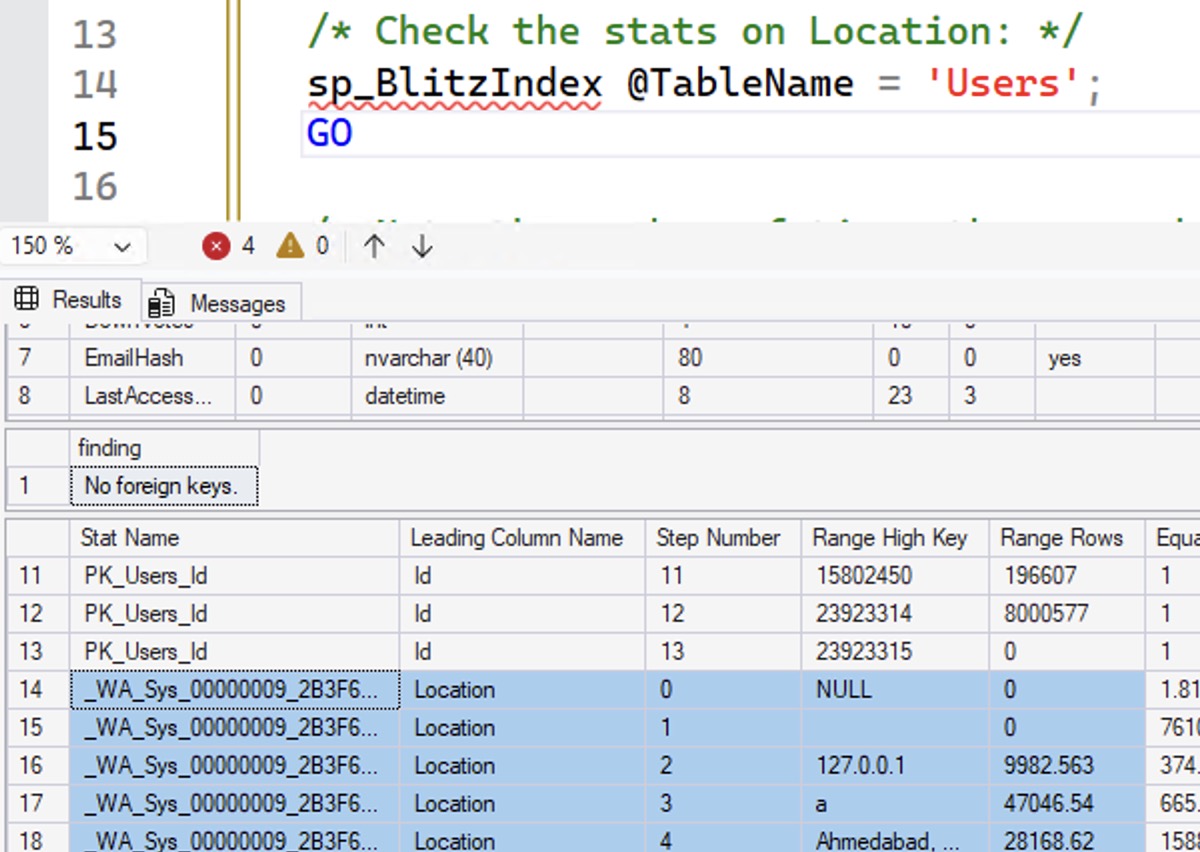
Because there are a lot of people in Ahmadabad, SQL Server gets that estimate correct, which is really important when you start joining this table to other tables, like finding their number of comments or posts:

Accurate estimates

SQL Server brought back 1856 of an estimated 1856 rows. So far, so good. But what happens when we start running functions on the parameter we’re searching for, like if it’s a parameter that we need to clean up. How will this affect our estimated number of rows:

Your knee-jerk reaction is probably to say, “FUNCTIONS BAD!” especially given that this is a case-insensitive database. But let’s test that hypothesis across time, across different database compatibility levels:

The actual execution plans tell an interesting story:

  • 110 (SQL Server 2012): 1,856 estimated rows, perfect (1856 rows actually match) – so the functions didn’t matter
  • 120 (2014): 65 estimated rows – worse
  • 130 (2016): 65 estimated rows
  • 140 (2017): 65 estimated rows
  • 150 (2019): 15 estimated rows – EVEN WORSE
  • 160 (2022): 1,856 estimated rows – whew, better – the functions don’t matter anymore
  • 170 (2025): 1,856 estimated rows – functions still don’t matter

The “new” cardinality estimator introduced in SQL Server 2014 seemed to be unable to parse its way through the functions, even though previous versions had been able to do it. Somehow SQL Server 2019 made things even worse, and then presto: SQL Server 2022 fixed it. I’m not talking about any fancy adaptive cardinality estimation stuff either – note that I’m specifically hinting the compat level that I want in the query hints.

In the last few years, with clients on SQL Server 2022, this has led to a couple of awkward situations. I’ve been on a client call where the DBA would pull up a slow query onscreen, point at the WHERE clause, and scream, “I’VE TOLD THE DEVELOPERS A MILLION TIMES, YOU CAN’T PUT FUNCTIONS IN THE WHERE CLAUSE – BRENT, YOU TELL ‘EM!” I’d remove the functions, and the query would perform absolutely identically, with the same estimates.

What about functions on the table contents?

Above, we were running functions on the incoming parameter. Now, let’s flip it around and run functions against the table contents, but leave the parameter as-is:

The actual plans for this one tell yet a different story:

  • 110 (SQL Server 2012): 163,186 estimated rows – bad, since only 1856 rows come back
  • 120 (2014): 65 estimated rows – also bad, wildly underestimated
  • 130 (2016): 891,751 estimated rows – swinging the pendulum into the other overestimated direction
  • And all subsequent versions still use the same bad estimate as 2016

Functions on table contents generally are a terrible thing, especially since they also force SQL Server to do an index scan, processing all of the rows in the table, running the functions on every single row. It’s CPU-intensive and time-intensive.

In the Mastering Index Tuning class, I explain that to work around queries like this, you can add a computed column:

And after doing that, all of the compatibility levels’ actual plans show the same estimated number of rows: 6,547 rows, pretty doggone close to the actual 1,856 rows produced. Create an index atop that column, and:

On Enterprise Edition, all of their execution plans have nice, tidy index seeks with just 1,856 rows estimated, too. So to recap, for this particular combination of functions, are they actually bad in the WHERE clause?

  • If they’re on the parameter side, and you’re on 2022 or newer compat level, probably no
  • If they’re on the parameter side, and you’re on 2014-2019, probably yes
  • If they’re on the table side, and you’ve put in computed columns (and even better, indexed them), probably no
  • If they’re on the table side, and you haven’t put in computed columns, probably yes

This blog post can’t cover every combination of functions.

Many of SQL Server’s built-in functions have different abilities to give you accurate cardinality estimates, on different versions and compatibility levels, not to mention your own user-defined functions, not to mention that queries often combine multiple functions!

Your goal as a performance tuner isn’t to make knee-jerk reactions of “FUNCTION BAD” – but rather to use a scientific approach like this to actually test. Check to see whether the cardinality estimation is correct, rule out parameter sniffing, make sure you’re getting good index usage, and minimizing the work required by the query. You don’t wanna just point at something and yell at it, because if you’re proven wrong, then managers are gonna point and yell at you.

This post is also a great example of why I’m updating and re-recording my Mastering classes for SQL Server 2025. Most of you are still on SQL Server 2019 – which is great, I love it, and it’s stable – but in the next year or two, you’re going to be embarking on upgrade projects to 2022 or 2025. Your performance tuning journey is gonna start again, and I’m gonna be right here to help you stay up to speed.

Speaking of which, my classes are on sale this month for Black Friday! Go check ’em out.


T-SQL Query Exercise: Generate Big Spills

Query Exercises
18 Comments

When I was testing SQL Server 2025’s new ability to limit TempDB usage with Resource Governor, I wrote a few fun diabolical demos. One of them was to generate giant spills to TempDB, quickly.

When you’re looking at an actual (not estimated) query plan, and you see a yellow exclamation point on a sort operator, that means:
Fundamentals of TempDB

  • SQL Server made a guess about how much memory it would need to accomplish that sort
  • The amount of data coming into the sort wildly exceeded SQL Server’s plans
  • SQL Server resorted to writing that data to TempDB: aka, the data spilled over from memory to disk

This can happen in a few interesting ways:

  • SQL Server under-estimates how much data will be coming into the sort, or
  • SQL Server accurately estimates it, but simply doesn’t have enough RAM available to handle it
  • The query goes parallel, the memory is evenly divided across threads, but the data is not evenly distributed, so some threads run out of memory while other threads’ memory sits unused

Sorts aren’t the only operators that can spill, either!

So for this week’s Query Exercise, we’re going to play a little code golf: write the shortest query you can that will produce the biggest spills. Code golf is a fun way to think out of the box, freeing yourself from traditional limitations around the tables & queries you usually work with.

Those of you who have my Fundamentals of TempDB course can check out this brand-new class module on Resource Governor, and you’ll get an idea of the approach I took. (If you don’t have that class, check out my Black Friday sale.) I couldn’t let this problem out of my head so I ended up toying around with it, iterating over that approach for a while to make it much shorter than the class demo.

Put your queries in a Github Gist and include those link in your comments. Check out the solutions from other folks, compare and contrast your work, and next week I’ll circle back with my answers & thoughts. To give you a rough idea of what to aim for, my solution uses less than 100 characters, and will run any server out of TempDB space with a ginormous spill. Have fun!


SQL Server 2025 Is Out, and Standard Goes Up to 256GB RAM, 32 Cores!

SQL Server 2025
35 Comments

Today marks the official birthday of Microsoft SQL Server 2025. Here’s where to download the evaluation version. Here are the top things you wanna consider as you talk to your managers, developers, and end users.

The feature differences between 2025 Enterprise and Standard have been revealed, and the news for Standard Edition folks is spectacular: it now supports up to 32 CPU cores and 256GB RAM! Other editions get a couple of tweaks: Express Edition now supports up to 50GB per database (although it’s still capped at a single CPU core), and Web Edition is no more.

If you build your own apps and you use Standard Edition in production, there’s a new Standard Developer edition that mimics the behavior and limitations of Standard Edition. During installation, when you hit the edition dropdown, choose Standard Developer. You can read about 2025 Standard’s limitations here. The big one people usually think about is the RAM cap, but there are also subtle performance differences, like Enterprise Edition’s advanced scanning, aka merry-go-round reads.

If your TempDB runs out of space, I love Resource Governor’s new ability to cap space usage for workload groups (or everybody altogether.) This should be a part of everybody’s standard builds for 2025 servers – especially because of a fun new bonus: Resource Governor is now available in Standard Edition too.

If you use columnstore indexes, 2025 continues upon every release’s investments, with a bunch of improvements to make management easier on ordered indexes. In my early tests with clients, we’ve seen massive improvements in easier, faster, more online maintenance that we simply couldn’t do before.

WHO IS THIS JASON AND WHY IS HE IN MY TABLESIf you’re storing and querying JSON, either in NVARCHAR(MAX) columns or 2025’s new JSON data type, there’s a new JSON_CONTAINS search function, which in many cases is quite sargable with the new JSON indexes. This should only be used when you can’t predict which columns you need to index, and index them with computed columns instead though, as I explain in this new Indexing JSON module in my Mastering Index Tuning class.

If you’re doing AI projects, the most interesting piece is the ability to call things like ChatGPT using the new sp_invoke_external_rest_endpoint. I’m genuinely excited for that and I’ve talked to a bunch of clients who are ready to start putting it through its paces for a lot of different use cases. For AI, 2025 also brings a new vector data type, vector functions, and vector search, but I’m much less enthusiastic about those. I imagine those features will see adoption rates similar to spatial data and graph data – just not that high in SQL Server.

If you’re into regular expressions, they’re now built in, so you don’t have to install third party tools for it anymore. However, I’d caution you to test your queries first: I’ve seen horrific performance. SQL Server doesn’t have any magic secret sauce to make your convoluted search conditions sargable, and string processing has never been SQL Server’s strong point. This feature is kinda like cursors, in that there will be very specific places where it makes sense, usually in one-off utility queries, not the kind of thing you wanna put in front of end users.

If you struggle with lock escalations and multiple writers, enable the new Optimized Locking feature in conjunction with Accelerated Database Recovery, and you can have millions of rows involved in write locks, and you still won’t see lock escalation. I demo it in this module of my Mastering Index Tuning class.

There are other improvements, like a few Intelligent Query Processing improvements, lots of Availability Group improvements, and a new faster (but not necessarily smaller) backup compression algorithm to test.

SQL Server versions rarely get big breaking changes, and this release is no exception. There’s a small list of removed and deprecated features, but nobody’s gonna miss that stuff. Data Quality Services? Master Data Services? Synapse Link? C’mon, who would be naive enough to use that stuff? None of my readers, just like they wouldn’t even dream of considering Big Data Clusters or ledger tables. We know better. Databases are persistence layers, not app servers or blockchain spam.

However, 2025 does have several breaking changes focused around secure connectivity between services and servers. 2025 adopts TDS 8.0 support with TLS 1.3, which breaks some linked servers and replication setups. The fixes in that link sound pretty easy, but I’m not the kind of guy who uses linked servers or replication, so that’s left up to you. I just feel like I gotta mention it first in the headlines because it’s so rare that we get known breaking changes, and you wanna head these off before you get surprised by ’em.

But best of all, SQL Server 2025 sees been massive price cuts to respond to market pressure from other databases, and to correlate with the fact that a lot of the new features drive up cloud revenue, like syncing your data up to your pricey new Fabric reporting system and calling Azure OpenAI via stored procedures. Microsoft clearly recognized that the more SQL Server 2025 is adopted, the more you’ll spend on cloud services, and the less likely you’ll be to switch to open source databases, so they… almost had you fooled, didn’t I? Sorry, bud. The price list PDF is out, and prices look the same:

  • SQL Server 2025 Enterprise Edition: $7,562 per core
  • SQL Server 2025 Standard Edition: $1,973 per core

When should you upgrade to SQL Server 2025?

If you’re a regular reader around here, you’ll know that I tend to be a pessimist. I tend to recommend that folks only upgrade to a new version when there’s a specific feature in the new version that they absolutely require for their applications. Even then, I recommend that they test that specific feature first, make sure it actually relieves the pain you’re having in production, and make sure it behaves the way you want.

How about a nice cup of Standard Edition?I think SQL Server 2025 is different. I think you should adopt it sooner rather than later.

If you build your own apps, in the old days, we’d say things like “wait until Service Pack 1 before you put it into production.” These days, Microsoft has done a pretty good job with compatibility levels: in a development environment, you can run SQL Server 2025, but put the databases in the compatibility level that you’re using in production, and be fairly confident that the majority of your query plans will look/feel the same.

I’d recommend putting 2025 into your development environments sooner rather than later.

Initially, keep the databases in the older compatibility level, and warn the developers not to use any new data types, functions, or T-SQL capabilities from 2025 until you’ve got the confidence that you can run 2025 in production. Use the development servers as testbeds for things like your management & monitoring apps, linked servers, replication, etc, and gain the confidence you need to gradually put 2025 into production. You can start gaining that confidence in low-load development environments now, without being worried about the inevitable bugs that’ll get fixed in the first few Cumulative Updates.

If you only host 3rd party apps, hold back until your vendors agree that SQL Server 2025 is one of their supported platforms. Yes, in terms of what the apps feel, 2025 will probably behave identically to prior versions as long as the compatibility level is set to a level the vendor supports. However, you don’t wanna be the one who gets blamed when the vendor says, “Sorry, you’re running a version of SQL Server that we don’t support.” The vendor might blame you for issues that are completely unrelated to 2025, and I can’t have that happening to you. You need this job.

But as soon as they say 2025 is one of their supported platforms, I think you should go for it. These days, SQL Server has more tools than ever to help you manage query performance when you can’t touch the queries. Turn on Query Store, put the database into 2025 compatibility level, turn on automatic tuning (aka automatic plan regression), and use the tips I describe in How to Go Live on a New Version of SQL Server.

To learn more about SQL Server 2025, check out the posts I’ve written on its new features.


I Wish SQL Server Had These Four Innovations.

SQL Server
13 Comments

I love SQL Server, and I’m excited for the release of 2025. I think the query processing keeps getting better, which means your apps are gonna go faster, with less code changes.

The AI stuff is a little fluffy, and I don’t think time will be kind to it, but I totally understand why Microsoft felt like they had to chase that buzzword. All the cool kids are doing it, just like they did blockchain and IOT, and Microsoft is always looking for any way they can to keep SQL Server relevant to developers.

However, I keep seeing stuff in other databases that really is innovative, and would genuinely make developers’ lives easier, and I find myself wishing that Microsoft would focus on these kinds of real-world usability improvements. Here are just a few that have come across my desk recently.

Optional From-First Syntax

Imagine being able to write your queries like this:

If you wrote the from and joins first, then IntelliSense would actually be useful, because the select/where/order would all understand where you’re pulling data from. I am so sick and tired of starting my queries by typing:

And then up-arrowing back up to the top to type SELECT, because now I get autocomplete. I have to do this so freakin’ often that the up and down arrows on my keyboard are visibly more worn out than most:

UP UP DOWN DOWN LEFT RIGHT LEFT RIGHT B A START

The only other keys that are even more worn out are the ones on the left side, and I’ll leave the reason why as an exercise for the reader:

Maybe I use a lot of Softwares as a Service

DuckDB lets you type FROM first, but best of all, it’s optional – not required – so your queries work either the old school way, or the new from-first way. It’s a great way to gradually implement a better querying experience.

Native Rest or GraphQL API

Microsoft’s Azure Data API Builder sits in between your apps and your database. The DBA sets up the DAB, defining which tables people are allowed to query and update, and how joins are formed. It’s like a reporting universe, but for your applications.

Then, developers simply hit the API with REST or GraphQL requests like:

And get easy-to-consume JSON result sets. It supports filtering, sorting, joins, etc, and even better, it has pagination by default, encouraging good, scalable development practices.

Because both the API inputs and outputs are standards, this would be usable across not just SQL Server, but other Microsoft (and other!) database products, especially if Microsoft implemented it in stuff like Azure SQL DB and CosmosDB. Instead of having to build Tabular Data Stream (TDS) support into every app development platform, any dev platform that supported the REST or GraphQL APIs and JSON output would instantly have access to Microsoft’s best relational databases. Easier app development = better chance that Microsoft databases will get picked to play.

Yes, Microsoft built this innovation, and yes, they made it open source. But because it’s buried in with the rest of their open source projects, it’ll never get the marketing attention it needs, and big companies often refuse to install any add-ons. If it was part of the boxed product itself, I think it’d get rapid adoption for new development projects. Will it find its way into the boxed product? Probably not, because it won’t increase licensing sales.

Better Query Plans with Plan Stitching

Back in 2018, Microsoft published a research paper about plan stitching: breaking query plans up into parts, compiling the parts separately, and then stitching together the various parts at runtime. It’s kinda like OPTION (RECOMPILE), but inside the query itself, while it’s running.

This would be so helpful for those 20-table-joins I see so often in reporting queries, not to mention people who like to join half a dozen nested views together. SQL Server just doesn’t stand a chance of building an accurate overall plan in situations like that. Instead, I’d love for it to start pulling data back from the first couple of tables, and then make different decisions based on how many rows come back from each table.

The research looked promising, albeit challenging (and expensive) to actually implement and test. I understand why it didn’t make the cut, but that doesn’t stop me from wishing for it. However, the next innovation is less nice-to-have, and more come-on-why-the-hell-don’t-we-have-this-yet….

Automatic Backups, Encryption, and Patching

When you provision an AWS RDS SQL Server instance (and you get similar options in Azure SQL DB, I just happened to be provisioning an RDS instance so I was reminded of this), you get a simple set of checkboxes and dropdowns:

Automatic maintenance

Company-wide settings policies like Cost Threshold, MAXDOP, trace flags, etc – just a matter of picking them from a dropdown. Automatic backups? Already checked for you, with continuous point-in-time backups managed by the robots. Encryption? Of course. Automatic patching? Sure, if you want (not on by default) and you can even pick the maintenance windows when you want them to happen.

It’s 2025. Why are we screwing around with vector data types when SQL Server still installs itself in such a vulnerable state, with no backups, no corruption checking, and no ability to patch itself, and not offer any options during setup to mitigate these glaring problems? I hate whatever product manager is letting that happen. There’s a word for them, what is it, trying to think of it…

THE WORD IS ASS


How to Query JSON Data Quickly in SQL Server, Part 2: SQL Server 2025

SQL Server 2025
11 Comments

Mastering Index TuningSQL Server 2025 and .NET 10 bring several new improvements to storing JSON natively in the database and querying it quickly.

On the SQL Server 2025 side, the two big ones are the new native JSON indexes and the new JSON_CONTAINS function. Let’s see their improvements in action. On the .NET 10 side, EF 10 not only supports the new JSON data type, but on databases of compatibility level 170 or higher, EF will automatically migrate JSON data from NVARCHAR(MAX) data types over to JSON the next time you do a migration, as explained in the What’s New in EF Core 10 doc. That makes it especially important for you to understand how the new JSON indexes work, because they may be coming at you quickly the instant you change your compatibility level.

In my opinion, the short story is that for now, you should probably stick with yesterday’s technique using indexed computed columns. The long story is in the new JSON indexing module of my Mastering Query Tuning class. The rest of this post is the medium story, I suppose.

Start with storing the data in JSON.

As we did in yesterday’s post about how to get fast JSON queries pre-2025, we’ll create a Users_JSON table, but this time we’ll use the new native JSON datatype, then create a native JSON index on it. The create table statement uses 2025’s new JSON datatype:

Note that last CREATE JSON INDEX statement because there are a few cool things about it.

Create a new JSON index.
Make a pot of tea. Buy RAM.

  • The JSON part is new as of SQL Server 2025.
  • I only specify the source column (UserAttributes) – and whatever’s in it gets indexed, period.
  • WITH (MAXDOP = 0) lets me throw all of the server’s CPU power at it, no matter what the server-level MAXDOP setting is.

That last part has always been supported with any create index statements, but… it’s especially important here. What we’re doing is like creating an index on every column, something you might imagine would take quite a while. It’s like… well, you know, while I’m waiting for the above to finish, I can demo exactly what it’s like on another table. It’s like creating a clustered columnstore index on that same amount of data, breaking the data up into columns, storing it separately, sorting it, and compressing it. That can be pretty time and CPU intensive, as demonstrated by how long it takes to create a clustered columnstore index:

Creating a columnstore index in 18 seconds

18 seconds on the clock, and 43 seconds of CPU-burning time – that’s a lot for a table that’s only 8 million rows and 1GB in size.

Although in comparison, let’s look at my fancy new JSON index now that it finally finished building, and:

JSON index metrics

I just… I don’t understand:

  • CPU time: 43 seconds for columnstore, 24 minutes for the JSON index
  • Elapsed time: 18 seconds for columnstore, 8 minutes for the JSON index

What the hell is this thing doing?!? Sure, I get that the columnstore index has a defined list of columns to start with, whereas the JSON object could have any number of columns, including nested ones, but this feels like a best case scenario – my JSON doesn’t have anything nested at all, and it’s still this bad! Here’s what the query plan shows:

Actual query plan for JSON index creation

I don’t think I’ve ever seen an index creation have two stages before. Looks like the first part took about 6 minutes, and there’s a yellow bang on the insert operator – hover your mouse over that, and there’s a warning about using more memory than the query was granted:

Memory grant warning

Sounds like we better go check out the memory grant properties to see how much memory the index creation wanted – let’s look at Desired Memory:

My kingdom for some commas

7,722,451,296.

SQL Server wanted eight terabytes of memory in order to build a JSON index on a 1GB table. And in fact, if our server had 32TB of memory, 8TB would have actually been granted to this query. How’d you do that? I’m not even mad. That’s amazing.

The resulting index is about 12GB in size – on 1GB of base tabular data! sp_BlitzIndex doesn’t show that yet because as of RC1, the data is stored in a really wonky way – with a child object, and child indexes on that object. For now, you can manually query the DMVs to see it:

Just replace the Users_JSON_Indexed table name with the name of the table you’re examining.

But at least all our JSON queries are fast… right?

We’ll use the same query syntax we used in yesterday’s post, using JSON_VALUE because that’s what our developers have standardized on over the last decade because that’s the way to get fast queries with tidy index seeks:

And it, uh… takes the same CPU time and table scan that it took without an index?!?

JSON_VALUE statistics

Because SQL Server is ignoring the JSON index. We can actually force usage of the JSON index with an index hint:

The first query is the one SQL Server picks, and the second one is my index hint:

A tale of two bad plans

The second query uses the index due to my hint, and uses way less CPU time, but… there’s something really odd about the index usage plan. Why are we doing a clustered index scan of the entire table? The top operator only brought back one row – why would we need to join that to the entire contents of the Users table? Even if I change the SELECT * to just SELECT ‘Hi Mom’, it still has the same problem, insisting on joining to the entire contents of the Users table:

Odd join

I just don’t understand this plan. It doesn’t make any sense.

I do understand the 2,819,960 row estimate, though: it’s a hard-coded 30% of the table, and that’s a serious warning sign.

2025’s JSON indexes aren’t ready yet.

Whenever a new T-SQL function comes out, I ask a few questions:

  • Does it actually work in the way users would expect? This sounds like obvious table stakes, but it’s not.
  • Can it use an index – aka, is it sargable?
  • Can it do an index seek rather than scan?
  • Does the query optimizer estimate the number of rows it’ll produce, or use a hard-coded guess?

Here, the T-SQL function isn’t new – but the index is, and it doesn’t seem to work well with the existing JSON_VALUES function. It performs poorly during build, performs poorly during execution, and unlike yesterday’s computed column strategy, JSON indexes don’t appear to have statistics:

Lack of stats

If we only had the JSON_VALUE function, I’d end the story here, but SQL Server 2025 also introduced a new function, JSON_CONTAINS. Let’s rewrite our query with that new function and see how it goes:

YAY! The query runs in milliseconds!

JSON_CONTAINS plan

But it still insists on joining to the contents of the clustered index – even when we just select ‘Hi Mom’, nothing from the table. Daniel Hutmacher noticed this in May during the early previews, too, and doesn’t seem that’s been fixed yet.

SQL Server 2025’s JSON indexes only make sense when:

  • You can’t use the easy technique of storing the data in NVARCHAR(MAX) with indexed computed columns, like we’ve been doing for the last decade
  • You don’t care how long the index creation & maintenance takes
  • You can deal with index sizes that are several times larger than the underlying data
  • You can rewrite your queries from JSON_VALUE to JSON_CONTAINS

Otherwise, stick with yesterday’s technique for now. I say “for now” because it feels like a lot of these problems could be solved with cumulative updates over time, and Microsoft does have a track record of doing this. Columnstore indexes were awful when they first came out in SQL Server 2012, but Microsoft made steady investments in that feature.

In addition, you’re going to need to have a chat with your developers before touching the compatibility level. The instant you change it to 170, and your developers do their first migration, their NVARCHAR(MAX) columns may get converted over to JSON, which would be a pretty ugly upgrade and outage. You can avoid that for now by having them set those columns’ data types to NVARCHAR(MAX). I’m not saying not to use EF Core 10 – there is an awesome improvement in there that I’ll discuss in another blog post.

If you enjoyed this post, you’ll love the new JSON indexing module in my Mastering Query Tuning class, which just happens to be on sale this month!