Blog

Divide By Zero Hero

SQL Server
20 Comments

Alright, so at least they’re not NULLs

But zero is actually literally much more problemaaaaatic per se (add lots of annoying vocal fry to this when you read it) when it comes to math. Or maths, depending on which message board you read. Zero has a weird history. It wasn’t always a number, and it can be a difficult concept in cases.

After all, what is zero? Is it actually zero? Is it my favorite Jami Gertz movie and third favorite Bret Easton Ellis book “Less Than Zero“?

Probably not

But we also don’t need to have that deep a discussion about zero, or my favorite books and movies. We just need to avoid this error:

Msg 8134, Level 16, State 1, Line 24
Divide by zero error encountered.

Why? Because it’s just as nebulous and unhelpful as certain other error messages, but thankfully it’s a bit easier to root out. After all, you just need to look at columns taking part in some division arithmetic.

Method to the sadness

There are several options for fixing this. For instance, you can use a CASE expression, or COALESCE, but I find they get a tad muddled to write after a while, especially if we’re safeguarding multiple columns from our mathematical disaster. Plus, under the covers, the functions I like to use are just case expressions anyway. Isn’t it nice that SQL Server will save you a touch of typing? I think so. What a considerate piece of software!

This is a bit of a beginner tip, but it came up while we were at DBA Days, so I figured I’d write about it in case anyone runs across it.

Let’s get ourselves a table!

It has some numbers in it! More precisely, it has 10,000 random rows of the numbers 0-9 in each column. Precisely random.

See?

Zeros and zeros and zeros

This will cause problems!

Query-ending problems. Literally. Termination. Error. Red text. Red text everywhere.

To fix it, you can use a built-in function called NULLIF, which will return a NULL if the first value you pass in tests true to the second value. Words. Words are hard. Queries are easy, right?

This works, but then we have a couple thousand rows of NULL being sent back at the beginning of our results. This may confuse people. How can math be NULL? Where did my life go? Am I getting enough fiber?

Well, uh. Remember our other NULL handling function? ISNULL? We can wrap the whole expression in that.

This returns a zero for any columns that return NULL, which will happen when you try to divide any number by NULL. A lot of people will be tempted to replace NULLS with ‘N/A’, or something similar, to denote that the math couldn’t be applied, but you can run into type conversion errors when you do that.

This is because the column starts typed as an integer, and SQL can’t gracefully convert ‘N/A’ into an integer. No way, no how. I know that sounds annoying, but believe me, it’s much better than columns changing datatypes on you mid-flight. That’d really screw everything up! If you’re dead set on doing this, you need to add in a bit more code.

This will run without error, and so long as you don’t need to do anything integer-y with the results, probably won’t harm anything.

Probably.

Thanks for reading!


Are You Load Testing for Best Case Scenario, or Worst Case?

In preparation for a recent load testing engagement, we started talking about the company’s goals. The DBA said something really insightful:

“We want to get to 1,000 page requests per second, which is around 5,000 batch requests per second. We’re testing with all of our caching turned off, because we want to simulate what might happen on Black Friday if our caching layer fails – we still want to be able to sell stuff.”

The hottest craze for this year's Black Friday sales
The hottest craze for this year’s Black Friday sales

Read that again, because there’s a lot of juicy details inside there. (I was so impressed by the DBA’s acumen that I actually wrote it down!)

The DBA knew that the real business metric isn’t queries – it’s how many pages we can deliver to customers. He also knew how many queries an average page requires in order to render.

He also knew that he can’t cheat – he can’t use all kinds of cool caching techniques in his tests because the caching layer could fail, and he has to still be able to deliver.

That’s a really admirable set of goals, but on the flip side, it means that if you’re designing hardware to satisfy peak loads like Black Friday, and you’re trying to survive even if caching is off, you’re probably only using 5% of your hardware capacity at any given time the rest of the year.

This is a business problem, not a technology problem, but it’s the reason why Infrastructure-as-a-Service (VMs in the cloud) are so doggone appealing to managers. As Black Friday approaches, you provision a new super-beefy VM, set up SQL Server on it, migrate your databases over to it, and have plenty of horsepower to survive the holiday loads. After the rush subsides, transition back over to a dramatically cheaper VM instance type, and go back to your regularly scheduled programming.


What To Do If sp_BlitzFirst Warns About High Compilations

Compiles Aren’t The Same As Recompiles

If you’re seeing high RECOMPILES, this post isn’t for you. We’ll talk about the differences between compiles and recompiles, but not how to troubleshoot recompiles.

Recompiles mean one of two obvious things: You have a RECOMPILE hint at the stored procedure or statement level, or SQL found a reason that a new query plan had to be compiled, despite the presence of what was once a perfectly good query plan.

The reasons for this are usually sound:

  • Table definition changed (columns, constraints, triggers, defaults)
  • Index(es) added or dropped
  • Statistics were modified, or judged to be out of date

There are other rules that deal with ANSI SET options, which is why I usually beg people not to change those unless they have good reason to. Although not all of the SET options trigger recompiles, here’s a list of the ones that do. You may also run into a situation where the use of temp tables in your code causes recompilation (scroll down to the section called ‘Recompilation Thresholds’).

Compiles, on the other hand, are when SQL gets a query, and either hasn’t seen it before, or doesn’t know that it HAS seen it before. So it compiles a plan for it and sends it on its way. SQL can either be very smart or very dumb about this. Sort of a mix Between ‘Finding Dory’ and ‘Memento’, but with less water.

Are Compiles A Problem?

In the same breath that sp_BlitzFirst warns you about High Compiles/Sec, it may also warn you about CPU utilization being high. If the two go together, this could be a problem worth looking into. They usually do, so it usually is. Shot, chaser, hangover.

Compiling plans is CPU-intensive stuff. Even if they’re not huge plans, and even if it’s just for a handful of queries. When they’re executed frequently they can really gang up and make your CPUs work harder than your liver on an airplane.

Those poor CPUs that you paid thousands of dollars to license SQL Server on. There are better things for them to do, you know.

EXEC dbo.sp_BlitzFirst @ExpertMode = 1, @Seconds = 30

Let’s Look At A Few Ways To Troubleshoot This

This post assumes that your server has ‘enough memory‘, and isn’t facing memory pressure issues that can cause the plan cache to get flushed out. It also assumes that you don’t have any wayward jobs executing reconfigure options that wipe your plan cache, like changing MAXDOP, Cost Threshold for Parallelism, Max Server Memory, etc.

It also assumes that you’ve addressed other high CPU causes, like rubbish indexes, implicit conversion, wonky functions, and a host of other things. For example, you’re not running on a 2-4 core VM where all your queries are going parallel across 1.8GHz cores and you have missing index requests that look like the wine prices at Le Meurice.

You may be seeing high CMEMTHREAD waits, but in general resource contention is low. You’ve tuned your queries and indexes, and things still suck. Now what?

Signs and Wonders

The first question you should ask yourself is: am I passing in a bunch of queries-as-strings from my application? If you’re not sure what that looks like, it’s probably something like this:

I’m not going to say ‘shame on you’ for not using stored procedures, but here’s one place where using them can have some really positive benefit: plan caching and reuse. If you are using stored procedures and still facing this issue, keep reading to find out why. There are some limitations to what SQL Server can safely cache and parameterize.

If you’re totally opposed to stored procedures, I’d point you to sp_prepexec to get similar behavior without sticking all your code in stored procedures. I know, it’s more typing, but think about how busy you’ll look doing it. Your boss will think you’re Powerdeveloper 5000.

Even THAT might be too much work for you! So there’s a database-level setting called Forced Parameterization which, as the name implies, forces SQL Server to parameterize all those yucky-duck, string-concatenated queries instead of treating them like individual queries in need of their own plans. The downside here is that they’ll be more sensitive to parameter sniffing, so you want to make sure that your indexes are spot on for your queries, and possibly think about taking other steps to branch code for values that will return many rows vs. values that only return a few.

Another downside is that Forced Parameterization has some limitations, which are discussed at the link. Not every part of every query can be parameterized, and there are some very common query patterns listed here that could leave your queries in the lurch.

And no, I don’t endorse RECOMPILE or using OPTIMIZE FOR hints here. The RECOMPILE hint puts you right back to the problem you’re trying to solve, and OPTIMIZE FOR UNKNOWN is… well, something you’d tell your stomach before eating fast food.

You could try OPTIMIZE FOR (specific value), but unless it’s a value that you’ve artificially injected into your database so you can control its pervasiveness, you can run into trouble down the line if that value grows in an unanticipated way, or is no longer a meaningful presence compared to other stored values. And then you’re tasked with making sure your artificial data isn’t causing you other problems, since you now have to back it up, restore it, check it for corruption, etc.

Hinting Plans

Somewhere in the middle exists a couple query level hints. These aren’t perfect either. Just like stored procedures, sp_prepexec, and forced parameterization, they’ll make your queries more sensitive to parameter sniffing. But hey, if your problems are high compilations and high CPU, these are all things that can offer relief, and maybe that once-in-a-while bad query plan is well worth the trade off. I’m talking about OPTION KEEP PLAN and KEEPFIXED PLAN.

To quote Microsoft:

KEEP PLAN
Forces the query optimizer to relax the estimated recompile threshold for a query. The estimated recompile threshold is the point at which a query is automatically recompiled when the estimated number of indexed column changes have been made to a table by running UPDATE, DELETE, MERGE, or INSERT statements. Specifying KEEP PLAN makes sure that a query will not be recompiled as frequently when there are multiple updates to a table.


KEEPFIXED PLAN
Forces the query optimizer not to recompile a query due to changes in statistics. Specifying KEEPFIXED PLAN makes sure that a query will be recompiled only if the schema of the underlying tables is changed or if sp_recompile is executed against those tables.

That means no matter which hint you choose, you’re going to have to pay very careful attention to whether or not the query plan you lock in is always appropriate. If your workload is consistently a bunch of single row look ups, you’re pretty safe. If you’re running customer reports for some people who have 10 orders, and some people who have 100,000 orders, you may not be.  Fun! Data! Mosquito bites!

But… you still have to KNOW what’s compiling. And how do you do THAT? You’d think it would be the simplest thing. sp_WhatIsCompiling, or something. Right? Well, not exactly. Brent would tell you to use Profiler, and that’s totally valid. But it’s CURRENT_YEAR, and Brent is busy antagonizing his illegal sturgeon farm into laying more eggs for his caviar bath.

Extended Event Planning

There are two interesting Extended Events for this.

If you’re using stored procedures and having this problem, sp_cache_miss can help you find which stored procs are looking for existing plans, not finding them, and bailing out to compile.

If you’re using more ad hoc code, query_pre_execution_showplan, is your best bet. It’s more of a catch-all, and will show you everything that’s compiling.

These ONLY work on SQL Server 2012 and up. If you’re on an earlier version, you’re going to want to crack open Profiler, and use SP:CacheMiss and Showplan XML For Query Compile to get similar information. This is where my support of Profiler begins and ends!

Usual Caveats About Extended Events

These can cause really bad observer overhead, so you’re going to want to do this on a dev server with a simulated workload. If you run this in production with no filtering, it’s going to hurt. The second one especially, which captures query plans, even warns you in the XE session GUI that it will put your server in a bad way.

Fair warning.
Fair warning.

I’ve seen a lot of good recommendations around filtering sessions like these. You can filter to a database, and do some modulus math on session_id to only capture data from a subset of users, etc. But really, the safest bet is to hit a dev server.

Cache Misses

If This Is Empty, Congratulations

Stored procedures are not your problem. At least they weren’t during the window you observed. If you’re *only* using stored procedures, you may want to keep sampling at different times and intervals until you’ve captured a representative workload. If you already knew that, because you’re not using them, this second XE session may work better. You shouldn’t have even bothered with this one. What’s wrong with you?

Compiling Plans

This should give you, if nothing else, a comprehensive list of things that SQL compiled during your sampling window. Now you know what you can attack with different methods.

You can try Forced Parameterization, OPTION KEEP PLAN or KEEPFIXED PLAN, or sp_prepexec. You may also want to strongly consider moving to stored procedures to get, at least, clearer reasons for why your plans aren’t being reused. Or, you know, SQL might just start re-using those plans all of a sudden. Wouldn’t that just be your lucky day? It may also take moving away from some of the limitations discussed in the Forced Parameterization article and Plan Caching and Reuse whitepaperto get there.

Yes, I’m ignoring Plan Guides and Query Store’s plan forcing here. Why? Because I’ve never used them to solve this problem. I’m not sure forcing a plan with either method would work if SQL doesn’t recognize that it’s getting the same query. It’s something interesting to test out another day.

Thanks for reading!


[Video] Office Hours 2016/09/21 (With Transcriptions)

This week, Brent, Richie, Tara, and Erik discuss enhancing queries, database corruption, availability groups, parameter sniffing, sending mail via SQL server, whether SQL 2016 is solid or not, other versions of SQL, physical servers vs virtual servers, and much more!

Here’s the video on YouTube:

Office Hours Webcast - 2016/09/21

You can register to attend next week’s Office Hours, or subscribe to our podcast to listen on the go.

Enjoy the Podcast?

Don’t miss an episode, subscribe via iTunes, Stitcher or RSS.
Leave us a review in iTunes

Office Hours Webcast – 2016-09-21


Is there a way to improve a query without editing it?

Brent Ozar: J.H. says, “Is there any way to enhance a query without altering it? Like adding query hints or rewriting SQL when the optimizer is using parameter sniffing? Like I want it to go parallel when it needs to. My developer is complaining that his query is running slow and he doesn’t want to change his query or code.” How would we go about doing that?

Erik Darling: Are you properly indexed for this query is my first question? One way that parameter sniffing is kind of aided is if you have the right indexes in place so it’s not making constant bad query plans for your query. You have a pretty set one that’s pretty decent.

Brent Ozar: I like that. What else? There’s a technique Tara uses. She’s said it several times in webcasts. I’m always like, “Yes! Yes!”

Tara Kizer: A plan guide.

Brent Ozar: Yes!

Tara Kizer: A plan guide is similar to adding index hints directly in the query. It just allows you to have the object outside of the stored procedure code, if it is a stored procedure. Then you can add a plan guide to a query that you don’t even have access to change that’s hidden in an application. It mentions not going parallel when usually it does go parallel, I would look at the query cost and if the query cost is lower than your cost threshold for parallelism and you still want it to go parallel, then use the option MAXDOP. Add option MAXDOP to your query and compare the performance though.

Erik Darling: They don’t want to change the code so they’re kind of stuck not using hints.

Tara Kizer: I wonder if when they say they don’t want to change the code, maybe it’s a complex query and it’s going to take a long time, but just adding option MAXDOP, maybe that it is acceptable.

Erik Darling: Maybe.

Tara Kizer: You could still do a plan guide in that case. It supports those options.

Brent Ozar: Option MAXDOP won’t force it to go parallel, will it? If the cost is too low?

Erik Darling: No. There’s a trace flag.

Brent Ozar: What?

Erik Darling: There’s a trace flag. I always use it. Don’t you read anything I write?

[Laughter]

There a cool trace flag: 8649. If you want to use it as a query hint it’s option QUERYTRACEON, all one word, 8649. What it effectively does is drops cost threshold for parallelism for that query to zero. So it pretty much forces a parallel—well it’s a pretty good way to force a parallel plan if parallelism is possible for that plan. So like if you have other things going on in your query like scaler UDFs or whatever else that are keeping your query from going parallel, it’s not going to overcome that because the optimizer still has those limitations. It will make the parallel plan look pretty cheap in comparison to the serial plan.

Tara Kizer: So what’s the issue with option MAXDOP?

Brent Ozar: I don’t think it forces parallelism if the query cost is too low for the cost threshold for parallelism it won’t go parallel. It just says if you do go parallel use up to this many cores.

Tara Kizer: Oh, kind of sucks then.

Brent Ozar: It totally sucks. We need an option MINDOP is what we really need. I want go at least this parallel, not that MAXDOP isn’t awesome. MAXDOP is awesome but MINDOP would be even cooler.

Erik Darling: Conor Cunningham is sending a team to your house right now to talk to you about MINDOP.

Richie Rump: I need to talk to this developer because if you want to go ahead and write queries and then shove them in the application and then don’t want to touch them, we need to have a little discussion. We need to have a little talk.

Brent Ozar: You want a job there, right? You want to be able to go to work there.

Richie Rump: Yeah, we’re going to have it out. Because the data changes over time and sometimes the queries need to change too, so if you’re not going to throw that into a stored procedure and if you’re going to want to take it into your own application yourself, you’re going to have to be willing to change those queries as it goes along too. There’s no magic bullet or anything that some DBA can just poof on it—well, sometimes—but you have to be willing to be able to change your own code as things change in the data.

Erik Darling: Or at least be open to hints.

Richie Rump: Yeah. That’s changing code, right? I mean, I’ve got to change something.

Brent Ozar: If you want to change the code you could even use Adam Machanic’s function make_parallel. He has this function that will force your query to go parallel by creating a big fake table. Totally horrific idea. Horrible idea. But, you know, that might entice the developer into changing the code because it’s just so cool.

Erik Darling: Then he also has all that CLR stuff from that other manhandling parallelism talk. He just makes something wink for like two milliseconds and then, I don’t know, it’s ridiculous.

Brent Ozar: It’s neat. It’s a CLR object that takes your query and then parallelize it and then combines all the results back in. He’s got some slick tricks there.

Erik Darling: I think the whole point of it is to make sure that you have even row distribution on your threads. It’s like, how do you even get inside there to do that? Maniac.

Richie Rump: He’s our mad scientist.

Erik Darling: I get to eat his brain someday.

Brent Ozar: And he’s so nice and humble about it too. He’s like, “Everyone should use this.” This is totally approachable. It’s safe for everyone.


How do I handle corruption in the model database?

Brent Ozar: Upendra asks, “We have a model database that gets corrupted.” Oh my goodness, this happens often? “Tempdb depends on the model database and thus the SQL Server instance is not coming up. Is there any way we can bring the instance online as quickly as possible without rebuilding the model database?”

Tara Kizer: Simple. Just copy in model MDF and LDF from another server that you have. While the service is stopped, replace those two files. It should come online but you need to figure out why it’s getting corrupted. You probably have an issue where other databases might start getting corrupted.

Brent Ozar: That’s terrifying.

Erik Darling: The first thing I would do is run DBCC CHECKDB on other stuff because who knows what else is happening.

Tara Kizer: Yeah, and check your event log. You might have some disk issues.

Brent Ozar: Model is so tiny relative to the rest of your databases. So if the model database is repeatedly corrupt when you start SQL Server, that’s where I get really worried. That’s terrifying. Where would you guys look to find corruption issues in term of if any events were happening, where else would you look other than the SQL Server error log? Any place else?

Tara Kizer: System log and event log. If it’s a cluster, maybe the cluster log as well.

Brent Ozar: God, it could be [inaudible 00:06:27].

Tara Kizer: But really, DBCC CHECKDB and see how bad it is.


How should I handle AG listeners with legacy applications?

Brent Ozar: Next up, Jon says, “We have a legacy PowerBuilder application. It connects using a High Availability Group Listener.” I don’t know where high availability group keeps coming in—I keep saying even, they call them “HAGs” I’m like, no, no, no, we don’t use that term. “Availability Group Listener and it doesn’t support the new parameter MultiSubnetFailover=True. Are there any ways that we can handle multiple subnet roundrobin for legacy connections?”

Tara Kizer: You can drop your, whatever it is, there’s a parameter in the cluster that you can drop to help with that I believe. I forget what it’s called, the IP…? I don’t remember what it’s called.

Brent Ozar: Register…

Tara Kizer: Yeah, the register one…

Brent Ozar: Yeah, register all IP…

Tara Kizer: That’s one of the recommendations by Microsoft. We didn’t use PowerBuilder but we had other legacy applications. That solution did not work for us but it is one that Microsoft says that could work for you. Another option is to change your connection timeout to a really high value so that it has time to check both or all IP addresses that are attached to the DNS record. That also did not work for us. So we tried a whole bunch of things and we ended up having to go with the standalone SQL instance name instead of using a listener which meant that on failover there would be an issue. So a DNS alias was used instead. That way the DNS would only need to be changed, rather than the connection string. I don’t know what change was made but at my last job where we had this issue, the Windows administrator ended up changing the DNS record so that it was referring to itself and didn’t have the two IP addresses, or something like that. They ended up doing something weird and it solved the issue. I just don’t remember what it was. It was DNS magic.

Erik Darling: I was talking to a client recently about CNAME aliases and they seemed to be more in favor of an ANAME. I didn’t know what that was because I’m not too network-y or DNS-y, but that might have been it. I don’t know.

Tara Kizer: Yeah, maybe.

Brent Ozar: I know there’s also magic that your Windows admins can do to make DNS resolution always point to the closest server. I don’t know what any of the technical terms of it are, but like yeah, it just automatically gets the nearest server to you. The problem of course is whenever your SQL Server failsover it is not going to return the secondary server first.

Erik Darling: Oh.


Are you guys getting away from Office Hours?

Brent Ozar: Fellow human says, “Due to the difficulty I had trying to figure out how to register Office Hours on your website, are you guys getting away from Office Hours every Wednesday? Manually searching for the link did not work. I could also be old, blind, and deaf.”

Tara Kizer: We also have that issue internally. We’ve had this issue. Like, “Where’s the link?”

Brent Ozar: Where the hell is this thing? If you go to… and I don’t even know where the heck this thing is. It may not be in the menu anymore. No, it probably isn’t. All right, I’ll make a note to myself. You’re not old, blind, and deaf. Note to self—add Office Hours to menu. No, we’re definitely not getting away from it. This is fun. I kind of like this. It’s a lot of fun. Plus, it’s nice that it’s just our chance to get together and laugh at your questions. Just kidding, just kidding. Totally taking your questions seriously.


Is SQL Server 2016 solid and ready for public use?

Brent Ozar: J.H. says, “Is SQL Server 2016 solid?”

Erik Darling: I don’t use it in production.

Tara Kizer: Yeah, we’re not production DBAs anymore.

Brent Ozar: Have we seen anybody using it in production?

Tara Kizer: Not as far as our clients go but as far blogs and the MVP mailing list. Clearly, some people are using 2016. Is it solid? I think it’s solid but you’re going to need to test whether it’s solid for you.

Erik Darling: My Developer Edition has been pretty solid so far. One thing I will point out is that Stack Overflow has been using it for a while. I’m pretty sure that if it were gelatinous in any way, Nick Craver would be letting us all know about it.

Richie Rump: [inaudible 00:10:57] in the morning, every morning.

Erik Darling: So I mean it’s probably all right. They released a CU for it. So you got some stuff solidified by that. Try it out with your workload. What do you have to lose? Developer Edition is free.

Brent Ozar: I don’t think we’ve heard any horror stories. I haven’t read anything where people said, “Oh, god, there’s all these problems.” Management Studio has been a hot mess off and on for a couple of releases. That thing has been buggy as all get out.

Richie Rump: Still.

Brent Ozar: They just released an update to it yesterday. Did you get the update yesterday?

Richie Rump: I haven’t installed it but there were a couple of people I saw on Twitter that were complaining about it still.

Erik Darling: See with Microsoft what you have to watch out for are the service packs. The service packs are always what bite you. RTM, rock solid, you know what you’re getting. Service pack one, boom.

Brent Ozar: So what problems went out there in 2012 and 2014 service pack 1?

Erik Darling: All the stuff that you emergency blogged about with breaking availability groups and the clustered index corruption and all that other fancy stuff that just went horribly, horribly wrong.

Brent Ozar: Yeah, it’s amazing. Everybody thinks service pack 1 is a safe release and that just hasn’t been the case lately.


Which SQL Server is most common in production today?

Brent Ozar: J.H. follows up with, “What version do you think is most in production right now?” This is actually kind of interesting.

Tara Kizer: There was a survey recently, wasn’t there? Maybe like six months ago? It was SQL Server 2008 R2, wasn’t it?

Brent Ozar: Yes. Go to spotlightessentials.com. Spotlightessentials.com is Dell’s totally free Spotlight. What’s interesting is they post a lot of the data out of there. So if you go to spotlightessentials.com and then you click on “Collective IQ” up at the top. Collective IQ has a lot of data that’s available to the public. The number one version out there right now? SQL 2008 R2 at 38 percent of the install base. Now, this is only the SQL Servers that people care to monitor with Spotlight Essentials, so there may be other servers that you don’t care to monitor. But that’s number one with a bullet. SQL 2012 is second place with 27 percent, then 2008 with 11 percent. 2016 is actually even lower than SQL Server 2000. It’s ringing in at zero percent right now whereas 2000 rings in at two percent, so that’s kind of scary.

Erik Darling: It’s worse than android fragmentation.

Brent Ozar: It’s worse than android fragmentation.

Erik Darling: [inaudible 00:13:32]

Brent Ozar: I know, right? The 2016 piece?

Erik Darling: Yeah, well, six-year-old software. 2008 R2 was 2010 so, you know. Your server software is now going into first grade and probably dressing itself.

Brent Ozar: Hurling on the floor of the minivan. I’m of the opinion for the most part, 2008 was really good. It serviced a lot of needs. People were pretty happy with it. It’s not terribly broken. The part that gets broken is if you want to do Always On Availability Groups, man, you really need to jump all the way to 2012 or 2014. That can be a big, scary jump for people. But those are awesome versions.

Erik Darling: I wouldn’t deploy a new availability group on 2012.

Brent Ozar: Why not?

Erik Darling: Well it’s still v1. You know? It’s the first availability group rollout. It doesn’t have all the cool new features and optimizations and other stuff. Like it doesn’t have all the extra stuff that 2014 added and 2016 added. If I were doing a brand new install—one thing that I would wonder about for the reason that people are on such old versions is like, are they just using vendor software and the vendor hasn’t okayed newer versions? Why are they stuck there? That’s the big question for me. Why are you stuck?

Brent Ozar: Yeah, the problem that I had with 2012 is whenever you lose the primary, the secondaries, the databases just disappear out of object explorer, so it’s hard to tell like for example, a query how far behind the replica is. Your [inaudible 00:15:11] reports fail. Then you have to go force one of them to be online or wait for automatic failover to happen. In 2014, even when the primary is down, your secondaries, you can still go query the databases. You can’t get there through the listener, you have to know which server name to connect to directly but at least the replica is there for you to run queries against. Another thing that’s interesting out of Spotlight Essentials over there, 59 percent of all SQL Servers being monitored are virtual as opposed to 41 percent are physical. I would read some of that as the people who would use a free monitoring tool are also probably the kinds of people who have virtual servers. Whereas the kinds of people who have big, beefy psychical SQL Servers might be more likely to use a paid monitoring tool.


How do I troubleshoot mail-sending code in SQL Server?

Brent Ozar: Eric asks, “I’ve been trying to troubleshoot a stored procedure that is sending mail.” Look, stop trying to send me mail, Eric, I don’t appreciate it. “Are there scenarios when SQL Server fails to log mail activity in either sysmail log or sysmail mail items? Because that is what I am seeing.” Have any of you guys used SQL Server to send mail and had to troubleshoot it afterwards?

Erik Darling: Yeah, tons.

Tara Kizer: Yeah, more for like DBA processes than an application process. I wonder if Eric has tried the sysmail_allitems. You might find data in there. I don’t know that I’ve ever seen it fail to log. I’ve definitely encountered issues with database mail. You could try restarting just database mail rather than the whole SQL Server service. Try sysmail_allitems.

Brent Ozar: I like that. The problem I always have with stored procedures sending mail is you’ve got to be really sharp about debugging that stuff. There was this one time when we tried to send out emails to customers and we had a little bit of a loop in the code. I woke up to over 50,000 emails in my inbox. I thought that was bad until I realized that everyone in the company had over 50,000 emails in their inboxes. We’d filled up the Exchange server’s drives.

Tara Kizer: We did that with SCOM. SCOM was sending out twelve emails per alert on a lot of our systems then we had some kind of massive outage. So hundreds of servers were suddenly sending emails. The Exchange admins were like, “What did you guys do?”

Brent Ozar: Denial of service attack against our email server.


Are there tools to help with a SQL Server to PostgreSQL migration?

Brent Ozar: Fellow human asks, “Hi all. We’re planning on migrating from Microsoft SQL Server to Postgres. Do you know of any good tools?”

Erik Darling: Excel.

[Laughter]

Tara Kizer: SSIS.

Brent Ozar: Yeah, SSIS has connectors to both. That’s like a big bang migration. It’s not like you gradually feed—it’s like you’re going to take a big outage and you’re going to push all the data across and then stand up on the other side. That’s kind of risky. I would be really interested in hearing why you’re migrating. What is it that you’re migrating for because we always find that kind of thing really interesting.

Erik Darling: Probably licensing costs.

Brent Ozar: That’s what he says.

Erik Darling: That’s the most common.

Brent Ozar: Reducing the project costs. So it’s kind of funny. From a tools perspective, what you seem to find is people who are migrating to a cheaper platform in order to save money, there don’t seem to be a lot of good tools there because tool vendors don’t want to make tools for people who don’t want to spend money. I’m certainly not saying Postgres is bad. Postgres is awesome. But your tools that you’ll be looking at will be open source rather than a lot of paid tools.

Erik Darling: PgAdmin is ugly.

Richie Rump: Yeah, oh, gosh.

Brent Ozar: Aqua Data Studio will let you query either SQL Server or Postgres but it’s just a querying tool and it’s ugly.

Richie Rump: Yeah, I think when you’re doing that kind of migration, you can do a big bang but you can do a thing in vertical chunks if you’re kind of moving the app along at the same time. To do the big bang, you’re going to want to do it over and over and over and over again. You’re going to want to test the heck out of it. I’m guaranteeing you, there’s going to be some data that’s going to be all screwed up and you’re going to need to go back and you’re going to fix it in the source system. Then you want to test it in the target system then. It’s just that continual loop of debugging your data as well as your process, your loading process.

Brent Ozar: You’ve got to make sure that the app, whenever you go move over to the new apps that you designed, that it has all the features that you want. Because what happens after go live day is two days in some user says, “I could have swore I used to have this feature. How come it’s not on the new side? Can I just use the old tool until you add the feature back in?” It’s like, “No, sorry, we cut the data over.”

Erik Darling: That and performance, right? You’ve got to make sure performance stands up on the other side as well. Postgres, I mean depending on what version you’re going to, it may or may not have any parallelism in it whatsoever and the parallelism that you do get in Postgres these days is not as complete as Microsoft SQL Server. Not saying that that’s a robust reason to stay, but that is one thing to consider.

Brent Ozar: They’re saying, “We’re facing issues on moving procedures over to functions and some data types are not supported.” Yeah, it’s really a code rewrite. Whenever you move from one database to another it’s going to be a code rewrite. You’re going to touch ever line of code.

Erik Darling: God, I was working with a client a few weeks ago and they were like, “We want to move everything to MySQL.” I was looking at their code and I was like, “See all those common table expressions? You’re going to have to rewrite all of those.”

Tara Kizer: And are you really saving money if you have to do a complete rewrite, if the application is already out there?

Brent Ozar: Yeah, that’s so rare.


Are physical servers better than virtuals for huge databases?

Brent Ozar: Upendra says, “Are physical servers better than virtual servers for huge databases?” Whenever you say “huge” make sure you qualify that with a size because what seems huge to one person doesn’t seem huge to another. Let’s say for the sake of argument that one terabyte is the mark that we’ll use, databases over one terabyte in size. “In my case, my architects are recommending physical servers for huge databases. What would you guys recommend?” If you guys are going to build a new SQL Server for a one terabyte database by default, do you with a virtual server or a physical server and why?

Tara Kizer: I don’t think it really matters these days. Maybe a few years ago DBAs were uncomfortable running production databases on virtual servers but these days I don’t see any reason why they can’t be virtual. As long as everything is configured properly, your hardware supports it, I don’t think it should matter. For a lot of companies, it’s more about being able to maintain the servers, that’s why they go virtual. They might even have one guest and one host for all the production servers. In that scenario, yeah, you don’t need to have virtual but they’re doing it for maintenance and support reasons.

Brent Ozar: Right.

Erik Darling: Yeah, I’m on board with that. It depends on why you’re virtualizing, if it’s ease of management or if it’s sort of a consolidation thing, then I’m with it—but no one virtualizes for performance. You might be able to eke out close performance but that virtualization layer is always going to be sitting in the middle telling your stuff what to do.

Richie Rump: Yeah, the largest database I’ve seen on virtual is 60 terabytes. We were running a 60 terabyte databases on virtual.

Brent Ozar: And it was Standard Edition. Just kidding.

Richie Rump: Yeah. No, actually.

Erik Darling: It was Web.

[Laughter]

Brent Ozar: Express.


Should you pre-size data and log files?

Brent Ozar: J.H. says, “Should you pre-size a data or log file to use up 100 percent of your hard drive space in order to avoid the slowdowns when files grow or is there any reason that I should leave a little space available on a volume in order to breathe?” What are some reasons that you guys wouldn’t grow out a data or log file to the whole drive size?

Tara Kizer: It changes my monitoring. At my last three jobs we’ve used SCOM. We’re monitoring not just SQL Servers, I mean the SCOM admins are monitoring not just SQL Servers but the entire Windows environment. If we grow the files out to fill up the mount point or drive, then our monitoring breaks in the sense that DBAs are now getting alerted all the time. Yeah, you could have some rules in place to have different alerts for the SQL Servers, but then you have to monitor the growth inside the files. I like generic alerts so we don’t have to make exceptions on certain servers. But still, monitor the growth inside the database files and do your manual growths during a maintenance window if the autogrowths are killing you. I’ve never really had a problem with autogrowths.

Brent Ozar: You want to set your autogrowth size to something that isn’t going to kill you. With data files, you just turn on instant file initialization and that problem kind of goes away. With log files though, we still have to pause when the log file grows out. Just figure out how your growth size can be where users won’t freak out. That’s what you set your autogrowth size at. Any opinions “One Metric Erik” and “Enjoy PastethePlan.com?”

Erik Darling: No, you guys covered it.

Brent Ozar: The other reason I’d say I wouldn’t want to pre-grow out is development environments. Sometimes you want to restore from production over to development. You don’t want to take up more space than you need to. So if you’re tight on space in development, you may not have that full drive file size space.

Erik Darling: I think my one exception would be tempdb, but anything else I would just let that grow. Look at how full the files are now and look at how much drive space you have. It’s like, okay, how long is it going to take me to grow into that drive space?


Are there any issues renaming SQL Server clusters?

Brent Ozar: Mike asks, “Do you guys ever have any issues renaming a SQL cluster?” Let me back up. I have never renamed a SQL cluster. Have any of you guys? Erik says no.

Tara Kizer: I can’t remember. I think maybe one time for a very valid reason. I don’t remember though.

Brent Ozar: This is a great question for Stack Exchange. I know I’ve seen a post by somebody back from when I used to work at Quest, there was a post on how you go through and rename a cluster. It was horrific. It had like 50 steps in it. I’m just like names don’t mean that much to me. If I wanted to change the name that bad, I would just add a DNS record for whatever people wanted to point to, for the new imaginary name.

Tara Kizer: It mentions the named instance. You can’t rename a named instance. You’d have to reinstall. I don’t even know if this question pertains to a cluster, just SQL Server in general you can’t rename an instance.

Brent Ozar: If you want to change the name of an instance, the way that it looked to people, you can add an alias. You can push out an alias via group policy and have everyone get it. That’s a giant pain in the rear though. I only know one person who’s ever done that.


Can we limit the emails we get during maintenance windows?

Brent Ozar: Terry says, “We have alerts set up for SQL severity errors 16-25, however we have an app that tries to break into SQL Server and when this happens we get a whole lot of emails for severity 16-20. Is there a way to turn off emails during a certain time frame or from a certain IP?” I bet what you really want is delay between responses. There’s a parameter on your alert emails that says delay between responses, set that to like 60 seconds or 300 seconds so that you only get one email per minute per severity level. Now of course that’s still going to happen on every single SQL Server so every SQL Server will fire off an email during that time, but yeah.

Erik Darling: You could do the bad idea route. I know that under operators there’s like an on duty schedule or there’s an off duty schedule where you can set “don’t send me emails between these hours,” but then you’re not getting emails from any alerts from those hours. That may not be what you’re after.

Tara Kizer: You could also just use a monitoring tool rather than using SQL Server’s built-in alerts. Monitoring tools can handle this type of situation.


Do you like SQL Sentry Plan Explorer?

Brent Ozar: Next question. “I know you guys like Idera based on the webinars.” We like everybody. We like all tool vendors, except for that one. You know who I’m talking about. No, just kidding. We like all of them. We’ve done webinars for everybody. We actually stopped doing webinars for vendors just so that we can start being totally independent again. “But SQL Sentry just released Plan Explorer’s full version for free. Do you have any opinions on it?” I think all of us have used Plan Explorer.

Erik Darling: I used to pay for it.

Tara Kizer: Yeah. The problem that I’m having with Plan Explorer, I used it yesterday with a client. On the new version, I can’t find the default window that comes up. I’m still running the old version on my desktop. I was comparing what I was seeing on the client’s computer to what I see. The screen that shows the—it’s a stored procedure, let’s say with many statements. The default says, “This query is taking this much. That query is taking that much.” You can immediately drill into which one to start your troubleshooting on. Where did that go in the new version?

Erik Darling: I still have that in mine.

Brent Ozar: I had to grab a hold of all of the dividers and move them around. One of them all of a sudden when I moved it, it showed up. I was like, “How did that happen?”
Tara Kizer: Maybe that’s it. Maybe whoever built that installer had it all the way up.

Brent Ozar: Yeah, weird. But yeah, we totally like it. It’s cool. Totally. We brought out this thing called Paste the Plan. If you go to pastetheplan.com you can paste in execution plans in there. For example, if you want to use Plan Explorer to anonymize your plan and then share it with the public, you can totally do that too. We like Plan Explorer.


How can I get a new execution plan without dropping the stored procedure?

Brent Ozar: Fellow human asks, “I am facing—” I’m going to rephrase this a little. “I’m facing parameter sniffing issues. How do I get a new execution plan without dropping and recreating the stored procedure? Right now they’re dropping and recreating a stored procedure.” That’s a great question. The fact that we’re all trying to keep a poker face should not dissuade you in any way. He says, “Some stored procedures take four minutes.” So what would you guys do when you’re facing parameter sniffing issues and you want to get a new execution plan for a stored procedure?”

Tara Kizer: Sp_recompile that’s been available since I’ve been working on SQL Server. Never drop and recreate the stored procedure because than you’ve lost permissions. You clearly know what permissions to add back to the stored procedure. An alter does not lose the permissions but that also doesn’t get you a new execution plan. So just sp_recompile but I’d be looking into what’s going on specifically and what version of SQL Server is that on.

Brent Ozar: They said they’ve done sp_recompile and they’ve also rebuilt indexes. Wow.

Tara Kizer: If you’re using sp_recompile and you still have poor performance, you need to take a look at what the execution plan was optimized for. Take a look at the showplan xml. Go to the bottom and then scroll up a little bit. It will tell you what parameter value it was optimized for. Which execution plan gets put into plan cache depends on who runs the stored procedure after you run sp_recompile. Sp_recompile is no different than if you do the drop and create. It’s just who’s running it first, that’s who it gets optimized for.

Brent Ozar: If you go into an execution plan and you find a good set of parameters that produce a good plan, what do you do next?

Tara Kizer: Erik will do the optimize for and I’ll do a plan guide.

[Laughter]

Erik Darling: I won’t do optimize for. I will never do optimize for. Now I’m onto KEEPFIXED PLAN. I’m all over that, the stored procedures. That thing is beautiful.

Tara Kizer: But we’re not sure if that option is going to be available in future versions. There’s hardly any information about it out there.

Erik Darling: Still works.

Brent Ozar: It’s like fashion. We have different fashions based on month of the year and quarter of the year or seasons. I used to be totally anti plan guide until they saved my life. Then I was like, “Plan guides are amazing.” I used to be totally anti query hint until I saw how easy that was. If you search for—and check your watches, ladies and gentlemen—we’re 30 some minutes into the webcast and we finally announced it—the epic blog post “Slow in the App, Fast in SSMS” by Erland Sommarskog. Search in Google for “Slow in the App, Fast in SSMS.” It’s an epic treatise by Erland Sommarskog that talks about the different treatment options that are available to you whenever you’re facing parameter sniffing issues.

Erik Darling: Use Paste the Plan. Post it on Stack Exchange. Maybe we’ll answer it. Maybe someone much smarter than us will answer it.

Brent Ozar: That’s true. Yeah, because usually when you get wildly different execution plans, there’s other ways you could fix it without having to force it. Usually if you tune the query or tune the indexes, there’s a huge difference you can make to get a reliable execution plan permanently.

Erik Darling: Temp tables. No local variables. Da-da-da-da…

Brent Ozar: Listen to us rant about query plan problems. Thanks everybody for hanging out with us this week. We will see you guys next week at Office Hours. Adios.

Tara Kizer: Bye.


Partitioned Views: A How-To Guide

This is not about table partitioning

If you want to learn about that, there’s a whole great list of links here, and the Best Blogger Alive has a tremendous post on why table partitioning won’t make your queries any faster over here.

With that out of the way, let’s talk about partitioned views, and then create one from a real live table in the StackOverflow database.

What is a partitioned view?

It’s a view that combines the full results of a number of physical tables that are logically separated by a boundary. You can think of the boundary the same way you’d think of a partitioning key. That’s right about where the similarities between table partitioning and partitioned views end.

For example, you have Table1, Table2, and Table3. All three tables are vertically compatible. Your view would look something like this.

Hooray. Now you have to type less.

Partitioned views don’t need a scheme or a function, there’s no fancy syntax to swap data in or out, and there’s far less complexity in figuring out RIGHT vs LEFT boundaries, and leaving empty partitions, etc. and so forth. You’re welcome.

A lot gets made out of partition level statistics and maintenance being available to table partitioning. That stuff is pretty much automatic for partitioned views, because you have no choice. It’s separate tables all the way down.

How else are they different?

Each table in a partitioned view is its own little (or large) data island. Unlike partitioning, where the partitions all come together to form a logical unit. For example, if you run ALTER TABLE on a partitioned table, you alter the entire table. If you add an index to a partitioned table, it’s on the entire table. In some cases, you can target a specific partition, but not all. For instance, if you wanted to apply different compression types on different partitions for some reason, you can do that.

With partitioned views, you add some flexibility in not needing to align all your indexes to the partitioning key, or alter all your partitions at once, but you also add some administrative overhead in making sure that you iterate over all of the tables taking part in your partitioned view. The underlying tables can also all have their own identity columns, if you’re into that sort of thing. If you’re not, you should use a Sequence here, assuming you’re on 2012 or later.

Are partitioned views better?

Yes and no! The nice thing about partitioned views is that they’re available in Standard Edition. You can create tables on different files and filegroups (just like with partitioning), and if you need to change the data your view covers, it’s a matter of altering the view that glues all your results together.

Tables can have different columns (as long as you account for them in your view definition), which isn’t true for partitioning, and you can compress or index different indexes on different partitions differently depending on the workload that hits them. Think about reporting queries that want to touch your historical data. Again, not ‘aligning’ all your nonclustered indexes to the partitioned view boundary doesn’t necessarily hurt you here.

They do share a similar problem to regular partitioning, in that they don’t necessarily make your queries better unless your predicates include the partitioning key. Sad face. It is fairly easy to get partition elimination with the correct check constraints, as long as you include a partition eliminating element in your query predicates. If your workload doesn’t reliably filter on something like that, neither form of partitioning is going to help your queries go faster.

One problem I’ve found particularly challenging with partitioned views is getting the min/max/average per partition the way you would with normal partitioning. There are a couple good articles about that here and here, but they don’t really help with partitioned views. If anyone out there knows any tricks, leave a comment ;^}

Modifications can be tricky, too. Bulk loads will have to be directed to the tables, not the view itself. Deletes and updates may hit all the underlying tables if you’re not careful with your query predicates.

Ending on a high note, the view name can obfuscate sensitive table names from them there hackers.

From the comments!
Geoff Patterson has a Connect Item about pushing Bitmap Filters through Concatenation Operators, which would be really powerful for Partitioned Views.
If this kind of thing would suit your needs, give it an upvote over here.

Enough already, what’s it look like?

Download the script below. It assumes that you have a copy of the StackOverflow database with the Votes table, and that you’re not a StackOverflow employee running this on the production box. Things might get weird for you.

Partitioned_View_Votes

Assuming everything runs correctly, in about a minute you should have a series of tables called Votes_20XX. How many you end up with depends on which copy of the database you have. Mine has data through 2016, so i have Votes_2008 – Votes_2016.

Each table has a PK/CX on the Id column, a constraint for the year of dates in the table on the CreationDate column, and a nonclustered index to help out some of our tester queries. You can just hit f5, and the RETURN will stop before running any of the example queries.

You should see something like this when it’s done. Yay validation.

Rows and Sizes. Important stuff.

How does query work?

It’s pretty easy to see what I was talking about before. If you’re not looking at CreationDate in the WHERE clause, you end up touching a lot of tables. When you use it, though, SQL is really smart about which tables it hits.

Avoidance
Avoidance

Ranges work pretty well too.

Good for you, man.
Good for you, man.

Even when they’re broken up!

OR OR OR
OR OR OR

But if you don’t specify a date, you run into trouble.

Scan every index
Scan every index

You’d think this would go better, but it doesn’t. I mean, the MAX date would have to come from the… oh, forget it.

Kinda dumb.
Kinda dumb.

That’s all, y’all

I hope you enjoyed this, and that it helps some of you out. If you’re looking to implement partitioned views, feel free to edit my script to work on your table(s). Just make sure it’s on a dev server where you can test out your workload to make sure everything is compatible.


How to Select Specific Columns in an Entity Framework Query

SQL Server
42 Comments

One of the most frequent complaints that I hear when presenting to DBAs about Entity Framework is that it’s “slow” and that “developers should be endlessly tortured for using it”. Ok, the second part I just made up but the sentiment exists. DBAs just don’t like developers using Entity Framework and with good reason. Entity Framework can make SQL Server work awfully hard if the developer isn’t careful. No, it’s not April Fool’s Day, we’re really going to go over some Entity Framework code. But I promise you it won’t hurt…much.

One of the biggest problems that I’ve seen developers make is retrieving too many columns in a call to the database. I know what you’re thinking, “Why in the world would they retrieve more columns than they need?” Well, because it’s easy.

Let’s try and get all of the rows in a table using Entity Framework.

The context object allows interaction with the database. Stuff like getting data from the database, saving data to the database, and putting data into objects. This line Is where the magic happens:

This one little line tells Entity Framework to go to the Posts table in the StackOverflow database, get ALL of the rows, and put them into C# objects. No SQL statement. No loading of data into business objects. Just one line and we have data from the database in the programmatic objects that we need them in. Super easy.

Of course, returning all of the rows from a table isn’t what your developers are probably doing but let’s see what kind of SQL Entity Framework generates from that one statement.

In case you were wondering, yes, this is every column from the Posts table. So in one simple, statement we generated a query that moves a ton of data that you probably don’t need. And let’s not talk about the additional CPU, I/O and the full scan of the clustered index that probably just happened.

Let’s take a look at a more real world example.

This one’s a bit more tricky but let’s walk through it. We’re getting data from the Posts table where the Tags column equals “<sql-server>” and selecting every column from the Posts table. We can tell because there are no specified properties in the Select. Even though this statement looks more complex it’s only three lines and looks somewhat like a SQL statement. But it’s really a LINQ (Language Integrated Query) statement, specifically a LINQ to Entities statement. This LINQ statement will be translated into this SQL statement:

See what I mean? The real question is “Do we need all of those columns?” Sometimes, the answer is “Yes” and that’s fine. But what if it’s “No”? How can we specify columns in our query? One easy way is to specify an anonymous type. Don’t be confused by the $2 word wizardry. Just think of an anonymous types as a way to put data into an object without defining an object. We can do that simply by using the “new” operator and selecting the properties from the object that we need. In this case, we only want to retrieve the Id and Title columns.

And the SQL generated:

There. That looks better. But what if the developer needed a strongly typed object returned in the query? We can do this seamlessly by defining the class for the object and calling it in the SELECT. These types of objects are commonly referred to as Data Transfer Objects or DTOs.

In case you were wondering, using a DTO will not change the SQL that’s generated.

That’s it. Now you can dig into some code and help tune those pesky Entity Framework queries.


Asynchronous Database Mirroring vs. Asynchronous Availability Groups

When Database Mirroring came out in SQL Server 2005 Service Pack 1, we quickly dropped Log Shipping as our Disaster Recovery solution. Log Shipping is a good feature, but I can failover with Asynchronous Database Mirroring faster than I can with Log Shipping.

When Always On Availability Groups (AG) came out in SQL Server 2012, we were excited to get rid of Transactional Replication, Failover Clustering and Database Mirroring. It solved our reporting needs (your mileage may vary), our High Availability needs and our Disaster Recovery needs.

But what if you only have Disaster Recovery needs and want to use Availability Groups since Database Mirroring is deprecated? Make sure you have quorum setup properly!

Let’s look at the big difference between Asynchronous Database Mirroring and Asynchronous Availability Groups.

ASYNCHRONOUS DATABASE MIRRORING

For asynchronous Database Mirroring, all we need is two servers: the principal at the primary site and the secondary at the DR site. Setup async mirroring between the two, and you’re done. If the secondary server goes down, production still continues. The transaction log isn’t clearing when the log backups occur because the principal still needs to send those log records to the secondary. As long as you have enough disk space where the transaction log resides to support this until the secondary server comes back online, production still continues. Of course if you run out of disk space, users will start receiving errors. But that can take some time and often times is enough time to get the secondary back online.

ASYNCHRONOUS AVAILABILITY GROUPS

We still need two servers for our asynchronous AG: the primary replica at the primary site and the secondary replica at the DR site. Once the two servers are in the same Windows Server Failover Cluster (WSFC), setup the Availability Group with the two replicas, specifying asynchronous-commit for the availability mode. Now take the secondary replica down and see what happens. Did the primary replica also go down? We’ve heard from many people that their primary replica goes down when they do maintenance on their secondary replica, and they aren’t sure why. It’s because quorum and/or voting is not setup properly. Availability Groups use WSFC which requires quorum. You’ll need another resource at the primary site to achieve quorum. I usually use a file share witness. I did use a shared disk on one AG though. Once those are setup, modify the WSFC’s quorum to whichever you picked. For instance, “Node and File Share Majority” or Node and Disk Majority”. Now when the secondary replica goes down, production continues on the primary replica because the cluster still has a quorum (2 are up, 1 is down).

Both servers and the third resource all have quorum votes by default. In this simple example where we have just two servers, it would be okay for the secondary replica to have a vote. It may not be okay if you had a more complicated setup, like the one I setup for the system that needed HA, reporting and DR. I learned about quorum votes fast when a network interruption between the two sites took production down! That system had 5 replicas (1 primary, 4 secondary): 3 at the primary site, 2 at the DR site. So far so good. But we also had a 3rd server at the DR site in the cluster. This was using SQL Server 2012, so we were limited to 4 secondary replicas. That 3rd server at the DR site was a cold standby (we decided against Log Shipping to it), and it too had its quorum vote enabled. The cluster lost quorum when the network between the two sites went down as there were 6 votes and 3 went “down”.

If you are using Windows 2012 R2, you’ve got Dynamic Quorum! It is enabled by default. The votes can be dynamically adjusted by the cluster as needed. Dynamic Quorum would have come in handy for that system I mentioned, but this was before Windows 2012 R2 came out.

Brent says: something to think about – the book on database mirroring is 400 pages. The book on Availability Groups…still isn’t out yet. It’s not delayed because it’s easy, it’s delayed because it’s hard. It’s doable, it’s just…harder than mirroring.


[Video] Office Hours 2016/09/14 (With Transcriptions)

This week, Brent, Richie, and Erik discuss execution plans for table value functions, how to prepare for the Senior DBA course, source control software, generating fragmentation, backups, and the new TV shows the team is looking forward to this season.

Here’s the video on YouTube:

Office Hours Webcast - 2016/09/14

You can register to attend next week’s Office Hours, or subscribe to our podcast to listen on the go.

Enjoy the Podcast?

Don’t miss an episode, subscribe via iTunes, Stitcher or RSS.
Leave us a review in iTunes

Office Hours Webcast – 2016-09-14


Brent Ozar: It’s a quarter after, we might as well go ahead and get started. Let’s see what we’ve got here. Folks, feel free to type in your questions over in the questions pane in GoToWebinar. We will work through them one by one. Don’t hold your questions until the end because people inevitably end up putting in their questions right now, yours won’t get answered.

Erik Darling: Speak up, fellow humans.

Brent Ozar: Speak up, fellow humans.


How can I see the execution plan of a table-valued function?

Brent Ozar: Mandy says, “How can I look at the execution plan of a table-valued function? I know there’s drawbacks, I just can’t replace this one at the moment and I’m trying to figure out a way to improve its performance.” How do you find the execution plans for table-valued functions?

Erik Darling: You can get the estimated plan of whatever query calls it. It will have a little box underneath that shows what the function does.

Brent Ozar: When we say estimated plan, is that a different shape from the actual plan that will execute? What’s different between the term estimated plan and actual plan?

Erik Darling: Great question. It doesn’t give you any of the actual values that get returned. It just gives you what SQL estimates. SQL goes to the optimization stuff, up to the point where it would actually execute the query—it doesn’t actually execute it. It just gives you the plan with the basics. Like, “We think this many rows are going to come back. So we’re going to do this, this, and this to get you your query.” I know that works with scalar valued functions. If you’re talking about multi statement table-valued functions, I think that also works. But with a table-valued function, if it’s an actual table-valued function, I don’t think you get the separate execution show beneath.

Brent Ozar: Yeah, I believe you only get it on estimated plans. The other way you can do it that’s really useful is sp_BlitzCache. Sp_BlitzCache, when you run that and sort by executions, there’s a sort order parameter. If you sort by executions, it will tell you the queries that ran the most often. Most likely it’s going to be your function. One of the top ten will be your function.


Do you have any good tips for preparing for the Senior DBA Class?

Brent Ozar: Next question, “Do you guys have any good tips on preparing for the Senior DBA course next week?” Yes, if you’re in America, get caffeine. It starts at 3:00 a.m. Central Time. I am certainly going to be getting myself some caffeine. The best thing I can tell you—this one is targeted at the European audience. It starts at 9:00 a.m. in London. The best advice I can give you is go run sp_Blitz to go look at all of the gotchas on your SQL Servers. Then the really big one is go get our download pack, our First Responder Kit. In there, there’s a worksheet for your RPO and RTO, your recovery point objective and recovery time objective. Spend some time getting to know that form and thinking about what the values are for your most mission critical SQL Servers. A lot of what senior DBAs do is driven around RPO and RTO.


How can I tell what queries are blocking my nightly stored procedure?

Brent Ozar: Next question, “What the easiest way to check for queries that are blocking my nightly stored procedure? Please don’t tell me I have to be at my desk at midnight.”

Erik Darling: Turn off your index maintenance because I’m willing to bet that’s what it is. Aside from that, I would actually turn on the Blocked Process Report for that.

Brent Ozar: Have you actually used the Blocked Process Report?

Erik Darling: To some degree, with some success, yeah. Michael Swart has that Blocked Process Report reader which is really handy too. Which is really the best way to do that because I would never do that on my own. That, or you could log sp_whoisactive to a table. Then you can get the blocking stuff from that as well.

Brent Ozar: Oh, I love that even more. If you go to brentozar.com/responder there is an article by Tara Kizer on how you log sp_whoisactive to a table. Sp_whoisactive is a great stored procedure by Adam Machanic that tells you what’s going on right now. It includes execution plans too. You can run that every minute. I would just set up a scheduled job to run it every minute during the time window that you care about, during your nightly job. That’s fantastic. Blocked Process Report Viewer is cool too.


What accounts should I use for replication security between domains?

Brent Ozar: Paul asks, “I am building a distribution server to handle replication between our local site and a data center. How and what accounts would you set up locally and on/or the domain. There are going to be a couple separate domains involved. Any other advice on setting up a distribution server? Also, will you start reading these questions ahead of time before you start saying them out load?” [Laughter] I don’t know. I have no good advice on that whatsoever. Any of you guys? No?

Erik Darling: Nada.

Richie Rump: No.

Brent Ozar: Yeah, we’ve got nothing on that. If you go to Amazon and look at the books on replication, there’s one by (UPDATE: Sebastian Meine). That would be the one that I would recommend there. Or just post this one on Stack Exchange, it’s actually a really good question for Stack Exchange. Break it up into a couple pieces. Have one about the security and another one about best practices around that.

Erik Darling: Yeah, that’s a really, really specific situation. I don’t think you’re going to find that covered like in a textbook example. What you’re doing is a bit out of bounds for what most people do with replication. I’ve seen some crazy merge replication strategies, and that’s bananas.

Brent Ozar: There’s nothing to say it’s wrong with it. Totally okay. It’s just unusual.

Erik Darling: Yeah.


What source control do you recommend?

Brent Ozar: “Which source control software do you recommend?” Richie, that’s a good question.

Richie Rump: No, Brent, you. You love source control. I know you’ve got a couple of your favorites.

Brent Ozar: Absolutely. Visual SourceSafe is by far and away the best product out there. (laughter)

Richie Rump: No. No. I still have corruption nightmares from dealing with Visual SourceSafe. I go back, man. I go all the way back to CVS and Visual SourceSafe and all that other junk that we had back in the days. Git is by far the best these days. I know a lot of companies that still use TFS. Just to show you what the folks think about TFS, there’s now a Git to TFS piece of software where you could use Git, then it moves it to TFS. GitHub is free. It’s really the best thing that’s out there. It’s great. We use it here. I use it personally off hours. Go GitHub. Rah GitHub.

Brent Ozar: I hate source control. I hate it with a burning passion because it’s hard, it’s complex. You are dealing with merges and all this. And I’ve even grown to love Git. Between the clients for it and the website, GitHub is fantastic. Fantastic is the wrong word. It’s doable. It hardly sucks at all.

Erik Darling: I like Git. I just wish that there was some like big, blaring sign that says, “You are working with this branch.” Or like, “You branched from master. Not from dev” or “you did this.” Yell at me, man. Make it really obvious. There’s nothing worse than doing something and being like a half hour into it and then realizing, “Oh, I branched from master and now I break everything… ugh.”

Richie Rump: Dammit, Erik, you did it again. Stop doing this to me.

Brent Ozar: There needs to be a dumbed down version of GitHub for the rest of us. Don’t let me touch master. Just let me work over in dev. Force me to start a new branch. Never allow be to commit directly to dev. Yeah, it’s pretty insane.
Richie Rump: So for those of you who just want to get—I know you guys don’t like this, but I use it all the time—it’s called SourceTree. It’s a free editor by Atlassian to help you with some Git-y stuff. So if you’re more visual oriented as opposed to command line oriented, you could use SourceTree and it helps get over that. You still have to understand how Git works and how the Git process works, but once you get over that, you don’t have to be command line typing it like you would in Git. I use both. Command line and I switch back to SourceTree when I want to do a quick check-in. Check it out, SourceTree.


Why does the number of rows affected seem off for updates?

Brent Ozar: The next one we’ll go tackle is, “I’ve got an update query that runs. Whenever it runs I get the little number of rows returned thing back in messages. I think I’m only updating 500 rows but it keeps saying 1,000 rows affected. Is there anything that will affect what it says the number of rows affected is?”

Erik Darling: Hmm. Is there a trigger on the table?

Brent Ozar: I like that. That make sense. Someone else answers too, in the Q and A, someone else put in triggers, which means someone else has been burned by this as well.

Erik Darling: I was thinking back to when I was writing that stupid trigger for the DBA Days stuff. I was like, “Oh, yeah, that’s a lot of…” What I tend to do is set no count on and just blindly put a print statement at the end of the trigger to tell me how many rows are affected by the trigger. So I have a separation. It’s like, okay, the trigger affected this many rows on its own. So that gives you the count of how many things.

Brent Ozar: Genius. Plus, what I love about the print is that then people know that there was an actual trigger that was involved in an execution.
Erik Darling: Yeah, you just set something to row count and print rows affected by trigger, blah, blah, blah. You can see exactly how many rows the trigger hit. In my case, it was like 250 million.

Brent Ozar: You could also start a clock at the beginning of the trigger. Stop it again at the end and say “This number of milliseconds was burned up waiting for the trigger.” I’m joking, people. Please don’t do this.

Erik Darling: What you could do is have your trigger kick off an extended events session and measure disk… Get back all the information about the trigger… Don’t do that.


What was the most surprising thing you learned while building Paste the Plan?

Brent Ozar: So folks, we’re out of questions. This is probably a first ever for Office Hours. Feel free to type in any questions that you’ve got. As long as they’re not asking questions, that means we get to ask questions. I’m going to start asking Richie questions about Paste the Plan. This week we went live with our new Paste the Plan in order to share execution plans online. What was the most surprising thing you learned out of building Paste the Plan?

Richie Rump: Gosh, there was a lot of things I had to learn. The biggest problem was using the new technologies that I had never used. I had never built really anything substantial, that’s been in the cloud. The hard part was I couldn’t use any of the tools that I have used for 15 years on that. So, C#, MSSQL. We could have gone MSSQL but we didn’t. NVC. All the, ASP.NET, all the stuff that I’ve really honed and now it’s just kind of second nature, I had to learn something new. Even the language which was Node.js which is JavaScript on the server, that is completely different than you would think that’s JavaScript on the client. They’re two different things. Figuring out those nuances, figuring out how do I actually do processing in the cloud using AWS Lambda functions. And even to our own database. We did the analysis, saying, “How much would it cost if we used DynamoDB versus SQL Server? What’s the difference there?” We did all that work to try to figure out what would be the best bang for our buck for Paste the Plan. And if this is just a small little thing, we wouldn’t be out thousands of dollars because we’re spinning up all these EC2 instances, the databases, and all that stuff. So it was definitely eye opening to get into the cloud and figuring out, “What’s this server listing? How does it work? How do I connect my client into the server and write to the database?” All that stuff. It took me a little bit longer than I expected it to but it was fun getting into and trying to figure out the problems and how to work around some of those things.

Erik Darling: When you’re learning a new language like you did for that, how much do you go out and look for example code versus how much do you try and just bang it out yourself for the first time and see what you can do?

Richie Rump: The difference I think between Node.js and the more traditional languages, like Java and C#, is that the community wants to install packages. There’s all these little packages that does all these little bits of code. It’s kind of understood that you would just go in and download a package that does it for you. So there’s all these little bits of code out there that actually help you do certain things. One of the big interesting things was we need to do a lot of XML parsing. We’re pasting XML. We’ve got to read it. We’ve got to parse it. We’ve got to validate it. We’ve got to do all this stuff to it. There’s nothing in Node that lets you do XML parsing. It’s not there. So the community has taken a C project and ported it over into Node. We use that in order so that we can do all our XML processing. Whereas opposed to C# and JavaScript, it’s just there. You don’t have to think about it. So that’s just kind of the paradigm for the Node community and how they tend to work. It’s backfired on them because one guy, a few months ago, he pulled one of his packages from the library and about 15,000 projects broke because they were using that one piece of code. So it is a fragile ecosystem but it seems to work pretty well.

Erik Darling: Wasn’t that code like one line too?

Richie Rump: Yeah, it was a one-liner. It was I think like pad right or pad left or something. Yeah, it was silly. But again, that’s the culture of Node and that’s kind of how they work. That’s how that community has decided to work, not to say it’s good or bad, that’s just the way it is.


Are you okay with doing edition – not version – upgrades in place?

Brent Ozar: We got a few questions in. Mandy says, “I’m thinking about going from Standard edition to Enterprise edition of SQL Server 2014. I know I’m not supposed to do a version upgrade in-place. I know you guys don’t like doing version upgrades because you don’t have a back out plan. What about an edition upgrade? Would you be comfortable doing an in-place edition upgrade?”

Erik Darling: I’m pretty amenable to that. I think that’s probably the simplest way to do it. You don’t really need much of a back out on that, unless like you know, something explodes.

Brent Ozar: You’re taking an outage to do it, but it’s going to be so short relative to building a whole new box.

Erik Darling: Because they don’t really have to add anything. It’s just kind of a skew where they’re just like, “You can do all the cool stuff now. Welcome to the big kids table.”

Brent Ozar: What you have to do is restart set up and then go up, up, down, down, left, right, left, right, B, A, B, A, start. Then immediately it starts using the Enterprise edition features.

Erik Darling: When you’re walking through the Secret Woods… Left, left, up, down. Then throw a boomerang.

Brent Ozar: This is where our transcriptionist is going to hate our guts.

Richie Rump: Place the bomb on the far wall.

Erik Darling: You have to kneel in front of the statue with the red orb. It only opens if you have the fire chain.

Brent Ozar: Make sure in Contra that you just stick with the spray gun. Don’t change guns. The spray gun is the one you want to take through all of the levels… This is why we can’t have nice things.


How do I create fragmentation for demos?

Brent Ozar: “Is there a way to create fragmentation to the table? I want to test my index optimization solution but when I hand my work to a QA team, I’m not seeing anything it needs to defrag.” Oh man, we wrote code just like this. What did you end up doing, Erik, in order to generate fragmentation?

Erik Darling: There are a couple approaches you could take. One is GUIDs. GUIDs will always be fragmented because they insert all out of order. Another thing that you can do is if you have date columns, or not unique ascending ID columns, you can always just insert a range of values into those over and over again. They’ll become, not like massively fragmented, but they’ll get pretty fragmented over time if you dump in random dates from spreads of time, or random numbers from spreads of time between a range. If you just keeping dumping in the numbers 1 to 200, you’re going to have to put numbers in all over the place in that index. If it’s the leading key of the index then it’s going to get kind of chopped up. Another thing that kind of works too is if you have longer text fields. You can update those. Sometimes you get pages to move around that way too. You get page splits and whatnot.

Brent Ozar: We’re really focusing on building new tables and then dumping data into there, which is what I would recommend for you if you’re going to test defrags. You don’t want to do it with existing tables because they just won’t move around that much.
Erik Darling: My big question for this fellow human is why aren’t you using Ola Hallengren’s index defrag routine? It’s free and it works really well. If you have a real job, it’s so helpful.

Brent Ozar: ola.hallengren.com. O-L-A dot H-A-L-L…

Erik Darling: I’m going to paste that in before Brent falls off the spelling bee bus.

Brent Ozar: It has things like a timer on it, it will work for a certain number of minutes. It will break out gracefully. It will work on just the fields that you want, just the tables that you want, all kinds of things that are just spectacular. And it’s totally open source so you can take it and then change it if you want instead of writing a new one from scratch. He keeps it updated with new features and versions, all kinds of stuff.

Erik Darling: It’s also version and edition aware too, so you’re not going to try and do something crazy on 2012 that you can do on 2014.


What backups should I do on the primary or the secondary?

Brent Ozar: A fellow human asks, “I have backup jobs running on my secondary for both the database and transaction logs. What’s the best practice for doing backups on the primary?”

Erik Darling: Tara?

Brent Ozar: Where are you, Tara Kizer? Based on your terminology, I think you’re using Always On Availability Groups. In that case, what I would actually recommend is always do your log backups on the primary because if the business tells you we’re not allowed to lose more than say five minutes of data, or ten minutes of data, if synchronization breaks between the primary and your secondaries, or just if it gets behind, the secondary may be backing up old log data. It may not have current data. So I’m always going to run my log backups on the primary. My fulls, I may be okay offloading to a secondary since I can just go back to an older full backup and keep restoring all the transaction logs since. But whenever you backup from a secondary, there’s two important things that you need to understand. One is that you have to license it because offloading backups equates to offloading production work. Two, means you have to run CHECKDB on it because if you’re going to do a backup on something, you need to know that it’s corruption free. Just because you’re doing CHECKDB on the primary doesn’t mean that the secondary where you’re doing the backups is actually clean.


What’s the name for joins on multiple fields?

Brent Ozar: Angie says, “In my company I’m seeing joins that are on multiple fields. For example, I’m joining from person to address and the joins in there are not just on ID but on a couple of IDs or a couple of different key fields. Is there a name for this kind of join?” Oh man, that’s a really good question. I don’t know if I’ve ever seen a name for this kind, like compound keys?

Erik Darling: Multi-join predicates or something?

Brent Ozar: Yeah, or multi-predicate joins? I don’t think I have ever seen a name for that.

Richie Rump: I used to just call them a join.

Erik Darling: They’re totally valid and reasonable because a lot of times what happens is you’ll find lazier developers who just know, “Oh, I have this key to this key.” Then they get a bunch of duplicate data. They throw in a distinct rather than the appropriate join. So it’s totally okay if you’re joining on multiple keys. I’d just want to make sure that all of the keys that you need for the join are indexed together so that you’re not having to key lookup, do a predicate key lookup somewhere else, or do a nasty hash join, or have a filter later on in the query.

Brent Ozar: Is there anything wrong with it? Not at all. Totally okay.


What’s the CHECKDB parameter for indexed view checks?

Brent Ozar: Next question. “On the webinar yesterday,” I did a webinar for Idera on filtered indexes, indexed views, and computed columns.

Erik Darling: Oh, sexy.

Brent Ozar: Right? Artisanal indexes. “Brent said you had to use a special parameter for CHECKDB whenever you have a filtered index.” It was actually about indexed views. “I didn’t get a chance to write it down. What was it and do Ola Hallengren’s scripts do that?” Yes. It is extended logical checks. Extended logical checks will build a copy of your indexed view. So it does take more time. It builds a copy of your indexed view and compares to what’s actually in the indexed view. By default, CHECKDB does not do that for you. So does it take longer? Yeah. Absolutely.

Erik Darling: I was going in the total opposite direction of that. I thought he wanted to just skip over everything. I was just like, physical only.

Brent Ozar: To explain, Erik’s check does less work. Erik’s check checks even less things, physical only, which is faster, much faster.

Erik Darling: Erik’s checks used to have to go over like 50 terabytes of data at nights. Erik’s checks had to go fast. Get out of the way.

Brent Ozar: Because at the end of the day, if you have indexed view corruption, it just means—just—just means data that’s going to come back isn’t accurate. But you can totally recreate that by dropping the index view and recreating it. So when you’re in Erik’s position and you’ve got 50 terabytes of data, at night you just can’t check everything. It just doesn’t work.

Erik Darling: Actually I have a question about that. If an indexed view is corrupt, how likely is it that it is just the view and not the underlying data? If you went to select from an indexed view and SQL is just like, “No, corruption.” What are the odds it’s the indexed view versus the underlying data or pages?

Brent Ozar: This is what’s going to blow your mind. There’s a known bug in indexed views when you use things like the merge command. When you merge against the underlying tables, the indexed view isn’t updated, or it’s updated with nulls. So it’s physically not corrupt. It’s fine physically. But logically, the data that’s in it is corrupt. So when people do a select against it, they don’t get errors. They don’t get any corruption errors at all. It’s just that the data that’s coming back is wrong.

Erik Darling: That’s so bad.

Brent Ozar: To me, that’s the worst kind.

Erik Darling: It’s not even indexed views though, it’s merge.

Brent Ozar: Yeah. It’s only merge with indexed views.

Erik Darling: But merge on its own does all sorts of other stuff, like skip foreign key stuff, and just referential integrity kind of goes out the window in a few different cases. Aaron Bertrand, I don’t know the link off hand, but he has a long list of merge bugs. It’s sad to look through them because they’re like years old. You look through the list and so many of them are “Closed, this won’t fix.” “Closed, it’s by design.” “Still open.” You’re looking like, “Oh, god.” Don’t use merge. I beg of you. Please don’t.

Richie Rump: I love the functionality of merge. I love it. As a developer, it makes things a whole lot easier, especially when you’re dealing with data warehouse-y stuff. But, the bugs, ugh. It makes me scared.

Erik Darling: And the syntax.

Richie Rump: The could get used to the syntax. The syntax is weird but I could get used to that. But, ugh, bugs.

Brent Ozar: Paul says, “What would you use besides merge?” Unfortunately, it’s plain old roll your own insert, update, and delete statements.

Erik Darling: The nice thing about those is that you can optimize them separately. You don’t have to worry about, “Does this whole merge work good?” You get to have three separate things that work and you can fix them on their own and make sure they work on their own. You can batch them really well, which I’m a fan of.

Brent Ozar: So if you have even any slight interest in using merge, google for merge and the name Aaron Bertrand. There’s a great huge two-page long list of bugs that are open with the merge statement.

Erik Darling: I’ll just try to find the link while you guys talk.

Richie Rump: That’s a feature. Not a bug. They’re features.

Brent Ozar: Corruption is a feature.


Small talk about offices and company retreats

Brent Ozar: Someone says I need pictures on my wall. The catch with that is I use this for recording training videos, so it needs to be entirely green. The other walls in my office have lots of art. I have all kinds of crazy stuff including, I still haven’t mounted it yet, but I have a whole bunch of graphics from the video game Asteroid that I’m going to stick across my wall. Plus, I have tires from an Audi. My office is like a garage now.

Erik Darling: But from whose Audi? We don’t know.

Richie Rump: It is Chicago, you know, they kind of do that kind of thing.

Brent Ozar: It was parked on the street, that’s just like giving permission.

Erik Darling: I wish my office were that well put together. I ordered my desk and my desk is coming, and a bookcase coming. For now, I just have some boxes and a telescope and a Dune poster hanging up behind me.

Brent Ozar: So the telescope, do you do it from inside the place or do you go up on a roof deck? What do you do?

Erik Darling: At our last apartment we had roof access, so we could go up to the roof and just look at stuff. You get the ambient light noise, so you can’t see everything but we had some pretty good views. There was one night we caught Jupiter with several moons really well. There was one night where we caught Saturn where you could make out the rings. That was nice. We don’t have roof access at this apartment unfortunately so I’m probably just going to keep the telescope around and stare at my neighbors creepily. [Laughter]

Brent Ozar: That’s not a bad idea for a company excursion, like whenever we go do a retreat, see if we could find a telescope, that would be awesome.

Erik Darling: Yeah, because Tara likes to hike so it would get us out in the middle of nowhere. We could do a night out, tents and telescopes, getting too drunk to use telescopes.

Brent Ozar: Which reminds me of my other idea for the next company retreat. I have two bad ideas but this is one of them. A road trip. We pile everybody into a couple of campers and we go road tripping. We’d have to fly somewhere interesting, where it was like national parks or whatever. That could be fun.

Erik Darling: I’d be in for that but I’d feel bad because neither of us drive because we’re city folks with Metra cards.

Brent Ozar: Yeah.

Erik Darling: On the other hand, we’re the only ones who can always drink, so.

Brent Ozar: That’s right. That’s actually kind of a bonus. Suddenly I might have lost my license. Do you have another chair over there?

Richie Rump: Yeah, that’s my chair. Since I redid the whole house and hardwired most of everything, I just have network equipment. I shoved most of it in the closet but it’s just all boxes all over the place.

Erik Darling: Yeah, how’s that going? Do you have full wired internets yet?

Richie Rump: Yeah.

Erik Darling: Nice.

Richie Rump: Mostly everything is wired now. I still need to cut a few more cables but the whole closet part is done. I got the last piece in yesterday afternoon. Plugged it all in, it’s all on backup now. So I’ve got like four hours of backup when the network goes down.

Erik Darling: Check you out.

Richie Rump: During a hurricane, it helps out a lot to have all that stuff on a backup. You could actually watch TV and stuff.

Erik Darling: Cross your fingers, no hurricanes.

Brent Ozar: What do you do for cable? Do you have cable then? Or DIRECTV?

Richie Rump: Nothing. We cut DIRECTV off after 15 years earlier this year. We stream everything.

Brent Ozar: I was like, how are you getting TV? That makes much more sense.

Brent Ozar: We’ll take a pair of questions. One person says, “Extended logical checks, does it take longer on databases if it doesn’t have indexed views?” It also checks other things. Things like persisted computer columns, but there’s a few other logical devices that it will go check. Also, one person says, “Can you create an indexed view on top of a view that has multiple joins calling other views?” Go hit the Books Online page on indexed views. There’s a big, huge, long list of limitations. One of them is no self joins, no left outer joins. There’s a bunch of things that you can’t do inside an indexed view. Not uncommon there.

Erik Darling: They are disappointingly limited.

Brent Ozar: Yeah.

Erik Darling: You have to have a COUNT_BIG.

Brent Ozar: Not a count small, a COUNT_BIG.

Erik Darling: A regular count.

Brent Ozar: Even though they’re the same thing under the covers, they both use bigints under the covers. Thanks, everybody, for hanging out with us this week. We’ll see you next week on Office Hours. Adios, everybody.

Erik Darling: Later.


PasteThePlan.com Winners and Sample Plans

When we announced PasteThePlan last week, we wondered what kinds of plans you folks would paste in. Six of you won free Everything Bundles:

  • Ajay Dwivedi
  • Samuel Jones
  • Stefan Gabriel
  • Stephan Schon
  • Steve Armistead
  • Vesa Juvonen

But rather than stepping through their plans (which are awesome too), I’m going to show a few bits and pieces from the hundreds of plans you all pasted in during the first week.

Long batch – this one’s got tons of issues, but even just the first statement has one of my favorites: parsing a string in order to build a subquery, and then checking to see if elements of that string are numeric. Cardinality estimation hell.

Helpful comment block – hey, whenever you have to read long queries in foreign languages, it’s always good to start with a useful comment block. At least SET NOCOUNT ON is documented.

Forget deadlocks, we have a bigger problem

Deadlock checking – first thought: ooo, wow, someone’s checking for deadlocks. Second thought: OH GOD, THAT PLAN. (Pictured at right.)

Seemingly simple select – it’s just a one-line select * from a view – how bad can it be? Holy cow, how many tables are in this view?!?

Shredding URL strings in the WHERE clause – not to mention trimming phone numbers. Hoowee.

Dirty reads and table variables – actually, Dirty Reed and the Table Variables sounds like a great name for a band.

Nested selects causing table scans – when people tell me Entity Framework writes bad code, I’m going to point them to this query and say no, YOU write bad code.

It’s been so much fun watching folks paste plans in and get help on StackExchange. We’re already coming up with lots of ideas on how to help make this process easier for you and get you tuning advice faster. Stay tuned!

(Get it, tuned? Tune? Oh, fine, I’ll go back to T-SQL.)


The Open Source Tools of Paste The Plan

PasteThePlan.com
8 Comments

If you couldn’t tell, we’re big fans of open source software. We like it so much that we recently released our First Responder Kit, including sp_Blitz, under the MIT license. So when we were building Paste The Plan, our free tool to share SQL Server execution plans, there was no question that we were going to use a bunch of open source software. Here’s the rundown of which open source tools we used and why we chose it.

Open Source Tools In the Presentation Layer

HTML Query Plan – This fantastic piece of code allows the XML query plan to be displayed graphically. If this little gem wasn’t around I’d still be figuring out how to draw a line between plan operators. A big thanks to Justin Pealing for making this available to all.

Bootstrap – Ahh Bootstrap, how do I love thee? Created by the folks at Twitter, Bootstrap is a front-end framework that makes it easy to create great looking websites. Paste The Plan’s tabs and messages utilize Bootstrap. Bootstrap also has a great grid system that makes it easy to position UI elements on the page. At this point, I’m not sure I’d build a website without Bootstrap.

jQuery – It’s the most used JavaScript framework on the web for a reason. jQuery makes writing client-side JavaScript drop-dead simple. If we were writing a JavaScript library, I’d think twice about including it, but since Paste The Plan is a web application it’s inclusion is a no brainer.

Clipboard.js – Clipboard.js allows us to put content in the user’s clipboard thus allowing a one-click copy. We used to have to do this with a tiny Flash application. Thankfully, by using Clipboard.js, Flash-based copying is a thing of the past.

Code Prettify – Reading code is a tedious task. In order to help the reader read crazy amounts of XML we’re color coding the XML using Code Prettify. Created by Google, it does the heavy lifting of making text output more readable. It supports a vast amount of languages (including Mumps and Nemerle if you’re into that kind of thing) and easy to get working.

Bluebird.js – We’re using API Gateway in AWS for the Paste The Plan API. In order to communicate with the PasteThePlan API, we are using code that API Gateway makes available (thanks Amazon). This code is using a new-ish feature called promises. Now, every modern browser supports promises, but wouldn’t you know it Internet Explorer doesn’t, so this is where Bluebird comes in. Bluebird allows older browsers like IE to use promises. Instead of rewriting the communication code to API Gateway, we used Bluebird and had an early lunch.

Open Source Tools in the Application Layer

libxmljs/node-libxslt – For our application layer, we’re using AWS Lambda with Node.js. Node is an interesting language in that, unlike Java or C#, most of your base functionality isn’t baked into the language. In order to parse the query plan XML, we need to either write the parser ourselves or find a library to do it. This is where libxmljs and node-libxslt come in. We’re using these tools to not only parse the XML but to format, to traverse, and to transform the query plan into HTML.

shortId – Generating unique ids are a pain. This is how why we get fun stuff like guids in our databases. Our problem was how do we generate a unique readable id. Shortid creates small, non-sequential, url-friendly unique ids which solved our problem perfectly.

ADM-ZIP – We wanted to use zip compression on the JSON files that we’re storing in S3. This not only minimalizes storage size in S3 but it also minimizes transport size too. ADM-ZIP allows us to compress the JSON object in memory before we save it to S3. Best of all is that it doesn’t have any additional dependencies.

dotenv – We have Paste The Plan installed in multiple environments. In order to let the application know which database to connect to or which S3 bucket to use we’re using an environment file. With dotenv you can declare an .env file and have the application read it at run-time with just one line of code. This saves a bunch of time from having to read and parse the file yourself.

Brent says: just reading this reminds me of why I gave up doing development work. My hat is off to Richie for continuing to challenge himself by embracing new technologies, picking up different tools, and figuring out creative ways to get problems solved. Throughout this, I kept asking Richie, “Do you want to keep going with this, or switch back to the Microsoft stack?” He kept right at it, and I think the result is worth it.


How We Architected Paste The Plan

If you’ve ever heard the Away From the Keyboard, a podcast that I co-host with Cecil Phillip, you’ll quickly discover that I love hearing stories about how products are created. Now I get to tell you the story of how Paste The Plan became real and the architecture around it.

In a world…

Here at Brent Ozar Unlimited, Brent likes to meet with us individually on a monthly basis to review the company performance and our personal goals. During one of these meetings Brent causally mentioned that he wished there was a site that would make it simple to share query plans. So that got me thinking. I could whip up a site that could do just that, but the hard part would be displaying the query plan graphically. As it turns out that would be the easiest part because of Justin Pealing’s HTML Query Plan tool. This brilliant piece of code takes a query plan in XML and transforms it to HTML. Best of all, it’s open source.

With the graphical query plan piece settled, I started to figure out the architecture of Paste The Plan. I gravitated towards the traditional Microsoft stack: ASP.NET MVC, Entity Framework, and SQL Server, held together with C#. I presented this to Brent and his reply was “What if we put this in the cloud? More specifically, Amazon Web Services (AWS), and what if we went Serverless?”  To quote one of the greatest movies ever made “That’s a horse of a different color.” It was an intriguing thought. But that would mean we would have to throw out the entire Microsoft stack with the exception of SQL Server. We’re a SQL Server shop. Of course we would use SQL Server…right?

So I got to work investigating. What is this “Serverless” thing and how does it works in AWS?  As it turns out, “Serverless” actually runs on servers, but you aren’t managing them. Serverless really means that there are a group of managed services that your application runs on. This excites some folks and horrifies others. Count me in the excited category.

So let’s go over the Paste The Plan layer by layer.

PasteThePlan Arch Final
Paste the Plan’s Architecture

Presentation Layer

The presentation layer in a typical Serverless AWS web application is hosted in a S3 bucket that has static website hosting configured. That means we couldn’t use server-side web technologies like ASP.NET or PHP. Originally, I set up Paste The Plan this way but we wanted to integrate Paste The Plan with BrentOzar.com, which runs on WordPress, hosted by WPEngine. So a WordPress template was built so we didn’t have to deal with crazy iframes.

We also used CloudFront to house some of the other JavaScript, CSS, and image resources. Cloudfront is a content delivery network that puts static resources on servers all around the globe. So when a client tries to access content, Cloudfront delivers that content from the server that can deliver it the fastest.

Application Layer

The application layer is where all of the magic happens. When you press “submit” or view a query plan via a URL, the presentation layer calls the app layer to process that query plan or retrieve it from the data layer. In the AWS Serverless stack, you have only one choice for computational processing, Lambda. Lambda allows code to run in the cloud without having to worry about those pesky servers. Lambda is doing a bunch of our heavy lifting like parsing query plan XML, transforming XML to HTML, pulling SQL out of the XML, and saving data to the database. Just in case you’re curious, all of our code in Lambda was written with Node.js.

Now we have a problem — Lamba can’t directly communicate with the presentation layer. This is where the API Gateway comes in. API Gateway acts as the front door to Lambda and creates a RESTful API for the presentation layer. Now we have a fully fleshed out application layer that processes query plans and returns the output. All we need to do now is tie it all together with SQL Server right? Yea, about that…

Data Layer

Let’s take a look at the kind of data we need to store:

  • Id (string)
  • Date created (date)
  • XML hash (string)
  • Query plan XML (string)
  • Query plan SQL (string)
  • Query plan HTML (string).

At first glance this shouldn’t be a problem for SQL Server, but the query plan XML, SQL, and HTML strings could be large (we set the cap for the query plans at 2 MB). It’s not ideal, but we know SQL Server can handle it.

So here’s where the other side of working in the cloud comes in…cost. As of this posting (September 2016), the cost of the smallest reserved instance of SQL Server (db-t2-small, we don’t want Express edition) is $73.00 (USD) monthly. And that’s for the Web edition, not Standard edition. For Standard Edition the cost jumps to $623.42 monthly. So for an annual cost of $876.00 we could use SQL Server as the database for Paste The Plan.

But this is 2016, and there are alternatives in the cloud. AWS features a document/key-value database called DynamoDB. Take another look at what we’re trying to store: it’s not complex relational data, it’s just one table. DynamoDB seems like the perfect fit for the types of data Paste The Plan is going to generate. But what about the cost? I’m glad you asked. Amazon must have found an ancient rune stone that explained the formula for pricing NoSQL data hosting because it’s not simple. But let’s just say we needed 1,000,000 reads and 1,000,000 writes for Paste The Plan; that would cost us around $7.50 (USD) a month. Once a month, Brent is going to have to skip his daily Starbucks visit. (Brent says: bad news, Richie, it’s coming out of your paycheck.)

But storing all of that query plan text in DynamoDB didn’t sit well with me. Doing so would cost us more in reads, writes, throughput, and storage. That kind of text data doesn’t really belong in a database. It belongs in a file system. And wouldn’t you know it Amazon has a bang up file service in S3. So we decided to put the query plan XML, HTML, and S3 into a JSON object, compressed it, and put it in S3. But here’s the kicker, the cost of S3 is $0.04 (USD) per gigabyte.

It’s alive

So that’s how Paste The Plan was brought to life. We learned a bunch by bringing this little app to life. Working in the cloud is trickier than on-prem, with lots of little details to consider. Most everything in the cloud has a cost associated with it. Storage, data transfer, computation, and memory all need to be taken into account when building cloud-based applications. We hope you enjoy our little foray into the cloud.


Announcing PasteThePlan.com: An Easier Way to Share Execution Plans

PasteThePlanSince the dawn of man, people have struggled with sharing execution plans with each other for performance tuning. Now, it’s easy.
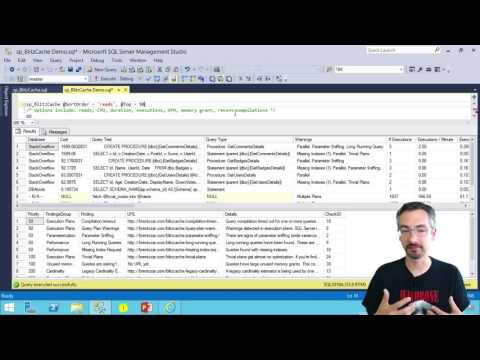
First, get yourself a plan:

  • Get the estimated execution plan by hitting control-L or clicking Query, Display Estimated Plan. Right-click on the graphical plan, and click View XML. Copy all of that.
  • Or even better, get the actual plan by first clicking Query, Include Actual Execution Plan, and then running the query. After it finishes, click on the Execution Plan tab, right-click on the plan, and click View XML. Copy all of that.
  • Don’t know which query to check out? Get your top 10 most resource-intensive queries using the totally free sp_BlitzCache.

Make sure it doesn’t have private data. Your company may consider database names, index names, queries, or parameters to be private data. (This same advice holds true whenever you script a database, give someone a query, or post a question online, but I feel like I just gotta repeat it here to be clear.)

Then go to PasteThePlan.com and paste it in:

pastetheplan

It’s a free community service. We hope you love it as much as we do, especially all the cool new execution plan icons by our illustrator, Eric Larsen.

Down the road, we’re thinking about adding logins (so you can see past plans you’ve submitted), execution plan advice, image and HTML downloads (so you can embed the plan in your own blog or report), zooming, and more.

Show Us Your Worst Plans
and Win an Everything Bundle

We wanna see the worst queries you can cram under the upload size limit (2MB). We’re specifically looking for:

  • Lots of different operators (like, as many different plan operators as you can get into a plan)
  • Huge, ugly statements
  • Large numbers of statements that do crazy things

They don’t have to be “in-the-wild” queries – you can totally design and build your own test queries to enter.

If you’re entering the contest, leave a comment here with your plan URL and what you think is bad about the plan. Entry deadline is Sunday, September 18th. We’ll judge what we think are the 5 worst execution plans, and we’ll give each winner a free Everything Bundle.


Learn to Use sp_Blitz, sp_BlitzCache, sp_BlitzFirst, and sp_BlitzIndex with These Tutorial Videos

There have been so many improvements lately to our First Responder Kit scripts that it was time to update our tutorial videos. Each of these is about ten minutes long and shows how to use ’em:

How to Use sp_Blitz for a Health Check

How to Use sp_Blitz

How to Use sp_BlitzCache to Find Slow Queries

How to Use sp_BlitzCache

How to Use sp_BlitzIndex to Check Your Indexes

How to Use sp_BlitzIndex

Download the free First Responder Kit and start making your SQL Server healthier.

And oh yeah, there may also be a little surprise hidden in the sp_BlitzCache video. Just sayin’.


[Video] Office Hours 2016/09/07 (With Transcriptions)

This week, Brent, Richie, Erik, and Tara discuss parameter sniffing, database backups, referential integrity in databases, clustering, creating and using indexes, in-place upgrades, bench marking tools, and more.

Here’s the video on YouTube:

Office Hours Webcast - 2016/09/07

You can register to attend next week’s Office Hours, or subscribe to our podcast to listen on the go.

Enjoy the Podcast?

Don’t miss an episode, subscribe via iTunes, Stitcher or RSS.
Leave us a review in iTunes

Office Hours Webcast – 2016-09-07


What’s parameter sniffing?

Brent Ozar: J.H. says, “Would the following two queries with the same execution plans but with different costs be considered parameter sniffing?” He’s got two different queries with just different where clauses, specifying different values. Totally. Imagine for a second that one has more data than the other, one has a million rows and the other has just five rows. So they could totally end up—I’m fresh off of parameter sniffing, I’m giving our parameter sniffing class as we speak during our week-long performance class so I immediately jump in. I’m like, “I should answer that, no one else knows.” Everyone else on the team knows.

Erik Darling: No, that’s like textbook parameter sniffing to me, right? When just one thing changes in the where clause. Like given that query, it’s probably even just getting a trivial plan so SQL is just like, “Oh, I got this thing… go do something…”

Brent Ozar: What’s your favorite resource on parameter sniffing, if you wanted to go learn more about it or go tell someone to learn?

Erik Darling: Ours. I would look it up on our site.

Brent Ozar: That’s not fair.

Erik Darling: Yes it is. It’s totally fair. This is our webcast.

Brent Ozar: We need a shortcode on that.

Richie Rump: [inaudible 00:01:05]

Brent Ozar: We need a shortcode for parameter sniffing on our site come to think of it.

Erik Darling: You know, that’s actually a good question because I feel like I’ve learned so much in small pieces over the years. I couldn’t point to one thing that I’m like, “Oh, that’s where I figured it all out.” It’s been like just little chunks and bits of, “Oh, that’s…oh…that’s… and I fix it with what…”

Tara Kizer: J.H. follows up and says, “Slow query has much less rows. Kind of weird.” I would say you could try out the optimize for option if you’re on SQL 2008 or greater. Try optimizing for whichever value has the faster speed.

Brent Ozar: Yeah, know that it’s technical debt. When you do that, you’re hardcoding it into your query.

Erik Darling: I would actually try recompiling first, just to see if you get a different plan for one or the other.

Tara Kizer: I would argue that they don’t have the same execution plans. They may be the same shape and have the same operators, but they are not the same if the costs are different.

Brent Ozar: Yeah, agreed. Especially, it just may just be larger amounts of data that’s moving from one place to another but your giveaway there is that the costs are different.

Tara Kizer: Yeah, the arrows in between the operators are going to have different sizes or whatever it is.

Brent Ozar: If you have access to SQL Server Management Studio 2016, so Management Studio 2016 is totally free to go download. There’s a new compare showplan feature where it will show you just the things that are different between two execution plans. It’s not perfect. It’s got a lot of gotchas and drawbacks, but if you google for SQL Server Management Studio 2016 showplan or compare showplan, there’s a bunch of folks who have written up different write-ups on how you go about using that.

Erik Darling: You know what, actually given his circumstances and the relatively small amount of questions that we have, we can spend some extra time on it. I would actually start looking at statistics at this point. If there are a much smaller amount of rows but it’s much slower, because I think something weird might be happening with the histogram, like maybe it’s not picking up on the skew or something. I would take a look at that and check when the last time stats got updated. Or just look at the histogram and see if it’s an off histogram step, if it’s just sort of guessing a bad amount of rows for that value.

Brent Ozar: The other thing we pop up a lot is the Erland Sommarskog’s epic post “Slow in the App, Fast in SSMS.” So if you search for “Slow in the App, Fast in SSMS,” Erland has like this 50-page long treatise on parameter sniffing. It gives all kinds of different causes and all kinds of different fixes too.

Richie Rump: Wow. That only took four minutes to bring up that post. That must be a record.

Brent Ozar: I was going slow. I was like, “I shouldn’t… I shouldn’t… Not introduce this immediately.”

Richie Rump: Pull the trigger.

Brent Ozar: I can’t believe I don’t have a parameter shortcode for that. Like Brent Ozar.com/go/ — should be probably be Erland, because I just reference that guy so much for that one post.

Erik Darling: There are so many great treatises, like biblical, like “In the beginning, there was SQL Server 2000.”

Brent Ozar: I did an entire week newsletters just of Erland Sommarskog’s post at one point. One of our Monday newsletters was nothing but Erland’s post. Just wonderful, gift that keeps on giving. Which reminds me that I need to set up a watch that page alert for whenever his posts change.

Erik Darling: It changes.

Brent Ozar: Yeah.

Erik Darling: Because he is nice enough to keep them updated.

Brent Ozar: He is.


Should I run my backups as an SSIS job?

Brent Ozar: Frederick asks, “Can you guys think of any reasons to run your database backups through an SSIS job? I took over servers from another DBA and it seems he was obsessed with SSIS. I want to replace all these backup jobs.” Tara, did you do backups through SSIS? Because I know you were an SSIS and RS fan.

Tara Kizer: Of course not, I didn’t do data backups through SSIS. But, to answer the question directly. Is there any reasons to run them through SSIS? No. But is there any reason to change it? Not really if it’s working. But if you want to change and the guy is no longer around and you’re not going to hurt his feelings, change it. Use a custom solution. I mean, it’s working though.

Erik Darling: Yeah, one reason that I can think of to do it is if I had a centralized SSIS server that I wanted to run jobs in a bunch of other servers for. So if I wanted to not manage backup jobs on each and every server and I just wanted to have one central server that I could reach out to other stuff with, I might do it that way then, but I also have never opened SSIS, so.

Tara Kizer: Yeah, we did have an SSIS central server to run everything on all the AGs and stuff, but the actual backups were on the actual SQL instance because you want to be able to backup system databases. You can still do that through SSIS, but we just had the other things for SSIS on the central server.

Richie Rump: It just smells like bad idea jeans. You know?

Brent Ozar: It does smell like bad idea jeans, yeah.

Erik Darling: It smells like someone was most comfortable with SSIS and just used that hammer for every nail.

Richie Rump: Such an awkward hammer, oh my gosh.

Erik Darling: Well, it’s a graphical hammer, where you can put things where you want them and then point arrows to other things.

Richie Rump: There’s no leverage in a hammer.

Erik Darling: It’s actually a two-dimensional hammer.

[Laughter]

Brent Ozar: To be fair, we like SSIS. Nothing wrong with SSIS. Just use it for what it’s used for, backups is kind of an oddball thing. I tried to come up with reasons why someone would want to do something and I’m like, “I’ve got nothing.”


Why are my deletes taking five seconds per record?

Brent Ozar: The Unknown Unknown asks, “I’m deleting records from a table and it takes five seconds per record.” Five seconds per record. We will now pause and simulate how long it takes this man to delete one record. One… Two… Three… Four… Five… He says, “There are no triggers in the database. What else should I look for?”

Tara Kizer: See what the query is waiting on. Do sp_whoisactive, sp_who, sysprocesses, whatever your favorite tool is to take a look at current activity. See what that’s waiting for. Probably blocking, I’m assuming?

Brent Ozar: Oh, I like that. Richie, what did you think?

Richie Rump: I’d check the indexes, maybe it’s trying to do a lookup on a foreign key somewhere.

Tara Kizer: That’s true, yeah.

Brent Ozar: Oh, I like that too. Erik, how about you?

Erik Darling: I would not look at index fragmentation. Let’s see, I think I’m with Tara on this one with the blocking.

Brent Ozar: Yeah I love sp_whoisactive for that.

Erik Darling: It might be weird, like just going through for it and fetches whatever to find what it needs.

Brent Ozar: Oh, a heap with large amounts of deallocated space, if you have to scan the whole heap, that could do it too. Oh, this would make a great blogpost. So Unknown Unknown, I’ll actually just bang out a blogpost about here are all the places I would go look next but I think the start of all our troubleshooting would just be run sp_whoisactive to see what that wait type is for that query when it’s running.

Erik Darling: I’d also kind of be opposed to deleting things one record at a time. Like if the mechanism you’re using to delete one record at a time is slow, like if it’s a cursor or a weird while loop that does some other stuff.

Brent Ozar: Or the foreign key referential integrity thing, if it’s even deallocating heaps, I mean that one at a time would kill you there too.

Erik Darling: Yeah, a lot of stuff.

Richie Rump: Yeah, one of the things that I—when I used to go into client’s, first thing I did is, “Oh look, you don’t have any indexes on your foreign keys. You just had a script that automatically populated all of them.” And all of a sudden, “You’re a genius. What did you do?” “Oh, I don’t know, some secret sauce or something I can’t divulge,” blah blah blah. But yeah, it’s the easiest thing to do you. You don’t have indexes on your foreign keys, all of a sudden your updates and your deletes are faster too.


Should I enforce referential integrity in the database?

Brent Ozar: This makes for an interesting question. How do you guys feel about referential integrity enforced in the database? So like do you like having foreign keys? It’s so interesting because Tara goes thumbs up. Richie goes thumbs down, or thumb sideways. Erik, how about you? Any opinion?

Erik Darling: Absolutely. I like having referential integrity enforced in the database for perf reasons, aside from things get weird. If you do have foreign keys and you index them properly, you can get join elimination and some other nice stuff out of execution plans. But there are some issues with when you have cascading actions attached to your foreign keys, especially if you’re altering large amounts of data under the blankets. Under the blankets what SQL does in order to enforce the cascading actions is put into the serializable isolation level which can cause some pretty nasty blocking and blocking situations if you’re not careful.

Brent Ozar: Tara, you immediately put your thumb up, like way up. So why is it—you’re really excited about it. What do you like about it?

Tara Kizer: As a production DBA, you want to protect the data. You can’t rely on the developers to do the referential integrity, to follow the business rules in the application. So you want it on both sides really.

Brent Ozar: Then it’s funny that our developer, Richie, immediately put his thumb down.

Tara Kizer: Of course. This is why DBAs don’t like developers.

Richie Rump: I thought we were going directly towards the cascading, which I hate. I mean, it’s just really annoying. Referential integrity, yes, absolutely. Cascading, down, bad. I’ve had arguments with architects for some people I used to consult for about having referential integrity inside a database because, “Oh, the app will do it. It will always do it.” “It will never load data inside the database directly to it with like a bulk load?” “Well, occasionally.” “Well don’t you think it’d be nice to have the referential integrity there to protect the data?” “Well, maybe.” Yeah. Okay, yes. And the answer is you need it in both.

Erik Darling: One reason why I’m really in favor of doing it via foreign keys and stuff is because people will often fall back on triggers as a second option to enforce it and that just ends up with all sorts of bad news stuff happening.

Brent Ozar: Yeah. I like it because I don’t usually see it as a big performance drawback. Why would you not like data reliability at hardly any of a performance impact?

Erik Darling: It’s just a few asserts in your execution plan, what’s the big deal?

Brent Ozar: Just a few asserts. Besides all those table scans that you’re doing for other reasons, this is the least of your problems.


Is VMware HA as good as SQL clustering?

Brent Ozar: J.H. says, “Our VM SAN admin is trying to persuade our DBA team to move away from Windows clusters. He said that his VMware technology provides high availability. I think we still want clustering. What do you guys think?”

Erik Darling: Prove it.

Tara Kizer: You can have both. Do it on the VM side as well as do it on the Windows side. You want to be able to have a failover cluster or some other node, database mirroring, availability groups, some other high availability solution in place for Windows that when you do Windows patching you don’t have a lot of downtime waiting for the VM to reboot. You just have the 30 second failover for instance. Technologies work in conjunction with each other, I mean, they’re completely separate but you can do both.

Brent Ozar: The more protection the better, right?

Tara Kizer: Yeah.

Brent Ozar: The problem with the VM as high availability is when somebody screws up a Windows patch or a SQL patch or drops a table or trashes a system object, all of a sudden I can be totally screwed. Somebody fills up the C drive is the other classic example. So again, nice high availability there in clusters.

Erik Darling: Another thing that a lot of people don’t think through when they do that is that you then have to set up some DM affinity so that your nodes don’t end up on the same server at the same time because then that kind of ruins your high availability. Because if that one node goes down, both servers are on that, goodbye.

Brent Ozar: High unavailability.

Erik Darling: Yes, you’re highly unavailable.


Can I use statistics to figure out where I need indexes?

Brent Ozar: Brent asks—not me—but another Brent asks, “Is there a way to use statistics to see where I should put indexes? So if SQL Server has automatically created several [inaudible 00:12:36] stats, should I create indexes on those same fields?” Erik got excited there.

Tara Kizer: Take it away, Erik.

Erik Darling: I did because that’s really cool because SQL does create statistics on columns, if it finds them interesting. Do you need an index there is a good question though because you wouldn’t just go and create a bunch of single column indexes on every column that SQL has created a statistics object for. And you wouldn’t want to create one wide index across all of the statistics objects that SQL has created system objects for, because SQL only creates a histogram based on the left-most column in your indexes. So SQL, obviously, your where clause may, you know, you have more items or your joins have more different items in them than what is just in the outer most column of the histogram. So I wouldn’t just haul off and be like, “Yeah, let’s just create an index on everything that SQL has a statistics objects for.” I would go back and I would start looking at my queries. I would start looking at my execution plans, perhaps for more obvious—either for straight up missing index recommendations or for some obvious index tuning opportunities, like if you have like any big sorts or any hash joins on small amounts of data, stuff like that.

Richie Rump: Yeah, my favorite tool to use would be sp_BlitzCache, take a look at that and see what’s being slow in cache.

Erik Darling: Or BlitzIndex in the old mode three will get you all your missing index requests.

Tara Kizer: Is it mode three? It’s mode four.

Erik Darling: Three for just missing indexes.

Tara Kizer: Oh.

Brent Ozar: Four gets you everything. Three only gets you the missing indexes. It’s funny, we all use them in different ways. I’m like, yeah, I never use mode three.

Tara Kizer: I’ve used mode three but it doesn’t show any output. So maybe it was a different version. Well, there’s missing indexes. Maybe it was a bad version.

Brent Ozar: Which we have a lot of. Speaking of which, which also reminds me I’ve got to fix—I was doing a demo today and I realized that sp_BlitzIndex now, with get all databases equals one, the indexes aren’t sorted in impact order. They’re sorted backwards for impact order. I’m like, oh, man, I’ve got to go look at that.


Why do your first responder kit stored procedures start with sp_?

Brent Ozar: Unknown Unknown asks in a related question, “Why do your first responder…”

Erik Darling: Sirhan Sirhan

[Laughter]

Brent Ozar: Madonna Madonna asks, “Why do your first responder names start with sp prefix, sp_? Doesn’t Microsoft still advise avoiding this special prefix?” Okay, so I’m answering this because this is one of my personal hot buttons and Aaron Bertrand can go suck it. So Aaron Bertrand is one of the other big guys in the SQL Server community who is like, “Don’t name your stored procedures with sp whatever, you know, a row and a record are different. Fields and columns are different.” So there are edge cases where the column of a stored procedure can incur some extra penalty if SQL Server has to do name resolution to find the stored procedure because it’s going to look in master when stored procedures start with sp_. Guess where people but the blitz stored procedures? In master. Guess where they want to run it from? Every database. They want to be able to run, for example, sp_BlitzIndex from any database without prefixing anything. Here’s the deal. I don’t care if all your stored procedures begin with sp_. If the time it takes to resolve a name is the biggest problem in your environment, you deserve a Medal of Honor and a big slab of chocolate cake. That is not any kind of significant performance impact for any environment that I’ve ever seen. Meanwhile, I’ve seen people going, “Make sure your stored procedures are named correctly” and the code inside the stored procedure is so heinous I need to take a shower after I look at. So, focus less on the names and more on the content. Now, having said that, you probably shouldn’t look at the content of our stored procedures either because that’s heinous too.

Erik Darling: And it’s a little bit awkward for Aaron to say that considering he wrote sp_foreachdb.

Brent Ozar: That’s true. Yeah.

Erik Darling: Yeah, a little awkward. So sp_foreachdb is really cool. It’s sort of Aaron’s replacement for the built-in stored procedure MSforeachdb which loops through your databases and adds a bunch of known problems around skipping databases and not being able to figure things out. So Aaron rewrote this cool thing called sp_foreachdb. It has a bunch of awesome flags where you can skip over things and put in name patterns and skip system databases and all good stuff. I used to use it all the time back when I was doing relativity stuff and I had to deploy indexes across all the databases. Because it was a lot of work to do to make sure that there were actually columns that matched the names in all those… God, I’m going to go cry after this.

[Laughter]

Brent Ozar: Bad times episode.


Where do sp_BlitzIndex’s missing index recommendations come from?

Brent Ozar: Nate asks, “sp_BlitzIndex has recommended some high value missing indexes that don’t seem right, especially ones that include almost every column in the table. Why is that and where are those indexes coming from?”
Erik Darling: Anyone? All right, fine.

Brent Ozar: You worked on it recently, so.

Erik Darling: They come from missing indexes. I know, it was probably me, I may have forgot to put descending in for that…

Brent Ozar: No, I tested it too and it looked good to me.

Erik Darling: Oh, crap. All right, it’s something else then, woo hoo. So missing index requests come from a part of the query optimization process called index matching. What index matching does is SQL Server takes a query and it says, “If I needed the perfect index for this query, I would go and look for this one.” It sort of throws the dice and if it doesn’t find exactly the index that it wants and it feels that that index could reduce the query cost by some internal algorithm percent or amount then it logs that opportunity in a missing index DMV. Sp_BlitzIndex only looks at missing index DMVs. We try to do some smart filtering on what would actually improve performance, but we can’t know everything about your server just from the missing index DMVs. The reason that you’re coming up with these indexes that are perhaps keyed on one or two columns but include every other column in the table is someone is either running select * queries or you have EF developers who are not trimming down the columns that they actually need from their EF queries. So you really are selecting every single column in the table and your where clauses only keyed on perhaps an ID column or maybe an ID and a date column or something. So that’s why it has those two key columns there but the only way for SQL to really make an efficient index to resolve that query is to include every single other column because it’s dragging back every single column and it may not want to do key lookups for all those columns, even if it’s just keyed on a couple for the where clause or join. That’s all I got to say about that.

Richie Rump: In defense of entity framework folks, sometimes we do need to get all the data from a table.

Erik Darling: That’s fine, create an index for it.

Richie Rump: But not all the time, people, it’s ridiculous. Sounds like a post I’ve got coming out soon.

Brent Ozar: There is a post. Richie has a post coming out about how to change entity framework so that it doesn’t select all the columns. It turns out it’s easy. So easy a caveman could do it. I was impressed. I’m a caveman.

Erik Darling: I still couldn’t do it. I’m still partially frozen, so.

Brent Ozar: Just a simple unfrozen caveman.


Are there any gotchas with failing over an Always On Availability Group to DR?

Brent Ozar: Temple asks, “I have a four-node cluster running SQL 2012 with Always On Availability Groups configured. I have one node in a fileshare off at another site. I want to failover to that other site and test our DR plan.” Any gotchas from our experience?

Tara Kizer: Oh, I got this one, I got this one.

Erik Darling: Take it away.

Tara Kizer: You only have two resources at that other site. So if you lose the network connection between the two sites, your cluster is likely going to go down. Your production databases will be down. So you’re going to need a third resource. So maybe have another node. Having one node out there is not the greatest. What happens if something happens to that node? So maybe two nodes out there and your fileshare witness. So you don’t want just two servers for a quorum and having votes.

Brent Ozar: That would be awkward.

Tara Kizer: Yeah, when I first set up an availability group in production we had six nodes, three at the DR site, three at the primary site. This was on SQL 2012. So one of these servers at the DR site was a cold standby. You couldn’t have that many replicas but we needed to have identical hardware at both sites, that was a requirement that we had with our customers in case we had a failover. So we did have a network glitch between the two sites. That is going to happen at times. At the time, before that, we’d always used failover clustering and the Windows admins had taken care of quorum and votes. And with availability groups, that falls on both teams basically. I didn’t know about votes and suddenly production was down when we lost the connection between the two sites. That is when I learned about cluster votes. We had to disable the votes on the DR site and then we had node majority on the primary site.

Erik Darling: Which version of Windows was that with?

Tara Kizer: Yeah, that would have been Windows 2008 R2, but yeah, Windows 2012 R2 you do have the dynamic quorum and it can manage that for you and a fileshare witness is recommended and I believe the default on that version of Windows. Still, you should still understand quorum and votes even when using 2012 R2.

Brent Ozar: Oh yeah, because if you lose network connectivity between the two data centers, even when 2012 R2 can’t recover in time, if too many of them fail all at once, it’s going think that there was a split brain scenario and yank the plug.

Erik Darling: But you can do forced quorum resiliency and you can bring one side up, right? Isn’t that the way that works?

Brent Ozar: Well, you have to do it and then you have to restart the cluster again because you can’t start in an availability group when you did a forced quorum. I have an hour-long session during the senior DBA class where I walk through this happening and show people screenshots and eyes just kept getting bigger and bigger. Like, “You should do this before you have to do it live.” That, of course, that’s only one of the gotchas there. There can be all kinds of other gotchas. Make sure you enable your backup jobs over on the other side. I’m a huge fan of the instant that I failover if I don’t already have full backups on the other side, I need to take a full backup as quickly as possible. If I have fulls but no logs on the other side, I need to take a deferential as quickly as possible. Make sure that your log backup jobs are up and running over there. Your user accounts can be different on both sides. You need to sync SQL agent jobs, all kinds of things you’ve got to sync across there.


Should I set MAXDOP = 1 if I’m running 300,000 queries per second?

Brent Ozar: Unknown asks, “Could there be some performance improvements combining NUMA with MAXDOP equals 1. Sorry if my question is vague.” It is. “But I heard this a few days ago from the DBA of a high throughput system, 300,000 transactions per second, and I wanted to ask you.” So, I’m not saying 300,000 transactions a second is impossible, it’s doable, but that person is probably doing some very specialized tricks. I would ask for more information about what the system is like, where his guidance is, because there are people out there—dagnabbit—what’s the guy in the suit? Thomas Kejser. Thomas Kejser is a classic example of guys who do this. Who’s the other guy in New York?

Erik Darling: Thomas Grohser.

Brent Ozar: Thomas Grohser, yes. These guys have great—they’re so cool to listen to their stories but what they’re doing is very different than the rest of us great unwashed out in the gutters are doing.

Tara Kizer: The 300,000 transactions per second probably if you looked at batch requests per second it’s probably much lower. Usually transactions per second is a very inflated number as compared to batch requests per second.

Brent Ozar: Well, and, I have so many thoughts on that. If they are 300,000 per second, you probably do only want MAXDOP 1, ain’t nothing going parallel when you’re doing 300,000 queries per second.

Erik Darling: Yeah, at that point, you’re doing very narrow key lookups, you’re doing one row at a time stuff. You’re not doing reporting the queries. Everything is very properly indexed. Your isolation levels are on point for, and change within the stored procedure. You’re doing everything right.

Brent Ozar: Well, I would argue you’re doing one thing wrong, which is you’re doing 300,000 queries per second against a single box. You should shard that out and spread the load around, but that’s cool.


When is SQL Server 2018 coming out?

Brent Ozar: J.H. says, “I saw your recent email on SQL 2018 features. Any idea when that’s coming out?” Should we go migrate now to SQL 2016 or is the community not at all confident yet? J.H., that was a joke. Those features, if you read those features carefully, for example “scented error messages,” your server is pretty safe. Those are not coming out any time soon.

Richie Rump: No, but if it was?

Brent Ozar: What if it was? Then I would hold out for the edible result sets. That alone would be worth the results there, worth the upgrade.


The Upgrade Advisor says it’s okay, so should I?

Brent Ozar: Person with a very tough to pronounce first name, whose first initial starts with “s” says, “I have a SQL 2012 to 2016 upgrade I want to do. I want to do it in-place. I ran the upgrade advisor. I only got a few warnings, so should I go ahead and upgrade this thing in-place?” What do you guys feel about in-place upgrades?

Tara Kizer: I didn’t even used to in-place upgrades in the test environment. Just too much disaster can happen. You don’t have a fallback plan if you do an in-place upgrade. Just imagine trying to undo that if it doesn’t work. I’ve done side-by-side upgrade when each instance exists on the same physical server or VM, because that’s still considered side-by-side when the instances are next to each other, you know, backup and restore, detach, attach, whatever it is. I usually prefer though that the servers be completely different. But in-place upgrade I think is risky, even in a test environment.

Brent Ozar: Yeah, I have the same exact feeling on it.


What precautions should I take on a web-facing SQL Server?

Brent Ozar: Lori says, “A developer is requesting a separate SQL Server to house the data for an internet-facing application because he’s concerned about security if his data shares stuff with the payroll application data. As a DBA, what should I do about setting up separate security precautions about this kind of application?”

Tara Kizer: I think the developer is right. I mean I think that you should separate this out. That’s what I’ve always done. It usually has special firewall rules in place to really lock it down and your internal stuff is going to be on the intranet. Yeah, I would not put these on the same server if I were the DBA. As far as if you are going to put it on the same server, as far as security goes, make sure no one has sysadmin. Pay attention to what kind of server roles users have. I don’t even like db owner for applications. I like just the minimum amount of permissions for each application account. I like stored procedures in that sense, so it’s just exec.

Brent Ozar: I would also explain what licensing looks like because on an internet-facing server you are licensing by the core. There’s no CAL licensing available on that, so it’s the real deal.


Followup questions

Brent Ozar: Unknown follows up with his 300,000 queries per second, he says, “Please don’t say the company name but the company name is” blank. I’ve heard that company name before and I think they are doing SQL Server. I vaguely remember hearing this. I wouldn’t be surprised if they were doing 300,000 either batch requests a second or transaction requests a second but you would want to shard that out. You mentioned that you’re taking an interview. This is one of those ways if you want to strap a rocket to your back and learn a ton, if you want to learn a lot about how high concurrency stuff works, just make sure you strap it to your back and not your rear end because you go into a shop where they’ve done something like that and you’re on call, you can have a really ugly [inaudible 00:28:04].

Erik Darling: That’s weird, I’ve never heard of Gabby’s Goldfish before.

[Laughter]

Richie Rump: I love them.

Brent Ozar: Contoso. Interviewed at Contoso.

Brent Ozar: The in-place upgrade guy follows up and he says, “This is SharePoint.” Again, yeah, we wouldn’t do in-place upgrades.

Tara Kizer: No, doesn’t matter.

Erik Darling: Makes no difference.

Tara Kizer: Could be AdventureWorks, I’m still not doing it.

Brent Ozar: Yep, no thank you.


Do you have a favorite hardware benchmarking tool?

Brent Ozar: Unknown says, “Do you have a favorite hardware performance benchmark tool?” If you’re going to go benchmark new SQL Servers, do you guys use anything for benchmarking? Have any of you guys ever done benchmarking? I don’t know that I have.

Erik Darling: Yes, minimal.

Tara Kizer: Yeah.

Richie Rump: I’m in the cloud now so I don’t do any of that stuff.

Brent Ozar: In the cloud, there are no benchmarks.

[Crosstalk]

Tara Kizer: I can’t remember, it is SQLIO Stress? Or something like that…? Yeah, we did that. But we also had a whole performance load test team. They would just hammer the server, when new hardware came.

Brent Ozar: That’s kind of awesome. Wow. What kind of job would that be?

Erik Darling: That would be fun as hell. That would be like us at DBA Days all the time.

Brent Ozar: Oh my god, that would be so much fun.

Tara Kizer: It requires very special, like developer knowledge, because they are writing scripts and doing programming and stuff like that. So it’s really not a DBA-type role. I liked working with them though. I get to find all these cool things.

Richie Rump: Yeah, nobody wants to be a developer. They suck.

Brent Ozar: I was going to say, no, she’s saying that because she’s seen our code.

Tara Kizer: I’m just saying from a DBA perspective going into performance load test team might be challenging if you don’t have a developer background.

Brent Ozar: Every time we bring out a new version of sp_Blitz or sp_BlitzIndex, she hears us complaining about our lack of unit testing. “Is anything broken?” “God, who knows.”

Erik Darling: Works on most of these versions, in most scenarios, but I don’t know.

Brent Ozar: Yeah, that’s about it. Well, thanks everybody for hanging out with us this week. We will see you guys on the next Office Hours. Adios everybody.

Erik Darling: Bye-bye.


[Video] 500-Level Guide to Career Internals

#SQLPass, SQL Server
5 Comments

This week , I was honored to give a session about hacking your career. Here’s the abstract:

This is not yet another career session that tells you to be friendly and network. Forget that – this is about using your IT skills to reinvent the way you get paid. I’ll explain how I went from DBA to MVP to MCM to business founder.

I’ll show you simple techniques to build a blog, a brand, and a business without that pesky personal networking stuff. I’ll explain why you have to give everything away for free, and why you cannot rely on the old methods to make money anymore.

It will not be easy – and that is why this session is level 500. This session is about radical methods that achieve radical results.

500 Level Guide to Career Internals

Here’s an abridged version of the slides:

http://www.slideshare.net/BrentOzar/500level-guide-to-career-internals


DBA Days: Pre-maintenance Window Rituals

Like a DBA batter’s box

While we were hanging out in between webcasts at Dell, we got to talking about stuff we used to do before maintenance windows. Things that brought us good luck, warded off blue screens and failed patches, and just generally made us feel better about working well into the early AM on a weekend.

You know, things that made staring at a command prompt until PING … -t tells you that your server is back up. Hooray.

We were also all pretty grateful that we don’t have to do that stuff anymore. If you want to learn how to not do that stuff, too, check out Brent’s 24hop session on career internals.

My personal ritual was to listen to Black Celebration and make sure my lucky server upgrade mustache was properly groomed. Not a lot of fuss. My Divining Disc of Pergamon has been on loan to a museum for a while, and apparently it doesn’t work the same via Skype, so I work with that I got.

What’s your ritual?

Whether it’s installing updates, rolling out database changes, new software builds for your in-house or 3rd party apps, or just turning OFF Priority Boost, what do you find yourself doing while preparing to make changes to your servers?

If you have a particularly amusing ritual, you might just win yourself a book.

Brent says: my favorite was a big steak dinner right before we started patch night. That way, even if things went to hell in a handbasket, we still had a good memory from that day.


DBA Days: Killing TempDB softly

Bad Idea Jeans, SQL Server
32 Comments

Don’t make me regret publishing this

This really will take a server down immediately. You can restart it, as we learned during DBA Days, but… If you also go ahead and make this an Agent job that runs at startup, there are additional challenges.

Like every time Agent starts up, your server goes down. Score one for Express Edition, I suppose.

I mean it. Don’t put this on a server that anyone cares about. Don’t make it an Agent job. Don’t make that job a startup job. It’s horrible.

So what does it do?

It uses an undocumented command, DBCC WRITEPAGE, to overwrite values stored on your data pages. This causes problems for SQL Server for a couple different reasons. Depending on which pages get hit by WRITEPAGE, it could be critical database information. Boot pages, PFS, GAM, SGAM, etc. If those are bad, your server is pretty helpless to give up any information whatsoever.

If it hits user data pages, SQL will recognize that it’s serving up bad data and warn you about corruption. The second part assumes that you’ve got your database PAGE VERIFICATION option set to CHECKSUM, and that you’re alerting for 823, 824, and 825 errors that warn you about torn pages and other I/O related corruption issues.

We’re taking information from sys.dm_db_database_page_allocations, which is also undocumented, so double the fun, and feeding it into our DBCC WRITEPAGE command using dynamic SQL. No, sp_executesql won’t protect you from this.

We need a database ID, a file ID, and a page ID. We need a start and offset, and we need the value we want to overwrite our data with in hexadecimal format.

In our case, we’re using 138, which is just like, the most punkest-rockest number around.

So there.

Take that, parents.

Abandon all hope

So, uh, here it is.

Thanks for reading!


DBA Days: Chaos Sloth

Bad Idea Jeans, Humor, SQL Server
7 Comments

I love a bad idea

I mean, just look at me. I’m covered in them! So when Brent wanted to randomly make his server act crappy, I wrote a script for it.

Usual caveats here. Don’t run this in production. I’m not responsible for anything you do after you hit copy and paste. In fact, I’m not responsible for anything before or in between, either.

You are your own fault.

What does this thing do?

It randomly generates values and changes some important configuration settings.

  • Max Degree of Parallelism
  • Cost Threshold
  • Max Memory
  • Database compatibility level

This was written for SQL Server 2016, on a box that had 384 GB of RAM. If your specs don’t line up, you may have to change the seed values here. I’m not putting any more development into this thing to automatically detect SQL version or memory in the server, because this was a one-off joke script to see how bad things could get.

How bad did they get? The server crashed multiple times.

Umpire sits

Here’s the script. I highly don’t recommend setting it up as an agent job that runs every 10 minutes.

Thanks for reading!

Brent says: the name comes from Netflix’s Chaos Monkey, part of their open source Simian Army set of tools that will randomly break things in their AWS environment. They figure if they randomly take things down, it’ll force developers and admins to build a more reliable, tolerant infrastructure.


DBA Days: Scripts from Downtime Train

SQL Server
8 Comments

ostress is so much fun

It’s totally free to download and use as part of Microsoft’s RML Utilities. What else is in there? Stuff I’ve never used! I hear you can read trace files or something else perfectly adequate.

Even though it’s a CLI, it’s still a bit less insane and confusing than HammerDB. Plus it’s way easier to plug in your own queries.

I wanna stress you up

Let’s look at one of the commands I ran, so it’s a bit easier to see what’s going on. This is the first one, which caused some tempdb contention. The query itself is just a simple dump of 10,000 rows into a temp table.

Here’s an explanation of the flags I’m using, in order:

Flag Argument
“-S” Server name you’re connecting to
“-d” Database name you want to run commands in
“-Q” Query you want to run
“-E” Use Windows authentication
“-q” Run without displaying query results
“-n” Number of connections you want to spawn
“-r” Number of times to loop through your code
“-o” Directory to output logging files to

Other useful commands that I’m not using here:

Flag Argument
“-T” Any trace flags you want turned on for your session
“-U” Username for a SQL login
“-P” Password for SQL login
“-i” Path to a SQL file you want to execute. You can use a *.sql wildcard here to execute a bunch of scripts, but it doesn’t support much else for pattern matching.

One sort of weird quirk I’ve found is that it doesn’t like spaces in between flags and their arguments. That’s an interesting choice.

Fabled variables

My contempt for table variables knows no bounds. It’s always fun to show people that they’re not ‘in-memory’, and can cause all sorts of other issues. This is a simple script for creating tempdb ugliness with them.

Remember, kids

The time to run this on a production server is before it goes live. Don’t haul off and point scripts like this at anything business critical. Better yet, don’t point them at anything that isn’t your local instance until you know how it will behave. Unless your laptop is business critical.

And it might be.

I’ve seen some of the servers out there.

Sheesh.


DBA Days: Money for Nothing, Chips for Free

SQL Server
3 Comments

Throwing hardware at it

We gotta move these E5-2670 v3s

These were just sitting around Dell. On a table. Not doing anything. They might have been broken; I’m not sure.

But that’s not the point.

The most meager of server blades hanging out here had 128 GB of RAM in it.

One-hundred-and-twenty-eight. Gigabytes.

Let that sink in for a minute, then we’ll talk about why it matters to you.

Cache is king

How big is your database?

How much RAM do you have?

If the first number is way bigger than the second number, ask yourself why. The most common answers I get from clients are:

  • We’re on Standard Edition
  • We had way less data when we built this box
  • We already have 32 GB in here, how much more do we need?
  • WE NEED HOW MUCH MORE?

I’m not saying you need a 1:1 relationship between data and memory all the time, but if you’re not caching the stuff users are, you know, using, in an efficient way, you may wanna think about your strategy here.

  • Option 1: Buy some more RAM
  • Option 2: Buy an all flash array

You’ll still need to blow some development time on tuning queries and indexes, but hardware can usually bridge the gap if things are already critical.

If you need help figuring out if memory will help for now, head over here and here.

No favors from Redmond

This is something I have real beef with, and I’ve written about it before. It takes Microsoft near-zero development time to let you cache more than 128 GB of data. Why do they charge you $7k a core for it? The features that are hard — Availability Groups, for instance — I totally get why they charge Enterprise Edition licensing for them. Lots of people spent lots of time getting them to you, along with many other features in Enterprise Edition.

No vendor is perfect on this. Oracle doesn’t allow for parallel query processing in Standard Edition, Postgres is just getting the hang of parallelism period, and MySQL… Uh… Exists.

This isn’t something that you can escape in the cloud, either. Azure’s biggest box packs 448 GB (and costs about 15k a month), and Amazon’s biggest box that’s compatible with SQL Server has 224 GB. You can go bigger if you want to run SAP’s Hana, but it’s pretty expensive.

And then you’d be on SAP Hana, and I’d miss you reading my blog posts.

What’s the point?

Staring at the hardware that was literally sitting on a table doing nothing all week was simultaneously refreshing and frustrating.

Refreshing because some people really get what hardware is helpful for SQL Server performance, and frustrating because I could solve so many client problems with just a few sticks of the RAM in one of those idle and unplugged blades.

And no, they wouldn’t let me take any. And no,  they didn’t think my “Ozar’s Eleven” joke about stealing it was funny. But who doesn’t want their own security escort?

Yeah buddy that’s his own RAM

Caching data doesn’t solve every problem, though. If your problem is blocking or deadlocks, memory won’t necessarily make it go away. It doesn’t fix your bad design choices, lack of referential integrity, cursors, scalar functions, or 16 column clustered indexes.

For that you’ll need some young and good looking consultants.