Blog

How to Do a Free SQL Server Health Check

Your boss or client came to you and said, “Give me a quick health check on this SQL Server.”

Step 1: Download & run sp_Blitz.

Go to our download page and get our First Responder Kit. There’s a bunch of scripts and white papers in there, but the one to start with is sp_Blitz.sql. Open that in SSMS, run the script, and it will install sp_Blitz in whatever database you’re in. (I usually put it in the master database, but you don’t have to – it works anywhere.)

Then, run it with these options:

These two parameters give you a server-level check without looking inside databases (slowly) for things like heaps and triggers.

Here’s what the output looks like (click to zoom):

sp_Blitz output

The results are prioritized:

  • Priority 1-50 – these are super important. Jump on ’em right away, lest you lose data or suffer huge performance issues. If you’re doing a health check for a client, you should probably include a quote for this work as part of your health check deliverables.
  • Priorities 51-150 – solve these later as you get time.
  • Priorities 151+ – mostly informational, FYI stuff. You may not even want to do anything about these, but knowing that the SQL Server is configured this way may prevent surprises later. You probably don’t want to include these in the health check.

Each check has a URL that you can copy/paste into a web browser for more details about what the warning means, and what work you’ll need to do in order to fix it.

Step 2: Summarize the health risks.

sp_Blitz is written by DBAs, for DBAs. We try to make it as easy to consume as we can, but if you’re going to present the findings to end users or managers, you may need to spend more time explaining the results.

If you only have ten minutes, run sp_Blitz, copy/paste the results into Excel, and then start hiding or deleting the columns or rows that you don’t need management to see. For example, if you’re a consultant, you probably wanna delete the URL column so your clients don’t see our names all over it.

I know what you’re thinking: “But wait, Brent – you can’t be okay with that.” Sure I am! Your client has already hired you to do this, right? No sense in wasting time reinventing the wheel. That’s why we share this stuff as open source to begin with.

If you have an hour or two, add an executive summary in Word that explains:

  • The risks that scare you the most (like what will happen if the SQL Server dies at 5PM on Friday)
  • What actions you recommend in order to mitigate those risks (like how to configure better backups or corruption checking)
  • How much time (or money) it’ll take for you to perform those actions

Your goal is to make it as easy as possible for the reader to say, “Wow, yeah, that scares me too, and we should definitely spend $X right now to get this taken care of.”

If you have a day, build a PowerPoint presentation, set up a meeting with the stakeholders, and then walk them through the findings. To see examples of that, check out the sample findings from our SQL Critical Care®.

And that’s it.

You don’t have to spend money or read a book or watch a video. Just go download sp_Blitz and get started.

Next, learn how to do a free SQL Server performance review.


[Video] Office Hours 2017/10/4 (With Transcriptions)

SQL Server, Videos
0

This week, Brent, Tara, and Richie discuss what they think about having no more service packs for SQL Server 2017 and newer versions, shrinking log files, how many servers can one DBA manage, log backups, mirroring vs Availability Groups vs log shipping, and their next company retreat location.

Here’s the video on YouTube:

You can register to attend next week’s Office Hours, or subscribe to our podcast to listen on the go.

Enjoy the Podcast?

Don’t miss an episode, subscribe via iTunes, Stitcher or RSS.
Leave us a review in iTunes


Office Hours 10-4-2017


What if I have a really long question…

Brent Ozar: Doug says – Doug has a whole paragraph; my goodness. He says, “We have several SQL Servers running agent jobs and they each record their own history in tables. I’m trying to centralize everything… I don’t see anything that links job steps together in any system table or DMV; is there?” I don’t know; I’ve never tried that.

Tara Kizer: What are we linking with? Job steps to what?

Brent Ozar: I don’t know, job steps through the same job ID?

Tara Kizer: Yeah, I mean that’s in there [crosstalk]

Brent Ozar: I would see – ask what you’re going for on Stack Exchange. Go to DBA.StackExchange and then break out what information you’ve got and the DMV script you’ve got so far. Also, the other thing with Stack Exchange is, as you’re pasting in the question, or as you’re typing in the question, they fill in for you other related questions. And I know I’ve seen a bunch of questions about how to write query for job history in there.


What are your thoughts about no more service packs?

Brent Ozar: John says, “What are y’all’s thoughts about no more service packs for SQL Server 2017 and newer?”

Tara Kizer: Well I think that we’re going to find out in ten years when everybody has upgraded to 2017, finally. What’s the adoption going to be anyway? So I don’t think we’re going to see much of an impact at all? I mean, who’s going to be running 2017?

Brent Ozar: I didn’t think of that until you had said it in the company chat room, and then I went back through and looked today. If we go to – and I’ll fire up a web browser and go pull it up – if we go to SpotlightEssentials.com, Spotlight Essentials is Quest’s free monitoring software, and they post the data that they gather. If you click on Collective IQ up at the top, it shows you all kinds of stuff. Like right now, the current adoption rate for SQL Server 2016 is 9%; 9% out of all the servers that they monitor, and that’s more than a year old now. 2016 is more than a year old, so…

Tara Kizer: And I would bet that most people aren’t running – this is a free tool, right? So I would bet that a lot of people who are running SQL Servers aren’t even using free monitoring tools because a lot of people running SQL Servers don’t even have IT staff, so they wouldn’t even know to look for some free monitoring tools or what to do with these things. So this, probably, is just for people that have IT staff, and it’s probably a small percentage of the SQL Server world.

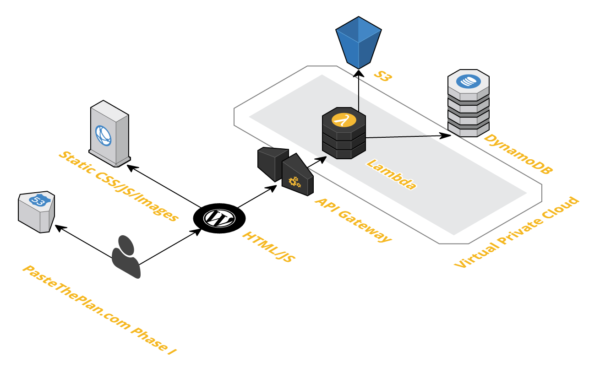
Brent Ozar: That’s true, because people with money, budget and time and all that, they’re more likely to buy monitoring tools. They’re also, I think, more likely to go early cutting edge on adoption stuff. Yeah, Richie feels the pain of constant upgrades. Richie’s in the midst of upgrading PasteThePlan and had to deal with all kinds of dependencies this week.

Richie Rump: Yeah, it’s interesting, y’all complain about an SP, you know, once every six months or whatever. Meanwhile, I have – PasteThePlan has a good 12 to 15 different packages that it’s using via Node Package Manager and every single one of them need to be updated; every single one of them. So yes, that’s what I did for the upgrade…

Brent Ozar: And it breaks everything. Like upgrading one of those breaks everything else.

Richie Rump: It could. I mean, it definitely could. I got lucky with this one; there wasn’t much breaking. But that’s why you have unit tests, to make sure that when you upgrade, the tests run and everything kind of works. But it gets kind of dicey when you’re just doing blanket updates all over the place.

Brent Ozar: My feelings about no more service packs – I love it, it’s fantastic. Cumulative updates make everything so simple, there’s just one train of updates. Before, people were like, “Should I be on this branch or this branch? Which one’s the most current?” Makes it easier for vendors; they just test their stuff on one path straight through the code. I’m just a huge fan. They’re now coming out monthly, which I’m a huge fan of if the quality is good. So cumulative updates will now come out every month for the first year. Most people don’t install them in the first year, so it’s not heartbreaking. It’s only going to be the cutting-edge people. But every month for a cumulative update – when I read through the list of what gets fixed in some cumulative updates, I think it’s kind of scary. But then you read what gets broken in some CUs, like CU 4 recently broke NOLOCK – I say recently it was about a year ago, 2016 CU 4 broke NOLOCK. I’m like, that’s not the kind of risk you want to take.

Richie Rump: Oh, and there was a bunch of stuff that happened when 2012 was released.

Brent Ozar: Service Pack 1 was a mess.

Tara Kizer: I wonder if this change in policy by Microsoft is going to even delay people further from upgrading because it’s going to be 2017 and all newer versions. So if you work for a company that only will apply Service Packs, maybe they’ll even avoid 2017 or higher for a while.

Richie Rump: Yeah, or maybe just say, “You know what, if it’s been around a year, we’ll install it.” And the one year is our, you know, “We’ll start playing with it then. Until then, we’re just going to let them get the bugs out.”

Brent Ozar: Which makes sense, I mean, if at the one year point it switches from every month cumulative updates to every quarter, so it’s just easier to manage.

Richie Rump: But that’s not us here.

Brent Ozar: Yeah, we’re rough.


Why is my transaction log so big?

Brent Ozar: Chris Fair says, “I ran sp_Blitz and I got the message that my transaction log was larger than my data file. This database is in bulk-logged recovery mode and we only do a log backup once a day at noon…” I love the next sentence that comes out of his mouth. “I’ve been here a month and I don’t know the reasons behind either decision. Backups have been only 1GB in size, yet the log file is 67GB. I know you generally frown upon shrinking log files, but in this case, is it okay? And I’m only going to shrink the log file.”

Tara Kizer: It’s okay, as long as you fix the reason why it’s so big. The reason why it’s so big is because you’re only doing one log backup per day. So fix that, run maybe hourly or even more frequent, and then see what size is needed. So shrink it down. I’d probably shrink it down to 0.5GB, and then with those hourly or more frequent log backups see what size it grows to. It might still grow a bit past your 1GB data file, but maybe you need every five minutes log backups. I’ve had now four clients that have done one log backup per day, and it just is crazy. I don’t even know what the point of this is.

Brent Ozar: If you’re only going to recover to one point in time, that’s what simple model is for, simple recovery model. If it’s like a data warehouse where you’re only loading stuff once per day, yeah, maybe simple recovery model is okay. But odds are, Chris, they brought you in because the last person was either incompetent or there was no last person. So good news, you’re asking very good questions. I bet money, the last person didn’t even know about sp_Blitz toop, because that happens all the time. Even when we come onsite with customers, sometimes they’ll be like, “sp_Blitz, tell me more…” [crosstalk]


I have over a thousand SQL Server 2008s…

Brent Ozar: Chris says, “No question – here’s my sadness. I have 39 2008 SP3 servers, I have 1326 2008 SP4 servers…” And then goes on with the rest of his version numbers. But you have enough time to sit here and watch webcasts when you’ve got over 2000 SQL Servers. You can’t be that bad off.

Tara Kizer: I imagine he’s working for a large company, and I would hope there’s a large DBA team for this amount of servers. The most I’ve had at a company was 700 servers, but we had five people at one point, I think at the lowest, and then eight people near when I left.

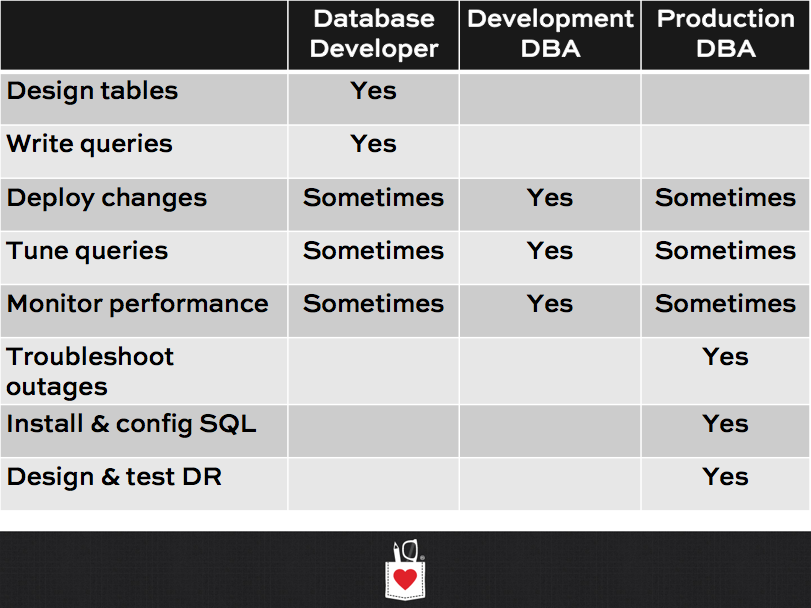
Brent Ozar: We got this blog post that I did a while back: How Many Servers Can One Person Manage? Where I talked about – I’m going to show a little graphic up here on the screen. If all you manage is hardware, so if you work for Facebook, Amazon, Microsoft, Google, whoever, if all you manage is hardware, you’re running through racks and data centers, one person can manage thousands of servers. When you layer on an OS, Windows, Linux, whatever, as soon as you layer on the OS and you’re responsible for installation, patching, security, configuration and requests from end users, one person can typically manage hundreds of boxes. When you layer on SQL Server, or really any database, one person can effectively manage 50 to 100 instances of SQL Server.

But you’ll notice, as you get to this layer you’re often giving up the previous layers. If you’re managing SQL Server and you want to manage, say 100, instances by yourself or per DBA, you’re probably giving up hardware, maybe even OS, to other teams, and then one person can effectively manage more instances. When you layer on high availability and disaster recover, clustering, replication, log shipping, always on availability groups, one person can really manage 10 to 50 instances of SQL Server. And then when you layer on performance, one person can effectively manage between one and five applications. This is where it gets a little weird. Sometimes, if you’re kCura Relativity DBA, one kCura relativity DBA may be able to manage performance across 50 SQL Servers, because they’re all running the same app. Performance tuning is exactly the same across all of them. But it just lays out a good idea of how many servers one person can manage. Sometimes when I see that, people will go, “Trust me, I manage more than that.” Well yeah, but you do a crappy job; I looked at your servers…

Tara Kizer: And Christopher followed up, they do have one DBA guy. Christopher’s not a DBA guy, he’s a developer. One DBA guy that also handles the hardware – he’s also the sys.admin. So I can’t even imagine what a hot mess these servers are in if there’s this many SQL Servers.

Brent Ozar: And imagine having a failover from one data center to another.

Tara Kizer: They don’t even have that in place – or it’s some kind of VM snapshot or something.


Updates just introduce more problems

Brent Ozar: Raul points out, “Updates sometimes just introduce more problems and complexity.” Yeah, I’d agree with that. I mean, a lot of times, you look at a lot of the cumulative updates, they’re fixing amazing stuff, don’t get me wrong, I’m really happy with what Microsoft’s doing out there with the product.

Richie Rump: That’s one of the things I like about sp_Blitz, is it will tell you if you’re running a dangerous build. If you apply one of those patches or whatever and it has a problem, running sp_Blitz will tell you you’re running something that’s bad; you probably should upgrade.

Brent Ozar: We even warn you if you’re on 2016 and you’re not on Service Pack 1, if you’re in Standard Edition, we’re like, “Yo, dog, get up to 2016 Service Pack 1, it’s amazing.”


Should we be in simple or full recovery model?

Brent Ozar: Steve asks, “We back up databases and logs every hour. Is there any reason for us to be in full recovery model?”

Tara Kizer: Is this the one that was in simple recovery model, same one? No?

Brent Ozar: No, it’s a different guy.

Tara Kizer: I mean, if you’re doing hourly log backups you need to be in bulk-logged or full recovery model in order to do that. You can’t do log backups in simple, so which recovery model you’re going to pick depends upon the business. It’s not for us to decide. I mean, does the business require you to do point in time recovery to, say, data loss RPO goal of say five minutes. You need full recovery model. I don’t even like bulk-logged recovery model on critical databases. I mean, it reduces my recovery point, so why would I want that?

Brent Ozar: I know what it is, and I’ve been through certification tests and I’ve seen what the purpose of it is, I’ve just never actually used it. I know there’s somebody out there who makes good sense of it, but it just has never been …

Tara threw out there the letters RPO and RTO; we’ve got a blog post on that – The Nine Letters That Get DBAs Fired. So we talk about what RPO and RTO is, we talk about how to CYA using our disaster recovery spreadsheet, where you check out what your RPO and RTO are and hand that to the business to that everybody’s on the same page. That’s our post, The Nine Letters That Get DBAs Fired.

Tara Kizer: My client this week, as well as last week, their RPO and RTO goals have been one day across the board for all eight boxes. It’s like wahoo, it’s so easy. [crosstalk] At five minutes it gets a little challenging. How much money do you have?

Brent Ozar: Everybody, usually when we show them that spreadsheet is like, “I don’t want to lose data and I don’t ever want to go down.” What’s your budget? “$5000.”


What’s the right HA/DR technology for me?

Brent Ozar: Raul asks, “If your organization has the means and budget, their RTO, recovery time objective, is 45 minutes. Would you go for AGs or mirroring?” I know what Tara’s answer is.

Tara Kizer: Well yes, I’d go with availability groups, just because it has more flexibility and is not deprecated. But as far as AG or mirroring, I don’t care one way or the other for the specific question. I want AGs if I want multiple replicas, because with mirroring you only get one mirror, and you have to pick asynchronous or synchronous; you can’t have both. So availability groups give me HA and DR and the option to have reporting as well. So, either one is fine. As far as a 45-minute RTO goal, that’s fine. [crosstalk]

Just go for log shipping at that point. I’m a fan of log shipping, but it’s harder to failover. So if your organization is going to be testing failovers, that is why we moved away from it at my organization. We moved to mirroring and availability groups because we did failover during disaster recovery sites and ran production out of there on purpose. And so we were trying to reduce our downtime for these failovers, and log shipping’s a lot harder to do.

Brent Ozar: It is. In that HA and DR worksheet that’s – on The Nine Letters That Get DBAs Fired, it’s got this three-part worksheet and down the left-hand side you find how much data you’re willing to lose, and then across the top is how long you’re willing to be down for. 45 minutes, you’re basically in the one-hour category, and if you go down through there, the methods are very different depending on how much data you’re willing to lose. If they’re not willing to lose any then it’s kind of tougher. You’re really down to either synchronous AGs or synchronous mirroring, and even those have some gotchas there. But if you’re willing to lose, say an hour, maybe if you’re willing to be down 45 minutes, maybe you’re willing to lose half an hour, an hour’s worth of data, log shipping can be pretty cool.

You mentioned that failover has to be automatic and seamless to the clients. There’s a thing called a DNS CNAME that you can use to point around the server from one place to another; it’s just way more work than availability groups. I say way more work, that’s probably a stretch.

Tara Kizer: Also, client redirection needs to transparent, that means on failover the user can keep working and doesn’t see any interruption, and neither availability groups nor mirroring give you that, or anything really.

Brent Ozar: I read that as like we can’t change the client app, but it’s going to be down for 45 minutes. It is not going to be transparent, they’re going to see right through your 45-minute delay.

Brent Ozar: Raul says – oh come on Raul… He follows up with, “Log shipping requires a lot of DBA intervention plus failover testing.”

Tara Kizer: So do the others.

Brent Ozar: If you’re saying that you think you don’t need testing for AGs or mirroring, think again, they are kind of tricky. Alright, well that’s actually all the questions that we have, folks. Y’all got done in 16 minutes. I’ll give you guys another minute or two to throw out any questions you’ve got there, otherwise, we’ll let you go early to lunch today.

Richie Rump: I realize that I have an ampersand on my shirt and so do you. It’s weird. It’s like ampersand day.

Tara Kizer: I do not.

Richie Rump: You didn’t read the memo.

Brent Ozar: Tara’s the only one in the group with taste.

Tara Kizer: Actually, this is my pajama top, so I don’t know about that…

Brent Ozar: Somebody asked when I was in the Isle of Man last week, they were like, “Do you guys actually get ready for work and get dressed?” I was like, “Well we have a webcam and we work with clients on webcam, so we have to put shirts on at least.”

Tara Kizer: It was funny when we were out in Austin to work with Dell, the Quest people now, and we all dressed in whatever we wanted to wear and a lot of the people at Dell were a little bit fancier and Claudia one look at my attire and said, “I wish I could dress like that here.” I don’t know if she was insinuating…

Brent Ozar: I wish you could dress like that here too.


Is it possible to roll back sp_changepassword?

Brent Ozar: J.H. asks, “Is it possible to rollback sp_changepassword?” No, not that I know of.

Tara Kizer: Rollback if he wrote down the password somewhere, the old one.

Brent Ozar: Michael asks, “What’s a good way to filter bad data in a big ETL job? Someone fat-fingered a date of January the first of 2107 instead of 2017.”

Tara Kizer: Well, data validation, I guess, it’s probably part of your packaging.

Brent Ozar: Richie, do you still have that sp data profile?

Richie Rump: Yeah, I haven’t touched it in a while, but that won’t tell you – it will tell you the min and max of some stuff…

Brent Ozar: Just that you have wacko edge case data.

Richie Rump: Yeah.

Brent Ozar: Alright, well thanks everybody for hanging out this week and we will see you next week on Office Hours. Adios everybody.


[Video] Office Hours 2017/09/13 (With Transcriptions)

SQL Server, Videos
0

Note: this is coming to you from the past due to technical difficulties.

This week, Brent and Erik discuss Availability Group issues, database diagram tools, AWS vs Azure, diagnosing async io waits, troubleshooting deadlocks, extended events, using same login credentials for everyone in the company, adjusting and more.

Here’s the video on YouTube:

You can register to attend next week’s Office Hours, or subscribe to our podcast to listen on the go.

Enjoy the Podcast?

Don’t miss an episode, subscribe via iTunes, Stitcher or RSS.
Leave us a review in iTunes

Office Hours Webcast 9-13-17


Why is my AG database log file growing?

Brent Ozar: Leah asks, “I need help; I am out of ideas…” Boy, are we the right people to ask. She says, “I have multiple availability groups using SQL Server 2016. Every database is in its own availability group. However, I have one database that has a full transaction log file and it’s growing. It says the log reuse wait description says availability replica, but all replicas show everything is healthy. What can I do, other than remove AGs or throwing the database in simple recovery model?”

Erik Darling: Kendra has a great post. Kendra, about why your availability group transaction log can be full without you having messed anything up.

Brent Ozar: Let’s see if we can find it. Let’s see, Kendra Little transaction log – is it on her site or ours?

Erik Darling: No, it’s on hers.

Brent Ozar: LittleKendra.com… For those of you listening to the podcast, you can’t see that we’re typing. Why is my transaction log growing in my availability group… Oh, she has an episode on it; fantastic, on her IDERA SQL DBA podcast. Oh, it’s nice. She doesn’t transcribe the whole thing, but you can either get it in video or in audio. She does a great job on the podcasts there. You should also totally subscribe to her podcast while you’re there too.

Off the top of my head, I can’t remember what would cause that. Obviously, a long-running transaction, but that would be different, it wouldn’t show availability group in the list there.

Erik Darling: Stuff like running out of disk space on the replica – like if your transaction log is full over there and it can’t grow anymore to receive new transactions, it’ll be stuck. And then – I had another good one – like if stuff gets – it can’t clear out row versioning or – no, that was tempdb…

Brent Ozer: I was thinking, if you added a file on an invalid drive letter, you know, where the secondary doesn’t have it, then the replication will stop working. I would also check and see, sometimes you think that things are healthy when you look at the availability group dashboard, but it’s not; because the availability group dashboard stops updating when you run into worker thread exhaustion. You might actually not be in sync over on the other side. If this is a Standard Edition AG, you’re not supposed to query the secondaries; you know, it’s not readable on the secondaries. If this is in Enterprise though, I would actually go in and look at the tables on the secondary, just to make sure the data’s actually up to date, because it may not be.


What’s a good database diagram tool?

Brent Ozar: James says, “I have a 1.2TB database and I need a database diagram. Do you recommend any good third-party tools?”

Erik Darling: Oh, this is a Richie question, because Richie actually knows several of these. I can’t remember any off the top of my head that I like.

Brent Ozar: I hear people say Erwin, ER/Studio, Toad Data Modeler. Those are the three that I hear the most often. I don’t know anything about pros and cons to any of them, but I know they’re expensive; usually like three, four, five thousand bucks.

Erik Darling: I mean, James, not to punt again, if you search back through our episodes about database diagrams, there’s specifically one where Richie talked about several different that he had used over the years that he had various experiences with. So, I would search back through Office Hours episodes and see if you can find searching for database diagrams because Richie had a great answer about them.

Brent Ozar: Or – so this isn’t a good one to post on Stack Exchange, because they’re like never post-shopping list questions; but the person I’d ask is Lewis Davidson. Lewis Davidson has a blog over on SQLBlog.com. If you search for SQLBlog Lewis Davidson, I bet his contact info is over there; and he wrote the book on relational data modeling for SQL Server. Nice guy, has an unbelievable sense of humor. Super dry, like he’s talking and you don’t even realize the number of jokes he’s dropping in there.


Should I use AWS or Azure?

Brent Ozar: Next up, Brent – not me but the other Brent; I shouldn’t use last names – says his, “Company has mandated that we’re moving to the cloud. Now they’re counting on me to come up with which service to use; AWS or Azure. What should I consider?” Oh, that’s good.

So, you have to work with all of them because we go through and do things like builder days. What do you think about – if you were going to go pick one, what were the kinds of things you’d think about?

Erik Darling: Oh, which sales person can fight the best. No, but I think what you should do and the way you should decide which cloud service you want to pick is you should go to the Azure portal and try to figure it out.

Brent Ozar: That is just mean.

Erik Darling; I know, but the good thing is you get a quick answer out of that.

Brent Ozar: Yeah, come up with a list of like four or five things that you need to do; spin up a new VM, take a snapshot backup of it – I’m trying to think of the other common things that I would do. Networking security, holy cow. Spin up two VMs in two different areas of the US, or internationally, wherever you want to do it. One on the East Coast, one on the West, and then get them to talk to each other, ideally without putting them both on the internet. Holy cow, that’s a pain in the rear…

Erik Darling: I hope you like subnets.

Brent Ozar: And I don’t want to sound like I’m shilling for anybody, but this is one of the things actually that Google does really well. Any of your VMs can talk to any of your other VMs, regardless of what data center they’re in. You don’t have to deal with any of the complex VPN stuff be default. The other thing I would ask of your developers is, are there any services that are ion one cloud that you’re thinking about using that are not in other clouds?

So, for example, Microsoft will try to pull you in with stuff like Azure Data Warehouse or Azure Data Lakes that are proprietary to them. Amazon will try to pull you in with things like Redshift, S3, you know, services that they use that other people don’t. Google will try to pull you in with their Kubernetes type stuff, but just ask with your developers to see which ones they use.

Erik Darling: Another thing I’d want to do is try to find instance sizes that are sort of commensurate to the machines that I have running now and check out pricing there and see how – just see what’s available that you could probably get a close match on. Because one thing that you’re going to find in the cloud – Brent talked about networking, I’m just going to talk about networking speed. For the instance sizes you want, it might make sense for the – they might be a close match to the kind of machines you’re running now. The networking and the disks that you get might not be all that hot.

Brent Ozar: When you go through and look at pricing in comparison too, I would start here; EC2instances.info. Now this is only for Amazon, obviously. There’s similar kinds of sites for Google and Azure. I think it’s easier to find pricing for either Google or Azure. For example, with Google, there’s no predefined machine types that really hone you in. you get a lot more knobs and buttons that you can play with for sizing. But in here, I love this EC2 instances comparison, where you can choose what kind of licensing you want, whether or not you’re worried about how many compute units you get, whether or not you’re doing IPB6; all kinds of fun stuff. And then you can sort by that. So you can say, I want VMs with at least 60GB of RAM and at least eight cores, and then I can sort by pricing; how much is Windows pricing on demand? All kinds of neat stuff.

Erik Darling: But what’s really important to pay attention to is that network performance column, because not all of those are so great. So like up to 10GB, high, doesn’t even do all that high. And then you have moderate and low… Be careful.

Brent Ozar: They really are slow. They are desperately slow; same thing with storage throughput. If you go to columns and, say, EBS optimized throughput, you can see a lot of these are just dog slow. If you run CrystalDiskMark and compare it to some of these, man, your data would be better off on a USB thumb drive.

Erik Darling: If you need really large sizes and you’re deciding to go with Azure then you might want to hold out for Azure Managed Instances, because those are pretty beefy sizes and…

Brent Ozar: It’s wonderful; so Azure SQLDB, it doesn’t sound like you’re interested in, but Azure Managed Instances – so what are the kinds of things that would draw you to managed instances that SQLDB doesn’t have?

Erik Darling: Just size and some of the AG stuff I guess.

Brent Ozar: Cross database queries is a big one.


Where can I see past GroupBy sessions?

Brent Ozar: Kevin asks, “I couldn’t watch all of the GroupBy sessions, where can I see them now, please?” I like that he asked please at the end of it. Go to GroupBy.org and there’s a big thing up at the top that says “Watch past sessions”. That’s exactly where you should click. All totally free too.


Should I have different SIDs in development?

Brent Ozar: Amy says, “Is it okay to have the same login SID for databases that are on different SQL Servers; production, backup, test and dev?” Oh wow, I never thought about that.

Erik Darling: Me either…

Brent Ozar: Yeah, it’ll be fine. After all, you’re going to probably restore – oh god, I’m going to get in so much trouble for saying this – what you’re probably going to do in many environments is you’re going to restore from production over to other places like test and dev. And then you get stabbed by some security auditor who goes, “Developers should never have production data.” This is the way the world works.

Erik darling: It’s the agile way.

Brent Ozar: Amy says, “Yes I am, thank you.” I figured someone would stab me for that.


How should I diagnose ASYNC_NETWORK_IO?

Brent Ozar: Samuel asks, “What are the next steps in diagnosing async network I/O waits when I’ve confirmed that networking is not the issue?”

Erik Darling: Doesn’t it sound like it should be the network?

Brent Ozar: Yes – so many [crosstalk]

Erik Darling: Oh, that’s good. I would start with checking your SQL Server code and see if you’re running any scalar functions or cursors in there that might be sending results to your application one row at a time. The next thing I would check is your actual application code and see if they’re doing any processing on a dataset that comes in, in like a four-reach loop; where they’ll take a row and do some processing and then another row and do some processing. Because typically what async network I/O is, is when SQL is basically shooting data at a client and the client’s not saying that it has all the data because it’s doing a bunch of stuff client side.

Brent Ozar: You could run sp_whoisactive. Go run sp_whoisactive and look at that wait stat column. In there, it will show which queries are waiting for async network I/O; and then you can go back to those developers too. It shows you – I love sp_whoisactive so much. It shows you which machine it’s coming from, all kinds of fun stuff.


Should I hint my isolation level?

Brent Ozar: Next up, J.H. says, “A developer was experiencing deadlocks and I recommended to do their changes, inserts updates and deletes, in smaller batches. Now that did turn out helping, but we’re still experiencing some. Do you recommend locking isolation hints?”

Erik Darling:  Not necessarily.

Brent Ozar: What would you start with first if you were facing deadlocks?

Erik Darling: Well, I think it would depend on where the deadlocks are coming from, a bit. Usually if it’s a couple of stored procs, I would go and look at those, and I would maybe look for missing index requests, and I would maybe look at smarter ways to index for updates. Because a lot of – a reason that I come across that happens quite a bit for when deadlocks occur is that there’s an update or a delete. And there’s a where clause for it, but the where clause doesn’t have an appropriate index. So, SQL ends up escalating all sorts of locks from row to page locks or to table locks, and you end up with these kinds of strict locks that get held for the duration of the modification, and then anything else trying to do work around it kind of gets bonked. So, I would just make sure, for my modification queries, updates and deletes, there’s a where clause that I’m kind of appropriately indexed for that.

Brent Ozar: I’d also say too, make sure that you don’t have too many indexes. A shop I was at yesterday had 60 to 70 indexes per table. And so whenever someone wanted to change data, we were having to grab locks across all kinds of indexes because every index included all kinds of fields from the table, fields that changed all the time; so you had to do way more locks than necessary. It usually seems like – I often joke with people that you should aim for five or less indexes per table and five or less fields per index. It’s not that that’s a magic number, it’s just that the more indexes you start to have, the more problems you end up with; stuff like blocking and deadlocks. And the less indexes that you have, the more you run into that problem too.

Erik Darling: So, one really good and quick way to get yourself a diagnosis on this is during or after – probably after one of those deadlocking things occurs, run sp_BlitzIndex and see if you get warnings for aggressive indexes. Aggressive indexes will point out indexes that have had significant row or page locks and how long they’ve had them for. So, you can figure out which indexes have these long locks being held on them and which ones might be the reason for the deadlocks occurring.

Brent Ozar: I remember the first time Kendra showed me that you could get locking stuff out of the index DMVs. And I was just like, witchcraft, how is this even possible? I used to try and focus too much on what are the queries involved in the blocking and the deadlocking, but man, you don’t even need it once you know which indexes are involved. Then it’s easier to look at the tables and see, how’s our indexing strategy on those?


Can you show me Extended Events?

(Note: you’ll need to watch the YouTube recording to see the demo in action.)

Brent Ozar: Don says, “Good morning. I tend to use SQL Profiler to do an audit on queries or find the queries that are getting called from a web page. The developers won’t tell me and I’ve got to try to figure it out. With SQL Profiler being deprecated, is there a specific extended event that I can use to do this? Or how should I use the new way?”

Erik Darling: Don, I have such good news for you. Assuming that you’re on a fairly modern version of SQL Server and using a fairly modern version of SSMS, when you go into extended events and you go into sessions – when you right click on sessions and hit new session, one of your options under the general tab is you can use a template. And there are a whole bunch of templates in there that are equivalent to Profiler. So, whatever you would normally fire up for Profiler, you can probably find a pretty close match for Profiler equivalence. So, you can do anything that you have in there, and then it gives you the definition of the extended events session once you go onto other parts of it; and you can see which events are tracked. And so, you could even narrow stuff down and pull stuff out and concentrate on stuff that you’re familiar with in Profiler.

So that’s what I would recommend. If you’re using Profiler to do something specific now like that, start with the templates there because they make your life a lot easier. You can get a lot of commensurate information up front from across those.

Brent Ozar: Session name – I’m like why can’t I do this demo? And then you can hit the script up thing…

Erik Darling: Don’t be afraid to hit the configure button and kind of poke through, because there’s going to be a whole bunch of extra columns and filters and stuff that you might want to – I have a car being stolen behind me – but there’s all sorts of stuff that you might want to pull out or add into this session that you saw on Profiler that you’re not seeing just off the bat in the [inaudible].

Brent Ozar: I mean, watched live data isn’t always completely accurate, it doesn’t show things exactly when it comes in…

Erik Darling: Sometimes it crashes management studio.

Brent Ozar: So, there’s a lot of gotchas with it. It just is nowhere near as bad as it used to be. The other thing I’ll say too is, if you don’t want to learn it, you don’t have to. Like you can still continue to use Profiler. It’s heavier, it isn’t nearly as cool and won’t gather all kinds of cool stuff; but it still works if you only need to use it part time, like once a month or once a quarter, it still works fine, and it’s still in SQL Server 2017.

Erik Darling: Go back to management studio real quick.

Brent Ozar: Oh man, you’re not my real dad.

Erik Darling: Come on, we’ve got so much time to kill. So, if you want to get results and watch live data or end the data file faster, just turn max disk patch latency down to a lower number. Right now, it’s at 30 seconds, so it could take 30 seconds for stuff to go in. you could change that to one or two seconds, which is what I do sometimes in demos to get the data into the file faster; which isn’t necessarily a good idea on a production server, but if you just want to see the data faster, that’s a knob you can tune to see it faster.

Brent Ozar: There’s also, as long as we’re going through this, allow event loss. So, you might look, as you’re going through the wizard, oh I shouldn’t allow any loss of events whatsoever; no, don’t do that. Let SQL Server drop some events because it’s not mission critical and it will be faster that way.


Everybody knows the SA password. What do I do?

Brent Ozar: M.M. says – I assume that’s not Eminem. Times are hard in the rap business…

Erik Darling: I heard that new album, man…

Brent Ozar: He goes, alright I give up, I’m going to go into databases instead. “The company I’m working for uses the exact same ID and password for…” Oh, now I see why you went anonymous with your name. “Uses the exact same ID and password for the SQL proxy, command shell credential, owner for all jobs. All the developers know the password, my developers work in production. They log in SSMS as that ID in order to create jobs. I think this is bad and I want to change it. Is it okay for the proxy and credential to be the same?” Man, that would be the least of my worries.

Erik Darling: As long as all of management is aware of it and they are okay with it, I mean – maybe let’s not bark up that tree. If you wanted to, you know, write them a nice email, maybe have a brown bag meeting where you talk about all the potential security problems that presents. Being a DBA and being a developer and handling data like this is a trust position. So, if you don’t necessarily trust everyone accessing the environment, you may not want them to have access to all of your customer data or whatever data it is coming in. If it’s medical data especially, that could be rough. But I would make sure that everyone is aware of it and aware of the potential downsides of it. One thing that I will caution against though is shooting off the handle and changing a password, because you could make a bunch of stuff break like that.

Brent Ozar: One thing I’ll throw in there, I have up on the screen this old blog post I wrote – I say old, I didn’t realize it was only a year and a half ago. How to talk people out of the SA account.  I give a graceful way to do it and then in option two I give the really ugly way to do it. It involves, after all, if everyone knows the SA password, or whatever password, you could go in and change things in the production database and play stupid. “I don’t know who dropped that table, it could have been anybody. Man, it’s a shame we can’t figure it out, but with all you knowing the password, I guess there’s just no way we’ll ever know.” “Well you’ve got to stop people from doing that.” “I can’t, my hands are tied. I’ll see you again next week. I predict we’ll have an outage on Thursday at two.”

Erik Darling: All your queries are going to run really funny in about five minutes. You know what he could do? That stored procedure that we wrote at the last DBA Days, Chaos Slop. Change his settings.

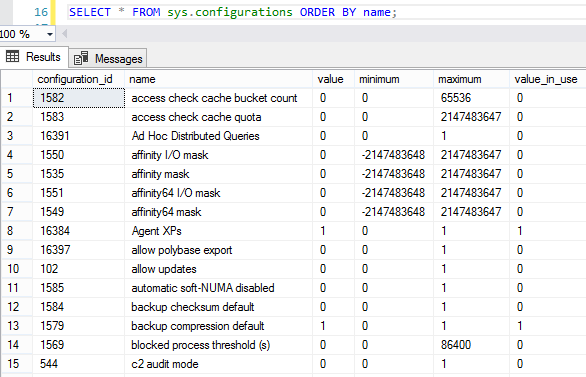
Brent Ozar: Oh god, that was funny. Describe what that does.

Erik Darling: So, the nice way to put it is that at random it will – if you schedule it as an agent job, every time it runs it will assign random values to a whole bunch of different, important to performance, variables. Like max memory, cost threshold for parallelism, MAXDOP – so you could just get wild variances in execution plans and, you know, querying a plan cache. All sorts of bad stuff happens when you start changing that stuff on the fly. And Brent left a process running overnight while Chaos Slow was also running. So just the wait stats were awful, it felt like me on the cruise ship where I was just… It was inspired by the Amazon Chaos Monkey thing that randomly goes and breaks things.

Brent Ozar: It’s amazing Dell never let us into their data center. That was pretty spectacular.


What’s your favorite data visualization tool?

Brent Ozar: Wes asks, “Have you ever used any data visualization tools and if so what are your favorites?”

Erik Darling: Excel…

Brent Ozar: That’s exactly what I was going to say. It’s easy, it’s cheap and it produces results that I can manage. But I don’t know anything about visualization beyond that though. And if you’ve ever seen any of my reports, you’ll understand why. “You can see by this 3D pie chart filled with Pac Men…


How do I fail over to DR with AGs?

Brent Ozar: Sri says, “In a multi-site Always On Availability Group…” I like how you spelled it out absolutely perfectly there, SRI, you’re already ahead of most shops. “I have an even number of nodes. I’ve got four nodes and I’ve got a quorum file share in my primary data center. What happens when my primary data center dies? Like if I have a flood, a disaster? Will we be able to manually bring up our DR site?”

Erik Darling: take it away, Brent.

Brent Ozar: Alright, so assuming – it’s easier almost, with the camera with my number of fingers. So, I have two nodes in each data center and then I also have the extra file share witness over in my primary data center. When you lose the majority of voters all at once, the two that are still remaining over in the DR data center, they don’t know that they aren’t just left alone in the cold. Like maybe their internet connection died and they can’t see the majority; so, they will gracefully shut down their cluster services. Now, you can force them online. There’s a set of steps that are documented in Books Online about forcing the cluster online, fixing quorum, then forcing SQL Server to start the AG with allowed data losses on. But this is super dangerous and the checklist to do this is like a page and a half long in Books Online, and every one of the lines links off to other articles in Books Online. It is something that you want to rehearse the Bajeesus out of before you go and do it the first time.

The thing that really worried me when folks do this is, whenever you failover to that other data center, when you decide to pull the trigger, there is no easy way to get the data back from that other data center. The simple way to think about it is order IDs. Say you’ve got a table with an identity field, starts at one and goes up to a bajillion. In your primary data center, y9ou had order ID number 100, and that one hadn’t made it over to DR yet. Well, DR was only up at, say, order ID 90. When we failover and we start inserting into the orders table, we’re going to be using that order ID 100 again, and I have to be able to figure out are these two different orders or are they the same order where fields have been changed? Tools like Redgate’s data compare and schema compare will help you identify that there’s differences, but not which one is right or whether it’s two separate rows or one row. So, it’s super, super dangerous. It’s something that you actually want to step through as a company before you go live and understand what the ramifications are.

Erik Darling: See that was a much better answer than what I was going to give. I was going to say maybe you should think about log shipping.

Brent Ozar: Yeah, so much easier. Because you lose the primary data center, the first think you have to do when you go to failover to DR is fix the cluster. Before you can even get started you have to fix the cluster to bring that online. With log shipping, who cares? You just go live over on the other side.

Erik Darling: This is part of the reason why I have such a hard time finding HA and DR stuff sexy, is because it’s like nope, everything is lost. It’s like a dude saying he’s not wearing any underwear; you’re like yeah, who cares?

Brent Ozar: It’s amazing how I look at it and I go, if you do it wrong, it’s way less reliable instead of more reliable. It’s very easy to get less reliable. Now either I just lost internet or Erik did, one of the two. Let me see – yeah, I’m still pulling up internet pages, so it must just be Erik’s frozen in time.

Let’s see, SRI says thank you and Vlad says you are visible. Okay, cool.


How do I catch people using the DAC?

Brent Ozar: So Samuel says, “I have an issue of a process logging into my SQL Server using the DAC overnight, the dedicated admin connection. Can I run a trace, like an extended events or profiler query to capture this user? You actually don’t need to run a trace or an extended events type thing. The easy way to do it is, just log sp_whoisactive to a table. If you Google for – we’ll go ahead and do it real quick on ours – if you search for log sp_whoisactive to table, Tara Kizer has a great post explaining how you go about doing this. there’s two on here. Part two is the better one that goes – I say better one, it’s just newer. We go into more details there. So, you can set this up as a job to run every five minutes, every ten minutes, however often that you want. Then there’s also a parameter that you may want to play around with, show sleeping SPIDs, I believe it is.

Let’s go fire it open just to see if I’ve got this right – sp_whoisactive. Show sleeping SPIDs I think, equals one. Look at that, I even remember. So, this will catch even if someone just logs into the DAC and doesn’t do anything. If you wanted to get more specific about which query is which, like which query is using the DAC, you could go into more detail through things like sys.dm_exec_sessions. But I would just do this because it’s a great technique to understand how to use for all kinds of reasons. I know a lot of shops – a lot is probably a stretch. I know some shops who will set up a job to log sp_whoisactive to a table, they’ll set up an agent job to do it and schedule, like every minute. And they’ll only enable it when they know they’re going to have or they’re having problems; they’ll teach their helpdesk staff to go enable that job.

So, since you know roughly when that’s happening, you could simply schedule the job to run during those windows, and you’ll be able to catch the culprit pretty quickly.


Are there drawbacks to changing MAXDOP?

Brent Ozar: Finally, the last question we’ll do today, J.H. says, “I recall seeing a YouTube clip of Grant Fritchey saying maybe not always change the MAXDOP is the default. Is there a time when it changes?” Yes, absolutely. So first off I’m going to throw a link up here on the page so you all can see it. If you go to BrentOzar.com/go/cxpacket – and I’ll copy paste that so I can paste that in again whenever the page refreshes… I’ve got a video on there where I explain what’s going on with MAXDOP, what’s going on with cost threshold. And I haven’t seen that clip from Grant, but I can tell you, because I can probably agree with it, there are probably cases where you don’t want to throttle down how many cores your query gets. However, the gotcha with that is it’s usually talking about fairly small servers. So, think like eight to 12 cores as opposed to 16, 32, 64 cores. it’s extremely rare that on a 16-core server or a 32-core server that you actually want one query going parallel across all of those threads. Because remember, it’s not like just one query is going to go parallel. Odds are you’re going to have a bunch of queries going parallel and it can cause a problem.

The typical scenarios where you want to go with a larger MAXDOP are things like data warehouses, where you have a really repeatable load every day and then you have repeatable nightly scheduled reports that come in and do big huge awful ugly queries. What’s cool about data warehouses is you can change your MAXDOP over time, say run experiments from one week to the next to figure out where your sweet spot on MAXDOP is. This is one of the experiments we ran at Dell DBA Days. Both Erik and Doug had run experiments on this. One of them was an experiment on CHECKDB MAXDOP, for example, where we found that the sweet spot for some workloads or some databases was closer to 14 or 18 in terms of MAXDOP.

Alright, well that sums up today’s office hours. Thanks everybody for hanging out. If you have a question that we didn’t get to, feel free to go over to DBA.StackExchange.com. We’re over there all the time posting answers on that, and we’ll see you guys over there. See you all next week at Office Hours.


Getting Help with a Slow Server

StackExchange users often ask, “Why is my server slow?” Here’s a few tips to get better, faster answers.

Server information

You may have already included server information in your question, but it may not be sufficient. Run sp_Blitz to output a lot of server information fast.

Click on the XML mumbo jumbo and post the output to your question. Here’s an example of a question with the sp_Blitz markdown included. This is the bare minimum of stuff we need to give you a decent answer – but keep reading, putting in more info in, and we’ll be able to give you a great answer.

What is SQL Server waiting on?

As a performance tuner, I start my analysis with the wait stats. If I’m going to help answer why your server is slow, I need to know what SQL Server is waiting on.

I want to know what the waits are since startup and what the waits are right now. That information gives me a good picture of the server.

You can use sp_BlitzFirst to get that data.

To get the waits since startup, run:

sp_BlitzFirst @SinceStartup = 1

Screenshot the first result set and add it to your question.

If you are clearing out your wait stats, the @SinceStartup data is not going to be good. Please don’t clear out your wait stats! If you are clearing out your wait stats, tell us how many hours ago the last clear was. We always need to know what our sample size is when looking at the waits.

To get the waits right now, run:

Screenshot the third result set (wait stats) and add it to your question. It would be beneficial to also screenshot the other result sets, but for now we need to know the waits.

You can use other values for @Seconds. 30 seconds gives a good picture if the performance issue is happening right now.

If the top wait is ASYNC_NETWORK_IO, you can stop here. You have your answer. It is not a SQL Server problem. It’s almost never a network problem even though the wait stat name makes you think it is. It’s sometimes a bottleneck on the application server, but it’s usually an application bottleneck. Applications that do row-by-row processing while SQL Server is sending the data cause ASYNC_NETWORK_IO waits. SQL Server is sending the data fast, but the application is telling SQL Server to stop while it processes what it has been sent so far. While SQL Server is waiting to be told to send more data, it’s recording waiting time on ASYNC_NETWORK_IO. To fix it, modify the application so that it consumes all of the data from SQL Server and THEN does its row-by-row processing.

If the top wait is PAGEIOLATCH_SH, run sp_BlitzIndex @Mode = 0 as it is indicative of memory pressure which can often be fixed by adding high-value missing indexes. Screenshot the “Indexaphobia: High value missing index with High Impact section”. You can hide your object and database names. We need to see the Details, Usage and Size columns. You can hide your object names in the Details column to protect your company.

For all other waits, I dig into the other result sets from the second sp_BlitzFirst call (waits right now).

Let sp_BlitzFirst help us help you

When you run it with @ExpertMode = 1:

Full output of sp_BlitzFirst @ExpertMode = 1 (click to zoom)

The first result set shows current activity at the very start of that sample. Any long-running queries in there? Any non-NULL wait_info or non-NULL blocking_session_id values? Show us that output.

The second result set gives you informational data as well as high priority data. Was there high CPU utilization? Are there any waits of note in there (though we’ll already have seen those with the 3rd result set that you posted)?

The fourth result set shows the I/O performance during that sample for any database file that had some reads or writes. You may have database files that aren’t listed there, it’s just that there weren’t any reads or writes on them during the collection. Do any of the files that are listed have an average stall of over 30 milliseconds. My target for reads is 15 milliseconds or less, and my target for writes is 5 milliseconds or less. Are any files showing high average stalls? The wait stats should reflect I/O waits if there’s a current I/O bottleneck.

The fifth result set is a dump of the SQL Server Performance Monitor counters. I generally skip over that section as I’ll usually pull that up in Performance Monitor as I want to see the values over time.

The sixth result set? I have no idea. Ask Erik.

And finally the seventh result set. That one shows current activity at the very end of the sample. Anything of note in there? Maybe there wasn’t any blocking when the sample started but maybe there is now.

Current activity via sp_WhoIsActive

I also use sp_WhoIsActive to look at current activity. On servers I’ve supported in the past, I have it logging to a table every 30-60 seconds and retaining the data for a few days so I can go back in time. I’ll query the WhoIsActive table in that case. If you don’t have that in place, run sp_WhoIsActive. If you see any long-running queries or blocking, run sp_WhoIsActive again with @get_plans = 1. This will give you the respective estimated execution plan, if it exists. If there’s a specific query you’d like help with, share the execution plan with us via Paste The Plan.

Sometimes fast, sometimes slow

If users are suddenly complaining that things are slow when it was just fine earlier, you might be experiencing what’s called bad Parameter Sniffing. Parameter Sniffing is a good thing, but it can cause problems.

If bad Parameter Sniffing is occurring on a frequently executed query, it could cause high CPU utilization which would slow everything down.

Grab the plan’s XML and save it. Then try removing the plan from the cache for that specific query. If users are now happy, you found the culprit and can now work towards a more permanent fix. We can help with that if you post the plan that you saved prior to removing it from the plan cache. It would also be helpful to see the plan after things are back to normal so that we can do a comparison. You may also need to post the query if the query is big as it may get truncated in the plan.

Check your question for questions and answers

Be sure to periodically check your question to see if it has been answered but also to see if anyone has any questions that could help get your question answered. Your question will be looked at by a lot of people soon after it has been posted. Refresh the page a few minutes after it is posted and again an hour later. Do this hourly for the first day and then daily until it has been answered. Most questions should get a good answer fairly quickly if the question is clear and if enough data has been provided.


PasteThePlan October 2017 Update

PasteThePlan.com
3 Comments

We’re back at it again. We took a bit of time out of our busy schedule to put in a few enhancements into PasteThePlan.com. Here’s some of the highlights:

Updated to the latest version of HTML Query Plan.

In order to create a graphical query plan we use Justin Pealing’s awesome HTML Query Plan. Recently, Justin updated the project with some improvements. The biggest change was the support for StmtCond, StmtUseDb, StmtCursor, and CursorPlan operators. This means PasteThePlan will display plans with cursors. No more table flipping. The lines between the operators were also updated and now we have arrows showing the flow of the data.

New “Download” plan button

We’ve added a “Download” button so you can download the plan in as a .sqlplan file. When downloaded, the plan can be opened directly in SSMS or Plan Explorer.

SQL Server 2017 and 2016 SP1 query plan support

With the advent of SQL Server 2016 SP1 and SQL Server 2017, query plans were given some changes in the underlying XML. As a result, these plans were not validating correctly in PasteThePlan. The issue has been fixed and all plans now validate correctly.

Missing Icons

There were a few plan operator icons that were not being displayed so we decided to fix that. Now KeyLookup, PopulateQuery, StmtCursor, FastForward, and SnapShot operators all have their corresponding icons.

Have a suggestion for a new feature or enhancement? Let us know down in the comments.


Bad Idea Jeans: Finding Undocumented Trace Flags

Bad Idea Jeans
10 Comments

I need to start this blog post with a disclaimer: you should not be doing this. Hell, *I* should not be doing this.

But when SQL Server 2017 came out Monday, I noticed a few unusual SNAPSHOT_MATERIALIZATION entries in sys.messages and a few related undocumented system objects that hinted about a new feature Microsoft hadn’t announced yet. I played around with it for a while, couldn’t get it to work, so I posted a question on DBA.se: How do you create a view with SNAPSHOT_MATERIALIZATION? Sure enough, within minutes, Paul White had his debugger going, and he’d run the world’s first demo of that feature. Head on over to that Stack question if you want a sneak preview at what the feature does, and give the guy an upvote while you’re there. He worked hard on that one.

For the next step, I wanted to see if folks could play with it without using a debugger. I had a hunch that the feature might be turned on via trace flag, so I started running experiments. Like Edison would say, I haven’t failed yet – I’ve just found 2,289 ways (as of this morning) it won’t work. But just running the experiments are a hell of a lot of fun, and I figure that you, dear reader, might enjoy seeing what goes on in the labs here at Brent Ozar Unlimited when nobody’s looking.

Now, On with the Bad Idea Jeans

Let’s say, just theoretically, that a new version of SQL Server came out, and it had a new undocumented stored procedure that failed with an error message saying it was disabled.

The first thing you might try is looping through trace flags, one at a time, in pseudocode like this:

In our theoretical case here, none of the trace flags enabled our theoretically hidden stored procedure. However, sometimes trace flags have to be enabled at startup, not just at runtime.

Testing Undocumented Startup Trace Flags

The DBCC TRACEON command works when the SQL Server is started up, but that’s too late to set some trace flags. Here’s the tools we’re going to use:

  • Startup stored procedure – so that as soon as the SQL Server engine starts, it runs a stored procedure to test our trace flag, log progress, set the next trace flag, and restart.
  • xp_readerrorlog – undocumented stored proc to read the error log. Here, I’m using it to dump the log into a table each time SQL Server starts up with a different trace flag. That way, I can analyze the log strings later to look for unusual outputs. More on that in a second.
  • xp_regwrite – undocumented stored procedure to set trace flags in the registry so that they run at startup. I don’t do this often, needless to say, so I started with this SQLServerCentral post’s code.
  • xp_cmdshell calling shutdown – I wish I could just reliably restart the SQL Server service from inside T-SQL, but I had some unreliable results with my stored procs rolling back when I tried the net start commands to restart the service from inside a proc. I could have also done this with an Agent job doing a waitfor for maybe 60 seconds and then restart, but I wanted very fast restarts, since I gotta do ~500 of them.

I gotta be honest with you, dear reader: any one of those above things is generally a pair of Bad Idea Jeans in and of itself, but we’re gonna layer up. (Not lawyer up, although that’d probably be a good idea too, as heinous as this script is.)

Add those all together, and you get this hot mess. Seriously, you shouldn’t ever run this on a server you care about.

The Payoff: Startup Error Logs by Trace Flag

Each time SQL Server starts up, I’m dumping the error logs into a table. Then, I can go back later to sort through the log messages that each trace flag produced. In the below screenshot:

  • TraceFlag – the flag that was on when the SQL Server started up
  • Text – an unusual error log message that wasn’t present by default, or wasn’t produced by too many other trace flags
Error logs by trace flag

So in that screenshot, we’ve discovered a few things:

  • Trace flag 9706 says “Software Usage Metrics is disabled.”
  • Trace flag 9850 dumps more diagnostic stuff in the log.
  • Trace flag 10264 says “Polybase mode enabled for SqlComposable.”
  • And a bunch of trace flags have been deprecated (but you probably weren’t using those anyway)

Should We Use These Trace Flags?

Of course not! That would be really, really stupid. We have no idea what behavior these trace flags really trigger under the covers. For all I know, one of them could report “Flintstones Chewable Data Pages Enabled” when it really runs auto-shrink every ten seconds.

However, when my poor VM has worked its way through all of the trace flags – started at 11498, now down to 9216 – I’ll post the full error log list in a backup so you folks can go spelunking through it. I’d rather have you do that than beat the hell out of some poor SQL Server VM.

This party won’t last long, either. Going forward, given that lots of folks at Microsoft seem to read this blog (surely for comedic value), it’s a fair bet that trace flag behavior will change going forward. They’ll probably switch to more cryptic logging at startup, like saying “Trace Flag 9706 Enabled” rather than saying “Software Usage Metrics is disabled.”


No More SQL Server Service Packs: Is CU12 the New SP1?

Starting with yesterday’s release of SQL Server 2017, Microsoft has a new servicing model: they’re only delivering Cumulative Updates, and not doing Service Packs.

Pedro Lopes writes:

  • SPs will no longer be made available. Only CUs, and GDRs when needed.
  • CUs will be delivered more often at first and then less frequently. Every month for the first 12 months, and every quarter for the remainder 4 years of the full 5-year mainstream lifecycle.
  • CUs are delivered on the same week of the month: week of 3rd Tuesday.

I adore this change for a few reasons:

  • It makes patching simpler – no more trying to figure out which CU branch you’re supposed to be on
  • It makes scheduling easier – if you take, say, quarterly outages, then you can just apply the most recent CU available based on your downtime schedule
  • It removes the “wait until SP1” stigma – there’s a good chunk of the population that thinks a product isn’t ready until the first major update, and now maybe they’ll see the first monthly CU1 as that adoption point.

This will influence how people see versions.

Examine this sentence closely:

“Every month for the first 12 months, and every quarter for the remainder 4 years…”

That means in November 2017 – October 2018, SQL Server 2017 is going to get monthly patches. However, starting in November 2018, it’s going to be more stable.

So now fast forward to late 2018, early 2019. You’re about to build a new SQL Server for a project, and you have two choices:

  • SQL Server 2018 – which is basically the new dev branch, getting monthly updates, or
  • SQL Server 2017 (or 2016, or 2014) – which is the stable branch, getting quarterly updates

Once a version has hit CU12, and it only gets updates once a quarter, it might be considered Good Enough For Our Apps. Managers might see 2017/2016/2014 interchangeably at that point – which might be great for the second most recent version’s adoption.

CU 12 might be the new SP1.

I can see managers saying, “Well, I don’t wanna go to a new version of SQL Server until they’ve eased up on the fast-and-furious update stream. I can’t take an outage every month to apply patches. Plus, based on the looks of some of these bugs they’re fixing, the software’s not really ready for prime time yet.”

And I wouldn’t blame them. After all, check out just some of the highlights from the most recent Cumulative Update, 2016 SP1 CU5:

And remember, this isn’t the fifth Cumulative Update for 2016: it’s the fifth update FOR 2016 SERVICE PACK 1. If you deployed SQL Server 2016 in June 2016 when it came out, you’d have had 8 patching outages by now to fix stuff like this.

Which is fine: adoption is slow anyway.

SpotlightEssentials market report

In the company chat room, Tara pointed out that few people jump on the most recent release anyway. SpotlightEssentials reports that <10% of servers are using SQL Server 2016 even today. That means ~90% of servers would be on the stable branch, getting CUs only once per quarter.

Years from now, I think we’ll all be glad that Microsoft took this step and switched to a simpler servicing model. There’s going to be a few pains as we explain to managers that no, you don’t need to wait for SP1 anymore – but depending on your stability goals and patch windows, you might wanna wait for CU12. (However, 90% of you aren’t installing the new version in the first 12 months anyway – so you’re unaffected.)


New System Stored Procedures in SQL Server 2017

Columnstore Indexes, SQL Server 2017
0

Got a few new stored procs for columnstore indexes:

  • sp_add_columnstore_column_dictionary – input params for @table_id, @column_id
  • sp_is_columnstore_column_dictionary_enabled – as above, plus output param for @is_enabled bit
  • sp_remove_columnstore_column_dictionary – input params for @table_id, @column_id

And a couple for snapshot views (which appear to be related to the new snapshot messages in sys.messages)

  • sp_refresh_single_snapshot_view – input param for @view_name nvarchar(261) (!), @rgCode int
  • sp_refresh_snapshot_views – input param for @rgCode int

To see the public portions of their source code, hit up master.sys.all_sql_modules. Documentation doesn’t appear to be live yet at docs.microsoft.com, nor in the Github repo.


New sys.messages Entries in SQL Server 2017

SQL Server 2017
6 Comments

I’m only showing the English (1033) ones here, message ID and then text. Some of the new messages are very Azure-specific, and while I love to think that we’d get some of these features in the boxed product, I think Microsoft is just getting down to a standard shared list of message IDs.

However, some of them are rather…well, I’ll just bold the ones that made me raise an eyebrow:

  • 10147 – Cannot create %S_MSG on the view ‘%.*ls’ because it uses temporal FOR SYSTEM_TIME clause.
  • 10148 – Cannot create %S_MSG on the view ‘%.*ls’ because it uses OPENJSON.
  • 10149 – Index that has SNAPSHOT_MATERIALIZATION cannot be created on view ‘%.*ls’ because view definition contains memory-optimized table(s).
  • 10342 – Assembly ‘%.*ls’ cannot be loaded because this edition of SQL Server only supports SAFE assemblies.
  • 10343 – CREATE or ALTER ASSEMBLY for assembly ‘%.*ls’ with the SAFE or EXTERNAL_ACCESS option failed because the ‘clr strict security’ option of sp_configure is set to 1. Microsoft recommends that you sign the assembly with a certificate or asymmetric key that has a corresponding login with UNSAFE ASSEMBLY permission. Alternatively, you can trust the assembly using sp_add_trusted_assembly.
  • 10344 – Internal table access error: failed to access the Trusted Assemblies internal table with HRESULT: 0x%x. Contact Customer Support Services.
  • 10345 – The assembly hash ‘0x%.*ls’ is already trusted.
  • 10346 – The assembly hash ‘0x%.*ls’ is not currently trusted. No action was taken.
  • 10636 – Ignore in Optimization cannot be set for ‘%.*ls’ on ‘%.*ls.%.*ls’ because it is only applicable to non-clustered B-tree or columnstore indexes.
  • 10637 – Cannot perform this operation on ‘%.*ls’ with ID %I64d as one or more indexes are currently in resumable index rebuild state. Please refer to sys.index_resumable_operations for more details.
  • 10638 – ALTER INDEX ‘%S_MSG’ failed. There is no pending resumable index operation for the index ‘%.*ls’ on ‘%.*ls’.
  • 10639 – Resumable index operation for %S_MSG ‘%.*ls’ failed because the index contains column ‘%.*ls’ of type timestamp as a key column.
  • 10640 – Ignore in Optimization cannot be set for an index on ‘%.*ls.%.*ls’ because it is only applicable to indexes on user defined disk-based tables.
  • 10641 – ALTER INDEX PAUSE failed. There is no actively running resumable index operation for the index ‘%.*ls’ on ‘%.*ls’.
  • 10642 – SNAPSHOT_MATERIALIZATION cannot be set for index ‘%.*ls’ on ‘%.*ls’ because it is only applicable to indexes on views.
  • 10643 – SNAPSHOT_MATERIALIZATION cannot be set for ‘%.*ls’ on ‘%.*ls’ because it is only applicable to clustered indexes on views.
  • 10644 – Resumable index operation for %S_MSG ‘%.*ls’ failed because the index contains the computed column ‘%.*ls’ as a key or partitioning column. If this is a non clustered index, the column will be implicitly included as a key column if it is part of the clustered index key.
  • 10645 – Warning: An existing resumable operation with the same options was identified for the same index on ‘%.*ls’. The existing operation will be resumed instead.
  • 10646 – Index ‘%.*ls’ on view ‘%.*ls’ that has SNAPSHOT_MATERIALIZATION cannot be dropped using the DROP_EXISTING option.
  • 10647 – Index ‘%.*ls’ on ‘%.*ls’ that has SNAPSHOT_MATERIALIZATION cannot be altered.
  • 10648 – SNAPSHOT_MATERIALIZATION cannot be set for partitioned index ‘%.*ls’ on ‘%.*ls’.
  • 10649 – Nonclustered index ‘%.*ls’ cannot be created on ‘%.*ls’ that has clustered index ‘%.*ls’ with SNAPSHOT_MATERIALIZATION.
  • 10650 – Refresh of snapshot view(s) requires snapshot isolation to be enabled on the database.
  • 10651 – Refresh of snapshot view failed because view ‘%.*ls.%.*ls’ does not exist.
  • 10652 – Refresh of snapshot view failed because ‘%.*ls.%.*ls’ is not a snapshot view.
  • 10653 – Refresh of snapshot view failed.
  • 10654 – Refresh of snapshot view failed because lock could not be obtained on the database.
  • 10655 – Refresh of snapshot view failed because view is not specified in two-part name format.
  • 10656 – The resumable index operation for index ‘%.*ls’ on object ‘%.*ls’ was paused.
  • 10657 – The resumable index ‘%.*ls’ on object ‘%.*ls’ has been paused for ‘%.2f’ hours.
  • 10658 – Stored procedure ‘%ls’ is currently disabled.
  • 10659 – An ALTER INDEX ‘%S_MSG’ was executed for index ‘%.*ls’ on object ‘%.*ls’ by hostname ‘%.*ls’.
  • 10712 – The pseudocolumn ‘%.*ls’ cannot be part of an index.
  • 10719 – Foreign key relationships from a memory optimized table with DURABILITY set to SCHEMA_AND_DATA to a memory optimized table with DURABILITY set to SCHEMA_ONLY are not supported.
  • 10936 – Resource ID : %d. The %ls limit for the elastic pool is %d and has been reached. See ‘http://go.microsoft.com/fwlink/?LinkId=267637’ for assistance. (Note from Brent – remember, this message is in the on-premises boxed product.)
  • 10937 – Default workload group does not allow to alter attribute ‘%.*ls’.
  • 1104 – TEMPDB ran out of space during spilling. Create space by dropping objects and/or rewrite the query to consume fewer rows. If the issue still persists, consider upgrading to a higher service level objective.
  • 11431 – The %S_MSG option is not permitted as the %S_MSG option is not turned ‘%ls’.
  • 11432 – %S_MSG = %d is not a valid value; %S_MSG must be greater than 0 and less than %d.
  • 11433 – ‘%.*ls’ with %S_MSG option is not suppported on %S_MSG ‘%.*ls’.
  • 11434 – The %S_MSG option is not supported for the disabled index ‘%.*ls’ on %S_MSG ‘%.*ls’.
  • 11435 – The %S_MSG option is not supported for Heaps at %S_MSG ‘%.*ls’.
  • 11436 – Cannot alter table ‘%.*ls’ because non-nullable column ‘%.*ls’ cannot be declared as hidden without either a DEFAULT constraint, the GENERATED ALWAYS attribute, or the IDENTITY attribute.
  • 11437 – Cannot alter table ‘%.*ls’ because at least one column must be declared as non-hidden.
  • 11438 – The %S_MSG option cannot be set to ‘%ls’ when the %S_MSG option is set to ‘%ls’.
  • 11557 – The stored procedure ‘sp_get_jobs_database_scoped_credential’ is not available.
  • 11558 – The distributed_move JSON string could not be parsed. Please check the formatting of the JSON.
  • 11559 – The distributed_move JSON parameter %.*ls is missing or incorrectly formatted. Please check the formatting of the JSON.
  • 11560 – The distributed_move parameter %.*ls value is outside its valid range. Please try again with a valid parameter.
  • 11903 – Cannot create table ‘%.*ls’ because non-nullable column ‘%.*ls’ cannot be declared as hidden without either a DEFAULT constraint, the GENERATED ALWAYS attribute, or the IDENTITY attribute.
  • 11904 – Cannot create table ‘%.*ls’ because at least one column must be declared as non-hidden.
  • 11905 – Resumable index operations can only be performed in Enterprise edition of SQL Server.
  • 12110 – Statement ‘%.*ls’ failed, because it attempted to set the ‘%.*ls’ option for the secondaries replica while this option is only allowed to be set for the primary.
  • 12352 – System stored procedures that cause schema changes to %S_MSG are not supported inside user transactions.
  • 12353 – Computed columns in indexes on memory optimized tables must be declared as PERSISTED.
  • 12354 – The function %ls with an argument in a Japanese_140 collation is currently not supported with %S_MSG.
  • 12355 – The persistence of a computed column in a memory optimized table cannot be altered. Drop and re-create the column with the desired persistence.
  • 12445 – Cannot set Query Store max_storage_size_mb to %lu. The maximum allowed limit is %lu MB.
  • 12446 – Query Store stored procedure is not available on readable secondary replica.
  • 12447 – Query plan with plan_id (%ld) cannot be forced for query with query_id (%ld) as plan forcing is not supported for this type of statement.
  • 12449 – Query plan cannot be forced for this query as plan forcing is not supported for resumable index builds.
  • 12500 – SELECT INTO not allowed in the CTAS statement.
  • 12501 – Different number of columns in CREATE TABLE and SELECT query.
  • 12502 – Data types cannot be defined using CREATE TABLE AS SELECT syntax.
  • 12503 – Specifying schema elements in the CREATE SCHEMA statement is not supported.
  • 12504 – Distribution column ‘%.*ls’ must be implictly or explictly specified in the insert select query as the target table ‘%.*ls’ is a hash distributed table.
  • 12701 – Failed to lock external data source object (EDS name: %.*ls). Lock Mode: %.*ls.
  • 12702 – Failed to lock external data source manager. Lock Mode: %.*ls.
  • 12703 – Referenced external data source “%ls” not found.
  • 12704 – Bad or inaccessible location specified in external data source “%ls”.
  • 12705 – Referenced external data source “%ls” type is “%ls”. Please use BLOB_STORAGE type to reference Azure Blob Storage locations.
  • 12844 – ALTER DATABASE statement failed; this functionality is not available in the current edition of SQL Server.
  • 13327 – external library
  • 13328 – QUERY_TUNING_MODE
  • 13329 – QDS server name
  • 13330 – WAIT_STATS_CAPTURE_MODE
  • 13764 – Online alter column is not supported for system-versioned temporal table ‘%.*ls’.
  • 13765 – Setting finite retention period failed on system-versioned temporal table ‘%.*ls’ because the history table ‘%.*ls’ does not contain required clustered index. Consider creating a clustered columnstore or B-tree index starting with the column that matches end of SYSTEM_TIME period, on the history table.
  • 13766 – Cannot drop the clustered index ‘%.*ls’ because it is being used for automatic cleanup of aged data. Consider setting HISTORY_RETENTION_PERIOD to INFINITE on the corresponding system-versioned temporal table if you need to drop this index.
  • 13767 – The clustered index ‘%.*ls’ is being used for automatic cleanup of aged data, and can be converted to either a clustered columnstore or B-tree index starting with the column that matches end of SYSTEM_TIME period, on the history table. Consider setting HISTORY_RETENTION_PERIOD to INFINITE on the corresponding system-versioned temporal table if you need to rebuild this index with a modified column specification, not supported with temporal history retention.
  • 13768 – Retention cleanup of history table for a temporal table (database id %lu, table id %ld) has not been executed. Either the cleanup is disabled on the database, appropriate lock could not be obtained or the temporal table does not exist anymore.
  • 13769 – Setting SYSTEM_VERSIONING to ON failed for table ‘%.*ls’ because ‘%.*ls’ with REMOTE_DATA_ARCHIVE enabled cannot be used as a history table when a finite retention period is specified.
  • 13770 – Setting finite retention period failed on system-versioned temporal table ‘%.*ls’ because REMOTE_DATA_ARCHIVE is enabled on the corresponding history table ‘%.*ls’.
  • 13771 – Setting finite retention period failed on system-versioned temporal table ‘%.*ls’ because corresponding history table ‘%.*ls’ has both clustered columnstore and non-clustered indexes. Consider dropping non-clustered indexes from the history table and try again.
  • 13772 – Cannot create non-clustered index on temporal history table ‘%.*ls’ since it has finite retention period and clustered columnstore index defined.
  • 13773 – Clustered column store temporal retention cleanup attempted on non-clustered column store table ‘%.*ls’.
  • 13776 – Table ‘%.*ls’ does not exist or you do not have the required permissions to complete the operation.
  • 13777 – Stored procedure ‘sp_cleanup_temporal_history’ is temporarily disabled. Please contact customer support for more information.
  • 13778 – The only allowed ALTER TABLE operations on temporal in-memory history table ‘%.*ls’ are ADD INDEX, DROP INDEX and ALTER INDEX.
  • 13779 – Defining a column store index on temporal in-memory history table ‘%.*ls’ is not supported.
  • 13780 – Setting finite retention period failed on system-versioned temporal table ‘%.*ls’ beacause the history table ‘%.*ls’ is clustered column store that contains large object columns.
  • 13781 – Wrong type for column ‘%.*ls’: the system-versioned temporal table ‘%.*ls’ cannot contain large object columns, because it has finite retention and the clustered column store history table ‘%.*ls’.
  • 13782 – Cannot create clustered column store index ‘%.*ls’ on table ‘%.*ls’ because it contains large object columns and is the history table of temporal table ‘%.*ls’ that has finite retention.
  • 13783 – Data modification failed on system-versioned table ‘%.*ls’ because column ‘%.*ls’ cannot be output into the history table ‘%.*ls’.
  • 13800 – Insert bulk statement does not support recompile.
  • 13900 – Identifier ‘%.*ls’ in a MATCH clause could not be bound.
  • 13901 – Identifier ‘%.*ls’ in a MATCH clause is not a node table or an alias for a node table.
  • 13902 – Identifier ‘%.*ls’ in a MATCH clause is not an edge table or an alias for an edge table.
  • 13903 – Edge table ‘%.*ls’ used in more than one MATCH pattern.
  • 13904 – All node and edge tables within a single MATCH clause must reside in the same database.
  • 13905 – A MATCH clause may not be directly combined with other expressions using OR or NOT.
  • 13906 – A MATCH clause is only permitted in a WHERE clause or in the ON clause of a GRAPH JOIN.
  • 13907 – Cannot modify permissions for graph column ‘%.*s’.
  • 13908 – Cannot access internal graph column ‘%.*ls’.
  • 13909 – The internal graph column ‘%.*ls’ cannot be added to an index; use pseudocolumn ‘%.*ls’ instead.
  • 13910 – Cannot create a node or edge table as memory optimized.
  • 13911 – Cannot create a node or edge table as a remote data archive.
  • 13912 – A node or edge table cannot be created as or altered to a temporal table.
  • 13913 – Internal graph columns cannot be altered.
  • 13914 – Cannot create a node or edge table as a temporary table.
  • 13915 – Cannot create a node or edge table as an external table.
  • 13916 – The graph column ‘%.*ls’ cannot be used as a non-key column in an index.
  • 13917 – After expanding the computed graph column ‘%.*ls”, the index ‘%.*ls’ on table ‘%.*ls’ exceeds the maximum number of columns in the key list. The maximum number of index key columns is %d.
  • 13918 – Adding constraint to column ‘%.*s’ of a node or edge table is not allowed.
  • 13919 – Identifier ‘%.*ls’ in a MATCH clause corresponds to a derived table. Derived tables are not supported in MATCH clauses.
  • 13920 – Identifier ‘%.*ls’ in a MATCH clause is used with a JOIN clause or APPLY operator. JOIN and APPLY are not supported with MATCH clauses.
  • 13921 – JSON data for INSERT/UPDATE of graph pseudocolumn ‘%.*ls’ is malformed.
  • 13922 – Remote tables are not supported in MATCH clauses.
  • 13923 – Pseudocolumn ‘%.*s’ is invalid because it references a node or edge table that is not in the current database.
  • 13924 – Select * is not permitted because it refers to a node or edge table ‘%.*s’ which is not in the current database.
  • 13925 – Cannot drop or disable index or constraint ‘%.*s’ because the last unique index or constraint on ‘%.*s’ cannot be dropped or disabled.
  • 13926 – The use of replication is not supported for node or edge table ‘%ls’.
  • 13927 – Change Data Capture is not supported for node or edge table ‘%ls’.
  • 13928 – Use pseudocolumn ‘%.*ls’ to add a constraint on a node or edge table.
  • 13929 – The pseudocolumn ‘%.*ls’ cannot be part of an index unless the index is on a node or edge table that contains that pseudocolumn.
  • 15701 – Statement ‘%.*ls’ failed, because it attempted to set the Automatic Tuning option ‘%.*ls’ multiple times.
  • 15702 – Cannot perform action because Automatic Tuning cannot be enabled on system database %.*ls.
  • 15703 – Setting Automatic Tuning option ‘%.*ls’ to %.*ls for database ‘%.*ls’.
  • 15704 – Automatic Tuning option ‘%.*ls’ is disabled by system.
  • 15705 – Automatic Tuning option %.*ls cannot be enabled, because Query Store is not turned on.
  • 15706 – Automatic Tuning option %.*ls cannot be enabled, because Query Store is in READ_ONLY mode.
  • 15707 – Automatic Tuning is only available for enterprise customers. (Note from Brent: that’s interesting wording. Usually they call it Enterprise Edition because even enterprise customers run Standard Edition.)
  • 15716 – Only one Automatic Tuning option can be given in ALTER DATABASE statement.
  • 16202 – Keyword or statement option ‘%.*ls’ is not supported on the ‘%.*ls’ platform.
  • 16601 – Credential of database ‘%ls’ are invalid.
  • 16602 – Cannot delete sync agent ‘%ls’ because it is used by sync member ‘%ls’.
  • 16603 – Cannot add database ‘%ls’ into sync group because the database name is invalid.
  • 16604 – Hub database ‘%ls’ is invalid. (Note from Brent: these sync/hub/member messages are related to SQL Data Sync.)
  • 16605 – Member database ‘%ls’ is invalid.
  • 16606 – Database ‘%ls’ cannot be deleted because it is used as a sync metadata database which still contains sync groups and/or sync agents.
  • 16607 – Sync metadata database ‘%ls’ is invalid.
  • 16608 – Cannot create or update sync group because the sync group name ‘%ls’ is invalid.
  • 16609 – Cannot create or update sync group ‘%ls’ because the conflict resolution policy is invalid.
  • 16610 – Cannot create sync group because the sync group name ‘%ls’ is used.
  • 16611 – Cannot create or update sync group ‘%ls’ because the sync schema contains circular reference.
  • 16612 – Cannot create or update sync group ‘%ls’ because the table ‘%ls’ in sync schema contains no clustered index.
  • 16613 – Cannot delete sync group ‘%ls’ because the sync group is syncing.
  • 16614 – Cannot create or update sync group ‘%ls’ because database ‘%ls’ is invalid.
  • 16615 – Cannot create or update sync group ‘%ls’ because the sync interval is invalid.
  • 16616 – Cannot update sync schema because the data type change is not supported.
  • 16617 – Sync group ‘%ls’ is not ready to update sync schema because there are some ongoing operations on the sync group.
  • 16618 – Cannot update sync schema because some columns are missing in database ‘%ls’.
  • 16619 – Cannot update sync schema because some tables are missing in database ‘%ls’.
  • 16620 – Cannot update sync schema because the format of sync schema is invalid.
  • 16621 – Sync group ‘%ls’ is not in active state. Make sure the sync schema of it is set.
  • 16622 – Hub database ‘%ls’ is suspended because the credential of it is invalid.
  • 16623 – Sync group ‘%ls’ is invalid.
  • 16624 – Cannot create or update sync member because the sync member name ‘%ls’ is invalid.
  • 16625 – Cannot create or update the sync member ‘%ls’ because the database type ‘%ls’ provided is invalid.
  • 16626 – Cannot create or update the sync member ‘%ls’ because the sync direction ‘%ls’ provided is invalid.
  • 16627 – Cannot create or update the sync member ‘%ls’ because the sync agent ‘%ls’ provided is invalid.
  • 16628 – Cannot create or update the sync member ‘%ls’ because the SQL Server database ID ‘%ls’ provided is invalid.
  • 16629 – Cannot create sync member because the sync member name ‘%ls’ provided is used.
  • 16630 – Cannot create sync member ‘%ls’ because the database ‘%ls’ provided is already added as a sync member.
  • 16631 – Cannot delete sync member ‘%ls’ when it is syncing.
  • 16632 – Sync member ‘%ls’ is invalid.
  • 16633 – Cannot create sync agent because the sync agent name ‘%ls’ provided is used.
  • 16634 – Sync agent ‘%ls’ is invalid.
  • 16635 – Cannot create sync group ‘%ls’ because the maximum number of sync groups can be created is %d.
  • 16636 – Cannot create sync member ‘%ls’ because the maximum number of sync members can be created in a sync group is %d.
  • 16637 – Cannot create or update sync group ‘%ls’ because the maximum count of tables in sync schema is %d.
  • 16638 – Cannot create or update sync group ‘%ls’ because the table ‘%ls’ in sync schema contains no primary key.
  • 16639 – Cannot create or update sync group ‘%ls’ because the sync schema provided contains unsupported column data type.
  • 16640 – Cannot refresh schema of the database ‘%ls’.
  • 16641 – Cannot create sync agent ‘%ls’ under a different SQL Server than the one of sync metadata database.
  • 1735 – Duplicate range-partitioning function specified for the table being created. Remove one of the range-partitioning function specifications and resubmit the request.
  • 1737 – Duplicate distribution clause specified for the table being created. Remove one of the distribution clauses and resubmit the request.
  • 17900 – A network error occurred in the established connection; the connection has been closed.
  • 22119 – Cannot enable change tracking on table ‘%.*ls’. Change tracking requires a primary key constraint on the table to be enabled. Enable the primary key constraint on the table before enabling change tracking.
  • 22120 – Invalid value for cleanup batch size.
  • 22121 – Deleted %ld row(s) per millisecond from %s
  • 22845 – Cannot enable change data capture in this edition of SQL Server.
  • 25748 – The file “%s” contains audit logs. Audit logs can only be accessed by using the fn_get_audit_file function.
  • 27242 – Cannot find the cluster execution job instance ‘%ls’ because it does not exist or you do not have sufficient permissions. (Note from Brent – this range of messages below appears to be related to SSIS scale-out.)
  • 27243 – Cannot find the cluster worker agent ‘%ls’ because it does not exist or you do not have sufficient permissions.
  • 27246 – Cannot find the cluster execution task instance ‘%ls’ because it does not exist or you do not have sufficient permissions.
  • 27251 – Cannot add a worker agent to execute the cluster job instance ‘%ls’ because the job is specified for all worker agents.
  • 27252 – The Integration Services cluster worker agent ‘%ls’ is disabled.
  • 27255 – The job id of the execution is null. Create a job for the execution first and try again.
  • 27256 – The event message does not exist.
  • 27257 – There is no active worker agent.
  • 27259 – Failed to enable worker agent because current SQL Server edition only support limited number of worker agents.
  • 27260 – Only members of sysadmin server roles can perform this action.
  • 27261 – There is no Scale Out Master installed.
  • 31021 – Could not get winfab log directory when performing DTA tuning related task.
  • 31022 – Could not get winfab data package directory when performing DTA tuning related task.
  • 31204 – Operation %ls is not supported on the %ls platform. (Note from Brent: don’t go assuming this means you can’t do it on Linux, ha ha ho ho. Could be the other way around.)
  • 32056 – The SQL Server failed to create full-text FTData directory. This might be because FulltextDefaultPath is invalid or SQL Server service account does not have permission. Full-text may fail until this issue is resolved. Restart SQL Server after the issue is fixed.
  • 3228 – Writing snapshot metadata to backup set for file “%ls” failed due to invalid format.
  • 3259 – Failed to copy blob with name ‘%ls’, to destination ‘%ls’. Error returned ‘%ls’.
  • 33061 – The specified RETENTION_DAYS value is greater than the maximum value allowed. The retenton days value must be less than %d days.
  • 33062 – Password validation failed. The password does not meet SQL Server password policy requirements because it is too short. The password must be at least %d characters.
  • 33063 – Password validation failed. The password does not meet SQL Server password policy requirements because it is too long. The password must be at most %d characters.
  • 33064 – Password validation failed. The password does not meet SQL Server password policy requirements because it is not complex enough. The password must be at least %d characters long and contain characters from three of the following four sets: Uppercase letters, Lowercase letters, Base 10 digits, and Symbols.
  • 33066 – An error occurred while configuring the password policy: NTSTATUS 0x%x, state %d. To skip configuring the password policy, use trace flag -T4634 during startup. This will cause SQL Server to run using a minimal password policy.
  • 33179 – Searching for ‘%.*ls’ only searches “‘%.*ls'” for SQL Server authentication logins.
  • 33180 – Searching for “‘%.*ls'” only searches for Azure Active Directory users. To search for a SQL Server authentication login, add the server name at the end. For example [%.*ls@%.*ls].
  • 33181 – The new owner cannot be Azure Active Directory group.
  • 33182 – The command must be executed on the target database ‘%.*ls’.
  • 33183 – The Azure Key Vault client encountered an error with message ‘%s’.
  • 33184 – An error occurred while obtaining information for the Azure Key Vault client with message ‘%s’.
  • 33518 – Valid values of the database compatibility level are %d, %d, %d, or %d.
  • 33519 – An external data source conflicting with ‘%.*ls’ already exists in EDS cache in memory. Use alter step to change the location or credential. Drop and re-create to change the EDS name.
  • 33520 – Failed to allocate memory for caching external data source ‘%.*ls’ which is used by a database file.
  • 33521 – Cannot drop the external data source ‘%.*ls’ because it is being used.
  • 33522 – Cannot remove the external data source ‘%.*ls’ because it is being used.
  • 33523 – Cryptographic failure due to insufficient memory.
  • 33524 – The fn_get_audit_file function is skipping records from ‘%.*ls’. You must be connected to database ‘%.*ls’ to access its audit logs.
  • 33525 – The fn_get_audit_file function is skipping records from ‘%.*ls’. You must be connected to server ‘%.*ls’ to access its audit logs.
  • 33526 – The fn_get_audit_file function is skipping records from ‘%.*ls’, as it does not conform to the auditing blob naming convention.
  • 33527 – Error occured while initializing the security functions lookup table. This might be because the installation of SQL Server is corrupted and a required file is missing.
  • 3461 – Failed to wait for XTP %ls to complete during recovery.
  • 35248 – The %ls operation is not allowed by the current availability-group configuration. The required_synchronized_secondaries_to_commit %d is greater than the %d possible secondary synchronous-commit availability replicas in availability group ‘%.*ls’. Change one of the existing asynchronous-commit replicas to the synchronous-commit availability mode, and retry the operation.
  • 35383 – The use of user-defined functions is not allowed in default constraints when adding columns to a columnstore index.
  • 35384 – The statement failed because column ‘%.*ls’ on table ‘%.*ls’ is a lob column. Non clustered index with lob column as included column cannot co-exist with clustered columnstore index.
  • 35386 – Could not get the memory grant of %I64d KB for columnstore compression because it exceeds the maximum configuration limit of %I64d KB in the current workload group and resource pool. Please rerun query at a higher resource class, and also consider increasing DWU size. See ‘https://aka.ms/sqldw_columnstore_memory‘ for assistance.
  • 35387 – TEMPDB ran out of space during spilling. Verify that data is evenly distributed and/or rewrite the query to consume fewer rows. If the issue still persists, consider upgrading to a higher service level objective. (Note from Brent – remember, this is on-premises. Given the number of Azure-specific messages in here, I’m going to stop noting these – they’re probably just getting down to a single set of messages across both the boxed product and Azure SQL DB.)
  • 35388 – The statement failed because column ‘%.*ls’ on table ‘%.*ls’ is a persisted computed column. Adding persisted computed columns to an existing clustered columnstore index is not supported.
  • 35389 – The statement failed because column ‘%.*ls’ on table ‘%.*ls’ is a computed column of a LOB type. Columnstore indexes cannot include computed columns of LOB types.
  • 35390 – Computed columns in columnstore indexes are temporarily disabled. Please rewrite your query to exclude computed columns.
  • 35392 – The statement failed because column ‘%.*ls’ on table ‘%.*ls’ is a computed column. Nonclustered index with computed column as key or included column cannot be created on a table that has a clustered columnstore index.
  • 35504 – server encryption protector
  • 35505 – RESUMABLE
  • 35506 – MAX_DURATION
  • 35507 – Storage
  • 35508 – RESUME
  • 35509 – PAUSE
  • 35510 – ABORT
  • 3643 – The operation elapsed time exceeded the maximum time specified for this operation. The execution has been stopped.
  • 37101 – Server ‘%.*ls’ does not contain elastic job account: ‘%.*ls’.
  • 37102 – Elastic job account ‘%.*ls’ does not contain the resource of type ‘%.*ls’ named ‘%.*ls’.
  • 37103 – Internal job account error occurred : ‘%.*ls’.
  • 37104 – A job account already exists for subscription ‘%.*ls’ for the selected region.
  • 37105 – The job account ‘%.*ls’ on server ‘%.*ls’ already exists.
  • 37106 – The database ‘%.*ls’ on server ‘%.*ls’ is in use by job account ‘%.*ls’. The database cannot be deleted or renamed while associated with a job account.
  • 37107 – The database ‘%.*ls’ on server ‘%.*ls’ has service level objective ‘%.*ls’ which is not supported for use as a job account database.
  • 3757 – WAIT_AT_LOW_PRIORITY clause is not permitted without ONLINE = ON option, for drop clustered %S_MSG ‘%.*ls’ on Table ‘%.*ls’.
  • 3758 – Multiple %S_MSG cannot be dropped when WAIT_AT_LOW_PRIORITY clause is specified.
  • 3759 – %.*ls constraint ‘%.*ls’ cannot be dropped when WAIT_AT_LOW_PRIORITY clause is used.
  • 3760 – Cannot drop index ‘%.*ls’ on view ‘%.*ls’ that has SNAPSHOT_MATERIALIZATION.
  • 39031 – Cannot parse the output schema of the builtin function ‘PREDICT’.
  • 39032 – The function PREDICT expects parameters in the form of ‘name = value’.
  • 39033 – The parameter name ‘%.*ls’ has already been declared. Parameter names must be unique in a PREDICT function call.
  • 39034 – The parameter ‘PARAMETERS’ in PREDICT function contains a definition that doesn’t match the supplied arguments.
  • 39035 – The function PREDICT has too many arguments supplied.
  • 39036 – The function PREDICT expects parameter ‘%.*ls’ which was not supplied.
  • 39037 – The function PREDICT contains a parameter ‘%.*ls’ that has an invalid type.
  • 39038 – The function PREDICT expects parameter ‘PARAMETERS’ of type ntext/nchar/nvarchar.
  • 39039 – Error converting the parameter value for ‘%.*ls’ to ‘%.*ls’.
  • 39040 – The function ‘PREDICT’ does not support SQL identifier or variable for ‘PARAMETERS’.
  • 39041 – The parameter ‘PARAMETERS’ has an invalid definition.
  • 39042 – %s EXTERNAL LIBRARY failed because the library source parameter %d is not a valid expression.
  • 39043 – %s EXTERNAL LIBRARY failed because filename ‘%.*ls’ is too long.
  • 39044 – %s EXTERNAL LIBRARY failed because it could not open the physical file ‘%.*ls’: %ls.
  • 39045 – %s EXTERNAL LIBRARY failed because it could not read from the physical file ‘%.*ls’: %ls.
  • 39046 – CREATE EXTERNAL LIBRARY failed because the user “%.*ls” specified in the authorization clause does not exist.
  • 39047 – External library ‘%.*ls’ already exists for owner ‘%.*ls’ in database ‘%.*ls’.
  • 39048 – Failed to %s external library ‘%ls’: %ls.
  • 39049 – Message(s) from ‘PREDICT’ engine: %.*ls%.*ls
  • 39050 – Error occurred during execution of the builtin function ‘PREDICT’ with HRESULT 0x%x. Out of memory.
  • 39051 – Error occurred during execution of the builtin function ‘PREDICT’ with HRESULT 0x%x. Model is corrupt or invalid.
  • 39052 – Error occurred during execution of the builtin function ‘PREDICT’ with HRESULT 0x%x. Model type is unsupported.
  • 39092 – Initialization of native scoring libraries failed with HRESULT 0x%x.
  • 39093 – ‘PREDICT’ function does not take parameters of varchar(max), nvarchar(max) or varbinary(max) type except for ‘MODEL’ parameter.
  • 39094 – ‘PREDICT’ function only supports models smaller than 100 MB.
  • 39096 – Execution failed because its WITH clause specified different output columns from what ‘PREDICT’ function tries to return. The schema returned by ‘PREDICT’ function is ‘%ls’.
  • 39097 – Input data column #%d is of type ‘%ls’ which is not supported by ‘PREDICT’ function. Unsupported types are binary, varbinary, timestamp, datetime2, datetimeoffset, time, text, ntext, image, hierarchyid, xml, sql_variant and user-defined type.
  • 39098 – Error occurred during execution of the builtin function ‘PREDICT’ with HRESULT 0x%x.
  • 39099 – Feature or option ‘PREDICT’ is not yet implemented. Please consult Books Online for more information on this feature or option.
  • 40555 – ‘%ls’ is not supported for this database. See Books Online for more details on feature support in different service tiers of Windows Azure SQL Database.
  • 40912 – The value for custom backup retention in days must be between %d and %d
  • 40913 – Windows Azure SQL Database supports a maximum of %d Virtual Network firewall rules. (Note from Brent – see what I mean about Azure-specific messages? I really doubt SQL Server is going to get this exact message on-premises. Microsoft’s just shipping one sys.messages table to rule them all.)
  • 40914 – Cannot open server ‘%.*ls’ requested by the login. Client from a Virtual Network with Service Tunneling is not allowed to access the server.
  • 40915 – Secondary server specified in a Failover Group cannot reside in the same region (Note from Brent – this & the below messages are Azure-specific. It’s possible they could bring this functionality down on-premises, though, if we were given a set of tools to manage the geographic locations of servers. Not likely.)
  • 40916 – The Failover Group ‘%.*ls’ already exists on server ‘%.*ls’
  • 40917 – The Failover Group ‘%.*ls’ does not exist on server ‘%.*ls’
  • 40918 – The Failover Group ‘%.*ls’ is busy with another operation and cannot perform ‘%.*ls’ operation. Please try again later
  • 40919 – The server ‘%.*ls’ is currently the primary server in the Failover Group and cannot initate failover
  • 40920 – The database ‘%.*ls’ is already included in another Failover Group
  • 40921 – The operation to add database ‘%.*ls’ to Failover Group is in progress, please wait for this operation to finish
  • 40922 – The operation to remove database ‘%.*ls’ from Failover Group is in progress, please wait for this operation to finish
  • 40923 – The database ‘%.*ls’ is a secondary in an existing geo-replication relationship and cannot be added to the Failover Group
  • 40924 – The operation cannot be performed due to multiple errors: ‘%.*ls’
  • 40925 – Can not connect to the database in its current state.
  • 40926 – The operation cannot be performed because the geo-replication link is part of a Failover Group. You must remove the database from the group in order to individually terminate or failover.
  • 40927 – The endpoint ‘%.*ls’ is already in use. Use a different Failover Group name.
  • 40928 – Create or update Failover Group operation successfully completed; however, some of the databases could not be added to or removed from Failover Group: ‘%.*ls’
  • 40929 – The source database ‘%ls.%ls’ cannot have higher edition than the target database ‘%ls.%ls’. Upgrade the edition on the target before upgrading source.
  • 40930 – The target database ‘%ls.%ls’ cannot have lower edition than the source database ‘%ls.%ls’. Downgrade the edition on the source before downgrading target.
  • 40931 – Failover Group name ‘%.*ls’ cannot be empty or null. It can only be made up of lowercase letters ‘a’-‘z’, the numbers 0-9 and the hyphen. The hyphen may not lead or trail in the name.
  • 40932 – The elastic pool cannot change its service tier since one or more of its databases use memory-optimized objects.
  • 40933 – The edition ‘%.*ls’ does not support the database tempdb max size ‘%.*ls’.
  • 41662 – Database ‘%ls’ (ID %d) of Windows Fabric partition ‘%ls’ (partition ID ‘%ls’) hit exception while running async tasks in Generic Subscriber.
  • 41663 – Failed to parse datawarehouse columnar cache settings during replica manager startup.
  • 41806 – Parameter “%ls” specified for procedure or function “%ls” is not valid.
  • 41838 – Failed to retrieve size for this file due to an internal error. Please try again later.
  • 41840 – Could not perform the operation because the elastic pool has reached its quota for in-memory tables. See ‘http://go.microsoft.com/fwlink/?LinkID=623028’ for more information.
  • 41841 – Found inconsistent boot-page for database ‘%.*ls’.
  • 41842 – Too many rows inserted or updated in this transaction. You can insert or update at most 4,294,967,294 rows in memory-optimized tables in a single transaction.
  • 41843 – Unable to construct segment for segment table.
  • 41844 – Clustered columnstore indexes are not supported on memory optimized tables with computed columns.
  • 41845 – Checksum verification failed for memory optimized checkpoint file %.*ls.
  • 41846 – Memory optimized checkpoint table consistency error detected. Checkpoint %I64d does not have unique recoverLsn. PrevLSN = (%I64d:%hu), CurrLSN = (%I64d:%hu).
  • 41847 – Memory optimized checkpoint table consistency error detected. Checkpoint %I64d does not point to a transaction segment definition record.
  • 41848 – Memory optimized checkpoint table consistency error detected. Checkpoint %I64d does not have ascending recoverLsn. PrevLSN = (%I64d:%hu), CurrLSN = (%I64d:%hu).
  • 41849 – Memory optimized segment table consistency error detected. Segments are not contiguous in logical space. Older Segment CkptId = %I64d, LsnInfo = (%I64d:%hu), TxBegin = %I64d, TxEnd = %I64d. Newer Segment CkptId = %I64d, LsnInfo = (%I64d:%hu), TxBegin = %I64d, TxEnd = %I64d.
  • 41850 – Memory optimized segment table consistency error detected. Segments are not well formed for Segment CkptId = %I64d, LsnInfo = (%I64d:%hu), TxBegin = %I64d, TxEnd = %I64d.
  • 41851 – Memory optimized segment table consistency error detected. Segment definition ordering does not match the (strict) logical ordering. Older Segment CkptId = %I64d, LsnInfo = (%I64d:%hu), TxBegin = %I64d, TxEnd = %I64d. Newer Segment CkptId = %I64d, LsnInfo = (%I64d:%hu), TxBegin = %I64d, TxEnd = %I64d.
  • 41852 – Memory optimized segment table consistency error detected. Segment has a NullHkLsn. CkptId = %I64d, Segment LsnInfo = (%I64d:%hu)
  • 41853 – Memory optimized segment table consistency error detected. Current segment goes backward further than the definition record of the N-2 segment. Older Segment CkptId = %I64d, LsnInfo = (%I64d:%hu), TxBegin = %I64d, TxEnd = %I64d. Newer Segment CkptId = %I64d, LsnInfo = (%I64d:%hu), TxBegin = %I64d, TxEnd = %I64d.
  • 41854 – Memory optimized file consistency error detected. An in use file with FileId %.*ls is referenced by the Checkpoint File Table but is not accounted for in the Storage Interface.
  • 41855 – Memory optimized file consistency error detected. Could not find a file with FileId %.*ls in the File Watermark Table visible by checkpoint ID %u.
  • 41856 – Memory optimized file consistency error detected. A file with FileId %.*ls of size %I64d bytes is smaller than expected %I64d bytes.
  • 41857 – Memory optimized file consistency error detected. A presumably in use file with FileId %.*ls was not found in the Checkpoint File Table.
  • 41858 – Memory optimized file consistency error detected. A presumably in use file with FileId %.*ls was not found in the File Watermark Table.
  • 41859 – Memory optimized file consistency error detected. A presumably in use file with FileId %.*ls of size %I64d bytes is smaller than expected (%I64d bytes)
  • 41860 – Memory optimized file consistency error detected. A presumably unused file with FileId %.*ls was found in the Checkpoint File Table.
  • 41861 – Memory optimized large rows table consistency error detected. File Id is %.*ls. Corresponding LSN range is not ascending. Begin Lsn is (%I64d:%hu), End Lsn is (%I64d:%hu).
  • 41862 – Memory optimized large rows table consistency error detected. Corresponding File %.*ls not found in File Table. Begin Lsn is (%I64d:%hu), End Lsn is (%I64d:%hu).
  • 41863 – Checkpoint %I64d points to a root file %.*ls which was in use by a more recent checkpoint.
  • 41864 – Checkpoint %I64d has a file %.*ls which has a watermark (%I64d) larger than the more recent checkpoints watermark (%I64d).
  • 41865 – File %.*ls does not have a pair file %.*ls
  • 41866 – Unprocessed File %.*ls does not have a pair file which is also unprocessed. Processed pair file is %.*ls.
  • 41867 – Consistency errors detected in the MEMORY_OPTIMIZED_DATA filegroup. See preceding error messages for details. Consult https://go.microsoft.com/fwlink/?linkid=845604 for details on how to recover from the errors.
  • 41868 – Memory optimized filegroup checks could not be completed because of system errors. See errorlog for more details. (Note from Brent – hallelujah, are we finally getting CHECKDB for in-memory OLTP?)
  • 41901 – One or more of the options (%ls) are not supported for this statement in SQL Managed Instance. Review the documentation for supported options.
  • 41902 – Unsupported device type. SQL Managed Instance supports database restore from URI backup device only. (Note from Brent: well, now, that’s interesting to see Managed Instance messages in here given that the product hasn’t officially hit production yet, only preview.)
  • 41903 – CREATE DATABASE failed. Cannot create filename %ls. Local file paths are not supported.
  • 4199 – Argument value %d is invalid for argument %d of %ls function.
  • 42033 – Updating Layered AG Configuration failed.
  • 4221 – Login to read-secondary failed due to long wait on ‘HADR_DATABASE_WAIT_FOR_TRANSITION_TO_VERSIONING’. The replica is not available for login because row versions are missing for transactions that were in-flight when the replica was recycled. The issue can be resolved by rolling back or committing the active transactions on the primary replica. Occurrences of this condition can be minimized by avoiding long write transactions on the primary.
  • 43001 – ‘%.*ls’ is not a valid login name.
  • 43002 – Storage in MB %d exceeds the maximum limit %d.
  • 43003 – More than one firewall rules have the same name ‘%.*ls’.
  • 43004 – ‘%.*ls’ is not a valid firewall rule name because it contains invalid characters.
  • 43005 – ‘%.*ls’ is not a valid database name because it contains invalid characters.
  • 43006 – Database name ‘%.*ls’ is too long.
  • 43007 – ‘%.*ls’ is not a valid database charset.
  • 43008 – ‘%.*ls’ is not a valid database collation.
  • 43009 – Storage in MB %d is below the minimum limit.
  • 43010 – ‘%.*ls’ cannot be updated.
  • 43011 – ‘%.*ls’ is not a valid version.
  • 43012 – The configuration name cannot be empty.
  • 43013 – The value for configuration ‘%.*ls’ cannot be empty.
  • 43014 – The same configuration ‘%.*ls’ cannot be updated more than once.
  • 43015 – The configuration ‘%.*ls’ does not exist for %.*ls server version %.*ls.
  • 43016 – The value ‘%.*ls’ for configuration ‘%.*ls’ is not valid. The allowed values are ‘%.*ls’.
  • 43017 – The configuration names you defined are not consistent.
  • 43018 – The value ‘%.*ls’ for configuration ‘%.*ls’ is not consistent with default value ‘%.*ls’.
  • 43019 – The source ‘%.*ls’ for configuration ‘%.*ls’ is not valid.
  • 45122 – ‘%ls’
  • 45220 – An error occurred while configuring for the SQL Agent: error %d, severity %d, state %d.
  • 45221 – An error occurred while configuring for the SQL Agent: error %d, severity %d, state %d.
  • 4524 – Cannot alter view ‘%.*ls’ because it has snapshot materialization.
  • 4525 – Cannot use hint ‘%ls’ on view ‘%.*ls’ that has snapshot materialization before the view is refreshed.
  • 45309 – The operation could not be completed because database ‘%ls’ on server ‘%ls’ is recovering from a geo-replication role change and is not currently eligible to become a primary or standalone database. Wait until the relationship leaves the ‘SUSPENDED’ replication state and try again.
  • 45310 – Unable to return metrics. Request would return too much data.
  • 45311 – The server key ‘%.*ls’ already exists. Please choose a different server key name.
  • 45312 – The server key URI ‘%.*ls’ already exists as another server key.
  • 45313 – The server key ‘%.*ls’ cannot be deleted because it is currently in use by ‘%.*ls’.
  • 45314 – Server key ‘%.*ls’ does not exist. Make sure that the server key name is entered correctly.
  • 45315 – The operation could not be completed because a service objective assignment is in progress for database ‘%.*ls’ on server ‘%.*ls.’ Wait for the service objective assignment to complete and try again.
  • 45316 – MODIFY FILE failed. Size is greater than MAXSIZE. Please query sys.database_files and use DBCC SHRINKFILE to reduce the file size first.
  • 45317 – Server ‘%.*ls’ does not exist in resource group ‘%.*ls’ in subscription ‘%.*ls’.
  • 45318 – Service Fabric Application Version is not available.
  • 45319 – The service objective assignment for database ‘%.*ls’ on server ‘%.*ls’ could not be completed as the database is too busy. Reduce the workload before initiating another service objective update.
  • 45320 – The operation could not be completed on server ‘%.*ls’ because the Azure Key Vault key ‘%.*ls’ is disabled.
  • 45321 – The operation could not be completed on server ‘%.*ls’ because attempts to connect to Azure Key Vault ‘%.*ls’ have failed
  • 45322 – The operation could not be completed because the Azure Key Vault key ‘%.*ls’ expiration date is invalid.
  • 45323 – Unable to start a copy because the source database ‘%ls’ is being updated.
  • 45324 – The operation could not be completed because the Azure Key Vault Uri is null or empty.
  • 45325 – The operation could not be completed because the Azure Key Vault Key name is null or empty.
  • 45326 – The operation could not be completed because the Azure Key Vault Key name ‘%ls’ does not exist.
  • 45327 – The operation could not be completed because the Azure Key Vault Key name ‘%ls’ is currently set as server encryption protector.
  • 45328 – The server identity is not correctly configured on server ‘%ls’. Please contact support.
  • 45329 – An invalid response from Azure Key Vault. Please use a valid Azure Key Vault URI.
  • 45330 – The server ‘%ls’ requires the following Azure Key Vault permisions: ‘%ls’. Please grant the missing permissions to the service principal with ID ‘%ls’.
  • 45331 – The operation could not be completed because the read scale value specified is not supported for a ‘%ls’ database.
  • 45332 – The operation could not be completed because the read scale value specified is invalid.
  • 45333 – The service request timed out. %ls.
  • 45334 – Server edition ‘%ls’ is invalid.
  • 45335 – Server type ‘%ls’ is invalid.
  • 45336 – The operation could not be completed because ‘%ls’ is an invalid Server Key name. Please provide a key name in the format of ‘vault_key_version’. For example, if the keyId is https://YourVaultName.vault.azure.net/keys/YourKeyName/01234567890123456789012345678901, then the Server Key Name should be formatted as: YourVaultName_YourKeyName_01234567890123456789012345678901.
  • 45337 – The planned failover operation has rolled back because database ‘%ls’ could not be synchronized with its remote partner. This may be due to a service outage, or to a high volume of write traffic. Consider using forced failover.
  • 45338 – The planned failover operation has rolled back because the remote server ‘%ls’ could not be reached. This may be due to a service outage. Consider using forced failover.
  • 45339 – The max size update on the geo-secondary database ‘%ls’ on server ‘%ls’ failed with reason ‘%ls’.
  • 45340 – The operation could not be completed because an Azure Active Directory error was encountered. The error message from Active Directory Authentication library (ADAL) is ‘%ls’.
  • 45341 – The operation could not be completed because an error was encountered when attempting to retrieve Key Vault information for ‘%ls’ from server ‘%ls’. The encountered error message is ‘%ls’.
  • 45342 – The operation could not be completed because an Azure Active Directory error was encountered. Please ensure the server ‘%ls’ and key vault ‘%ls’ belong to the same tenant. The error message from Active Directory Authentication library is ‘%ls’.
  • 45343 – The provided Key Vault uri ‘%ls’ is not valid. Please ensure the uri contains the vault, key, and key version information. An example valid uri looks like ‘https://YourVaultName.vault.azure.net/keys/YourKeyName/01234567890123456789012345678901’. Please ensure the vault belongs to an endpoint from the list of supported endpoints available at ‘%ls’.
  • 4632 – The permission ‘%.*ls’ is not supported in this version of SQL Server. Alternatively, use the %.*ls level ‘%.*ls’ permission.
  • 46527 – Altering the ‘%S_MSG’ property is not permitted for an external data source of type %ls.
  • 46628 – SHARED_MEMORY
  • 46654 – database scoped credential
  • 46723 – Large object column in Global Query is not supported for types other than Nvarchar(MAX), Varchar(MAX), Varbinary(MAX) and Image.
  • 46829 – The proc %.*ls is only supported for external data sources of type SHARD_MAP_MANAGER or RDBMS.
  • 46830 – Internal column references are not supported for external tables.
  • 46917 – An internal error occured while attempting to retrieve the encrypted database-scoped credential secret.
  • 46918 – An internal error occured while attempting to retrieve the encrypted database-scoped credential secret.
  • 46919 – An internal error occured while attempting to retrieve the encrypted database-scoped credential secret.
  • 47049 – Reason: VNET Firewall Rule has rejected the login.
  • 47050 – Reason: Unexpected error while copying the VNET IPv6 address.
  • 47051 – Reason: Unexpected error while parsing the VNET IPv6.
  • 47052 – Reason: Unexpected error while extracting VNET metadata info from the IPv6 (VNET parsing).
  • 47053 – Reason: Unexpected error on VNET firewall rule table lookup.
  • 47054 – Reason: Unexpected error on VNET firewall rule table COUNT lookup.
  • 47055 – Reason: VNET Firewall rejected the login due to a the source of a login being outside a VNET
  • 47056 – Reason: Firewall rejected the login attempt because VNET firewall rules are not database-level, only server-level.
  • 47057 – Reason: Firewall rejected the login because an IPv6 attempt was received when not expected
  • 47058 – Reason: Unexpected error on VNET firewall rule table lookup while looking up the IPv4 Allow All rule.
  • 47100 – The cluster type of availability group ‘%.*ls’ doesn’t match its primary configuration. Verify that the specified availability group cluster type is correct, then retry the operation.
  • 47101 – The cluster type of availability group ‘%.*ls’ only supports MANUAL failover mode. Verify that the specified availability group cluster type is correct, then retry the operation.
  • 47102 – The cluster type of availability group ‘%.*ls’ only supports EXTERNAL failover mode. Verify that the specified availability group cluster type is correct, then retry the operation.
  • 47103 – The cluster type of availability group ‘%.*ls’ only supports AUTOMATIC and MANUAL failover modes. Verify that the specified availability group cluster type is correct, then retry the operation.
  • 47104 – This operation cannot be performed on the availability group ‘%.*ls’ because it has EXTERNAL cluster type. Use the cluster management tools to perform the operation.
  • 47105 – The Always On Availability Groups feature must be enabled for this server instance before you can perform availability group operations. Please enable the feature, then retry the operation.
  • 47106 – Cannot join availability group ‘%.*ls’. Download configuration timeout. Please check primary configuration, network connectivity and firewall setup, then retry the operation.
  • 47107 – The %ls operation is not allowed by the current availability group configuration. The availability group ‘%.*ls’ only supports one relica which has witness availability mode. Verify that the specified availability group availability mode is correct, then retry the operation.
  • 47108 – The %ls operation is not allowed by the current availability group configuration. The availability group ‘%.*ls’ only supports two synchronous mode replicas and required_syncrhonized_secondaries_to_commit is zero when witness mode replica is specified. Verify that the specified availability group availability mode is correct, then retry the operation.
  • 47109 – Availability group ‘%.*ls’ cannot failover to this replica. Witness replica cannot become primary. An attempt to fail over an availability group failed. The replica is a witness and cannot become a primary.
  • 47110 – The ‘%.*ls’ option is not valid for the ‘%.*ls’ replica as it is a witness. Remove this option, then retry the operation
  • 47111 – Local availability replica for availability group ‘%.*ls’ cannot be granted permission to create databases. The replica is a witness and cannot host databases inside the availability group.
  • 4878 – Invalid quote character specified for bulk load. Quote character can be one single byte or Unicode character.
  • 4879 – Bulk load failed due to invalid column value in CSV data file %ls in row %d, column %d.
  • 4898 – Cannot bulk load CSV file. Invalid field parameters are specified for source column number %d in the format file “%s”. All data fields must be either character or Unicode character with terminator when CSV format is specified.
  • 4899 – Cannot bulk load CSV file. Invalid terminator is specified for source column number %d in the format file “%s”. All source column terminators must be the same except the last one when CSV format is specified. Only row terminator should be different.
  • 49401 – Database backup not supported on this database as it has foreign files attached.
  • 49501 – DBCC SHRINKFILE for %.*ls is aborted. Sbs flat files are not supported
  • 49502 – %.*ls: Page %d:%d could not be moved because it is an sbs flat file page or the destination is an sbs flat file page.
  • 49600 – SQL tiered storage table schema is corrupt.
  • 49601 – SBS Flat File Access not fully initialized, when function ‘%ls’ was called.
  • 49602 – Failure waiting for %ls latch in ‘%ls’.
  • 49814 – DynamicActivation is not supported for GeoDR DB: Logical Server ‘%.*ls’, Database ‘%.*ls’, ServiceLevelObjective ‘%.*ls’
  • 49815 – Database cannot be deactivated: Server ‘%.*ls’, Database ‘%.*ls’, ServiceLevelObjective ‘%.*ls’
  • 49816 – Server ‘%.*ls’, Database ‘%.*ls’ cannot be online as BlockingMode is set
  • 49817 – Failed to query CMS for thottling on database ‘%.*ls’, ‘%.*ls’ due to the exception: ‘%.*ls’
  • 49818 – Cannot deactivate a database when it is already getting deactivated, Server ‘%.*ls’, Database ‘%.*ls’
  • 49819 – Deflation Monitor Timer task encountered an error (SQL Error Code: %d). Refer to the xel for more details.
  • 49926 – Server setup is starting
  • 49927 – An error occurred while setting the server administrator (SA) password: error %d, severity %d, state %d.
  • 49928 – An error occurred during server setup. See previous errors for more information.
  • 49929 – Server setup completed successfully.
  • 49930 – Parallel redo is %ls for database ‘%.*ls’ with worker pool size [%d].
  • 49931 – An error occurred while configuring engine telemetry: error %d, severity %d, state %d.
  • 49932 – An error occurred while initializing security. %ls.
  • 49933 – ERROR: The MSSQL_SA_PASSWORD environment variable must be set when using the –reset-sa-password option.
  • 49934 – Error %u occurred while reading the RbIo configuration parameters. Verify that the sqlservr.ini or registry entries exist.
  • 49936 – ERROR: The provided PID [%s] is invalid. The PID must be in the form #####-#####-#####-#####-##### where ‘#’ is a number or letter.
  • 49937 – ERROR: A failure occurred in the licensing subsystem. Error [%d].
  • 49938 – The licensing PID was successfully processed. The new edition is [%s].
  • 49939 – Unable to initialize user-specified certificate configuration. The server is being shut down. Verify that the certificate is correctly configured. Error[%d]. State[%d].
  • 49940 – Unable to open one or more of the user-specified certificate file(s). Verify that the certificate file(s) exist with read permissions for the user and group running SQL Server.
  • 49941 – Unable to load one or more of the user-specified certificate file(s). Verify that the certificate file(s) are of a supported format.
  • 49942 – Internal error occurred initializing user-specified certificate configuration. Error code [%08X].
  • 49943 – The certificate [Certificate File:’%hs’, Private Key File:’%hs’] was successfully loaded for encryption. This will override any self-generated certificate.
  • 49944 – The allowed TLS protocol version list [‘%hs’] is invalid. Verify that the supplied TLS version numbers are supported by SQL Server and separated by spaces in the configuration.
  • 49945 – The allowed TLS cipher list [‘%hs’] is invalid. See docs.microsoft.com for more information on creating a cipher list.
  • 49946 – Internal error occurred initializing the TLS configuration. Error code [%d].
  • 49947 – Unable to initialize the TLS configuration. The server is being shut down. Verify that the allowed TLS protocol and cipher lists are configured correctly. Error state [%d].
  • 49948 – Successfully initialized the TLS configuration. Allowed TLS protocol versions are [‘%hs’]. Allowed TLS ciphers are [‘%hs’].
  • 49949 – ERROR: Unable to set system administrator password: %s.
  • 49950 – The SQL Server End-User License Agreement (EULA) must be accepted before SQL
  • 49951 – Server can start. The license terms for this product can be downloaded from
  • 49952 – http://go.microsoft.com/fwlink/?LinkId=746388.
  • 49953 – You can accept the EULA by specifying the –accept-eula command line option,
  • 49954 – setting the ACCEPT_EULA environment variable, or using the mssql-conf tool.
  • 49955 – Environment Variable Startup Parameters:%.*ls
  • 49956 – The default language (LCID %d) has been set for engine and full-text services.
  • 49957 – The default language (LCID %d) failed to be set for engine and full-text services.
  • 49958 – The server collation cannot be changed with user databases attached. Please detach user databases before changing server collation. (Note from Brent – whoa, wonder if that’s Linux-only.)
  • 49600 – SQL tiered storage table schema is corrupt.
  • 49959 – ERROR: The environment variable MSSQL_COLLATION contains an invalid collation ‘%.*ls’.
  • 5338 – Format option cannot be specified together with SINGLE_BLOB, SINGLE_CLOB or SINGLE_NCLOB option.
  • 5339 – CSV format option is supported for char and widechar datafiletype options.
  • 5545 – FILESTREAM: connected to kernel driver %ls. This is an informational message. No user action is required.
  • 5546 – FILESTREAM: failed to connect to kernel driver %ls.
  • 5576 – FILESTREAM feature is enabled. This is an informational message. No user action is required.
  • 5577 – FILESTREAM access level has been changed to %d. Restart the instance of SQL Server for the settings to fully take effect.
  • 5585 – FILESTREAM file I/O access could not be enabled. The operating system Administrator must enable FILESTREAM file I/O access on the instance using Configuration Manager.
  • 5867 – Changing AFFINITY is not supported when the sql server is running in agnostic affinity mode. (Note from Brent – COME ON, dammit, it’s SQL Server, not sql server.)
  • 694 – Internal error. Unable to create a block blob in azure storage.
  • 695 – Internal error. Unable to delete a block blob in azure storage.
  • 696 – Internal error. Unable to gain access to the tombstone table.
  • 697 – Internal error. Unable to get a blob storage container.
  • 8571 – SQL Server is unable to get outcome from Microsoft Distributed Transaction Coordinator (MS DTC) for the transaction with UOW ‘%ls’ because another resource manager with same RMID already exists.
  • 8716 – Invalid data was detected. An external producer has inserted a value into shared memory table that is not supported by SQL Server.
  • 8734 – Separator parameter for STRING_AGG cannot be large object type such as VARCHAR(MAX) or NVARCHAR(MAX).
  • 8735 – The operation failed because an online index build on the table terminated and caused a temporary inconsistency. Re-run the query.
  • 875 – Resilient buffer pool extension “%.*ls” has been started successfully with size is %I64d MB.
  • 876 – Failed to startup resilient buffer pool extension of size %I64d MB on path “%.*ls”.
  • 877 – Resilient buffer pool extension “%.*ls” has been enabled successfully with size %I64d MB.
  • 878 – Failed to create resilient buffer pool extension of size %I64d MB on path “%.*ls”.
  • 879 – Failed to start resilient buffer pool extension because database %d is not memory optimized.
  • 880 – Failed to find the metadata of resilient buffer pool extension in database %d.
  • 881 – Resilient buffer pool extension is already disabled. No action is necessary.
  • 882 – The schema of a table created by InternalBaseTable is corrupt.
  • 883 – Could not create the Write Page Recorder table: wpr_bucket_table for database %ls.
  • 884 – Could not persist a bucket to the Write Page Recorder table: wpr_bucket_table for database %ls.
  • 885 – An internal error occurred. Error code %X. Context: “%ls::%d”.
  • 886 – Resilient buffer pool extension is already enabled. No action is necessary.
  • 891 – Buffer pool extension is not supported on %ls platform.
  • 9033 – The transaction in database ‘%ls’ has exceeded the max size of %I64u bytes. See ‘http://aka.ms/sqldw_loglimit’ for assistance.
  • 9034 – PERSISTENT_LOG_BUFFER option is already on in database ‘%ls’.
  • 9035 – PERSISTENT_LOG_BUFFER can only be set on the DAX volume.
  • 9036 – The source has PERSISTENT_LOG_BUFFER enabled, but the current device is not DAX volume. PERSISTENT_LOG_BUFFER has been set to OFF.
  • 9037 – The file ‘%.*ls’ on remote block device cannot be initialized. Native error is 0x%08x.
  • 9038 – The VLF %lu could not be registered with the Log Leasing Service with error 0x%08X.
  • 9039 – Could not start lease for VLF %lu for consumer ID %ls with the Log Leasing Service with error 0x%08X.
  • 9040 – Could not end lease for consumer ID %ls with the Log Leasing Service with error 0x%08X.
  • 9828 – The second and third arguments of the TRANSLATE built-in function must contain an equal number of characters.
  • 9829 – STRING_AGG aggregation result exceeded the limit of 8000 bytes. Use LOB types to avoid result truncation.

New Wait Stats and DMV Columns in SQL Server 2017

SQL Server 2017, Wait Stats
3 Comments

SQL Server 2017 is officially out, and here’s what I’ve found so far.

New Wait Stats in 2017

  • BACKUP_INMEM_DIFFLIST_READ_ACCESS
  • BACKUP_INMEM_DIFFLIST_WRITE_ACCESS
  • BLOB_CONTAINER_TABLE
  • COLUMNSTORE_MIGRATION_BACKGROUND_TASK
  • EXTERNAL_SCRIPT_NETWORK_IO
  • FOREIGN_REDO
  • GHOSTCLEANUP_UPDATE_STATS
  • GLOBAL_QUERY_CANCEL
  • GLOBAL_QUERY_CONSUMER
  • GLOBAL_QUERY_PRODUCER
  • HADR_THROTTLE_LOG_RATE_LOG_SIZE
  • HADR_THROTTLE_LOG_RATE_SEEDING
  • HADR_THROTTLE_LOG_RATE_SEND_RECV_QUEUE_SIZE
  • MEMORY_GRANT_UPDATE
  • MIGRATIONBUFFER
  • PREEMPTIVE_OS_BCRYPTIMPORTKEY
  • PREEMPTIVE_OS_NCRYPTIMPORTKEY
  • PREEMPTIVE_XE_PROXY_ADDSESSION
  • PREEMPTIVE_XE_PROXY_PROCESSBUFFER
  • PREEMPTIVE_XE_PROXY_REMOVESESSION
  • PREEMPTIVE_XE_PROXY_SESSIONCOMMIT
  • PWAIT_AUDIT_CLOSE_EXPIRED_LOGS_MGR_RWLOCK
  • PWAIT_AUDIT_SESSIONS_LOCK
  • PWAIT_EXTERNAL_SCRIPT_LIBMGMT_DIR_PERMS
  • PWAIT_PREEMPTIVE_APP_USAGE_TIMER
  • PWAIT_PREEMPTIVE_XE_STUB_LISTENER
  • PWAIT_SBS_FILE_OPERATION
  • QDS_HOST_INIT
  • RBIO_WAIT_VLF
  • REMOTE_BLOCK_IO
  • RESTORE_MSDA_THREAD_BARRIER
  • SBS_DISPATCH
  • SBS_RECEIVE_TRANSPORT
  • SBS_TRANSPORT
  • SECURITY_CNG_PROVIDER_MUTEX
  • SLEEP_SETUP
  • SNI_WRITE_ASYNC
  • TEMPORAL_BACKGROUND_PROCEED_CLEANUP
  • UCS_CNG_PROVIDER_MUTEX
  • WAIT_XLOGREAD_SIGNAL
  • WAIT_XTP_COMPILE_WAIT
  • WAIT_XTP_SERIAL_RECOVERY
  • XE_STUBMGR_CLOSE
  • XIO_EDS_MGR_RWLOCK
  • XIO_EDS_RWLOCK
  • XIO_IOSTATS_BLOBLIST_RWLOCK
  • XIO_IOSTATS_FCBLIST_RWLOCK

New Management Objects & Columns in 2017

I’m doing a join between a 2017 RTM server’s sys.all_columns over to a 2016 SP1 server’s, and looking for the newly added rows. I’m hyperlinking to relevant documentation that you might find interesting, too.

Internal tables & columns:

  • _trusted_assemblies.create_date
  • _trusted_assemblies.created_by
  • _trusted_assemblies.description
  • _trusted_assemblies.hash
  • plan_persist_query.query_flags
  • plan_persist_query_hints.batch_sql_handle
  • plan_persist_query_hints.comment
  • plan_persist_query_hints.context_settings_id
  • plan_persist_query_hints.last_query_hint_failure_reason
  • plan_persist_query_hints.object_id
  • plan_persist_query_hints.query_hash
  • plan_persist_query_hints.query_hint_failure_count
  • plan_persist_query_hints.query_hint_id
  • plan_persist_query_hints.query_hints_flags
  • plan_persist_query_hints.query_hints
  • plan_persist_query_hints.query_id
  • plan_persist_query_hints.query_param_type
  • plan_persist_query_hints.statement_sql_handle
  • plan_persist_query_template_parameterization.comment
  • plan_persist_query_template_parameterization.last_parameterization_failure_reason
  • plan_persist_query_template_parameterization.parameterization_failure_count
  • plan_persist_query_template_parameterization.query_param_type
  • plan_persist_query_template_parameterization.query_template_flags
  • plan_persist_query_template_parameterization.query_template_hash
  • plan_persist_query_template_parameterization.query_template_id
  • plan_persist_query_template_parameterization.query_template
  • plan_persist_query_text.query_template_hash
  • plan_persist_wait_stats.count_executions
  • plan_persist_wait_stats.execution_type
  • plan_persist_wait_stats.last_query_wait_time_ms
  • plan_persist_wait_stats.max_query_wait_time_ms
  • plan_persist_wait_stats.min_query_wait_time_ms
  • plan_persist_wait_stats.plan_id
  • plan_persist_wait_stats.runtime_stats_interval_id
  • plan_persist_wait_stats.sumsquare_query_wait_time_ms
  • plan_persist_wait_stats.total_query_wait_time_ms
  • plan_persist_wait_stats.wait_category
  • plan_persist_wait_stats.wait_stats_id

Inline table-valued functions:

  • dm_db_log_info.database_id
  • dm_db_log_info.file_id
  • dm_db_log_info.vlf_active
  • dm_db_log_info.vlf_begin_offset
  • dm_db_log_info.vlf_create_lsn
  • dm_db_log_info.vlf_first_lsn
  • dm_db_log_info.vlf_parity
  • dm_db_log_info.vlf_sequence_number
  • dm_db_log_info.vlf_size_mb
  • dm_db_log_info.vlf_status
  • dm_db_log_stats.active_log_size_mb
  • dm_db_log_stats.active_vlf_count
  • dm_db_log_stats.current_vlf_sequence_number
  • dm_db_log_stats.current_vlf_size_mb
  • dm_db_log_stats.database_id
  • dm_db_log_stats.log_backup_lsn
  • dm_db_log_stats.log_backup_time
  • dm_db_log_stats.log_checkpoint_lsn
  • dm_db_log_stats.log_end_lsn
  • dm_db_log_stats.log_min_lsn
  • dm_db_log_stats.log_recovery_lsn
  • dm_db_log_stats.log_recovery_size_mb
  • dm_db_log_stats.log_since_last_checkpoint_mb
  • dm_db_log_stats.log_since_last_log_backup_mb
  • dm_db_log_stats.log_truncation_holdup_reason
  • dm_db_log_stats.recovery_model
  • dm_db_log_stats.recovery_vlf_count
  • dm_db_log_stats.total_log_size_mb
  • dm_db_log_stats.total_vlf_count
  • dm_os_enumerate_filesystem.creation_time
  • dm_os_enumerate_filesystem.file_or_directory_name
  • dm_os_enumerate_filesystem.full_filesystem_path
  • dm_os_enumerate_filesystem.has_integrity_stream
  • dm_os_enumerate_filesystem.is_directory
  • dm_os_enumerate_filesystem.is_hidden
  • dm_os_enumerate_filesystem.is_read_only
  • dm_os_enumerate_filesystem.is_sparse
  • dm_os_enumerate_filesystem.is_system
  • dm_os_enumerate_filesystem.is_temporary
  • dm_os_enumerate_filesystem.last_access_time
  • dm_os_enumerate_filesystem.last_write_time
  • dm_os_enumerate_filesystem.level
  • dm_os_enumerate_filesystem.parent_directory
  • dm_os_enumerate_filesystem.size_in_bytes
  • dm_os_file_exists.file_exists
  • dm_os_file_exists.file_is_a_directory
  • dm_os_file_exists.parent_directory_exists
  • dm_sql_referenced_entities.is_incomplete
  • fn_full_dblog.AllocUnitId
  • fn_full_dblog.AllocUnitName
  • fn_full_dblog.Article ID
  • fn_full_dblog.Begin Time
  • fn_full_dblog.Beginlog Status
  • fn_full_dblog.Bulk allocated extent count
  • fn_full_dblog.Bulk allocated extent ids
  • fn_full_dblog.Bulk allocation first IAM Page ID
  • fn_full_dblog.Bulk AllocUnitId
  • fn_full_dblog.Bulk RowsetId
  • fn_full_dblog.Byte Offset
  • fn_full_dblog.Bytes Freed
  • fn_full_dblog.Checkpoint Begin
  • fn_full_dblog.Checkpoint End
  • fn_full_dblog.CHKPT Begin DB Version
  • fn_full_dblog.CHKPT End DB Version
  • fn_full_dblog.CI Index Id
  • fn_full_dblog.CI Table Id
  • fn_full_dblog.Column Offset
  • fn_full_dblog.Command Type
  • fn_full_dblog.Command
  • fn_full_dblog.Compression Info
  • fn_full_dblog.Compression Log Type
  • fn_full_dblog.Context
  • fn_full_dblog.CopyVerionInfo Source Page Id
  • fn_full_dblog.CopyVerionInfo Source Page LSN
  • fn_full_dblog.CopyVerionInfo Source Slot Count
  • fn_full_dblog.CopyVerionInfo Source Slot Id
  • fn_full_dblog.Current LSN
  • fn_full_dblog.Database Name
  • fn_full_dblog.Description
  • fn_full_dblog.Dirty Pages
  • fn_full_dblog.End AGE
  • fn_full_dblog.End Time
  • fn_full_dblog.File ID
  • fn_full_dblog.File Status
  • fn_full_dblog.FileGroup ID
  • fn_full_dblog.Flag Bits
  • fn_full_dblog.Flags
  • fn_full_dblog.Format LSN
  • fn_full_dblog.InvalidateCache Id
  • fn_full_dblog.InvalidateCache keys
  • fn_full_dblog.Last Distributed Backup End LSN
  • fn_full_dblog.Last Distributed End LSN
  • fn_full_dblog.Lock Information
  • fn_full_dblog.Log Record Fixed Length
  • fn_full_dblog.Log Record Length
  • fn_full_dblog.Log Record
  • fn_full_dblog.Log Reserve
  • fn_full_dblog.LogBlockGeneration
  • fn_full_dblog.Logical Name
  • fn_full_dblog.LSN before writes
  • fn_full_dblog.Mark Name
  • fn_full_dblog.Master DBID
  • fn_full_dblog.Master XDESID
  • fn_full_dblog.Max XDESID
  • fn_full_dblog.Meta Status
  • fn_full_dblog.Minimum LSN
  • fn_full_dblog.Modify Size
  • fn_full_dblog.New Size
  • fn_full_dblog.New Split Page
  • fn_full_dblog.New Value
  • fn_full_dblog.NewAllocUnitId
  • fn_full_dblog.Next Replicated End LSN
  • fn_full_dblog.Num Elements
  • fn_full_dblog.Num Transactions
  • fn_full_dblog.Number of Locks
  • fn_full_dblog.Offset in Row
  • fn_full_dblog.Offset
  • fn_full_dblog.Old Size
  • fn_full_dblog.Old Value
  • fn_full_dblog.Oldest Active LSN
  • fn_full_dblog.Oldest Active Transaction ID
  • fn_full_dblog.Oldest Replicated Begin LSN
  • fn_full_dblog.Operation
  • fn_full_dblog.Page ID
  • fn_full_dblog.PageFormat FormatOption
  • fn_full_dblog.PageFormat PageFlags
  • fn_full_dblog.PageFormat PageLevel
  • fn_full_dblog.PageFormat PageStat
  • fn_full_dblog.PageFormat PageType
  • fn_full_dblog.Pages Written
  • fn_full_dblog.Parent Transaction ID
  • fn_full_dblog.Partial Status
  • fn_full_dblog.PartitionId
  • fn_full_dblog.Physical Name
  • fn_full_dblog.Prepare Time
  • fn_full_dblog.Preplog Begin LSN
  • fn_full_dblog.Previous LSN
  • fn_full_dblog.Previous Page LSN
  • fn_full_dblog.Previous Savepoint
  • fn_full_dblog.Publication ID
  • fn_full_dblog.Repl CSN
  • fn_full_dblog.Repl Epoch
  • fn_full_dblog.Repl Flags
  • fn_full_dblog.Repl Min Hold LSN
  • fn_full_dblog.Repl Msg
  • fn_full_dblog.Repl Partition ID
  • fn_full_dblog.Repl Source Commit Time
  • fn_full_dblog.Replicated Records
  • fn_full_dblog.Rowbits Bit Count
  • fn_full_dblog.Rowbits Bit Value
  • fn_full_dblog.Rowbits First Bit
  • fn_full_dblog.RowFlags
  • fn_full_dblog.RowLog Contents 0
  • fn_full_dblog.RowLog Contents 1
  • fn_full_dblog.RowLog Contents 2
  • fn_full_dblog.RowLog Contents 3
  • fn_full_dblog.RowLog Contents 4
  • fn_full_dblog.RowLog Contents 5
  • fn_full_dblog.Rows Deleted
  • fn_full_dblog.RowsetId
  • fn_full_dblog.Savepoint Name
  • fn_full_dblog.Server Name
  • fn_full_dblog.Server UID
  • fn_full_dblog.Slot ID
  • fn_full_dblog.SPID
  • fn_full_dblog.Tag Bits
  • fn_full_dblog.Text Size
  • fn_full_dblog.TextPtr
  • fn_full_dblog.Transaction Begin
  • fn_full_dblog.Transaction ID
  • fn_full_dblog.Transaction Name
  • fn_full_dblog.Transaction SID
  • fn_full_dblog.Virtual Clock
  • fn_full_dblog.VLFs added
  • fn_full_dblog.Xact ID
  • fn_full_dblog.Xact Node ID
  • fn_full_dblog.Xact Node Local ID
  • fn_full_dblog.Xact Type
  • fn_get_audit_file.affected_rows
  • fn_get_audit_file.application_name
  • fn_get_audit_file.client_ip
  • fn_get_audit_file.duration_milliseconds
  • fn_get_audit_file.response_rows
  • fn_xe_file_target_read_file.timestamp_utc

System Tables:

  • syscscolsegments.container_id
  • syscsdictionaries.container_id

User Tables:

  • MSreplication_options.install_failures
  • MSreplication_options.major_version
  • MSreplication_options.minor_version
  • MSreplication_options.optname
  • MSreplication_options.revision
  • MSreplication_options.value
  • spt_monitor.connections
  • spt_monitor.cpu_busy
  • spt_monitor.idle
  • spt_monitor.io_busy
  • spt_monitor.lastrun
  • spt_monitor.pack_errors
  • spt_monitor.pack_received
  • spt_monitor.pack_sent
  • spt_monitor.total_errors
  • spt_monitor.total_read
  • spt_monitor.total_write

Views:

  • all_columns.graph_type_desc
  • all_columns.graph_type
  • availability_groups.cluster_type_desc
  • availability_groups.cluster_type
  • availability_groups.required_synchronized_secondaries_to_commit
  • availability_groups.sequence_number
  • columns.graph_type_desc
  • columns.graph_type
  • computed_columns.graph_type_desc
  • computed_columns.graph_type
  • database_automatic_tuning_mode.actual_state_desc – not a GUI for this just yet, but you can change a database’s tuning mode with ALTER DATABASE SET commands. Right now it’s about forcing the last good plan in the event that you hit a parameter sniffing issue.
  • database_automatic_tuning_mode.actual_state
  • database_automatic_tuning_mode.desired_state_desc
  • database_automatic_tuning_mode.desired_state
  • database_automatic_tuning_options.actual_state_desc
  • database_automatic_tuning_options.actual_state
  • database_automatic_tuning_options.desired_state_desc
  • database_automatic_tuning_options.desired_state
  • database_automatic_tuning_options.name
  • database_automatic_tuning_options.reason_desc
  • database_automatic_tuning_options.reason
  • database_credentials.principal_id
  • database_files.is_persistent_log_buffer
  • database_query_store_options.wait_stats_capture_mode_desc
  • database_query_store_options.wait_stats_capture_mode
  • database_scoped_configurations.is_value_default
  • database_scoped_credentials.principal_id
  • databases.is_temporal_history_retention_enabled
  • dm_db_column_store_row_group_physical_stats.closed_time
  • dm_db_column_store_row_group_physical_stats.created_time
  • dm_db_column_store_row_group_physical_stats.deleted_rows
  • dm_db_column_store_row_group_physical_stats.delta_store_hobt_id
  • dm_db_column_store_row_group_physical_stats.generation
  • dm_db_column_store_row_group_physical_stats.has_vertipaq_optimization
  • dm_db_column_store_row_group_physical_stats.index_id
  • dm_db_column_store_row_group_physical_stats.object_id
  • dm_db_column_store_row_group_physical_stats.partition_number
  • dm_db_column_store_row_group_physical_stats.row_group_id
  • dm_db_column_store_row_group_physical_stats.size_in_bytes
  • dm_db_column_store_row_group_physical_stats.state_desc
  • dm_db_column_store_row_group_physical_stats.state
  • dm_db_column_store_row_group_physical_stats.total_rows
  • dm_db_column_store_row_group_physical_stats.transition_to_compressed_state_desc
  • dm_db_column_store_row_group_physical_stats.transition_to_compressed_state
  • dm_db_column_store_row_group_physical_stats.trim_reason_desc
  • dm_db_column_store_row_group_physical_stats.trim_reason
  • dm_db_file_space_usage.modified_extent_page_count
  • dm_db_mirroring_connections.address
  • dm_db_tuning_recommendations.details
  • dm_db_tuning_recommendations.execute_action_duration
  • dm_db_tuning_recommendations.execute_action_initiated_by
  • dm_db_tuning_recommendations.execute_action_initiated_time
  • dm_db_tuning_recommendations.execute_action_start_time
  • dm_db_tuning_recommendations.is_executable_action
  • dm_db_tuning_recommendations.is_revertable_action
  • dm_db_tuning_recommendations.last_refresh
  • dm_db_tuning_recommendations.name
  • dm_db_tuning_recommendations.reason
  • dm_db_tuning_recommendations.revert_action_duration
  • dm_db_tuning_recommendations.revert_action_initiated_by
  • dm_db_tuning_recommendations.revert_action_initiated_time
  • dm_db_tuning_recommendations.revert_action_start_time
  • dm_db_tuning_recommendations.score
  • dm_db_tuning_recommendations.state
  • dm_db_tuning_recommendations.type
  • dm_db_tuning_recommendations.valid_since
  • dm_db_xtp_checkpoint_internals.checkpoint_id
  • dm_db_xtp_checkpoint_internals.checkpoint_timestamp
  • dm_db_xtp_checkpoint_internals.is_synchronized
  • dm_db_xtp_checkpoint_internals.last_segment_lsn
  • dm_db_xtp_checkpoint_internals.recovery_lsn
  • dm_exec_query_stats.last_columnstore_segment_reads
  • dm_exec_query_stats.last_columnstore_segment_skips
  • dm_exec_query_stats.max_columnstore_segment_reads
  • dm_exec_query_stats.max_columnstore_segment_skips
  • dm_exec_query_stats.min_columnstore_segment_reads
  • dm_exec_query_stats.min_columnstore_segment_skips
  • dm_exec_query_stats.total_columnstore_segment_reads
  • dm_exec_query_stats.total_columnstore_segment_skips
  • dm_exec_requests.is_resumable
  • dm_os_enumerate_fixed_drives.drive_type_desc
  • dm_os_enumerate_fixed_drives.drive_type
  • dm_os_enumerate_fixed_drives.fixed_drive_path
  • dm_os_enumerate_fixed_drives.free_space_in_bytes
  • dm_os_host_info.host_distribution
  • dm_os_host_info.host_platform
  • dm_os_host_info.host_release
  • dm_os_host_info.host_service_pack_level
  • dm_os_host_info.host_sku
  • dm_os_host_info.os_language_version
  • dm_os_memory_objects.partition_type_desc
  • dm_os_nodes.cpu_count
  • dm_os_sys_info.cores_per_socket
  • dm_os_sys_info.numa_node_count
  • dm_os_sys_info.process_physical_affinity
  • dm_os_sys_info.socket_count
  • dm_os_worker_local_storage.gq_address
  • dm_tran_global_transactions.max_csn
  • dm_tran_global_transactions_enlistments.snapshot_timestamp
  • dm_tran_global_transactions_log.commit_timestamp
  • dm_tran_version_store_space_usage.database_id
  • dm_tran_version_store_space_usage.reserved_page_count
  • dm_tran_version_store_space_usage.reserved_space_kb
  • dm_xe_session_targets.bytes_written
  • dm_xe_sessions.buffer_full_count
  • dm_xe_sessions.buffer_processed_count
  • dm_xe_sessions.total_bytes_generated
  • external_libraries.external_library_id
  • external_libraries.language
  • external_libraries.name
  • external_libraries.principal_id
  • external_libraries.scope_desc
  • external_libraries.scope
  • external_library_files.content
  • external_library_files.external_library_id
  • external_library_files.platform_desc
  • external_library_files.platform
  • hash_indexes.auto_created
  • hash_indexes.is_ignored_in_optimization
  • identity_columns.graph_type_desc
  • identity_columns.graph_type
  • index_resumable_operations.index_id
  • index_resumable_operations.last_max_dop_used
  • index_resumable_operations.last_pause_time
  • index_resumable_operations.name
  • index_resumable_operations.object_id
  • index_resumable_operations.page_count
  • index_resumable_operations.partition_number
  • index_resumable_operations.percent_complete
  • index_resumable_operations.sql_text
  • index_resumable_operations.start_time
  • index_resumable_operations.state_desc
  • index_resumable_operations.state
  • index_resumable_operations.total_execution_time
  • indexes.auto_created
  • indexes.is_ignored_in_optimization
  • indexes.suppress_dup_key_messages
  • key_constraints.is_enforced
  • masked_columns.graph_type_desc
  • masked_columns.graph_type
  • master_files.is_persistent_log_buffer
  • query_store_plan.plan_forcing_type_desc
  • query_store_plan.plan_forcing_type
  • query_store_runtime_stats.avg_log_bytes_used
  • query_store_runtime_stats.avg_num_physical_io_reads
  • query_store_runtime_stats.avg_tempdb_space_used
  • query_store_runtime_stats.last_log_bytes_used
  • query_store_runtime_stats.last_num_physical_io_reads
  • query_store_runtime_stats.last_tempdb_space_used
  • query_store_runtime_stats.max_log_bytes_used
  • query_store_runtime_stats.max_num_physical_io_reads
  • query_store_runtime_stats.max_tempdb_space_used
  • query_store_runtime_stats.min_log_bytes_used
  • query_store_runtime_stats.min_num_physical_io_reads
  • query_store_runtime_stats.min_tempdb_space_used
  • query_store_runtime_stats.stdev_log_bytes_used
  • query_store_runtime_stats.stdev_num_physical_io_reads
  • query_store_runtime_stats.stdev_tempdb_space_used
  • query_store_wait_stats.avg_query_wait_time_ms
  • query_store_wait_stats.execution_type_desc
  • query_store_wait_stats.execution_type
  • query_store_wait_stats.last_query_wait_time_ms
  • query_store_wait_stats.max_query_wait_time_ms
  • query_store_wait_stats.min_query_wait_time_ms
  • query_store_wait_stats.plan_id
  • query_store_wait_stats.runtime_stats_interval_id
  • query_store_wait_stats.stdev_query_wait_time_ms
  • query_store_wait_stats.total_query_wait_time_ms
  • query_store_wait_stats.wait_category_desc
  • query_store_wait_stats.wait_category
  • query_store_wait_stats.wait_stats_id
  • sequences.last_used_value
  • spatial_indexes.auto_created
  • spatial_indexes.is_ignored_in_optimization
  • spt_values.high
  • spt_values.low
  • spt_values.name
  • spt_values.number
  • spt_values.status
  • spt_values.type
  • syscscontainers.blob_container_id
  • syscscontainers.blob_container_type
  • syscscontainers.blob_container_url
  • system_columns.graph_type_desc
  • system_columns.graph_type
  • tables.history_retention_period_unit_desc
  • tables.history_retention_period_unit
  • tables.history_retention_period
  • tables.is_edge
  • tables.is_node
  • trusted_assemblies.create_date
  • trusted_assemblies.created_by
  • trusted_assemblies.description
  • trusted_assemblies.hash
  • xml_indexes.auto_created
  • xml_indexes.is_ignored_in_optimization

SQL Server 2017 Installation Screenshot Tour (Windows)

SQL Server 2017
16 Comments

It’s like an unboxing, but with setup.exe. For the vast majority of setup, it’s the same as 2016:

Setup.exe opens, then click the Installation tab on the left
The better part of Setup.exe
Pick your edition – I’m going with Developer because I’m a…wait….
Yep, Developer Edition still phones home and you can’t turn it off
Feature selection – I’ll take most of the engine goodies
Picking your instance name
Configuring service accounts, Instant File Initialization isn’t checked by default
Choose your sysadmins wisely
Mommas don’t let their babies put their files on the C drive
TempDB data & log files can finally default to over the size of a USB thumb drive! Nice little warning popup about how you might have a slow setup experience though
Filestream, whatever
Arrr, matey. After you click Accept, it sits here for a while before Next is enabled, then you have to click that too
Same thing with the Python install – accept, wait, next
All systems go – click Install
This “CPU action” (or lack thereof) has always been the slowest part of install for me
More hot CPU action (stuck here for minutes)
The 2017 installer was voted Most Likely to Succeed

And you’re done! Time to reboot, then start querying DMVs looking for surprise gifts.

Don’t forget to fire up Configuration Manager and enable TCP/IP

[Video] Office Hours 2017/09/27 (With Transcriptions)

This week, Richie and Erik discuss altering database columns, separating log files, encryption, NOLOCK issues, developing new skills and experience, troubleshooting deadlocks, Oracle, calling C# method from a stored procedure and the type of headset Erik uses.

Here’s the video on YouTube:

You can register to attend next week’s Office Hours, or subscribe to our podcast to listen on the go.

Enjoy the Podcast?

Don’t miss an episode, subscribe via iTunes, Stitcher or RSS.
Leave us a review in iTunes

Office Hours 9-27-2017


I need to update a 100GB table…

Erik Darling: The first one is from a fellow with the atomic symbol for boron in his name, Jorgan. And his question is, “I have a table with the size of 100GB…” My goodness, very nearly a lady. “In 100,00 rows – I need to alter one column from .2110 to .2410. Do you have an idea to minimize table lock time?” Well usually I stay away from altering a column like that. Usually what I do is add a column that’s nullable and then I update that column in chunks, so that I don’t have to deal with altering an entire column.

I don’t know what version of SQL Server you’re on, but there are some sort of enhancements when changing things like that about columns. But that’s what I would do, then you could use sp_rename to flip the columns around. And that’s a pretty simple metadata change, so that’s probably what I’d stick with for that.

Richie Rump: Yup, that’s what I do.

Erik Darling: As long as that column isn’t like the primary key of a clustered index or something, it’s a fairly easy switch. You may need to rearrange your indexes a little bit though.


Should I put TempDB data and logs on separate drives?

Erik Darling: “When installing SQL Server 2016…” Welcome to almost the past. October 2nd, SQL Server 17 comes out, so J.H. I don’t know why you’re installing this old and busted version of SQL Server when the future awaits; the future is out there. “When installing SQL 2016 on a VM, is it still good practice to put tempdb data and log files on separate letter disk drives? Since it sounds like all the letters are coming from the same underlying storage, is performance better?” No. Brent, has a great post Brent, about how separating log files doesn’t help you with anything. More importantly, on a SAN, you’re right, it’s all the same underlying pool.

Now, there are some, kind of, manageability reasons to do it. So like, if you have tempdb data and logs all on one drive letter, then one thing kind of grows out of control, you could affect everything else. So if tempdb blows up and then your data file blows up, well if your data file wants to grow after that, it’s not going to be able to grow. You fill up the drive, you’re kind of stuck. It’s no fun, right. So there are manageability reasons for separating them. Like you put tempdb on a drive that’s 100GB, you put your data files on another drive that’s say 500GB, put your log files on another drive of 250GB or something; if any one of those databases or files grows up and blows things out then you don’t have everything impacted. You just kind of separate out the impact. You minimize the impact across the board.

So for performance, no, you get nothing out of that, but there are some manageability perspectives that make sense. What do you think, Richie?

Richie Rump: I think if you run sp_Blitz and you have them all on the same drive letter, it’s going to flag you for it.

Erik Darling: Especially if you’re backing up to the same drive.

Richie Rump: And if you have tempdb on the same drive.

Erik Darling: Also, it will complain if you have anything on the C: drive. Why would you do that to yourself?

Richie Rump: Let the OS have its OS stuff and have SQL…

Erik Darling: [crosstalk] Leave the OS alone with its stupid page file. Dreadful. I wish I could say dreadful the same way Gordon Ramsay says dreadful. Every time I watch Masterchef and he says something is dreadful, I’m like, “Oh it’s so good.” Then when I say dreadful it’s just like…


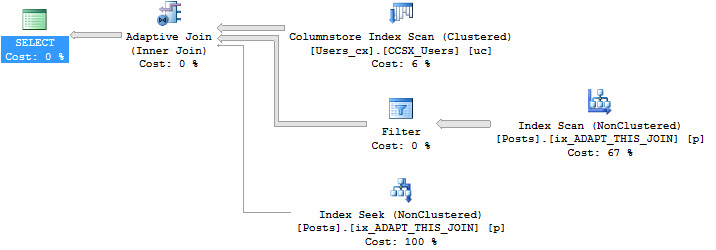
Richie Rump: “I’m an idiot sandwich.”


Can I change certificates with Always Encrypted?

Erik Darling: Alright, let’s see here. David asks, “With Always Encrypted, is it possible to change the location of the certificate without decrypting and re-encrypting the columns? I’d like to change it from current user to local computer.” Gosh, I don’t know. I haven’t used Always Encrypted all that much and I have not ever tried to move a certificate in that way. So, I would head over to DBA.StackExchange.com and ask, because I’m sure someone over there – there are a bunch of folks who work for Microsoft who answer questions on that site, and I’m sure there are some folks who have even used Always Encrypted that could answer your question better than I ever could, because security is not really my forte. There’s no query plan for certificates, so I kind of suck at that.


What’s Richie doing this week?

Richie Rump: Actually, encryption is one of my things I like to mess with, and I haven’t even played with it yet. Actually, this week and a little bit last week I’ve been messing with 2016 SQL Server. It’s weird for me, I’m actually on SQL Server this week; it’s strange.

Erik Darling: How do you feel about that?

Richie Rump: I feel okay. I like SSMS; it’s better than pgAdmin. How’s that?

Erik Darling: pgAdmin is miserable.

Richie Rump: It’s bad. No, I used to write SQL functions inside of Postgres, but now I’m running Postgres functions in SQL, so now I’m all sort of confused.

Erik Darling: That’s a snap back to reality, huh? One thing, whenever I’ve used Postgres in the past that I always missed was the ability to get the graphical Showplan. Getting the explain analogs thing was just like, what? I’m like awful at it. Reading through, I’m like…

Richie Rump: It was the same thing with Teradata, when I had to do an explain plan through Teradata, I’m like, “Oh god no.”

Erik Darling: I mean, that’s what it used to look like for SQL Server; like you’d do set statistics profile on and you get explain plan with weird stuff spread all over the place. I still like it a little bit because it shows right up front the estimates first, actual in the rows. So, it’s really great to spot bad cardinality estimates and stuff, but other than that, I get lost in…

Richie Rump: That’s only because you’ve gotten so good at reading XML, that’s why.

Erik Darling: That’s true. XML is like – I can actually read XML like regular human writing.

Richie Rump: Which is so weird. It’s like, “Move on to JSON like the rest of us, Buddy. Come on now.”

Erik Darling: Someday, someday I’ll get there. As soon as query plans are in JSON, I’ll be there.

Richie Rump: That would be cool.


Has NOLOCK changed recently?

Erik Darling: So, M.M. asks, “We are migrating from 2008 R2 to 2014…” Why? Why are you living in the past, man?

Richie Rump: Jumping point, right? They’re going to go 2016 or 17 soon?

Erik Darling: Maybe, I don’t know. I never trust it when people say that. I’m always like, you just want to give me a little Band-Aid so I stop griping too much. “Our developers have NOLOCK everywhere in dozens of jobs, not my choice. Are there any breaking changes with NOLOCK?” Well, there was a cumulative update that broke NOLOCK, where even with a NOLOCK hint, it would not observe the locks that other queries took out. But that’s been fixed, so as long as you’re on 2014 with whatever the latest service pack and CU is, you’ll be fine. I’ll leave it up to you to work on getting the NOLOCKs out of there, unless no one cares…

Richie Rump: Yeah, you need to get thee NOLOCKs out of there.

Erik Darling: Unless no one cares… If everyone’s like “Cool, fine, do whatever, I don’t want to deal with optimistic isolation levels,” then NOLOCK your… [crosstalk]

Richie Rump: I’ve used NOLOCK, but it was on a system that – there were no updates on it, so who cares.

Erik Darling: So why did you put NOLOCK on there?

Richie Rump: Because we were having locking on reading issues.

Erik Darling: Really?

Richie Rump: Yeah man, that was a 60TB thing, man. A 60TB database, man, there was crazy stuff going on all over that thing. It was fun. I mean, it’s fun to see all the weird stuff that goes on when you’re dealing with that size of data.

Erik Darling: Seriously, I mean my previous limit was somewhere around 10TB, so I would love to see what happens at 60TB. I would love to see what a – all the stuff, like statistics time and I/O would break on that. [inaudible] over big int pages.

Richie Rump: Yeah, there was a lot of weird things that went on, and it was like a batch loading type schedule, but no updates. So there was some stomping going on, especially if you were in the same partition and all the other fun stuff that you have to deal with.

Erik Darling: It’s funny, like big servers and big data stuff like that, it’s like quantum mechanics or something. Like getting real close to a black hole and just watching what stuff does.


What should we do about our badly formatted disks?

Erik Darling: Alright, we should probably answer a question at this point. Frederick asks, “I just found that a previous DBA was not careful with the virtual disk volumes. All disks were left at the default 4K block size our infrastructure team gave us. Should we worry about changing that for servers that have been in production already for a year or two?” Dude, you having problems? Are you having I/O issues? Is there something about those drives that’s not working correctly? The 64K block size thing was, I guess, a bit more important with direct attached storage. Since you’re talking about virtual disks and VMs, well, you’re probably sitting on a SAN anyway, and there’s so much junk and obfuscation going on between what you consider a disk and what the SAN considers a disk, that it doesn’t matter anymore.

Usually, when you see that kind of stuff, that’s because that is what the SAN vendor recommended. So what I’d want to do is check with whatever SAN vendor documentation, maybe open a ticket with them to make find out what best practices are. Maybe I’m wrong. Maybe in the forward going future you should set the block size to 64K, but most block sizes I’ve seen with SAN vendors, they’re like, “No just make up the small ones; we make our IOPS numbers look better with that.”

(Edit: to clarify, there can be a couple of different issues between block sizes and NTFS allocation units, but the basic idea here is that tweaking this doesn’t usually get you across the finish line. With either one, the amount of work required versus the payoff is rarely worth it once the server’s in production.)


How should I build my AG skills?

Erik Darling: Grahame asks – or rather Grahame states rather prolifically, “I want to build my skills with AGs and failover clusters but my organization doesn’t want to implement them. I’ve done proof of concepts in a test environment, but I want to get real world skills with AGs, how should I go about this? Offer free DBA services.” You know, a good DBA ain’t cheap and a cheap DBA ain’t good. So, don’t offer your services for free, because no one will want to deal with that.

What I would probably do is start looking for a new job where someone’s looking for those skills. If that’s what you’re interested in and your current job isn’t going to go for it, well it’s time to move on. You have to follow what you’re interested in. This is what happened to me back a couple of jobs ago when I was working for a market research place. I was doing SQL and I was doing ETL and I was like writing reports and I was doing all sorts of crazy stuff with it, but at the end of the day, I was only like DBA-light. I wasn’t getting to do all the things that I wanted to do.

I wasn’t getting to implement things that I wanted to implement and it was really difficult for me to argue structural and procedural changes with people because I was not that, and they didn’t need that. They had a bunch of sys admins who handled that stuff. So that’s when I started looking for a different job, then I started working for an e-discovery shop that needed a DBA, and I started doing all sorts of DBA things that I was very happy doing and learning about. Getting to work with failover clusters, getting to set up mirroring and log shipping and all sorts of other stuff. Unfortunately, no AGs because – well, I wouldn’t say unfortunately no AGs, because I was the only DBA, that would have been a nightmare.

But if your current job has no interest in letting you pursue or pursuing the technologies you’re interested in driving that, then it’s just time to move on. It’s as simple as that. I’m sure you have some emotional attachment or whatever, but it’s time to go, man.

Richie Rump: Well the other thing that I’d add in too is, as much as you may not want to hear this, there are a lot of speakers out there that don’t actually do the technology they teach. They do a lot of training on it and they do a lot of messing around in labs and doing all that stuff, and they don’t get into the real world-y type stuff. And I think that’s perfectly okay, because there’s actually things that you learn on the fringes when you start poking at the machine and doing different type scenarios on it. You are really seeing how things work, as opposed to if you were in a real job, you probably wouldn’t be pushing the edge on some of these technologies and seeing where the boundaries are and what happens in certain conditions.

So, if you’re interested in that, why don’t you go put an hour presentation together and submit it to your local SQL Saturday, or give it to your local user group. I started out doing a lot of that kind of stuff when I wasn’t happy with my gig and I was the manager and doing architecture and a whole bunch of stuff that I didn’t want to do and I wanted to do more technical stuff. That’s how I got my technology chops back, going out, doing demos at home, putting the presentation together and then sharing them with other people and then having conversations with them afterwards. What was good, what was bad, how does this really work for you and doing those kind of fun stuff.

Erik Darling: Because there’s stuff that you can’t talk about when you’ve only worked with something in a lab. Like it’s really hard for you to talk about best practices and like setup for DBAs, because working in a lab is totally different from working out in the real world, aside from you’re using the same technologies and the same command; but it’s usually totally different.

What I would do, if I were you, because not many people do this, is I would talk about what happens when things go wrong with AGs. Like what happens when you start unplugging things, turning things off, when will things gracefully fail over? Do demos like that because that’s engaging interesting stuff. No one wants to see another presentation of you walking through a wizard or running a script to set things up and then being like “Hey, it works.” That’s boring for everyone. It’s like when people do demos like DBCC PAGE and DBCC IND, which show you stuff on a data page… Great, cool, I know where my record is, slot arrays, woo I’m having fun.

Erik Darling: Let’s see, Rowdy brings up a good point. He said that Grahame should hit up SQL Saturdays in his area. That is an excellent suggestion from Mister Rowdy Vincent. Rowdy, I hope all is well.


My company is moving to Oracle…

Erik Darling: M.M. follows up, “Red tape and money is the reason for SQL Server 2014, and the company has decided that they need to move to Oracle.” Wow, you’re going to be rich. M.M., you are going to be an Oracle DBA, welcome to planet money. Wow, good for you, man, my hat’s off.

Richie Rump: Congrats on the higher tax bracket.

Erik Darling: I hope that someone from Oracle does Office Hours because I can’t answer a damn question about Oracle. It’s interesting that money would be the issue since Oracle Enterprise Edition is $47,500 per .75 cores on your server, so good luck paying that bill. And that’s just to get the database on there. If you want to do anything like the partition add in, the performance add in, the analysis add in, like if you want to look at performance, it’s that ASM or whatever, it’s like money out the Wazoo.

Richie Rump: Think of all those steak and lobster dinners the senior managers had to have, Oracle had to pay them to do that. So they’re going to have to get repaid somehow for those steak and lobster dinners.

Erik Darling: Steak and lobster ain’t free, unless you go to Red Lobster, then…

Richie Rump: Is it really lobster?

Erik Darling: Lubster.


What should I do about 4-5 deadlocks per day?

Erik Darling: Let’s see here, next question is from Chris, and I’m going to try to read this one as I go, which is always a mistake. I’m going to fall into the Brent trap and start reading this and then realize… [crosstalk] ‘I have Spotlight alerting me to around four or five deadlocks on a specific database per day. They don’t happen at a specific time of day, nor do they happen all at once. Should I be concerned about these deadlocks or since they are rather random and appear to be handled by the application, should I cautiously keep an eye on them and leave them alone?” So when you say they’re handled by the application, I assume that you mean that there’s some retry logic in there, which means the transaction is just like, “Oh, got a deadlock. Hit the deadlock error message, I’ll try again in five, ten, whatever seconds.” In which case, I would leave it alone. Richie, how do you handle deadlocks in the application there?

Richie Rump: That’s pretty much it. I mean, if it’s a user facing one, you have the user do a retry on it. Typically, if you’re really curious, take a peak, see what’s possibly going on in those tables during that time, if you’re really concerned about it. But if there’s no user errors and the application is kind of handling it, then just keep an eye on it. And if they start increasing then, you know, you know what to do; you’re a DBA, go do that.

Erik Darling: Really, unless users are complaining, I can’t really see a good reason to worry about it. Worry about the stuff the users are complaining about.


Can I use SSMS 2014 to query SQL 2016?

Erik Darling: Next up, J.H. asks, “I heard…” You heard through the grapevine, “That SQL Server management studio is no longer bundled with SQL Server 2016. Can I use an existing SQL management studio 14 that I already have on another machine to work on SQL Server 2016?” My question for you, J.H. – now I don’t want you to think that I’m calling you lazy, but if you have management studio 2014 and SQL Server 2016, why don’t you just try connect it?

Richie Rump: Well, you know, scratch that. Flip it, reverse it, right. So if you install 2016, you could kind of use it on anything prior…

Erik Darling: Right, backwards compatibility goes backwards…

Richie Rump: Right, so I haven’t tried it going forward yet. On most cases, I’ve found that that will work, but there’ll be some odd kind of buggy bugs. Now this is stuff that I was messing with like in previous versions, not necessarily in 2014 to 2016; but nine times out of ten, things will work unless it’s some sort of new stuff.

And there’s a whole bunch of new stuff they just announced in the last couple of days too. So there’s really no reason why not to upgrade your SSMS stuff, unless you’re like I don’t want the bugs… [crosstalk]

Erik Darling: Who doesn’t want bugs?

Richie Rump: Brent keeps telling me he doesn’t want bugs. I’m like, “What kind of crazy person are you?” It’s in software, I mean, you’re going to have them.

Erik Darling: We’re only human.

Richie Rump: Unfortunately, but yes, I would just go ahead and upgrade because they’ve been really good at getting updates out for SSMS and getting fixes and patches. The only problem is, it does take a while to install. They haven’t fixed that problem yet, but they’ll get round to it.

Erik Darling: It’s funny. So SSMS is still free, right, it was always free, but you download it separately. There’s like a separate download link and package for it. It’s up to 17.2, at least the last I checked. But what’s really funny about SQL Server management studio is that 800MB download. SQL Server is 1.2GB or 1.3Gb to download. So management studio is like two thirds the size of SQL Server. Like a relational database engine that does a whole bunch of crap versus management studio, and they’re like just a little bit…

Richie Rump: Yeah, and I bet you it’s all the visual studio crummy crumb stuff, right. I bet you it’s just all that.

Erik Darling: Oh yeah, it’s garbage in there. It’s all maintenance plans.


Why does Oracle get such a bad rap?

Erik Darling: Wes asks, “Why does Oracle get such a bad rap?” They don’t have a bad rap, they have an amazing rap, that is an amazing platform. The bad rap comes from how expensive it is. I mean, it’s worth it because you get a bunch of amazing stuff out of it, and people who work with Oracle are smart as hell. You have to be like a genius to work with Oracle. The commands and the stuff – it’s hard, man. I look at that and I’m amazed. If you want to be amazed by question and answer stuff, go to the website AskTom. It’s an Oracle Q&A site, specifically for Oracle database, and the queries that get put up on there and the stuff people want to do is bananas. And the answers they get are like, “Why can’t I do that?” Like there’s stuff that you can do with Oracle that’s just so developer friendly, it’s so amazing. I mean, I’m not going to say never – never say never – but it will be tough for Microsoft to implement and make performant, even though that’s not a real word, all the stuff that Oracle has.

Richie Rump: And I think it’s historical too, right? Oracle, historically, had some pretty bad interface tools, you know.

Erik Darling: They still do.

Richie Rump: Yeah. So I remember, back in the day, taking a look at those tools and saying, “Okay, where’s Toad?” Because that’s a hell of a lot better than the out of the box stuff. I think that has kind of gone along with them, even though things have gotten better in that aspect. And then everyone goes straight to cost, right?

Erik Darling: The cost is outrageous.

Richie Rump: So when you’re dealing with a high priced enterprise product like that, the folks who cannot afford that kind of will poo-poo it so that they can say, “Oh we made a better choice because it’s so expensive and you don’t get as much as you pay for.” So I think that’s why – a lot of the rap there is because of the cost. And frankly, not a lot of folks can actually afford that.

Erik Darling: Yeah, I mean $47,500 for .75 cores of Enterprise is nuts, but you get crazy stuff out of it. Oracle RAC is amazing, Flashback is amazing. The stuff you can do with Oracle really is great, but it’s so expensive and it’s so hard. Like Oracle DBAs I have unlimited respect for because they have a tough gig.


What headset does Erik use?

As seen on Howard Cosell

Erik Darling: We’re going to answer a quick one before we do anything else. Brian asks, “Wondering what headset Erik uses?” Good question.

Richie Rump: Audio Technica?

Erik Darling: It is an Audio Technica BPHS1. That’s Brian, Paul, Harold, Simon one. So that’s what I use.


Should I call C# methods from stored procs?

Erik Darling: Alright, let’s move on to something interesting. Eric asks – Eric who spells his name wrong asks, “Is it good practice to call a c# method from a stored procedure?” Is a tricycle furniture? That’s my question today.

Richie Rump: Alright, what are you trying to do and how are you calling the stored procedure? So are we talking about a CLR function that’s written in c#? It could be. I know Adam Machanic, he’s historically done a lot of interesting things with CLR and written some really performant stuff in .NET CLR in SQL Server. Now, if you’re somehow going outside of that in some sort of weird fashion to call a c# procedure, that’s probably not a good idea.

It all depends on what you’re trying to do and how performant do you need that c# thing to be. Now, mind you, there are a lot of functions, especially in 2012 On that are based on .NET stuff. Essentially you call a tSQL function and it calls .NET in the background. So sometimes when you write tSQL, it’s calling c# for you, which is actually kind of cool stuff. Format is one of those functions, I believe.

Erik Darling: I would hate that. Like just as a DBA, I would be like, “What the hell are you doing to me; why?”

Richie Rump: I mean it’s all in the background, you don’t know. I mean, from a software perspective it makes sense, right. You already have all the formatting stuff, so just plug it in.


Does SSMS 2017 break SSIS 2016?

Erik Darling: Kelly asks a question that I don’t have an answer for. “Does SSMS 17 still break SSIS 2016?” Kelly, unfortunately I have still never opened SSIS, to this day. Still never cracked open [bids] or whatever people who do that do.

Erik Darling: Oh, Grahame says, “Yes it does.” So, thank you, Grahame, for letting us know. Grahame, a master of availability groups and SSIS, apparently… Appreciate that, Grahame. You could do a whole presentation on that; people would be amazed.


What’s the best way to call PowerShell from T-SQL?

Erik Darling: David asks, “What is the best way to call a PowerShell script from tSQL without using xp_cmdshell? Is it CLR?” That’s one way. My question would be what the context is, because if you go into SQL agent, you can have a job step that’s a PowerShell script. So, if you really need to call it from tSQL, like in a stored procedure, then maybe not the best way. But if you had to call it from – I would say set up the PowerShell scripts. The agent jobs step is a PowerShell script executing tasks, then use that instead because that is probably the best way the doesn’t involve xp_cmdshell.

Richie Rump: Yeah, if you need to call it in a stored procedure, that would scare me because PowerShell just is not the fastest thing. Even if you run it on your local machine, it is kind of not fast at all. So I would think why are you doing that? Is there something where you could actually batch stuff up in an app and put it back in a database? Maybe that’s a better way of doing things.

Erik Darling: “PowerShell is getting active directory membership, the stored proc is called from SSRS.” Boy, boy howdy… That has bad idea genes written all over it. David, at the risk of offending you, I’m going to send you to DBA.StackExchange.com, because it sounds like there’s a lot more going on here than just how do I PowerShell.

Richie Rump: Yeah, there’s some good stuff going on there and it’s kind of freaking me out there. [crosstalk] Scary stuff, man.

Erik Darling: Beep, beep, Richie.

Richie Rump: They all float down here; all the PowerShells float down here.

Erik Darling: Alright, we are at the 45 mark, which means it’s time for us to go. I’m going to get back to being a monkey and writing stuff and Richie, good luck. I have interesting news, and I’m going to close the meeting as soon as I say this, so hopefully it freezes on your face. I just bought my first C++ book.

Richie Rump: The man’s crazy. He doesn’t know what he’s doing.


First Responder Kit Release: Still Totally Lacking A Servicing Model

First Responder Kit
7 Comments

A lot of people would think we’re crazy for releasing a FRK update a few days before a new version of SQL Server drops, but we’ve been adding 2017 compatible features for months

Also none of you are on 2017

Most of you won’t live to be on 2017

If you’re lucky, your kids3000 will migrate the last 2008R2 servers to SQL Server 2016

In the year 10,016, when, Double Extra Extended WE MEAN IT THIS TIME Support finally ends

My uploaded AI will be laughing at you

You can download the updated FirstResponderKit.zip here.

sp_Blitz Improvements

— #1100 Ironic that someone would encrypt backups with a certificate but then not backup their encryption certificate, isn’t it? A bit like copying all your DVDs to VHS and then lending your VCR to a carny.
— #1110 There was a code switcheroo that took out the filtering for regular DBCC CHECKDB calls. @markions told us about it. Brent fixed it. I did absolutely nothing. I chose cozy.
— #1116 I got up off my cozy butt and fixed some typos in system XE session names to filter out. Boy were those stupid typos.

sp_BlitzCache Improvements

— #976 Is Paul White Electric? It’s a question we’ve all asked ourselves about the SQL Mastermind/Intergalactic Celestial Being masquerading as a humble blogging man. If you’ve always wanted a reason to email him but couldn’t think of one, perhaps finding a Switch operator will be your excuse.
— #1129 No matter how much gets written about Implicit Conversion, we still keep finding it. This code extends the analysis of implicit conversions to tell you which variables caused implicit conversion on which column when they effect a Seek Plan. In testing, it works for stored proc parameters and declared variables (procs and adhoc).

While we’re in there, we pull out the compile-time values and give you the exec command used to call the proc, in case you need to test a parameter sniffing scenario.

sp_BlitzFirst Improvements

— #983 Wait stats are categorized the way MS lines them up in sys.query_store_wait_stats. It’s like a wait stats decoder ring that you don’t need to buy 48 boxes of Count Chocula to get.
— #1092 There are 172 kinds of memory pressure in the known universe. We now warn on one more of them: external memory pressure. We try to figure that out by looking at if memory usage is way below max memory.

sp_BlitzIndex Improvements

Nothing this time.

sp_BlitzWho Improvements

— #1089 On pre-2012 versions of SQL Server, it was possible for multiple rows to be returned due to an errant LEFT JOIN clause that was later replaced by an OUTER APPLY. Thanks to @nirst for letting us know about this one!
— #1090 In tempdb usage, we weren’t subtracting deallocated pages from allocated pages. This is dumb. And Fixed.
— #1112 Welcome to the future. Or at least current. SQL Server 2016 introduced the sys.dm_exec_query_statistics_xml DMV. That’s s fancy way of saying we have another way of finding query plans for currently executing queries.

sp_DatabaseRestore Improvements

Nothing this time.

sp_BlitzBackups Improvements

Nothing this time.

sp_BlitzQueryStore Improvements

— #976 and #1129 from above
— #1118 Some stored procs were being flagged as having unparameterized queries when they weren’t.
— #1120 When examining a single stored proc, different runs had costs summed up across executions. Now they don’t. Weird, right? Accuracy. What a concept.
— #1122 Parameter sniffing symptom thresholds were relaxed from 10,000x difference between averages/min/max to 100x difference. This makes more sense. Long term, I’m going to work on making this percentage based. I just have to learn math first.

sp_AllNightLog and sp_AllNightLog_Setup Improvements

— #1005 Databases were left in a questionable state. I thought it was Maryland. I was wrong. It was “not backed up”.
— #1016 It was hard to disable restoring jobs, because we built this thing Ford Tough. It’s still Ford Tough, but it has an override to make it Kia Wimpy if you need to disable stuff.
— #1037 Added support for encrypted backup parameters!

sp_foreachdb Improvements

Nothing this time.

You can download the updated FirstResponderKit.zip here.


Adaptive Blog Posts

It turns out I can be dumb

In a previous blog post about Adaptive Joins, I thought that EXISTS wasn’t supported by the new feature. It turns out that EXISTS is totally 100% supported, as long as your indexes support EXISTS.

To show this, I need to show you a query that gets an Adaptive Join plan. After I show you a query that can’t get one.

Forget about the Users table. With no index on the Posts table that has OwnerUserId as the leading column, there’s no join choice.

There is no Dana, there is only hash join.

Probably more Canadian regulations

If I add an index that makes join choices possible, I get an Adaptive Join plan.

Re-running the same query, I get El Adaptivo Plana.

Ain’t It Fun?

Now, I’m going to run two slightly different queries. The main difference is that I’m now selecting PostTypeId. The where clause date changes a bit to show different types of plans with the new column.

The two plans that result from these two queries aren’t Adaptive at all.

Human Being

What Happened?

Well, that first plan looks just like the original plan. It uses an index where OwnerUserId isn’t the leading column, so no other plan choice is available. It has to hash.

That second plan, though. It uses the right index to give us an Adaptive Join, but it seems like the Key Lookup and downstream Nested Loops join does the whole caper in.

Since I decided to stop being dumb, I started up my Extended Events session to capture reasons why Adaptive Joins aren’t used.

Cryptic Walk

The reason it shows for that is eajsrUnMatchedOuter.

There are a number of reasons listed in that XE session for why Adaptive Joins might be skipped:

  • eajsrExchangeTypeNotSupported
  • eajsrHJorNLJNotFound
  • eajsrInvalidAdaptiveThreshold
  • eajsrMultiConsumerSpool
  • eajsrOuterCardMaxOne
  • eajsrOuterSideParallelMarked
  • eajsrUnMatchedOuter

I’ve tried some other methods to trigger other reasons, like hinting Merge Joins, generating Eager Spools, and joining to one row tables. So far nothing else has made something pop up.

Oh well. At least I’m less dumb now.

Thanks for reading!


SQL Server 2017 Showplan Schema Is Available

File this under…

Things probably only I care about. But the Showplan Schema for SQL Server 2017 popped up… well, I caught it last night. I probably could have written this sooner, huh?

So what’s new? Well, if I compare the 2016 SP1 schema using KDiff, a few things stand out. Some I’ve blogged about, and some… I have no idea what they are.

The first thing that shows up is the statistics used by the query. Both sp_BlitzCache and sp_BlitzQueryStore support this.

Stat Stud

After that is support for Interleaved Execution and Adaptive Joins. Unfortunately, from what I’ve been able to see, the Interleaved stuff is in actual plans only. Adaptive Joins are flagged in both cache-spelunking procs, but there’s not much analysis yet. Still gotta see if there are patterns to look for.

California Sun

There are a few odds and ends line that build plumbing in for AJ/IE, and then there’s this! Jackpot!

Anyone want a HJ?

So here’s the weird one.

ICKEY

I have no idea what these are for. If anyone from Microsoft wants to drop me a line, I promise I’ll… tell or not tell people about it. Whatever works for you.

After that, there’s this curious bit.

50 Shades of Optional

The reason this is curious is because TOP WITH TIES syntax has been around forever. I wonder what this is around for.

Nothing else was all that different or interesting. Which I guess means I can leave the plan cache procs alone.

Just kidding!

Thanks for reading!


How to Hire a Junior DBA

Interviewing
9 Comments

When you’re hiring a Junior DBA, ask yourself a few questions:

“What job did they have before this?”

Someone who’s currently employed as a Junior DBA isn’t looking for another Junior DBA job: they’re looking for a Senior DBA job. Because of that, you have to rethink how you write the job description and minimum required qualifications.

To explain DBA career paths, let’s start with a slide from The Senior DBA Class‘s first session:

DBA Job Roles

The left side talks about what’s involved in building and hosting a database application.

Developers usually start from the top and work down: they work with databases in terms of what they need to do to get data in & out of the SQL Server. They’re familiar with the T-SQL language, for example, but not intimately familiar with hardware, virtualization, storage, and Windows clustering.

Systems administrators start from the bottom and work up: they come from an infrastructure perspective, and they’re used to installing and troubleshooting SQL Server. However, they may not even be able to write a single T-SQL query.

You might want someone who knows that whole left side stack, but that person isn’t a Junior DBA. That person is a Senior DBA – and even then, they won’t have a deep level of knowledge across the entire stack.

“What part of that stack is most important to us?”

If you can’t have everything in a Junior DBA, then you’ll want to prioritize which roles in that stack they need to already have experience in when they start on day 1. If table & query design is more important to you, then look for developers first. If installation & troubleshooting is more important, then look for systems administrators.

Then, write a career development plan for the target hire. Where are you going to send them for training after 6-12 months in order to flesh out their knowledge in other areas where you need them to grow? This becomes part of your sales pitch – and it’s exactly the kind of pitch that will set your company apart from other offerings.

Then, write it into your job description. For example:

  • We want a systems administrator who’s been spending part of their time with SQL Servers for the last 1-2 years
  • You should have installed several production SQL Servers, and done troubleshooting on them when they went down
  • You don’t need to know how to design tables, indexes, or queries
  • After 6-12 months with us, we’ll send you to a query design class so you can become comfortable with T-SQL, and segue into full time database administration

“Do we have someone who fits this already?”

You might recognize that this person is already on your team. You might already have a developer or systems administrator who really seems to love databases, and they want to take their career to the next level. Promoting them into a database administrator position lets you keep their valuable company knowledge around, and give them some more career runway.

When given the choice, I’d usually rather promote someone internally because the DBA position can be politically challenging. This person’s job is to serve and protect the data, which means telling a lot of people “no.” Their job is a little easier if they’ve already built up some political capital internally in the company. If a new person comes in and starts telling everybody “no no no, we have to shut that off,” then they make enemies fast.


Which sp_configure Options Clear the Plan Cache?

When you change MAXDOP and run RECONFIGURE, SQL Server clears the plan cache. (It’s documented, by the way, as is the rest of the behavior I’m about to show you, but sometimes I like to learn the hard way by running experiments.) Here’s the easiest way to see it – but make sure to only do this on a development server, not in production:

When you check again, you’ll see that your plan cache has gotten the Men in Black treatment.

DBCC FREEPROCCACHE

It makes sense that changing parallelism from single-threaded (1) to any other option would require building plans anew, but you might be surprised to see that any change causes it to blow the plan cache – even from, say, 4 to 8.

Or even if you change it from 4 to, uh, 4.

There’s no logic built into RECONFIGURE – it just flat out blows the plan cache if you issue any sp_configure command to alter MAXDOP, regardless of whether the value was changed or not. (Remember that – it’s going to come in handy here in a second.)

So what about other options? To see the full list, check the sys.configurations table:

sys.configurations

Dang, there’s dozens! Clearly, I’m not going to run each of these by hand to write a blog post, dear reader. To the power of dynamic SQL! Knowing that a non-change still blows the plan cache, let’s write dynamic SQL that will:

  • Put a query in the plan cache
  • Run sp_configure with one of the configuration values, and its maximum value
  • Run reconfigure
  • Check to see if the plan cache was cleared
  • Run sp_configure again with the original value to set it back

DO NOT RUN THIS ON A SERVER YOU CARE ABOUT.

But here it is in case you wanna poke holes in my logic, because I’m pretty sure there’s some:

The end result:

sp_configuration options that clear the plan cache

Voila – these are options should probably only be changed during a maintenance window, and monitor for parameter sniffing issues afterwards.


Live Query Plans and Blocking

You’d think this would be cool

After all, you’ve got a query plan being executed LIVE ON NATIONAL TELEVISION! But it’s not. It’s actually one of those weird reasons why you still need other ways of looking at DMVs for issues.

Demo Library

Let’s take a closer look!

First, we need an index. Indexes are good for things, I’m told.

I mean, maybe not this index. It’s kind of okay for about one query, and it isn’t this one.

Don’t worry, I’m only setting my own Reputation back to zero. No other Users were hurt during this demo.

Over in another window, I’m going to turn on Live Query Plans and then start running my magnificent select query.

Giffy


Quick Rundown

So what’s happening here?

Our update is running in an open transaction and changing the Reputation to 0 for my Id.

Our select is running and trying to show the row of data for my Display Name.

In the query plan, we see our select query using the very narrow nonclustered index on Display Name to find the row we want, and then doing a Key Lookup back to the clustered index to fetch all the columns we need to return.

The nonclustered index returns the single row we’re interested in, but the Key Lookup is blocked by the update, so it can’t continue.

Intersection

What the live query plan doesn’t tell you about your query.

  1. That it’s being blocked
  2. What it’s waiting on

No seriously, nothing turns red or beeps or starts checking its watch, and there’s no Clippy asking you to hang on a moment. It just sits there.

And since the query hasn’t finished running yet, we don’t have any wait stats in the plan XML yet.

No, not Activity Monitor

If you run an activity snapshot tool like sp_WhoIsActive or sp_BlitzWho, you see the blocking quite easily.

Know how

All the lock waits and the blocking session Id is right up front. In sp_BlitzWho, we hit a DMV “new” to SQL Server 2016 called sys.dm_exec_session_wait_stats to return the top waits a session has encountered. Looking there, you can see just how long I was running demos for and writing this blog post.

Thanks for reading!

Brent says: I was kinda hoping there would be a red flashing X or something, showing the operator that was blocked. How cool would that be? Or maybe have the Soup Nazi pop up over the key lookup. As long as we’ve got an animated GIF the post, why not, right?


#PASSSummit Expert Performance Tuning Pre-Con: Stretch Goals

#SQLPass
0
Sure, they look trustworthy

Eric and I are doing a PASS Summit pre-con class called Expert Performance Tuning for SQL Server 2016 & 2017. To encourage signups, we’re giving every attendee a free Enterprise/Everything Bundle, plus some other surprises you’ll get during the event.

Response has been absolutely bonkers – over 300 of you have registered, making it PASS’s highest-selling pre-con ever.

So we thought, why not give you some Kickstarter-style stretch goals, extra benefits you get if attendance goes even higher?

At 325 – free recording of the class – when Erik & I do the online version of the course in November, we’ll record it for Instant Replay, and the Summit attendees will get access to that for 1 year.

At 350 – repeat the pre-con online – attendees get one free seat in the online version of the class in November, January, or April. You can use this yourself to catch up on parts that you didn’t quite absorb the first time, or give to a friend so they can get their learn on.

At 375 – free 1-day online class designed by you – we’ll give the attendees a menu of our training presentations to pick from, let them vote on their favorites, and then deliver it online with Instant Replay recordings included. You’ll be able to pick from topics like query tuning, wait stats, index design, and more.

At 400 – the online class will be TWO days long – same as above, but you get to pick more training presentations. Am I insane to give away a $1,995 value to every pre-con attendee? Probably. But if you people make this crazy stretch goal happen, then you deserve it. No Summit pre-con has ever broken 300 attendees before, let alone 400, so if you can pull it off, then you deserve something spectacular.

If the class sells out – the online class will be THREE days long. If PASS says there’s so many registrations that they have to stop taking new ones, then we’ll pull out all the stops and pour training into your brains for days.

Current registrations: 339 as of Sept 29! Wanna get the stretch goals? Send the pre-con info to a friend, get the word out, and let’s have fun in Seattle!

Update 2017/10/06 – congratulations, folks, you sold it out! Attendees will get to design their own 3-day online class.


[Video] Office Hours 2017/09/20 (With Transcriptions)

SQL Server, Videos
0

This week, Brent, Tara, Richie, and Erik discuss a most excepted solution for SA and securing an instance, how many VLFs should a database have, merge replication issues, query tuning tips, database restores, and Larry Ellison’s self-driving database.

Here’s the video on YouTube:

You can register to attend next week’s Office Hours, or subscribe to our podcast to listen on the go.

Enjoy the Podcast?

Don’t miss an episode, subscribe via iTunes, Stitcher or RSS.
Leave us a review in iTunes

Office Hours Webcast 9-20-17

(Sorry, no titles for questions this week – Brent’s off in the Isle of Man. Insert joke here about him not being manly enough to be a permanent resident.)


Brent Ozar: Hannah asks a question… I guess we’ll get started with the technical stuff… Hannah says – of course, it’s a tough one to get started with, “In regards to SA, the SA account and securing an instance, what’s the most accepted solution? Should I disable SA and only use Windows Auth, or should I change the SA account?” What did y’all do when you were managing servers?

Tara Kizer: I renamed the SA account and then set the password to something ridiculous that nobody could ever type in unless you got to source control. We had to use SQL Authentication due to the applications. I would have preferred to be Windows Authentication only, but whether or not you had to set up the instance to mix mode authentication to allow SQL Authentication is dependent upon the applications that are connecting. So since I had to have SQL Auth enabled, I wanted to do something about the SA accounts, so we renamed it and then just set a ridiculous password and put that in source control, or the password manager, of course; but never use the renamed SA account to login.

Erik Darling: I was in the same boat as Tara, where that old [inaudible] account was a SQL login, so I couldn’t just use Windows Auth only. But I would at least make an attempt at keeping SA disabled. Other people with SA privs would come on and turn it back on to do things with, which was kind of aggravating. Room full of developers just changing SA settings, and I was like no, put that down, stop. Someone’s popular…

Tara Kizer: No, it was just spam calls; so many spam calls.

Brent Ozar: David says, “I scramble the SA account daily. I had a vendor that kept resetting it and using the [crosstalk].” That’s excellent.


Brent Ozar: Next up, Chris says, “Hi guys, curious what your thoughts are for how many VLFs my database should have. I hear lots of different recommendations, what’s a good number to watch out for?”

Tara Kizer: [crosstalk] I have these numbers in my head, just based upon all of the databases that I’ve gone through and shrunk and fixed the VLFs on. Because I have run into massive downtime because of extremely high VLFs, back when I was an intermediate DBA and learned about VLFs afterwards. Anyway, he says to keep them under 100 or 1000 VLFs. What about – for 100GB database, generally they have less than 2000 VLFs. 2000 is too high in my opinion for 100GB database. 100GB database, I’d expect around less than 200 VLFs. Shrink it down as far as possible, like even to 1MB, then start growing out into bigger chunks. But 2000 is too high, in my opinion, for a 100GB database.

Erik Darling: Yeah, I think the main thing with VLFs, though is that it really is an odd circumstance where they cause a big problem. So, if you’re at the point now where you’re kind of twiddling thumbs and looking for something to fix, go for it. Otherwise, I would probably concentrate on something else.

Tara Kizer: Exactly, that’s what we did at my last three jobs. Because we ran into this massive downtime because of high VLFs, it was just about overall health check of the systems. And so, my last job, two or three times per year we had this checklist of things we would do to ramp up for certain holidays that would cause extreme load on our servers. So, we had this checklist and one of them was check VLFs, so it’s about the health check.

Erik Darling: It’s one of those things like usually when you fix it once, you don’t have to go back and go crazy with it. Like I ran into a 5TB or 6TB database, when I first got it there were like 25,000 VLFs, which even I was like oh, I should do something about that. But even when I got it down to a normal number, I still had a restore take 21 hours with it because the VLFs ended up being…

Tara Kizer: Oh right, yeah that’s the balancing act, yeah.

Erik Darling: Ah that was cute.


Brent Ozar: Roy says, “Am I the only one who hates all the cloud talk around SQL Server? I prefer the simplicity and strength of database integrity, you know, ACID. There are developers struggling to keep up with the latest visual studio, much less constantly being bombarded with the cloud migration suggestions.” Richie, this has you written all over it.

Richie Rump: It kind of does, doesn’t it?

Erik Darling: Richie’s ears started whistling.

Richie Rump: Oh look, my ears are turning red, not that Brent could tell. But yeah, I kind of do, and there’s going to be a big push from Microsoft to kind of get everybody into Azure, because that’s going to be their next big business venture. It’s not going to be from licensing fees, it’s going to be from getting everybody in the cloud. So, it’s not going to go away anytime soon. The only question is, are you going to go there or are you going to stay on-prem? And I can only imagine they’re going to make it harder for us, as time goes on, to stay on-prem. Either through higher licensing costs or something other, because they really want us all to get to the cloud.

I think you still could do ACID in the cloud without a problem. Azure SQL should be able to do that, but things are in flux right now in the Microsoft world with all this stuff with .NET and visual studio constantly being re-upped, revamped and the next version of .NET not being where people expected it to be, and that constantly being turned over. So just hold on tight. If you’re going to stay where you’re at and wait to see what happens, then do that. If you’re going to grab the cloud hard and hold on, try that. But I don’t think there’s anything wrong with sticking with on-prem SQL Server until Microsoft really figures out what they’re going to do in the cloud.

Erik Darling: I think SQL Server’s going to be a tough zoom. I mean, they’re not going back to less frequent releases. From what I read, there’s going to be probably every two years, maybe even every year releases. I mean, if they throw in a 2017 and they called it 2017, not 2016 R2. So maybe even yearly releases, so that’s going to be tough to juggle even as a consultant. Like what version are you on, what can that do?

Richie Rump: For your lying DBA, right, they guy just working on-prem, not a very large stuff that’s going on, is there going to be stuff in the engine that’s going to be worth that upgrade? I mean that’s going to be the real question; do I need to upgrade this year or not, I think, is going to be a question that we’re going to be hearing a lot going down the line as we start to see more and more frequent updates. And a lot more stuff being put into the product, and stuff that we may not need or use.

Brent Ozar: I’m tired of it just because it feels like a sales pitch. Very often it feels like – I know they’re going to get monthly revenue from me, I get it. And they’re shoving it down DBA’s throats to go, “Buy now, save later.” And it just feels kind of old with that, but I get why they’re doing it, but it just feels like a spammy overreach right now.

Erik Darling: Obviously, part of what they want to suck people in for is so they can keep going towards the automated tuning thing. So, all the, “We can fix this problem for you if you just give us the keys to the car. We’ll just go in and watch the engine run and figure out what needs to get fixed and we’ll just keep doing that.” So, like we talked about last week, with the managed instances, a lot of that is just farmed out query tuning. So, they do the automatic query tuning, they do the automatic index tuning, they fix regression. So, all the tooling that they’re building in with query store, with query store wait stats, with the memory grant feedback, all the cool new batch mode stuff. So, all that stuff that comes back is like, oh okay, we just –  the more people we can get into this, the better we can get the automation to be.


Brent Ozar: Alex has a question. Alex, I’m just going to tell you, whenever you see more than multiple sentences in there, go ahead and put follow the instructions on the screen. Go to DBA.StackExchange.com. It’s a great place to go in and post really long involved questions. We do the same thing for ourselves. Erik posted a question today over at Stack, we answer questions over there all the time, but whenever you find multiple paragraphs involved, go ahead and post that over as Stack.

Erik Darling: We answer questions there too.


Brent Ozar: Sri says, “I’ve got merge replication problems, erroring at night due to virtual memory. I’ve increased the RAM on the VM to 32GB, unfortunately, I’m still having problems with SQL Server running low on virtual memory, please restart the merge agent. What should I do?” That’s actually a good one for Stack as well, I think probably. Have any of us used merge replication?

Tara Kizer: Just transactional. On this week’s client, I’m using it and I’ve had one other client using it.

Richie Rump: I’ve used it once, that was it. That was my first and last time, that was it.

Erik Darling: Oh wait, but if it’s virtual memory, couldn’t that be that the VM is getting sucked dry?

Brent Ozar: Yeah, it could be anything from outside, external memory pressure…

Erik Darling: I might try doing that…

Tara Kizer: But this is the error from within merge replication though, so it’s referring to virtual memory at the OS level, isn’t it? Wouldn’t that be the page file?

Erik Darling: Right, but if it’s a VM then something else is sucking memory away from the VM then.

Tara Kizer: Right, but I mean the virtual memory in the error is not necessarily referring to the virtual memory on VM.

Erik Darling: I think what I might try – the first thing I would do, off the top of my head, is try turning lock pages in memory on, to see if I could keep memory on the box and keep memory for SQL stuck in there.

Brent Ozar: Also, go Google for this, because I Googled and there’s a whole bunch of people with the same issue. So, go Google it and there’s a bunch of advice out there.

Erik Darling: Brent Google Ozar.


Brent Ozar: Joseph says, “Please don’t laugh. Have you ever seen a SQL Server database repeatedly fry an SSD drive?”

Tara Kizer: I wonder if it’s the drive that’s the problem and not the server.

Brent Ozar: I wonder if it’s not the server. Like a crappy RAID controller. Tell us ore about what fry means, because I’m curious. What kind of symptoms are you seeing? He says, “RMA.” Is that remotely Madonna assisted or?


Brent Ozar: Samuel asks, “How accurate is the tempdb estimate while running CHECKDB with estimate only?” Wow, I’ve never done that.

Tara Kizer: I haven’t either.

Erik Darling: I’ve done it, I just don’t remember how accurate it is.

Brent Ozar: He says, “Can you simply resize tempdb with the estimated value?” Tell us more information. Tell us how big the database is, like how many GB or TB, then how large is your tempdb, just ballpark. That would be interesting…

Erik Darling: Also, how big is your largest object in the database? I mean, I’ve run that before and I want to say the thing that they use is kind of like what they use to estimate – when you run that stored procedure that estimates like page RO compression; where it takes a rough guess at how much it will compress by looking at some of the data.


Brent Ozar: J.H. says, “Is it accurate when enabling TLS 1.2 support we would need to install a specific patch?” Your best bet there is to go post that on Stack Exchange as well. We don’t get involved with client-side encryption stuff at all.


Brent Ozar: Rex says, “Pedro Lopes of Microsoft has a solution to your VLF problems…” I’m going to say thanks just so I can stick that in everyone’s Q&A, if you want to go hit that link. There’s actually a really good post by Tracy Boggiano this week that will be in the weekly links this coming week. She has a script to automatically fix your VLFs. She checks VLFs, then shrinks your database down to nothing and regrows it out to an appropriate amount, and just runs it in a SQL agent job, which scared the hell out of me until I remembered it was Tracy Boggiano. Then I was like, I actually kind of trust. And it’s a big script. It’s huge.

Erik Darling: I was going to say, if you wanted to like take into account all the weird stuff, like is it okay to shrink a log? I’m like, what time is it?

Brent Ozar: Yes, and she’s got a lot of logic into there, and I was like – working hard on that.

Erik Darling: That’s cool.


Brent Ozar: Graham says, “I have high CXPACKET and latch waits. My application is slow, the database size is 90GB, the server has 32 cores and 64GB of RAM, and I can’t put any more RAM on the server. I see a lot of parallelism in query plans from my top ten most expensive queries. Should I play around with MAXDOP and cost threshold?

Tara Kizer: I mean, you need to make sure that they’re set to – yes, not play around but, I mean, make sure that they’re set appropriately for your server, probably eight for MAXDOP and 50 for cost threshold for parallelism. But the fact that queries are going parallel doesn’t mean that there’s a problem. I would tune the expensive queries.

Brent Ozar: And what would you look at in the queries? What are the kinds of things that you look for?

Tara Kizer: I mean, that’s more of an Erik question, but I mean, for my level – because he gets into the individual operators. I’m just like, I’m out. So, I’m looking for like, glaring problems, you know? The warnings, implicit conversions, compilation timeouts, missing indexes. I’m looking at the scans, but scans aren’t necessarily a problem. Expensive key lookups – you know, I always pull my plans into – what is it called – Plan Explorer, Century One to Plan Explorer, and then if the query is large enough, I’ll go into the top operations tabs so I can see exactly which one is the highest estimate percentage, because I can’t always find it if it’s so big and a lot of our clients have some really large plans. At least I’ll know what to be on the lookout for and then go back to the graph.

Brent Ozar: He says it’s an ISV app where he can’t change the queries. I would still index though.

Erik Darling: Yes, index tuning would be the biggest part of that.


Brent Ozar: Joseph says, “See howsmyplan.com.” Alright, I got to go look this up. If this is – there was a SME – oh yes, this is – I think Daniel, I forget his last name. Dan Janick has a plan analysis tool howsmyplan.com. I haven’t seen it improved a lot lately, like he just launched it once and that was kind of the end of it, but it was interesting.


Brent Ozar: Let’s see. Hannah says, “Is it possible to add schema binding to a current existing view or do I have to completely recreate it. My goal is to add a clustered index to speed up performance. The view returns four billion rows.”

Erik Darling: I mean, you have to alter the view to add schema binding, but you don’t have to like recreate the view.

Tara Kizer: Aren’t you adding a where clause when you query this view?

Erik Darling: Also, I’d be curious to know why you think adding a clustered index to the view would help you return four billion rows.

Brent Ozar: Well, imagine you got [crosstalk]

Richie Rump: Security reasons? I don’t know. That’s Brent’s question.

Brent Ozar: Say that the big cost of the view is joining you know, one million rows,cross-applying or cross-joining another million rows and producing billions of rows.

Erik Darling: You can’t make an index view with apply.

Brent Ozar: No, I mean, like an inner join, whatever, million times a million, inner join, one equals one. This is horrifying for so many reasons because it’s going to write four billion rows to disk. It’s going to write four billion rows, whatever space that takes in order to do the clustered index. Hannah, we like you, we want to know more about this.

Tara Kizer: It doesn’t matter how many rows the view returns when you just query the view without a where clause. Once you apply the where clause, it’s not churning four billion rows and then applying the where clause. It’s not like a linked server where it pulls all over the data first, then filters.

Brent Ozar: No, but if the view has four billion rows and you put an index on it, it’s going to take enough space for the [crosstalk].

Tara Kizer: I’ve tested index views, I’ve never ever gone down the route of deploying those to production because indexing the underlying table has been sufficient in all cases for me.

Erik Darling: Yes, unless you’re doing like really, like, you know, kind of big, involved aggregations, I’ve never seen really great returns on index views either. [crosstalk] so many rules.

Brent Ozar: Yes, it’s messy. It was for us, it was the overhead of joining tables together was so high and we were trying to get stuff down into milliseconds, but super rare.

Richie Rump: Yes, the only time I’ve had to deal with you know, four, five billion row tables, I’ve actually used table partitioning and then used the partitioning key to get into the data where I needed to, but on a view…

Brent Ozar: Somehow your audio went flawless again.

Erik Darling: Somehow.

Brent Ozar: And you’re not – I’ve seen you, you haven’t even gotten near the computer. You’ve been standing over by the couch. It’s a random number generator, maybe it’s the pacemaker that’s in your pocket maybe.

Richie Rump: It works better now.

Brent Ozar: You’re totally good. It’s flawless.


Brent Ozar: Samuel says his database size – this is about that CHECKDB with estimate only. Samuel says, “My database size is 100GB, the largest table is 90GB. My tempdb was 10GB. Don’t ask.” Yes, that’s going to be a problem. That’s going to be a problem. Especially if you have any indexes on that thing, you’re going to need – it’s not like you’re going to need 100GB, but I wouldn’t like, try to get by with 15 or 20.

Erik Darling: Yes, but read that again. His database is 100GB and his largest table is 90GB.

Tara Kizer: It’s basically one table.

Erik Darling: But I was going to say, does it have audit in the name? Like, log, what’s – because…

Richie Rump: Images, maybe? I don’t know.

Erik Darling: Because what I’m curious about is – because I see this a lot with databases of this type, where you will have that auditing or that logging table, and that table will be a heap, and that heap may have a whole bunch of empty space in it. So, I would be curious if that’s part of why that table is so massively weird, or this has some crazy like XML column in it. I don’t want to talk about it.


Brent Ozar: Mike says, “If I restore database to a temporary server to run as production for a day or two, do I need to restore any of the system databases with it?”

Erik Darling: No? I have never had to do that.

Brent Ozar: And you think about how you want to move your jobs around. Like agent jobs or stuff like that, but SSIS packages, security on them.

Richie Rump: I mean, if it’s restored to a temporary store just to do some dev testing, like unless you have objects that you rely on in system databases, then no. Even then, I would just script those out and stick them on the server.

Tara Kizer: I mean, but if you can take the downtime and you install on that second server using the same paths as the original server, stop SQL Server and copy all database files over, I mean, you know, the system databases over, and then both servers have to be stopped for this and that gives you a quick way to get all the logins and jobs and everything. That way you don’t have to script stuff out, but that requires the downtime to do it.


Brent Ozar: Srejath says – and I’m going to take this one because I know this – Srejath says, “Larry Ellison reveals self-driving database.” No. He says he’s going to build one. He doesn’t have one yet. Similarly, I would like to announce – I don’t know, I was going to come up with something. I can’t do it on the fly without being horrible. He says, “Fully autonomous Cloud database service, sounds cool, what’s your take?” My take is that it’s just like every time that Larry Ellison says things like, “My database is unbreakable. This database is self-tuning. Oracle is amazing, it’s really cool.” But you notice how it’s always surrounded by highly paid experts, you know, gently massaging it, feeding it cheese, whatever. It is a highly tuned database that requires highly paid professionals. I am sure that Larry is hearing the calls of people saying, “Come to SQL Server. Any knucklehead can manage this thing” and going, well, I better make it easier to manage. So, he’s going to paint a rosy picture of what it’s like down the road, it’s going to take years, or lots of releases to get there. But will Microsoft announce something similar? They already have. As your SQL DB, they make the same kinds of claims about automated index tuning and automated query tuning, and it doesn’t work yet.

Erik Darling: The other thing is that Larry has been making similar claims since I think, Oracle 9, that you know, doesn’t need a DBA, fixes itself, has like, you know, little settings you can change to just make everything fly right. So, you know, just another one of those things that will not happen down the line.

Brent Ozar: Samantha says, “He also says, buy our Cloud credits.” Yes, I mean, they got caught behind the game on in terms of the Cloud, it’s just like with Microsoft got caught behind with Internet Explorer. Netscape Navigator came, took out over the world, Microsoft had to backpedal fast and they were able to get past it, build out a web browser and did fine, but I don’t’ know how Oracle is going to do long-term in terms of sales, but they’ve got a fantastic database. I’m sure they’re going to do well.


Brent Ozar: Roy says, “What are we going to do when Ola Hallengren stops upgrading his maintenance solution? Like when he retires?” Great news is, he’s got it on GitHub. He put the whole thing out on GitHub, so you can make changes to it. We’ve already branched it ourselves and made changes to send back to Ola, so it’s cool. If he retired, I think we would probably be willing to take it over. It would be a lot of fun. I think that where we would fork it into like the DBA tools project, I think the community’s adopted it so much that it’ll keep going.

Tara Kizer: I felt bad when I retired from my eight solutions because I was one of the competitors back in the day. I had actually had mine out there longer but it was so hard to keep it up to date with all the versions and editions and all the various things, and eventually I gave up and we stopped using my solution at my work and deployed out all those codes to – I mean, there was about 700 servers we had it deployed to, and I knew from my emails and the blog comments that my solution had been used tons of servers around the world, and I’m just like, sorry. I just don’t have the time to do this anymore.

Erik Darling: Yes, I mean, like I’m going to be curious how Ola decides to keep up with releases. Just in 2017, there are a couple of really cool new editions to views for log files and for data files where it will tell you how much has changed. So, you can actually make a decision to flip to a full backup if enough stuff has changed. Like you don’t want to take a differential now, you’re going to go ahead and take a full backup because enough stuff has changed. So, I’m interested to see how he decides to keep up with that.

Tara Kizer: Brent’s frozen, and his audio. Maybe he’s gone.

Richie Rump: We got him.

Erik Darling: I was sitting there and I was looking at him, I was like, I’m saying something stupid. He’s just – he’s making that like school mom face. I’m like, crap, I’m saying something bad.

Richie Rump: Make fun of my audio one more time, Brent. One more time.

Erik Darling: Make fun of my video one more time.

Tara Kizer: That’s all the questions we have anyway, so we can either end the call here…

Erik Darling: All we know is that North Korea has bombed Chicago.

Richie Rump: Wow, let’s not mess with that.

Erik Darling: Well, we’re out of questions and just about out of time anyway, and I think Brent is actually silently called the end of this. So, let’s boogie people.

Tara Kizer: Alright, see you.