SQLBits Session Voting is Open Now! Wanna See My Sessions at Bits?

SQLBits
0

SQLBits 2026

I’d love to come over and speak at SQLBits this April, but for that to happen, the organizers need to hear from you that you’d come see my sessions.

If you’re going to Bits, you’ll need a login, and then you can vote on these sessions – but only if you want to see them! I’m not asking for non-attendees to vote to skew the results – that’s not fair to the other speakers.

This year, the theme is cartoons, and you can see how some of my sessions were heavily influenced by that, hahaha. Here’s what I submitted this year:

Calling AI from T-SQL: Real-Life Lessons from sp_BlitzCacheBrent Ozar cuts through AI hype with real-world lessons from calling LLMs inside sp_BlitzCache. Learn how to pick models, write effective prompts, pass the right context, handle failures, and use AI safely from your own stored procedures.

Pokémon Battle, Choose Your Index: You Can’t Have Them AllIn this demo-heavy, interactive session, Brent Ozar turns index tuning into a Pokémon-style battle. Using the Stack Overflow Users table, the audience plays index “cards” against real queries to see which designs win, lose, or backfire—and why you can’t have them all.

The Big Red Button: How to Use sp_KillIn this quick talk, Brent Ozar introduces sp_Kill, a safer alternative to restarting SQL Server during emergencies. Learn when to push the big red button, how to identify runaway sessions, and how to kill the right queries while logging everything for later analysis.

Panel Discussion: 20 Years of the Cloud: What Changed, What Didn’t, and What’s NextBrent Ozar leads a panel of experienced data professionals reflecting on 20 years of the cloud. With no vendor marketing, they discuss what actually changed, which problems never went away, and what they expect to face in the next 20 years based on real-world experience.

Panel Discussion: AI in Your Career: Sidekick, Hero, or Villain?Brent Ozar leads a panel discussion about how AI is reshaping data careers. Panelists share how they decide what to delegate to AI, how impacts differ by role, warning signs of over-automation, and how to intentionally cast AI as a sidekick, hero, or villain in your career.

Then, go through the other 700+ sessions to vote on others you’d like to see too. I hope to see you at Bits!


Should There Be Ads in SSMS?

Some folks are seeing an ad at the top of their SSMS v22, like this one reported in the feedback site:

PUNCH THE MONKEY TO WIN A $200 DISCOUNT

Today, Microsoft’s using this to test ads for an upcoming conference. Interesting that they give deeper discounts to Reddit readers as opposed to SSMS users, but I digress. Tomorrow, they might be pushing SQL Server 2025 upgrades, or Microsoft Fabric, or Copilot, or whatever.

Your first reaction is probably to say, “We’re paying massive amounts of SQL Server licensing money to Microsoft – get the spam out of SSMS.” And that would be fair, and I would certainly understand. After all, SQL Server Management Studio can only be used with paid products: SQL Server and Azure SQL DB. It’s not like SSMS connects to MySQL, MariaDB, Oracle, etc. So for me, right there, that means it shouldn’t be showing ads.

However, in today’s economy, even paying customers see ads these days. Every now and then, I’m forced to install a consumer version of Windows on someone’s laptop or desktop, and I’m horrified by how many ads are there, and I’m reminded of why I switched to Macs two decades ago. So set that one aside, and keep considering the discussion.

You think the question is, “Should SSMS have ads?” and the answers are “Yes” and “No.” In that world, sure, duh, everybody would choose “No.” However, that’s not really the right set of answer choices. Ads can bring in revenue, and when there’s revenue, that money could (theoretically) be used to fund development on the application.

The answer choices aren’t yes and no.

When a company like Microsoft asks, “Should SSMS have ads?” their answer choices look more like:

  • Yes, put ads in SSMS, and every 3 months, Microsoft builds the current top-voted SSMS feature request, whatever it is
  • No ads – but also no new features

That changes the discussion, doesn’t it? There are some pretty doggone cool feature requests out there, like easily exporting query results to Excel, clicking on column headers to sort the data client-side, keeping actual plans enabled for all tabs, and more. Wouldn’t it be cool to start getting more of those features delivered?

But the devil is in the details. Once SSMS ads go in place, Microsoft can say things like:

  • “The SQLCon ad didn’t pay us much, but we’ve got a really good ad offer for boner pills, so we’re running that one.”
  • “We decided to grow the ad size to 25% of SSMS’s screen real estate, and it’s an animated banner now.”
  • “Sorry, this quarter’s ads didn’t perform well, so we can’t afford to dedicate enough dev time to build the top-voted feature because it’s too hard.”
  • “While we wait for your query results, we’re going to play a video.”
  • “We only get paid for the video completions, so we’re going to hold your query results until after the 15-second video completes.”

It’s a really slippery slope, and it goes downhill fast.

Once a vendor starts showing ads to users – especially paying users – they’ve already decided that they don’t value the user’s time or screen real estate. They will continue to make uglier and uglier decisions. They might justify the ads by saying they’ll need the money for feature development today, but never disclose what percentage of the revenue actually goes towards development – and they’ll revise that number down over time.

So should SSMS have ads? In a perfect world, where Microsoft discloses how much revenue those ads are bringing in, and makes a commitment to users about how much of the revenue will be spent on feature development – we could have a discussion.

But that ain’t the world we live in.

In this world, Microsoft as a company has long ago decided that even paying consumers should see ads. I think it’s probably a lost battle, but if you think there’s still a chance that we could keep ads out of SSMS, you can vote on the SSMS ad feedback item here.


New Year’s Task: Quick, Easy Prep for a Raise

You’re busy, so I’ll keep this short.

Several months from now, you’re gonna have a salary review. Your manager is going to ask what you’ve been up to, and you’re not going to have a lot of great answers. Copilot isn’t tracking your successes for you.

To help Future You™, take a moment to log sp_Blitz to a table in the master database right now:

Then select the data back out just to see what you’re dealing with:

Several months from now, when your manager asks what you’ve been doing, run sp_Blitz to table again, and compare the two sets of results. Any warning that appeared in January, that no longer appears later, means you’ve improved the server. Count up those results and present ’em to management to show how much better/safer/faster you’ve made the environment.

That’s It! Go Do It.

But there are going to be a few inevitable comments, so lemme head off some of them.

“But I heard tables in master are bad!” They are in the sense that if something goes wrong with the server, or you fail over somewhere else, you’re not going to recover the contents of those tables. In this case, I don’t care. If we lose the whole server, well, comparisons between the old one and new one aren’t really relevant.

“But I wanna put it in a different database!” Okay, do that. I don’t care where you stick it. Let your freak flag fly.

“But I wanna centralize the data.” You’ll notice that the output table results include a server name, and you can use that to put data from multiple servers into the same table. Doing that is left as an exercise for the reader.

“But I wanna automate this.” Sure, schedule a job to run every month or quarter, whatever corresponds best to your HR schedules, outages, uptime, whatever. Some people schedule it for SQL Server Agent startup.

“But I’m in Azure SQL DB, and I don’t have Agent jobs.” Well, if you’re a production DBA, and your data lives in Azure SQL DB, I’m gonna save you a little time: your annual review at this company isn’t going to go well for long. You probably wanna start shifting your career into a different type of DBA.


Database Development with AI in 2026

AI
14 Comments

This seems like the appropriate first BrentOzar.com blog post in the year 2026, eh?

In the PollGab question queue for Office Hours, MyRobotOverlordAsks asked a question that merited a full blog post answer:

My company announced during some AI training that within the next 12 months we won’t be writing any of our own code. Instead, we’ll be babysitting agents. What’s your opinion on this from a DB dev / DBA POV? MSSQL Dev tends to lag, so I’d personally be surprised.

If this sounds completely alien to you, check out this blog post by developer Armin Ronacher. In it, he discusses how 2025 was the year when he reluctantly shifted his development process to the point where now he spends most of his time doing exactly what MyRobotOverlordAsks’ company is proposing: rather than writing the code directly, he now asks AI tools to build and debug things for him, and he spends his time tweaking what they produce. (Update 2025/01/07: for another example, check out Eugene Meidinger’s post on his uses of AI.)

Inside BrentOzar.com, Richie Rump is the only developer/architect/builder, and he relies heavily on AI day to day. In our company Slack chat room, he’ll frequently describe something he asked AI to build for him, and how it worked out. It’s not a rarity anymore – it’s a regularity.

So, is this going to affect database work?

I think there are 4 major factors that influence my answer.

First, the SQL language is extremely stable and well-documented. This means AI should have a much easier time with database development than it does with application development, which relies on constantly-changing frameworks that don’t have a huge volume of train-worthy articles and samples out online. If this was the only factor involved with AI doing database development, we would see sweeping adoption of AI database tools overnight, game over.

However, second, your existing databases probably aren’t stable or well-documented. The old ones are a hot mess of bad table designs, cryptic column names, and joins across all kinds of disparate systems with completely different histories and naming conventions. The documentation has never kept up with the reality of what’s in the database, and even if it did, the documentation is scattered across all kinds of locations, in different formats. AI can do its best job trying to decipher what the hell is going on, but… it’s not going to be an easy or accurate process.

Third, some database development demands a high grade of security and precision accuracy. If AI builds a to-do list app for you, and the resulting app doesn’t have exactly the layout you want, or doesn’t function quite right on some browsers, or has a few unpredicted side effects where someone can see someone else’s tasks now and then, it’s not the end of the world. Similarly, AI-driven queries often don’t need precision either: after all, your managers were slapping together half-baked NOLOCK queries for decades and calling them a “data warehouse.” That’s fine, and AI stands a great chance of taking over that work. However, some database development requires exacting precision: calculating tax returns, assigning doctors to patients, shipping expensive products to customers, tracking customer balances, etc. Mistakes here are dangerous, and expensive to fix.

Finally, database development tooling is terrible. A lot of for-profit companies compete to build the best development tooling. They make money selling licenses to it, plus use it as a gateway to their cloud services. However, database dev tooling is mostly an afterthought. There’s no one kick-ass IDE that can simply add AI tooling, and revolutionize database work.

There’s an interesting sub-section of the tooling market, though: reporting tools. For-profit companies compete to build the best reporting tools, and those tools usually handle data from lots of different source systems (SQL Server, Oracle, MySQL, Postgres, etc.) The reporting market is cutthroat competitive, and those vendors will be the ones racing to integrate AI first.

What this means for AI in 2026

Because of those factors above, I think that in the year 2026, there’s a pretty good chance that people who work on reporting queries – and preparing data for reports, like data engineers and data warehouse developers – will be the ones at the forefront of AI usage in databases. The reporting and ETL tooling vendors will be the ones who can quickly offer consumers the job of agent steerers rather than query writers.

In addition, people who are building new apps from the ground up in 2026 will likely be using AI right from the start to generate the database schema they’re working with. If they do a good job of that, they’ll keep the relevant context in memory as they work, and it’ll be easy for AI to then generate any necessary queries that an ORM can’t handle by itself. Ground-up new apps built in 2026 won’t yet have the time to build up the complexity that would necessitate a human to get involved in writing a query from scratch, only to steer and make corrections to AI-generated queries.

Those folks who write the reports and build the ground-up apps are also close in proximity to management. Your company’s execs will see the success stories of how their reports get to market faster thanks to AI, and execs will read that as confirmation that AI is the way of the future, even for database jobs.

However, people who are doing mission-critical, secure, accurate database development on large existing databases (and pools of databases) will still struggle in 2026 due to undocumented databases and bad tooling. 2026 won’t be the year that these people can relax back in their chairs, write prompts, and switch to an advisory, steering role rather than a hands-on, typing-furiously role.

In addition, 2026’s newly-built apps will gain complexity and edge cases over time, into 2027 and 2028. The AI tooling used to generate the database schema will change, and the context of the original design will be lost to the sands of time – because even in 2026, people don’t document their databases worth a damn. I would love to see people use extended schema properties to save the context and meaning of each table, column, constraint, relationship, etc, but that hasn’t caught on yet. That means as the new apps age, the humans will gradually have to take the wheel again to write increasingly complex queries and nightly jobs.

I do hope that steering-only future is coming! I would love for everyone’s existing databases to be easy to understand, clearly documented, secure, and to have easily accessible tooling that understood those databases, plus offered AI agents to take control. I have no idea if 2027 will be the year for that, or 2028. But it won’t be 2026.

And I shouldn’t have to mention this, but I feel like I do: none of these words were penned by AI. I do use AI from time to time, like answering Office Hours questions to test AI’s quality back in 2023, and I use AI to write queries. I just draw the line at using it to build content for the blog or training classes, because after all, why would you come here to read something you could generate yourself for free? You come here to get quality human insight (well, at least human insight) that you can’t get from an LLM, so I don’t see the point in using AI to generate content. (On the other hand, LinkedIn is rapidly becoming a cesspool of AI-generated “insight” that people are trying to pass off as their own thought leadership, which is a shame, because for a while there, I was actually enjoying reading LinkedIn content.)


[Video] Office Hours in Osaka, Japan

Videos
0

The Dotonbori area of Osaka is like a video game version of Japan: wild, over-the-top neon signs, awesome street food, cool street markets, Kabuki theater on a revolving stage, and more. It’s very touristy, but as touristy places go, it’s fantastic. Last year when I was here, I filmed Office Hours at the river, but this time around let’s go into one of the side streets where the food vendors gather.

Oh and hey, while we’re here, let’s cover your top-voted questions from https://pollgab.com/room/brento.

Here’s what we covered:

  • 00:00 Start
  • 01:11 Elwood Blues: What’s your take on setting a users default database when creating a new login? The previous DBA always used master. Is this bad?
  • 01:57 retired_DBA: Hi Brent, what do you tell a client who is asking you to solve an issue but objects to the use of any/all diagnostic tools for fear they will ‘negatively impact the performance of the system’, more or less leaving you to shoot in the dark?
  • 04:58 MyFriendAsks: I recently got hired as a SQL Developer, which is a shift from being a .NET/Web Developer. What action points do you think I should focus on and subjects to brush up on? (Obviously I binge your YT shorts, and will be pouring over your blog too)
  • 05:46 TokTik: In my Top 10 waits for the output of sp_BlitzFirst, the VDI_CLIENT_OTHER wait appears at the top. I couldn’t find much information online, but I understand it’s related to AGs. Is my secondary AG taking a long time to get updates, or can I skip this wait and move on to the next?
  • 06:44 Elwood Blues: Is batch requests per second or transaction s per second a better metric for tracking how busy a SQL server is?
  • 07:00 Ejae: Do you think blogging as a medium is on its last legs?
  • 09:53 Fr: Hi Brent, Who should own CDC tools in an organization DBAs or BI teams?

Are You Looking for Work? Underpaid? Overpaid? Let’s Find Out.

Salary
4 Comments

Every year, I run a salary survey to help folks have better discussions with their managers about salaries, benefits, and career progression.

This year, the survey is for unemployed folks, too! The first question has a new option for “Unemployed (and looking).” Note that if you’re retired, thanks, but you can skip this survey. Congrats on the retirement though!

Take the survey now here.

The anonymous survey closes Sunday, January 11th. On Wednesday the 14th, I’ll publish the overall responses on the blog in Excel format so you can do slicing & dicing. The results are completely open source, and shared with the community for your analysis. You can analyze ’em now mid-flight – do not email me asking for edit permissions, buddy – but I’d wait until the final results come in. I’ll combine them into a single spreadsheet with the past results, and publish those here.

Thanks for your help in giving everybody in the community a better chance to talk honestly with their managers about salary.


Your Favorite Posts From This Year

Company News
3 Comments

Reading is fundamental, and fundamentally, here are the 2025 blog posts that y’all read the most this year. (This list doesn’t include the most popular timeless posts overall.)

10. Free Spring Training Webcasts – I’ve noticed that people have near-zero interest these days in paying to attend live online classes, but they’re still really interested in free ones, and they still pay for recorded classes. Weird. I’m guessing that’s a Zoom fatigue thing.

9. The 6 Best Things Microsoft Ever Did to SQL Server – Hey, the worst things list didn’t make the top 10 cut! I love it. Y’all are glass-half-full people.

8. SQL Server 2025 Makes Memory Troubleshooting Easier – With a new sys.dm_os_memory_health_history DMV.

7. What’s Coming in SQL Server 2025: DMV Edition – Leading up to releases, it’s fun to go spelunking through the system tables and undocumented stuff to figure out what Microsoft hasn’t announced yet, including limitations to features.

6. SQL Server 2025 Is Out and Standard Goes Up to 32 Cores, 256GB RAM – I had most of this post written months in advance, but the 32 core 256GB RAM thing was a pleasant surprise.

5. Microsoft Introduced AI Integrations for SQL Server – Specifically, an MCP server that you can install. Looking back in the rear view mirror, I don’t think this is going to be really popular, and it’s a shame because it adds some pretty cool capabilities.

4. How I Configure SSMS v21 – Which is already outdated because v22 has a totally different tools-options menu. (sigh) I suppose that means I’ve got an opportunity for a popular post in 2026.

3. Fabric Is Just Plain Unreliable, and Microsoft’s Hiding It – And after publication, Microsoft did the right thing and put up a (mostly) honest status page.

2. What’s New in SQL Server 2025 – Except this isn’t the post you’re expecting. This is the April 1 version.

1. SQL Server Reporting Services is Dead. Is SSIS Next? You know what’s really funny? After this went live, I got a lot of private off-the-record emails from Microsoft folks saying, “SSRS isn’t dead, it just basically got a name change.” But nobody, not one single soul, emailed me about the latter part about the blog post title. Hmm.

Most-Commented 2025 Posts

Here were the posts y’all commented the most on this year – and it’s a different list! It’s always hard to predict which ones are gonna light the comment section on fire, and I should be doing more of the contest posts.

10. SQL Server 2025 is Out (35) – lots of discussion about the new features, like Standard Edition going up to 256GB RAM.

9. How I Configure SSMS v21 (37) – which, like I said, is already outdated, because v22 is out with a totally different tools-options menu.

8. SSRS is Dead. Is SSIS Next? (37) – the writing is on the wall, folks.

7. The 6 Best Things Microsoft Ever Did to SQL Server (45) – let’s be honest: this is a pretty fun database platform to work with.

6. Query Exercise: Return Routes in the Right Order (51) – this one stemmed from a client problem that is so much harder than it looks at first glance.

5. The 8 Worst Things Microsoft Ever Did to SQL Server (71) – and of course y’all wanted to bring up more bad memories, heh.

4. Why Aren’t People Going to Local and Regional In-Person Events Anymore? (86) – I shared a few reasons and y’all brought up more good points.

3. Why I Mention My Sexuality and Gender (97) – just once a year (or less), I bring it up, and every year, the comment section gets rowdy immediately. I don’t expect that will change during my lifetime, and that’s why it won’t stop, ha ha ho ho.

2. Make the Comment Section Look Like a Junior DBA’s Search History (139) – lots of laughs.

1. We Hit 50,000 YouTube Subscribers (176) – another contest. I’m proud of that milestone because I never say stuff in the videos like “like and bash that subscribe button”, hahaha.


[Video] Office Hours in Zhengzhou, China

Videos
2 Comments

I really wanted to film Office Hours on the Great Wall of China, but the instant I got out there, I realized it was a lost cause. That place was SO overwhelming – tons of people, frigid winds, heights, totally overwhelming in every way. So, instead you get a nice peaceful park in downtown Zhengzhou, Yves’ hometown, and it’s one of those nice 360 degree videos where you can turn the camera around to see the goings-on. Let’s go through your top-voted questions from https://pollgab.com/room/brento:

Here’s what we discussed:

  • 00:00 Start
  • 01:37 CornFieldDBA: Hi Brent. We are considering installing SQL Server 2022 along side SQL Server 2019. According to Microsoft this is supported. Have you ran two versions of SQL Server on the same host? Anything to be worried about?
  • 03:10 AG Avoider: I’ve heard you mention synchronous SAN replication across DCs, such as what Pure Storage offers. Is this different from multi-subnet failover clustering?
  • 05:15 newbie dev dba: hi brent, my boss wants us to encrypt some columns in some of our transaction tables. My colleague brought up using the Column Master Key (CMK) method for this. Have you had any experience with it, or seen any of your clients use it? Just curious to hear your thoughts
  • 05:45 SQLHCDBA: Do you have a documentation on how to configure SSRS on Always on Availability group SQL database and the best practices?
  • 07:51 Elwood Blues: Which is worse : installing Cumulative updates as soon as they are released or installing them months later? Which is safer for Azure SQL VM?
  • 08:44 Land of the Lost: What’s your opinion of SQL Server 2025’s mirroring to Fabric OneLake feature?
  • 10:12 Wade Wilson : Will you be attending Microsoft SQLCon in Atlanta next year?
  • 13:07 MyTeaGotCold: Do you know of any monitoring tools that still get regular updates? Spotlight and Sentry look dead. I’m not sure about Idera.
  • 15:36 Elwood Blues: Our commercial SQL monitoring software caused corruption in our database. Have you seen or run into this?
  • 16:53 BrentIsTheMan: Hi Brent, With the new ADR functionality for tempdb in SQL Server 2025 I wonder if the version store for tempdb will clear out if I have long running transactions in other DBs? If you don’t wanna answer this because I can test myself I wonder what is your favorite tequila drink?
  • 17:39 Captain Hurry-Up-and-Commit: My queries sometimes slow down to due to large Version Store crawling, but I’ve noticed that enforcing clustered index scan on simpleton SELECTs during these times I get better query performance than with preferred covering index seek. What trivial knowledge am I missing?
  • 20:55 flyboy91901: We have multiple databases that now have to integrate with each other. The issue with many of these databases at customer sites has different collation which is problematic. What is your approach to changing collation for every aspect of the DB, table/columns, functions, views?

Known Issues So Far in SQL Server 2025

SQL Server 2025
15 Comments

Whenever a brand spankin’ new version of any software comes out, there are bugs, and SQL Server is no exception. This has led to a mentality where folks don’t wanna install a new version of SQL Server until the first couple of Cumulative Updates come out, hopefully fixing the first big round of bugs.

So… are there bugs this time around?

Microsoft maintains a list of SQL Server 2025 known issues, and honestly, they’re not bad! There’s stuff in here that would have sucked to be the person to learn for the first time, but no showstoppers as far as I’m concerned. Some of the highlights:

On readable secondaries, you can get access violations if you enable Query Store without disabling PSPO. The fix is to disable PSPO.

Auditing events don’t write to the security log. The workaround is to write to a file instead, or like I’ve always told clients, if you need your auditing to be legally defensible, you need to use a third party appliance that sits in between SQL Server and the rest of the network, capturing all network packets.

Full text search won’t index all of big plaintext documents whose size is larger than 25MB. The workaround is to edit the registry to remove the 25MB limit.

It won’t install without TLS 1.2. I’ve had a couple of clients whose sysadmins had a little too much time on their hands, and insisted on turning off TLS 1.2 everywhere because “it’s deprecated.” For now, the fix is… re-enable TLS 1.2, do the install, and then turn it back off again.

It won’t install if you have >64 cores per CPU. This has been a problem with 2022 as well, and I’m simplifying that for the sake of the headline: the technical details are a little more complicated. The most common fix I’ve seen is to use virtualization, and configure the VM’s socket/cores setup so that you have more sockets, but less cores per socket.

PowerShell doesn’t work if you enforce strict encryption. The fix: turn off strict encryption. I find this amusing because the kinds of proactive people who use PowerShell are also the kinds of proactive people who would enforce strict encryption.

SQL auth logins are slower, although you probably won’t notice this unless you’re not using connection pooling and you’re tracking login times at scale, as Aaron Bertrand notes.

There are others in the full list, and surely there are more that are currently being investigated and haven’t been fully solved/documented yet, but overall – you know what, this isn’t bad! Knock on wood, this is shaping up to be one of the better, more reliable releases so far. Have you hit any bugs that aren’t in the list above? Let your fellow readers know in the comments.


Thoughts On the Unemployed Salary Survey Responses

Salary
9 Comments

In this year’s data professional salary survey, I added a new response type for folks who are unemployed and looking for data work. The survey is still in progress, but you can view the data as it’s coming in, and I wanted to take a few minutes to read through the responses of folks who are unemployed.

First, how many unemployed folks have taken the survey:

Responses by employment

It’s only 32 responses out of 575 altogether – about 5% – so I’m hesitant to read too much into their individual responses. However, let’s filter the data for just the unemployed folks, and then look at their job titles to see if a particular job type stands out:

Unemployed job titles

Okay, deep calming breath: the number 8 does stand out head and shoulders above the rest, but remember, we’re only talking about 32 survey responses overall from people looking for jobs. Plus, remember that my audience is DBAs – here’s the percentages of job titles across the EMPLOYED audience:

Employed job titles

See, the numbers line up – 25% of the unemployed responses are from general DBAs, but also 27% of the employed responses – so they’re right in line with the audience overall. It’s not like a higher percentage of DBAs are unemployed than the other job roles – but then again, keep in mind that it wouldn’t take much of a response turnout to skew these numbers.

Let’s ask a different question: amongst the unemployed responses (for all job titles), how many years of experience do they have?

Years of experience for unemployed responses

A good chunk of the unemployed responses have 10-15 years of experience, and they’re making six figures. It’s not just junior folks who are looking for work. When these senior folks email me for job hunting advice, I say the same thing over and over: get back in touch with everyone you’ve ever worked with before, via their personal emails and phone numbers, and catch up. Tell them you’re in the market. You shouldn’t be ashamed – a lot of their companies may be hiring, and they’re faced with a deluge of unqualified applicants using AI garbage to get past interview screening. By offering yourself as a candidate, you’re doing them a favor! They know you and trust your work.

Moving on, let’s switch over to the employed folks and look at what their job plans are for 2026:

Job plans for 2026 from employed folks

A whopping 20% (7 + 13) plan to change employers! That’s a huge number because it affects the 5% of the audience that’s already looking for work – they’re all competing for the same jobs at new companies. That’s going to be a tough market.

One other note while I’ve got the survey data open – where are companies hosting their data these days?

Where the data lives

Most companies are using a hybrid approach of cloud, rented data center space, and cloud. It’s a wide mix though, and hopefully someone from the community takes this raw data and visualizes it in a better way, heh.

Speaking of which – help contribute to the raw data! Fill in the annual Data Professional Salary Survey now.


[Video] Office Hours at the Last Spike

Videos
2 Comments

I drove the Graffiti Gulf out to The Last Spike (video) outside of Las Vegas and took your top-voted questions from https://pollgab.com/room/brento.

Here’s what we covered:

  • 00:00 Start
  • 01:45 Jan de Graaf: Our database landscape seems CPU-bound. We sometimes hit 100% CPU with organic load. We’re considering new hardware. Do you think memory speed plays a significant role? As in 4800MT/s vs. 6400MT/s.
  • 03:37 Worried: My SQL Server database had CRC errors and CHECKDB corruption, with no good backups. Copy Database Wizard failed, so we finally scripted out the schema + data and imported it into a new database. Is there a better or safer way to recover in this situation?
  • 06:34 Elwood Blues: What is your opinion of SQL database in Microsoft Fabric?
  • 07:41 Elwood Blues: What’s your take on cycling the error log in SQL Server? Should we be doing this nightly via a job?
  • 08:03 TokTik: Could you please share a bit more about the “NUMA” Poison Wait? It appears in the results of sp_Blitz, and I’m curious whether I should reach out to the VM Team regarding SQL Server’s setup.
  • 09:05 MyTeaGotCold: What is the biggest database that you have seen on Standard Edition that could manage weekly CHECKDB?
  • 11:23 RoJo: SQL is written in islands in the company: reports, c# code, devs.. Where is the proper placement of the poor ol’ DBA who has to find their bad queries? In the front (traffic cop) or in the end (safety net-debugger of bad performance in Prod). This seems very tricky either way.
  • 14:52 Josef: A table in SQL Server suddenly lost data and columns. What’s the simplest way to see the history of what happened to that table? Can the transaction log show it, and are there any other reliable ways to check what changed?
  • 18:17 I_like_SQL_Server: Hola Muchacho Brent! What is your favorite new feature of SQL Server 2025 and why? I’m psyched about the columnstore improvements and the persisted statistics for secondaries. Thanks for your continuous contribution to the community!

Identity Columns Can Have Gaps, and That’s Okay.

Development
13 Comments

Say you’ve got a table with an identity column, something that’s supposed to start at 1 and go up to a bajillion:

And you use that identity number for invoice numbers, or customer numbers, or whatever, and you expect that every single number will be taken up. For example, your accounting team might say, “We see order ID 1, 3, and 4 – what happened to order ID #2? Did someone take cash money from a customer, print up an invoice for them, and then delete the invoice and pocket the cash?”

Well, that might have happened. But there are all kinds of reasons why we’d have a gap in identities. One of the most common is failed or rolled-back transactions. To illustrate it, let’s start a transaction in one window:

In another separate session window, run another insert, not bothering to do a transaction:

At this moment, here’s what our order table looks like:

  • Id 1 – taken by the first setup insert
  • Id 2 – taken by the second insert, but it’s in a transaction, and that transaction hasn’t been committed yet
  • Id 3 – taken by the third insert, which is finished, because there wasn’t a transaction involved

If our transaction fails for some reason, or we roll it back, and then we check to see the contents of the table:

Missing order id 2

Order ID #2 is missing. That ID won’t get reused, either: if we continue on with another insert, and check the table’s contents again:

There’s a gap, and we don’t particularly need to mind it:

Don't mind the gap

Deletions and rollbacks are by far the most common cause for gaps. Another niche cause is the identity cache, a built-in, on-by-default performance feature that speeds up inserts by having a few identities ready to go, just like Jason Bourne.

All this to say you can’t really rely on SQL Server’s built-in identity columns for external uses like auditing.


Let’s Build a Better KILL. What Do We Need to Consider?

When there’s a performance emergency, a lot of us perform the same manual tasks over and over. We run sp_BlitzWho or sp_WhoIsActive, look for blocking, long-running or out-of-control queries, and kill them.

I’m going to build a new sp_kill for the First Responder Kit to make that easier, faster, and safer, and I want your help with what I should consider as part of the design. Read through my ideas below, and then leave your thoughts in the comments. Feel free to chime in on other peoples’ thoughts and ideas as well.

Who is sp_kill for?

This stored proc IS targeted at people who would otherwise just restart the whole server.

This stored proc is NOT targeted at DBAs who want to pull on the latex gloves to do careful analysis first.

This is a little tricky because a lot of you are the latex gloves type. As you read through this, I want you to think about being the only DBA caretaker at a small company. You’ve gone on vacation in Mexico, unreachable to your peers, and they’re facing a performance emergency that’s rendered the entire company inoperative. You want to give them the safest, easiest tool that might help alleviate the problems. It’s going to be their last ditch effort before they restart the server out of desperation.

What problems might they be facing?

A read-only query got a bad query plan. Someone’s running a read-only SELECT, not a SELECT INTO, and it’s not part of a larger transaction (like something that might have been modifying data earlier.) It’s been running for more than X seconds (or minutes, which should be a parameter), and shows no signs of finishing anytime soon. It’s using a lot of resources on the server (like high CPU, logical reads, memory grant, or TempDB allocations) and we want to kill it to free up those resources.

Someone left a transaction open. The person or app started a transaction, but their session is sleeping, and it hasn’t sent in a command in the last X seconds (or minutes, which should be a parameter.) Maybe it was a human in SSMS that forgot to write COMMIT or ROLLBACK, or maybe they started running a transaction and then locked their workstation to go to lunch. Maybe it was a poorly-written app that started a transaction, but then crashed in a frozen state. We should examine the query’s writes and locks to see how widespread they are, trying to figure out how bad it’s going to be if we kill their transaction and roll it back.

A query might already be rolling back. And if it’s been going on for longer than, say, 30 seconds, we might not wanna take any action at all. We might just simply wanna say, sorry, we can’t perform any more kills right now because there’s already something rolling back, and we’re concerned about the server’s situation.

A job is running at an unusual time. Perhaps a nightly index maintenance or CHECKDB job kept going into business hours, or perhaps someone’s manually running a reporting Agent job in the middle of the day.

A user is doing something they shouldn’t. Perhaps someone’s running a query in SSMS.

What do we want to happen?

I'm killing your query.We want sp_kill to:

  • Log who’s running sp_kill, and when
  • Log all of the running queries, their metrics, and query plans – so we can troubleshoot in more detail later
  • Suggest which query to kill (and optionally, depending on the parameters, kill it for us)
  • Log which query was killed, at what time

It should take these parameters:

  • SPID (optional) – if we already know what spid we want to kill, and we’re going to log everything anyway
  • LoginName, AppName, DatabaseName, HostName (all optional) – if we want to kill all queries from a specific login or database, like a troublesome user
  • LeadBlockers (yes/no, optional) – if we just want to kill all lead blockers
  • ExecuteKills (yes/no, default no) – if no, we’re just going to log everything and return a table with a list of kill commands for the user to manually execute. If yes, we’re going to perform the actual kills.
  • OrderBy (duration, reads, writes, probably default duration, optional) – if you want to kill queries one by one until performance gets back to normal. Really only useful for ExecuteKills = no, for folks doing the killing manually.
  • OutputDatabaseName, OutputSchemaName, OutputTableName (optional) – for logging what was killed, by whom (the caller), when, etc

These parameters were suggested by Vlad Drumea:

  • SPIDState – S = only kill sleeping SPIDs, R = only kill running SPIDs, empty string = kill SPIDs regardless of state
  • OmitLogin – Kill all SPIDs except ones belonging to the login name specified here, empty string = omit none
  • HasOpenTran – If set to Y will target sessions with open transactions, can be combined with @SPIDState = ‘S’ to target sleeping sessions with opened transactions that might be caused by SET IMPLICIT_TRANSACTIONS ON. empty string (default) = 0 open transactions
  • ReqOlderThanMin – Kill SPIDs whose last request start time is older than or equal to the value specified (in minutes)

Ideally, the queries should be extremely lightweight, like single threaded and use max memory grant hints, to make it as likely as possible that they can run even without using the DAC.

So, what other things should we think about as part of the design?


Watch My Training Classes Offline with the Latest Teachable App

Company News
1 Comment

If you’re the kind of person who likes to learn on the go, my training provider Teachable just updated their apps.

Now, both the Android and iOS apps let you download classes ahead of time and watch ’em disconnected.

I also love the built-in reminder features of the app: you can set a reminder time each day to make progress and push through more videos. That’s so helpful because every year, folks buy my courses, then let time go by without actually watching any of ’em. You can’t learn by osmosis – holding the phone up to your ear won’t cut it – so the reminders help get you back in there.

Between the offline viewing and the reminders, you stand a pretty good shot of being able to finish the Fundamentals in 90 days, and for those of you who can pull it off, there’s a sale going on!


[Video] Office Hours: Everything’s Gone Wrong Edition

Videos
2 Comments

I threw in the towel on my workday at 3PM when everything started going wrong in the Ozar home office, so I switched to answering your top-voted questions from https://pollgab.com/room/brento.

Here’s what we covered:

  • 00:00 Start
  • 03:59 MyTeaGotCold: How often do you see indexed views these days?
  • 04:14 I 3Fedora: Hi Brent, Not strictly database related but what are you thoughts on Linux vs Windows in general?
  • 04:27 Dick Bowen: With SQL Server STD, we run update statistics and reorganize indexes hourly as the supplier uses heap tables with GUID on indexes in their DB, they then then we run re-index at the weekend. Is there anything else that could be done to speed up the DB?
  • 05:01 Dopinder: Do you know of any good tools that evaluate SQL Server configuration for best practices by CPU? I.e. AMD Epyc has configuration recommendations for optimizing SQL workload performance. Intel has their own.
  • 05:24 SummerFondness: What is your favorite vs code prompt that sounds dumb, but returns great results? Bonus, what is your favorite nuclear threat to get better results. Mine starts, Your children are being held hostage and if your results do not meet kidnappers expectations … Insert problem ..
  • 06:06 Maciej: In December last year you mentioned you thought about writing a series of blog posts about Continue.dev (VS Code extension to use local LLMs). Are you still using it? If yes, what is your opinion about it?
  • 06:23 Backing up 15 TB databases: Is https://www.brentozar.com/go/FasterBa… a broken link now? I used to love that Microsoft white paper.
  • 06:49 SteveE: Hi Brent, Have you come across many or any contained AGs in the wild? They seem like they could be really useful in environments with heavy agent workloads
  • 07:11 Accidental DBA: Do you have any recommendations of books (or other ways to learn) Sql Server Architecture better? One example, running out of disk space on the log drive (does it attempt to use memory before setting the DB to readonly)? Rather than googling each time; trying to learn ahead.
  • 08:34 Waikikamukau: Hi Brent. We have been asked to setup TDE. Our storage guys are saying this will break the dedupe and the effective storage use will skyrocket! Say it isn’t so!
  • 09:28 Alen: What is the best practice for assigning a database owner in SQL Server: should it be the sa login (disabled), or a named user/service account ?
  • 09:49 Dick Bowen: When I run a Query with OPTION (RECOMPILE) from SQL, it runs faster.
  • 10:10 Dopinder: What is your experience/opinion of using AI to analyze the corruption report produced by CHECKDB and make suggestions for remediation?
  • 11:03 NeedsMoreMoose: I love the moose that shows up in your images sometimes. What is the lore behind the moose and where could I find more of said moose?
  • 11:54 Benjamin: I’ve just inherited a sql server with two volumes, C and the data drive. The sql server stores tempdb on the C drive, and I understand that comes with risks. Do you think I can plan on relying on SQL Server 2025’s new tempdb resource governor features to mitigate the risks?
  • 12:45 SteveE: Hi Brent, Standard edition licensing matters aside, is there any difference / benefit to running a 16core SQL server as 4 sockets / 4 cores, 2 sockets / 8 cores , 1 socket / 16 cores etc

Update: SQL Server 2025’s REGEX Performance Isn’t So Bad!

T-SQL
14 Comments

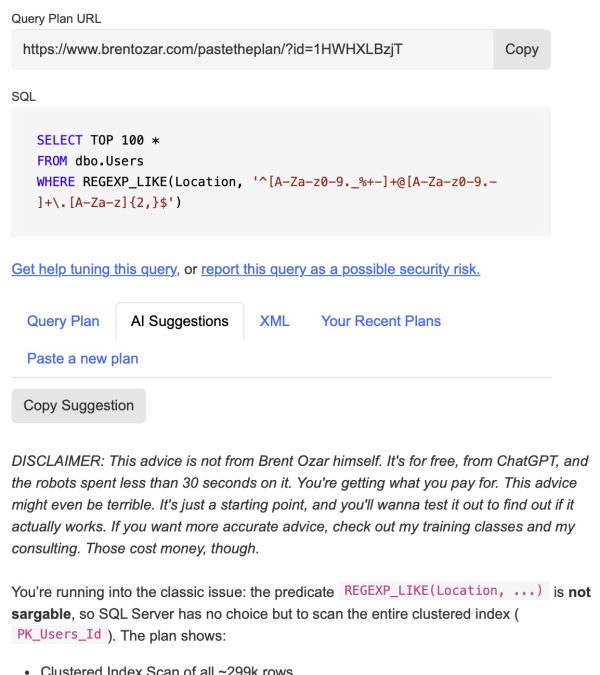
Back in March 2025 when Microsoft first announced that REGEX support was coming to SQL Server 2025 and Azure SQL DB, I gave it a quick test, and the performance was horrific. It was bad in 3 different ways:

  1. The CPU usage was terrible, burning 60 seconds of CPU time to check a few million rows
  2. It refused to use an index
  3. The cardinality estimation was terrible, hard-coded to 30% of the table

Prompted by a comment from Erland Sommarskog this month, I circled back and ran the tests again with the release version of SQL Server 2025. Great news! Microsoft fixed 1 of the problems, and… well, one of them is a little tricky. To demonstrate, I’m going to use the large 2024-04 Stack Overflow database to create a worst-case scenario, then start with an index on the small Users table and query it via regex like we did in the March 2025 post.

The actual execution plan:

Actual plan for TOP 100

It took about 8 seconds, all of which was spent burning CPU. That’s actually GREAT, a HUGE improvement from last time! 8 seconds of CPU time sounds bad, but it’s fantastic given the number of rows that SQL Server had to examine to find 100 matches:

Number of rows read

Because the data I was looking for was relatively rare, SQL Server had to read about 10 million rows in order to find 100 matches. That means SQL Server was able to read 1.2 million rows per second, and examine their contents with regex. That’s awesome! I love it, and I wish the story ended there.

But let’s switch over to examining the Title column of the Posts table, one of the bigger ones in the database. I’ve created an index on the Title column:

The table has about 60M rows, the clustered index is 163GB, and the index on just Title is 3GB. If SQL Server will use the index, this will give us a giant performance boost over having to scan the whole table.

Posts table size

Let’s run the same WHERE clause filter, but use a SUM(1) this time instead of TOP 100 so that SQL Server is forced to hit all of the rows, and so I can demonstrate the cardinality estimation:

The actual plan doesn’t look great at first glance, but hang in there, because this really is a worst-case scenario – there’s some great stuff in here:

Index scan on Posts.Title

First, it used the index! That’s fantastic. Obviously we can’t seek on it, but at least we’re only reading 3GB of data instead of 163GB. That’s good – that’s the one problem Microsoft completely fixed. Love it.

Second, it went parallel automatically, recognizing that it was gonna be a lot of work. It had to read 60M rows, and it took 7 minutes, so it processed about 145K rows per second. That’s… not good. That’s a huge drop from our Users table processing which was hitting about 1.2 million rows per second. While it was running, ooof, our poor server:

It's getting hot in here
It’s getting hot in here, so light up all your cores

Wait stats are a parallelism disaster:

Wait stats

So… is parallelism a problem? I’ve heard folks say CXCONSUMER is harmless, but long-term readers here will know better. Slap an OPTION (MAXDOP 1) hint on the query, and it runs in 32 seconds:

32 seconds for MAXDOP 1

Which brings us back up to 1.86 million rows per second processed by REGEX. That’s honestly fantastic. If you need to find a needle in a haystack with regex, and you’ve got an index so it can scan less data, and if CPU scheduling doesn’t get in the way, this is a dang fast way to do it. Note that I didn’t try more complex regular expressions – I don’t wanna make up synthetic stuff for testing, and instead you should test with regexes you actually intend to use in your work.

On the down side, note that the estimated number of rows is still hot garbage – SQL Server estimated that 5,383,710 rows would come back, when in actuality none did. I think that’s fair, because I don’t know how you could predict the number of rows that would match a given regex. Hell, I can’t even READ most regexes and understand what they’re trying to do. If your query has a regular expression in the filter, you probably want to load the matching rows into a temp table first so that on subsequent joins, SQL Server better understands the number of rows that’ll be involved.

So in summary, SQL Server 2025’s regex situation is better than it was in Azure SQL DB – at least it’s using indexes now, and CPU is better than it was. Just be careful with running it in production – if you’re just using it as a utility query for quick research, try hinting it with MAXDOP 1 for two reasons. It might run faster, and it’ll be less likely to dominate the server’s entire CPU stack.


How’s the Job Market? Let’s Find Out Together.

Salary
2 Comments

Salary Survey OptionsEvery year, I run a salary survey to help folks have better discussions with their managers about salaries, benefits, and career progression.

This year, the survey is for unemployed folks, too! The first question has a new option for “Unemployed (and looking).” Note that if you’re retired, thanks, but you can skip this survey. Congrats on the retirement though!

Take the survey now here.

The anonymous survey closes Sunday, January 11th. On Wednesday the 14th, I’ll publish the overall responses on the blog in Excel format so you can do slicing & dicing. The results are completely open source, and shared with the community for your analysis. You can analyze ’em now mid-flight – do not email me asking for edit permissions, buddy – but I’d wait until the final results come in. I’ll combine them into a single spreadsheet with the past results, and publish those here.

Thanks for your help in giving everybody in the community a better chance to talk honestly with their managers about salary.


[Video] Office Hours: Fireside Chat Edition

Videos
5 Comments

It’s the perfect time of year in Las Vegas when we can chill outside by the fire, enjoy a glass of wine, and go through your top-voted questions from https://pollgab.com/room/brento.

Here’s what we covered:

  • 00:00 Start
  • 00:54 iliyan Rashev: Hello Brent, I am on SQL Server 2019 RTM Please recommend a patching path: 1. Apply CU32+latest Sec.update 2. Apply only latest Sec.update In other words using the 2nd approach will be faster,but do I get all the previous fixes from CU32 that contain all fixes from previous CUs?
  • 02:51 DBArchitectChick: Brent, I am trying to solve the struggle in my head. I admit I love stored procedures. I even wrote a robust unit testing suite for them. Unfortunately, my fellow application developers call them “code smell”. Do I need to give up on pressing for SPs? I might need therapy
  • 06:05 Elwood Blues: What are the top issues you see when running SQL Server on VM’s with multiple NUMA nodes / high core count?
  • 08:53 Adrian: Hi, I saw code, not mine, that purges old data reading WITH READPAST and deleting from tables using joins and ROWLOCK, READPAST for the table where it deletes and READPAST for the tables in the join. I want to know if it is safe, a good idea, are better options? No RCSI
  • 10:23 stittdba: In the past, there used to be a good rule of thumb to wait for SP1 before migrating to a new version of SQL Server. With SPs now a thing of the past, what general guidance would you offer for a time to migrate to a new version?
  • 10:25 stittdba: In the past, there used to be a good rule of thumb to wait for SP1 before migrating to a new version of SQL Server. With SPs now a thing of the past, what general guidance would you offer for a time to migrate to a new version?
  • 11:57 BrentFanBoy: Hi Brent, I have a server that is under heavy load and need to catch an SP that runs very fast, unfortunately it does updates and deletes so I can’t run it myself. What is the best way of catching query plans and runtime stats for that SP?
  • 14:49 Harold Bright: Hi Brent, Is there a way in MSSQL Server where i can call the procedures in Async Mode? i.e. Calling parent proc which has couple of procs to be execute. At present it goes subsequently, but is there a way i can get it started together?

Get ChatGPT’s Advice On Your Queries with sp_BlitzCache.

First off, I understand if you read the headline and you have a knee-jerk reaction. I totally understand that there are a lot of people out there who hate AI, and believe me, I hate most uses of it. Lots of its advice can be misleading at best, and absolute garbage at worst.

I watch conference keynotes by big companies and I just roll my eyes at all the AI bullshit. Microsoft’s demos at Ignite were particularly bad – trying to shoehorn AI into business workflows in ways that simply didn’t make any sense. I laughed out loud when an executive said, “I start my day by asking Copilot about my schedule.” He proceeded to unlock his phone, wait for the Copilot app to listen, said something like “What’s on my schedule for today,” wait for a response, and then wait as Copilot slowly read his schedule out loud. C’mon. That’s ridiculous. Just open your calendar app and see that data instantly – or better yet, put it in a lock widget on your phone.

Anyway, I just want you to know that it’s okay if you don’t like AI at the moment, and you’re not alone. I’m not here to convince you to use AI.

However, if you do wanna use AI in more appropriate ways – like a developer getting a second opinion about a slow query – then I’ve got something you might like. The development branch version of sp_BlitzCache has a brand new parameter:

It adds a new AI Prompt column in the result set:

AI Prompt column

Click on that, and you get a copy/paste prompt to put into your favorite AI tool. The prompt includes query performance metrics, the query text, and the query plan, all in a copy/paste-friendly wall of plain text:

AI Prompt sample

The query plan’s there if you scroll down – you can see the scroll bar at right.

That feature works on any currently supported version of SQL Server, Azure SQL DB, Amazon RDS, Google Cloud SQL, etc. It doesn’t require any special ChatGPT or JSON functionality – I’m just building a string that you can copy/paste into your LLM of choice.

It Can Even Call Your AI API For You.

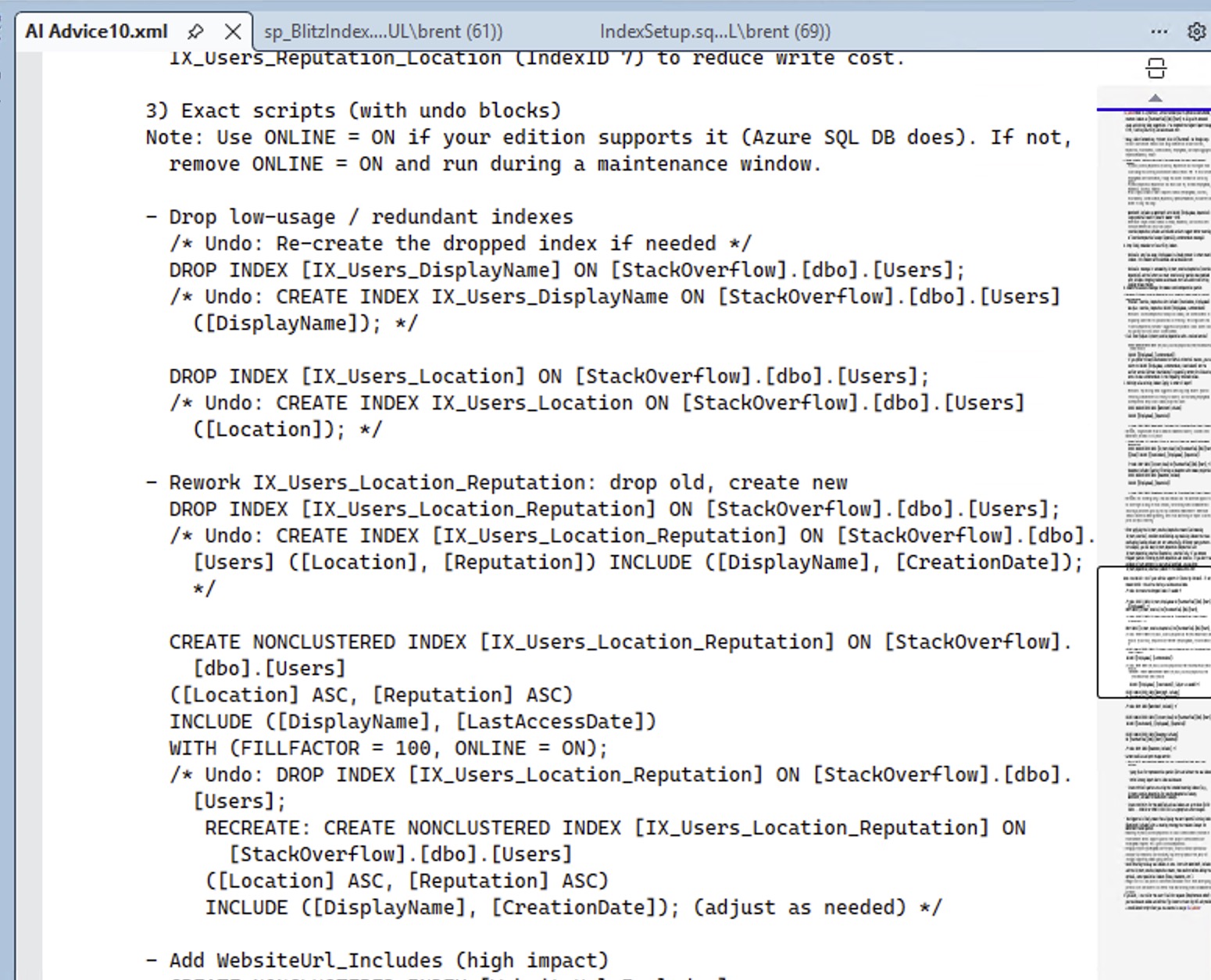
If you’re one of the lucky folks on SQL Server 2025 or Azure SQL DB, buckle up, because this is where it gets wild. If you call it with @AI = 1, we’ll use the new sp_invoke_external_rest_endpoint to call ChatGPT or Google Gemini for you. Your sp_BlitzCache results will have a new ai_advice column:

sp_BlitzCache with AI Advice

Click on a row to see the advice for that query:

AI Advice

You can choose your AI provider and model, and right now we support OpenAI ChatGPT and Google Gemini. I’d definitely welcome pull requests to support other models.

This will ship in the next quarterly release of the First Responder Kit, likely January. I’m telling you about it now so that if it’s something you would use, you can shape how it works.

Before You Get Started

It’s probably going to cost you some money. My documentation is going to assume that you’ve handed your credit card over to OpenAI ChatGPT or Google Gemini in order to get a paid API key. I totally understand that people are going to want to use it for free, and there are definitely ways to do it, but I’m not going to try to keep the documentation up to date on that. The free options for AI providers are constantly changing. If you want to contribute pull requests to the documentation to include notes about free plans, that’s welcome, as long as there aren’t some kind of referral codes involved.


The longer your queries are, and the larger their execution plans are, the more you’ll end up paying. I’ve had months with heavy client work where I’ve spent $300-$400 on AI – but believe me when I say during those months, AI saved me hundreds of hours of labor and enabled me to do things I wouldn’t have been able to do without hiring multiple people. I vividly remember one gig where a client had been struggling with memory starvation for months, and on the call together, we identified the query with sp_BlitzCache, then pasted the query into ChatGPT. It found the query’s problem in minutes, rewrote the query to work around the problem, and then we got started testing the changes to make sure they worked the way we needed ’em to work. (That’s the big challenge with AI right now – the hallucinations.)

If you want to point sp_BlitzCache at a free locally hosted model, like with LMStudio, that’s also left as an exercise for the reader for now. I’ll write that up at some point in 2026 because I’m a big fan of that kind of thing, especially with corporate code bases. It’s just tricky to write generic beginner instructions for that because SQL Server (NOT SSMS) needs to contact the model. I know that seems counterintuitive because you think, “Oh hey, SSMS is on my laptop, and LMStudio is on my laptop, can’t they all just get along?” But remember, we’re calling sp_invoke_external_rest_endpoint on the SQL Server itself, and in many production situations, it’s unlikely that the SQL Server is going to have direct unfettered network access to phone out to LMStudio running on your laptop.

Calling an API directly requires SQL Server 2025 or Azure SQL DB because it uses the new sp_invoke_external_rest_endpoint stored procedure. Crafty people could write their own stored procedure that accepts the same parameters and outputs the same results, and name it the same thing, and then they’d be able to use it on earlier SQL Server versions. That’s left as an exercise for the reader.

Your database context will suddenly matter, because Microsoft requires you to store your AI API key in a database-scoped credential, and the master database isn’t allowed. If you want to call @AI = 1, you’ll need to be in a database where you stored your credentials. That doesn’t mean you can only analyze queries and plans from that one database – sp_BlitzCache is still server-wide. It just means you have to be in the right database when you call sp_BlitzCache.

It’s going to involve security choices and concerns in a few different ways. First, if you use a hosted model like ChatGPT or Gemini, your queries and execution plans will be going up to the cloud, and that’s how personally identifiable data gets around. Next, it’s going to involve storing your API keys as database-scoped credentials, which means if your credential password gets out, other people can run up API charges on your credit card.

Still with me? Alright, let’s set it up.

How to Set Up AI Advice in sp_BlitzCache

First, let’s do some background setup:

That master key is at the entire SQL Server level. Whenever you wanna use database-scoped credentials, you’re gonna need to type that password in (or paste it from your password manager.)

Now, switch into the user database where you’ll be running sp_BlitzCache. It doesn’t have to be the same database where you create sp_BlitzCache: I like to put sp_BlitzCache in the master database so that I can call it from anywhere. However, since I have to save my API keys in a database-scoped credential, I put that in my DBAtools database. When I wanna run sp_BlitzCache with @AI enabled, I switch into the DBAtools database, so that’s where the keys go.

Next, you’ll need to create a ChatGPT API key or a Google Gemini API key, and then save the key text as a database-scoped credential. (You can’t use Github Copilot for this – they don’t allow API access.) You’ll never need to type these in again, and indeed, you probably don’t even wanna store ’em anywhere when you create them. It’s trivially easy to create additional keys in those vendor portals. You can do either one of these, or both, whichever provider you wanna use:

The database scoped credentials have name rules. I’mma be honest with you, dear reader, these rules suck hard:

Credential rules

This sucks so bad because I really want different credentials for different teams. I don’t want everybody sharing the same API keys (and therefore, credit card) for all calls to ChatGPT. Because of that, you probably only wanna put your keys in your DBAtools database, and guard that database pretty heavily.

So that’s why your database-scoped credentials have to be named https://api.openai.com/ or https://generativelanguage.googleapis.com/, and can’t be “https://api.openai.com-DBA_Team” or something like that.

If you’d like to share these keys with your fellow team members, ideally you’ve already got a role already set up, and you can use that. If not, you can create a new role, add people or groups to it, and grant the role permissions to the credentials. You’ll also need to share the master key password with them so they can open the credentials.

Install the Dev Branch of sp_BlitzCache

Download the dev branch of sp_BlitzCache – there’s a little down arrow at the top right of the page to download the raw file.

Be mindful of where you install this! I can’t tell you how much time I’ve wasted by having multiple different versions of sp_BlitzCache in different databases while testing this stuff. Normally it’s really easy because I only dump my FRK stuff in the master database, but while testing this, you’re going to be running sp_BlitzCache from a user database like DBAtools. It’s going to be very easy for you to accidentally end up with one version in the DBAtools database, and another version in master, and then get confused as to why you’re not seeing the results you expect.

When you’re testing, keep an eye on the history page for this proc, because I may have changed it since the last time you downloaded it. It’s under very active development at the moment.

Test It Out with Your First AI Call

Here are sample calls for ChatGPT and for Gemini. The ChatGPT one is shorter because we default to ChatGPT’s 5 Nano model, and if you wanna call Gemini, we need a little more info:

In both of these calls, I’m only asking for the top 1 query plan so that the results come back quickly. Even the lightest weight AI models can take 15 seconds or more depending on your query complexity. If you’ve been livin’ right, you should see an ai_advice column in your sp_BlitzCache output.

If the query fails and SSMS kicks you over to the Messages tab with a red error… read the error. Some of ’em are pretty descriptive, like if you don’t have your database scoped credentials set up or opened.

If the query succeeds but the ai_advice column shows an error, scroll across to the ai_raw_response column and read that. It usually means the AI service was successfully called, but there was a problem with your API key, account payment, or with the AI payload we assembled. I only wanna hear about the latter.

Once you’ve gotten these quick & easy versions over, you can remove the @Top = 1 parameter to process the default 10 rows instead of just 1, or call it for a particular stored procedure, plan handle, or query plan hash that you’ve been struggling with.

How AI Advice Works on Multi-Statement Queries

When the sp_BlitzCache result set has multiple rows, like if you get the most resource-intensive queries by CPU usage, the result set might have a mix of statements, multi-statement batches, functions, stored procedures, and the like. Here’s an example screenshot:

sp_BlitzCache with stored proc results

In this example, going from the top lines down:

  • usp_VoteInsert – the stored proc itself has no AI advice because some of its child statements show up in the result set. You’ll want to focus on the advice on each individual statement. (In the future, I wanna consolidate all of the advice into a single “big picture” advice for the parent proc.)
  • Statements (parent usp_VoteInsert) – each of these has its own unique advice. The AI has been instructed to focus its advice on just this one statement, but on lower-powered AI models, you’ll see some bleed-over advice from other statements because the query plan contains other statements in the batch.
  • usp_Report2 – line 4 – this stored procedure’s child statements do not show up in the top 10. This happens when a proc has lots of lines in it which individually aren’t a big deal, but when you add them up, the cumulative effect hoists this proc up into the top 10. In this case, AI is called on to give overall advice across the entire plan with all its statements.
  • usp_CommentsByUserDisplayName and usp_Q975 – the procs don’t have advice, because one of their statements is in the list below

And of course, non-proc queries (app queries, dynamic SQL, linked server queries, etc) will show up in the list too, but my particular workload here happens to be all stored procedures.

If you find the proc useful at this point in your environment, then you’ll want to keep going to enable more complex workflows.

Setting Up a Shortcuts Config Table

When you work with AI, you’ll get accustomed to calling different models at different times. Most of the time, I just want quick, cheap advice. Remember, if each API call takes 30 seconds, and you’re dealing with the default sp_BlitzCache result set with 10 rows, that would be a 5-minute runtime! Speed matters a lot here. However, sometimes I want the AI to take a lot more time, and feed it a lot less results – like just pass it a single stored procedure to analyze.

To make this easier, set up a config table with a list of AI providers, and put it in the same database where you put sp_BlitzCache. There’s no real credential in here, just the name of the credential, so there’s no security risk here.

Here’s the create table script, plus the most common 3 models for ChatGPT and Google:

The results:

Blitz_AI table contents

So now, you can switch back end providers a little easier, like this:

In the examples so far, I’ve just been saying @Top = 1 to get you started calling the API quickly, but in real life usage, you’ll likely be using parameters like these:

  • @StoredProcName = ‘usp_MyProc’
  • @OnlyQueryHashes = ‘…’
  • @OnlySqlHandles = ‘…’
  • @DatabaseName = ‘MySlowDB’
  • @SortOrder = cpu, reads, writes, duration, spills, etc
  • @MinutesBack = 60 – only show me queries that have run in the last 60 minutes

And so forth.

Power User Tips for the Config Table

Set DefaultModel = 1 for the row you want to use by default. sp_BlitzCache’s built-in default is gpt-5-nano, but you can override that with the config table. It’ll only pull the first row with DefaultModel = 1, sorted by Id.

Picking a default model is a balancing act between how much money you want to spend, how long you’re willing to wait for the advice to return, and the quality of advice you’re looking for. Generally speaking, the more you pay and the longer it takes, the better advice you’ll get. I wouldn’t use the AI parameters when I’m normally calling sp_BlitzCache to get an idea of the top resource-intensive queries! I would only use the AI parameters when I’m tuning a specific query, like a stored procedure or statement that I’ve narrowed down by its name, plan handle, or query plan hash. And at that point, when I’m tuning just one query, I’m fine with the analysis taking 3-4 minutes – because at the same time I’m asking AI for advice, I’m also reviewing the plan and query manually.

If there’s one thing I’ve learned about AI, it’s that the quality of the advice you get is directly proportional to the amount of work you put into writing the prompt. I’mma be honest with you, dear reader, the default prompt I’ve got in there right now isn’t my best work, but I’m using it as a starting point because it works well across a lot of AI models.

Right now, the default system prompt is:

You are a very senior database developer working with Microsoft SQL Server and Azure SQL DB. You focus on real-world, actionable advice that will make a big difference, quickly. You value everyone’s time, and while you are friendly and courteous, you do not waste time with pleasantries or emoji because you work in a fast-paced corporate environment.

You have a query that isn”t performing to end user expectations. You have been tasked with making serious improvements to it, quickly. You are not allowed to change server-level settings or make frivolous suggestions like updating statistics. Instead, you need to focus on query changes or index changes.

Do not offer followup options: the customer can only contact you once, so include all necessary information, tasks, and scripts in your initial reply. Render your output in Markdown, as it will be shown in plain text to the customer.

When I work with AI, I like to have a lot of different prompts at my fingertips, so I designed sp_BlitzCache’s config table to be able to switch personalities easily using the AI_System_Prompt_Override column. I did this on a per-provider basis because I like to have several different personalities, even for the same AI provider. I have personalities for:

  • Index tuning only – as in, here’s the query, but you’re not allowed to change it, you’re only allowed to make index recommendations
  • Query tuning only – no changes allowed to indexes, stats, database-level or server-level settings, etc.
  • Both allowed
  • Code review only – for when we’re not really concerned about performance, but we wanna know if there are any bad T-SQL smells in here
  • Reduce blocking and deadlocking – for when I’m specifically facing those problems with a query
  • Refactoring – when I’d like help rewriting a multi-step query or row-by-row query into a more efficient process

So that way, I can do stuff like this:

I know you’re gonna be excited about that and you’ll be eager to grab those prompts, but hold that thought for now. Today’s announcement is about helping you get the sp_BlitzCache-calling-AI plumbing up and running so that you can test it and give feedback on that. We’ll talk through fancier system prompts in subsequent blog posts.

If You’d Like to Read the Code

In the development branch of sp_BlitzCache, do a search for “Artificial Intelligence” – it’s around line 5100.

sp_BlitzCache’s interim results are stored in the global temp table ##BlitzCacheProcs, and there’s a spid column to denote which set of queries you’re working with, since multiple people can call sp_BlitzCache simultaneously.

The first thing that happens is an update statement to update all of your ##BlitzCacheProcs rows to populate the ai_prompt column with the query’s metrics, query text (from the plan cache), and query plan. (At some point in the future, I’d like to pull the full unabridged query text for stored procs & functions from their definitions, but I’m not doing that today.)

Then if @AI = 1, we set up a cursor to loop through your ##BlitzCacheProcs rows, call sp_invoke_external_rest_endpoint for each one, parse the results, and then update the global temp table’s columns for:

  • ai_advice – the parsed results from your LLM
  • ai_payload – the data we sent your LLM, for diagnostic purposes
  • ai_raw_results – the raw data we got back, again for diagnostics and debugging

If you’d like to contribute code to handle other LLM prompt & result formats (like Anthropic Claude, Z.ai, OpenRouter, etc), I’d love a pull request for it. I do wish we could support Github Copilot, but they don’t allow direct API access to their chat/response completion models. They have a REST API, but it’s only for monitoring and managing Copilot. There are hacky workarounds, but I don’t wanna deal with supporting those, especially given that Github will be actively trying to hunt down and stop those workarounds.

If you want to contribute code, I  just have to set expectations that I can’t do collaborative real time discussions or coding at the moment – I’m working with clients this week, then flying to China next week for vacation, so my calendar’s a hot mess. I just wanted to put the code in your hands so folks who want to bang on it, can.

When You Have Questions or Feedback

If you’re getting an error, post a message in the #FirstResponderKit Slack channel or start a Github issue. If it’s your first time in the community Slack, get started here. Your message or Github issue should include:

  • The exact query you’re running – copy/pasted straight out of SSMS, no changes please
  • If the query succeeds and you get an AI response, copy/paste the contents of the ai_raw_response column – just the rows having problems is fine
  • The output from the Messages tab in SSMS – copy/paste out of there, but feel free to sanitize stuff out of there like your company queries
  • Then try running it again with the @Debug = 2 parameter, and copy/paste the Messages results again, with your company’s stuff sanitized out

If you can’t include the exact query you’re running and the out put of the Messages tab, do not post a message. I need that stuff to do troubleshooting, period, full stop.

Please don’t email me errors directly. I’ve learned over time that when there’s a problem, I’ll get 100 emails saying the same thing, but if we work together through Slack, I can leave messages in there telling people what’s a known issue and what’s fixed, and that makes my life way easier.

If there’s something about the implementation that you think needs to be changed, added, or removed, feel free to put that in Slack, or add a note to this Github issue. Let’s hold off on personality requests or suggestions though – I know there are gonna be a lot of those, but we’re just focused on getting the plumbing working first. I know y’all are gonna go bananas with the personalities, hahaha. (My personal favorite so far: “Please review this code in the style of Gordon Ramsay…”)

Finally, I Just Wanna Say Thank You.

This? It's just coffee, as far as you need to know.Readers like you are what make it possible for me to spend so much time giving back to the community, building tools like this and giving ’em away for free.

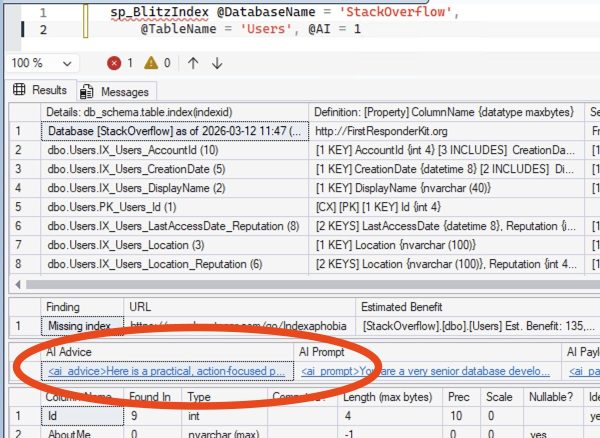
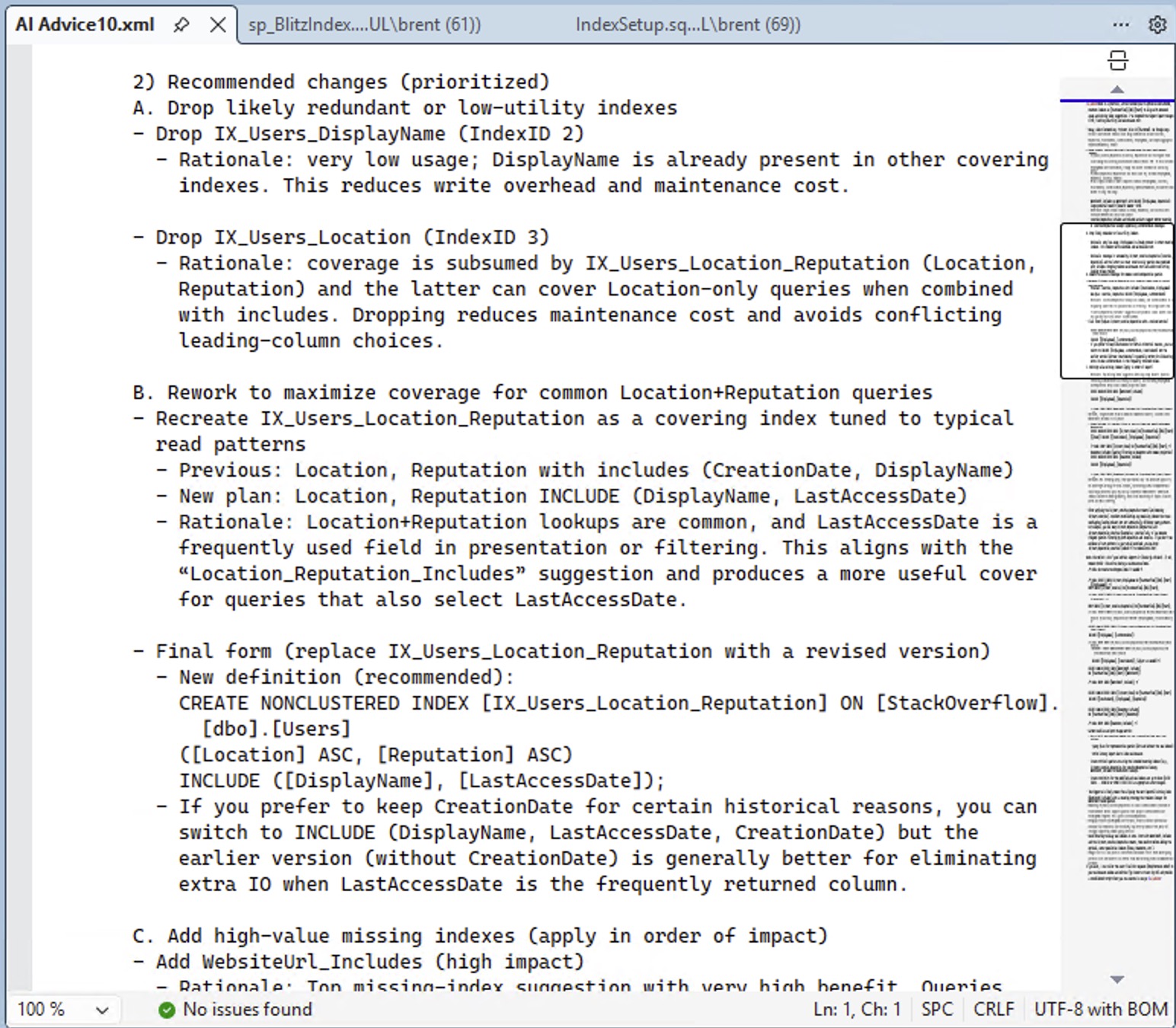
When you buy my classes & apps, you’re not only paying for your own training, but you’re effectively sponsoring my work. YOU are the ones who make it possible for me to dedicate the time to publish 3 blog posts a week, maintain the First Responder Kit, give away free training classes, and record my Office Hours videos. You’re the ones who make me confident enough to say, “Hell yeah, I’ll put more time into sp_BlitzCache and share my killer AI prompts for free, because these people make my lifestyle possible. And in 2026, I’ll add AI advice into sp_BlitzIndex, too.”

Thank you, dear reader. Here’s to a great 2026, and using AI to not just keep our jobs safe, but make us even more successful in the new year.


Cyber Monday Sale: $49 Fundamentals, $295 Mastering Classes

Company News
0

You’ve been on the nice list, and Santa has a little something special for you under the tree this Christmas. And by Santa, I mean me.

SQL Server 2025, 2022, and 2019 all dramatically changed the game for performance tuning. We have more and better tooling than we’ve ever had before, and there are new places to look when performance goes wrong. The changes are so widespread that I’m in the midst of re-recording all of my classes to reflect the updates.

Between that, and the crazy competitive job market right now, it’s never been more important to sharpen your skills. You need to show that your skills are up to date, and completion certificates from my training are a great way to do it.

Fundamentals Classes
$49 eachper year
  • The first formal performance tuning classes you should take for Microsoft SQL Server and Azure SQL DB.
Mastering Classes
$295 eachper year
  • Dozens of hours of the toughest performance tuning training.
Level 2 Bundle
$995per year

Frequently Asked Questions

Can we pay via check or purchase order, or get group discounts? Not during our holiday sale.

Can we send you a form to fill out? No, to keep costs low during the sales, we don’t do any manual paperwork or sign up for your vendor system. To get these awesome prices, you’ll need to check out through our web site and use the automatically generated PDF invoice/receipt that gets sent to you via email about 15-30 minutes after your purchase finishes. If you absolutely need us to fill out paperwork, we’d be happy to do it at our regular (non-sale) prices – email us at Help@BrentOzar.com for details.