
I’ve Been Using Macs for 20 Years. Here’s What You Wanted to Know.
tl;dr – It’s easier because I’ve always chosen to run SQL Server VMs, so it was easier for me to switch than you might expect – but if you’re a Microsoft IT pro, I don’t recommend switching.
 Now for the long version.
About 20 years ago, back in 2006, I excitedly blogged that my boss at the time had agreed to let me buy a Mac (with my employer’s money.) I’d been really frustrated with Windows for quite a while at that point. Even today, the Windows 11 start menu disgusts me. I literally paid for this operating system, why are you showing me ads and irrelevant garbage?!?
I’d been trying to make the switch from Windows over to Linux since around 2002, and I’d never been able to make it stick. I kept having problems on Linux with hardware, driver support, apps, and just plain usability. Apple’s Mac OS seemed to be a gateway drug to Linux: it was built atop FreeBSD, so I thought I’d be able to use Apples as a stepping stone to transition all the way over to Linux.
It didn’t end up working out that way. I was so delighted with Apples, and their ecosystem kept growing. Today, it includes phones, tablets, headphones, TVs, and the third party ecosystem stretches out far beyond that. I decided to stick with Apples rather than move on to Linux.
If you’re on Windows and you’re thinking about making the switch today, I actually wouldn’t recommend it for most folks. The mental work required in order to switch platforms is kind of a pain in the rear. You’ll be less productive for the first year or two, by far, and any supposed gains won’t come until long after you’ve had many frustrations along the way. If you do make the switch, I’d recommend a pre-built Linux machine like the ones from System76 or Lenovo. Macs are great, but the current OS (Tahoe) is a hot mess. I haven’t upgraded myself, still on Sequoia. Anyhoo, on to how it works for me.
The first big question:
how does SQL Server work?
 Hot take: it doesn’t really, and it doesn’t matter. Hear me out.
When I first made the switch 20 years ago, I was a production DBA, and I didn’t run SQL Server locally anyway. I didn’t even run Management Studio locally – I used a jump box, a VM in each data center with all my tools installed. I’m a huge, huge believer in jump boxes:
- When you need to run something for a long period of time without worrying about disconnects, jump boxes make it easy
- When your employer decides to mandate workstation reboots to apply some stupid group policy or Windows update, no problem
- When there’s a network blip between your workstation and the data center, your queries don’t fail
- When you have multiple domains, like complex enterprises with a lot of acquired companies, no problem – you can set up multiple jump boxes or multiple logins
- When you have to support a diverse environment that requires different versions of SSMS, some of which may not play well with each other, it doesn’t matter, because you just build different jump boxes for different needs
- When you don’t have your laptop available, like if you’re visiting a friend or family, no problem, as long as you can VPN & RDP in
- When your laptop dies, you can still tackle production emergencies while you get the new laptop up to speed – you just need RDP
Notice that none of those start with “if” – they start with “when”. You might be lucky enough to be early enough in your career that you haven’t hit those problems yet, and you may even make it all the way through your career without hitting them – just like you might make it all the way through your career without needing to restore a database or do a disaster recovery failover. You might hit the lotto, too.
There are two kinds of DBAs in the world: the experienced, prepared ones, and the ones who run SSMS and SQL Server locally on their laptop.
After witnessing a lot of nasty disasters, I’m pretty passionate about that, and you’re not going to convince me otherwise. When I have a long term relationship with a client, they give me a VPN account and a jump VM, and that’s the end of that. I know there are going to be commenters who say, “But Bryant, I work with small businesses who can’t afford a jump VM,” and I don’t have the time or energy to explain to them that I work with small businesses too, and their sysadmins already have their own jump boxes because they’re not stupid. Small jump boxes in AWS Lightsail are less than $50/month.
Consultants and trainers need SQL Server though.
I said I made the switch back when I was a production DBA, and I had no need for local SQL Server then. When you’re a consultant and/or trainer, though, you’re gonna have to do research, write demos, and show things to clients, which means you’re gonna need access to a SQL Server.
Most consultants and trainers I know use a local instance of SQL Server for that. In theory, you can run SQL Server on MacOS in a container. I don’t, because it still doesn’t give me SQL Server Management Studio. When I’m teaching you performance tuning, I have to meet you where you are, and show you screenshots & demos with the same tools you use on a daily basis, and that means SSMS. So for me, the container thing is useless since I need Windows anyway – there’s no SSMS on the Mac, at least not yet.
I use cloud VMs and cloud database services (like AWS RDS SQL Server and Azure SQL DB) because I’m picky about a few requirements.
I want my demos to use real-world-size databases and queries, which means the large versions of the Stack Overflow database. I want to deal with 100GB tables, and I want to create indexes on them in a reasonable time, live, during classes. There are indeed laptops large enough to handle that – for example, my MacBook Pro M4 Max has 16 cores and 128GB memory – but also…
I want redundancy, meaning multiple SQL Servers ready to go during class. If something goes wrong with a demo, I want to be able to switch over to another instance without losing my students’ valuable time. I can’t tell you how many presentations I’ve sat through where the presenter struggled with a broken demo, saying things like, “Hang on, let me try restarting this and restoring the database, I can’t understand why this is happening…” They’ve already lost the audience at that point. Like a timeless philosopher once said, ain’t nobody got time for that.
I teach live classes online, and if a local instance of SQL Server is struggling with a nasty query, it’s going to affect the video & audio quality of my live stream – especially if I’m running multiple local VMs, some of which may also be restoring databases in the background to prep for the next class.
I have to jump around from demo to demo when I’m working with clients on private issues. They may be facing several radically different issues, or they may want me to jump to an unplanned topic. Because of that, I need multiple instances ready to go with fresh, clean Stack Overflow databases. After each demo, I can kick off a database restore to reset the server back to baseline, while I switch over to another VM to keep moving on the next demo.
I have to teach onsite sometimes, and we’re talking about hardware requirements that are way beyond even the largest laptops. I would either have to haul around multiple laptops and a networking setup, or … just have internet access. I know that a decade ago, it was common to be in environments where you might not have internet, but that hasn’t happened to me in a long, long time.
So for me personally, local VMs are not the answer. It doesn’t matter whether my laptop is Windows, Mac, or Linux, I just can’t accomplish the above goals with local instances of SQL Server. Whenever I’m teaching, I fire up multiple cloud VMs, all based off my standardized SQL Server & SSMS image, with my demos ready to go. I open RDP connections to each of them, and then I can switch back and forth between them.
I typically use these AWS instance types:
- i7i.xlarge: 4c/32GB, 937GB NVMe, ~$4 for 10 hours
- i7i.2xlarge: 8c/64GB, ~1.9TB NVMe, ~$8 for 10 hours
Those costs can pile up – there are months where my VM bill is around $1,000! However, those are also months with high income, so I look at it as the cost of doing business. Again, those costs would be present whether I was running a Mac laptop or not.
If your time is effectively free, then a more cost-effective solution would be to buy or rent a big server, rent space in a colo somewhere, install a hypervisor, and manage remote connections to it. I have tried that (very briefly), and I don’t have the patience to deal with support problems on mornings when I’m trying to prep for a client engagement or training class.
I’m not trying to convince you to do any of this. Really, switching to Macs doesn’t make sense for most Microsoft data professionals, and it never has. However, SQL Server isn’t the only thing I do, and I personally happen to like the way Macs handle a lot of the other stuff I do.

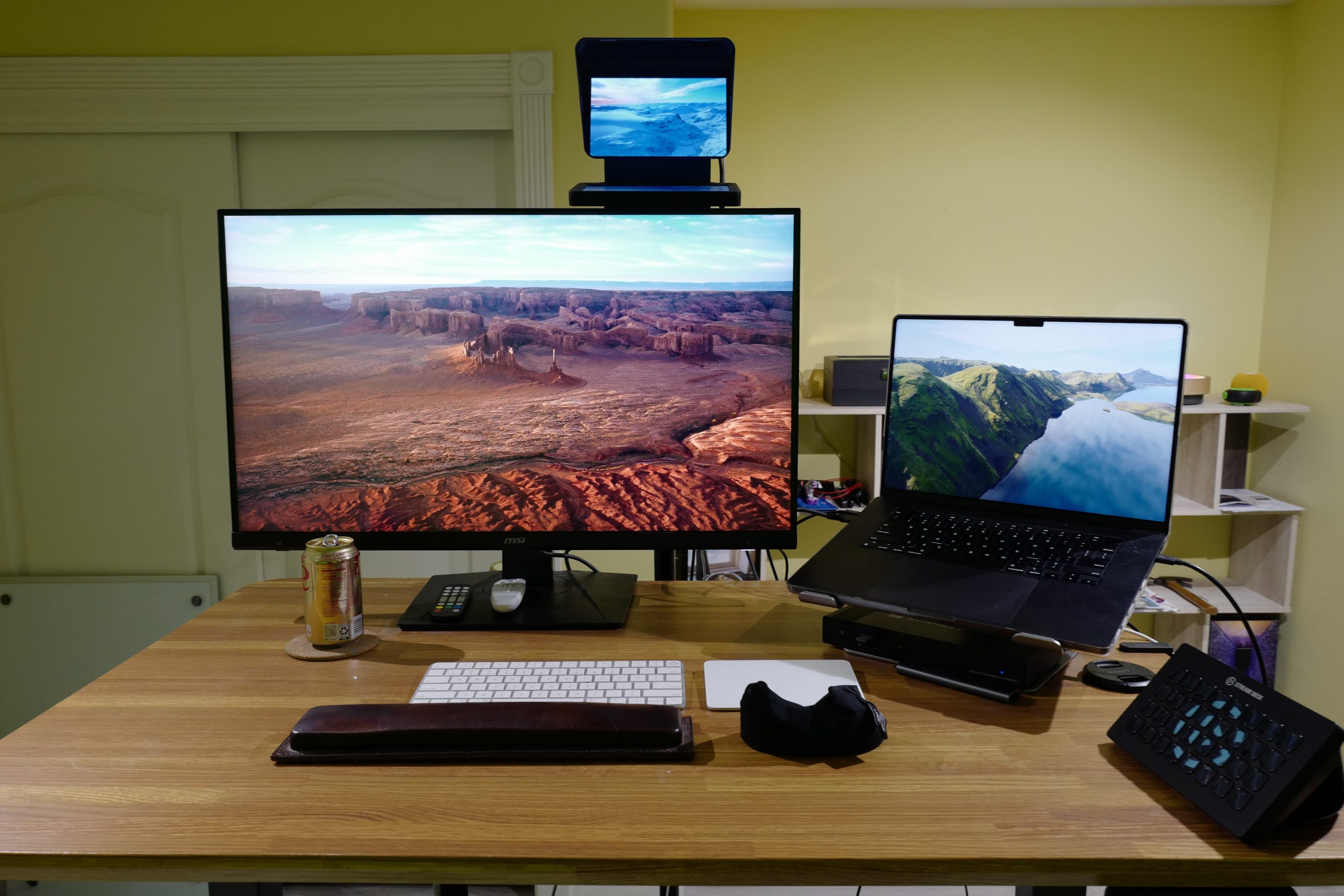
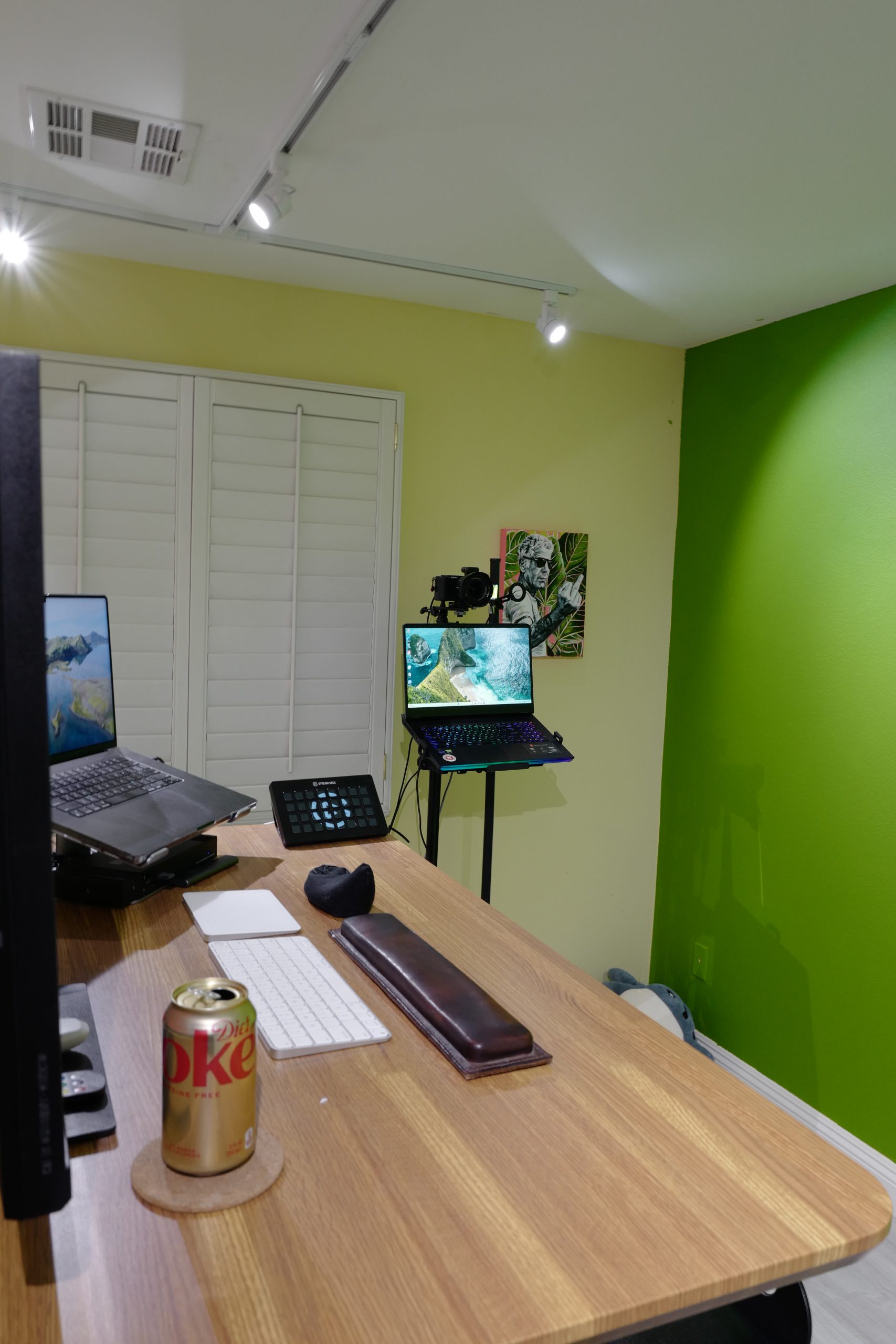
I do still use Windows machines! I have a Skytech Windows gaming PC with an NVidia 4090 that I use for Claude Code and for local AI models, and I run an instance of SQL Server 2025 on there for quick query tests or simple blog posts when I’m in my home office. I also have a leftover Windows laptop that I use as a side monitor when I’m live streaming and looking at my side camera, answering audience questions. I just run Chrome on that though.
Things I love about Macs
The hardware is fantastic. Apple Silicon processors are ridiculously battery-efficient, powerful, and have brilliant thermal management. I haven’t heard a computer fan since the Silicon processors came out in 2020. There have been short 2-3 day trips where I haven’t bothered to bring a laptop charger because the thing just runs for days. The drawback is that Apple’s hardware, while fantastic, doesn’t offer cutting-edge features that you might find in other brands of laptops, phones, and tablets. For example, I’ve got a Huawei Mate XTS dual-fold phone that I absolutely adore, and I wish Apple offered something similar, but they probably won’t for another year or two at least.
The hardware actually has a resale value. I know the pricing seems expensive at first, but it holds way more value than PC laptops. In late 2024, I bought my M4 Max (16″, M4 Max, 128GB RAM, 2TB SSD, nano-texture display) for $5549, and out of curiosity, I just ran it through a couple of buy-your-Apple-device sites just now, and the average trade-in value was $3,300. I usually trade in my Macs every couple/few years, and the ownership cost usually averages out to about $100/month. That’s similar cost-of-ownership to buying a new $3,000 PC laptop every 3 years, and those things are worthless after 3 years of hard road use.
The shared memory architecture is great for AI users. My MacBook Pro has 128GB of memory, and there’s no division between memory used by the operating system and memory used by the video card. There’s not really even such a thing as a video card – it’s all integrated onboard in Macs. As a result, you can use MacBook Pros to run giant machine learning models that can’t possibly fit in 16-32GB PC video cards, let alone laptops. However, if you’re working with 16GB quantized models that do fit in a desktop NVidia graphics card like a 4090 or 5090, the NVidia card will absolutely smoke Apple Silicon processors in terms of token processing speed. (Sure, Apple fans will tout that the MBP can do the processing on the road, on battery, silently, but still, you’re not gonna be happy with Apple Silicon’s AI speeds if you’re moving from a desktop 4090 or 5090.)
The operating system is stable. I don’t remember the last time I had an OS crash or error that required a reboot. However, the term “stable” also means that there haven’t been any significant advancements in the last decade or so (which is why I was looking at moving back to Windows for a while there.)
There are a lot of ecosystem benefits. When you copy/paste on a MacBook Pro, the same copy/paste buffer is available on any of your devices – you can paste on your iPad or iPhone. AirDrop lets you easily push photos, files, contacts, whatever to other devices, including other devices around you. When a text comes in on your phone, you see it on all your devices, and your messages are synced across all of them. (Mark a message read on your laptop, and it’s read on your phone too, etc.) Pair your AirPod headphones on your phone, and they automatically work on your laptop too. Pretty much anytime you think about how data could be shared across different devices, it just already works on Apples.
There are a ton of neat apps available. Now, this is where it gets tricky. You’re reading this Microsoft database blog, and you’re likely doing a lot of work on the Microsoft platform. That also means you probably work for a company who licenses the Microsoft suite for all employees, and relies on it every day. You live in Outlook, Excel, Teams, and SSMS. I’mma be honest, dear reader: those apps are garbage on Macs. Oh sure, there are versions available (except for SSMS), but those versions are sad similes of their Windows equivalents. Outlook and Excel in particular are amazing at what they do on Windows.
So if you decide to switch, you’re likely going to end up using a lot of other apps instead. Long ago, fellow Mac & Linux user Jeremiah Peschka got me started on the concept of, “If the app is available in the browser, you should use the browser version,” and that’s paid off. I use the Google online suite for my email and calendaring, and a lot of web apps for my business work. When I do have to use a local app, it’s likely something that’s in my task bar below:

The less Microsoft apps you rely on to do your job, the easier you’ll find it to switch to Macs. The more of them you use – and in particular, if they include the O365 suite – then honestly, you shouldn’t switch. You’ll be happier in Windows.
Your questions from LinkedIn
I posted on LinkedIn that I was going to write a blog post about this, and I asked y’all what you’d want to know. Here were your questions:
“Are you benefiting from the shared memory architecture for local LLMs?” – Eugene Meidinger – Yes, I use LMStudio to run large local LLMs, and it’s really useful when I’m working with clients. I don’t wanna paste their code into a cloud-hosted LLM that may not take privacy seriously. I would only recommend this if you need the privacy aspect though – otherwise cloud-based LLMs from Anthropic, Google, and OpenAI are sooo much better and faster.
“Is it a pain to run parallels for Windows only software?” – Eugene Meidinger – You’re going to laugh: I do have Parallels installed, but I only use it to run … Mac OS VMs, hahaha! I don’t even have a Windows VM set up. I had them pre-2020, but when Apple made the switch to Silicon processors, the ARM version of Windows was in a pretty sorry state. At that point I just decided to draw the line in the sand and be done with Windows locally, period. Besides, I’d switched to Mac so long ago at that point that SSMS was the only Windows-only app I had left.
“What was the learning curve like, and how long before you felt fully productive?” – Rebecca Lewis – It was terrible. AWFUL. It was probably 2 years before I felt fully productive at the same speed that I was before. This is the single biggest reason that I wouldn’t recommend that any seriously experienced Windows user make the switch.
Funny side note: I forced my mom to make the switch. I used to do tech support for her, but at one point, I was just so rusty on basic Windows consumer support questions that I said, “I haven’t used Windows for years, and I just don’t know how to fix your new printer.” So I bought her an iMac, introduced her to the nearest Genius Bar, and they took over tech support. That was awesome. I haven’t fielded a tech support question from her in years.
“Did you switch because of SQL Server work, or despite it? I mean was the move to Mac about improving your SQL Server workflow, or was SQL Server just baggage you brought with you?” – Rebecca Lewis – Despite it. I was a production DBA at the time, but I’ve always just been curious and liked trying new things. SQL Server was definitely just baggage that I brought with me.
“Is there anything that Windows has that you miss or would like in Mac?” – Vlad Drumea – A lot!
- Outlook, Excel, SSMS for sure. Yeah, technically they exist on Macs, but they’re nowhere near as fast or feature-complete as their Windows counterparts.
- Power BI Desktop. The lack of a Mac version actually stopped me from using Power BI going forward – I tapered off my Power BI usage a couple years ago when it seemed clear that Microsoft wasn’t going to build a Mac client.
- Games are a weak spot too. Often I’ll read about a game on Steam (like Decimate Drive), check the operating system requirements, and sigh.
“I’d be most interested in whether there are ways to make the MSSQL extension for VS Code feel comfortable, now that Azure Data Studio is not long for this world.” – Daryl Hewison – When it comes to database developer tooling, Microsoft seems to have all the attention span of a toddler hopped up on espresso. I want my blog posts to meet people where they’re at, so to speak – I want the pictures to seem familiar – so I stick with SSMS for now. I’m going to stay that route in 2026, and in 2027, I’ll revisit to see whether the MSSQL extension for VS Code has been consistently improved, see if they’re staying on top of the Github issues, etc.
“How do you like the terminal and package management?” – Phil Hummel – I don’t think any consumer operating system has really solved the problems of package management and virtual environments cleanly yet. For example, if I wanna experiment with a data analytics tool, it’s probably going to have all kinds of package requirements that slightly differ from other tools that I have installed, and the old & new packages won’t play well with each other. Virtualization still feels like the safest, cleanest answer to me.
“Any issues with powershell?” – Ron Loxton – I’m probably the world’s lightest PowerShell user. I just use it to merge text files together, so it’s fine for me.
“Why Mac over a Linux distro?” – Mark Johnson – I touched on this above, but I wanna reframe it as, “If you were gonna switch away from Windows in 2026, would you switch to Mac or Linux?” I’m heavily into the Apple ecosystem (I have an iPhone, iPad, Apple TVs, HomePods, etc.), and there are benefits to keeping everything in the ecosystem. However, if I wasn’t in that ecosystem – like if I used an Android phone as my daily driver – then I’d definitely buy a Linux laptop from a specialized vendor like System76, spend a week banging on it for basic tasks like USB, Bluetooth, wireless networking, pairing with a cell phone, editing PowerPoints, remote desktopping into places with Entra authentication, Zoom meetings, printing, closing the laptop to see if sleep/resume worked without it setting my laptop bag on fire, etc. If it worked, I’d go with that. If not, System76 has a 30-day return policy, so I’d return it, and give Macs a shot.
If you’ve got any questions about my Mac work, feel free to leave ’em in the comments and I’ll answer ’em there.

12 Comments. Leave new
The biggest thing to overcome for me was the keyboard shortcuts.
I’d also say if the goal is just to use more Linux (maybe b/c you’re learning python or jupyter notebooks or whatever) it might be the easiest lift to just go the WSL route. WSL can run graphical apps now, which are few in Linux anyway. vscode runs in WSL perfectly and you can have the same source code in windows “mounted’ into WSL. With this kind of setup you can do all of the vscode work, containers, bash scripting (much easier than PoSh), in WSL and still leverage windows for the games/apps and any existing workflows you are already comfortable with.
The keyboard shortcuts are indeed tough, especially since Mac keyboards don’t default to function keys. (Pour one out for F5.)
At first I told myself I’d learn the Mac ones, and then I ended up remapping some of them.
Any plans to try OpenClaw AI on a Mac mini and see how it could help with business? I hear it’s the next big thing.
I already have, actually – you don’t need a Mac Mini for it. You can use a Docker container, Raspberry Pi, or Google for OpenClaw hosting. You can rent hosts for like $5/month.
Totally agree that if you’re on Windows, don’t switch. The context switching between systems is brutal. Jumping in and out of Windows to Mac all day is rough. Something like RoyalTSX can carry some of your key mappings over, but still rough.
Absolutely!
You’re describing my entire life.
Great post. In my professional life I am responsible for both data and software development for fairly large company. We have 6 datacenters scattered around the country running our own version of the cloud. The data and development teams report up to me. My daily driver for personal use and business use is a Mac. I too am all in on the ecosystem – Mac, iPhone, iPad, Apple Watch, Apple TV, etc. To me there is no substitute for how these work seemlessly together. I do have a Windows box as well because some development work I do just works better when I’m in Visual Studio. That said, most development work I do is done in JetBrains Rider. My primary tool for data work is JetBrains DataGrip. I like the JetBrains tools because, like Apple, things all look and feel the same way. There’s no learning a new UI just because you started using a new tool.
I am going to weigh in on Macs for the family. If a family member asks, I tell them, “spend the money, get a Mac.” The Genius Bar can help them with whatever they need but, they probably will not need much. Unlike in Windows, you want to add a printer – hit the plus button and it gets added. Never have to worry about a new driver or whatever. And that scanner built into you printer, it will just work too. It’s not just printers. Because Apple has the garden wall around their ecosystem, you will not have issues with other things either.
The first time I printed something from my iPhone maybe a decade ago, and it just automatically/simply/instantly detected the closest printers on the WiFi network I was on, I lost my mind. What a delight. No installation or anything.
I agree 99.9% – I have been using VMs/jump boxes for years regardless of my laptop hardware.
The only disagreement is about Tahoe. Upgraded my MacBook Pro a few days ago (v26.3) and it has been solid. Fixed several issues I had been fighting on Sequoia (like my keyboard and mouse mappings deciding to not work some days).
I also run a Windows VM using parallels. It’s RISC so the apps I can use are limited, but most windows stuff I do on my cloud VM anyway.
I agree with most of Brent’s comments. I work strictly in a windows\aws enviroment and support a ton of sql servers (not a dba) but I agree, most windows apps are crap in a mac but I have found better ones but I disagree with his comments on excel, its decent IMO. i do agree that for the move to be worth it, go all in, my daily work is done from MBP M4s and I use an ipad pro 11 for doing things like claude, chatgpt, research, media consumption, copying bet devices as needed (super useful) and using the headphones and switching seamlessly as needed between the devices is better and so underestimated IMO. I think the switch is stil worth it, windows 11 truly sucks and i don’t see myself going back to windows.
I switched to a System76 machine to avoid Windows 11 and don’t regret the change to Pop OS. It is stable and user friendly. OnlyOffice has been a good enough replacement for Word and Excel. VSCodium is nice.
I also like the better separation of work vs life it inherently implies. Windows world at work and Linux possibilities at home.
The Apple eco-system is too pricey for me. 🙂