
The Version Store Won’t Clear If ANY Database Has Open Transactions.
Short story: what the title says.
This is especially problematic for folks who merge multiple databases onto the same server. All it takes is one badly-behaving application to leave its transactions open, and suddenly it causes the rest of the databases to run TempDB out of space. That app’s transaction might not even be changing anything, and it might have never caused problems for that application before – but once it shares a TempDB with other apps, it causes cascading problems.
Long story: let’s start by creating a database and throwing some data in it:
|
1 2 3 4 5 6 7 8 9 10 11 12 13 14 15 16 17 |
CREATE DATABASE ShouldBeIsolated; GO ALTER DATABASE ShouldBeIsolated SET READ_COMMITTED_SNAPSHOT ON; GO USE ShouldBeIsolated; GO CREATE TABLE dbo.Customers (Id INT IDENTITY(1,1), Balance INT, CustomerName VARCHAR(6000)); INSERT INTO dbo.Customers (Balance, CustomerName) SELECT 0, REPLICATE('Yo', 2500) FROM generate_series(1,10000); GO |
Check to see how much space is used in the version store right now, and it should be none:
|
1 2 3 4 5 |
SELECT DB_NAME(database_id) AS database_name, reserved_space_kb / 1024.0 AS version_store_mb FROM sys.dm_tran_version_store_space_usage WHERE reserved_space_kb > 0 ORDER BY 2 DESC; |
Do a non-updating update, and check the version store again:
|
1 2 3 4 5 6 7 8 9 |
UPDATE dbo.Customers SET Balance = Balance; /* A copy goes into the version store: */ SELECT DB_NAME(database_id) AS database_name, reserved_space_kb / 1024.0 AS version_store_mb FROM sys.dm_tran_version_store_space_usage WHERE reserved_space_kb > 0 ORDER BY 2 DESC; |
Even though our update statement wasn’t in a transaction, and even though the query’s already finished, you’ll still see a copy of the table in the version store temporarily:
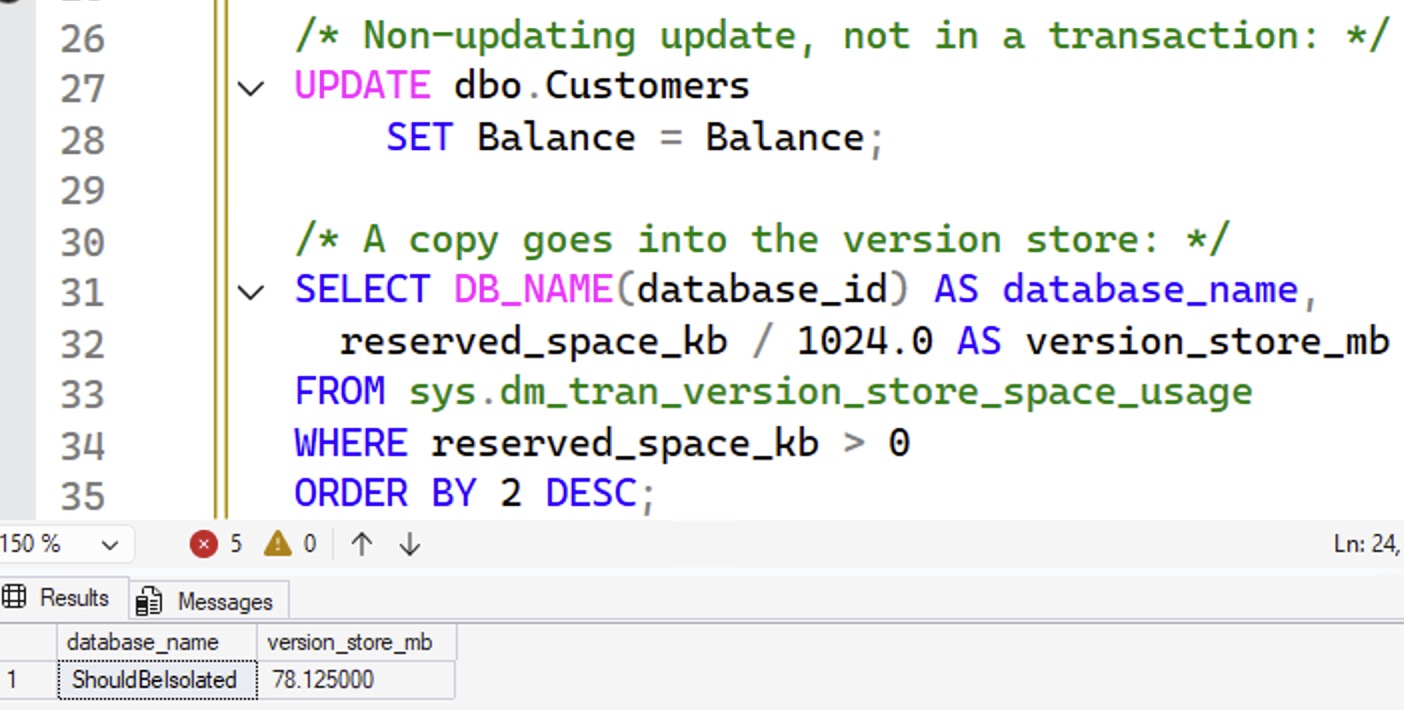
Wait 30 seconds or so, and then check the version store again. It’ll clean itself out automatically in the background. That’s how the world is supposed to work when everything’s going well.
However, imagine that you install a 3rd party vendor app on that same server, and it goes into its own database:
|
1 2 3 4 5 6 7 8 9 10 11 12 13 14 15 16 17 18 19 20 21 22 23 24 25 26 27 28 29 |
CREATE DATABASE BadlyBehaved; GO ALTER DATABASE BadlyBehaved SET READ_COMMITTED_SNAPSHOT ON; GO USE BadlyBehaved; GO CREATE TABLE dbo.Customers (Id INT IDENTITY(1,1), Balance INT, CustomerName VARCHAR(6000)); INSERT INTO dbo.Customers (Balance, CustomerName) SELECT 0, REPLICATE('Yo', 2500) FROM generate_series(1,10000); GO BEGIN TRAN; UPDATE dbo.Customers SET Balance = Balance; GO /* How much space is used in the version store right now? */ SELECT DB_NAME(database_id) AS database_name, reserved_space_kb / 1024.0 AS version_store_mb FROM sys.dm_tran_version_store_space_usage WHERE reserved_space_kb > 0 ORDER BY 2 DESC; |
The badly behaved application left its transaction open, but what’s the big deal? It only affects the vendor app, not our own isolated app, right?
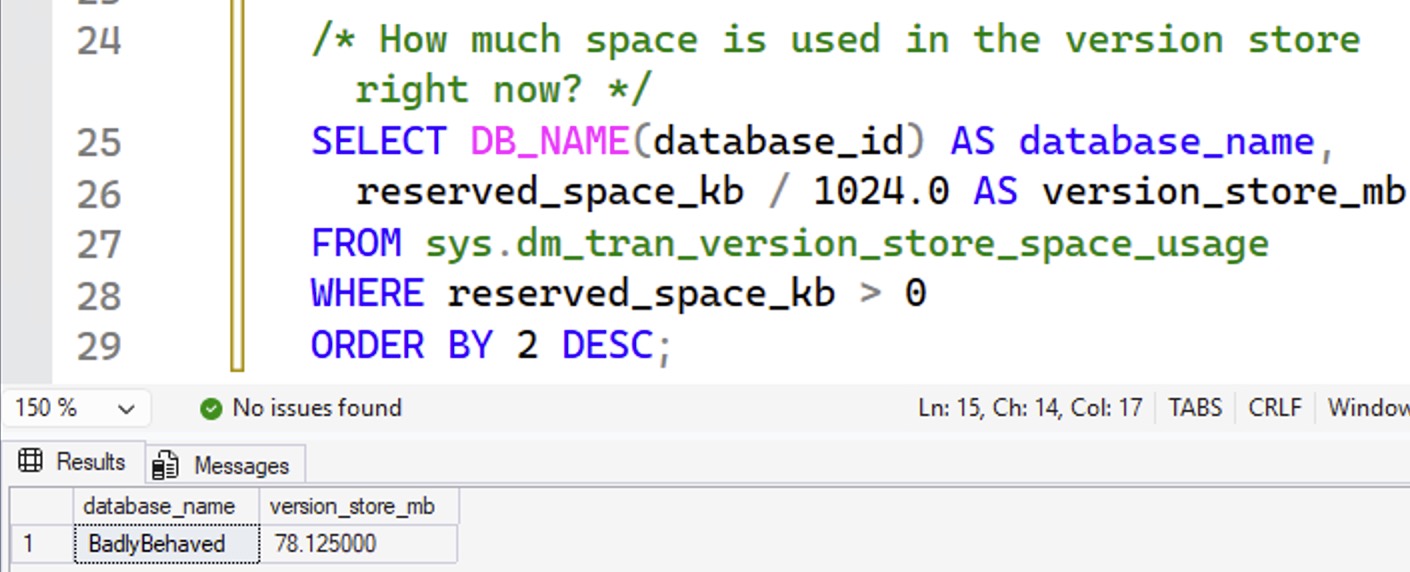
Here’s the problem: switch back over to our own supposedly isolated app, try the one-line update statement again, and check the version store space usage:
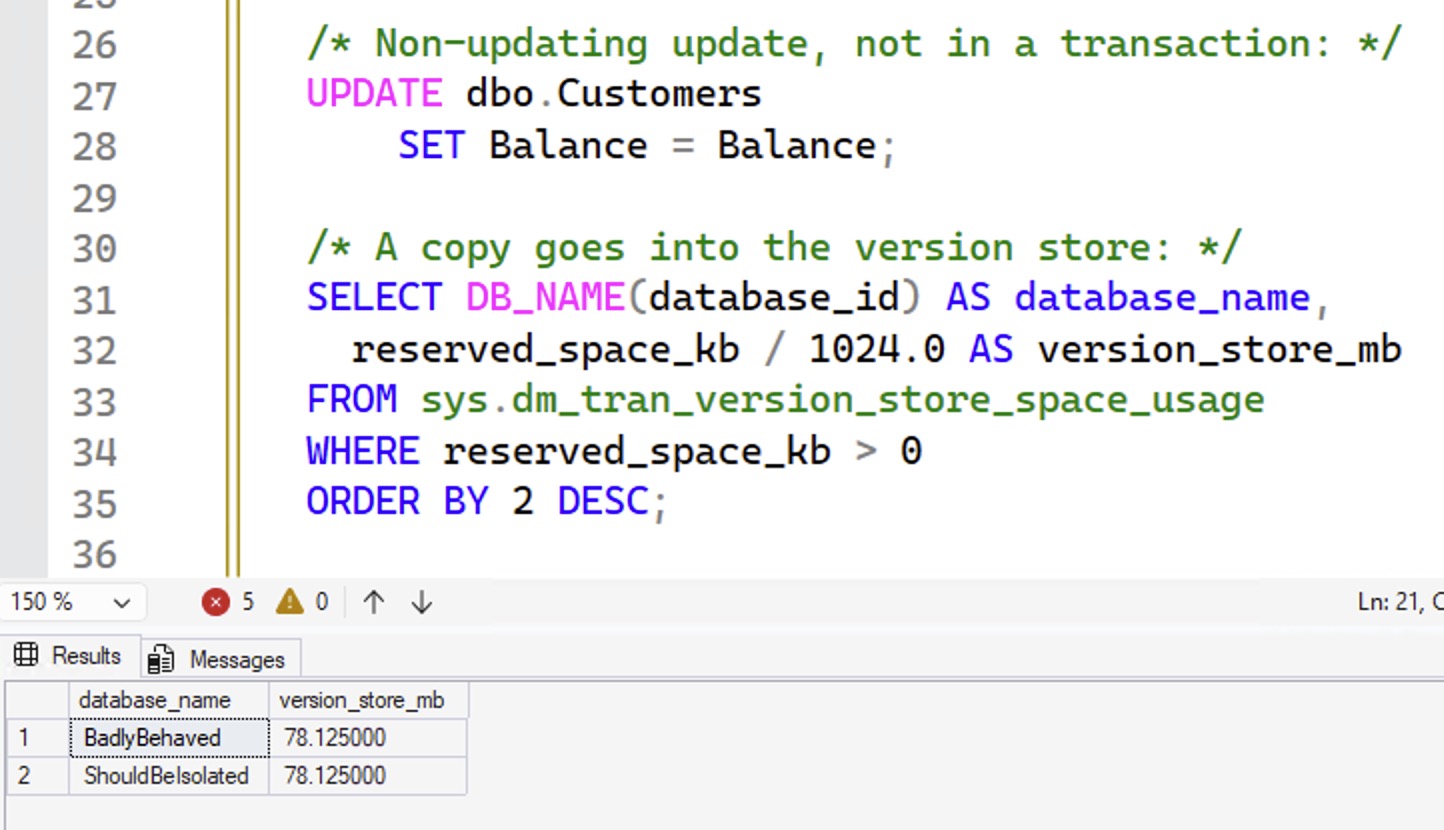
You can wait all you want, but our version store size ain’t going down, even though our databases aren’t connected in any way, and even though my well-behaving app isn’t using transactions! Every update & delete happening in my ShouldBeIsolated app is going to go into the version store, and stay there, until my BadlyBehaved app commits or rolls back its transactions.
What if I turn on ADR in BadlyBehaved?
The database-level setting Accelerated Database Recovery moves the RCSI version store out of the shared TempDB, and into the user database itself. This enables faster rollbacks. We’ll roll back our transaction in BadlyBehaved, wait for everybody’s version store to clear out of TempDB, then turn on ADR in BadlyBehaved:
|
1 2 3 4 5 6 7 8 9 10 11 12 13 14 15 |
ROLLBACK; GO ALTER DATABASE BadlyBehaved SET ACCELERATED_DATABASE_RECOVERY = ON; GO BEGIN TRAN; UPDATE dbo.Customers SET Balance = Balance; GO /* Check the TempDB version store: */ SELECT DB_NAME(database_id) AS database_name, reserved_space_kb / 1024.0 AS version_store_mb FROM sys.dm_tran_version_store_space_usage WHERE reserved_space_kb > 0 ORDER BY 2 DESC; |
Now, our BadlyBehaved app isn’t using any TempDB space:
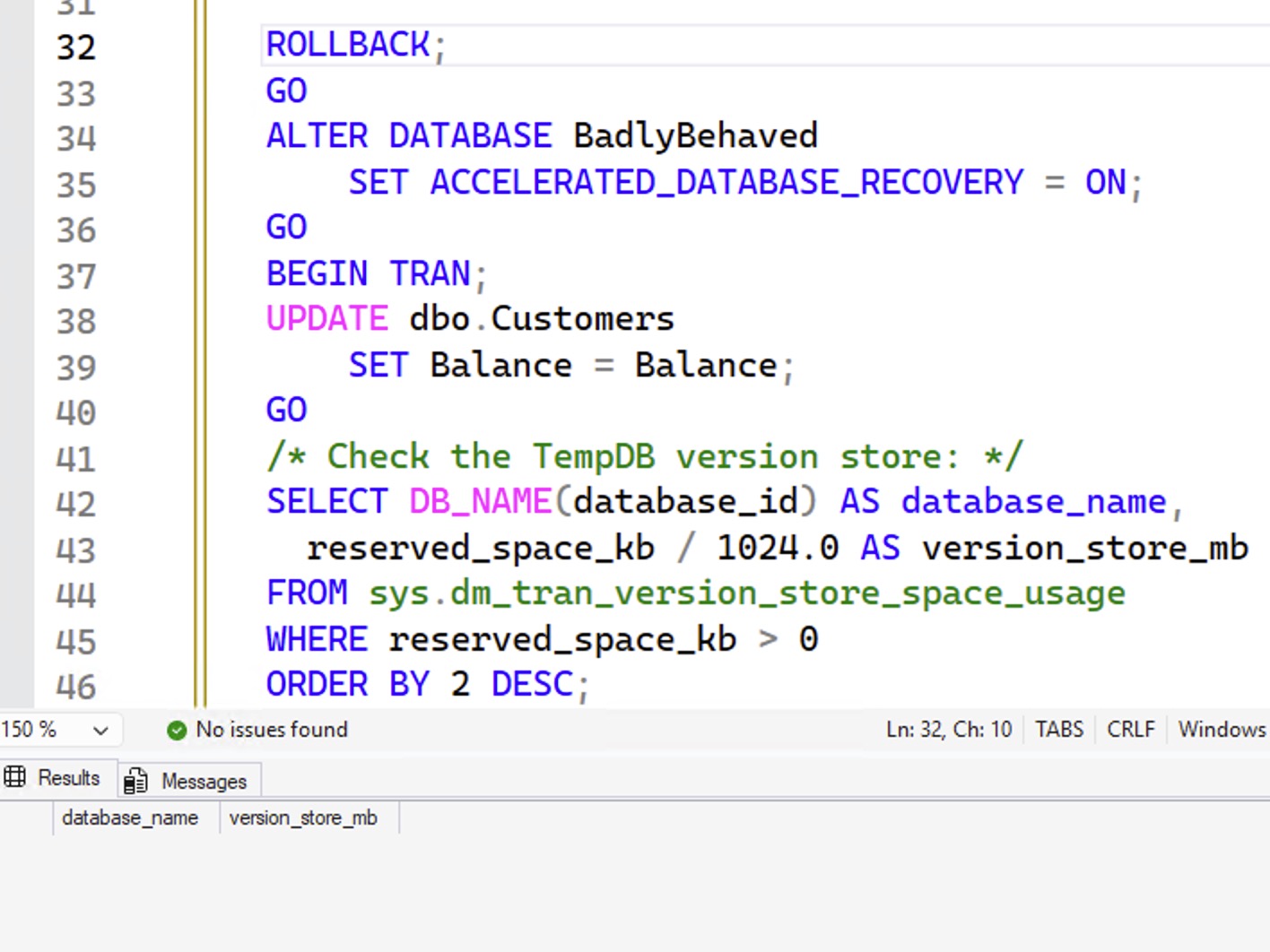
And if we switch back over to our isolated app database, and run our update statement, and check the TempDB version store usage:
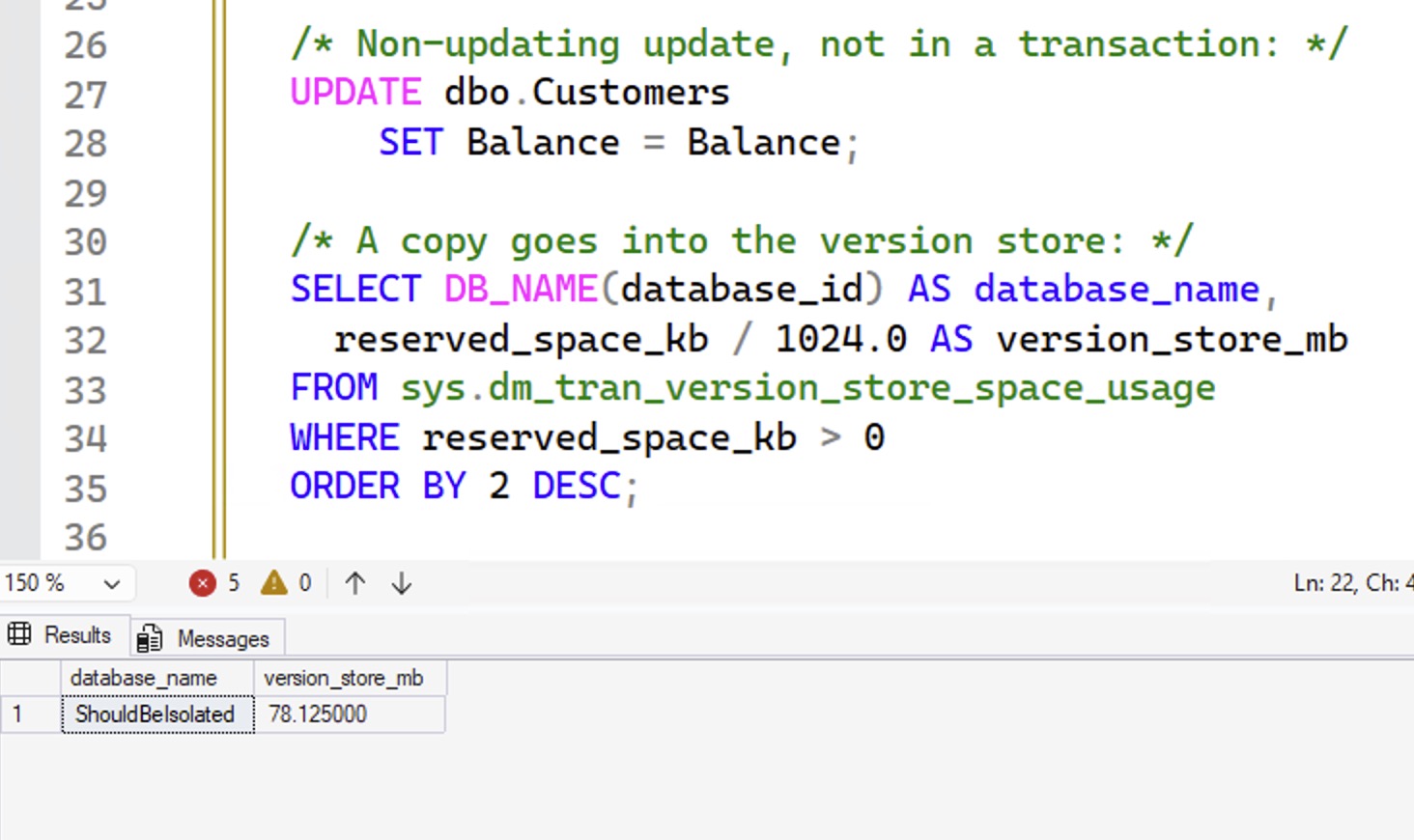
Yes, the table initially goes into the version store – it has to, when you’re using RCSI – but then wait 30 seconds and check again, and:

Bad news. ADR doesn’t help this scenario. Again, if any database has open transactions, even if that database has ADR enabled, the version store won’t clear itself out.
Note: this post was inspired by this 2008 MSDN blog post by Sunil Agarwal and this now-removed post (slow archive at the Wayback Machine) by an unknown author at Kohera.be. Kohera kept moving their post URL around, and then finally deleted their post, and MSDN certainly has a habit of doing that, so I figured I should just stick a post on here and be done with it because I mention this problem during my Fundamentals of TempDB class.

11 Comments. Leave new
Thanks for bringing this up. A pity ADR doesn’t solve this
We had this on a few instances at my company. The servers that had this issue, always had one of these turned on.
Read Committed Snapshot Isolation (RCSI)
Snapshot Isolation
I turned them off and that fixed the handful we had with this endlessly growing version store. All were in vendor databases.
It looks like ADR does help.
How?
When I have it enabled for BadlyBehaved, version store does get cleaned up. Works with SQL Server 2019 and 2022.
Interesting, because the screenshots here show that it isn’t. Doesn’t work with 2022 or 2025.
Works for me.
Cool!
Used exactly the same code as above. No changes.
Alex, I hear you loud and clear. I do wish I could help troubleshoot what’s happening on your system, but I hope you understand why I can’t do that with everyone. Hope that’s fair. Cheers!
Absolutely. Thank you for your post. It’s really very helpful.