
SSMS v22.4.1: Copilot is GA. So What’s It Do Right Now?
Copilot in SSMS has two parts. Usually people focus on the pop-out Copilot chat window, and that’s useful for sure, but honestly I think you’re going to get way more mileage out of the code completions feature, right away, because it blends in with your existing workflows.
Let’s say that I’m working with the Stack Overflow database and I wanna find the top 10 users with the highest reputations, and for each one, find their top-scoring Post. I would start by typing a comment describing what I’m doing, then type SELECT, and the magic happens:
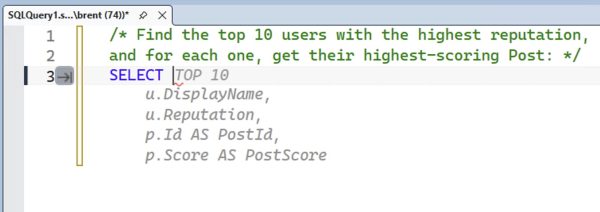
Copilot’s code completions automatically fill out pretty much what I’m looking for! That’s awesome. Note that I did have to type the word SELECT, but, uh, I’m okay with that. Copilot code completions don’t kick in until you at least give it a character. Hey, I’ve got plenty of characters around here. Let’s hit Tab to accept its work, and then hit enter:
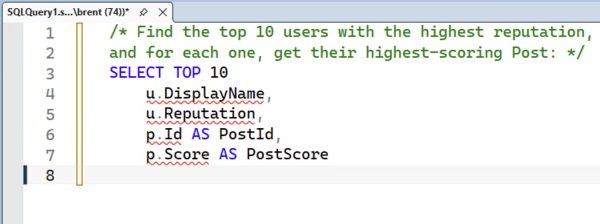
We’re at an impasse until I type the word FROM, which is fine, let’s do that:
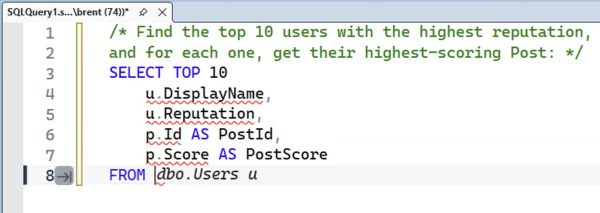
And it figures out that I want the Users table first. It even suggests aliasing the table correctly so that it matches up with what it’s already got in the SELECT! Lovely. Note that it only wrote one line – just the Users table – and not the subsequent join. Hit Tab to accept it, then enter:
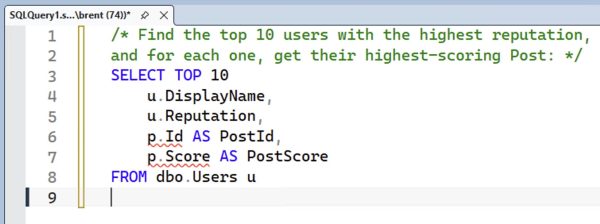
Again, nothing happens until I type something else in, so we’ll prompt it with an inner join:
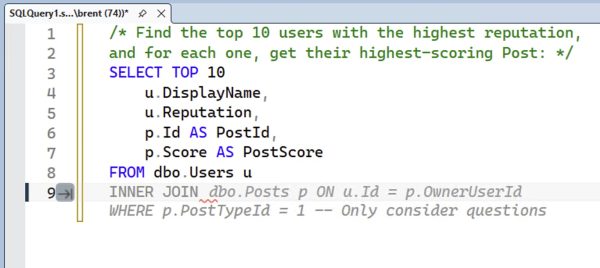
It adds the bang-on correct join to the Posts table, even though there’s no foreign key to explain the join, AND it lays out the WHERE clause. Note that earlier it only added one line for the From – just the Users table – but here it adds both the Posts table, and suggests no more joins are necessary, and it’s time for the WHERE clause, and adds it.
It does filter for only questions, which is something I didn’t ask for. Hmm. I would imagine that this filter and the joins are influenced by the fact that the Stack Overflow database is open source, and there’s a lot of copyrighted blog posts AI training material out there that Copilot learned from, so it’s automatically adding that. Your own surely private database might not get that quality of recommendations (although here of course the quality is what we call “bad”, since I didn’t ask for that filter, but “bad” is still a quality.)
Hit tab to accept, and it just sits there until we start the ORDER, at which point it fires back up with more advice:
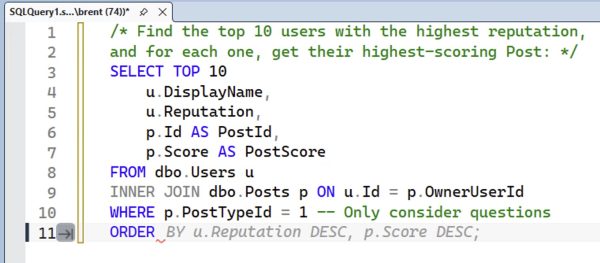
The order is pretty good, but overall the query doesn’t produce the results we’re actually looking for, as we’ll see when we hit F5:
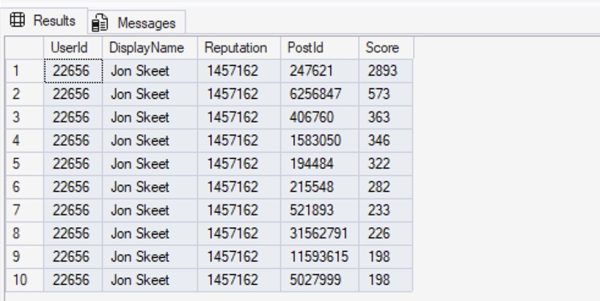
That’s … not what we wanted. We specifically asked for the top 10 users, and for each one, get their highest-scoring post. That’s not what we’re seeing here.
Let’s switch over to the Copilot Chat window and ask the same question:
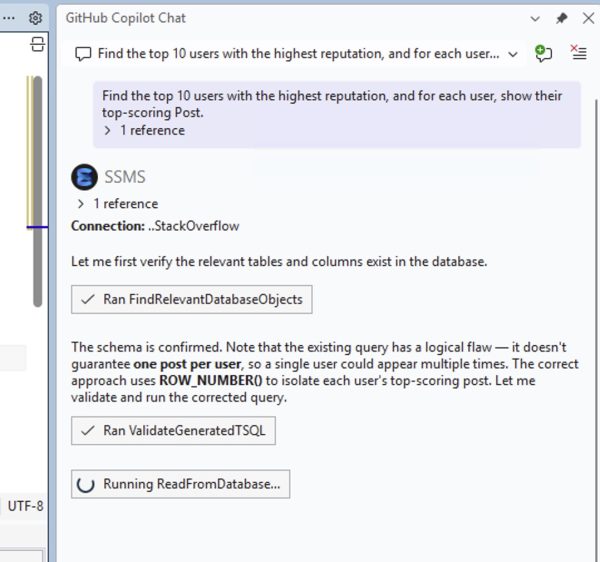
Note that I didn’t even ask Copilot Chat to evaluate the query in the SSMS window! It just decided to do that, and gauged the code completion chat as lacking in brains. That’s fantastic! In fairness, Copilot Chat takes a hell of a lot more time to figure that out, and as its analysis continues…
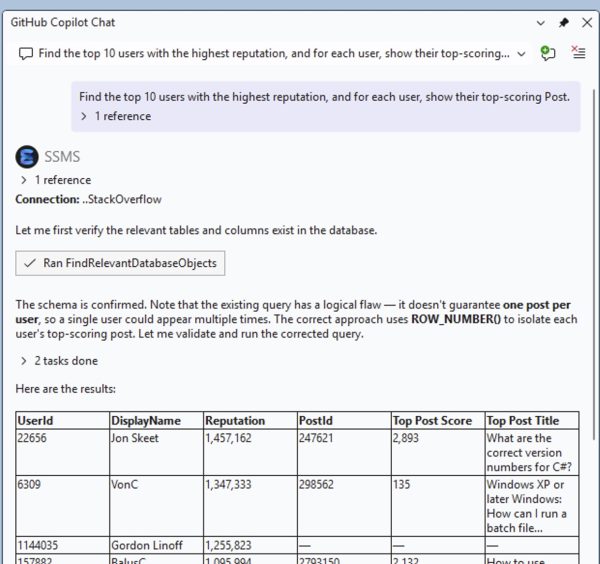
It shows the results, and those results are bang on. I love how it adds the top post title, too, which our code completions query didn’t. Continue scrolling down and after the results:
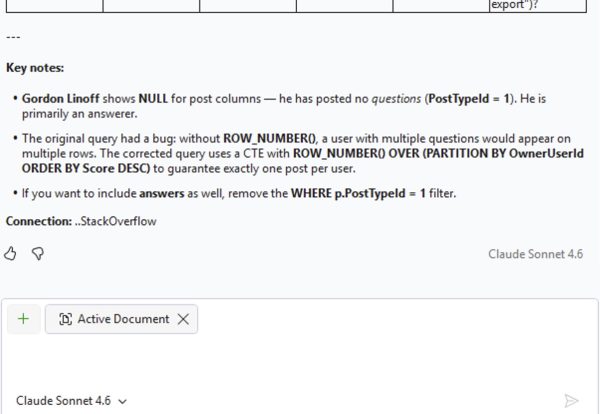
Brilliant! It … well, it doesn’t show me the actual query it wrote, but it does follow exactly what I asked for. I technically didn’t ask it to write the query – I just asked it for the results, so I’m left with copy/pasting the results out of the text, or asking it to show me its query.
If you want to get a feel for the real time response speed, you can watch this going down in the silent video below:
(No audio narration from me on that one because I was jamming out to the John Summit set in Vail as I wrote this post, getting psyched up for Experts Only Vail this weekend. Any EDM fans in the house?)
My verdict: enable code completions, NOW.
I adore Copilot’s code completions because they show up where you are. You have to enable them by going into Tools, Options, Text Editor, Inline Suggestions, and Copilot completions, then go into Inline Suggestions, Preferences, and check Show suggestions only after a pause in typing. (Otherwise they’re obnoxiously fast and when you hit tab, you’ll get the wrong stuff constantly, and you’ll be constantly forced to go back.)
Are they as good as a human can do? Not even close, as this quick & dirty demo showed. Code completions just makes your life easier, silently, as you’re working, without interrupting the tools and workflow you’re already used to using. I feel like it’s about 70% accurate, 30% inaccurate, which sounds terrible, but that 70% is massively helpful.
The Copilot Chat window is much more accurate, but it’s slow as hell in comparison, and it requires you to change your workflow. Nothing against that – it does good work – but I know you, dear reader, and you’re lazy. You’re not gonna switch over to the chat window. You’re gonna just keep typing in SSMS, and for that, Copilot code completions is the bomb.
Now if you’ll forgive me, I wanna go throw a sweater in the car for the road trip lest I shiver.

2 Comments. Leave new
Gonna take the bait, here. Why might inline Copilot do things like alias tables in the SELECT before it chooses to reveal the FROM clause that it’s picking them from, etc?
When you say “why”, who are you asking, exactly?