
Query Plan Pop Quiz Answers 2 and 3: I’ve Got Good News and Bad News.
In the Query Plan Pop Quiz, questions 2 and 3 asked you about what the sizes of arrows on query plans meant. The good news is that almost all of you got Question 2 right, but the bad news is that the vast majority of you got Question 3 completely incorrect, and the saddest part of that is that you’ve been using that inaccurate knowledge to guide your query tuning – and wasting your time.
Question 2: on an estimated plan, what does the thickness of the colored arrow represent?
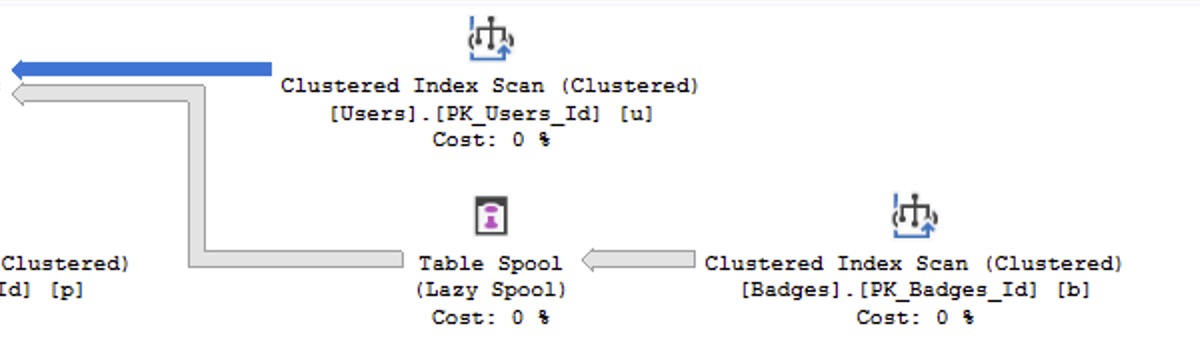
If you hover your mouse over that arrow, the tooltip offers numbers for estimated number of rows and estimated total data size:
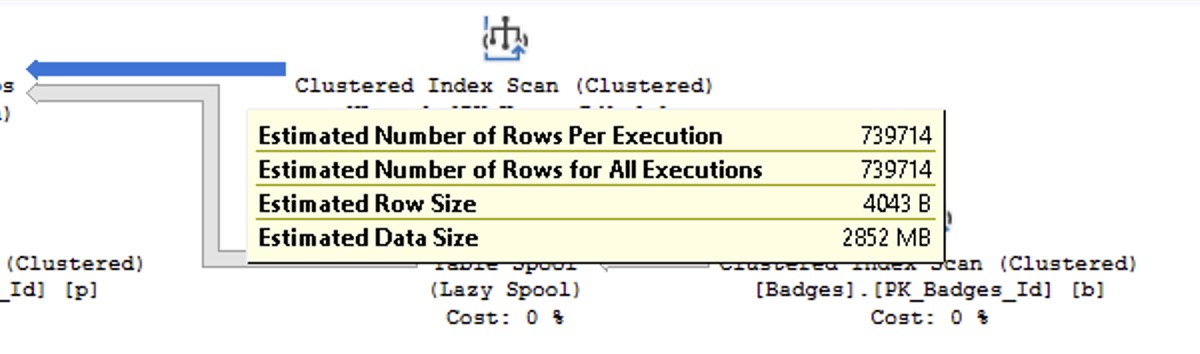
I don’t really care what the “right” answer is out of any of that, but the general idea is that the arrow’s thickness is based on the amount of data making that arrow-shaped journey. The thickness might be based on either the row count or the estimated total size, I’ve never cared to dig deeper because it hasn’t mattered for me. I bet someone bright in the comments will have a repro script showing the accurate answer.
However, here’s where it goes haywire…
But here’s the part you got wrong:
what about on actual plans?
Question 3: on an actual plan, what does the thickness of the colored arrow represent?
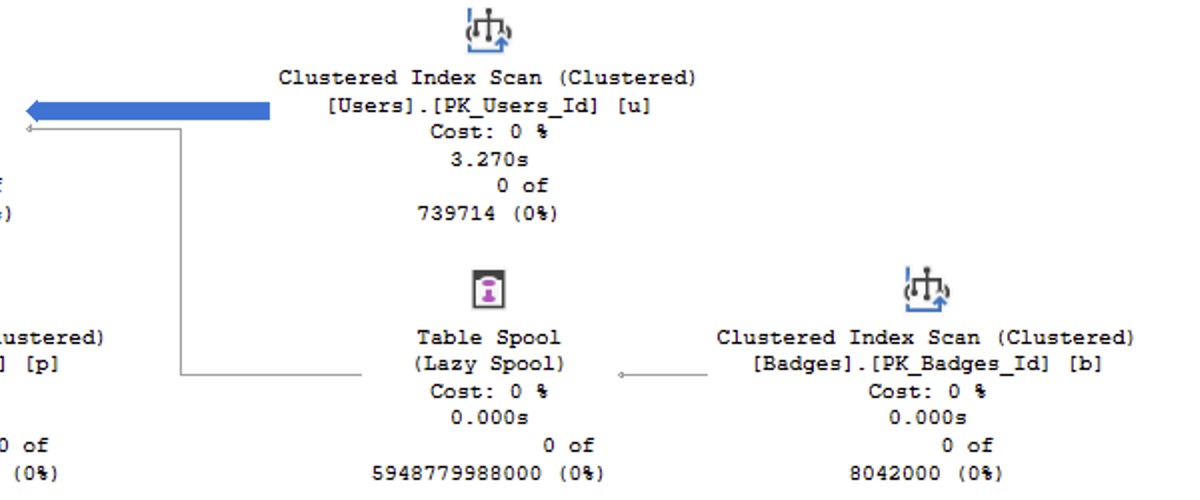
I guarantee that some of you said, “It’s the amount of actual rows that made that arrow-shaped journey, the number of rows or data size that came out of that operator.” However, look closer: 0 rows came out of that operator, as evidenced by the “0 of 739714” number shown above.
And then as you read that stuff I just typed, I guarantee you, I GUARANTEE YOU, that some of you said, “Oh, I see, so it must mean the estimated rows or data quantity that was supposed to come out.”
And that would be a very fair assumption, given the first part’s laughable answer about how query plan costs are always estimates, even when we’re looking at actual plans. However, if that were true, then the other arrows you see on the screen above would be large, too, because they had large estimates, as shown up higher in this very blog post showing this plan’s estimates. But those arrows are tiny – so what the hell do the arrow sizes represent?
Here’s where it gets ridiculous and surreal.
On an actual plan, that arrow size represents the number of rows read by the previous operator, as hinted by the tooltip when you hover over the arrow:
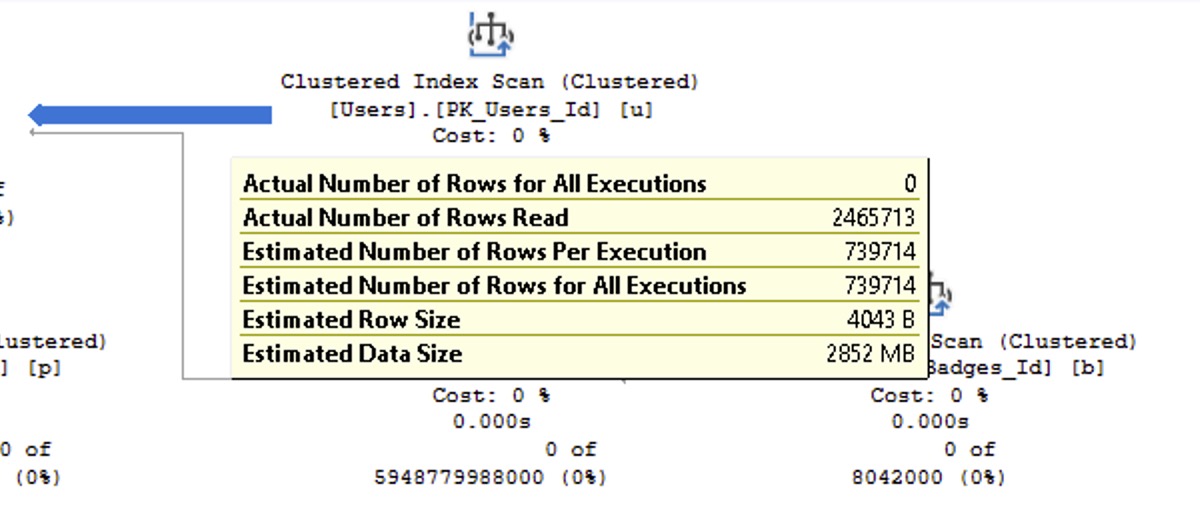
The clustered index scan here read 2.5M rows, yet produced 0. The thick size of the arrow is supposed to be warning you about the exact operator it’s pointing away from, saying it did too much work while producing too little results.
You can’t make this stuff up. This is what you’re up against as a performance tuner: query plans that actively mislead you about what you should be paying attention to. That’s why it’s so important for you to get good performance tuning training before you waste more hours of your short life trying to fix things that aren’t even a problem, and ignoring things that really are.
I’m not saying you should buy my training classes – and in fact, you shouldn’t! At least, not right now, because my annual Black Friday sales are about to start, dear reader, and I want to take as little of your money as possible. Unless your boss is paying – in which case, tell them to go grab you a Fundamentals and Mastering Lifetime Bundle for $2,495 right now because you’re worth it. (Definitely tell them the lifetime one, because if you’re the kind of person who asks them to pay extra, then you’re probably the kind of person who will take that training with you when you leave that job. I’m not saying. I’m just saying.)

5 Comments. Leave new
Buy it! Put it on a credit card and expense it as training in your taxes!
This is fascinating. What I found so difficult when I was trying to learn this stuff, is there was really very little good documentation from Microsoft about what your looking at and what it means. Maybe its better now, I haven’t looked. But now I have Brent’s training and don’t care what MS says about it!
You would think Microsoft would make it more obfuscated 🙂
Great read as always Brent
Agree the training is worth it.
My training budget is not big enough to buy lifetime, I was wondering if there is/could be an upgrade offer (1 year -> lifetime) that I can buy when my budget is topped up next year?
Kinda! What you can do is buy the annual one, and then next year when your training is topped up…buy the annual one again… and again… and again.
WINK WINK