
SQL Server 2025 RC0 Is Out with New Preview Features Settings
The release of SQL Server 2025 keeps inching closer. Release Candidate 0 is out now, and here are the release notes. If you’re planning on replacing your SQL Server 2016 instances (which go out of support next July) with 2025, now would be a good time to start doing functionality testing. As a reminder, here’s my post on how to go live on a new SQL Server version.
SQL Server 2025 RC0 adds a new database-scoped option called PREVIEW_FEATURES. If you wanna use stuff that’s not officially supported yet, you have to turn this feature on. You can kind of think of this option as SUPPORTED = OFF. As of RC0, Change Event Streaming (which has a ton of limitations, but looks promising), vector indexes, and AI_GENERATE_CHUNKS are locked behind this setting.
This is awesome! I applaud Microsoft for being willing to ship a version, but hold back specific features until they’re ready. Some of my clients are itching to get onto the newest version as quickly as practical, and they don’t really care about the above features. (I also like this better than the server-wide trace flag approach.)
However, time to cue up the sad trombone: this is your sign that the above features probably won’t make the cut for SQL Server 2025’s initial release. If you were counting down the days to put those features into production, time to reset the clock and set expectations with management that we have no idea when that stuff will actually drop in a way that’s safe to use. I usually advise folks to rely adding application dependencies on brand-new T-SQL functionality for the first 30-60 days at least to see how the bugs shake out. (We all remember the challenges of inlined scalar functions.) If you don’t have to take a dependency on a new feature right away, then you probably shouldn’t.
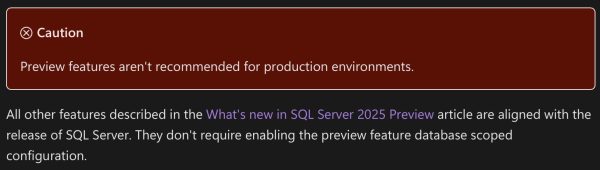
The release notes suggest that everything else in 2025 is destined for the first release, though:
New Sys.Messages Entries in SQL Server 2025 RC0
In addition to the ones added in RC0 and in RC1, there are still more. I’ve bolded some of the ones that look particularly interesting:
- 709: The available memory for this SQL Server instance (%I64u MB) is lower than the configured maximum server memory (%I64u MB). This might occur because of external memory pressure or faulty hardware. If the operating system does not have sufficient memory for this SQL Server instance, consider reducing the configured maximum server memory to avoid this message on instance startup.
- 4716: TRUNCATE TABLE statement failed. The column set used to partition the %S_MSG ‘%.*ls’ is different from the column set used to partition index ‘%.*ls’
- 5383: Cannot reference Index on Expression column ‘%.*s’ during index creation.
- 8070: The incoming tabular data stream (TDS) remote procedure call (RPC) protocol stream is incorrect. Parameter %d (“%.*ls”): vector data type is not supported in TDS on the server side.
- 11449: ALTER TABLE SWITCH statement failed because the table ‘%.*ls’ has %S_MSG on it.
- 12145: Cannot disable the PREVIEW_FEATURES database-scoped configuration while the ‘%ls’ preview feature is active.
- 12146: Database ‘%.*ls’ cannot be renamed while Mirroring to Microsoft Fabric is enabled. Disable Mirroring and retry rename operation.
- 12467: The feature_id %d is invalid.
- 12468: Removing feedback for feature_id %d is not supported.
- 12469: Removing feedback for a specific plan is not supported.
- 12470: Removing plan feedback is disabled.
- 12526: An internal error occurred while cloning the specified warehouse.
- 13689: DATA_COMPRESSION is not compatible with JSON index ‘%.*ls’. Please drop it and recreate it.
- 13690: JSON index ‘%.*ls’ cannot be rebuilt. Drop and recreate it.
- 13836: For onelake container paths, only files in ‘//Files’ directory are allowed.
- 13837: ERRORFILE path ‘%ls’ and data path ‘%ls’ must have the same onelake endpoint, workspace, artifact and folder.
- 16219: The value for %.*ls is out of range. The value must be greater than or equal to %I64u and less than or equal to %I64u.
- 17077: Error spawning Heartbeat Monitor thread: %ls
- 19545: ‘ALTER AVAILABILITY GROUP’ command failed for internal distributed availability group ‘%.*ls’. Altering internal distributed availability groups is not supported.
- 19546: ‘ALTER DATABASE SET HADR’ command failed for database ‘%.*ls’. This command is not supported for databases participating in distributed availability group with SQL Managed Instance.
- 19547: The integrity check for distributed availability group ‘%.*ls’ with SQL Managed Instance failed with error cause: ‘%S_MSG’. Corrective action: ‘%S_MSG’.
- 19548: The integrity check for distributed availability group ‘%.*ls’ with SQL Managed Instance failed with error cause: ‘An availability database ‘%.*ls’ not participating in any internal distributed availability group.’. Corrective action: ‘Remove the availability database from the availability group and add it back again.’.
- 19549: Provided distributed availability group name ‘%.*ls’ is invalid. Please provide a name of a distributed availability group with SQL Managed Instance.
- 19550: Distributed availability group with managed instance does not support having multiple databases.
- 19551: The CLUSTER_CONNECTION_OPTIONS argument can only be specified when the availability group uses a Windows Server failover cluster. Remove CLUSTER_CONNECTION_OPTIONS and try again.
- 19552: The current value of HostNameInCertificate is too long. Current length: %ld characters, maximum length: %ld characters.
- 19553: The current value of ServerCertificate is too long. Current length: %ld characters, maximum length: %ld characters.
- 19554: Invalid key ‘%.*ls’ in the %.*ls argument. For more information, see %.*ls.
- 19555: The format of the ‘%.*ls’ argument is invalid. The expected format is ‘<key=value>;<key=value>;…’. Spaces and semicolons in keys or values are not allowed. For more information, see %.*ls.
- 19556: Invalid value ‘%.*ls’ for Encrypt. Valid values are Strict, Mandatory or Optional. For more information, see %.*ls.
- 19557: Invalid value ‘%.*ls’ for TrustServerCertificate. Valid values are Yes or No. For more information, see %.*ls.
- 19558: Duplicate key ‘%.*ls’ in %.*ls.
- 19559: The key ‘Encrypt’ must be specified in %.*ls.
- 22645: Fabric Mirroring cannot be enabled on a table where its primary key, or if no primary key exists, its clustered index, includes any of the following column types: user-defined types, geometry, geography, hierarchyid, sql_variant, timestamp, datetime2(7), datetimeoffset(7), or time(7).
- 22799: Fabric Mirroring cannot be enabled on database ‘%s’ due to the reason: %S_MSG
- 23667: Change Streams event delivery error : ‘%ls’.
- 23668: User table ‘%s’ has reached the max number of Change Event Streaming destinations.
- 23669: Microsoft Fabric Mirroring cannot be enabled on Linux.
- 23670: No primary system assigned managed identity found.
- 23671: Microsoft Fabric Mirroring is not supported on Azure VM.
- 23672: Microsoft Fabric Mirroring is not supported with Arc user assigned managed identity. Please use Arc system assigned managed identity.
- 24803: Encountered failure during database upgrade of internal tables.
- 24804: This stored procedure supports only one-part or two-part names. Please use either [table] or [schema].[table].
- 24805: Column ‘%s’ of type ‘%s’ could not be validated with the underlying table. Reason: %s.
- 24806: Unexpected JSON data during parsing attempt in column type inference. Underlying data description: ‘%ls’
- 24807: Cannot parse unquoted JSON value in the property ‘%ls’. Valid unquoted values can be true, false, null, and numbers. Underlying data description: ‘%ls’
- 24808: Cannot convert a string value found in the JSON text to binary value because it is not Base64 encoded.
- 24809: One or more log or checkpoint files have been deleted or overwritten. No operations can be performed on the external table. Please recreate the external table.
- 24810: Updating source database is not supported.
- 24811: SOURCE_DATABASE can only be altered only for warehouse snapshots in LIVE mode.
- 24812: Setting SOURCE_DATABASE failed.
- 24813: Specifying an explicit value for the identity column ‘%.*ls’ in table ‘%.*ls’ is not supported.
- 25100: Storage is unavailable.
- 25101: Provided lease is broken.
- 25102: Lease was already released.
- 25103: Incompatible lease mode.
- 25104: Invalid parameter.
- 27604: Your organization Microsoft Purview Information Protection label publishing policy requires a justification when the label assigned to the column is being changed to a different label with lower priority. Provide a valid justification. For more information, see https://aka.ms/SQLPurviewLabeling.
- 27605: The label with ID ‘%.*ls’ is not a valid label in Microsoft Purview Information Protection. Provide a valid label ID. For more information, see https://aka.ms/SQLPurviewLabeling.
- 27606: Microsoft Purview Information Protection label can only be assigned or changed by Microsoft Entra user. Use a valid Microsoft Entra user to execute this query. For more information, see https://aka.ms/SQLPurviewLabeling.
- 27607: Microsoft Purview Information Protection labels cannot be assigned when the database has existing labels assigned via the SQL Data Discovery and Classification feature. Remove any existing labels from the database prior to assigning Microsoft Purview Information Protection labels. For more information, see https://aka.ms/SQLPurviewLabeling.
- 27608: Labels via the SQL Data Discovery and Classification feature cannot be assigned when the database has existing Microsoft Purview Information Protection labels assigned to it. Remove any existing labels from the database and then try again. For more information, see https://aka.ms/SQLPurviewLabeling.
- 27609: Internal error occurred while running billing background task. Major error code: %d, Minor error code: %d, State: %d.
- 27610: Unable to access Microsoft Purview Information Protection on your behalf because your session has expired. Reconnect to SQL database and try again.
- 31208: A fulltext fragment table is missing.
- 31644: Server Managed Identity is disabled for this instance of SQL Server. Use sp_configure ‘allow server scoped db credentials’ to enable it. For more information, see https://go.microsoft.com/fwlink/?linkid=2325611.
- 31734: The value ‘%I64d’ is not within range for the %ls parameter.
- 31735: The JSON value for the JSON key ‘%ls’ must be ‘%.*ls’ type.
- 31736: An error occurred during the execution of the function.
- 31737: The size of the provided %ls would be at least %u bytes after converting to UTF-8, which exceeds the maximum allowed size of %u bytes.
- 31738: Initialization of the ‘%ls’ process with session ID ‘%ls’ failed with HRESULT 0x%08x.
- 31739: Generating embeddings from ‘%ls’ process with session ID ‘%ls’ failed with HRESULT 0x%08x.
- 31740: An internal error has occurred in AI runtime with session ID ‘%ls’. Retry the operation, if the issue persists, contact support for assistance.
- 35541: ai_generate_chunks
- 35542: Drop and re-create the distributed availability group with SQL Managed Instance.
- 35543: Stored procedure called on invalid distributed availability group type or on non-existing distributed availability group.
- 35544: Empty internal distributed availability group.
- 35545: Internal distributed availability group naming inconsistency.
- 35546: An internal distributed availability group detected with more than one associated availability database.
- 37579: The security policy ‘%.*ls’ cannot reference tables with vector indexes. Table ‘%.*ls’ has a vector index.
- 42241: Input JSON contains out-of-range values for %ls.
- 42242: Input JSON contains %ls type which is not supported in ARM64 architecture.
- 42243: VECTOR_DISTANCE function does not support different base types for vector arguments.
- 42244: A vector index cannot be created on tables with security policies. Table ‘%.*ls’ has security policy ‘%.*ls’.
- 42245: Drop and recreate the incompatible vector index ID %d on object ID %d.
- 45943: “The long-term retention backup with the desired legal hold value already exists backup file backup. ErrorOwner: sqldataintegration
- 46560: External Table Location option must be a valid OneLake path.
- 47700: Reason: The External Provider Access Token used for authenticating to the SQL Server is Blocklisted.
- 49538: The dynamic space management force reset operation was aborted because the connected server is not a page server.
- 49539: The dynamic space management force reset operation has failed for database ID %d, mode ID %d, failure name %ls.

1 Comment. Leave new
“27609: Internal error occurred while running billing background task.” So basically this is a message for those who work at Microsoft in the Azure backend.
If they have shipped this it must be because the Cloud and the On-prem are merging.