Performance Tuning
SQL Server 2016 SP1 Bug with Graphical Execution Plans
Early adopters: if you’re rolling on SQL Server 2016 SP1, you may have noticed that when you click on query plans in sp_BlitzCache or sp_WhoIsActive, they sometimes render as ugly XML rather than the beautiful graphical showplan.
Here’s a 3-minute video showing the bug:
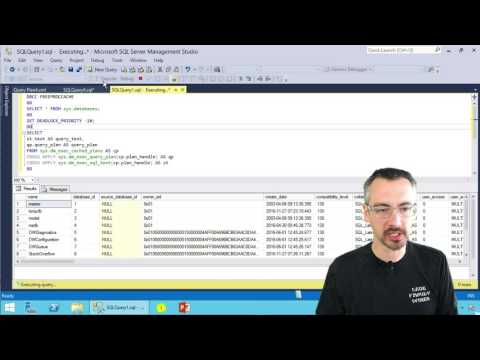
To work around it, save the XML plan as a file – but you’ll need to frame the name in double quotes, like “my beautiful query.sqlplan” and end it with a sqlplan extension. Then, open it up again, and SSMS renders it as a graphical plan.
To get this fixed, vote up these 3 Connect items:
Free, 3× a week
Get my new posts by email
Three posts a week, plus a Monday roundup of the best database news from around the web.
Glad I wasn’t the only one. Still, compared to some previous SP1 surprises, I’ll take this one!
This issue has been around since SQL Server 2008 R2 and Microsoft allows the bug to continue. The Graphical rendering worked fine in 2007 and prior versions, as i recall, but somewhere along the way Microsoft’s quality control took a nose dive and introduced the bug and has since neglected to fix it.
No, it was fixed in SPs/CUs of SSMS. It wasn’t this way in SQL 2016 RTM, for example. (I know because we use this extensively with clients.) Thanks though!
Brent,
So if it was working as expected in 2016 RTM and has recently surfaced again how it that possible unless some old code was redeployed in the build or the patch that fixed the issue was not included in the build manifest? Just curious. I’ve been using SQL Server since 6.5 and find the internals fascinating.
Mark: read the Connect items I linked to in the blog post, and they explain the issue. Thanks!
Because new showplan attributes were introduced in the engine, but since SSMS is a completely separate application now, it won’t be updated with the new XSD just by applying SP1.
I show a couple of workarounds here, but this will be a challenge as engine and SSMS leapfrog each other, but only when showplan changes are introduced, which usually only happens at SP/RTM releases.
https://blogs.sentryone.com/team-posts/latest-builds-sql-server-2016/
Aaron – the thing I don’t get is why they’re not updating the showplan up on the site, though. If SSMS could fetch the latest plan definitions from https://connect.microsoft.com/SQLServer/feedback/details/3113286 then they could auto-update SSMS with new plan elements. But if they’re not even updating that public document…
I had never tried to get it from that public thing – seems about as reliable as public symbols, which are always a mess after any new build. I don’t think the location you’re talking about is managed by the SSMS team – they have access to the new XSD obviously, but I don’t think they can control where it gets updated.
I installed 17.0 RC and copied the file from there.
Voted on the connect items! (like a good dba should do ;-).
Voted!
The same workaround for this bug in 2008 works for SSMS 2016. (originally posted by Aaron Bertrand here: http://sqlblog.com/blogs/aaron_bertrand/archive/2011/10/28/getting-graphical-showplan-back-in-sql-server-2008-r2.aspx)
If you have access (or care to install) SSMS 2014, copy the “showplanxml.xsd” file from C:\Program Files (x86)\Microsoft SQL Server\120\Tools\Binn\schemas\sqlserver\2004\07\showplan to the same directory for 2016 SSMS, and the execution plans should display correctly.
Eric – except that if you read all of the Connect items I linked to in the post, you’ll see why that doesn’t work. Thanks though!
It works on my machine! 😉
Interesting. It must be something in the latest update the re-breaks it. I applied that fix a few weeks ago and haven’t had any problems since.
*Note to self: Don’t update yet!
New XSD worked for me, as did updating to SSMS 17.0 RC1.
Follow this link in a web browser to find all of the different flavors of showplan schemas.
http://schemas.microsoft.com/sqlserver/2004/07/showplan/
Follow this link, for all of the Microsoft SQL Server XML Schemas:
http://schemas.microsoft.com/sqlserver/
and we can compare the schema’s with a tool such as winmerge.
http://winmerge.org/
Absolutely, “we” could! 😀 Let me know what “we” find, hahaha. (I’m out in Vegas this week at AWS re:Invent.)
It’s music to my ears to hear Chopin talked about so much 🙂
The latest version of SSMS fixes the issue: https://blogs.msdn.microsoft.com/sqlreleaseservices/announcing-sql-server-management-studio-16-5-1-release/
(I installed it and it works for me, so hopefully it will work for you too.)